A terminal OpenTelemetry viewer inspired by otel-desktop-viewer
Go
1,105
748 commits
updated Oct 11, 2026
A terminal OpenTelemetry viewer inspired by otel-desktop-viewer.
This tool currently supports OpenTelemetry, Zipkin (Traces), Prometheus (Metrics), and Datadog (Traces, Metrics, Logs) formats.
Traces
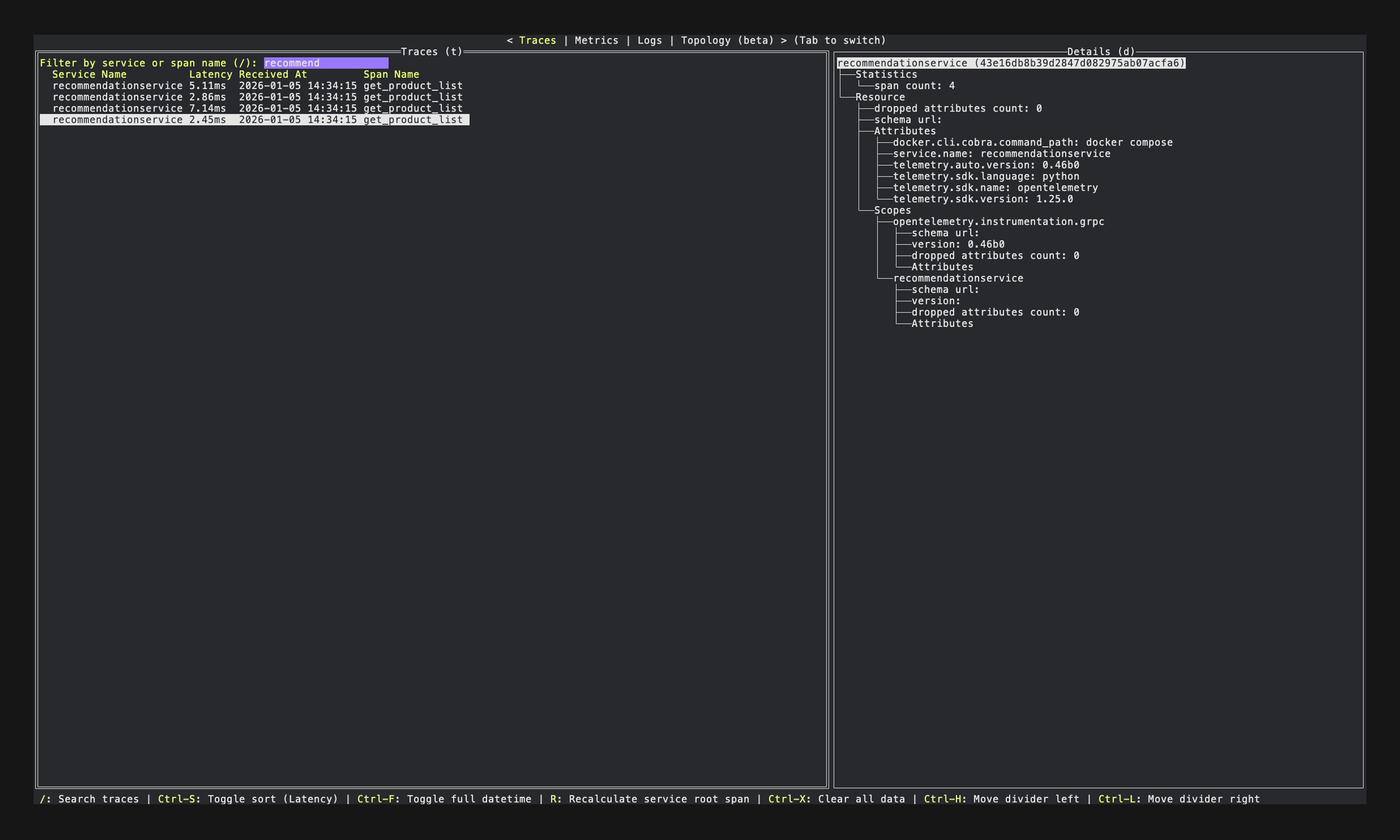
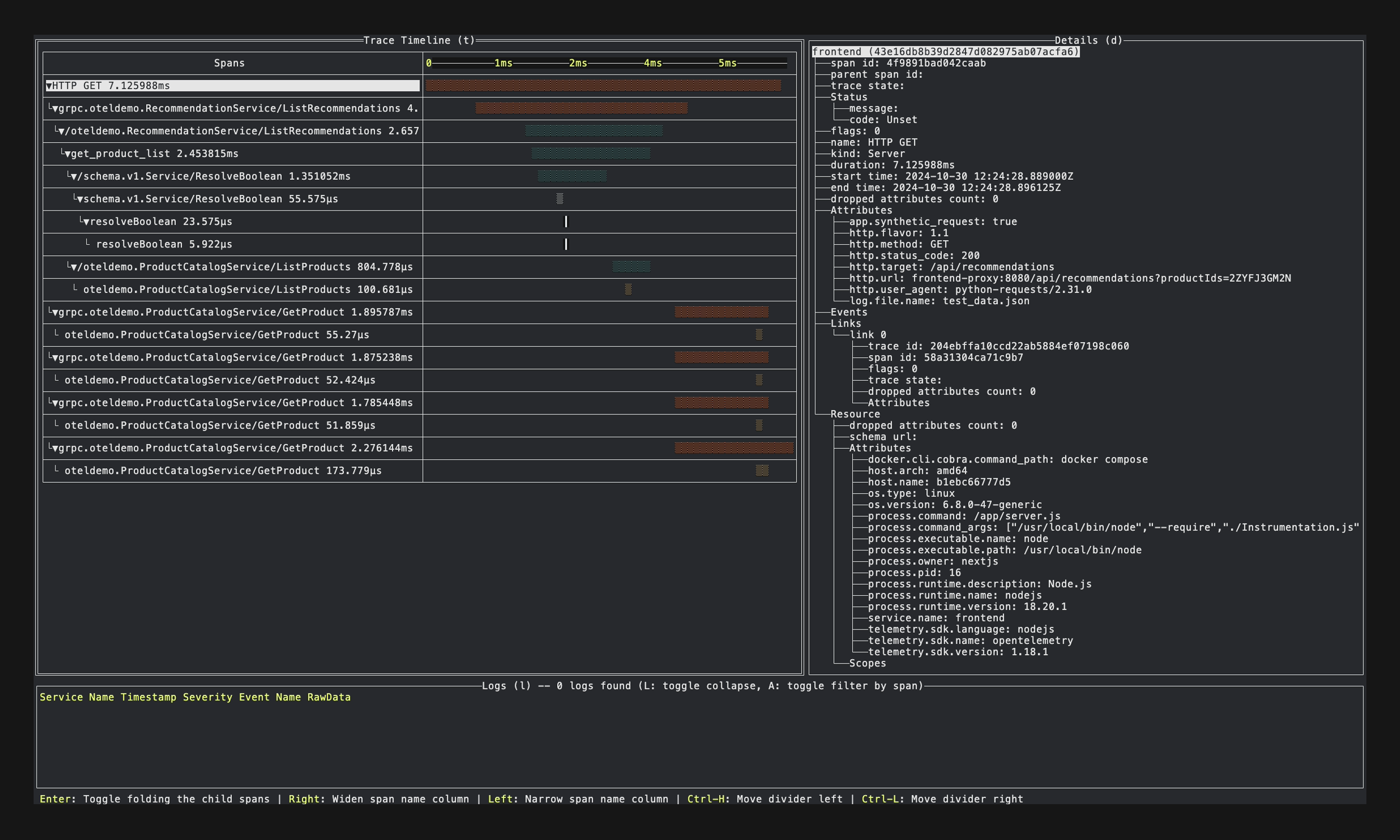
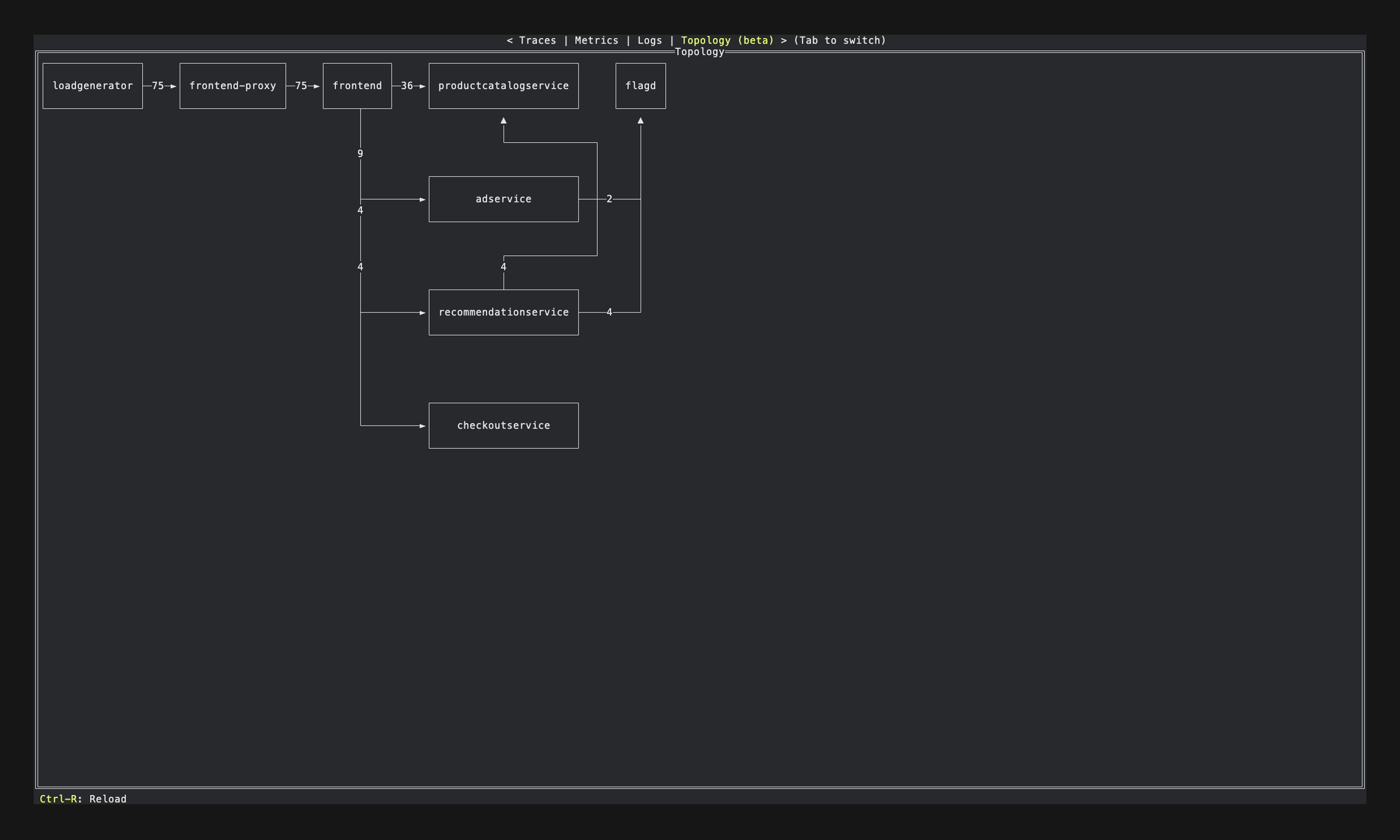
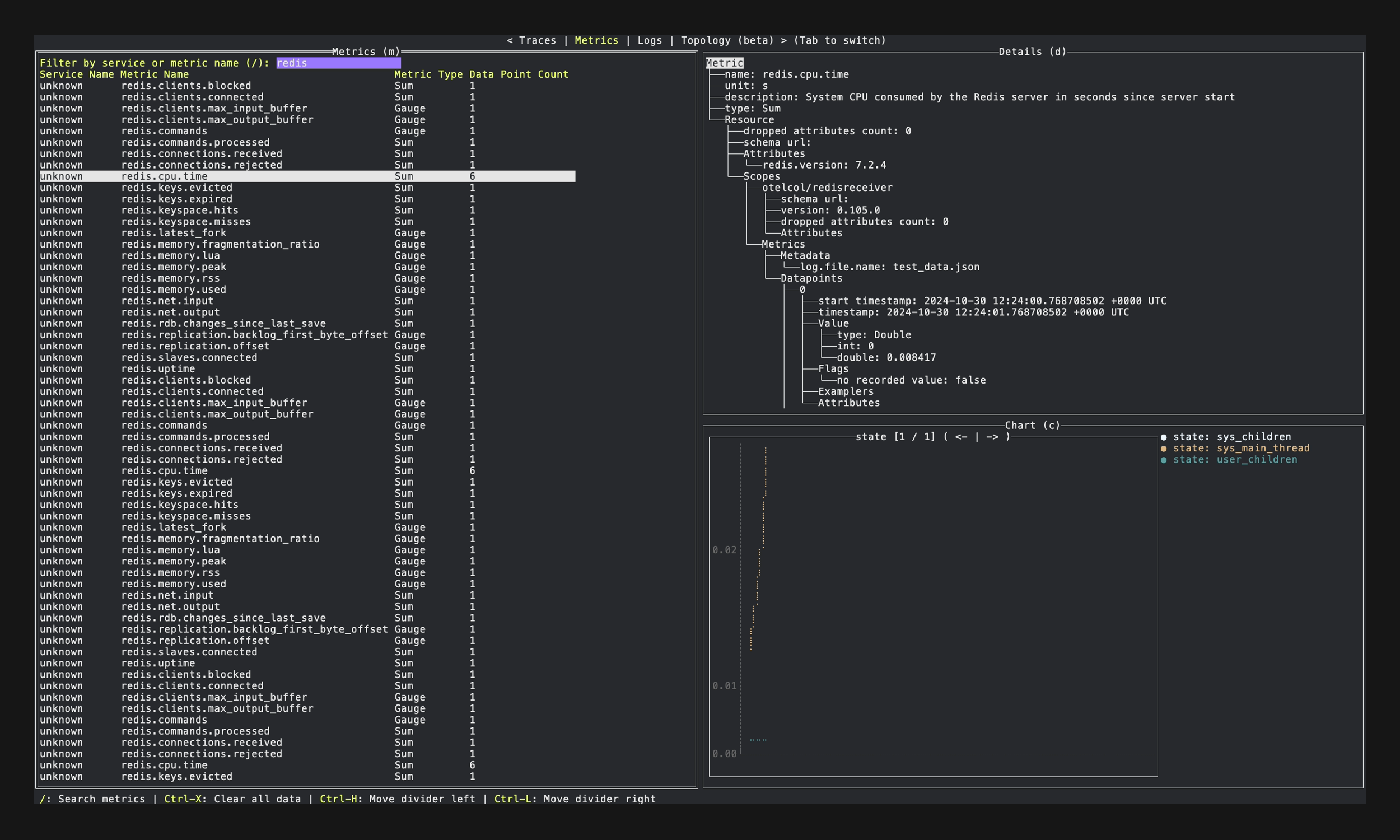
Metrics
Logs
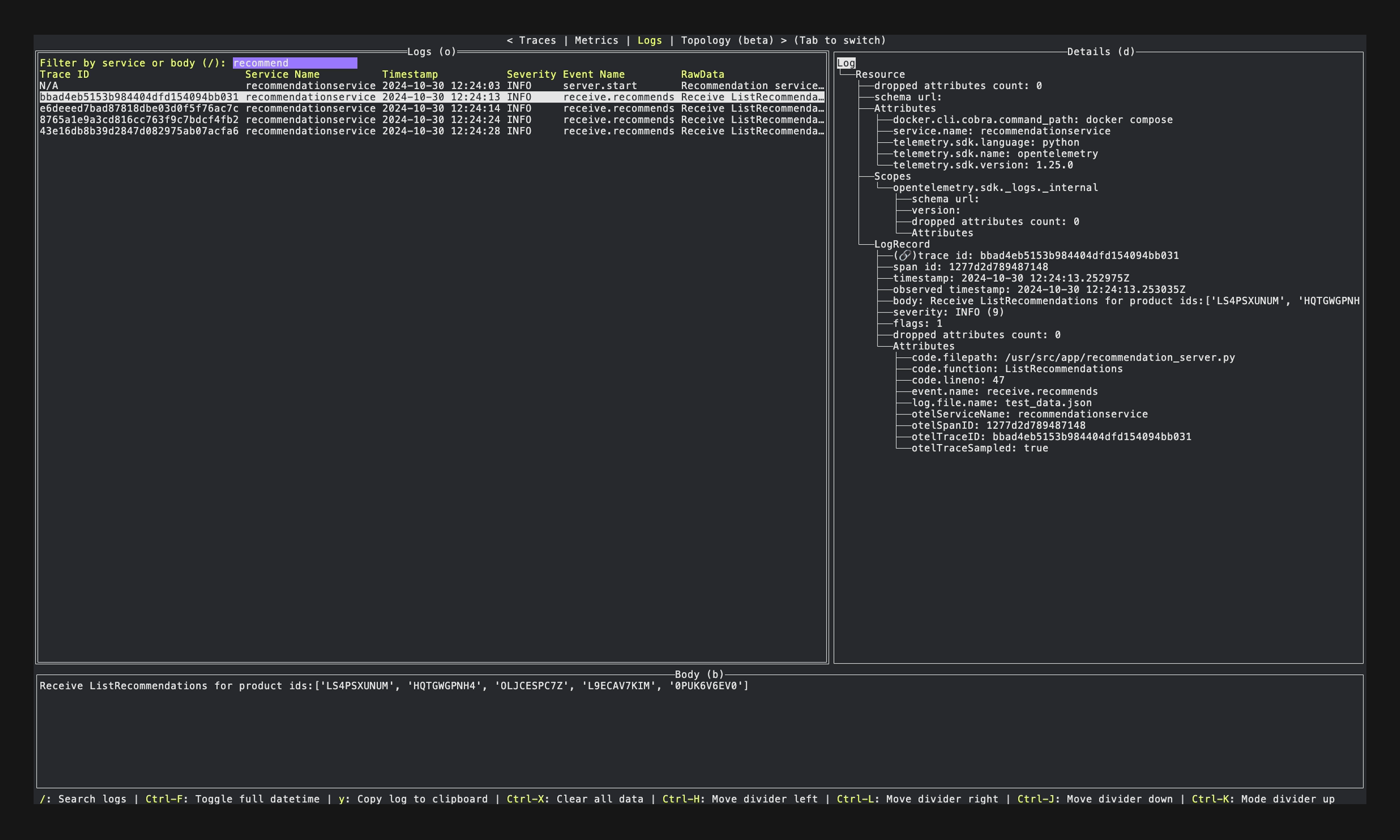
Currently, this tool exposes the ports:
4317 to receive OpenTelemetry signals (gRPC)4318 to receive OpenTelemetry signals (HTTP)9411 to receive Zipkin traces (enabled by --enable-zipkin option)8126 to receive Datadog signals (enabled by --enable-datadog option)8125 to receive DogStatsD metrics (enabled by --enable-datadog option)The server's Access-Control-Allow-Origin header includes localhost, allowing telemetry to be sent directly from browser applications running on localhost.
Options:
Usage:
  otel-tui [flags]

Flags:
      --debug-log                 Enable debug log output to file (/tmp/otel-tui.log)
      --enable-datadog            Enable the Datadog and DogStatsD receivers
      --enable-zipkin             Enable the zipkin receiver
      --from-json-file string     The JSON file path exported by JSON exporter
      --grpc int                  The port number on which we listen for OTLP grpc payloads (default 4317)
  -h, --help                      help for otel-tui
      --host string               The host where we expose our OTLP endpoints (default "0.0.0.0")
      --http int                  The port number on which we listen for OTLP http payloads (default 4318)
      --prom-target stringArray   Enable the prometheus receiver and specify the target endpoints for the receiver (--prom-target "localhost:9000" --prom-target "http://other-host:9000/custom/prometheus")
  -v, --version                   version for otel-tui
$ brew install ymtdzzz/tap/otel-tui
$ go install github.com/ymtdzzz/otel-tui@latest
Run in the container simply:
$ docker run --rm -it --name otel-tui ymtdzzz/otel-tui:latest
Or, run as a background process and attach it:
# Run otel-tui as a background process
$ docker run --rm -dit --name otel-tui ymtdzzz/otel-tui:latest

# Show TUI in your current terminal session
$ docker attach otel-tui

# Detach by pressing Ctrl+p -> Ctrl+q
First, add service to your manifest (docker-compose.yaml) for the instrumanted app
oteltui:
  image: ymtdzzz/otel-tui:latest
  container_name: otel-tui
  stdin_open: true
  tty: true
  # Override entrypoint if you want use options
  entrypoint: ["/otel-tui", "--enable-zipkin"]
Modify configuration for otelcol
exporters:
  otlp:
    endpoint: oteltui:4317
    tls:
      insecure: true
service:
  pipelines:
    traces:
      exporters: [otlp]
    logs:
      exporters: [otlp]
Run as a background process and attach it:
# Run services as usual
$ docker compose up -d

# Show TUI in your current terminal session
$ docker compose attach oteltui

# Detach by pressing Ctrl+p -> Ctrl+q
nix develop github:ymtdzzz/otel-tui
https://github.com/ymtdzzz/otel-tui/releases
$ git clone https://github.com/ymtdzzz/otel-tui.git
$ cd otel-tui
$ go run ./...
The clipboard feature (y key to copy log body) requires platform-specific tools:
xclip or xsel commandNote: If clipboard tools are not available, the application will run normally but clipboard functionality will be disabled.
There're a lot of things to do. Here are some of them:
Contributions are always welcome! Whether it's reporting an issue, suggesting a feature, or submitting a pull request, your involvement is greatly appreciated. Below is a simple guide to help you get started.
make lint
make test
make test-exporter
Thank you for taking the time to contribute!
(top 24 of 64)
535 followers · starred Oct 2025
2,241 followers · starred Apr 2026
2,245 followers · starred Feb 2026
349 followers · starred Nov 2025
A terminal OpenTelemetry viewer inspired by otel-desktop-viewer
Go
1,105
748 commits
updated Oct 11, 2026
A terminal OpenTelemetry viewer inspired by otel-desktop-viewer.
This tool currently supports OpenTelemetry, Zipkin (Traces), Prometheus (Metrics), and Datadog (Traces, Metrics, Logs) formats.
Traces
Metrics
Logs
Currently, this tool exposes the ports:
4317 to receive OpenTelemetry signals (gRPC)4318 to receive OpenTelemetry signals (HTTP)9411 to receive Zipkin traces (enabled by --enable-zipkin option)8126 to receive Datadog signals (enabled by --enable-datadog option)8125 to receive DogStatsD metrics (enabled by --enable-datadog option)The server's Access-Control-Allow-Origin header includes localhost, allowing telemetry to be sent directly from browser applications running on localhost.
Options:
Usage:
  otel-tui [flags]

Flags:
      --debug-log                 Enable debug log output to file (/tmp/otel-tui.log)
      --enable-datadog            Enable the Datadog and DogStatsD receivers
      --enable-zipkin             Enable the zipkin receiver
      --from-json-file string     The JSON file path exported by JSON exporter
      --grpc int                  The port number on which we listen for OTLP grpc payloads (default 4317)
  -h, --help                      help for otel-tui
      --host string               The host where we expose our OTLP endpoints (default "0.0.0.0")
      --http int                  The port number on which we listen for OTLP http payloads (default 4318)
      --prom-target stringArray   Enable the prometheus receiver and specify the target endpoints for the receiver (--prom-target "localhost:9000" --prom-target "http://other-host:9000/custom/prometheus")
  -v, --version                   version for otel-tui
$ brew install ymtdzzz/tap/otel-tui
$ go install github.com/ymtdzzz/otel-tui@latest
Run in the container simply:
$ docker run --rm -it --name otel-tui ymtdzzz/otel-tui:latest
Or, run as a background process and attach it:
# Run otel-tui as a background process
$ docker run --rm -dit --name otel-tui ymtdzzz/otel-tui:latest

# Show TUI in your current terminal session
$ docker attach otel-tui

# Detach by pressing Ctrl+p -> Ctrl+q
First, add service to your manifest (docker-compose.yaml) for the instrumanted app
oteltui:
  image: ymtdzzz/otel-tui:latest
  container_name: otel-tui
  stdin_open: true
  tty: true
  # Override entrypoint if you want use options
  entrypoint: ["/otel-tui", "--enable-zipkin"]
Modify configuration for otelcol
exporters:
  otlp:
    endpoint: oteltui:4317
    tls:
      insecure: true
service:
  pipelines:
    traces:
      exporters: [otlp]
    logs:
      exporters: [otlp]
Run as a background process and attach it:
# Run services as usual
$ docker compose up -d

# Show TUI in your current terminal session
$ docker compose attach oteltui

# Detach by pressing Ctrl+p -> Ctrl+q
nix develop github:ymtdzzz/otel-tui
https://github.com/ymtdzzz/otel-tui/releases
$ git clone https://github.com/ymtdzzz/otel-tui.git
$ cd otel-tui
$ go run ./...
The clipboard feature (y key to copy log body) requires platform-specific tools:
xclip or xsel commandNote: If clipboard tools are not available, the application will run normally but clipboard functionality will be disabled.
There're a lot of things to do. Here are some of them:
Contributions are always welcome! Whether it's reporting an issue, suggesting a feature, or submitting a pull request, your involvement is greatly appreciated. Below is a simple guide to help you get started.
make lint
make test
make test-exporter
Thank you for taking the time to contribute!
(top 24 of 64)
535 followers · starred Oct 2025
2,241 followers · starred Apr 2026
2,245 followers · starred Feb 2026
349 followers · starred Nov 2025