
Fast disk-space treemap for Apple silicon Macs. Native, Metal-rendered, scans 1.5M files in ~5 s.
Swift
1
3 commits
updated Sep 29, 2026
See what people are saying
README
Hollow
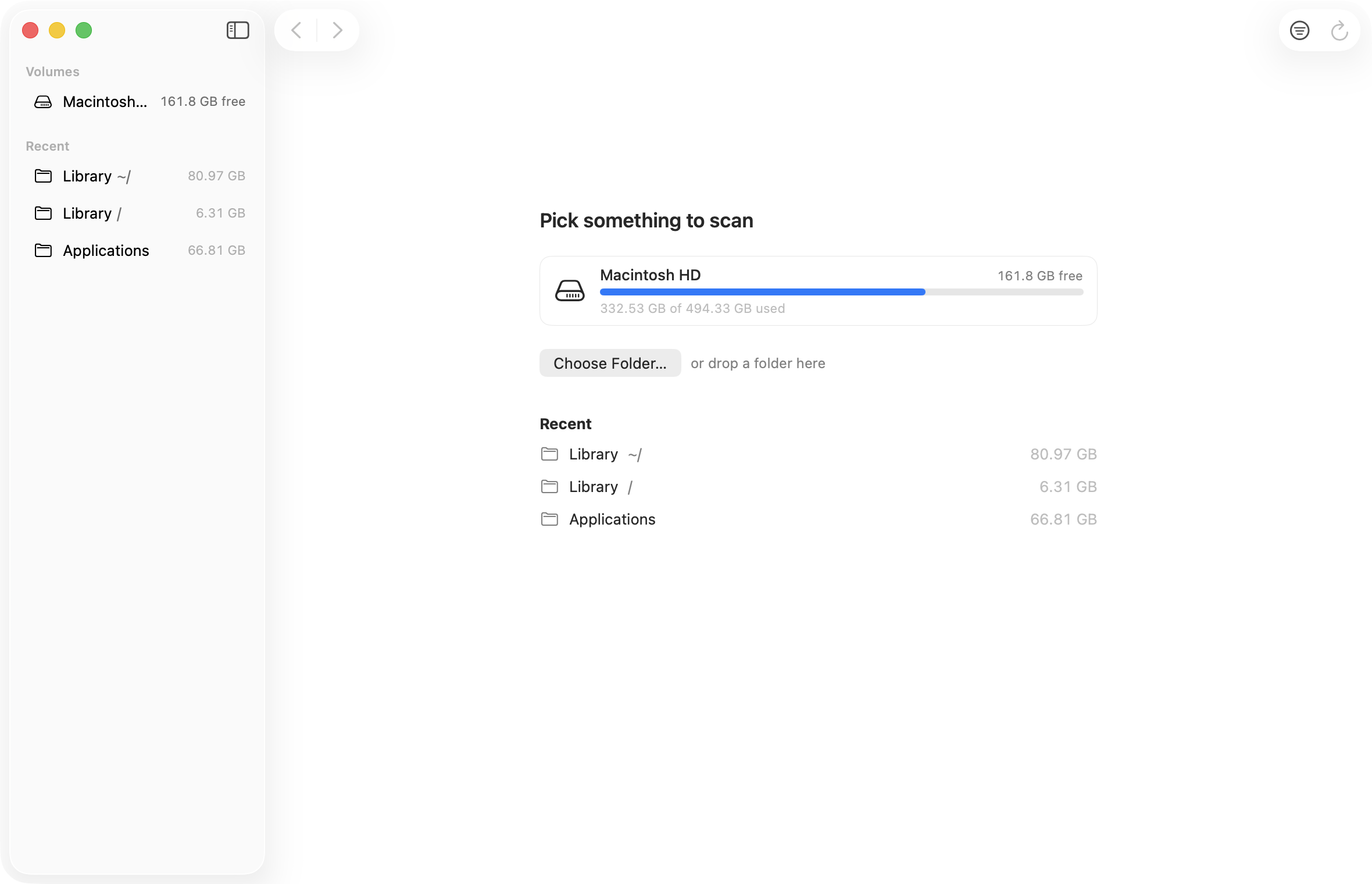
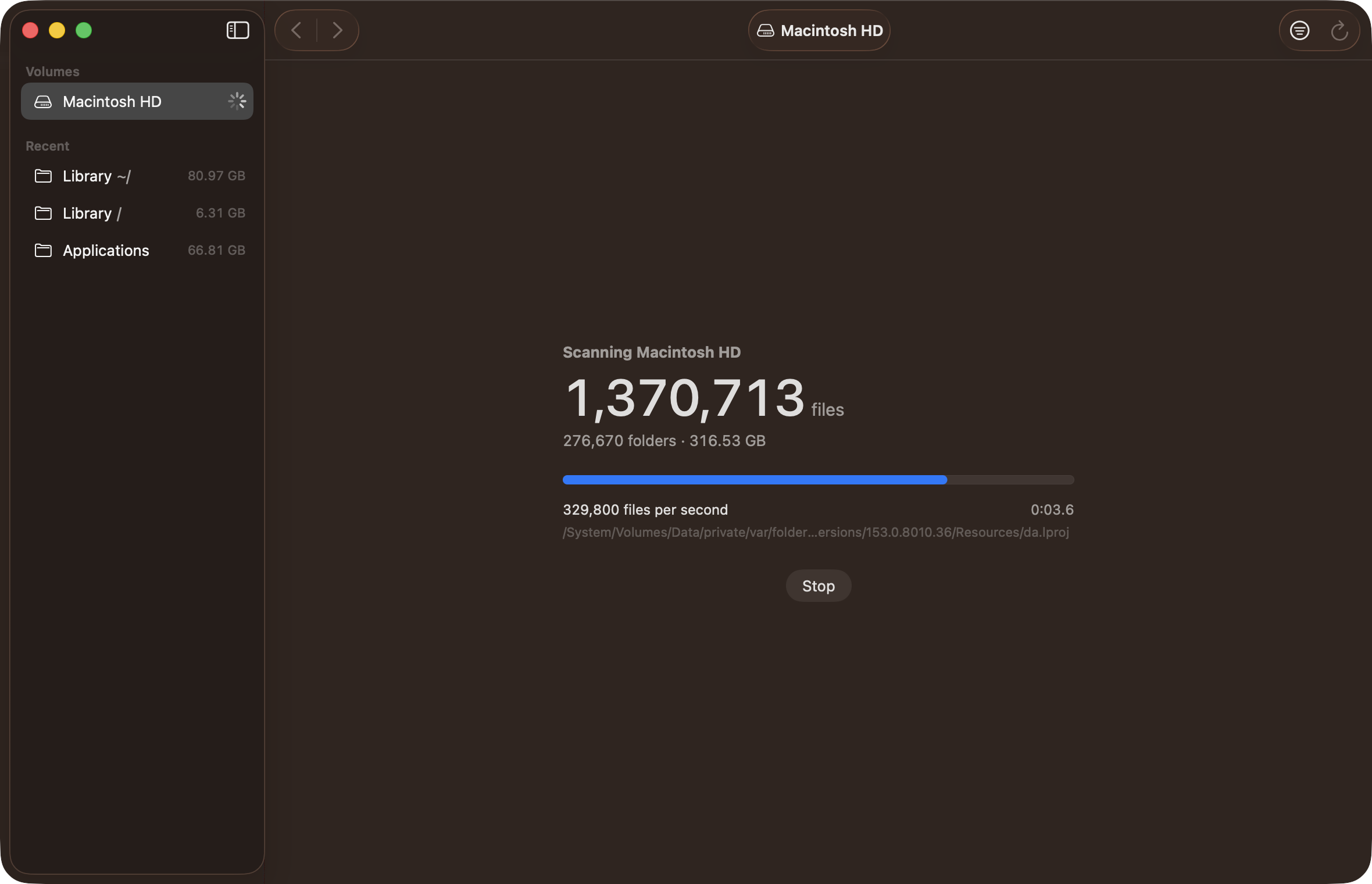
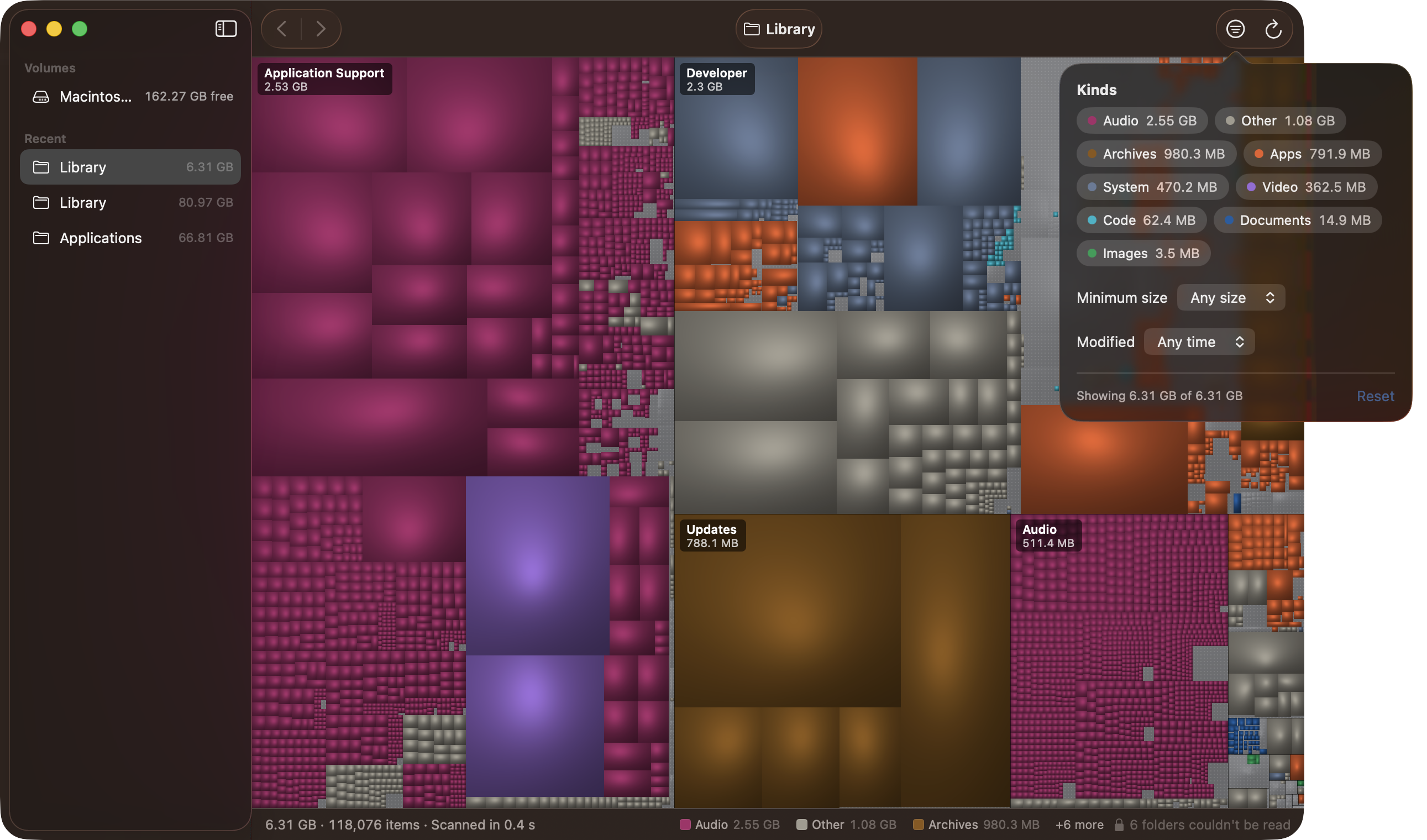
Hollow shows where your disk space went. It scans a folder or a whole disk and draws every file as a shaded rectangle, sized by the space it takes on disk, in the style of GrandPerspective. It is a native app for Apple silicon Macs running macOS 14 or later, and its scanner reads a home folder with 1.5 million files in about 5 seconds.

Speed

On a MacBook Air with an Apple M5, Hollow scanned a 1.5-million-file home folder in 5.19 s. A model of GrandPerspective's scanner (one thread, one object per file and folder) took 30.24 s on the same folder, so Hollow was 5.8× faster. Both are warm-cache medians. The gain comes from reading folders in parallel: on one thread Hollow is no faster than a plain fts walk.
Against the GrandPerspective 3.8.1 app itself, timed from the app's own log:

How these numbers were measured, the full tables (including the whole data volume and thread counts) and the caveats are in docs/bench.md.
Features
- Treemap drawn with Metal, with cushion shading so nested folders read as groups.
- Colors by file type: video, audio, images, archives, code, documents, apps, system, links and other. A legend shows the total for each type.
- Double-click a folder to zoom in, ⌘↑ to zoom out, ⌘[ and ⌘] for back and forward, and the breadcrumb to jump up. Arrow keys move the selection between cells.
- Filters by file type, minimum size and last-modified date.
- Reveal in Finder, Quick Look, Copy Path, and Move to Trash with Undo. Sizes update without a rescan.
- Live updates: when files change on disk, Hollow rescans only the folders that changed.
- Scans a single folder or a whole volume. Folders it cannot read are marked on the map, and the scan carries on.
- Follows the system light or dark appearance, accent color and Increase Contrast setting.
- A
hollowcommand-line tool that uses the same scanner.
Install
Download Hollow.zip from Releases, unzip it and move Hollow.app to Applications.
The app is ad-hoc signed and not notarized, so macOS blocks the first launch. Right-click Hollow.app, choose Open, then confirm Open in the dialog. You only need to do this once. On newer macOS versions you may have to allow it under System Settings › Privacy & Security instead ("Open Anyway").
Build from source
You need an Apple silicon Mac with macOS 14 or later and a Swift 6 toolchain. The Command Line Tools are enough.
git clone https://github.com/yukij3/hollow.git
cd hollow
scripts/bundle.sh          # builds dist/Hollow.app and dist/Hollow.zip
open dist/Hollow.app
scripts/bundle.sh uses the Command Line Tools (/Library/Developer/CommandLineTools) unless DEVELOPER_DIR is already set. That avoids a failed build when Xcode is installed but its license has not been accepted. To build with Xcode instead:
DEVELOPER_DIR=/Applications/Xcode.app/Contents/Developer scripts/bundle.sh
Run the tests with swift test under Xcode, or with scripts/test.sh under the Command Line Tools (it adds the Swift Testing paths they need).
Full Disk Access
macOS keeps some folders private unless an app has Full Disk Access: Mail, Messages, Safari, and the data other apps keep in your Library. Without it Hollow cannot see inside those folders, so the totals come up short. The first time you scan a disk or your home folder, Hollow explains this and opens the right pane in System Settings. You can also continue without access; unreadable folders are then marked on the map.
Hollow reads names, sizes and dates only. It does not open your files, and it makes no network connections, so nothing leaves your Mac.
How sizes are counted
- Sizes are allocated sizes: the space a file takes on disk (the "on disk" figure in Finder), not its logical length.
- A file with several hard links is counted once.
- APFS clones are counted at full size. Clones share blocks on disk, and Hollow has no cheap way to detect that, so a folder full of clones can add up to more than the space it really uses.
- Symlinks are not followed. A link counts as its own small size.
- Hollow stays on one volume and does not enter other volumes mounted inside the scanned folder. For folder scans you can turn on "Look inside other disks mounted in a folder" in Settings; disk scans always stay on their own disk.
- On the startup disk, Hollow scans from
/. Your files on the Data volume are reached through the system's firmlinks (/Users,/Applicationsand so on), so they are counted once, and/System/Volumes/Dataitself is not entered a second time. - Folders in cloud storage that have not been downloaded (iCloud Drive and other File Provider folders) are shown empty. Hollow does not open them, because that would download their contents.
Command-line tool
The hollow tool uses the same scanner. Build it with:
swift build -c release --product hollow
.build/release/hollow --help
hollow scan prints the total and the largest files and folders. It exits with status 1 if a path does not exist or is not a folder:
hollow scan <path>... [--top N] [--json] [--threads T]
--top N: how many of the largest files and folders to list (default 20).--json: print JSON instead of text.--threads T: number of threads. 0 (the default) uses every active core; at most 512.
Architecture

Hollow is a Swift package with no third-party dependencies.
- HollowScan, in C, walks the tree. One worker per core reads whole folders with
getattrlistbulk, and idle workers steal folders from busy ones. Nodes go into a struct-of-arrays arena that each worker fills in chunks, so the hot path takes no global lock. Hard links are deduplicated with a hash set of device and inode numbers. - HollowKit, in Swift, wraps the arena as a tree, computes the squarified treemap layout, applies filters, and handles Move to Trash. It listens to FSEvents and asks the scanner to rescan only the folders that changed.
- Hollow.app is a SwiftUI app with a Metal view for the treemap. Hit testing runs on the CPU against the layout.
hollowis the command-line tool.
Limitations
- The benchmarks are warm-cache numbers from one machine. Cold-cache times depend on the SSD and on what is already cached.
- The GrandPerspective comparison uses a Swift model of its scanner. The model leaves out the app's progress bookkeeping and logging and uses ARC where the app uses manual reference counting. The real app was slower than the model, possibly because the app is sandboxed and the model is not.
- The benchmark harness is not part of this repository; only the results are.
- On one thread Hollow is slower than a plain
ftswalk on some folders: 19.61 s against 18.39 s on the home folder. - Single-threaded scans of
/usrand/System/Librarytook either about 2.3 s or about 4.9 s from run to run, with nothing else changing. The cause is not known. - Apple silicon and macOS 14 or later only. There is no Intel build and no App Store version.
License
MIT. See LICENSE.
Made with love by Dmitry Tretyakov
Similar repos


Languages
Swift
83.9%
C
15.6%
Fast disk-space treemap for Apple silicon Macs. Native, Metal-rendered, scans 1.5M files in ~5 s.
Swift
1
3 commits
updated Sep 29, 2026
See what people are saying
README
Hollow
Hollow shows where your disk space went. It scans a folder or a whole disk and draws every file as a shaded rectangle, sized by the space it takes on disk, in the style of GrandPerspective. It is a native app for Apple silicon Macs running macOS 14 or later, and its scanner reads a home folder with 1.5 million files in about 5 seconds.
Speed
On a MacBook Air with an Apple M5, Hollow scanned a 1.5-million-file home folder in 5.19 s. A model of GrandPerspective's scanner (one thread, one object per file and folder) took 30.24 s on the same folder, so Hollow was 5.8× faster. Both are warm-cache medians. The gain comes from reading folders in parallel: on one thread Hollow is no faster than a plain fts walk.
Against the GrandPerspective 3.8.1 app itself, timed from the app's own log:
How these numbers were measured, the full tables (including the whole data volume and thread counts) and the caveats are in docs/bench.md.
Features
- Treemap drawn with Metal, with cushion shading so nested folders read as groups.
- Colors by file type: video, audio, images, archives, code, documents, apps, system, links and other. A legend shows the total for each type.
- Double-click a folder to zoom in, ⌘↑ to zoom out, ⌘[ and ⌘] for back and forward, and the breadcrumb to jump up. Arrow keys move the selection between cells.
- Filters by file type, minimum size and last-modified date.
- Reveal in Finder, Quick Look, Copy Path, and Move to Trash with Undo. Sizes update without a rescan.
- Live updates: when files change on disk, Hollow rescans only the folders that changed.
- Scans a single folder or a whole volume. Folders it cannot read are marked on the map, and the scan carries on.
- Follows the system light or dark appearance, accent color and Increase Contrast setting.
- A
hollowcommand-line tool that uses the same scanner.
Install
Download Hollow.zip from Releases, unzip it and move Hollow.app to Applications.
The app is ad-hoc signed and not notarized, so macOS blocks the first launch. Right-click Hollow.app, choose Open, then confirm Open in the dialog. You only need to do this once. On newer macOS versions you may have to allow it under System Settings › Privacy & Security instead ("Open Anyway").
Build from source
You need an Apple silicon Mac with macOS 14 or later and a Swift 6 toolchain. The Command Line Tools are enough.
git clone https://github.com/yukij3/hollow.git
cd hollow
scripts/bundle.sh          # builds dist/Hollow.app and dist/Hollow.zip
open dist/Hollow.app
scripts/bundle.sh uses the Command Line Tools (/Library/Developer/CommandLineTools) unless DEVELOPER_DIR is already set. That avoids a failed build when Xcode is installed but its license has not been accepted. To build with Xcode instead:
DEVELOPER_DIR=/Applications/Xcode.app/Contents/Developer scripts/bundle.sh
Run the tests with swift test under Xcode, or with scripts/test.sh under the Command Line Tools (it adds the Swift Testing paths they need).
Full Disk Access
macOS keeps some folders private unless an app has Full Disk Access: Mail, Messages, Safari, and the data other apps keep in your Library. Without it Hollow cannot see inside those folders, so the totals come up short. The first time you scan a disk or your home folder, Hollow explains this and opens the right pane in System Settings. You can also continue without access; unreadable folders are then marked on the map.
Hollow reads names, sizes and dates only. It does not open your files, and it makes no network connections, so nothing leaves your Mac.
How sizes are counted
- Sizes are allocated sizes: the space a file takes on disk (the "on disk" figure in Finder), not its logical length.
- A file with several hard links is counted once.
- APFS clones are counted at full size. Clones share blocks on disk, and Hollow has no cheap way to detect that, so a folder full of clones can add up to more than the space it really uses.
- Symlinks are not followed. A link counts as its own small size.
- Hollow stays on one volume and does not enter other volumes mounted inside the scanned folder. For folder scans you can turn on "Look inside other disks mounted in a folder" in Settings; disk scans always stay on their own disk.
- On the startup disk, Hollow scans from
/. Your files on the Data volume are reached through the system's firmlinks (/Users,/Applicationsand so on), so they are counted once, and/System/Volumes/Dataitself is not entered a second time. - Folders in cloud storage that have not been downloaded (iCloud Drive and other File Provider folders) are shown empty. Hollow does not open them, because that would download their contents.
Command-line tool
The hollow tool uses the same scanner. Build it with:
swift build -c release --product hollow
.build/release/hollow --help
hollow scan prints the total and the largest files and folders. It exits with status 1 if a path does not exist or is not a folder:
hollow scan <path>... [--top N] [--json] [--threads T]
--top N: how many of the largest files and folders to list (default 20).--json: print JSON instead of text.--threads T: number of threads. 0 (the default) uses every active core; at most 512.
Architecture
Hollow is a Swift package with no third-party dependencies.
- HollowScan, in C, walks the tree. One worker per core reads whole folders with
getattrlistbulk, and idle workers steal folders from busy ones. Nodes go into a struct-of-arrays arena that each worker fills in chunks, so the hot path takes no global lock. Hard links are deduplicated with a hash set of device and inode numbers. - HollowKit, in Swift, wraps the arena as a tree, computes the squarified treemap layout, applies filters, and handles Move to Trash. It listens to FSEvents and asks the scanner to rescan only the folders that changed.
- Hollow.app is a SwiftUI app with a Metal view for the treemap. Hit testing runs on the CPU against the layout.
hollowis the command-line tool.
Limitations
- The benchmarks are warm-cache numbers from one machine. Cold-cache times depend on the SSD and on what is already cached.
- The GrandPerspective comparison uses a Swift model of its scanner. The model leaves out the app's progress bookkeeping and logging and uses ARC where the app uses manual reference counting. The real app was slower than the model, possibly because the app is sandboxed and the model is not.
- The benchmark harness is not part of this repository; only the results are.
- On one thread Hollow is slower than a plain
ftswalk on some folders: 19.61 s against 18.39 s on the home folder. - Single-threaded scans of
/usrand/System/Librarytook either about 2.3 s or about 4.9 s from run to run, with nothing else changing. The cause is not known. - Apple silicon and macOS 14 or later only. There is no Intel build and no App Store version.
License
MIT. See LICENSE.
Made with love by Dmitry Tretyakov
Similar repos
Languages
Swift
83.9%
C
15.6%