
A simpler self-hosted alternative to Open WebUI. Bring your own API keys or local models. Native Android and iOS clients.
See the codeSee what people are saying
README

Local AI, without the clutter.
Your models. Your conversations. A cleaner place to think.




Website · Get started · Documentation · Compare alternatives
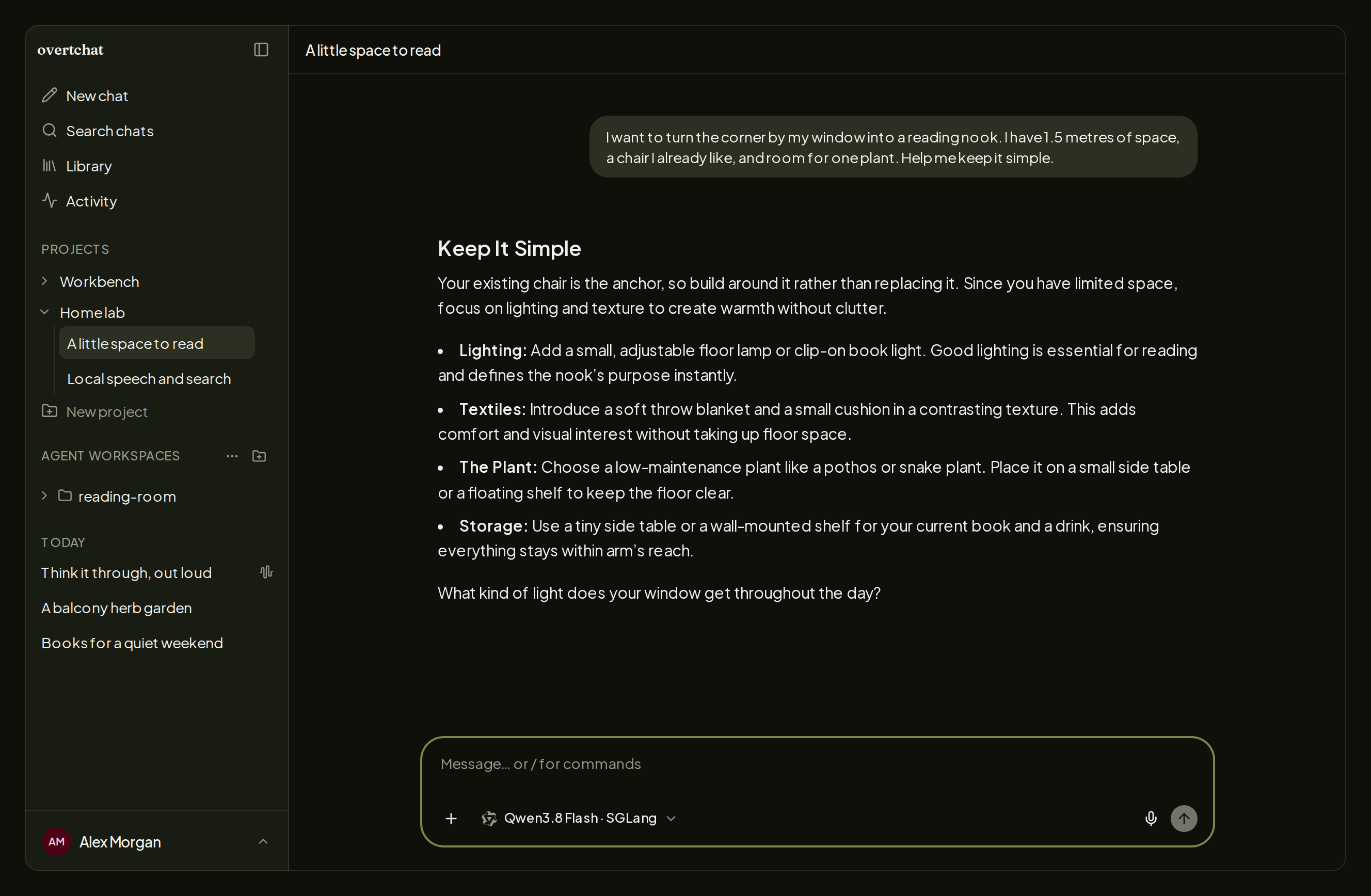
OvertChat is a self-hosted home for everyday AI. Connect vLLM, llama.cpp, or SGLang, bring a hosted provider when you want one, and get straight to chatting. Search the web, work with files, or talk things through by voice—all in the same interface, with your history on your server. Give your family accounts to use the same local models with their own conversations.
Quick start
On Linux or macOS (Intel or Apple Silicon), with Docker Desktop running on Mac:
curl -fsSL https://overtchat.com/install | sh
The guided installer handles Docker, configuration, and secrets; no .env
editing is needed. Choose where to access OvertChat and the local search and
speech services you want, open the printed URL, and create
your account. The first signup becomes the administrator. Add your model
endpoint in the app; OvertChat connects to inference servers you already run.
With a local model and the bundled speech and search services, no provider
API keys or paid credits are needed to get started.
overtchat setup     # add services or change the installation
overtchat status    # check the app and its services
overtchat update    # update the managed installation
Installation, existing Compose adoption, backups, and troubleshooting →
Use the server in your browser, on mobile, or with the desktop app for macOS (Apple Silicon/Intel) and Linux x64. Published desktop downloads appear in the release log; see desktop installation and updates. Desktop 0.1.0 needs server 0.23.0's API contract. The desktop app connects to your server; it does not install one.
The useful parts, together
- A conversation you can focus on. Readable answers, collapsible reasoning and tool activity, projects, reusable files, and searchable history. Light and dark themes, with the same chat experience on a narrow screen.
- Local models feel at home. Dedicated setup and model discovery for vLLM, llama.cpp, and SGLang. Hosted providers and custom compatible endpoints fit alongside them.
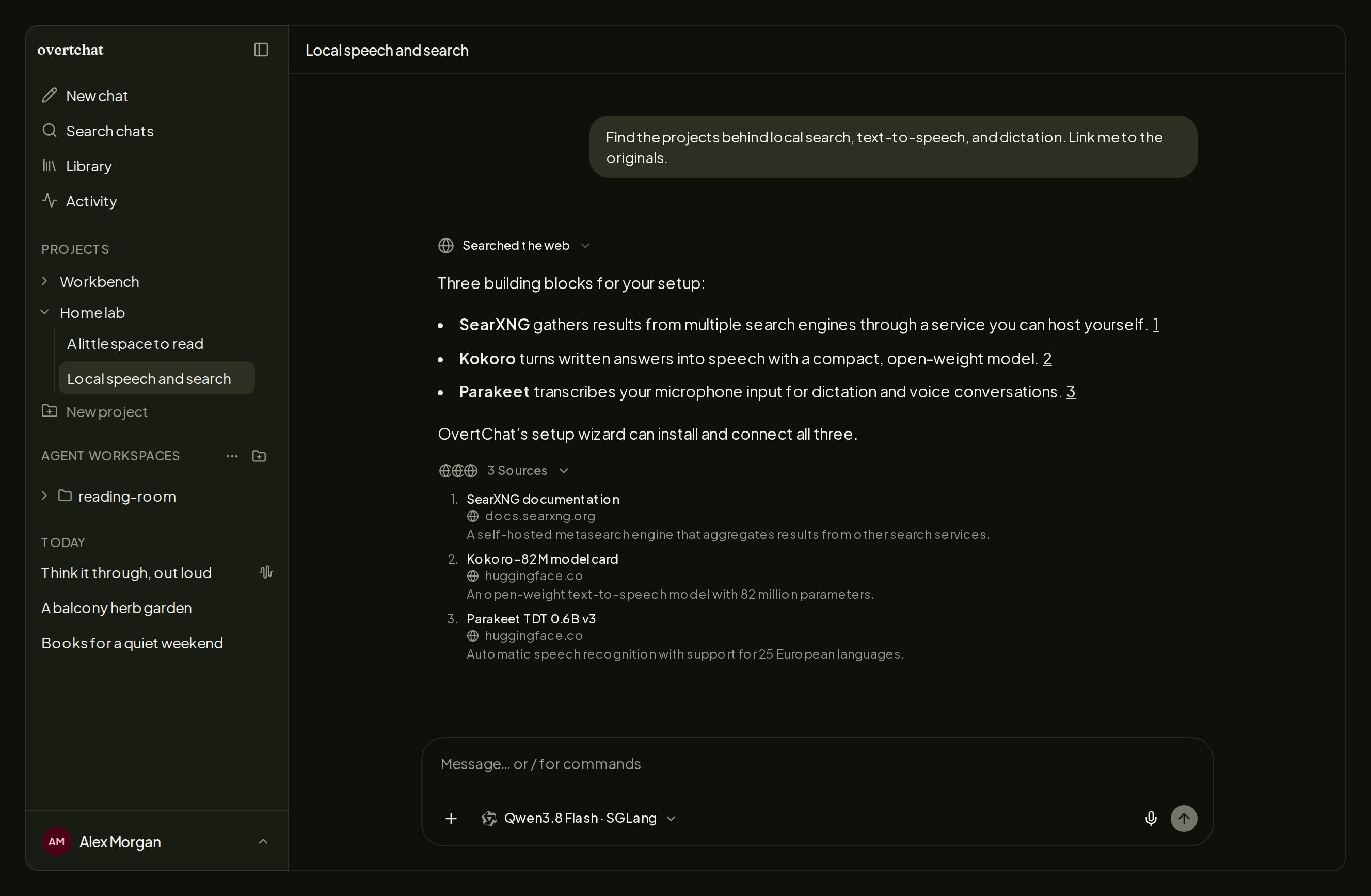
- Bundled speech and search. Zero API keys. Select SearXNG search, Kokoro text-to-speech, and Parakeet speech-to-text in the installer; it installs and connects them for you. With your local model, no provider accounts or API keys are needed. Search includes free fallbacks if the primary provider fails. You can also use your own compatible speech services.
- A server you own. Keep your conversations on your server, choose who gets access, and manage your own backups. No OvertChat cloud account or usage analytics.
- One setup for the household. Add accounts for your family and share your local models. Each person gets their own chats and projects on web, Android, and iOS. Set up family access.
Talk it through
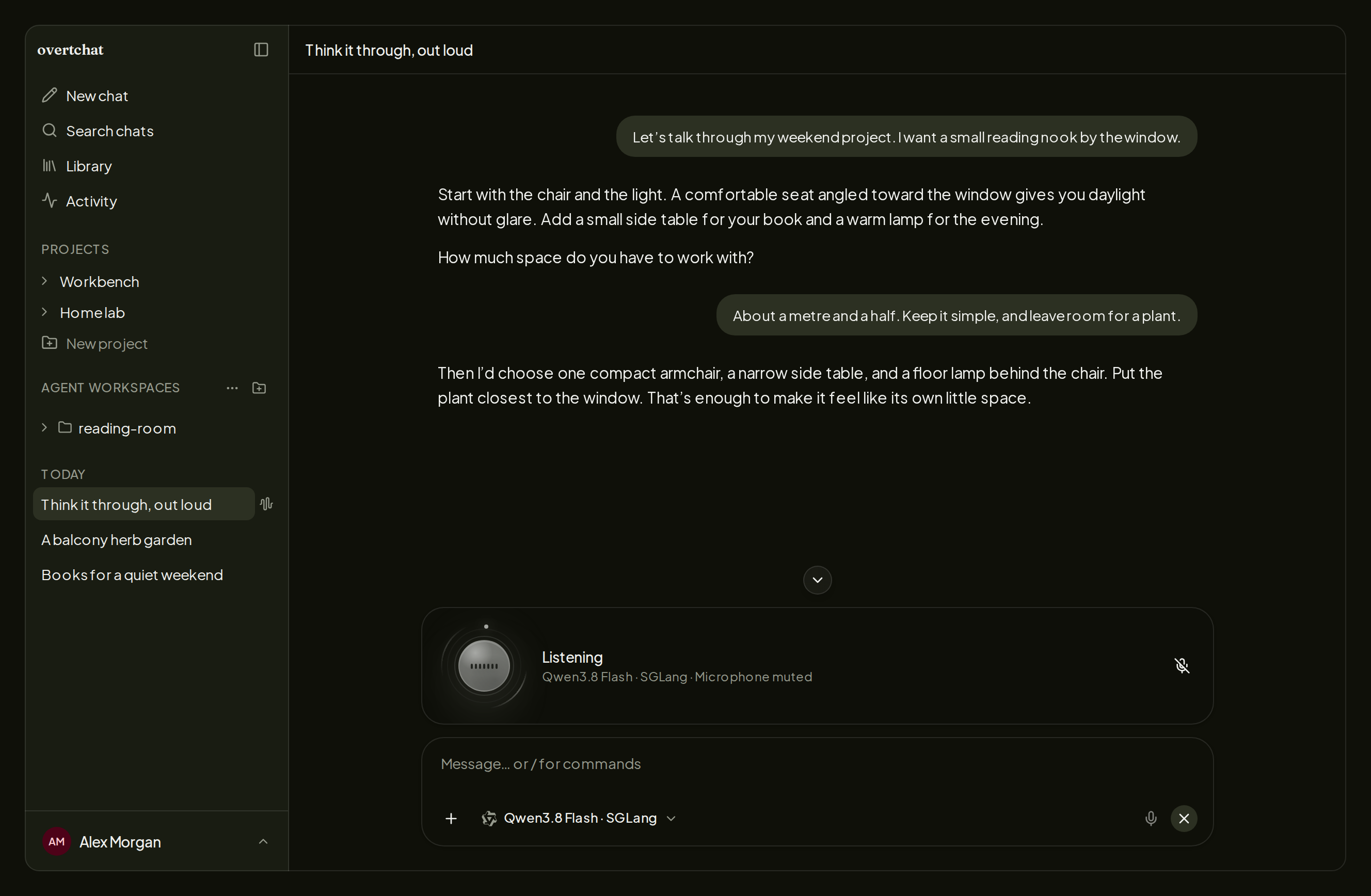
Start a two-way voice conversation in your browser. Speak naturally, hear the answer, interrupt to redirect it, and come back to the saved transcript. Voice can use web search and the selected chat model; it does not require a hosted realtime model subscription.
Enable realtime voice with overtchat setup after configuring STT and TTS.
Keep the model and both speech services local for local voice processing.
Microphone access needs HTTPS outside localhost.
Search with a backup plan
Answers can search the web, read pages, and cite their sources. Enabled search tries configured Brave → SearXNG, then keyless Firecrawl → Exa → DuckDuckGo fallbacks when needed. A failed primary provider need not end the search. Keyless access is subject to upstream availability and rate limits; search queries go to the providers used.
See search and sources
Take your conversations with you
Use the responsive web app or connect the native Android and iOS apps to your own server. Your chats, projects, files, and Agent Connections come with you.
Get it on Google Play · Get it on the App Store · Install an APK
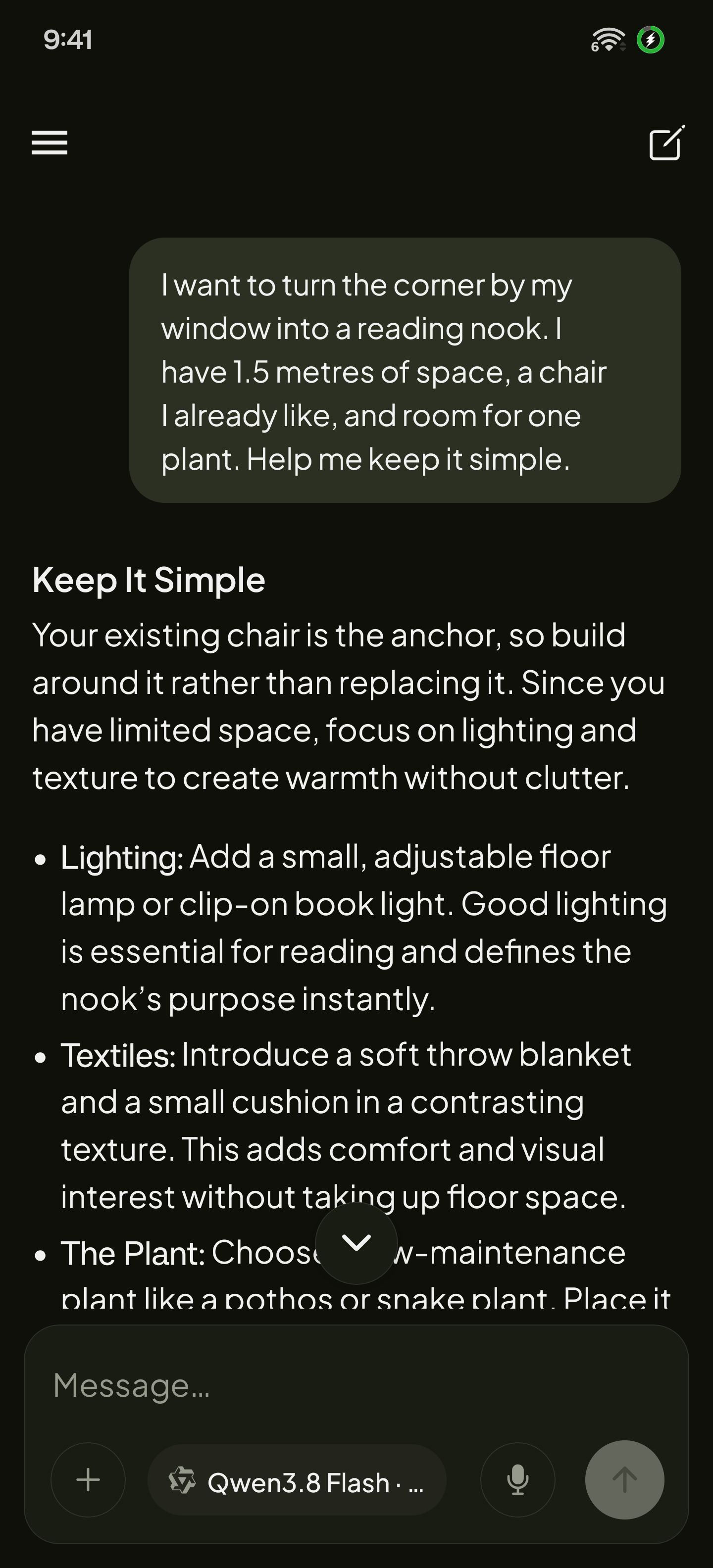
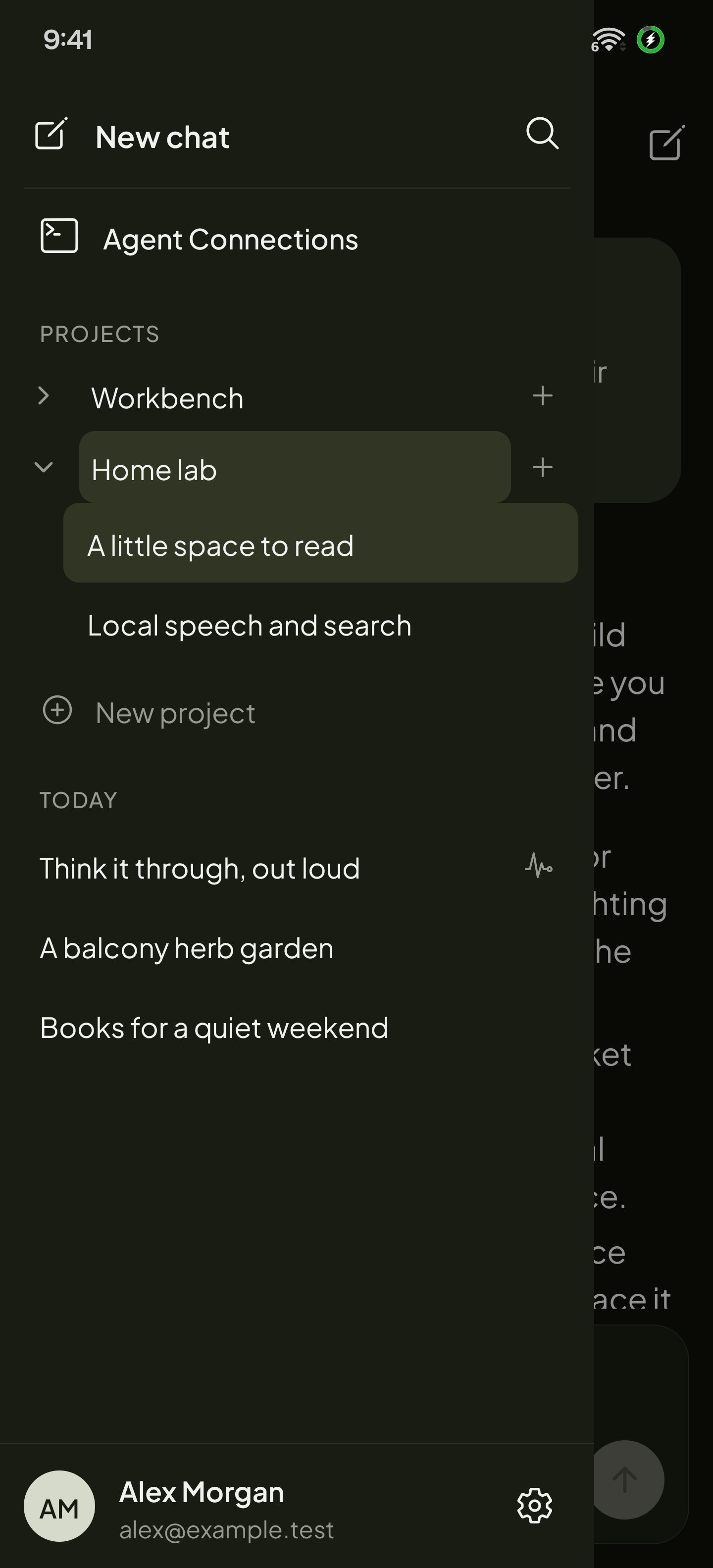
OvertChat for Android. Same server, same conversations.
Coding agents, when you need them
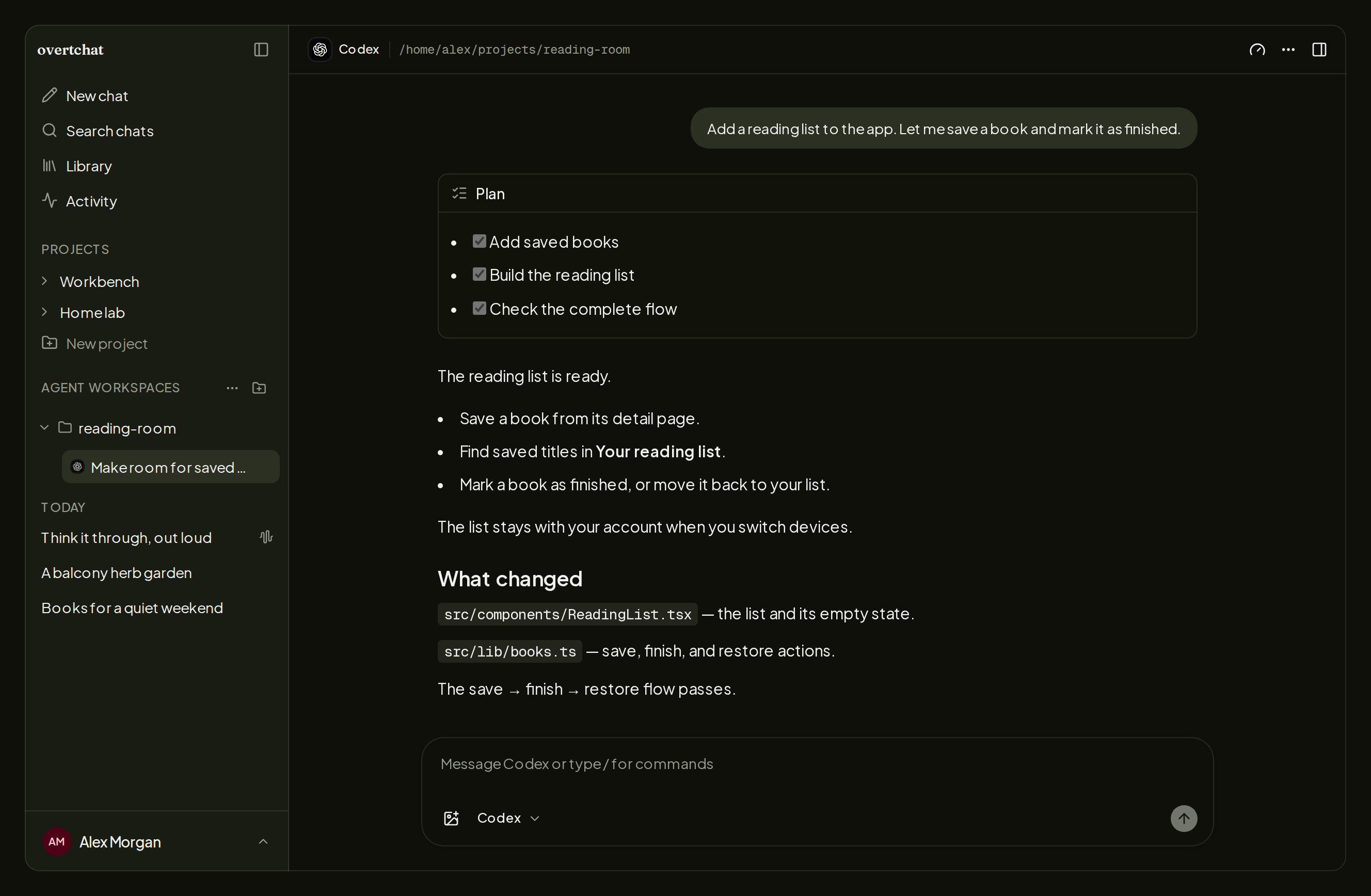
Connect Codex, Claude Code, Pi, Oh My Pi, OpenCode, or Hermes through the Host Connector. Start or resume sessions, follow plans and tool calls, review changes, and respond to approvals from OvertChat. Agents run on your own machine or an SSH host, with that host's tools and credentials.
See Agent Connections
Why OvertChat?
Choose OvertChat if you want a focused local AI interface with search, speech, and voice brought together by a guided installer.
| Your priority | What OvertChat offers |
|---|---|
| Speech and search ready at setup | Bundled STT, TTS, and SearXNG, with no provider API keys needed |
| Search that can recover from provider failures | Automatic fallbacks, including free providers without API keys |
| Control over your data | Choose your providers, keep your chat history, and manage access and backups |
| Freedom to adapt the product | MIT permission to modify, redistribute, and rebrand the app |
| Local AI for the family | Shared models with separate accounts, conversations, and projects |
Compare OvertChat, Open WebUI, and LibreChat →
Contribute and learn more
Development setup · Mobile apps · Release process · README media · Privacy policy · Report an issue
License
MIT. Use, modify, redistribute, and rebrand OvertChat while retaining the copyright and license notice. Bundled third-party software and models keep their own licenses.
Significant stargazers

14 followers · starred May 2026
Similar repos


A simpler self-hosted alternative to Open WebUI. Bring your own API keys or local models. Native Android and iOS clients.
See the codeSee what people are saying
README
Local AI, without the clutter.
Your models. Your conversations. A cleaner place to think.
Website · Get started · Documentation · Compare alternatives
OvertChat is a self-hosted home for everyday AI. Connect vLLM, llama.cpp, or SGLang, bring a hosted provider when you want one, and get straight to chatting. Search the web, work with files, or talk things through by voice—all in the same interface, with your history on your server. Give your family accounts to use the same local models with their own conversations.
Quick start
On Linux or macOS (Intel or Apple Silicon), with Docker Desktop running on Mac:
curl -fsSL https://overtchat.com/install | sh
The guided installer handles Docker, configuration, and secrets; no .env
editing is needed. Choose where to access OvertChat and the local search and
speech services you want, open the printed URL, and create
your account. The first signup becomes the administrator. Add your model
endpoint in the app; OvertChat connects to inference servers you already run.
With a local model and the bundled speech and search services, no provider
API keys or paid credits are needed to get started.
overtchat setup     # add services or change the installation
overtchat status    # check the app and its services
overtchat update    # update the managed installation
Installation, existing Compose adoption, backups, and troubleshooting →
Use the server in your browser, on mobile, or with the desktop app for macOS (Apple Silicon/Intel) and Linux x64. Published desktop downloads appear in the release log; see desktop installation and updates. Desktop 0.1.0 needs server 0.23.0's API contract. The desktop app connects to your server; it does not install one.
The useful parts, together
- A conversation you can focus on. Readable answers, collapsible reasoning and tool activity, projects, reusable files, and searchable history. Light and dark themes, with the same chat experience on a narrow screen.
- Local models feel at home. Dedicated setup and model discovery for vLLM, llama.cpp, and SGLang. Hosted providers and custom compatible endpoints fit alongside them.
- Bundled speech and search. Zero API keys. Select SearXNG search, Kokoro text-to-speech, and Parakeet speech-to-text in the installer; it installs and connects them for you. With your local model, no provider accounts or API keys are needed. Search includes free fallbacks if the primary provider fails. You can also use your own compatible speech services.
- A server you own. Keep your conversations on your server, choose who gets access, and manage your own backups. No OvertChat cloud account or usage analytics.
- One setup for the household. Add accounts for your family and share your local models. Each person gets their own chats and projects on web, Android, and iOS. Set up family access.
Talk it through
Start a two-way voice conversation in your browser. Speak naturally, hear the answer, interrupt to redirect it, and come back to the saved transcript. Voice can use web search and the selected chat model; it does not require a hosted realtime model subscription.
Enable realtime voice with overtchat setup after configuring STT and TTS.
Keep the model and both speech services local for local voice processing.
Microphone access needs HTTPS outside localhost.
Search with a backup plan
Answers can search the web, read pages, and cite their sources. Enabled search tries configured Brave → SearXNG, then keyless Firecrawl → Exa → DuckDuckGo fallbacks when needed. A failed primary provider need not end the search. Keyless access is subject to upstream availability and rate limits; search queries go to the providers used.
See search and sources
Take your conversations with you
Use the responsive web app or connect the native Android and iOS apps to your own server. Your chats, projects, files, and Agent Connections come with you.
Get it on Google Play · Get it on the App Store · Install an APK
OvertChat for Android. Same server, same conversations.
Coding agents, when you need them
Connect Codex, Claude Code, Pi, Oh My Pi, OpenCode, or Hermes through the Host Connector. Start or resume sessions, follow plans and tool calls, review changes, and respond to approvals from OvertChat. Agents run on your own machine or an SSH host, with that host's tools and credentials.
See Agent Connections
Why OvertChat?
Choose OvertChat if you want a focused local AI interface with search, speech, and voice brought together by a guided installer.
| Your priority | What OvertChat offers |
|---|---|
| Speech and search ready at setup | Bundled STT, TTS, and SearXNG, with no provider API keys needed |
| Search that can recover from provider failures | Automatic fallbacks, including free providers without API keys |
| Control over your data | Choose your providers, keep your chat history, and manage access and backups |
| Freedom to adapt the product | MIT permission to modify, redistribute, and rebrand the app |
| Local AI for the family | Shared models with separate accounts, conversations, and projects |
Compare OvertChat, Open WebUI, and LibreChat →
Contribute and learn more
Development setup · Mobile apps · Release process · README media · Privacy policy · Report an issue
License
MIT. Use, modify, redistribute, and rebrand OvertChat while retaining the copyright and license notice. Bundled third-party software and models keep their own licenses.
Similar repos
Significant stargazers
14 followers · starred May 2026