A fast and simple image viewer / editor for many operating systems
See the code
A no-nonsense hardware-accelerated image viewer
Oculante's vision is to be a fast, unobtrusive, portable image viewer with a wide range of supported image formats while also offering image analysis and basic editing tools.
Oculante is a free, open-source, bloat-free, and privacy-respecting image viewer that is fast to start up and open images. It is available on Windows, Mac, Linux, FreeBSD, and NetBSD, and supports a wide range of image formats. Oculante caches images for faster reloading and can correctly display unassociated channels. It also includes features for basic image analysis, and offers SIMD-accelerated, basic nondestructive editing tools such as cropping, resizing, painting, rotating, blurring, and more!







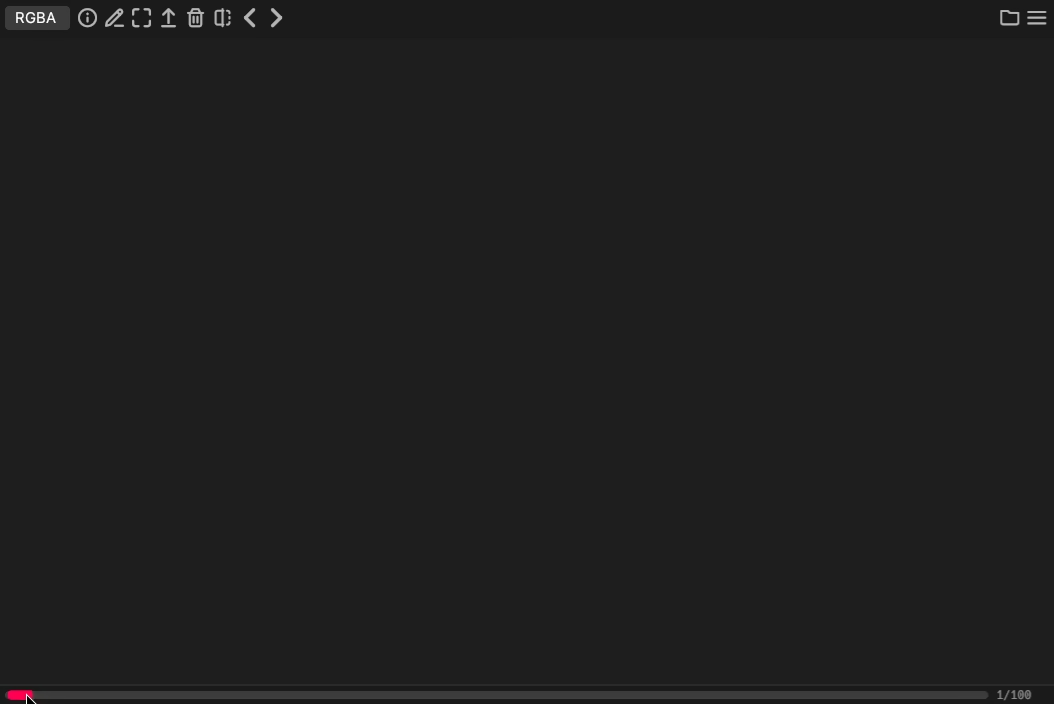
With configurable caching, Oculante can quickly step through image sequences:
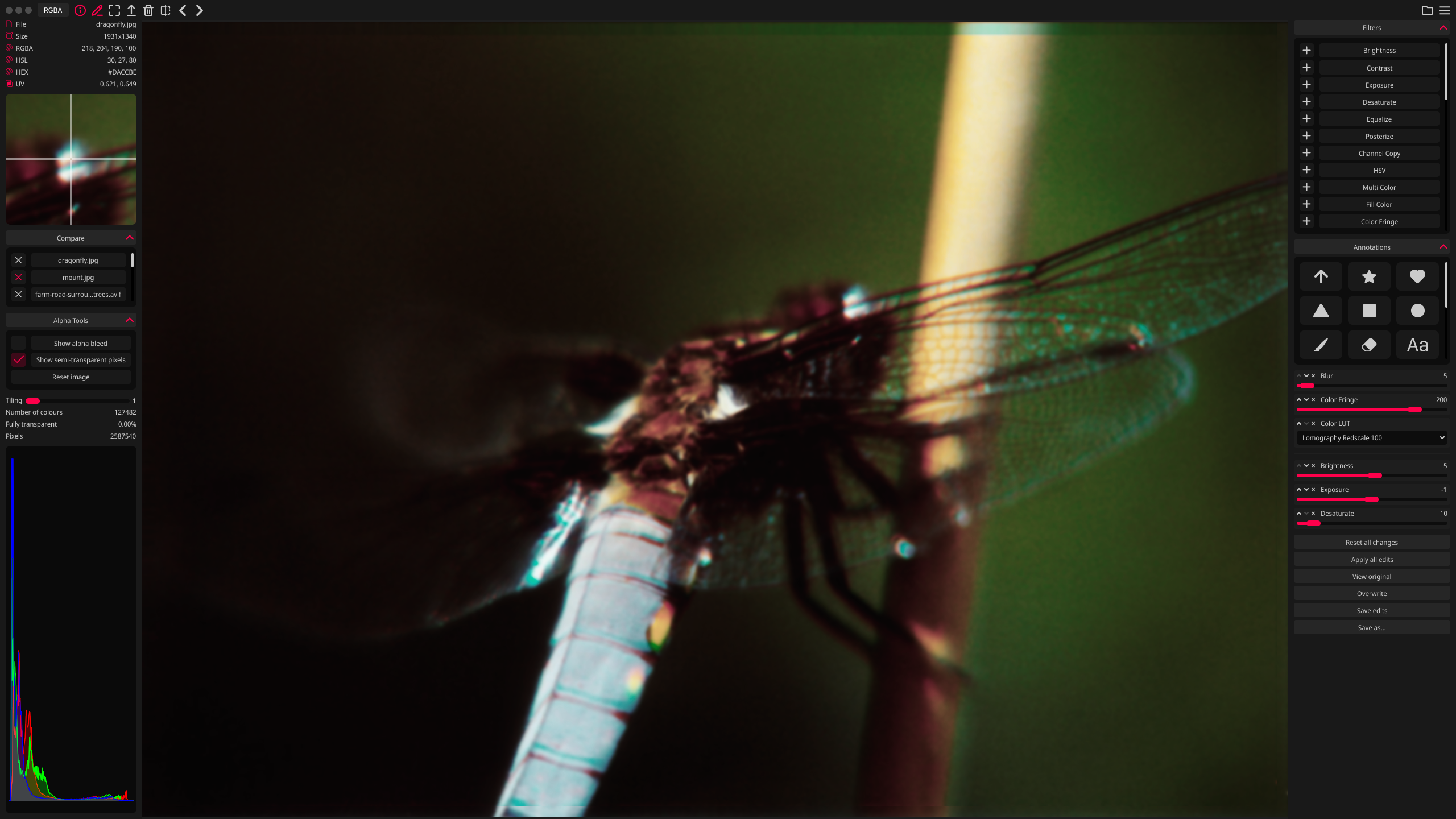
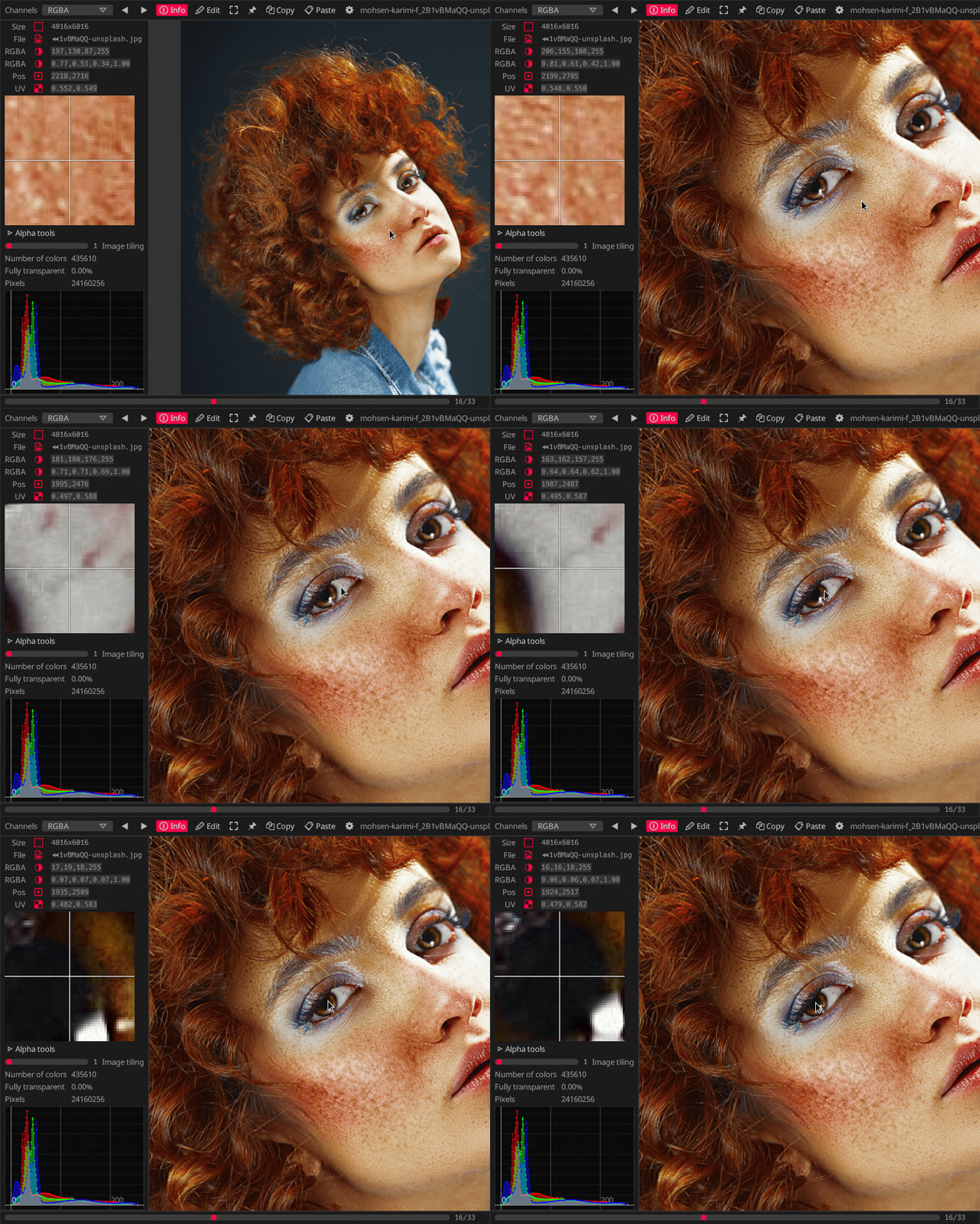
Get information about pixel values and position, with precise picking:
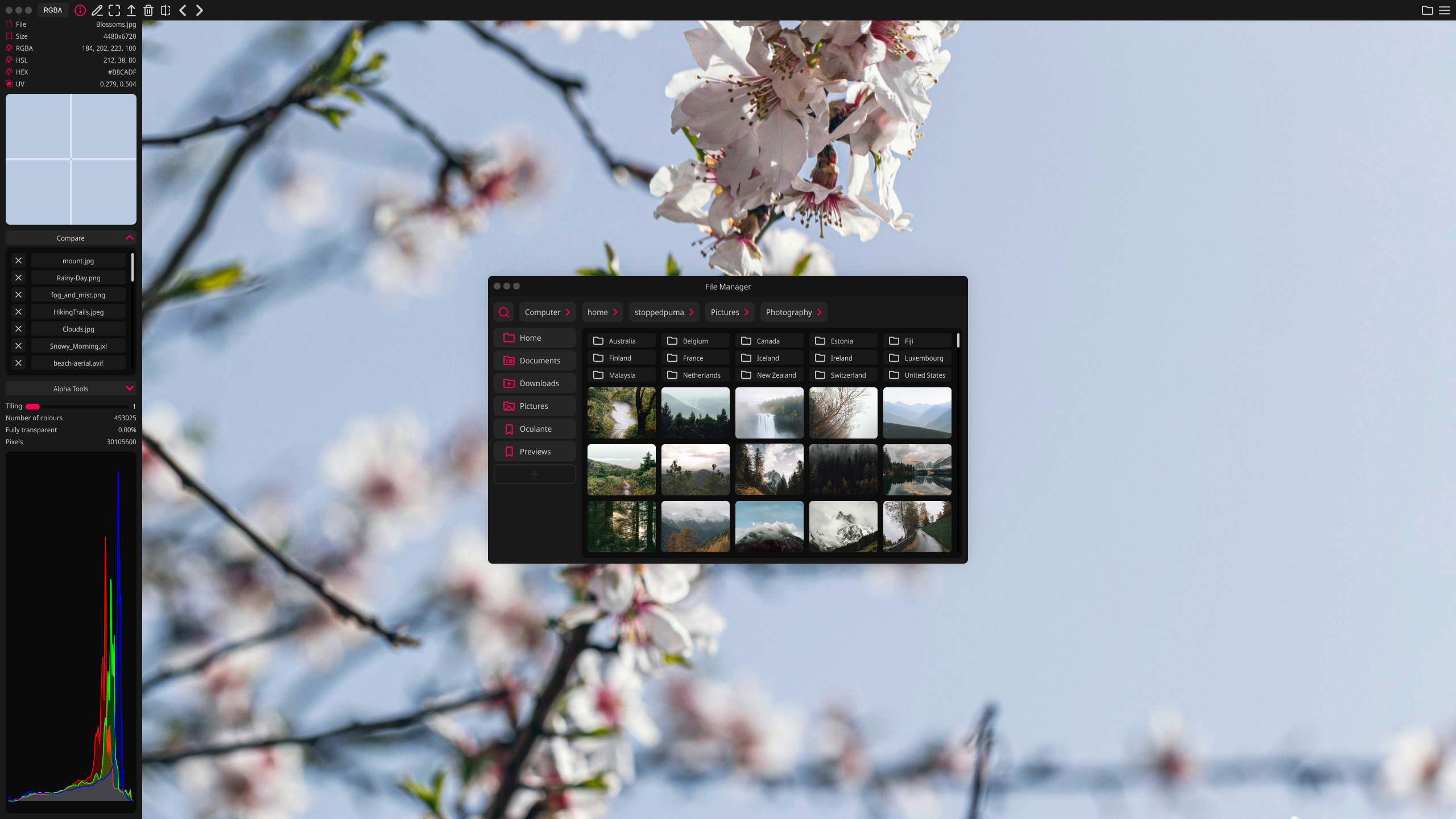
Oculante's built-in File Manager allows you to access files on your system without leaving the application. This makes it easy to compare images, especially with the dedicated compare option that lets you flip between images while preserving the zoom level and position.
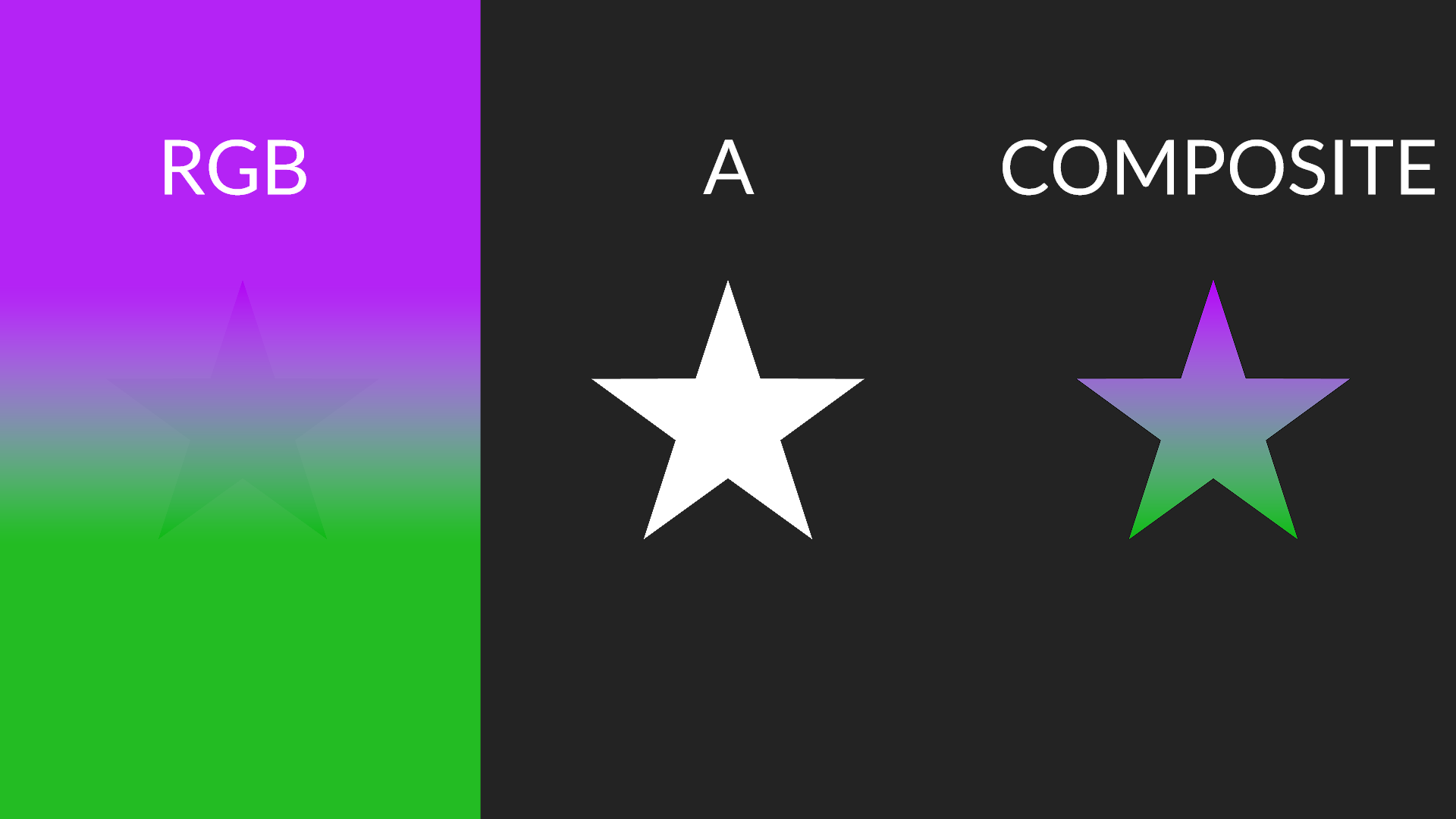
Images may contain color information that is masked by the alpha channel. Although it is present you will not see it since usually RGB values are multiplied with the A channel when displayed. Oculante allows you to inspect all channels individually and see color data without transparency applied.
Find and download the correct executable for your operating system on the releases page. The download is small, around 25MB, as we link dependencies statically by default. We also have packages available for ARM Linux. Have a different OS? Please feel free to open an issue if you want your operating system of choice supported!
If you are on macOS, please ensure you have libheif installed.
For those looking to manage Oculante through a package manager, please see the options below.
cargo install oculante
pacman -S oculante
paru -S oculante-git
environment.systemPackages = [
    pkgs.oculante
];
zypper install oculante
flatpak install flathub io.github.woelper.Oculante
pkg install oculante
pkgin install oculante
scoop install extras/oculante
Linux (Debian):
sudo apt-get install libxcb-shape0-dev libxcb-xfixes0-dev libgtk-3-dev libasound2-dev nasm cmake
Windows: Install Nasm from https://www.nasm.us/pub/nasm/releasebuilds/2.15.05/win64/
Mac:
brew install nasm cmake
export SHADERC_LIB_DIR=/opt/homebrew/libOculante only gets updated when it improves something for you. You'll still see new releases about every month or two! To stay up to date you can use the update button in settings, or download the new release executable. Updates are also managed through your package manager if you installed through one.
To uninstall Oculante, simply delete the executable file and the data folder. You can find the data folder in the relevant location for your operating system below.
~/AppData/Local/.oculante~/Library/Application Support/oculante~/.local/share/oculanteYou can see what we're currently working on in our Release Plan, or our Milestones!
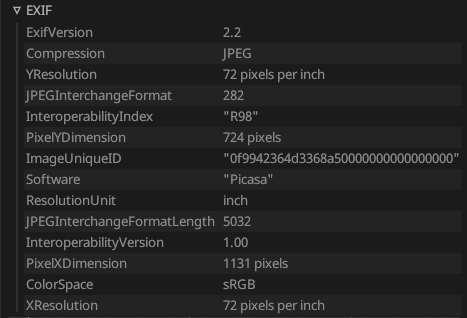
oculante -l port and oculante will switch to receive mode, listening on that port.cat image | oculante -s.rust-icns)jpeg2k, feature "j2k", on by default)jxl-oxide)tiff with additional float/half support)libwebp-sys - image had very limited format support)dds-rs)psd)resvg)exr-rs), tonemappedquickraw - nef, cr2, dng, mos, erf, raf, arw, 3fr, ari, srf, sr2, braw, r3d, nrw, raw). Since raw is a complex field without true standards, not all camera models are supported.libheif-rs). Enabled on Windows builds, but optional dependency on MacOS and Linux - available behind heif flag.Viewing EXIF data
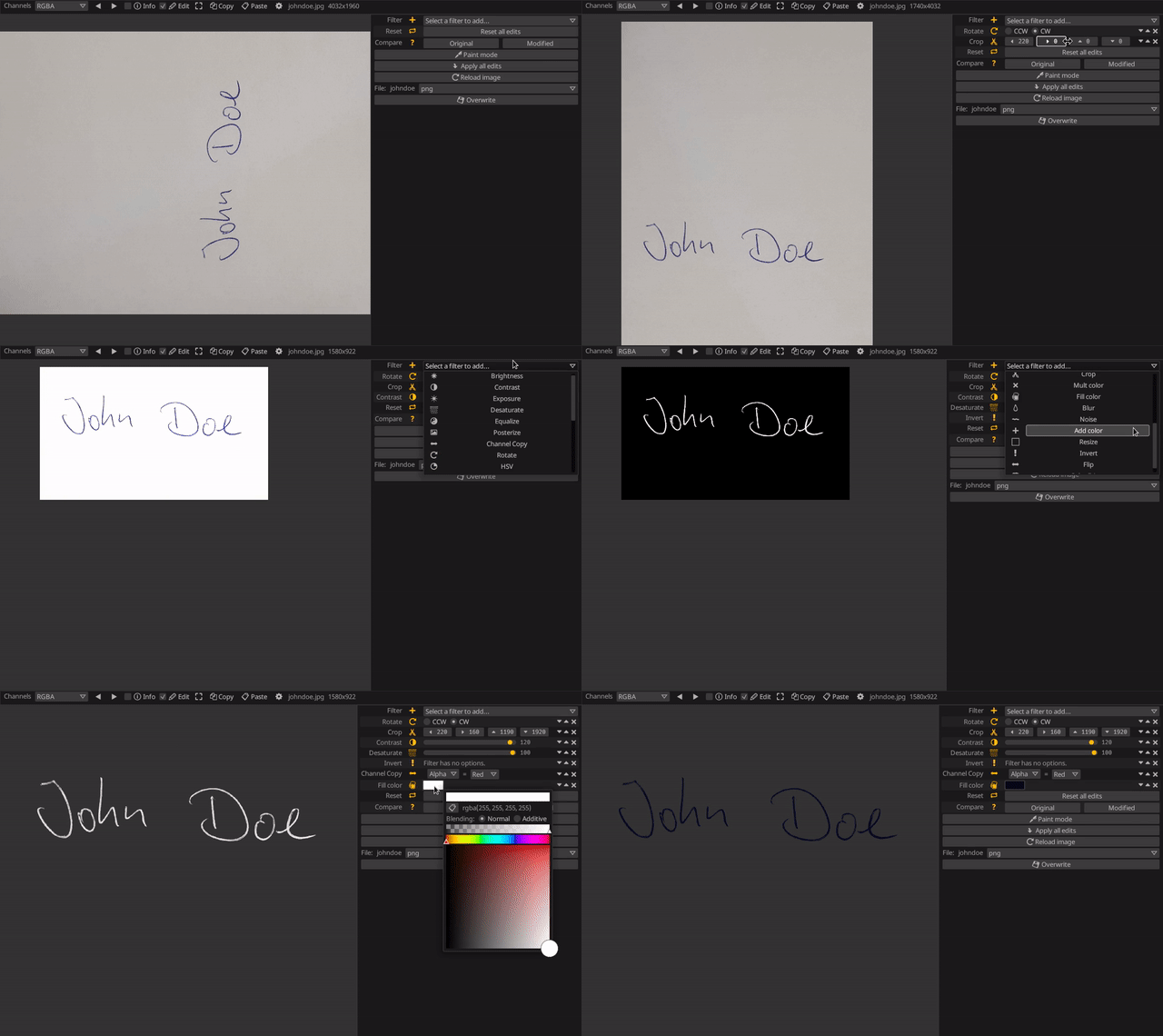
Extracting a signature
Photos used in tests and screenshots:
https://unsplash.com/@mohsen_karimi
https://unsplash.com/@frstvisuals
https://unsplash.com/@eberhardgross
UI Design:
Oculante does in no way collect or send anonymous or non-anonynmous user data or statistics. Oculante is and will remain free and open-source. There will never be ads. There are only two instances where oculante interacts with the network, and both never happen without being triggered by the user:
In addition, Oculante saves some settings locally, for example:
This project is MIT licensed, but some parts such as the LUTs in res/LUT are under the GPL license. As a result, we're making our entire source code public. If you would like to use Oculante without publishing your source code, please remove any GPL-licensed components and their references.
turbo (on by default), the turbojpeg library will not be used to open jpeg images. You won't need Nasm to be installed.
file_open will enable/disable a OS-native file open dialog. This pulls in additional dependencies and is enabled by default. Disabling it will enable a custom file dialog. This will probably the default in the future.
notan_glsl-to-spirv uses the spirv shader compiler
notan/shaderc (on by default) uses shaderc as a shader compiler. Longer build time.
update (on by default) enable app updating.
heif HEIF format support.
avif_native (on by default) Rust AVIF decoder.
dav1d Tried and tested AVIF decoder, takes priority over avif_native if both are enabled.
jxlcms (on by default) Required for complete JXL support.
j2k (on by default) Support for jpeg2000.
Oculante can support some additional languages such as Arabic, Chinese, Japanese, Korean. This support depends on if your system has a supported font family installed. One supported font family is Noto Sans.
mouse wheel = zoom
left mouse,middle mouse = pan
ctrl + mouse wheel = prev/next image in folder
Right mouse pick color from image (in paint mode)
T = AlwaysOnTop
F = Fullscreen
I = InfoMode
E = EditMode
Right = NextImage
Home = FirstImage
End = LastImage
Left = PreviousImage
R = RedChannel
G = GreenChannel
B = BlueChannel
A = AlphaChannel
U = RGBChannel
C = RGBAChannel
V = ResetView
Minus = ZoomOut
Equals = ZoomIn
Key1 = ZoomActualSize
Key2 = ZoomDouble
Key3 = ZoomThree
Key4 = ZoomFour
Key5 = ZoomFive
LShift + C = CompareNext
LShift + Left = PanLeft
LShift + Right = PanRight
LShift + Up = PanUp
LShift + Down = PanDown
Delete = DeleteFile
LShift + Delete = ClearImage
RBracket = LosslessRotateRight
LBracket = LosslessRotateLeft
LControl + C = Copy
LControl + V = Paste
LControl + O = Browse
Q = Quit
Z = ZenMode
Overall
Maintained
Code review
crates.io
Latest release
Releases this year
(top 24 of 34)
535 followers · starred Apr 2024
8,202 followers · starred May 2022
2,593 followers · starred Dec 2023
106 followers · starred Dec 2023
A fast and simple image viewer / editor for many operating systems
See the code
A no-nonsense hardware-accelerated image viewer
Oculante's vision is to be a fast, unobtrusive, portable image viewer with a wide range of supported image formats while also offering image analysis and basic editing tools.
Oculante is a free, open-source, bloat-free, and privacy-respecting image viewer that is fast to start up and open images. It is available on Windows, Mac, Linux, FreeBSD, and NetBSD, and supports a wide range of image formats. Oculante caches images for faster reloading and can correctly display unassociated channels. It also includes features for basic image analysis, and offers SIMD-accelerated, basic nondestructive editing tools such as cropping, resizing, painting, rotating, blurring, and more!
With configurable caching, Oculante can quickly step through image sequences:
Get information about pixel values and position, with precise picking:
Oculante's built-in File Manager allows you to access files on your system without leaving the application. This makes it easy to compare images, especially with the dedicated compare option that lets you flip between images while preserving the zoom level and position.
Images may contain color information that is masked by the alpha channel. Although it is present you will not see it since usually RGB values are multiplied with the A channel when displayed. Oculante allows you to inspect all channels individually and see color data without transparency applied.
Find and download the correct executable for your operating system on the releases page. The download is small, around 25MB, as we link dependencies statically by default. We also have packages available for ARM Linux. Have a different OS? Please feel free to open an issue if you want your operating system of choice supported!
If you are on macOS, please ensure you have libheif installed.
For those looking to manage Oculante through a package manager, please see the options below.
cargo install oculante
pacman -S oculante
paru -S oculante-git
environment.systemPackages = [
    pkgs.oculante
];
zypper install oculante
flatpak install flathub io.github.woelper.Oculante
pkg install oculante
pkgin install oculante
scoop install extras/oculante
Linux (Debian):
sudo apt-get install libxcb-shape0-dev libxcb-xfixes0-dev libgtk-3-dev libasound2-dev nasm cmake
Windows: Install Nasm from https://www.nasm.us/pub/nasm/releasebuilds/2.15.05/win64/
Mac:
brew install nasm cmake
export SHADERC_LIB_DIR=/opt/homebrew/libOculante only gets updated when it improves something for you. You'll still see new releases about every month or two! To stay up to date you can use the update button in settings, or download the new release executable. Updates are also managed through your package manager if you installed through one.
To uninstall Oculante, simply delete the executable file and the data folder. You can find the data folder in the relevant location for your operating system below.
~/AppData/Local/.oculante~/Library/Application Support/oculante~/.local/share/oculanteYou can see what we're currently working on in our Release Plan, or our Milestones!
oculante -l port and oculante will switch to receive mode, listening on that port.cat image | oculante -s.rust-icns)jpeg2k, feature "j2k", on by default)jxl-oxide)tiff with additional float/half support)libwebp-sys - image had very limited format support)dds-rs)psd)resvg)exr-rs), tonemappedquickraw - nef, cr2, dng, mos, erf, raf, arw, 3fr, ari, srf, sr2, braw, r3d, nrw, raw). Since raw is a complex field without true standards, not all camera models are supported.libheif-rs). Enabled on Windows builds, but optional dependency on MacOS and Linux - available behind heif flag.Viewing EXIF data
Extracting a signature
Photos used in tests and screenshots:
https://unsplash.com/@mohsen_karimi
https://unsplash.com/@frstvisuals
https://unsplash.com/@eberhardgross
UI Design:
Oculante does in no way collect or send anonymous or non-anonynmous user data or statistics. Oculante is and will remain free and open-source. There will never be ads. There are only two instances where oculante interacts with the network, and both never happen without being triggered by the user:
In addition, Oculante saves some settings locally, for example:
This project is MIT licensed, but some parts such as the LUTs in res/LUT are under the GPL license. As a result, we're making our entire source code public. If you would like to use Oculante without publishing your source code, please remove any GPL-licensed components and their references.
turbo (on by default), the turbojpeg library will not be used to open jpeg images. You won't need Nasm to be installed.
file_open will enable/disable a OS-native file open dialog. This pulls in additional dependencies and is enabled by default. Disabling it will enable a custom file dialog. This will probably the default in the future.
notan_glsl-to-spirv uses the spirv shader compiler
notan/shaderc (on by default) uses shaderc as a shader compiler. Longer build time.
update (on by default) enable app updating.
heif HEIF format support.
avif_native (on by default) Rust AVIF decoder.
dav1d Tried and tested AVIF decoder, takes priority over avif_native if both are enabled.
jxlcms (on by default) Required for complete JXL support.
j2k (on by default) Support for jpeg2000.
Oculante can support some additional languages such as Arabic, Chinese, Japanese, Korean. This support depends on if your system has a supported font family installed. One supported font family is Noto Sans.
mouse wheel = zoom
left mouse,middle mouse = pan
ctrl + mouse wheel = prev/next image in folder
Right mouse pick color from image (in paint mode)
T = AlwaysOnTop
F = Fullscreen
I = InfoMode
E = EditMode
Right = NextImage
Home = FirstImage
End = LastImage
Left = PreviousImage
R = RedChannel
G = GreenChannel
B = BlueChannel
A = AlphaChannel
U = RGBChannel
C = RGBAChannel
V = ResetView
Minus = ZoomOut
Equals = ZoomIn
Key1 = ZoomActualSize
Key2 = ZoomDouble
Key3 = ZoomThree
Key4 = ZoomFour
Key5 = ZoomFive
LShift + C = CompareNext
LShift + Left = PanLeft
LShift + Right = PanRight
LShift + Up = PanUp
LShift + Down = PanDown
Delete = DeleteFile
LShift + Delete = ClearImage
RBracket = LosslessRotateRight
LBracket = LosslessRotateLeft
LControl + C = Copy
LControl + V = Paste
LControl + O = Browse
Q = Quit
Z = ZenMode
Overall
Maintained
Code review
crates.io
Latest release
Releases this year
(top 24 of 34)
535 followers · starred Apr 2024
8,202 followers · starred May 2022
2,593 followers · starred Dec 2023
106 followers · starred Dec 2023