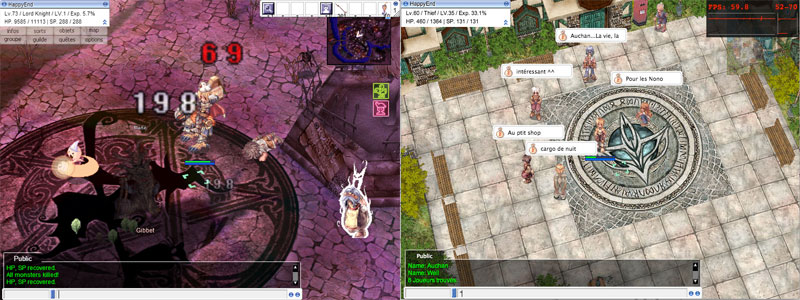
roBrowser is a free and open-source implementation of the Ragnarok Online MMORPG for web browsers written from scratch using the latest web standards (WebGL, HTML5, File API, Javascript, Threads, ...).
See the code
roBrowser is a web-based clone of the popular MMORPG Ragnarok Online built with WebGL, JavaScript, HTML5, and more. The project is entirely free and opensource, so you're welcome to setup roBrowser on your own server or try a demo.
You can learn more at http://robrowser.com
To run roBrowser you will need a browser that supports WebGL and is OpenGL ES 2.0 compatible. We've tested the following browsers:
If you don't run roBrowser in a Chrome App, you will need a Java plugin installed instead.
roBrowser is developed by a team located around the world. Check out the documentation and submit a pull request!
73 followers · starred Sep 2014
915 followers · starred Sep 2014
205 followers · starred Sep 2014
208 followers · starred Sep 2014
roBrowser is a free and open-source implementation of the Ragnarok Online MMORPG for web browsers written from scratch using the latest web standards (WebGL, HTML5, File API, Javascript, Threads, ...).
See the code
roBrowser is a web-based clone of the popular MMORPG Ragnarok Online built with WebGL, JavaScript, HTML5, and more. The project is entirely free and opensource, so you're welcome to setup roBrowser on your own server or try a demo.
You can learn more at http://robrowser.com
To run roBrowser you will need a browser that supports WebGL and is OpenGL ES 2.0 compatible. We've tested the following browsers:
If you don't run roBrowser in a Chrome App, you will need a Java plugin installed instead.
roBrowser is developed by a team located around the world. Check out the documentation and submit a pull request!
73 followers · starred Sep 2014
915 followers · starred Sep 2014
205 followers · starred Sep 2014
208 followers · starred Sep 2014