
Private, local AI workstation — LLM, image, music, TTS/STT, and voice cloning on your own GPU. Zero API cost, nothing leaves your machine.
15
8 commits
updated Oct 6, 2026
See what people are saying
README
Local AI Studio
A private, local, zero-API-cost AI workstation — language, image, music, speech, and voice models, all running on your own GPU, in one browser tab.
No API keys. No subscriptions. No data leaving your machine. Just your GPU and a browser at
http://127.0.0.1:8800.
Introduction
Local AI Studio is a self-hosted creative workstation that brings together large-language, image, music, speech-to-text, text-to-speech, and voice-cloning models behind a single tabbed web app — all running locally on an NVIDIA GPU, with nothing billed and nothing sent to the cloud.
It didn't start out this ambitious. The project began as a much smaller problem: I wanted Claude to be able to call on local models to help build a graphic novel — generating reference art, iterating on panels, and keeping the whole pipeline private and free to run as many times as I wanted. That meant giving Claude a reliable way to talk to an image model running on my own hardware.
Once that worked, it was hard to stop. A local LLM followed, then text-to-speech and voice cloning for narrating scripts, then music generation for soundtracking scenes, then speech-to-text for turning spoken notes back into text, then a proper multi-scene Story Maker for long-form fiction, and an Audiobook pipeline to turn any of it into chaptered narration. Somewhere along the way it stopped being "a tool that helps Claude make a graphic novel" and became a full studio — with its own UI, its own control panel, and its own setup runbook so it can be rebuilt on a fresh machine in one pass.
That's still the spirit of the project: give an AI (or yourself) a local set of creative tools with no per-call cost, no rate limits, and no vendor lock-in — you own the weights, the pipeline, and the output.
What's new
One queue now owns the GPU
The studio used to make you manage the card yourself. Every tab had its own Load button, its controls stayed dead until that model was resident, and starting anything on a second tab meant stopping the first. Only one heavy model fits in 16 GB — that part is physics — but the scheduling was pushed onto you, and it was the single most tiring thing about using the place.
That is now the software's problem. Every tab submits to one job queue, and a runner drains it, loading and unloading models on the way. Line up a video, four images, a song and a 3D mesh in any order, walk away, and come back to all of them.
- Nothing to load first. Submit from cold; the queue works out which model the job needs, loads it, and frees it again when something else needs the room.
- A real ETA — per job, and for the whole queue. Every completed job writes its duration to a ledger keyed by the exact shape of the work (kind, size, steps), and every model load is timed too, so the queue total includes the swaps it can see coming. A job that has never run before says "never run before" rather than inventing a number, and the queue total goes blank rather than showing a partial sum. There is no percentage bar standing in for an estimate.
- Same-model jobs are pulled forward. A load costs 20 s to 3 minutes, so if the resident model already suits a job further down the list, that job runs now instead of paying an unload/load cycle to preserve strict FIFO. Anything skipped is marked, and after six skips it becomes un-jumpable — a steady drip of image jobs can't strand the one video job forever. Reorder a job by hand and it is never jumped at all.
- It survives a restart. The queue is written to disk on every change. Work that was mid-flight comes back as "interrupted by a restart — re-queued". Uploads are staged to disk when you submit, so the queue file holds paths, not megabytes of base64.
- Bad input fails at submit time, not forty minutes later — each job type validates inside the HTTP request that queues it.
- Two lanes. CPU-only work (the reference-clip cleanup, Composer's FluidSynth re-render) runs on its own lane beside GPU jobs instead of queueing behind them.
- Cancel means stop. Cancelling a running image, music, sound-effect, 3D or video job also stops the work it had handed to ComfyUI, so the card is free for the next job at once instead of quietly finishing a render nobody wants. Only the studio's own work is touched; anything else using the same ComfyUI is left alone.
- Pinning is the escape hatch. Iterating hard on one tab? Pin its model from Home and it stays resident. Queued work that needs anything else waits — and says "waiting — a model is pinned" rather than looking stuck — until you unpin.
Interactive work — a chat turn, a transcription, one spoken line — is submitted as priority and jumps the line, so the studio still answers immediately while a long render grinds away behind it.
The visible result is a Queue button in the topbar with a live count and a countdown, and a drawer listing every job: what it is, which model it needs, how long it has been running, how long is left, and a ▲ to run one sooner.
The Language tab writes real files — and keeps the conversation
Two changes, and they work together.
It writes files. The local LLM can create and edit them, not just answer. Ask for a
page, a script or a document and it emits the whole file; the server writes it into a
sandboxed workspace/ folder and an artifact panel appears beside the chat — list,
preview, edit by hand, save, rename, delete. HTML previews render live in an iframe.
Every model-supplied path is resolved inside workspace/ and rejected if it tries to
escape, so a hallucinated path can't reach the studio's own code.
It remembers. Conversations are kept — a Conversations list beside the chat holds every thread, newest first, each named after the question that started it, with its turn count, its age and the files it produced. Click one to pick it up exactly where you left it. Rename it, delete it, or start a new one; deleting a thread never touches the files it made.
The transcript lives on the server, in chats/<id>.json, not in the browser tab. That
is the part that matters: the page holds an id, not a history. Reload, open a second tab,
restart the studio, come back tomorrow — same conversation. Close the browser mid-reply
and the turn is still saved when it lands, because the queue job that is writing it does
not care whether anyone is watching. It also means the model's context is assembled
server-side from the real transcript rather than from whatever the page happened to still
have in memory.
Two new tabs, and a cleaner voice reference
- 🔊 Sound Effects — foley, impacts and ambience from a text description (Stable Audio 3.0 Small SFX). The third leg of game audio, next to ACE-Step's music and the studio's voice engines. A distilled 8-step model, so a take lands in about a second and you get several at once — choosing between takes is the whole workflow for sound design.
- 🧊 Image → 3D — one reference image becomes a
.glbmesh (Hunyuan3D 2.1), from the same kind of single image Sprite Studio already takes. - 🧹 Reference-clip cleanup — a one-click denoise and de-reverb pass (DeepFilterNet) on the clip you clone a voice from, since cloning quality is capped by whatever microphone and room that recording came from. Runs on the CPU, so it never unloads the voice model.
Under the hood, the local LLM's context window was raised from Ollama's 4096-token default to 32k. That default had been silently truncating long prompts — a 32,000-token input was arriving as 4,096 tokens with the front discarded. See Language model settings below.
Demo
Everything Before: a 12-minute narrated sci-fi film. Claude Opus 5.5 wrote, planned and directed it in Claude Code, and every shot was rendered on one RTX 4080 SUPER with this studio: keyframes from Image, picture and ambient sound from Video, and the score from Music Generation. Nothing in it was filmed or licensed from stock.
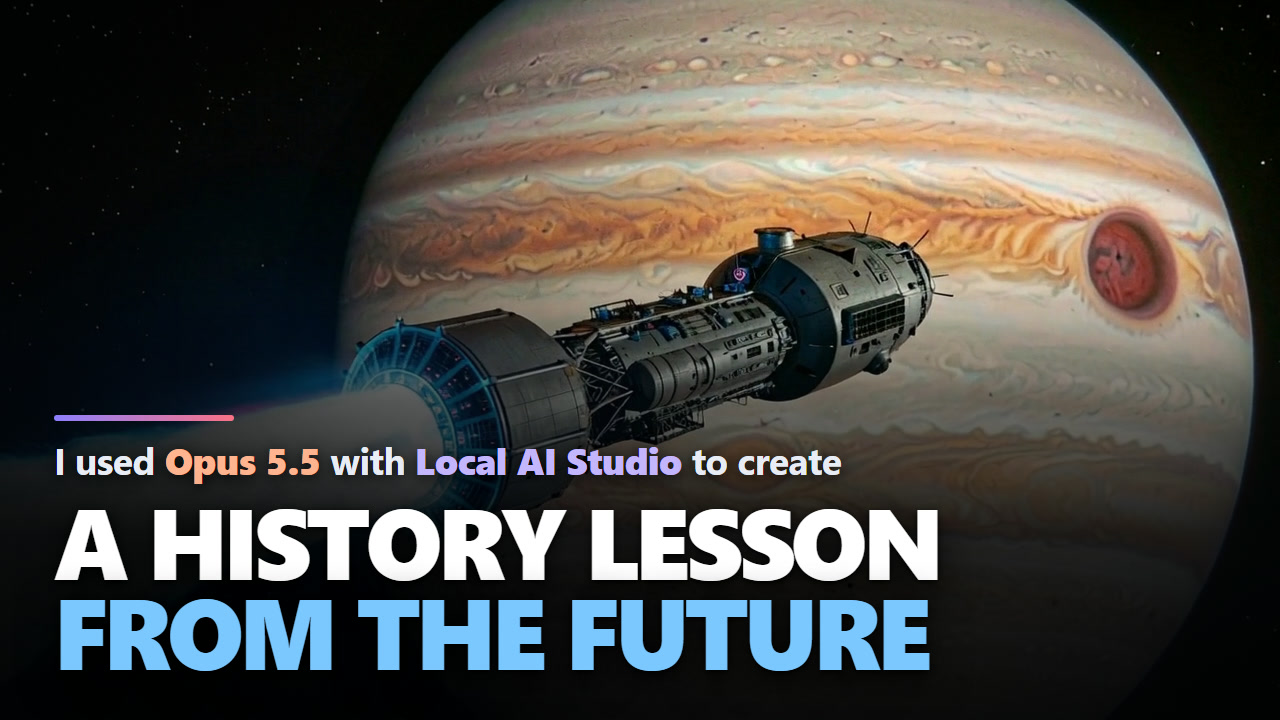
To make your own, follow the Film Recipe, the same flow written for any subject: brief, script, timed plan, voice, keyframes, clips, sound and assembly.
One prompt, and Claude Code builds the whole studio — the clone, the runbook, 29 source files, five conda environments, 91.7 GB of weights, and then what the finished studio actually makes.
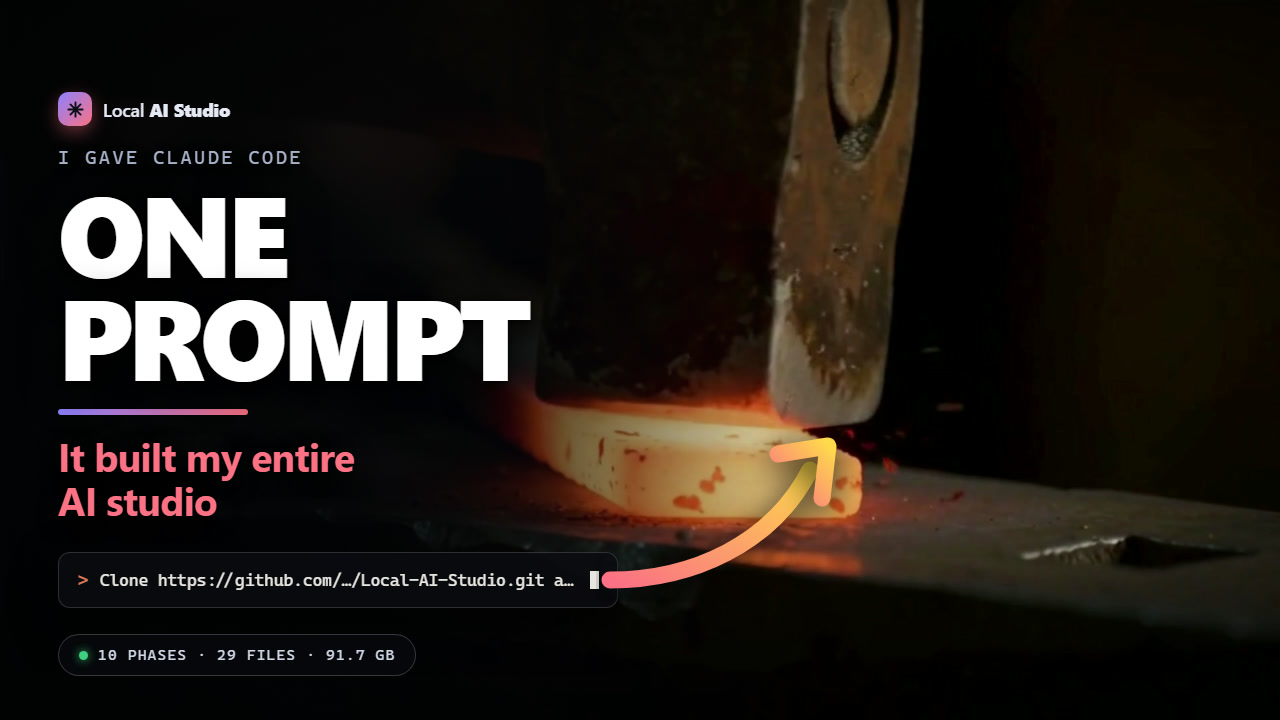
The second half of that film stands on its own as the Video tab capability demo.
Features
Every tab below submits its work to the same job queue — there is nothing to load first, and jobs from different tabs line up together.
| Tab | What it does | Backend |
|---|---|---|
| 🧠 Language | Code / research / vision prompts to a local LLM, with a 🔓 Unlocked (uncensored) option. The model can also write real files — ask for a page, a script or a document and it lands in a sandboxed workspace/ folder with an artifact panel beside the chat: preview, hand-edit, save, rename, delete, with HTML rendered live. Conversations are kept and listed beside the chat — named, dated, resumable, and stored server-side in chats/, so a reload or a restart doesn't lose the thread. | Ollama |
| 🎨 Image — Generate | Text → image (FLUX.2 Klein) | ComfyUI |
| ✂️ Image — Edit | Reference-guided edit / remove / reframe / outpaint | ComfyUI |
| 🕹️ Sprite Studio | One reference image → style-matched 2D game sprites: single actions or a full animation set (idle/walk/run/jump/fall/crouch/attack/hurt/death), true transparent backgrounds, per-action strips + combined sprite sheet with engine-ready JSON metadata, per-frame re-roll | ComfyUI + rembg |
| 🧊 Image → 3D | One reference image → a 3D mesh (Hunyuan3D 2.1), saved as .glb. Takes the same kind of single reference image Sprite Studio does, so there is no new concept to learn. Geometry only — the mesh arrives untextured, ready to paint in Blender or have the reference baked onto it. | ComfyUI + mesh3d.py |
| 🎬 Video | Text → video with native stereo audio, generated together in one sampler pass (MiniMax H3) — nothing to mux afterwards. Three input modes: Text → video; First / last frame (drop one keyframe for image→video, or both and H3 interpolates between them); and References, which accepts up to 9 images, 3 video clips (each with its own optional soundtrack) and 3 audio clips — addressed in the prompt as <Picture 1>, <Video 1>, <Audio 1> — to carry identity, motion, camera style or a cloned voice into the result. Up to 15s at 24fps, rendered at H3's native 768p (running below native makes it stop animating — see the performance notes below). Streams the official 21GB int8 unets through 16GB of VRAM via ComfyUI's per-module offload, with a measured, self-correcting ETA rather than a spinner. See the licensing note below before sharing anything made here. | ComfyUI + h3gen.py |
| 📊 Composer | A text brief → a fully arranged, mixed, multitrack instrumental. Two engines: Arrange (a local LLM plans, the studio engine writes every note) and Orchestrate (SymphonyGen — a real 211M-parameter orchestral model writes 32 bars of multitrack score itself, no LLM involved, ~37s). Orchestrate merges up to 27 generated desks into orchestral families, seats them across the stereo field, and puts dynamics back into a model output that arrives at a flat velocity; the existing mixer, DAW grid, piano roll, stems and master chain then run unchanged. It can also re-orchestrate a MIDI you hand it. In Arrange, a local LLM plans the musical direction (instruments, key, tempo, structure, chords, mix, automation) from a fixed "studio" menu — General MIDI patches played by FluidSynth — then a deterministic engine (no note-level AI) writes every part, mixes each track through its own FX chain (saturation, tone shelves, tempo-synced delay, convolution reverb, automated sends), and adds production moves (risers, impacts, downlifters, drops, sidechain ducking). A 3-step wizard — Set up (brief/style/length/instrument count) → Arrange (DAW-style clip grid, per-track mix/automation, piano-roll note editing, re-render without a new LLM call) → Export (master MP3/WAV, multitrack MIDI, per-instrument FLAC stems). 8 genre templates mean it never fails even on a bad LLM response, and an "LLM off" mode composes from the template alone with no model load at all | Ollama (planning) + SymphonyGen (symphgen.py) + composerkit.py (CPU-only render) |
| 🎵 Music Generation | Full songs & instrumentals from style tags + lyrics (ACE-Step 1.5 XL) — structure/vocal/energy lyric tags, BPM/Key/time-signature control, remix mode | ComfyUI |
| 🔊 Sound Effects | Foley, impacts and ambience from a description (Stable Audio 3.0 Small SFX) — the third leg of game audio next to ACE-Step's music and the TTS engines' voice. Renders several takes at once, because picking between takes is the whole workflow for sound effects. Distilled to 8 steps, so a take takes about a second. The tab asks for the source, material, space and — the one that decides whether you get a smash or a tap — how the sound evolves over time. | ComfyUI + sfxgen.py |
| 🎹 Lullaby | Any song → soft lullaby instrumental. A workbench splits the song into 6 tracks (vocals/guitar/piano/other/bass/drums) with scrubbable waveform players so you pick exactly what carries into the result, then three engines: Remix (default — the selected tracks are cleaned, dynamics flattened so it stays soft throughout, then ACE-Step audio-to-audio re-imagines it with lullaby tags; closely resembles the original, with denoise/softness/slowdown controls), Piano (melody transcribed directly from the selected tracks, key/chords detected, rebuilt as a rocking piano + music-box arrangement at 55-88bpm on the Salamander sampled grand), and Melody Match (traces each sung note's continuous pitch curve via FCPE — real note boundaries, no scale-snap or quantization — onto a single portamento-capable instrument: cello/violin/flute/synth voice/music box; a per-track Route selector lets some ticked stems go through Melody Match while others get a full Piano-style rebuilt arrangement in the same render, mixed together, with an optional ACE-Step polish pass afterward) | lullabykit (2-pass Demucs + basic-pitch/FCPE + librosa + FluidSynth) + ACE-Step |
| ✂️ Track Splitter | Any song → its 6 individual instrument tracks (vocals/guitar/piano/other/bass/drums), each with a scrubbable player and its own download, plus a "download all" zip and a persistent library of past splits — shares its separation cache with the Lullaby tab | lullabykit (Demucs) |
| 🎙️ Speech → Text | Transcribe audio | NeMo Parakeet |
| 🔊 Text → Speech | Fast narration (Kokoro) and voice cloning (Chatterbox), with a one-click clean up this recording pass (DeepFilterNet denoise + de-reverb) on the cloning reference clip — cloning quality is capped by whatever mic and room the reference came from. Runs on the CPU in its own env, so it never unloads the voice model. | conda envs |
| 🗣️ Voice Studio | Fine-tune & reuse a personal voice | XTTS-v2 |
| 📖 Story Maker | Timeline-driven multi-scene story / novel generation | koboldcpp (Cydonia-24B) / Ollama |
| 📚 Audiobook | Story project or pasted text → chaptered MP3s with natural pacing and loudness normalization | TTS worker + ffmpeg |
Plus a CLI (studioctl.ps1) and a visual control panel (studio_gui.pyw, with a one-click Desktop shortcut) to start, stop, and monitor the whole stack — Ollama, ComfyUI, and the studio server — from one place.
Screenshots
The job queue. Seven jobs from four different tabs, lined up on one card. The running job says what it is doing (loading image:base4b); each pending job says how long it takes and which model it needs; one has never run before and says so instead of guessing. ▲ runs a job sooner, × cancels it.
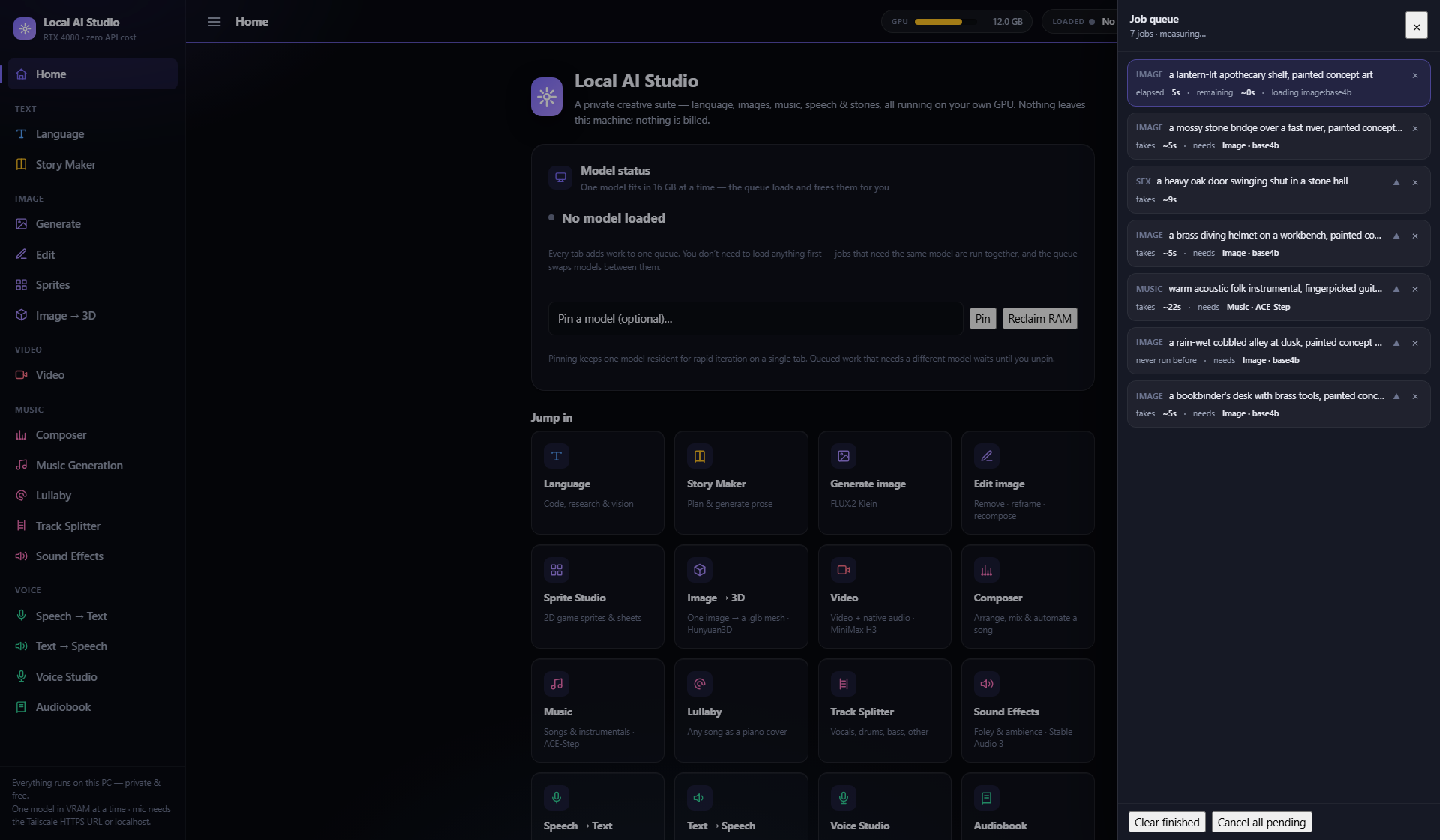
Home — model status, pinning, and the queue countdown in the topbar 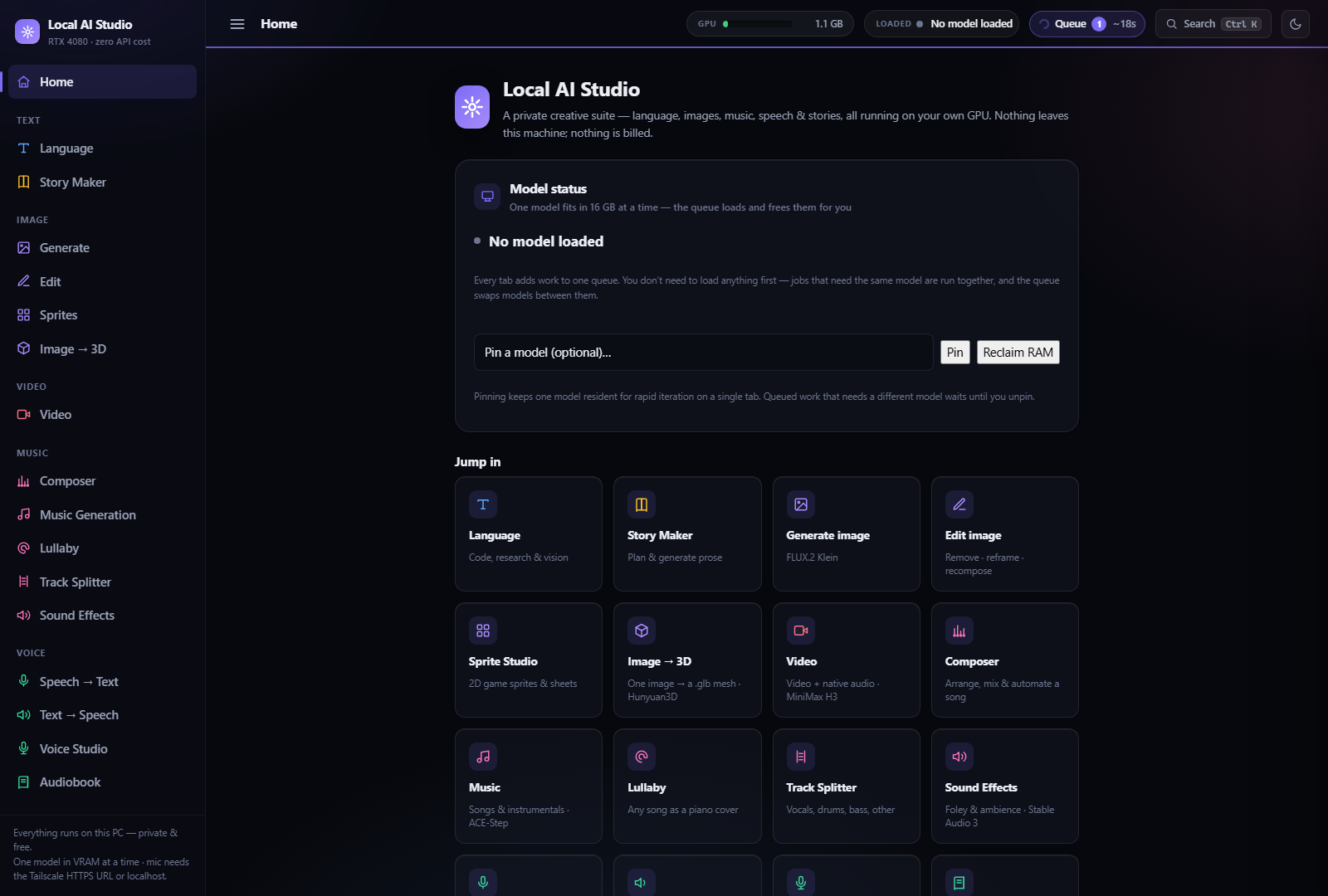 | Language — four kept conversations on the left, the file the model just wrote previewing live on the right 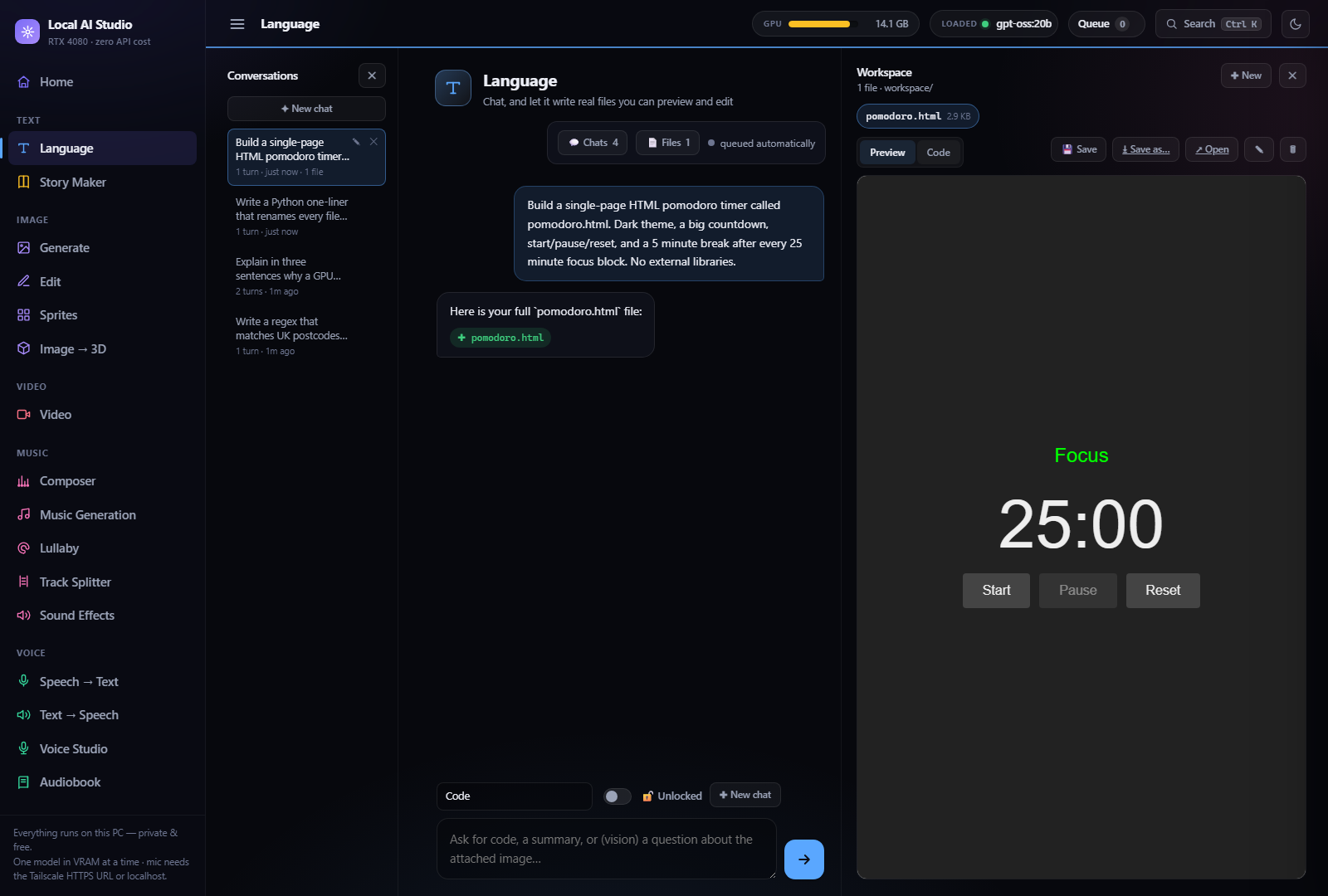 |
Story Maker 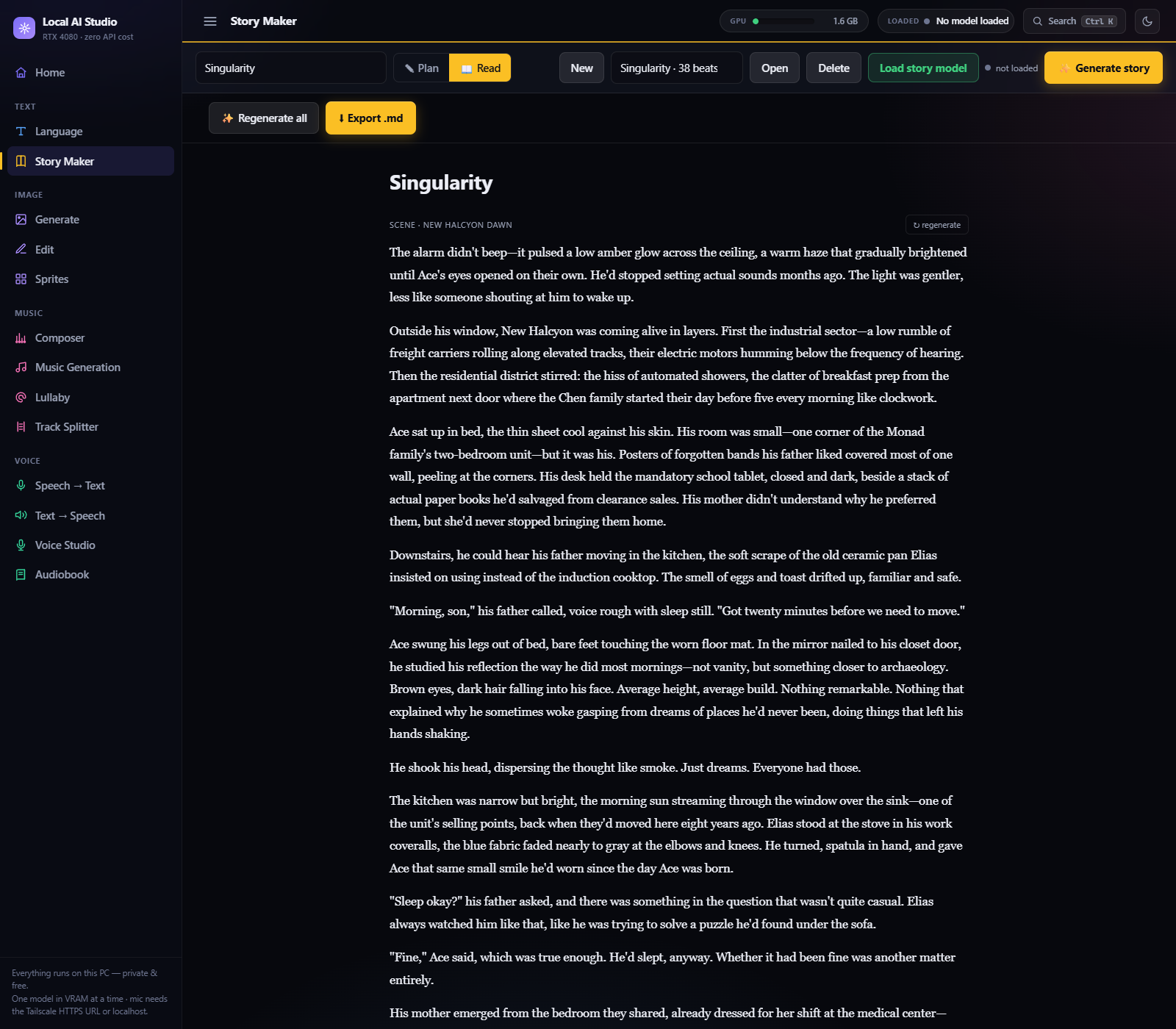 | Image — Generate 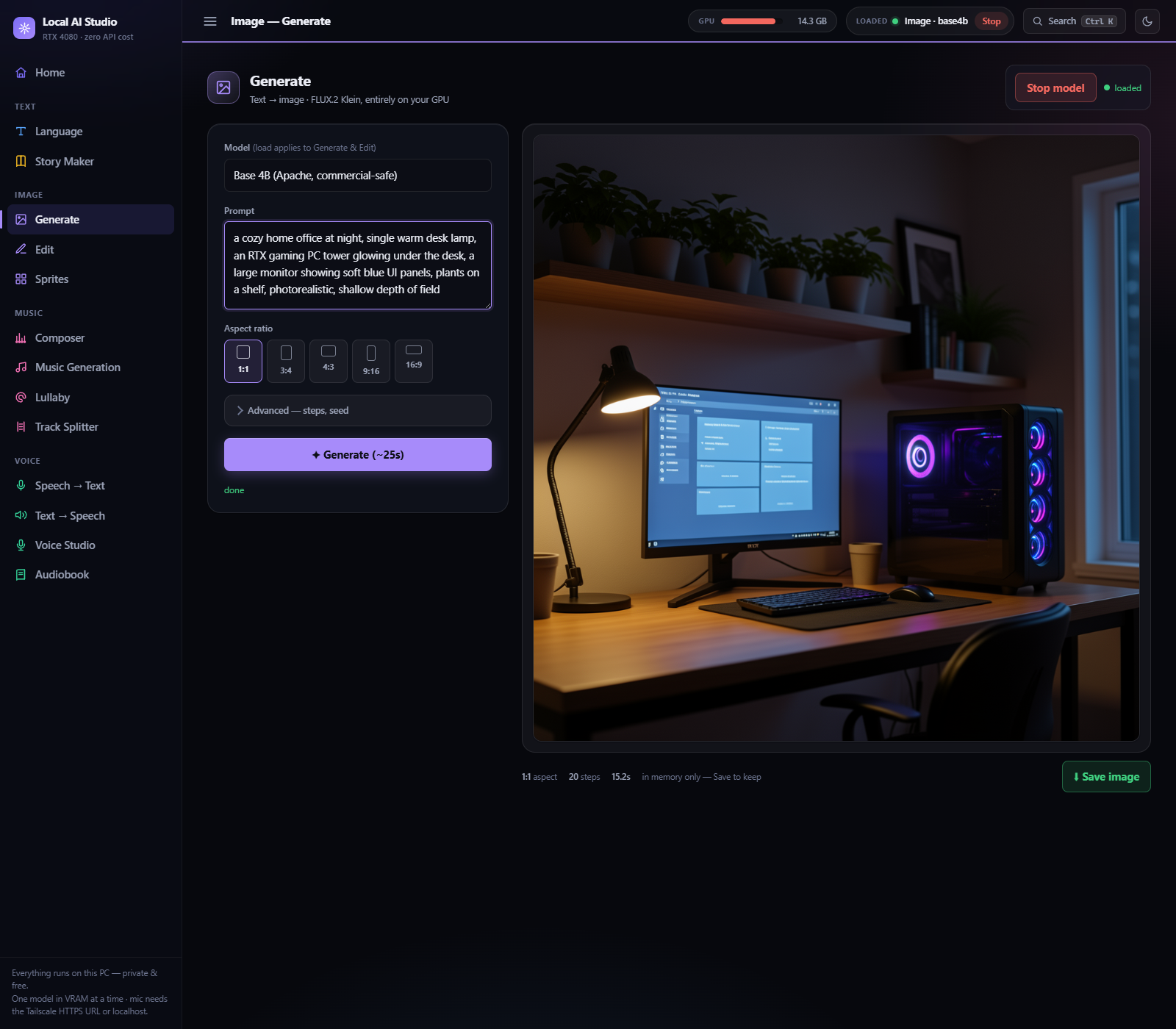 |
Image — Edit 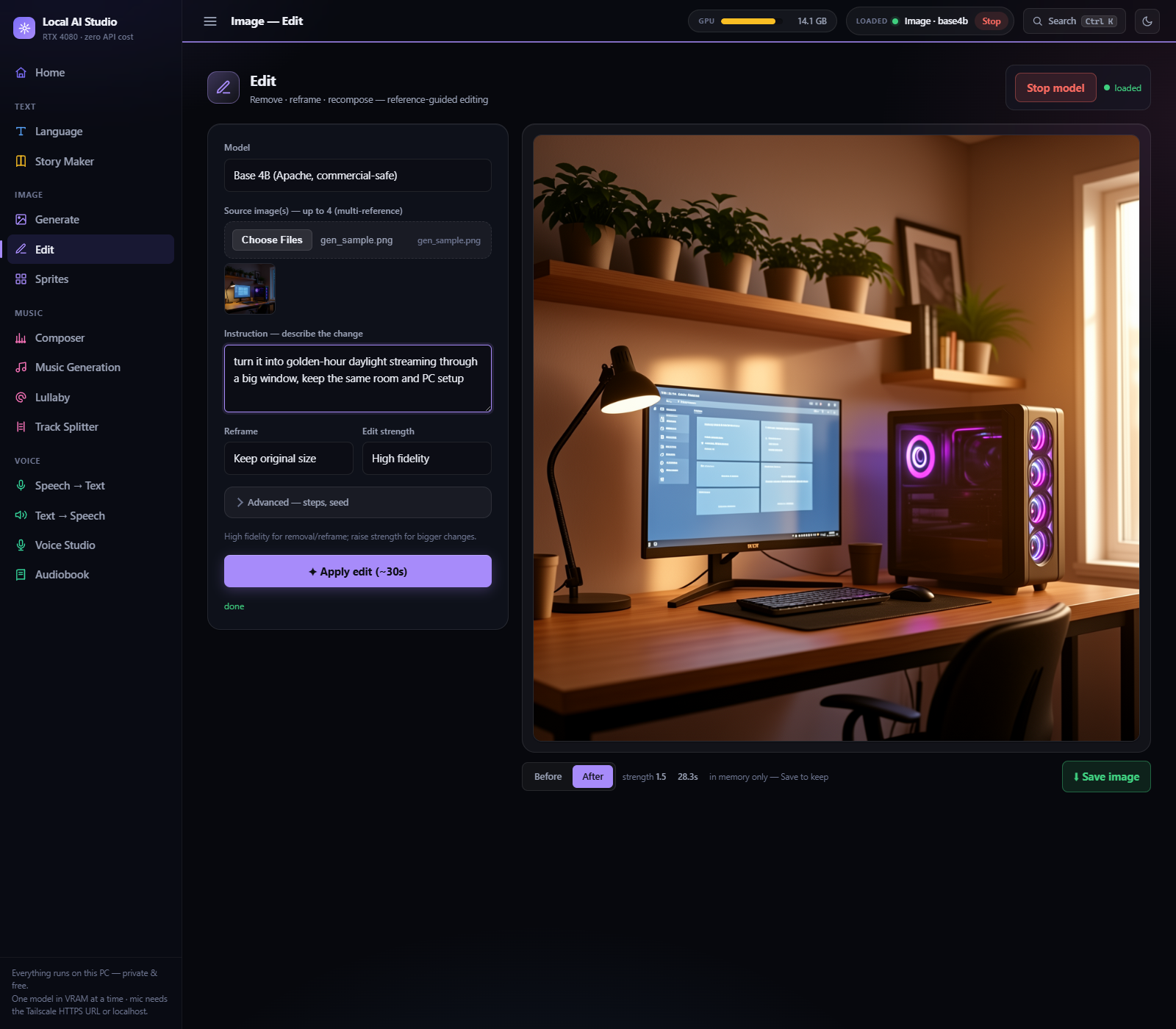 | Music — ACE-Step 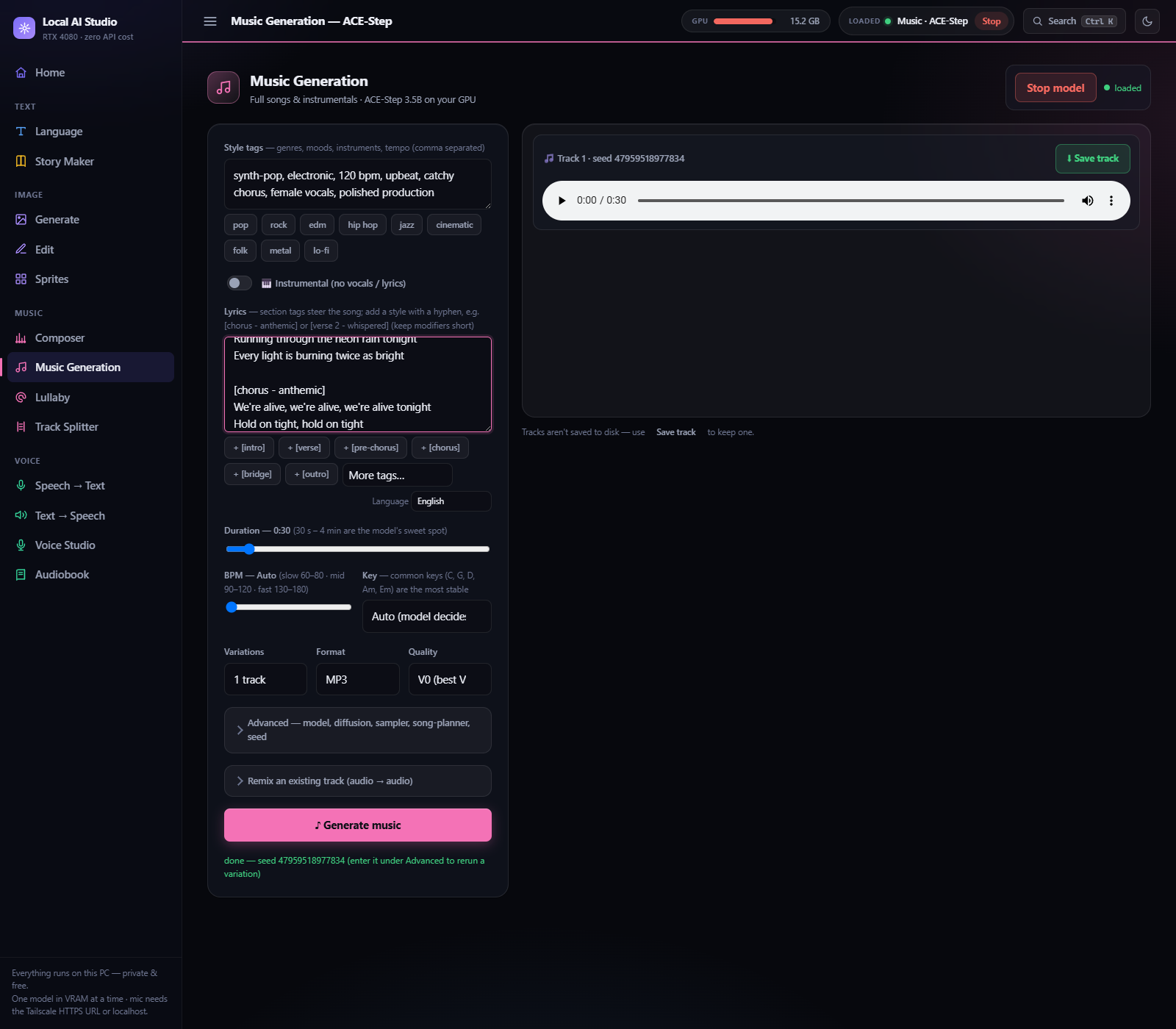 |
Speech → Text 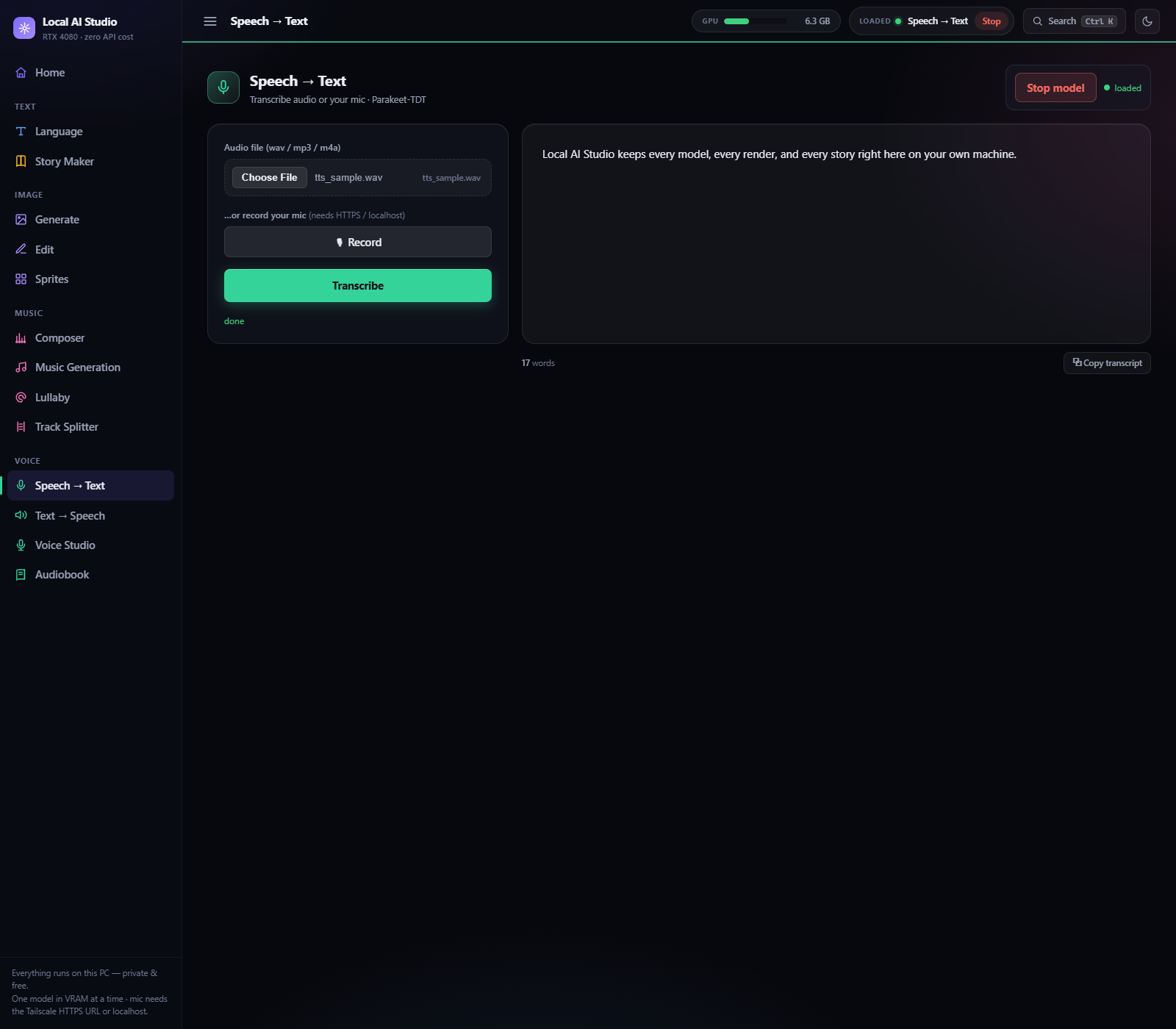 | Text → Speech 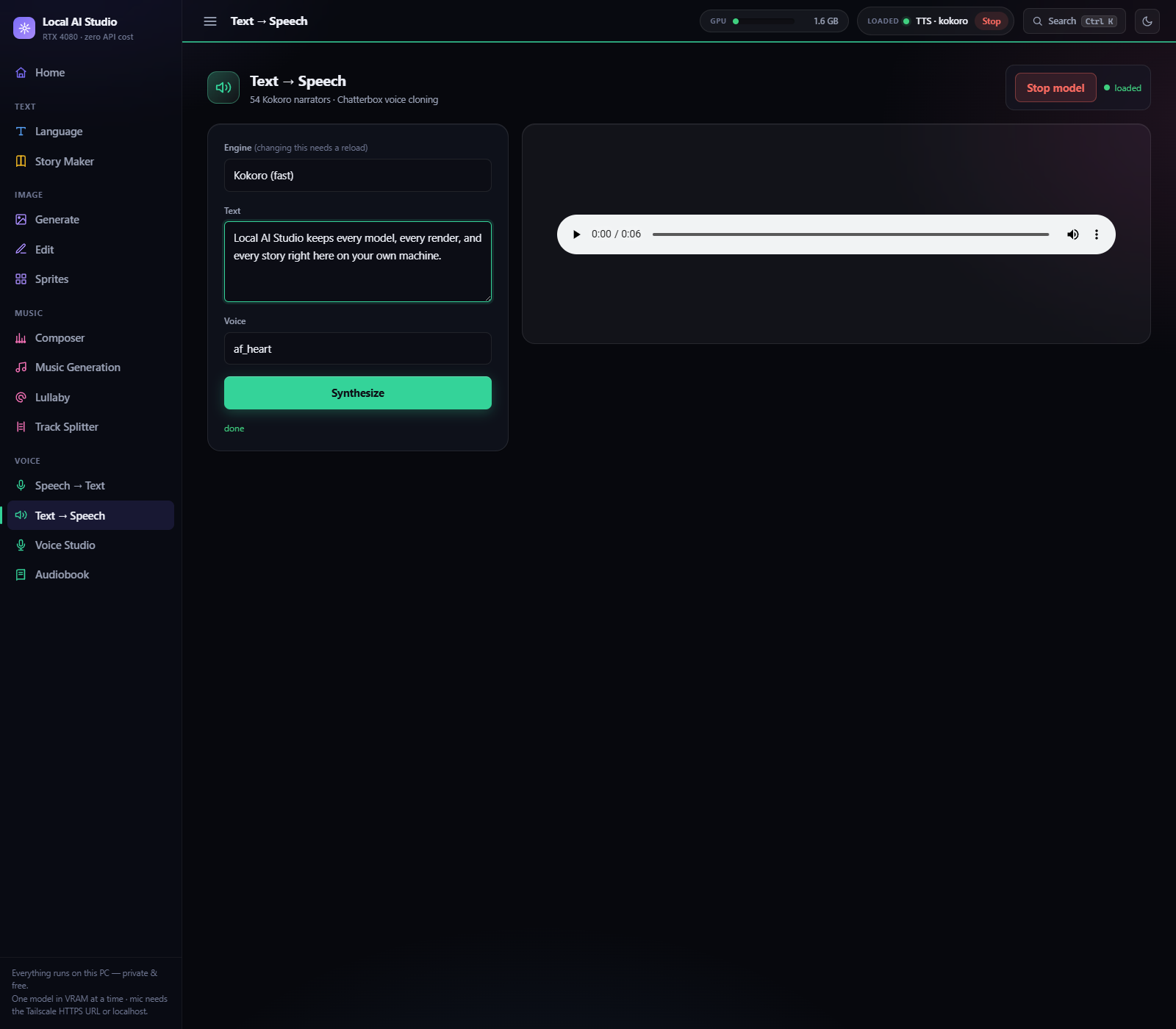 |
Voice Studio — create a voice 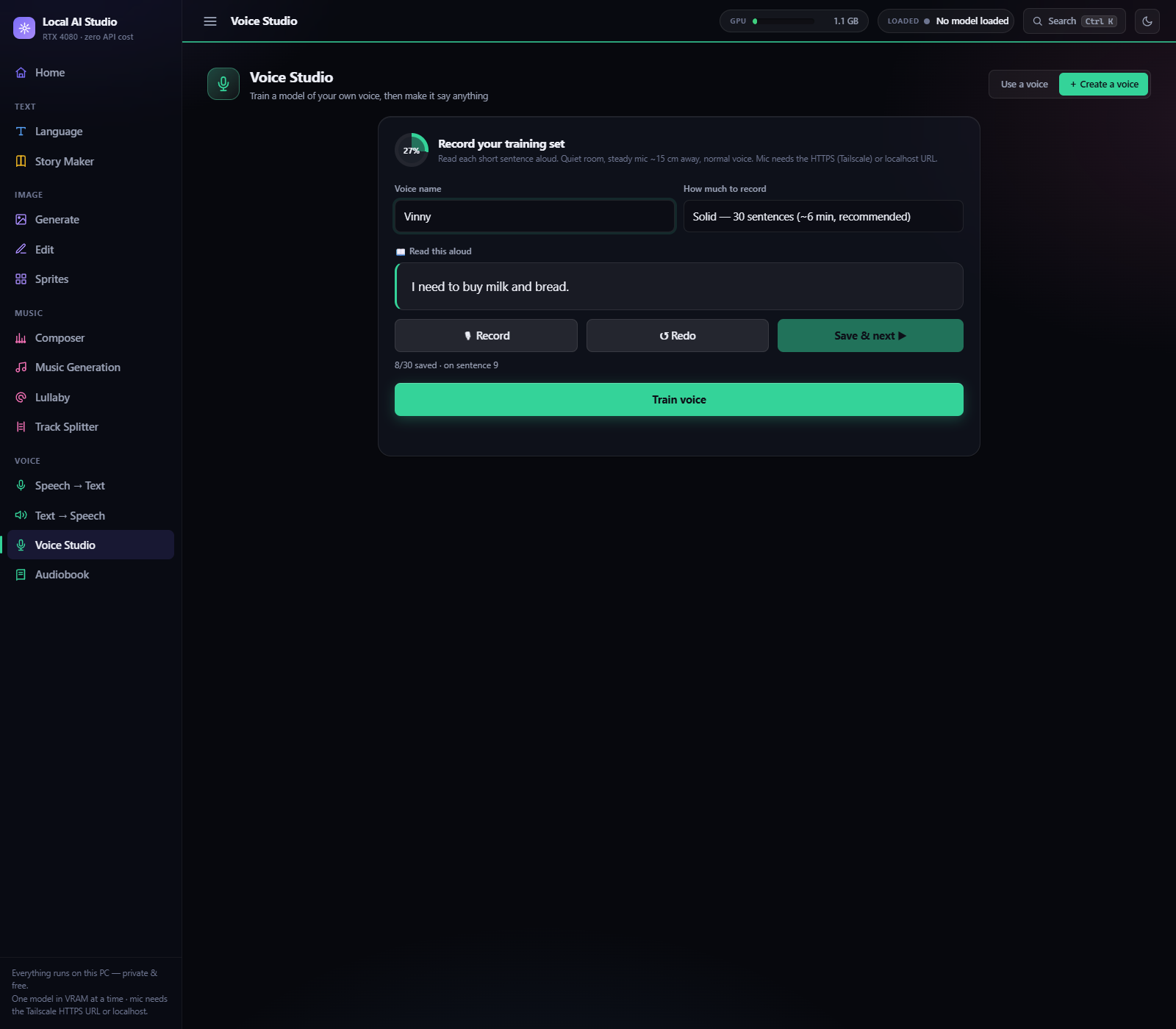 | Audiobook 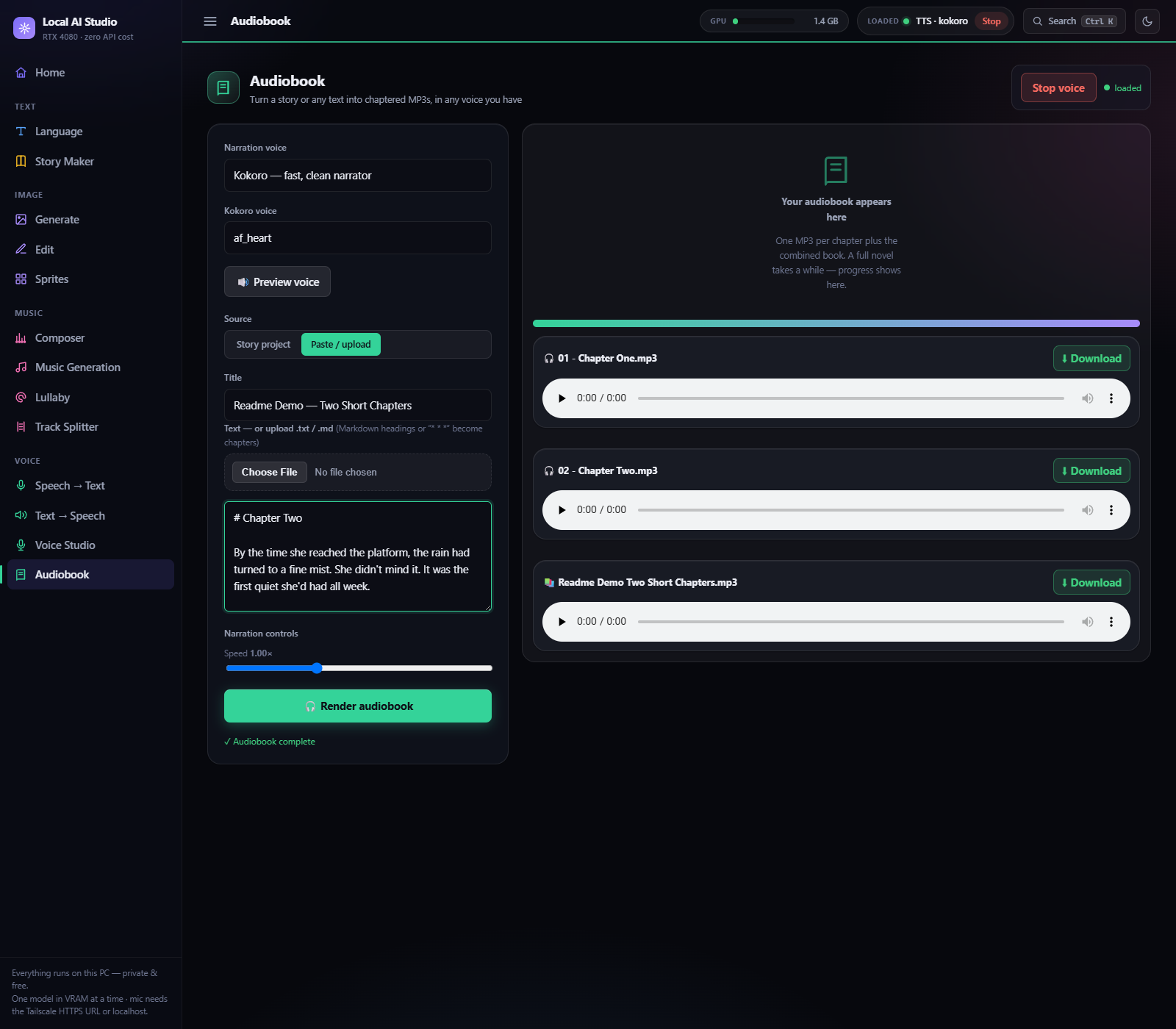 |
Sound Effects — four takes of one prompt, because picking between takes is the workflow 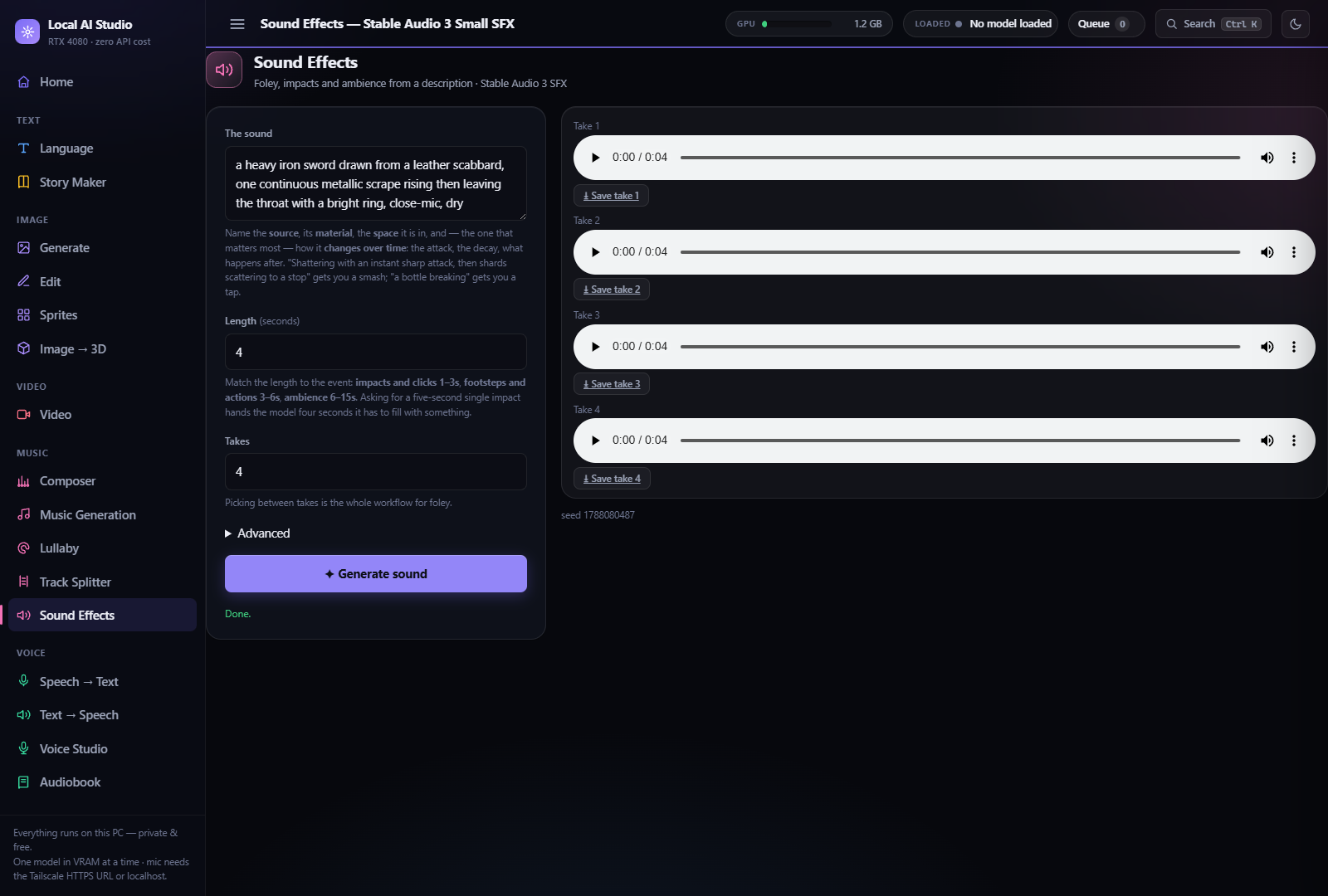 | Image → 3D — one reference image, 508,068 triangles, in a viewer written into the page 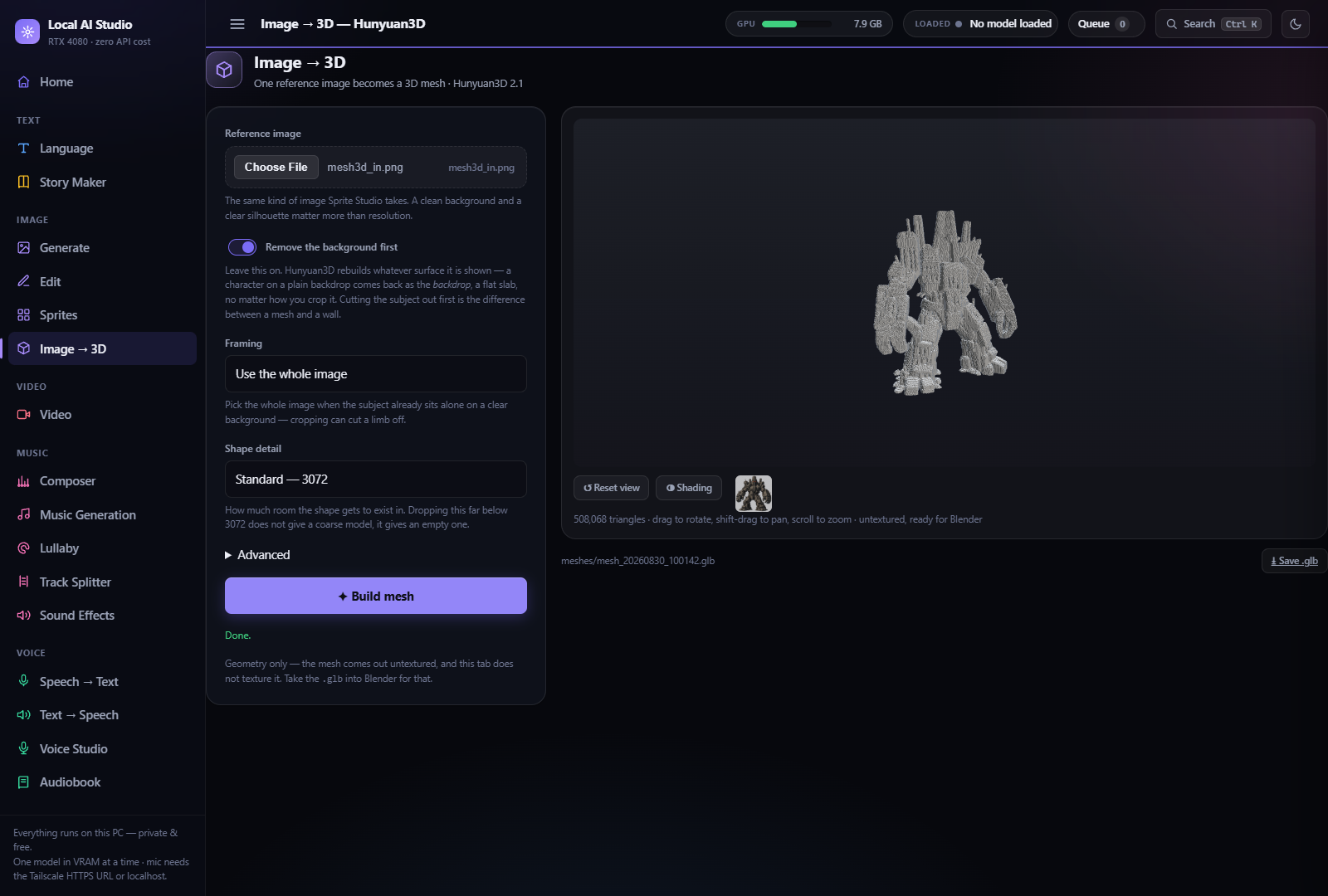 |
Sprite Studio, Lullaby & Track Splitter in detail
Sprite Studio — single action 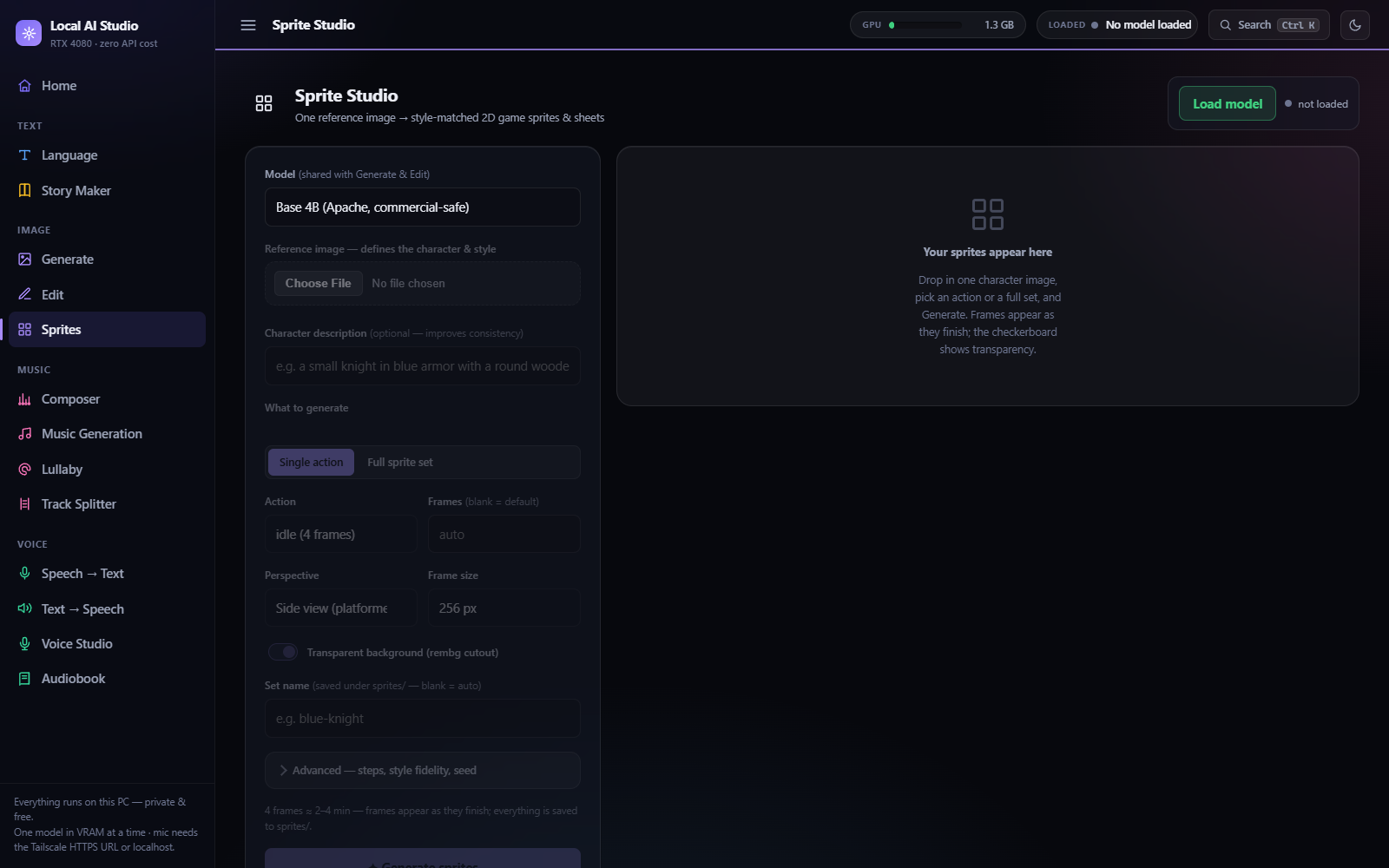 | Sprite Studio — full sprite set (all 9 built-in actions selectable) 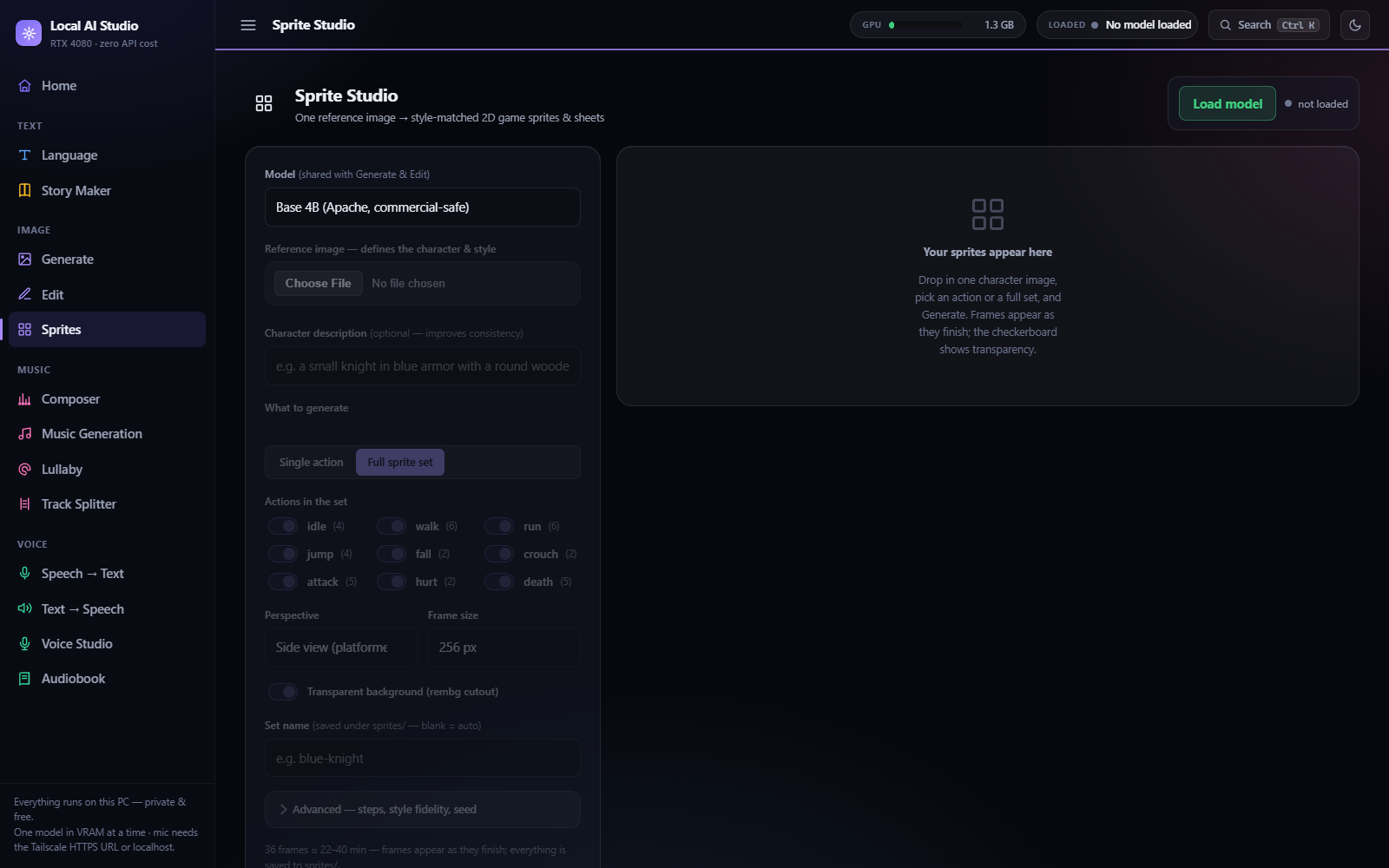 |
Lullaby — Remix engine (default) 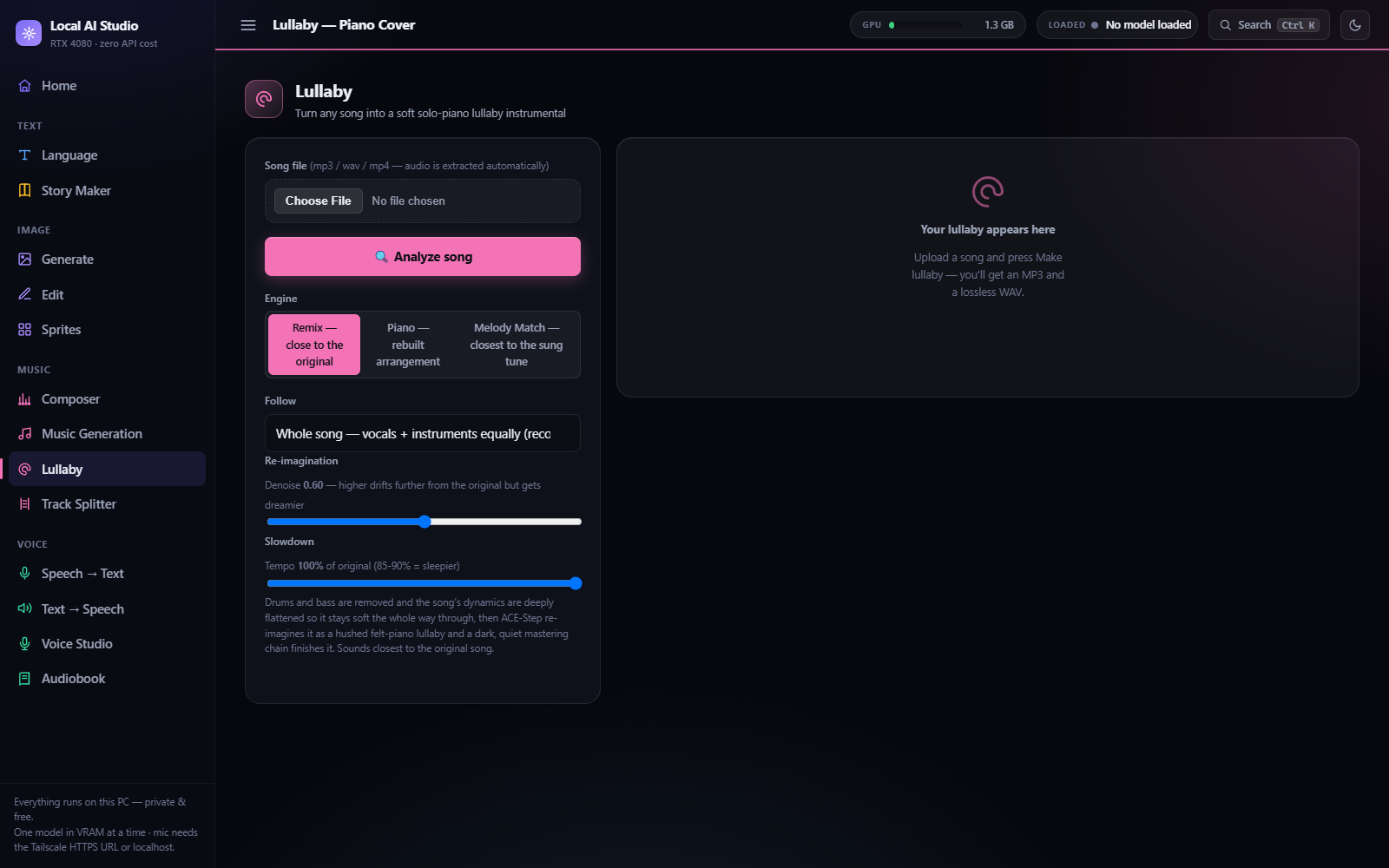 | Lullaby — Piano engine 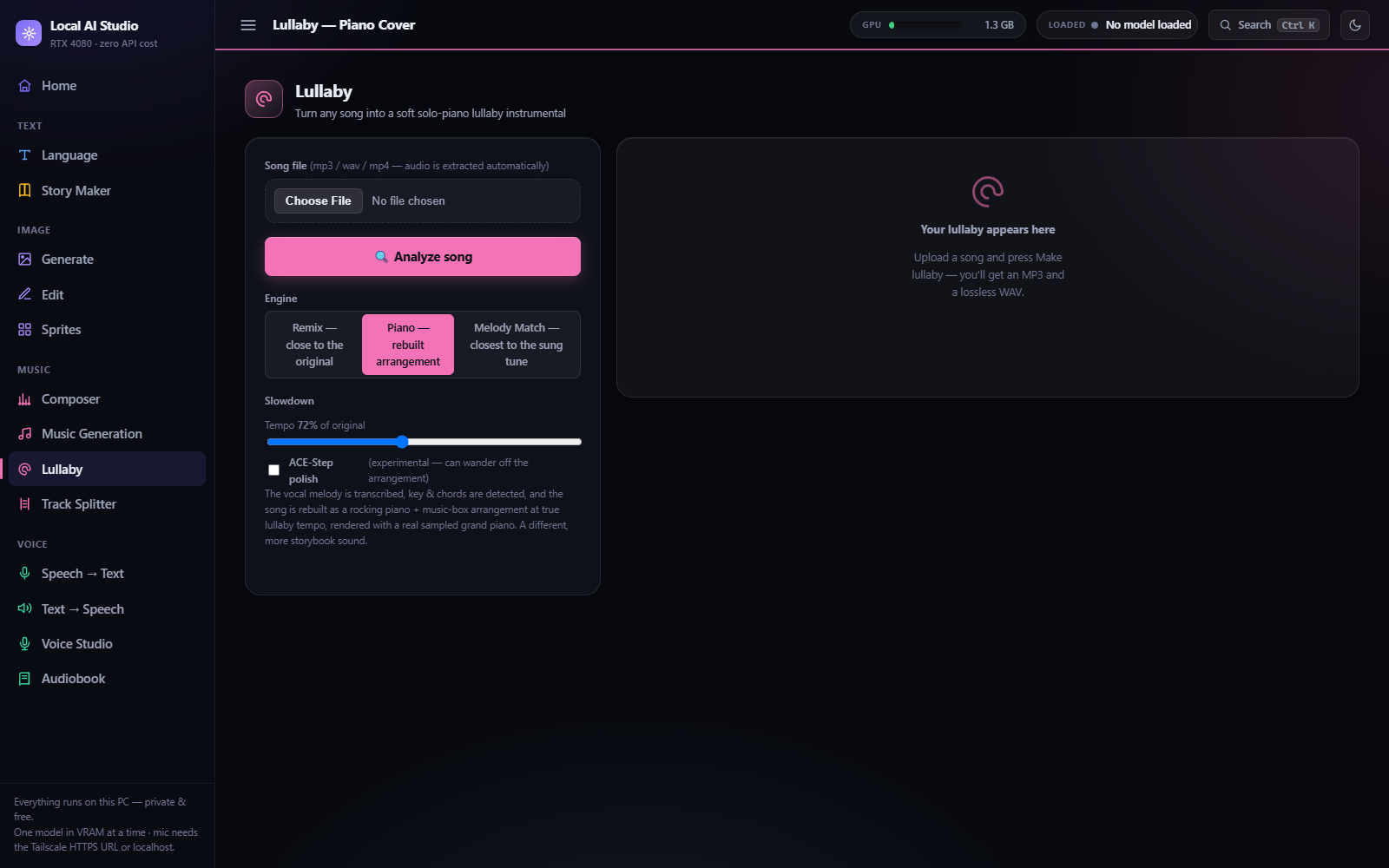 |
Lullaby — Melody Match engine 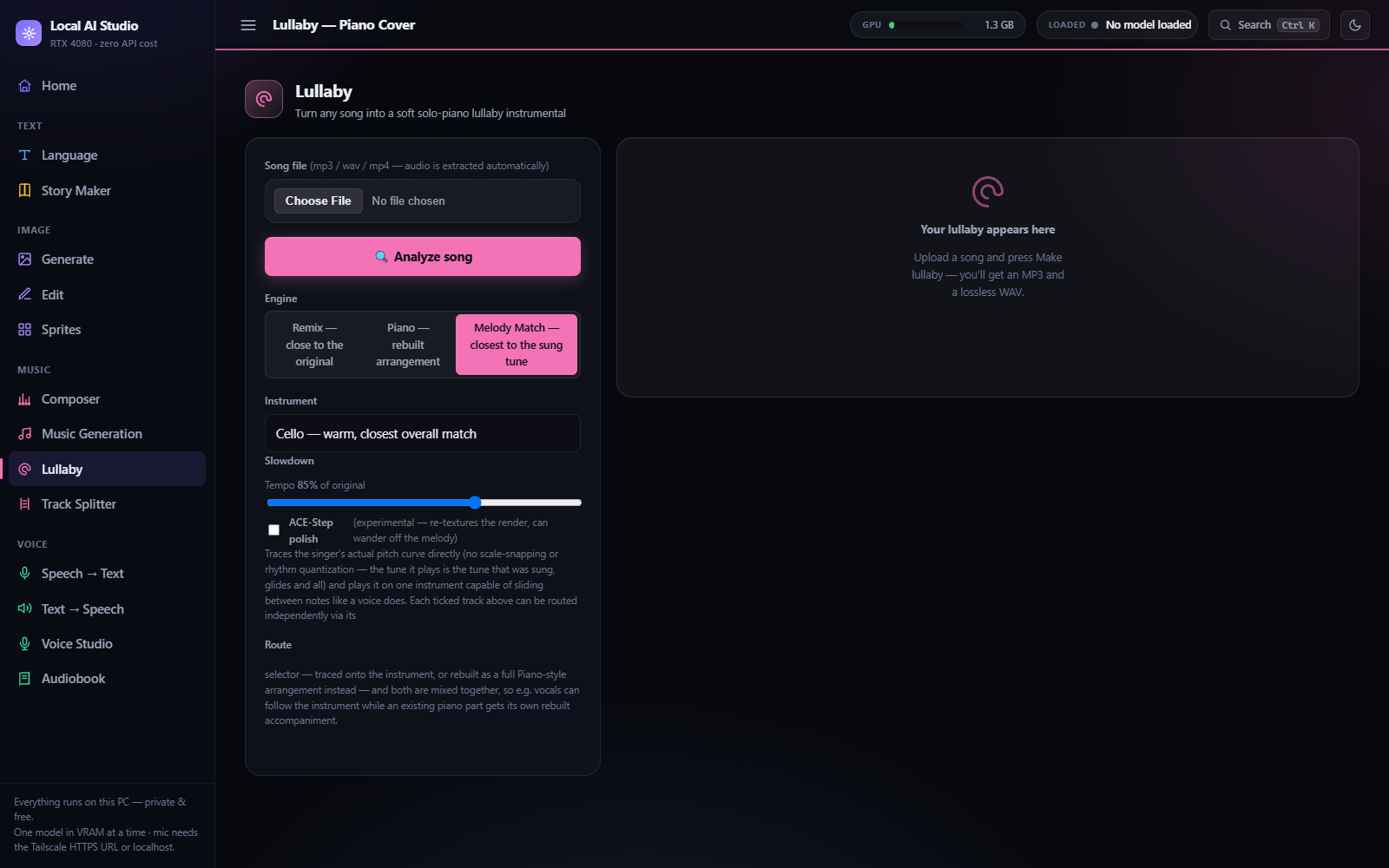 | Melody Match — per-track routing (vocals → instrument, piano → rebuilt arrangement, mixed together) 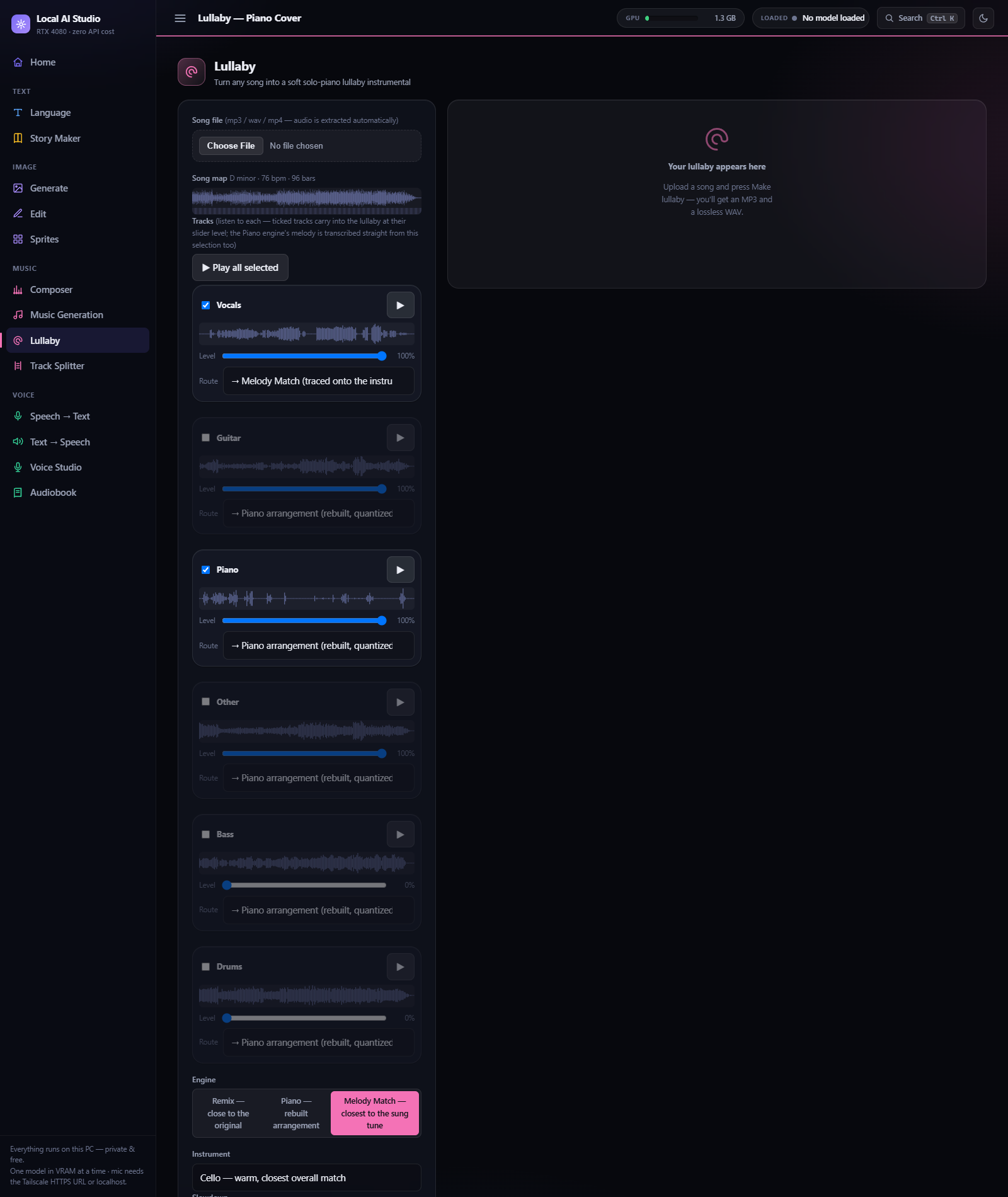 |
Track Splitter 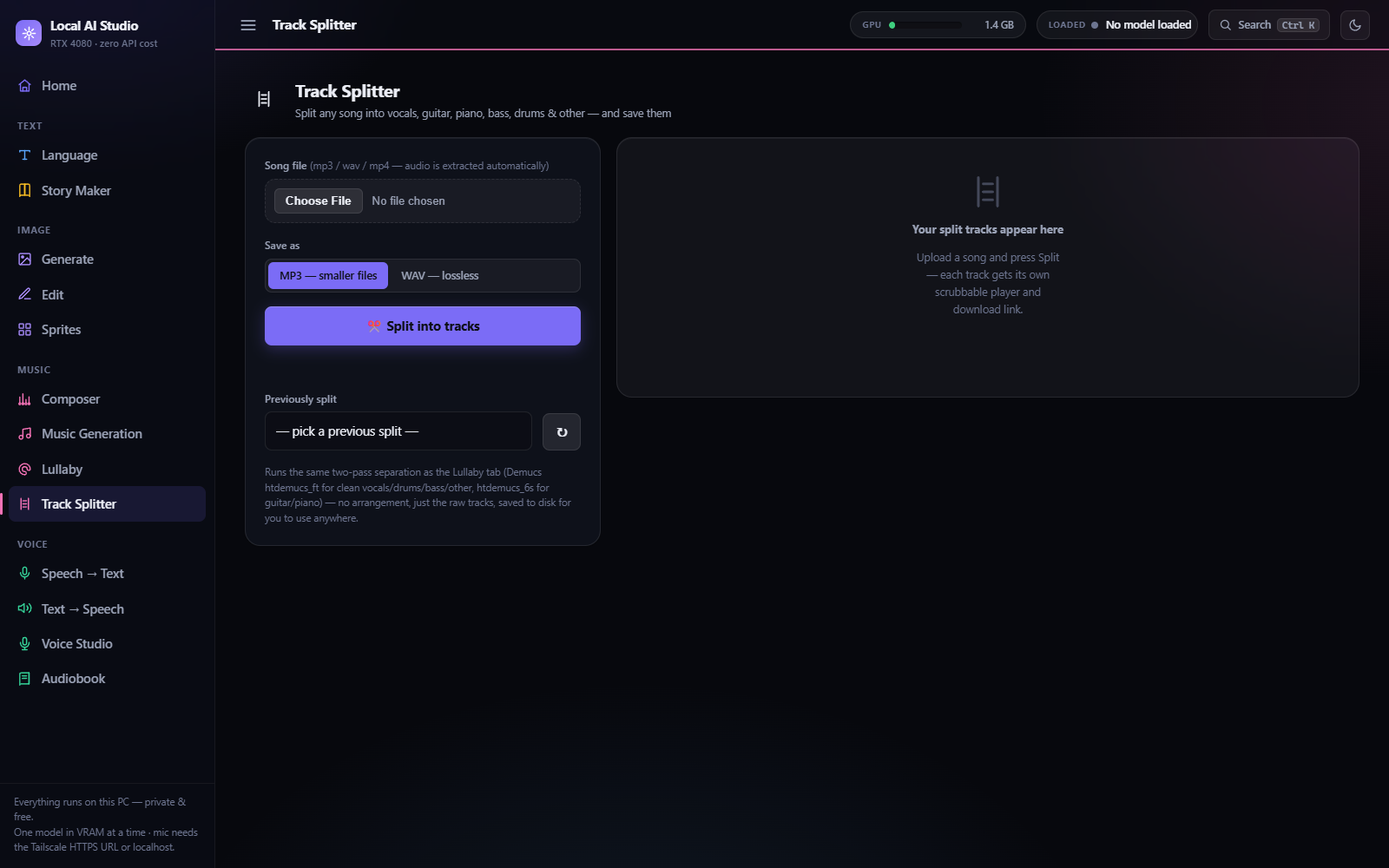 | Track Splitter — results (per-track players + Play all selected) 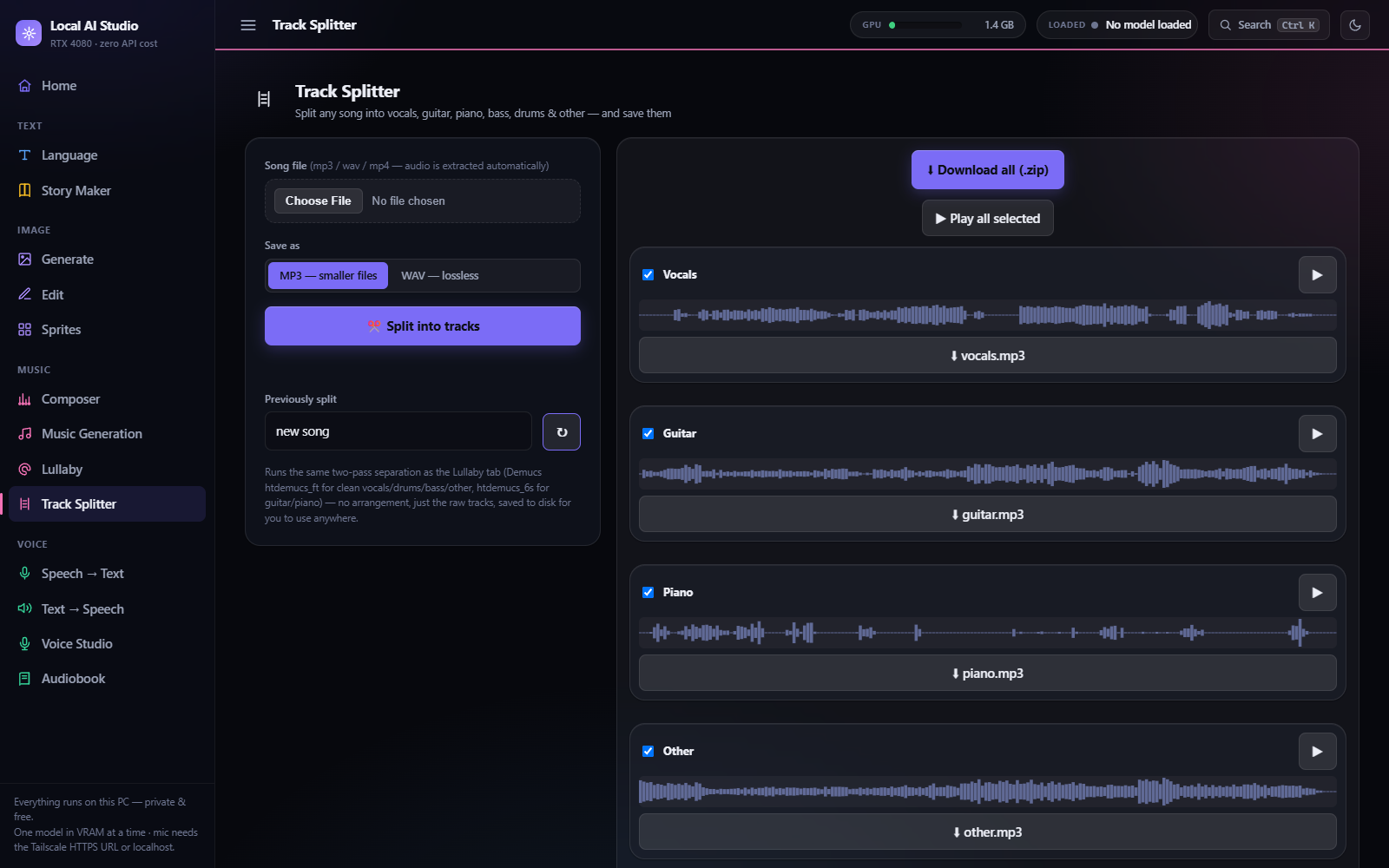 |
Video in detail
MiniMax H3 — text → video with native audio, generated in one pass. ⚠️ Licence restricts local deployment in the UK, EU, US, and South Korea, and anything you share must be disclosed as AI-generated — see the notice below.
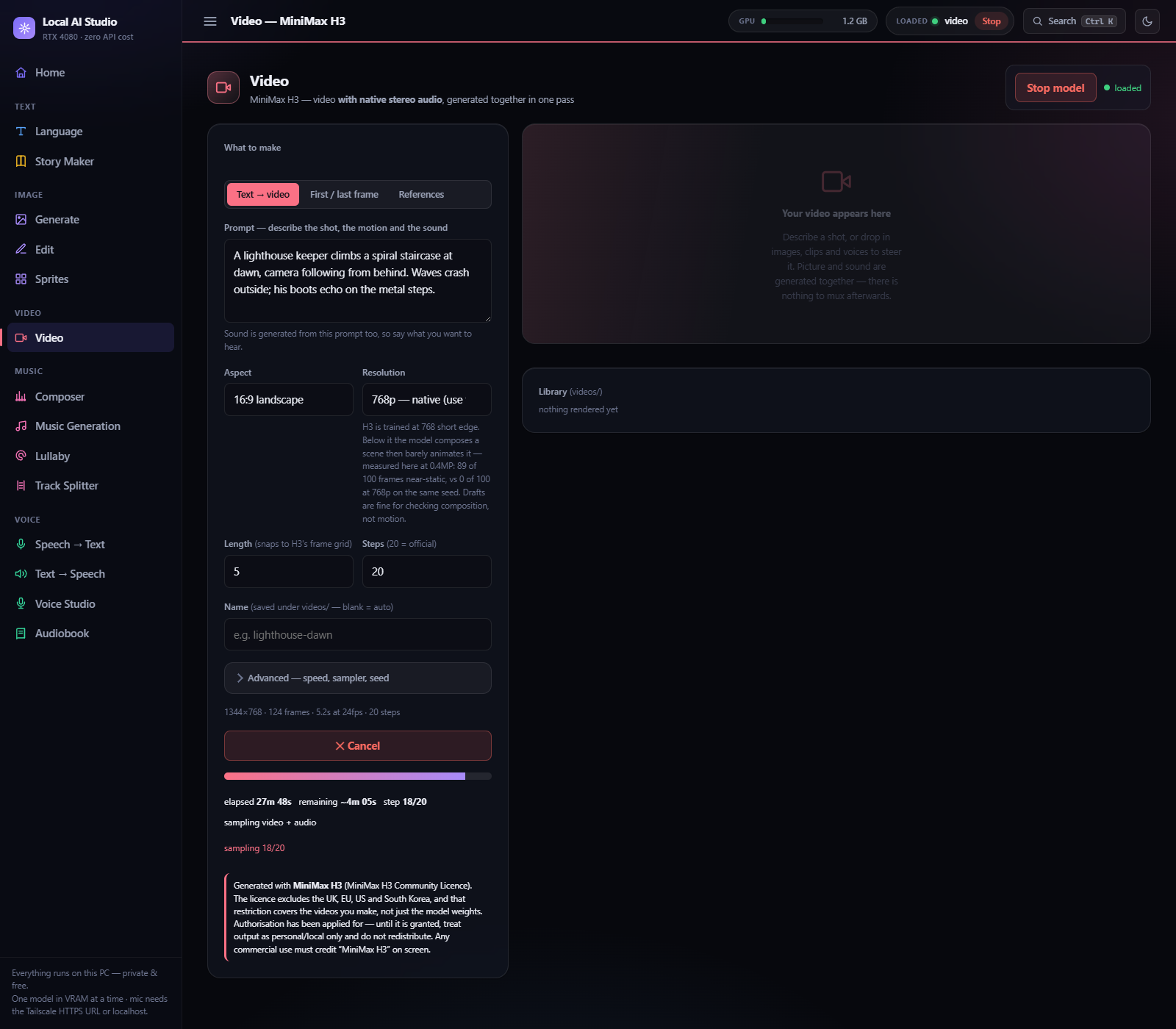
Recommended length: 5–15 seconds. Generation time scales with length, not with a fixed startup cost — measured across four real generations on this rig (RTX 4080, 768p native, 20 steps), a 10.125s clip consistently took ~31.4 minutes end-to-end (model load included), which works out to roughly 3 minutes of generation time per second of video. As a rule of thumb: a 5s clip ≈ 15 min, a 15s clip ≈ 45 min. Going shorter than 5s wastes most of that time on model loading rather than the clip itself; going much past 15s just multiplies an already-long wait for diminishing narrative payoff.
Composer in detail
Step 1 — Set up (brief, style, length, sound options) 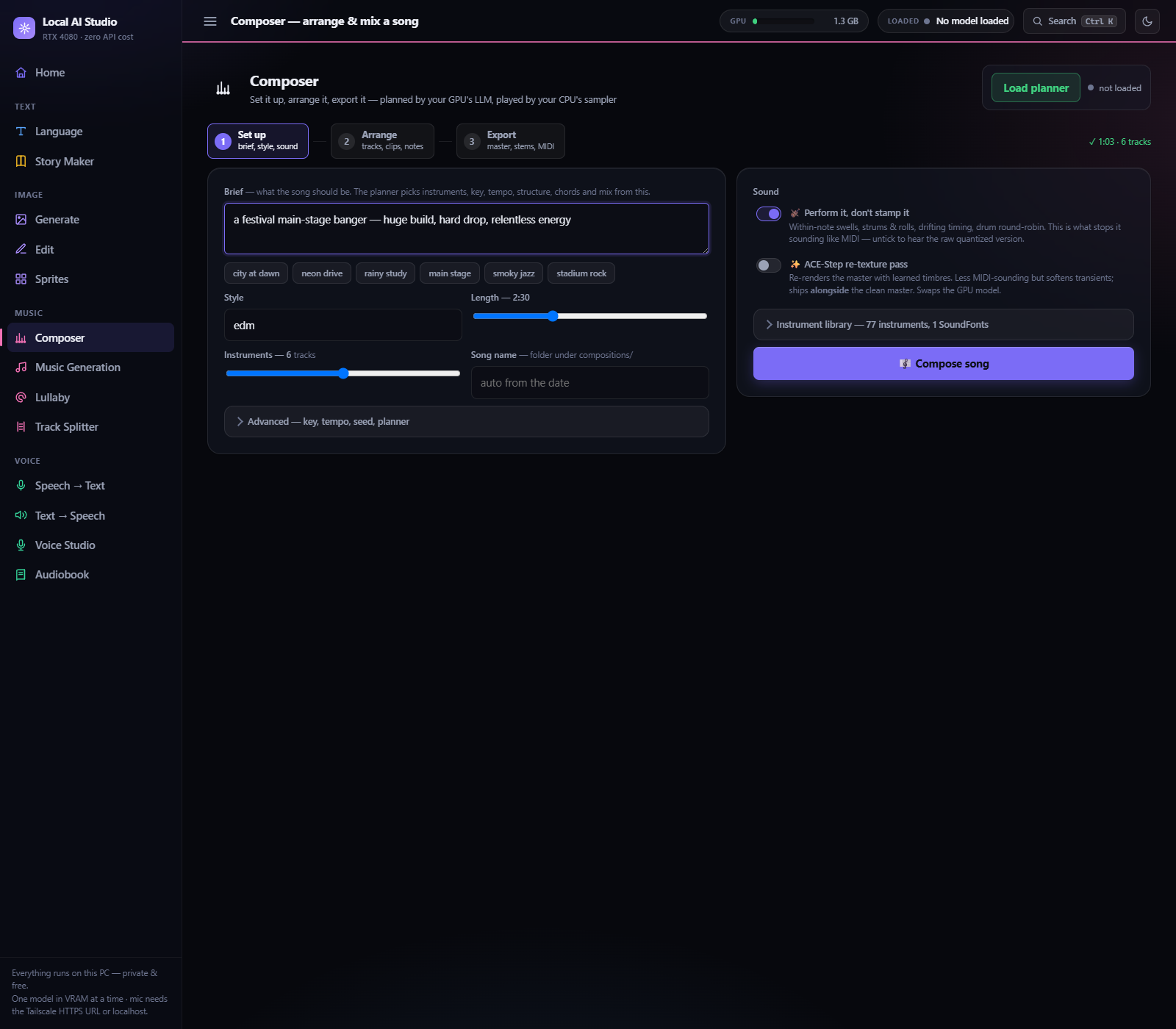 | Step 2 — Arrange (clip grid: tracks × sections, real generated song) 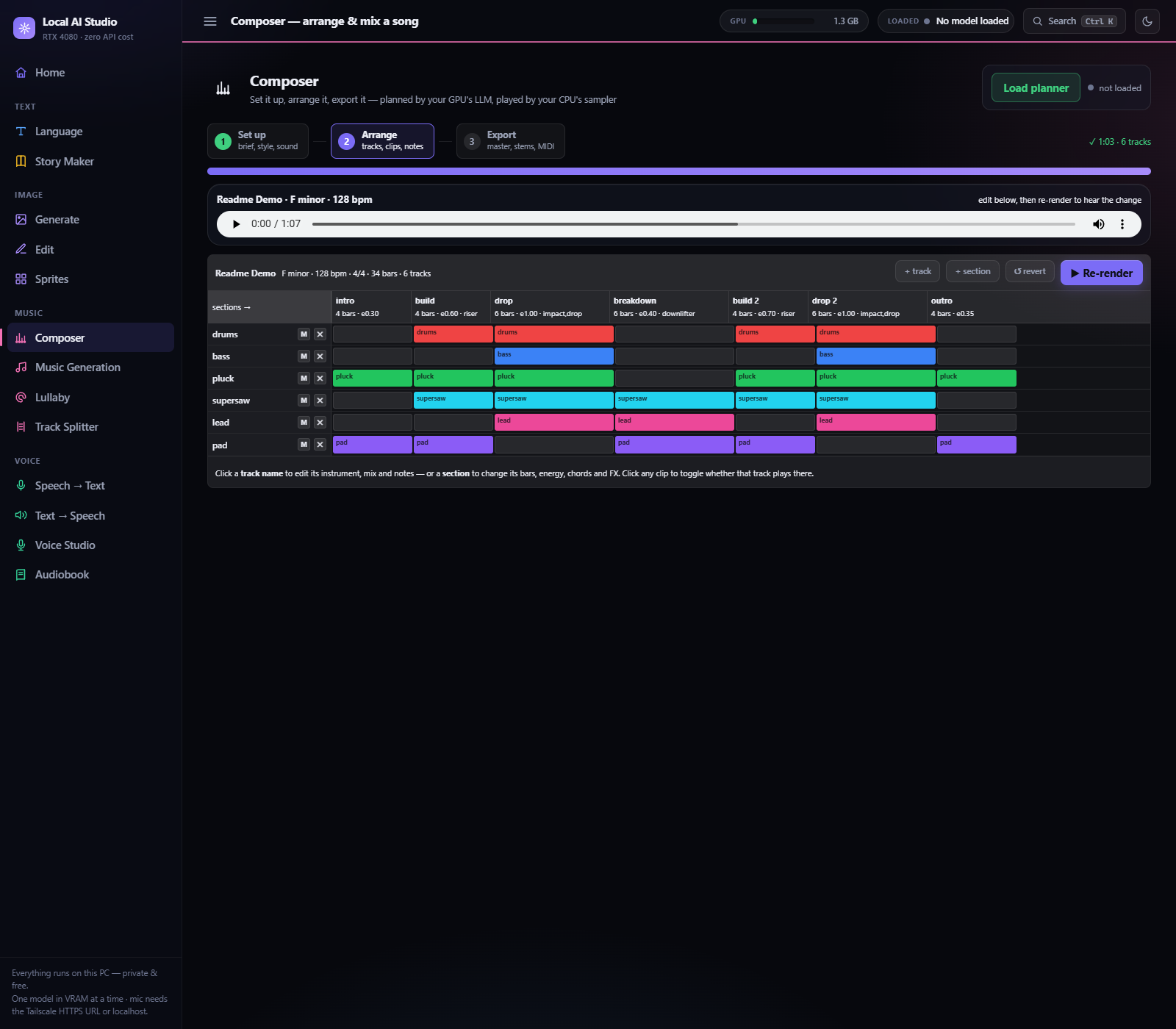 |
Step 2 — track inspector (instrument/mix/automation + piano-roll notes) 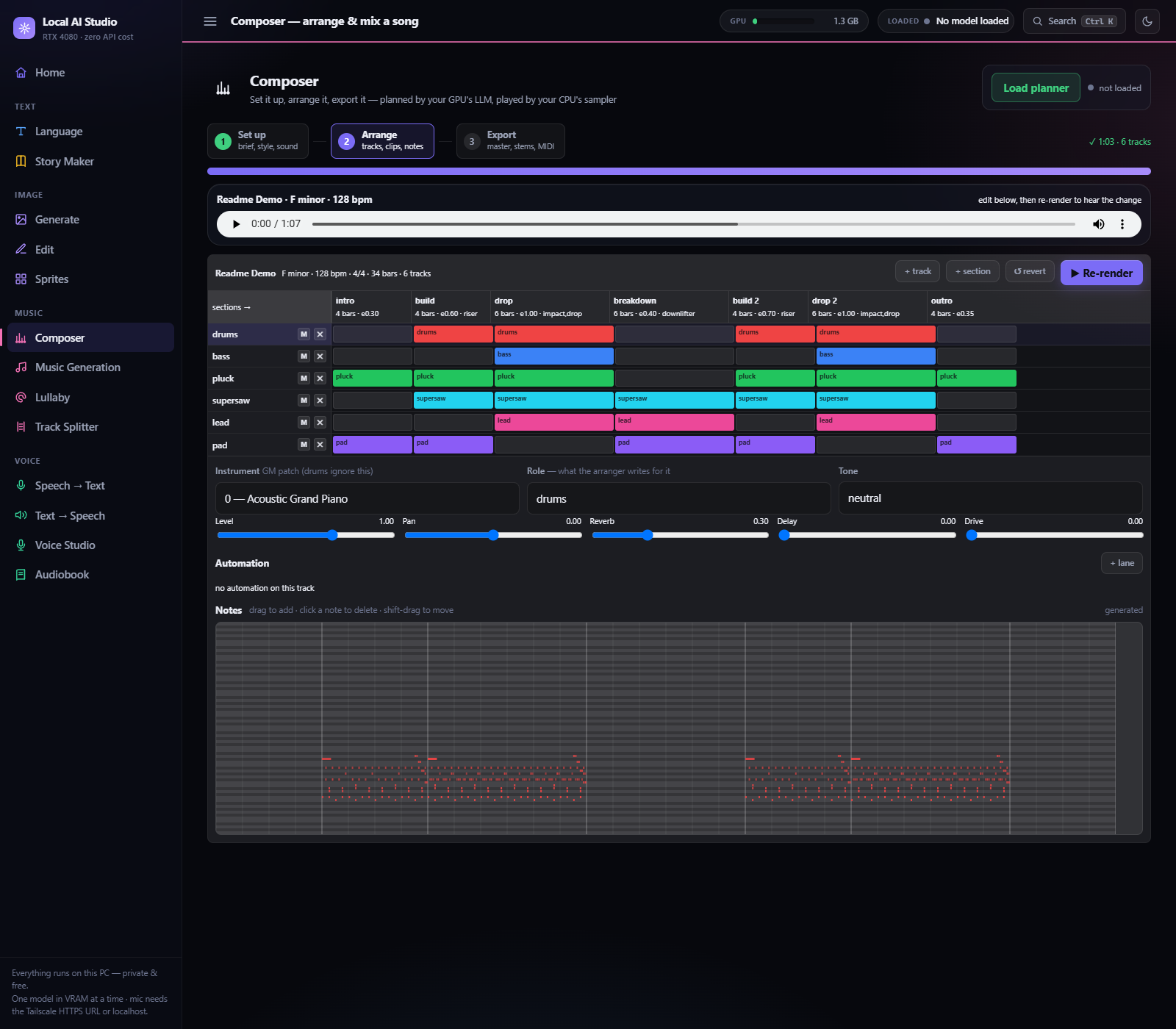 | Step 3 — Export (master, full mix table, arrangement structure, per-instrument stems) 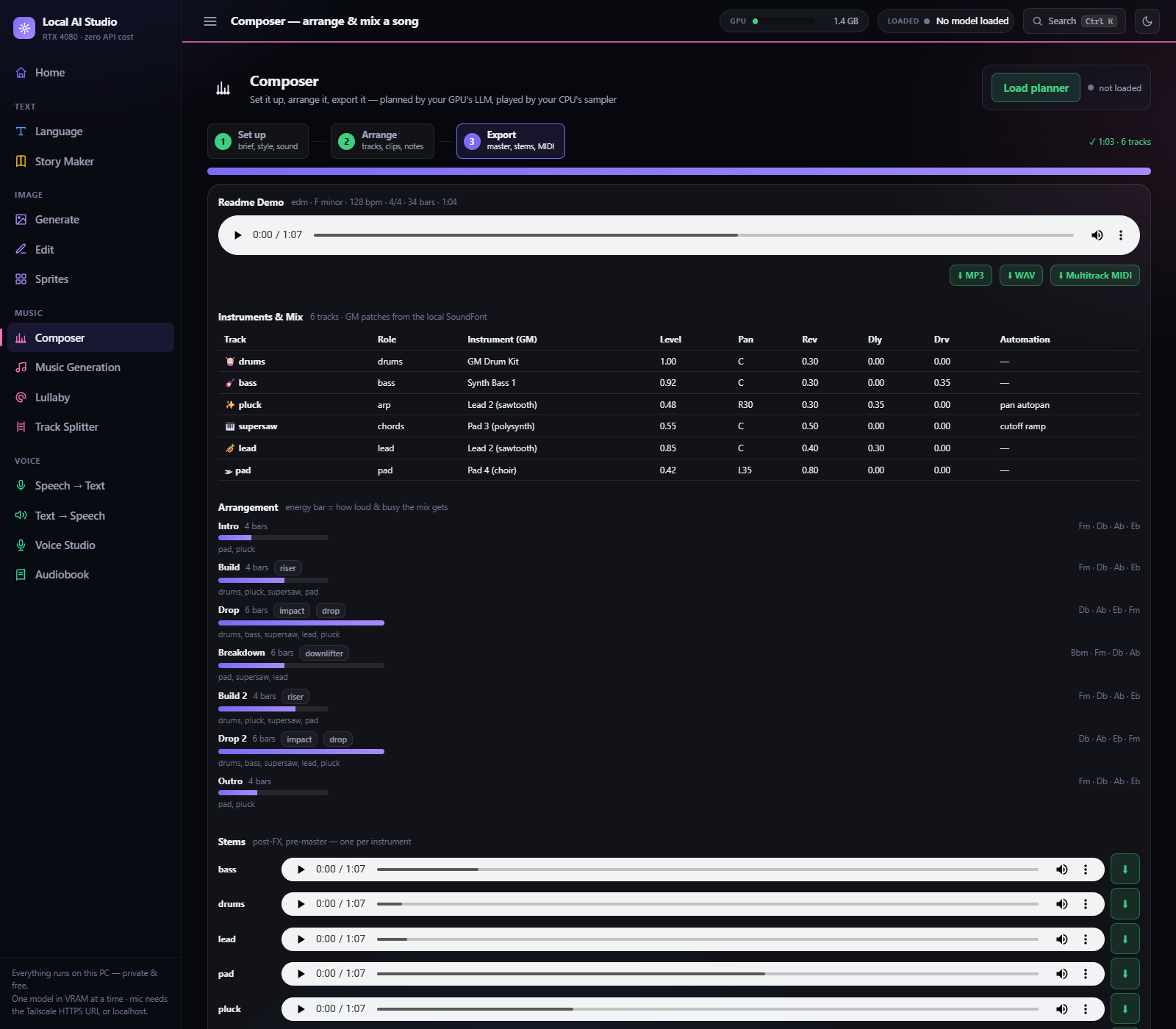 |
Why local?
- Zero API cost. Every generation — image, music, voice, chat — runs on hardware you already own. Iterate as many times as you want.
- Private by default. Nothing leaves the machine. No prompts, no generated art, no audio ever touches a third-party server.
- One heavy model at a time, by design. The studio is built around a single consumer GPU — it loads what you're using and frees it when you switch tabs, rather than assuming a data-center's worth of VRAM.
- No vendor lock-in. Swap the underlying model for any tab without touching the rest of the app.
Requirements
- OS: Windows 10/11
- GPU: NVIDIA, current driver — ~16 GB VRAM is the design target
- Disk: ~90 GB free for the required model set (~110 GB with the optional uncensored image model and unlocked LLM)
Getting started
The entire install is captured in a single, self-contained runbook — SETUP_FOR_CLAUDE.md — designed to be handed to Claude Code (or followed by hand) on a fresh machine. It carries the full source of every component embedded inline, so nothing needs to be fetched from a separate repo to bootstrap the app itself.
- Give
SETUP_FOR_CLAUDE.mdto Claude Code, or work through its phases manually:- Phase 0–1: detect and install prerequisites (Miniconda, Ollama, ffmpeg, git)
- Phase 2: write the application source files
- Phase 3: create the conda environments for the audio/voice workers
- Phase 4: set up the ComfyUI headless runtime
- Phase 5: download the required models
- Phase 6: launch, smoke-test every tab, and create the Desktop shortcut
- Phase 7: optional remote access over Tailscale, and shutdown
- Open http://127.0.0.1:8800 and start generating.
For a deeper dive, see the companion docs in /docs:
- Technical Overview — architecture, feature tour
- Technical Reference — API/endpoint-level detail
- Install and Troubleshooting — setup issues and fixes
- Film Recipe — how to make a narrated short film with the studio, start to finish
Architecture at a glance
A single Python stdlib HTTP server (server.py) serves the UI (index.html) and brokers every request to a backend.
One job queue sits between the UI and all of them. Tabs don't call backends directly any more — they POST /api/queue/add with a job kind, and a runner per lane (one GPU, one CPU) takes jobs off the list, makes sure the right model is resident, runs the job, and records how long it took. A single-threaded runner is also what makes the existing one-at-a-time job classes safe to line up: their "already running" rejection is now unreachable. The whole UI polls one endpoint, /api/queue, which carries every job's progress, the resident model and the pin state in a single response.
The backends:
- Ollama — local LLM / vision, and Composer's musical-direction planner
- ComfyUI (headless git checkout) — image generation/edit, sprites, and music (sprite post-processing — rembg transparency cutout, resizing, sheet assembly — runs in
spritekit.pyunder ComfyUI's venv) - Conda-env worker subprocesses — speech-to-text, text-to-speech, and voice cloning, each in its own isolated environment (their torch/transformers/setuptools requirements conflict and can't share one env)
- lullabykit (self-contained under
lullabykit/) — the Lullaby pipeline: its own venv (torch/CUDA, Demucs, basic-pitch/FCPE) plus bundled FluidSynth binaries and the FluidR3 GM soundfont; runs as a transient subprocess job, not a resident worker - composerkit.py — Composer's arranger/mixer/renderer: deterministic, CPU-only, reuses lullabykit's venv and FluidSynth/soundfont; the LLM only plans direction, this writes every note and runs the whole mix chain
- koboldcpp — long-form fiction backend for Story Maker, launched on demand
Three folders are written to on your behalf rather than by you: workspace/ (the Language tab's files, sandboxed — no path from the model can resolve outside it), chats/ (one JSON per conversation, which is why the Language tab survives a reload) and _tmp/ (the persisted queue, staged uploads, and the measured-timing ledger that every ETA is drawn from).
The whole stack is controlled from studioctl.ps1 (CLI) or studio_gui.pyw (visual control panel), which start, stop, and health-check every service.
Credits & licensing
Local AI Studio is glue code and a UI around excellent open-weight models and tools built by other people:
- Ollama, ComfyUI, koboldcpp
- FLUX.2 Klein (Black Forest Labs) — image generation & sprite frames
- rembg (Daniel Gatis) + U²-Net — sprite background removal (both commercial-friendly licenses)
- ACE-Step 1.5 — music generation
- Stable Audio 3.0 Small SFX (Stability AI) — sound effects & ambience
- Hunyuan3D 2.1 (Tencent) — image → 3D mesh
- DeepFilterNet (Hendrik Schöter) — speech denoise / de-reverb
- NeMo Parakeet-TDT (NVIDIA) — speech-to-text
- Kokoro — fast narration TTS
- Chatterbox (Resemble AI) — voice cloning
- XTTS-v2 (Coqui) — voice fine-tuning — non-commercial, Coqui CPML: personal/artistic use only
- Cydonia (TheDrummer) — long-form fiction model
- MiniMax H3 (MiniMax) — video with native audio — ⚠️ territory-restricted, see below
- SageAttention (thu-ml) + EasyCache (H-EmbodVis) — video sampling acceleration
Check each model's own license before any commercial use — several of the above are personal/research use only. This project itself adds no additional restriction beyond what each model's license already requires.
Video settings on a 16GB card — measured, not assumed
Three of the obvious choices here turned out to be wrong, all in the same direction: the settings that look right for a small GPU quietly destroy the output. All numbers below are same-prompt, same-seed, nothing else on the GPU.
1. Run at native 768p. Below native, H3 stops animating.
| Short edge | Near-static frames | Audio mean | Time |
|---|---|---|---|
| 480p | 89 / 100 | −40.7 dB | 261s |
| 768p (native) | 0 / 100 | −36.8 dB | 779s |
This is the big one. At 480p the model composes a handsome scene and then barely moves it — four frames spanning five seconds are near-identical. At native 768 short edge the camera actually moves. ComfyUI's template ships a ~480p selector so it runs on modest cards; that's an accessibility default, not a quality one. The tab now sizes by short edge rather than megapixels, because a megapixel target lands 32px under native at 16:9 (1344×736) on exactly the axis that decides whether the clip moves.
2. Use the official int8 weights, not a Q3 GGUF — it is better and faster.
| Model | Result | Time |
|---|---|---|
MiniMax-H3-FL2VA-Q3_K_M.gguf (15.6GB) | subject collapses into abstract dark geometry | 779s |
minimax_h3_fl2va_pruned_int8_convrot (21GB) | renders the actual subject | 573s |
Counter-intuitive on a 16GB card, but the bigger file wins twice over. comfy-kitchen has
a fused dequantize_int8_convrot CUDA kernel (live once you're on cu130) while GGUF
Q3_K dequantises the slow way — and ~3.4 bits/weight visibly costs a 20B transformer its
prompt adherence. Both unets stay selectable via --unet.
3. EasyCache is fast but it eats the audio. SageAttention does nothing at all.
| Configuration | Wall | vs baseline | Audio mean |
|---|---|---|---|
| Baseline | 261s | — | −40.7 dB |
| + SageAttention 2.2 (FP8) | 260s | 1.00× — no gain | — |
| + EasyCache | 160s | 1.63× | −49.8 dB |
EasyCache skips 8 of 20 steps, which explains the speedup exactly — but picture and sound share one latent and the skip decision is dominated by the video channels, so the audio branch is starved of steps it needed. 9 dB quieter. Fine for silent drafts, off by default otherwise.
SageAttention speeds up attention arithmetic, but the GPU here is waiting on PCIe, not
on maths: roughly half the model streams from system RAM every step
(7269 MB loaded, 8073 MB offloaded). There is no stall for a faster kernel to fill. On
a card that fits the whole model in VRAM the balance would likely flip back.
Practical default: 768p, 20 steps, int8 weights, EasyCache and SageAttention off — about 9½ minutes for a 5-second clip. Drop to 480p only for checking composition, and never judge motion from a draft.
Language model settings on a 16GB card
Ollama's default context window is 4096 tokens, and its OpenAI-compatible
/v1/chat/completions endpoint — which is what this studio calls — will not accept
num_ctx per request. So the window can only be set on the server, and left alone it fails
silently rather than loudly:
| prompt sent | tokens the model saw | answer | |
|---|---|---|---|
| Ollama default | ~32,800 | 4,096 | (empty) |
| After the fix | ~32,800 | 25,265 | correct |
studioctl.ps1 now starts Ollama with:
OLLAMA_CONTEXT_LENGTH=32768
OLLAMA_FLASH_ATTENTION=1
OLLAMA_KV_CACHE_TYPE=q8_0
The last two are what make the first affordable — quantising the KV cache roughly halves its memory for a perplexity change too small to notice, which is what buys the larger window inside 16 GB. Loaded with a 32k context, gpt-oss:20b sits at about 14.0 GB.
Two settings that turned out to matter more than expected, both measured rather than assumed:
- Reasoning effort was pinned to
low. It is gpt-oss's single largest quality knob. The original reason was real — deep reasoning could consume the entire token budget and return an empty answer — but that cause had already been fixed by raisingmax_tokens. Code and research tasks now run athigh, with a fallback that retries once at shallow effort if the model still runs itself out of budget. - Temperature 0.2 was actively harmful. On a hard prompt at
reasoning=high, temperature 0.2 returned an empty answer 1 run in 3, and raising the budget from 8192 to 16384 tokens did not help — still 1 in 3. The same prompt at temperature 1.0 answered 3 for 3 and averaged 14s against 36s. Over-constrained, the chain of thought loops instead of terminating. OpenAI's recommendation of 1.0 for gpt-oss is a reliability setting, not a style preference.
If Ollama is already running when the studio starts, these apply only after it restarts —
studioctl says so rather than reporting a healthy service that is quietly truncating.
⚠️ MiniMax H3 (Video tab) — read before you share anything
The Video tab is the one part of this studio that is not freely usable everywhere, and the restriction is unusual, so it is worth stating plainly.
MiniMax H3 is released under the MiniMax H3 Community License Agreement, which defines an "Applicable Territory" of worldwide, excluding the Excluded Territories. The excluded territories are:
the European Union · the United Kingdom · the United States · the Republic of Korea
Two things that are easy to miss:
- The licence text extends to outputs, but MiniMax reads it narrowly. The agreement covers use, reproduction, modification, distribution and display of the model "or any of their Outputs or results" outside the Applicable Territory (§V.4) — read literally, a video you generate is an Output. In their official licence Q&A, however, MiniMax has told creators in non-excluded territories that globally distributed content needs no further authorisation, which puts the real restriction on local deployment of the weights, not on where a finished video can be watched. Both readings are recorded here because the text and the clarification do not perfectly agree.
- The one mandatory obligation is AI disclosure, not branding. MiniMax's official answer is that the binding requirement is AUP Item 12 — clearly disclose that the content is AI-generated. Verbatim from the same thread: "You are not required to add embedded MiniMax-H3 branding", and attribution in a title or description is sufficient. Crediting "MiniMax H3" is good practice and is what this studio does, but it is not a licence condition. (Above $20M annual revenue you do need prior written authorisation from MiniMax.)
If you live in an Excluded Territory you can apply for individual authorisation:
Licence request form → https://platform.minimax.io/h3-license
MiniMax have confirmed that individuals may apply — enter Personal/None where the form asks
for a company name. Their official licence Q&A thread, which is the source for the
clarifications above, is at
https://huggingface.co/MiniMaxAI/MiniMax-H3/discussions/12.
Status for this repository's maintainer: individual authorisation for local deployment has been granted by MiniMax under a separate agreement. That authorisation is personal to the maintainer and does not transfer to anyone who clones this repository.
Until you hold your own, treat the Video tab as local and personal only — do not redistribute, publish or commercially use its
output. Every other tab in this studio is unaffected. The Video tab carries this same notice
in-app so it cannot be missed. The setup package now installs it (SETUP_FOR_CLAUDE.md
PHASE 5h), which is why that phase opens by putting this notice in front of the user and asking
before it spends the ~63 GB: skipping it leaves the rest of the studio fully working.
If you are redistributing Local AI Studio, you must pass this notice on to your users; their obligations depend on where they are, not where you are.
Roadmap / known limitations
- Windows-only for now (the control tools and conda paths assume Windows).
- Single-GPU, single-model-resident-at-a-time by design. The job queue hides that — you can line up work from every tab at once — but it runs the jobs one after another, swapping models between them. It is not built for concurrent heavy workloads and never will be on one card.
- Some tabs (Unlocked LLM, uncensored image model) are optional and require separately fetching gated/uncensored model weights.
Licence
Local AI Studio is released under the Apache License 2.0: use it, change it and build on it, commercially or not, as long as you keep the licence and NOTICE with it and mark the files you changed.
That covers this project's own code and docs only. The models and tools the setup runbook downloads are not part of it and keep their own licences, several of which are personal/research-use only and one (MiniMax H3) territory-restricted. See Credits & licensing and the MiniMax H3 notice above before using any output commercially.
Similar repos


Private, local AI workstation — LLM, image, music, TTS/STT, and voice cloning on your own GPU. Zero API cost, nothing leaves your machine.
15
8 commits
updated Oct 6, 2026
See what people are saying
README
Local AI Studio
A private, local, zero-API-cost AI workstation — language, image, music, speech, and voice models, all running on your own GPU, in one browser tab.
No API keys. No subscriptions. No data leaving your machine. Just your GPU and a browser at
http://127.0.0.1:8800.
Introduction
Local AI Studio is a self-hosted creative workstation that brings together large-language, image, music, speech-to-text, text-to-speech, and voice-cloning models behind a single tabbed web app — all running locally on an NVIDIA GPU, with nothing billed and nothing sent to the cloud.
It didn't start out this ambitious. The project began as a much smaller problem: I wanted Claude to be able to call on local models to help build a graphic novel — generating reference art, iterating on panels, and keeping the whole pipeline private and free to run as many times as I wanted. That meant giving Claude a reliable way to talk to an image model running on my own hardware.
Once that worked, it was hard to stop. A local LLM followed, then text-to-speech and voice cloning for narrating scripts, then music generation for soundtracking scenes, then speech-to-text for turning spoken notes back into text, then a proper multi-scene Story Maker for long-form fiction, and an Audiobook pipeline to turn any of it into chaptered narration. Somewhere along the way it stopped being "a tool that helps Claude make a graphic novel" and became a full studio — with its own UI, its own control panel, and its own setup runbook so it can be rebuilt on a fresh machine in one pass.
That's still the spirit of the project: give an AI (or yourself) a local set of creative tools with no per-call cost, no rate limits, and no vendor lock-in — you own the weights, the pipeline, and the output.
What's new
One queue now owns the GPU
The studio used to make you manage the card yourself. Every tab had its own Load button, its controls stayed dead until that model was resident, and starting anything on a second tab meant stopping the first. Only one heavy model fits in 16 GB — that part is physics — but the scheduling was pushed onto you, and it was the single most tiring thing about using the place.
That is now the software's problem. Every tab submits to one job queue, and a runner drains it, loading and unloading models on the way. Line up a video, four images, a song and a 3D mesh in any order, walk away, and come back to all of them.
- Nothing to load first. Submit from cold; the queue works out which model the job needs, loads it, and frees it again when something else needs the room.
- A real ETA — per job, and for the whole queue. Every completed job writes its duration to a ledger keyed by the exact shape of the work (kind, size, steps), and every model load is timed too, so the queue total includes the swaps it can see coming. A job that has never run before says "never run before" rather than inventing a number, and the queue total goes blank rather than showing a partial sum. There is no percentage bar standing in for an estimate.
- Same-model jobs are pulled forward. A load costs 20 s to 3 minutes, so if the resident model already suits a job further down the list, that job runs now instead of paying an unload/load cycle to preserve strict FIFO. Anything skipped is marked, and after six skips it becomes un-jumpable — a steady drip of image jobs can't strand the one video job forever. Reorder a job by hand and it is never jumped at all.
- It survives a restart. The queue is written to disk on every change. Work that was mid-flight comes back as "interrupted by a restart — re-queued". Uploads are staged to disk when you submit, so the queue file holds paths, not megabytes of base64.
- Bad input fails at submit time, not forty minutes later — each job type validates inside the HTTP request that queues it.
- Two lanes. CPU-only work (the reference-clip cleanup, Composer's FluidSynth re-render) runs on its own lane beside GPU jobs instead of queueing behind them.
- Cancel means stop. Cancelling a running image, music, sound-effect, 3D or video job also stops the work it had handed to ComfyUI, so the card is free for the next job at once instead of quietly finishing a render nobody wants. Only the studio's own work is touched; anything else using the same ComfyUI is left alone.
- Pinning is the escape hatch. Iterating hard on one tab? Pin its model from Home and it stays resident. Queued work that needs anything else waits — and says "waiting — a model is pinned" rather than looking stuck — until you unpin.
Interactive work — a chat turn, a transcription, one spoken line — is submitted as priority and jumps the line, so the studio still answers immediately while a long render grinds away behind it.
The visible result is a Queue button in the topbar with a live count and a countdown, and a drawer listing every job: what it is, which model it needs, how long it has been running, how long is left, and a ▲ to run one sooner.
The Language tab writes real files — and keeps the conversation
Two changes, and they work together.
It writes files. The local LLM can create and edit them, not just answer. Ask for a
page, a script or a document and it emits the whole file; the server writes it into a
sandboxed workspace/ folder and an artifact panel appears beside the chat — list,
preview, edit by hand, save, rename, delete. HTML previews render live in an iframe.
Every model-supplied path is resolved inside workspace/ and rejected if it tries to
escape, so a hallucinated path can't reach the studio's own code.
It remembers. Conversations are kept — a Conversations list beside the chat holds every thread, newest first, each named after the question that started it, with its turn count, its age and the files it produced. Click one to pick it up exactly where you left it. Rename it, delete it, or start a new one; deleting a thread never touches the files it made.
The transcript lives on the server, in chats/<id>.json, not in the browser tab. That
is the part that matters: the page holds an id, not a history. Reload, open a second tab,
restart the studio, come back tomorrow — same conversation. Close the browser mid-reply
and the turn is still saved when it lands, because the queue job that is writing it does
not care whether anyone is watching. It also means the model's context is assembled
server-side from the real transcript rather than from whatever the page happened to still
have in memory.
Two new tabs, and a cleaner voice reference
- 🔊 Sound Effects — foley, impacts and ambience from a text description (Stable Audio 3.0 Small SFX). The third leg of game audio, next to ACE-Step's music and the studio's voice engines. A distilled 8-step model, so a take lands in about a second and you get several at once — choosing between takes is the whole workflow for sound design.
- 🧊 Image → 3D — one reference image becomes a
.glbmesh (Hunyuan3D 2.1), from the same kind of single image Sprite Studio already takes. - 🧹 Reference-clip cleanup — a one-click denoise and de-reverb pass (DeepFilterNet) on the clip you clone a voice from, since cloning quality is capped by whatever microphone and room that recording came from. Runs on the CPU, so it never unloads the voice model.
Under the hood, the local LLM's context window was raised from Ollama's 4096-token default to 32k. That default had been silently truncating long prompts — a 32,000-token input was arriving as 4,096 tokens with the front discarded. See Language model settings below.
Demo
Everything Before: a 12-minute narrated sci-fi film. Claude Opus 5.5 wrote, planned and directed it in Claude Code, and every shot was rendered on one RTX 4080 SUPER with this studio: keyframes from Image, picture and ambient sound from Video, and the score from Music Generation. Nothing in it was filmed or licensed from stock.
To make your own, follow the Film Recipe, the same flow written for any subject: brief, script, timed plan, voice, keyframes, clips, sound and assembly.
One prompt, and Claude Code builds the whole studio — the clone, the runbook, 29 source files, five conda environments, 91.7 GB of weights, and then what the finished studio actually makes.
The second half of that film stands on its own as the Video tab capability demo.
Features
Every tab below submits its work to the same job queue — there is nothing to load first, and jobs from different tabs line up together.
| Tab | What it does | Backend |
|---|---|---|
| 🧠 Language | Code / research / vision prompts to a local LLM, with a 🔓 Unlocked (uncensored) option. The model can also write real files — ask for a page, a script or a document and it lands in a sandboxed workspace/ folder with an artifact panel beside the chat: preview, hand-edit, save, rename, delete, with HTML rendered live. Conversations are kept and listed beside the chat — named, dated, resumable, and stored server-side in chats/, so a reload or a restart doesn't lose the thread. | Ollama |
| 🎨 Image — Generate | Text → image (FLUX.2 Klein) | ComfyUI |
| ✂️ Image — Edit | Reference-guided edit / remove / reframe / outpaint | ComfyUI |
| 🕹️ Sprite Studio | One reference image → style-matched 2D game sprites: single actions or a full animation set (idle/walk/run/jump/fall/crouch/attack/hurt/death), true transparent backgrounds, per-action strips + combined sprite sheet with engine-ready JSON metadata, per-frame re-roll | ComfyUI + rembg |
| 🧊 Image → 3D | One reference image → a 3D mesh (Hunyuan3D 2.1), saved as .glb. Takes the same kind of single reference image Sprite Studio does, so there is no new concept to learn. Geometry only — the mesh arrives untextured, ready to paint in Blender or have the reference baked onto it. | ComfyUI + mesh3d.py |
| 🎬 Video | Text → video with native stereo audio, generated together in one sampler pass (MiniMax H3) — nothing to mux afterwards. Three input modes: Text → video; First / last frame (drop one keyframe for image→video, or both and H3 interpolates between them); and References, which accepts up to 9 images, 3 video clips (each with its own optional soundtrack) and 3 audio clips — addressed in the prompt as <Picture 1>, <Video 1>, <Audio 1> — to carry identity, motion, camera style or a cloned voice into the result. Up to 15s at 24fps, rendered at H3's native 768p (running below native makes it stop animating — see the performance notes below). Streams the official 21GB int8 unets through 16GB of VRAM via ComfyUI's per-module offload, with a measured, self-correcting ETA rather than a spinner. See the licensing note below before sharing anything made here. | ComfyUI + h3gen.py |
| 📊 Composer | A text brief → a fully arranged, mixed, multitrack instrumental. Two engines: Arrange (a local LLM plans, the studio engine writes every note) and Orchestrate (SymphonyGen — a real 211M-parameter orchestral model writes 32 bars of multitrack score itself, no LLM involved, ~37s). Orchestrate merges up to 27 generated desks into orchestral families, seats them across the stereo field, and puts dynamics back into a model output that arrives at a flat velocity; the existing mixer, DAW grid, piano roll, stems and master chain then run unchanged. It can also re-orchestrate a MIDI you hand it. In Arrange, a local LLM plans the musical direction (instruments, key, tempo, structure, chords, mix, automation) from a fixed "studio" menu — General MIDI patches played by FluidSynth — then a deterministic engine (no note-level AI) writes every part, mixes each track through its own FX chain (saturation, tone shelves, tempo-synced delay, convolution reverb, automated sends), and adds production moves (risers, impacts, downlifters, drops, sidechain ducking). A 3-step wizard — Set up (brief/style/length/instrument count) → Arrange (DAW-style clip grid, per-track mix/automation, piano-roll note editing, re-render without a new LLM call) → Export (master MP3/WAV, multitrack MIDI, per-instrument FLAC stems). 8 genre templates mean it never fails even on a bad LLM response, and an "LLM off" mode composes from the template alone with no model load at all | Ollama (planning) + SymphonyGen (symphgen.py) + composerkit.py (CPU-only render) |
| 🎵 Music Generation | Full songs & instrumentals from style tags + lyrics (ACE-Step 1.5 XL) — structure/vocal/energy lyric tags, BPM/Key/time-signature control, remix mode | ComfyUI |
| 🔊 Sound Effects | Foley, impacts and ambience from a description (Stable Audio 3.0 Small SFX) — the third leg of game audio next to ACE-Step's music and the TTS engines' voice. Renders several takes at once, because picking between takes is the whole workflow for sound effects. Distilled to 8 steps, so a take takes about a second. The tab asks for the source, material, space and — the one that decides whether you get a smash or a tap — how the sound evolves over time. | ComfyUI + sfxgen.py |
| 🎹 Lullaby | Any song → soft lullaby instrumental. A workbench splits the song into 6 tracks (vocals/guitar/piano/other/bass/drums) with scrubbable waveform players so you pick exactly what carries into the result, then three engines: Remix (default — the selected tracks are cleaned, dynamics flattened so it stays soft throughout, then ACE-Step audio-to-audio re-imagines it with lullaby tags; closely resembles the original, with denoise/softness/slowdown controls), Piano (melody transcribed directly from the selected tracks, key/chords detected, rebuilt as a rocking piano + music-box arrangement at 55-88bpm on the Salamander sampled grand), and Melody Match (traces each sung note's continuous pitch curve via FCPE — real note boundaries, no scale-snap or quantization — onto a single portamento-capable instrument: cello/violin/flute/synth voice/music box; a per-track Route selector lets some ticked stems go through Melody Match while others get a full Piano-style rebuilt arrangement in the same render, mixed together, with an optional ACE-Step polish pass afterward) | lullabykit (2-pass Demucs + basic-pitch/FCPE + librosa + FluidSynth) + ACE-Step |
| ✂️ Track Splitter | Any song → its 6 individual instrument tracks (vocals/guitar/piano/other/bass/drums), each with a scrubbable player and its own download, plus a "download all" zip and a persistent library of past splits — shares its separation cache with the Lullaby tab | lullabykit (Demucs) |
| 🎙️ Speech → Text | Transcribe audio | NeMo Parakeet |
| 🔊 Text → Speech | Fast narration (Kokoro) and voice cloning (Chatterbox), with a one-click clean up this recording pass (DeepFilterNet denoise + de-reverb) on the cloning reference clip — cloning quality is capped by whatever mic and room the reference came from. Runs on the CPU in its own env, so it never unloads the voice model. | conda envs |
| 🗣️ Voice Studio | Fine-tune & reuse a personal voice | XTTS-v2 |
| 📖 Story Maker | Timeline-driven multi-scene story / novel generation | koboldcpp (Cydonia-24B) / Ollama |
| 📚 Audiobook | Story project or pasted text → chaptered MP3s with natural pacing and loudness normalization | TTS worker + ffmpeg |
Plus a CLI (studioctl.ps1) and a visual control panel (studio_gui.pyw, with a one-click Desktop shortcut) to start, stop, and monitor the whole stack — Ollama, ComfyUI, and the studio server — from one place.
Screenshots
The job queue. Seven jobs from four different tabs, lined up on one card. The running job says what it is doing (loading image:base4b); each pending job says how long it takes and which model it needs; one has never run before and says so instead of guessing. ▲ runs a job sooner, × cancels it.
| Home — model status, pinning, and the queue countdown in the topbar | Language — four kept conversations on the left, the file the model just wrote previewing live on the right |
| Story Maker | Image — Generate |
| Image — Edit | Music — ACE-Step |
| Speech → Text | Text → Speech |
| Voice Studio — create a voice | Audiobook |
| Sound Effects — four takes of one prompt, because picking between takes is the workflow | Image → 3D — one reference image, 508,068 triangles, in a viewer written into the page |
Sprite Studio, Lullaby & Track Splitter in detail
| Sprite Studio — single action | Sprite Studio — full sprite set (all 9 built-in actions selectable) |
| Lullaby — Remix engine (default) | Lullaby — Piano engine |
| Lullaby — Melody Match engine | Melody Match — per-track routing (vocals → instrument, piano → rebuilt arrangement, mixed together) |
| Track Splitter | Track Splitter — results (per-track players + Play all selected) |
Video in detail
MiniMax H3 — text → video with native audio, generated in one pass. ⚠️ Licence restricts local deployment in the UK, EU, US, and South Korea, and anything you share must be disclosed as AI-generated — see the notice below.
Recommended length: 5–15 seconds. Generation time scales with length, not with a fixed startup cost — measured across four real generations on this rig (RTX 4080, 768p native, 20 steps), a 10.125s clip consistently took ~31.4 minutes end-to-end (model load included), which works out to roughly 3 minutes of generation time per second of video. As a rule of thumb: a 5s clip ≈ 15 min, a 15s clip ≈ 45 min. Going shorter than 5s wastes most of that time on model loading rather than the clip itself; going much past 15s just multiplies an already-long wait for diminishing narrative payoff.
Composer in detail
| Step 1 — Set up (brief, style, length, sound options) | Step 2 — Arrange (clip grid: tracks × sections, real generated song) |
| Step 2 — track inspector (instrument/mix/automation + piano-roll notes) | Step 3 — Export (master, full mix table, arrangement structure, per-instrument stems) |
Why local?
- Zero API cost. Every generation — image, music, voice, chat — runs on hardware you already own. Iterate as many times as you want.
- Private by default. Nothing leaves the machine. No prompts, no generated art, no audio ever touches a third-party server.
- One heavy model at a time, by design. The studio is built around a single consumer GPU — it loads what you're using and frees it when you switch tabs, rather than assuming a data-center's worth of VRAM.
- No vendor lock-in. Swap the underlying model for any tab without touching the rest of the app.
Requirements
- OS: Windows 10/11
- GPU: NVIDIA, current driver — ~16 GB VRAM is the design target
- Disk: ~90 GB free for the required model set (~110 GB with the optional uncensored image model and unlocked LLM)
Getting started
The entire install is captured in a single, self-contained runbook — SETUP_FOR_CLAUDE.md — designed to be handed to Claude Code (or followed by hand) on a fresh machine. It carries the full source of every component embedded inline, so nothing needs to be fetched from a separate repo to bootstrap the app itself.
- Give
SETUP_FOR_CLAUDE.mdto Claude Code, or work through its phases manually:- Phase 0–1: detect and install prerequisites (Miniconda, Ollama, ffmpeg, git)
- Phase 2: write the application source files
- Phase 3: create the conda environments for the audio/voice workers
- Phase 4: set up the ComfyUI headless runtime
- Phase 5: download the required models
- Phase 6: launch, smoke-test every tab, and create the Desktop shortcut
- Phase 7: optional remote access over Tailscale, and shutdown
- Open http://127.0.0.1:8800 and start generating.
For a deeper dive, see the companion docs in /docs:
- Technical Overview — architecture, feature tour
- Technical Reference — API/endpoint-level detail
- Install and Troubleshooting — setup issues and fixes
- Film Recipe — how to make a narrated short film with the studio, start to finish
Architecture at a glance
A single Python stdlib HTTP server (server.py) serves the UI (index.html) and brokers every request to a backend.
One job queue sits between the UI and all of them. Tabs don't call backends directly any more — they POST /api/queue/add with a job kind, and a runner per lane (one GPU, one CPU) takes jobs off the list, makes sure the right model is resident, runs the job, and records how long it took. A single-threaded runner is also what makes the existing one-at-a-time job classes safe to line up: their "already running" rejection is now unreachable. The whole UI polls one endpoint, /api/queue, which carries every job's progress, the resident model and the pin state in a single response.
The backends:
- Ollama — local LLM / vision, and Composer's musical-direction planner
- ComfyUI (headless git checkout) — image generation/edit, sprites, and music (sprite post-processing — rembg transparency cutout, resizing, sheet assembly — runs in
spritekit.pyunder ComfyUI's venv) - Conda-env worker subprocesses — speech-to-text, text-to-speech, and voice cloning, each in its own isolated environment (their torch/transformers/setuptools requirements conflict and can't share one env)
- lullabykit (self-contained under
lullabykit/) — the Lullaby pipeline: its own venv (torch/CUDA, Demucs, basic-pitch/FCPE) plus bundled FluidSynth binaries and the FluidR3 GM soundfont; runs as a transient subprocess job, not a resident worker - composerkit.py — Composer's arranger/mixer/renderer: deterministic, CPU-only, reuses lullabykit's venv and FluidSynth/soundfont; the LLM only plans direction, this writes every note and runs the whole mix chain
- koboldcpp — long-form fiction backend for Story Maker, launched on demand
Three folders are written to on your behalf rather than by you: workspace/ (the Language tab's files, sandboxed — no path from the model can resolve outside it), chats/ (one JSON per conversation, which is why the Language tab survives a reload) and _tmp/ (the persisted queue, staged uploads, and the measured-timing ledger that every ETA is drawn from).
The whole stack is controlled from studioctl.ps1 (CLI) or studio_gui.pyw (visual control panel), which start, stop, and health-check every service.
Credits & licensing
Local AI Studio is glue code and a UI around excellent open-weight models and tools built by other people:
- Ollama, ComfyUI, koboldcpp
- FLUX.2 Klein (Black Forest Labs) — image generation & sprite frames
- rembg (Daniel Gatis) + U²-Net — sprite background removal (both commercial-friendly licenses)
- ACE-Step 1.5 — music generation
- Stable Audio 3.0 Small SFX (Stability AI) — sound effects & ambience
- Hunyuan3D 2.1 (Tencent) — image → 3D mesh
- DeepFilterNet (Hendrik Schöter) — speech denoise / de-reverb
- NeMo Parakeet-TDT (NVIDIA) — speech-to-text
- Kokoro — fast narration TTS
- Chatterbox (Resemble AI) — voice cloning
- XTTS-v2 (Coqui) — voice fine-tuning — non-commercial, Coqui CPML: personal/artistic use only
- Cydonia (TheDrummer) — long-form fiction model
- MiniMax H3 (MiniMax) — video with native audio — ⚠️ territory-restricted, see below
- SageAttention (thu-ml) + EasyCache (H-EmbodVis) — video sampling acceleration
Check each model's own license before any commercial use — several of the above are personal/research use only. This project itself adds no additional restriction beyond what each model's license already requires.
Video settings on a 16GB card — measured, not assumed
Three of the obvious choices here turned out to be wrong, all in the same direction: the settings that look right for a small GPU quietly destroy the output. All numbers below are same-prompt, same-seed, nothing else on the GPU.
1. Run at native 768p. Below native, H3 stops animating.
| Short edge | Near-static frames | Audio mean | Time |
|---|---|---|---|
| 480p | 89 / 100 | −40.7 dB | 261s |
| 768p (native) | 0 / 100 | −36.8 dB | 779s |
This is the big one. At 480p the model composes a handsome scene and then barely moves it — four frames spanning five seconds are near-identical. At native 768 short edge the camera actually moves. ComfyUI's template ships a ~480p selector so it runs on modest cards; that's an accessibility default, not a quality one. The tab now sizes by short edge rather than megapixels, because a megapixel target lands 32px under native at 16:9 (1344×736) on exactly the axis that decides whether the clip moves.
2. Use the official int8 weights, not a Q3 GGUF — it is better and faster.
| Model | Result | Time |
|---|---|---|
MiniMax-H3-FL2VA-Q3_K_M.gguf (15.6GB) | subject collapses into abstract dark geometry | 779s |
minimax_h3_fl2va_pruned_int8_convrot (21GB) | renders the actual subject | 573s |
Counter-intuitive on a 16GB card, but the bigger file wins twice over. comfy-kitchen has
a fused dequantize_int8_convrot CUDA kernel (live once you're on cu130) while GGUF
Q3_K dequantises the slow way — and ~3.4 bits/weight visibly costs a 20B transformer its
prompt adherence. Both unets stay selectable via --unet.
3. EasyCache is fast but it eats the audio. SageAttention does nothing at all.
| Configuration | Wall | vs baseline | Audio mean |
|---|---|---|---|
| Baseline | 261s | — | −40.7 dB |
| + SageAttention 2.2 (FP8) | 260s | 1.00× — no gain | — |
| + EasyCache | 160s | 1.63× | −49.8 dB |
EasyCache skips 8 of 20 steps, which explains the speedup exactly — but picture and sound share one latent and the skip decision is dominated by the video channels, so the audio branch is starved of steps it needed. 9 dB quieter. Fine for silent drafts, off by default otherwise.
SageAttention speeds up attention arithmetic, but the GPU here is waiting on PCIe, not
on maths: roughly half the model streams from system RAM every step
(7269 MB loaded, 8073 MB offloaded). There is no stall for a faster kernel to fill. On
a card that fits the whole model in VRAM the balance would likely flip back.
Practical default: 768p, 20 steps, int8 weights, EasyCache and SageAttention off — about 9½ minutes for a 5-second clip. Drop to 480p only for checking composition, and never judge motion from a draft.
Language model settings on a 16GB card
Ollama's default context window is 4096 tokens, and its OpenAI-compatible
/v1/chat/completions endpoint — which is what this studio calls — will not accept
num_ctx per request. So the window can only be set on the server, and left alone it fails
silently rather than loudly:
| prompt sent | tokens the model saw | answer | |
|---|---|---|---|
| Ollama default | ~32,800 | 4,096 | (empty) |
| After the fix | ~32,800 | 25,265 | correct |
studioctl.ps1 now starts Ollama with:
OLLAMA_CONTEXT_LENGTH=32768
OLLAMA_FLASH_ATTENTION=1
OLLAMA_KV_CACHE_TYPE=q8_0
The last two are what make the first affordable — quantising the KV cache roughly halves its memory for a perplexity change too small to notice, which is what buys the larger window inside 16 GB. Loaded with a 32k context, gpt-oss:20b sits at about 14.0 GB.
Two settings that turned out to matter more than expected, both measured rather than assumed:
- Reasoning effort was pinned to
low. It is gpt-oss's single largest quality knob. The original reason was real — deep reasoning could consume the entire token budget and return an empty answer — but that cause had already been fixed by raisingmax_tokens. Code and research tasks now run athigh, with a fallback that retries once at shallow effort if the model still runs itself out of budget. - Temperature 0.2 was actively harmful. On a hard prompt at
reasoning=high, temperature 0.2 returned an empty answer 1 run in 3, and raising the budget from 8192 to 16384 tokens did not help — still 1 in 3. The same prompt at temperature 1.0 answered 3 for 3 and averaged 14s against 36s. Over-constrained, the chain of thought loops instead of terminating. OpenAI's recommendation of 1.0 for gpt-oss is a reliability setting, not a style preference.
If Ollama is already running when the studio starts, these apply only after it restarts —
studioctl says so rather than reporting a healthy service that is quietly truncating.
⚠️ MiniMax H3 (Video tab) — read before you share anything
The Video tab is the one part of this studio that is not freely usable everywhere, and the restriction is unusual, so it is worth stating plainly.
MiniMax H3 is released under the MiniMax H3 Community License Agreement, which defines an "Applicable Territory" of worldwide, excluding the Excluded Territories. The excluded territories are:
the European Union · the United Kingdom · the United States · the Republic of Korea
Two things that are easy to miss:
- The licence text extends to outputs, but MiniMax reads it narrowly. The agreement covers use, reproduction, modification, distribution and display of the model "or any of their Outputs or results" outside the Applicable Territory (§V.4) — read literally, a video you generate is an Output. In their official licence Q&A, however, MiniMax has told creators in non-excluded territories that globally distributed content needs no further authorisation, which puts the real restriction on local deployment of the weights, not on where a finished video can be watched. Both readings are recorded here because the text and the clarification do not perfectly agree.
- The one mandatory obligation is AI disclosure, not branding. MiniMax's official answer is that the binding requirement is AUP Item 12 — clearly disclose that the content is AI-generated. Verbatim from the same thread: "You are not required to add embedded MiniMax-H3 branding", and attribution in a title or description is sufficient. Crediting "MiniMax H3" is good practice and is what this studio does, but it is not a licence condition. (Above $20M annual revenue you do need prior written authorisation from MiniMax.)
If you live in an Excluded Territory you can apply for individual authorisation:
Licence request form → https://platform.minimax.io/h3-license
MiniMax have confirmed that individuals may apply — enter Personal/None where the form asks
for a company name. Their official licence Q&A thread, which is the source for the
clarifications above, is at
https://huggingface.co/MiniMaxAI/MiniMax-H3/discussions/12.
Status for this repository's maintainer: individual authorisation for local deployment has been granted by MiniMax under a separate agreement. That authorisation is personal to the maintainer and does not transfer to anyone who clones this repository.
Until you hold your own, treat the Video tab as local and personal only — do not redistribute, publish or commercially use its
output. Every other tab in this studio is unaffected. The Video tab carries this same notice
in-app so it cannot be missed. The setup package now installs it (SETUP_FOR_CLAUDE.md
PHASE 5h), which is why that phase opens by putting this notice in front of the user and asking
before it spends the ~63 GB: skipping it leaves the rest of the studio fully working.
If you are redistributing Local AI Studio, you must pass this notice on to your users; their obligations depend on where they are, not where you are.
Roadmap / known limitations
- Windows-only for now (the control tools and conda paths assume Windows).
- Single-GPU, single-model-resident-at-a-time by design. The job queue hides that — you can line up work from every tab at once — but it runs the jobs one after another, swapping models between them. It is not built for concurrent heavy workloads and never will be on one card.
- Some tabs (Unlocked LLM, uncensored image model) are optional and require separately fetching gated/uncensored model weights.
Licence
Local AI Studio is released under the Apache License 2.0: use it, change it and build on it, commercially or not, as long as you keep the licence and NOTICE with it and mark the files you changed.
That covers this project's own code and docs only. The models and tools the setup runbook downloads are not part of it and keep their own licences, several of which are personal/research-use only and one (MiniMax H3) territory-restricted. See Credits & licensing and the MiniMax H3 notice above before using any output commercially.