Feedback Component for Next.js
See the code[!NOTE]
This project is a Community Project.The project is maintained and supported by the community. Upstash may contribute but does not officially support or assume responsibility for it.
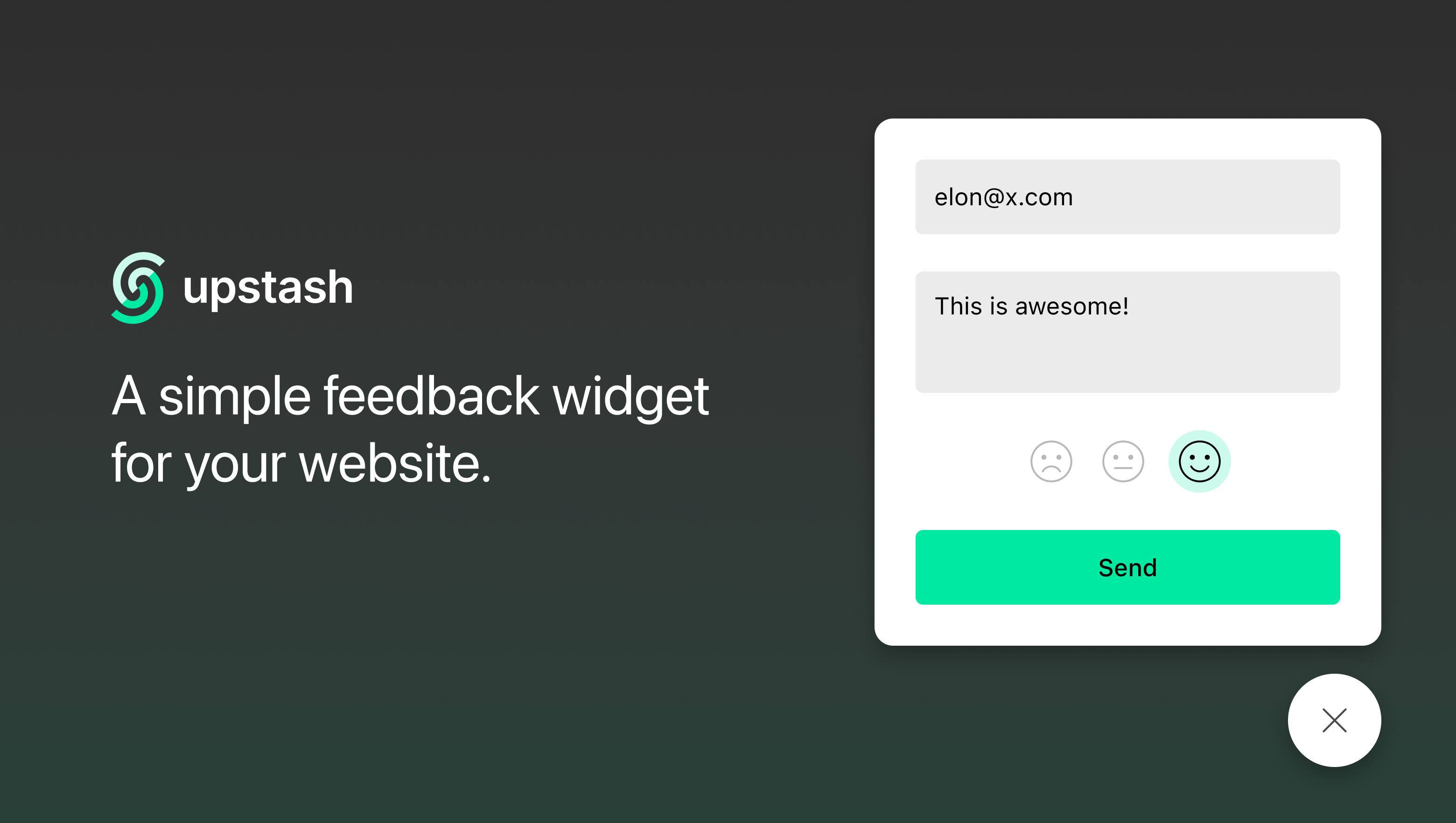
Create a Feedback Widget for your Next.js site with two steps. The submitted message will be sent to your Slack channel.
No backend required! See the demo
yarn add @upstash/feedback
Then create a .env file at the root directory of your application and add your webhook URL (Slack, Discord etc).
SLACK_WEBHOOK_URL='my-secret-webhook-url'
SLACK_WEBHOOK_URLcan be found at the Slack integration page in https://api.slack.com/messaging/webhooks
// pages/_app.js

import "@upstash/feedback/index.css";
import FeedbackWidget from "@upstash/feedback";

export default function MyApp({ Component, pageProps }) {
  return (
    <>
      <FeedbackWidget />
      <Component {...pageProps} />
    </>
  );
}
// pages/api/feedback.js

import createFeedbackAPI from "@upstash/feedback/api";

export default createFeedbackAPI({
  webhooks: [process.env.SLACK_WEBHOOK_URL],
});
You can create multiple webhooks for multiple channels. Seperate them with a comma
[process.env.SLACK1_WEBHOOK_URL, process.env.SLACK2_WEBHOOK_URL, process.env.DISCORD_WEBHOOK_URL]
The options can be passed as React props
| key | type | default | accept |
|---|---|---|---|
user? | string | ||
metadata? | object | null | |
type? | string | "form" | 'form', 'rate', 'full' |
apiPath? | string | 'api/feedback' | |
themeColor? | string | '#5f6c72' | |
textColor? | string | '#ffffff' | |
title | string, React.ReactElement | ||
description | string, React.ReactElement | ||
showOnInitial? | boolean | false |
If you already have an id (or email) for the current user, you can pass it to the component as a parameter, so the feedback will be stored together with the user's id.
<FeedbackWidget type="full" user={currentUser.email} />
Also, you can set a user id just to hide email input, so the form can be submitted anonymously.
<FeedbackWidget type="full" user="anything" />
Feedback Component for Next.js
See the code[!NOTE]
This project is a Community Project.The project is maintained and supported by the community. Upstash may contribute but does not officially support or assume responsibility for it.
Create a Feedback Widget for your Next.js site with two steps. The submitted message will be sent to your Slack channel.
No backend required! See the demo
yarn add @upstash/feedback
Then create a .env file at the root directory of your application and add your webhook URL (Slack, Discord etc).
SLACK_WEBHOOK_URL='my-secret-webhook-url'
SLACK_WEBHOOK_URLcan be found at the Slack integration page in https://api.slack.com/messaging/webhooks
// pages/_app.js

import "@upstash/feedback/index.css";
import FeedbackWidget from "@upstash/feedback";

export default function MyApp({ Component, pageProps }) {
  return (
    <>
      <FeedbackWidget />
      <Component {...pageProps} />
    </>
  );
}
// pages/api/feedback.js

import createFeedbackAPI from "@upstash/feedback/api";

export default createFeedbackAPI({
  webhooks: [process.env.SLACK_WEBHOOK_URL],
});
You can create multiple webhooks for multiple channels. Seperate them with a comma
[process.env.SLACK1_WEBHOOK_URL, process.env.SLACK2_WEBHOOK_URL, process.env.DISCORD_WEBHOOK_URL]
The options can be passed as React props
| key | type | default | accept |
|---|---|---|---|
user? | string | ||
metadata? | object | null | |
type? | string | "form" | 'form', 'rate', 'full' |
apiPath? | string | 'api/feedback' | |
themeColor? | string | '#5f6c72' | |
textColor? | string | '#ffffff' | |
title | string, React.ReactElement | ||
description | string, React.ReactElement | ||
showOnInitial? | boolean | false |
If you already have an id (or email) for the current user, you can pass it to the component as a parameter, so the feedback will be stored together with the user's id.
<FeedbackWidget type="full" user={currentUser.email} />
Also, you can set a user id just to hide email input, so the form can be submitted anonymously.
<FeedbackWidget type="full" user="anything" />
28 followers · starred Apr 2022



