
A simple, private, local Python desktop application to organize files and manage duplicates.
Python
0
9 commits
updated Oct 5, 2026
See what people are saying
README
TRISAKRA FILE ORGANIZER
A simple, private, local Python desktop application to organize files and manage duplicates.
TRISAKRA FILE ORGANIZER helps you organize files into categorized folders on your computer. It includes file preview, duplicate detection, duplicate management, and an undo feature.
Features
-
Simple GUI: Easy-to-use desktop interface built with Python and Tkinter.
-
Local file organization: Organizes files directly on your computer.
-
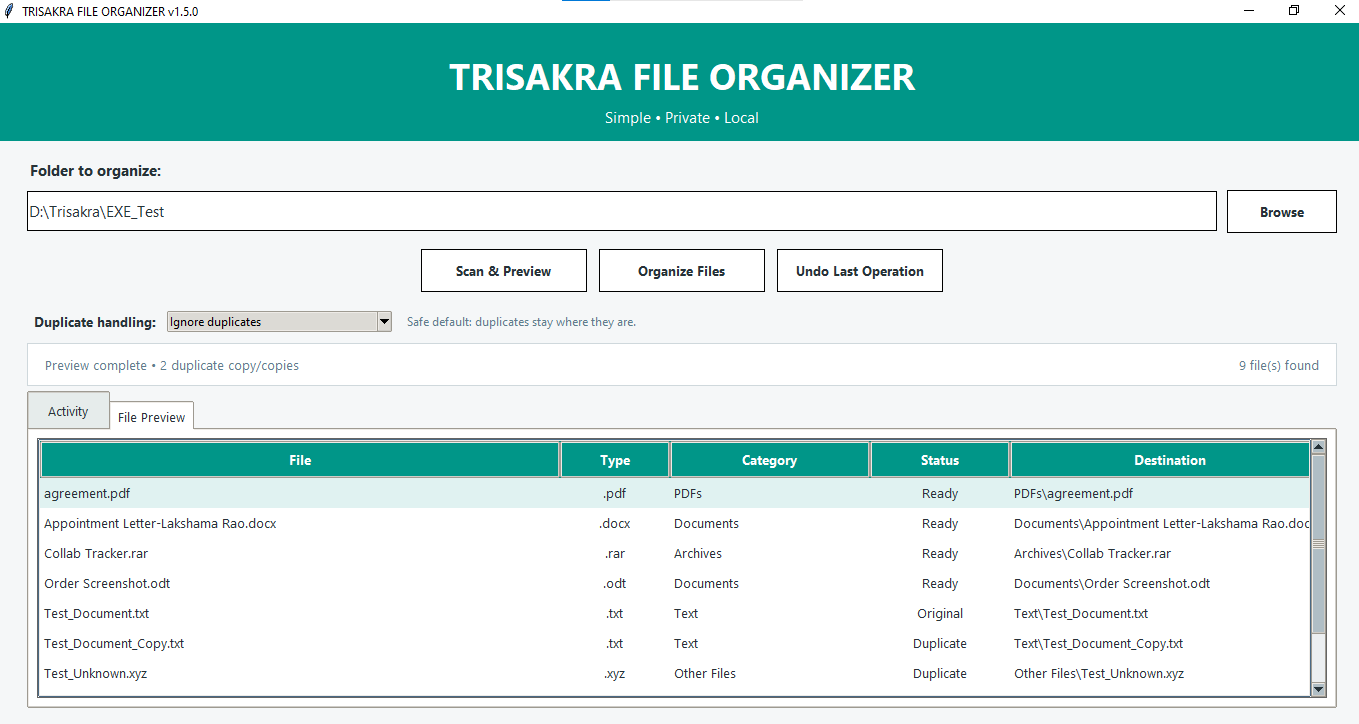
Scan & Preview: Review files and their proposed destinations before organizing.
-
Automatic categorization: Sorts files into categories such as:
- PDFs
- Documents
- Archives
- Images
- Videos
- Text
- Other Files
-
Duplicate detection: Identifies duplicate files based on their content.
-
Duplicate management: Ignore duplicates or move them to a separate
Duplicatesfolder. -
Searchable preview: Search files in the preview list.
-
Undo: Restore files from the last organization operation.
-
Folder memory: Remembers the previously selected folder.
-
No automatic deletion: Duplicate files are moved or left in place, not automatically deleted.
Download for Windows
The latest Windows release is available on GitHub:
Download TRISAKRA FILE ORGANIZER v1.5.1
Download TRISAKRA_File_Organizer.exe from the Assets section of the release.
No Python installation is required when using the Windows EXE.
Requirements
- Windows
- Python 3.x
- Tkinter (usually included with standard Python installations)
Getting Started — Run from Source
-
Download or clone this repository.
-
Make sure Python 3 is installed.
-
Open a terminal in the project folder.
-
Run:
python gui.py
The application window should open.
How to Use
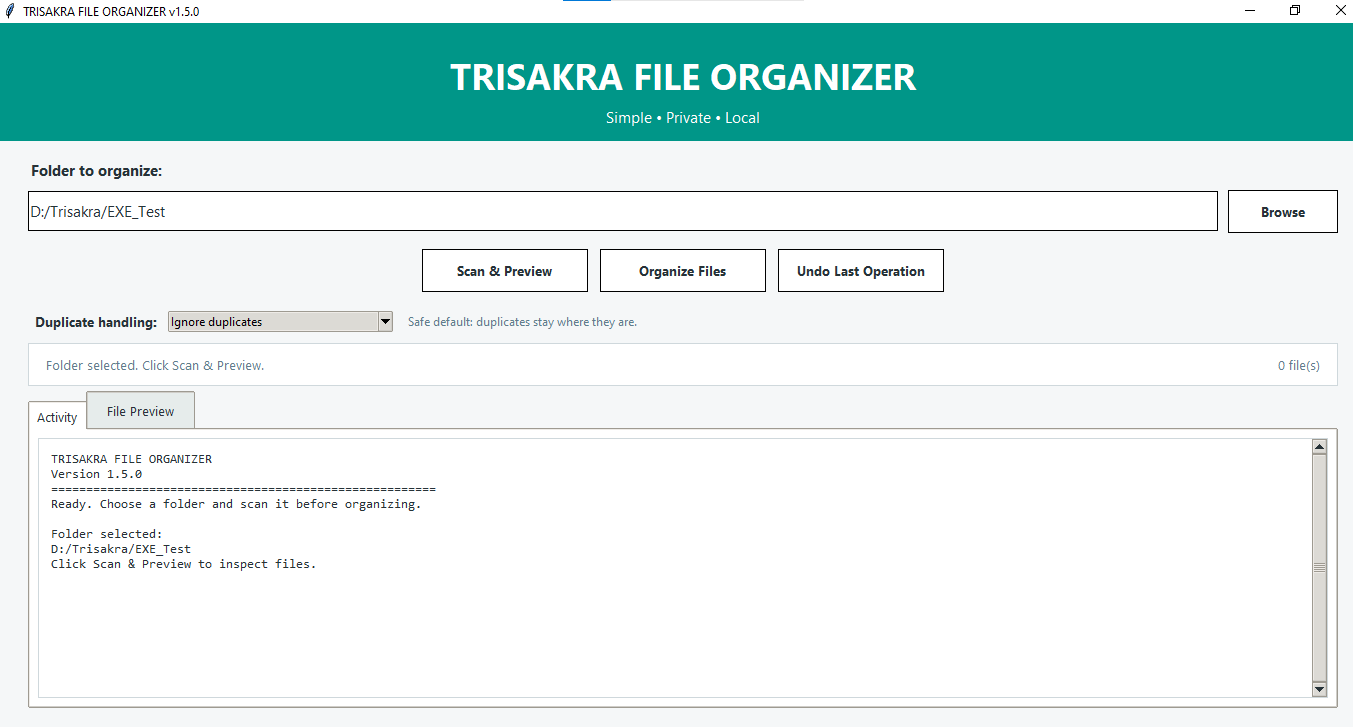
- Select the folder you want to organize using Browse.
- Click Scan & Preview to review the files and their proposed destinations.
- Choose how duplicates should be handled.
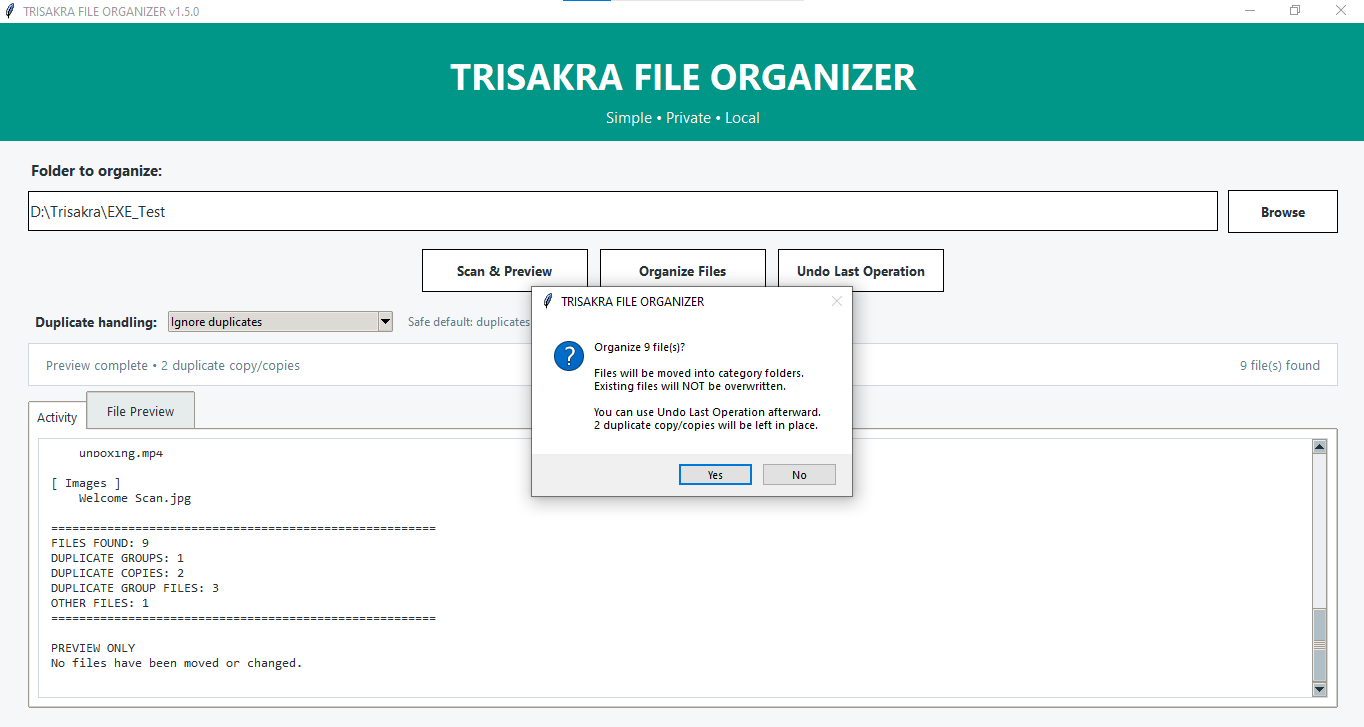
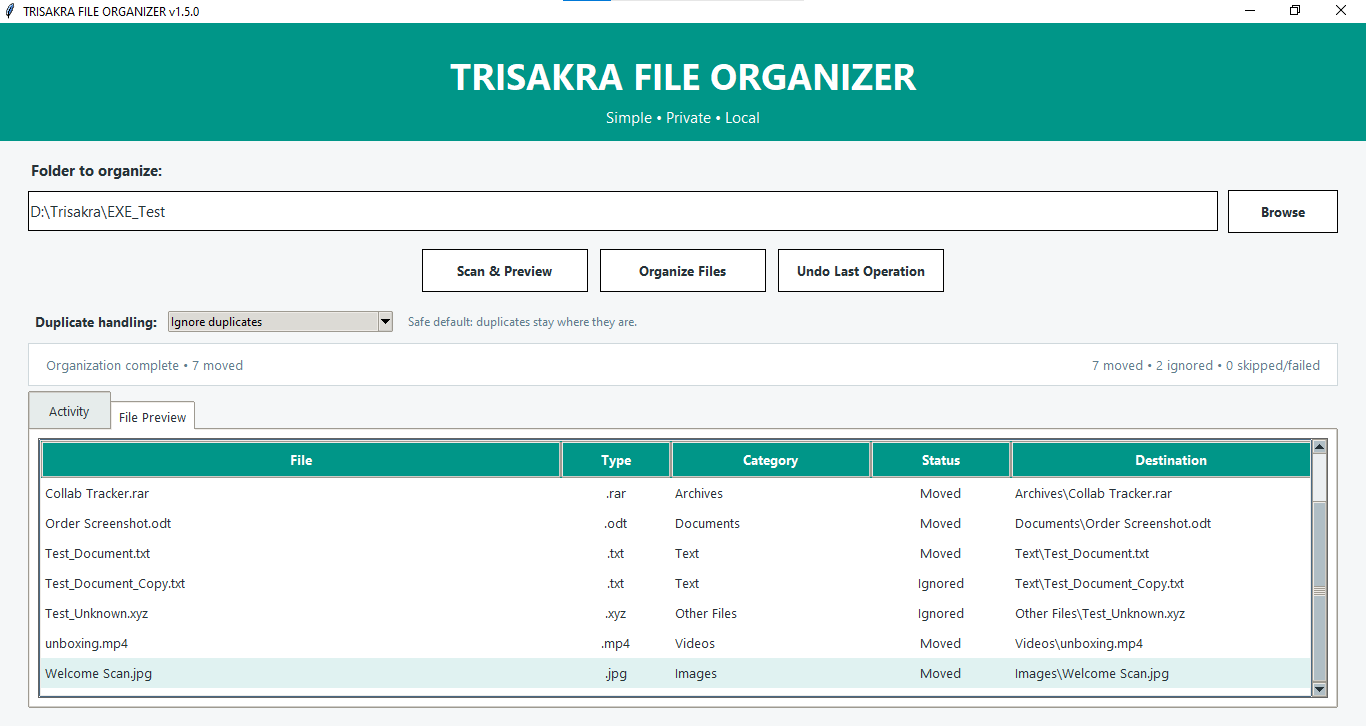
- Click Organize Files to start organizing.
- Use Undo Last Operation if you need to reverse the most recent organization operation.
Tip: Review the preview carefully before organizing files. Consider testing with a sample folder first.
Safety & First Use
- Always review Scan & Preview before organizing files.
- For your first use, test the application with a sample or backup folder.
- Keep backups of important files before performing file organization.
- The application does not automatically delete duplicate files.
- Windows may display a SmartScreen warning because the EXE is not digitally signed.
Screenshots
Main Window
File Preview
Organizing Files
Files Organized
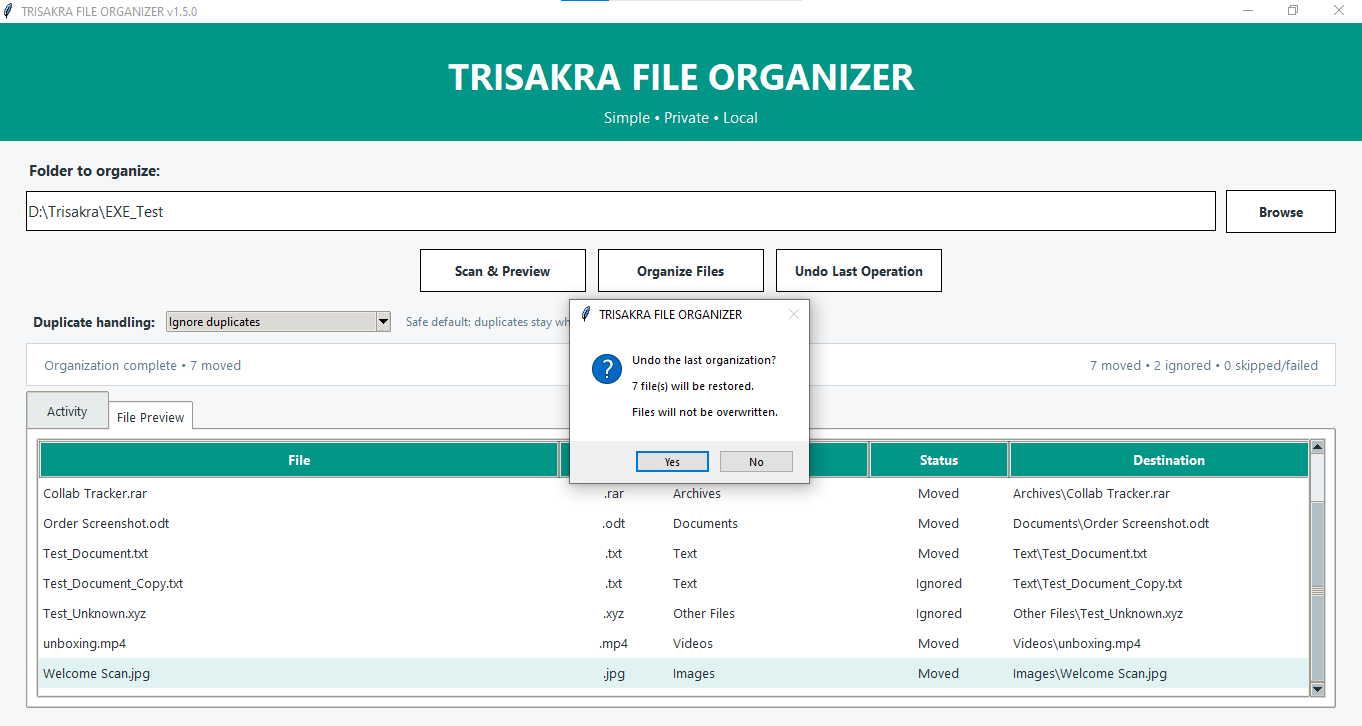
Undo Confirmation
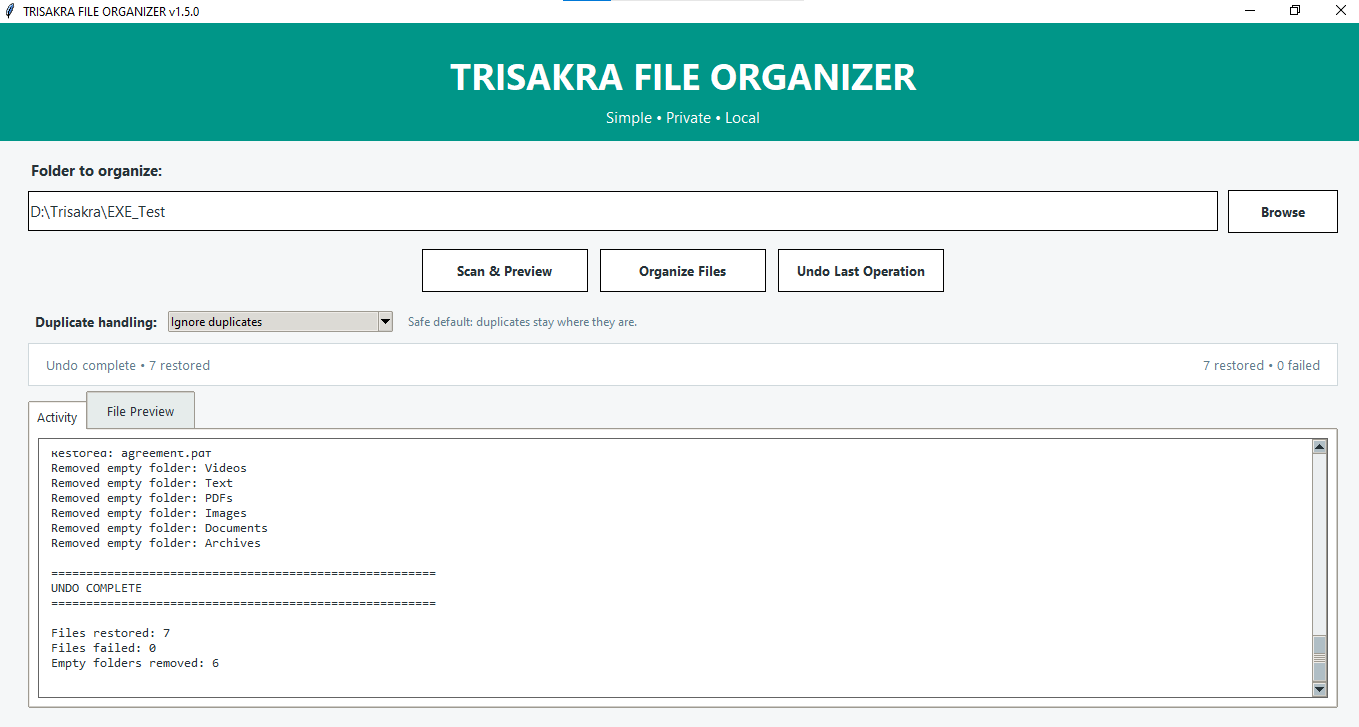
Undo Completed
Project Structure
trisakra-file-organizer/
├── gui.py
└── organizer.py
gui.py— Desktop user interface.organizer.py— File organization and related operations.
Privacy
TRISAKRA FILE ORGANIZER is designed to work locally on your computer. It organizes files in the folders you select and does not require a cloud account to perform its core functions.
Version
Current source version: v1.5.1
About
Developed by Trisakra Technologies Technology Infrastructure Partner BUILD • SUPPORT • SECURE • RECOVER
GitHub: https://github.com/trisakratech
Contributions
Suggestions, bug reports, and contributions are welcome. Please use the repository's Issues section to report problems or propose improvements.
License
A license has not yet been selected for this project. Until a license is added, the source code is publicly viewable, but reuse and redistribution are not automatically permitted.
Similar repos


A simple, private, local Python desktop application to organize files and manage duplicates.
Python
0
9 commits
updated Oct 5, 2026
See what people are saying
README
TRISAKRA FILE ORGANIZER
A simple, private, local Python desktop application to organize files and manage duplicates.
TRISAKRA FILE ORGANIZER helps you organize files into categorized folders on your computer. It includes file preview, duplicate detection, duplicate management, and an undo feature.
Features
-
Simple GUI: Easy-to-use desktop interface built with Python and Tkinter.
-
Local file organization: Organizes files directly on your computer.
-
Scan & Preview: Review files and their proposed destinations before organizing.
-
Automatic categorization: Sorts files into categories such as:
- PDFs
- Documents
- Archives
- Images
- Videos
- Text
- Other Files
-
Duplicate detection: Identifies duplicate files based on their content.
-
Duplicate management: Ignore duplicates or move them to a separate
Duplicatesfolder. -
Searchable preview: Search files in the preview list.
-
Undo: Restore files from the last organization operation.
-
Folder memory: Remembers the previously selected folder.
-
No automatic deletion: Duplicate files are moved or left in place, not automatically deleted.
Download for Windows
The latest Windows release is available on GitHub:
Download TRISAKRA FILE ORGANIZER v1.5.1
Download TRISAKRA_File_Organizer.exe from the Assets section of the release.
No Python installation is required when using the Windows EXE.
Requirements
- Windows
- Python 3.x
- Tkinter (usually included with standard Python installations)
Getting Started — Run from Source
-
Download or clone this repository.
-
Make sure Python 3 is installed.
-
Open a terminal in the project folder.
-
Run:
python gui.py
The application window should open.
How to Use
- Select the folder you want to organize using Browse.
- Click Scan & Preview to review the files and their proposed destinations.
- Choose how duplicates should be handled.
- Click Organize Files to start organizing.
- Use Undo Last Operation if you need to reverse the most recent organization operation.
Tip: Review the preview carefully before organizing files. Consider testing with a sample folder first.
Safety & First Use
- Always review Scan & Preview before organizing files.
- For your first use, test the application with a sample or backup folder.
- Keep backups of important files before performing file organization.
- The application does not automatically delete duplicate files.
- Windows may display a SmartScreen warning because the EXE is not digitally signed.
Screenshots
Main Window
File Preview
Organizing Files
Files Organized
Undo Confirmation
Undo Completed
Project Structure
trisakra-file-organizer/
├── gui.py
└── organizer.py
gui.py— Desktop user interface.organizer.py— File organization and related operations.
Privacy
TRISAKRA FILE ORGANIZER is designed to work locally on your computer. It organizes files in the folders you select and does not require a cloud account to perform its core functions.
Version
Current source version: v1.5.1
About
Developed by Trisakra Technologies Technology Infrastructure Partner BUILD • SUPPORT • SECURE • RECOVER
GitHub: https://github.com/trisakratech
Contributions
Suggestions, bug reports, and contributions are welcome. Please use the repository's Issues section to report problems or propose improvements.
License
A license has not yet been selected for this project. Until a license is added, the source code is publicly viewable, but reuse and redistribution are not automatically permitted.