Bun bindings for webview, a tiny library for creating web-based desktop GUIs.
See the codeWebview is a tiny cross-platform library to make web-based GUIs for desktop applications.
To use a different version, see Development section below.
sudo apt install libgtk-4-1 libwebkitgtk-6.0-4sudo pacman -S gtk4 webkitgtk-6.0sudo dnf install gtk4 webkitgtk6.0To bundle a specific version, see Development section below.
The Microsoft Edge WebView2 runtime is required to be installed on the system for any version of Windows before Windows 11. To manually update or install the latest version, follow the steps here.
bun i webview-bun
import { Webview } from "webview-bun";

const html = `
<html>
    <body>
        <h1>Hello from bun v${Bun.version} !</h1>
    </body>
</html>
`;

const webview = new Webview();

webview.setHTML(html);
webview.run();
For more examples, browse the examples folder of this repository.
You can compile a single self-sufficient executable file for your webview app.
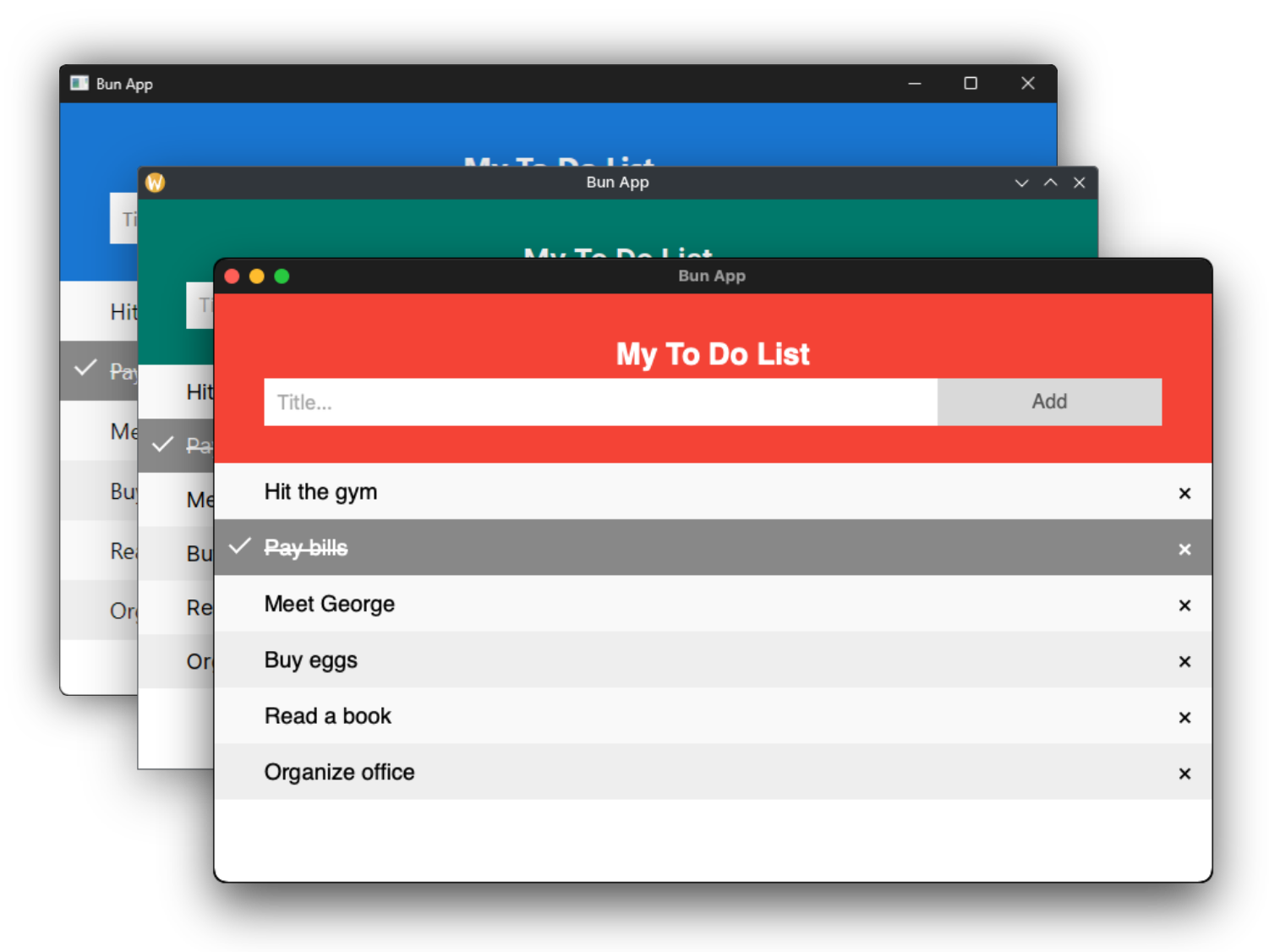
For example, let's create a single executable for the above To-Do app. Clone this repository and run,
bun build --compile --minify --sourcemap ./examples/todoapp/app.ts --outfile todoapp
[!TIP] By default, a terminal window will also open in the back when double-click opening the executable in Windows and macOS.
🪟 To hide it in Windows:
Download and run hidecmd.bat from this repository, provide the exe path when prompted.
🍎 To hide it in macOS:
Add the extension
.appin the end of the above bun build command.
Bun now supports cross-compilation of single executable binaries. To cross compile your webview app for a different platform run,
bun build --compile --target=bun-windows-x64 --minify --sourcemap ./examples/todoapp/app.ts --outfile todoapp
See full list of supported targets.
If you run a web server it will block the main thread, but using workers you can run the webview window on another thread. Clone this repository then,
cd examples/webserver/
bun build --compile --minify --sourcemap ./index.ts ./worker.ts --outfile webserver
🪟 On windows, to add an icon to your exe file, checkout rcedit.
🍎 On macOS, to codesign your executable checkout the bun docs.
Refer to the comments in the source code for full documentation.
Please use bun pretty to automatically format all files.
sudo apt install libgtk-4-dev libwebkitgtk-6.0-dev cmake ninja-build clangsudo dnf install gtk4-devel webkitgtk6.0-devel cmake ninja-build clangsudo pacman -S cmake ninja clangbrew install cmake ninja clang
Clone the repository along with the webview submodule.
git clone --recurse-submodules https://github.com/tr1ckydev/webview-bun
cd webview-bun
Build the library for your platform.
Under the hood, it invokes webview's own cmake build system to compile the shared library file.
bun run build
(Optional) Clear build cache and rebuild the library.
bun clean
bun run build
The compiled library file can be found inside the build folder.
To create an arm64 shared library from a x86_64 host, checkout setupARM64.sh. DO NOT execute the file (the .sh extension has been kept for syntax highlighting), rather read the comments and copy and paste the commands line by line.
WEBVIEW_WEBKITGTK_API option in build.ts to one of the available values. Be sure to first install the corresponding version libraries.WEBVIEW_MSWEBVIEW2_VERSION option to one of the NuGet version strings.Check out the webview build docs for more options.
[!TIP] To use your own webview library, set the
WEBVIEW_PATHenvironment variable with the path to your webview shared library file.
Run the following example to see it in action.
bun run examples/basic.ts
For more examples, browse the examples folder of this repository.
This repository is a port of webview_deno with various changes to work with the bun runtime.
This repository uses MIT license. See LICENSE for full license text.
98 followers · starred Jan 2025
175 followers · starred Sep 2026
309 followers · starred Jan 2024
90 followers · starred Nov 2023
Bun bindings for webview, a tiny library for creating web-based desktop GUIs.
See the codeWebview is a tiny cross-platform library to make web-based GUIs for desktop applications.
To use a different version, see Development section below.
sudo apt install libgtk-4-1 libwebkitgtk-6.0-4sudo pacman -S gtk4 webkitgtk-6.0sudo dnf install gtk4 webkitgtk6.0To bundle a specific version, see Development section below.
The Microsoft Edge WebView2 runtime is required to be installed on the system for any version of Windows before Windows 11. To manually update or install the latest version, follow the steps here.
bun i webview-bun
import { Webview } from "webview-bun";

const html = `
<html>
    <body>
        <h1>Hello from bun v${Bun.version} !</h1>
    </body>
</html>
`;

const webview = new Webview();

webview.setHTML(html);
webview.run();
For more examples, browse the examples folder of this repository.
You can compile a single self-sufficient executable file for your webview app.
For example, let's create a single executable for the above To-Do app. Clone this repository and run,
bun build --compile --minify --sourcemap ./examples/todoapp/app.ts --outfile todoapp
[!TIP] By default, a terminal window will also open in the back when double-click opening the executable in Windows and macOS.
🪟 To hide it in Windows:
Download and run hidecmd.bat from this repository, provide the exe path when prompted.
🍎 To hide it in macOS:
Add the extension
.appin the end of the above bun build command.
Bun now supports cross-compilation of single executable binaries. To cross compile your webview app for a different platform run,
bun build --compile --target=bun-windows-x64 --minify --sourcemap ./examples/todoapp/app.ts --outfile todoapp
See full list of supported targets.
If you run a web server it will block the main thread, but using workers you can run the webview window on another thread. Clone this repository then,
cd examples/webserver/
bun build --compile --minify --sourcemap ./index.ts ./worker.ts --outfile webserver
🪟 On windows, to add an icon to your exe file, checkout rcedit.
🍎 On macOS, to codesign your executable checkout the bun docs.
Refer to the comments in the source code for full documentation.
Please use bun pretty to automatically format all files.
sudo apt install libgtk-4-dev libwebkitgtk-6.0-dev cmake ninja-build clangsudo dnf install gtk4-devel webkitgtk6.0-devel cmake ninja-build clangsudo pacman -S cmake ninja clangbrew install cmake ninja clang
Clone the repository along with the webview submodule.
git clone --recurse-submodules https://github.com/tr1ckydev/webview-bun
cd webview-bun
Build the library for your platform.
Under the hood, it invokes webview's own cmake build system to compile the shared library file.
bun run build
(Optional) Clear build cache and rebuild the library.
bun clean
bun run build
The compiled library file can be found inside the build folder.
To create an arm64 shared library from a x86_64 host, checkout setupARM64.sh. DO NOT execute the file (the .sh extension has been kept for syntax highlighting), rather read the comments and copy and paste the commands line by line.
WEBVIEW_WEBKITGTK_API option in build.ts to one of the available values. Be sure to first install the corresponding version libraries.WEBVIEW_MSWEBVIEW2_VERSION option to one of the NuGet version strings.Check out the webview build docs for more options.
[!TIP] To use your own webview library, set the
WEBVIEW_PATHenvironment variable with the path to your webview shared library file.
Run the following example to see it in action.
bun run examples/basic.ts
For more examples, browse the examples folder of this repository.
This repository is a port of webview_deno with various changes to work with the bun runtime.
This repository uses MIT license. See LICENSE for full license text.
98 followers · starred Jan 2025
175 followers · starred Sep 2026
309 followers · starred Jan 2024
90 followers · starred Nov 2023



