Build ultra fast, tiny, and cross-platform desktop apps with Typescript.
See the code
hutch electrobun init
Electrobun aims to be a complete solution-in-a-box for building, updating, and shipping fast, compact, cross-platform desktop applications written in TypeScript. Hutch is the native build and workspace CLI. Bun is Electrobun's default JavaScript runtime. Cottontail is an experimental JSC-based alternative. Electrobun's platform layer combines Zig, Objective-C, and C++.
Visit https://framework.blackboard.sh/electrobun/ to see api documentation, guides, and more.
Install Hutch globally, then use it to create and build a project. Published
templates include the exact Electrobun release they were tested with. In a
hand-written project that pin is optional; without one, Hutch uses an
npm-supplied paired default or floats on the active release channel. Hutch
verifies and installs the resolved release's platform archive under
~/.hutch/releases/electrobun and copies its SDKs into the project's generated
.hutch/devkit sysroot:
curl -fsSL https://hutch.blackboard.sh/hutch/install.sh | sh
hutch electrobun init
Initialization requires network access to fetch the current template catalog and selected template. Later builds can reuse exact releases and managed toolchains that are already installed.
Or bootstrap the same interactive initializer from npm or Bun. The single,
dependency-free npm package downloads the exact paired Hutch archive from that
version's Electrobun GitHub Release when needed, verifies and caches it, and
forwards the command. The initializer also ensures a compatible global launcher
for the generated project's hutch tasks. It does not carry or own the
Electrobun runtime or SDKs:
npx electrobun init
# or
bunx electrobun init
Hutch's built-in npm-compatible resolver installs JavaScript dependencies by
default and writes hutch.lock; hutch pm exec runs project-local package
binaries. A project's hutch.config.ts may instead select npm, Bun, pnpm, Yarn,
or a custom executable, and Hutch delegates package operations to that explicit
choice. Package management is independent of whether the app's main process
runs on Cottontail or Bun.
Don't miss our:
bundleCEF flag to bundle and pin Chromium for those that want that tradeoff of consistency over file sizebundleWGPU that lets you use Bun Typescript -> WGPU to control a native GPU surface without a webview<electrobun-webview> and <electrobun-wgpu> HTML elements that let you composite isolated webviews and native GPU surfaces into your UIsProject Goals
.env files across your projects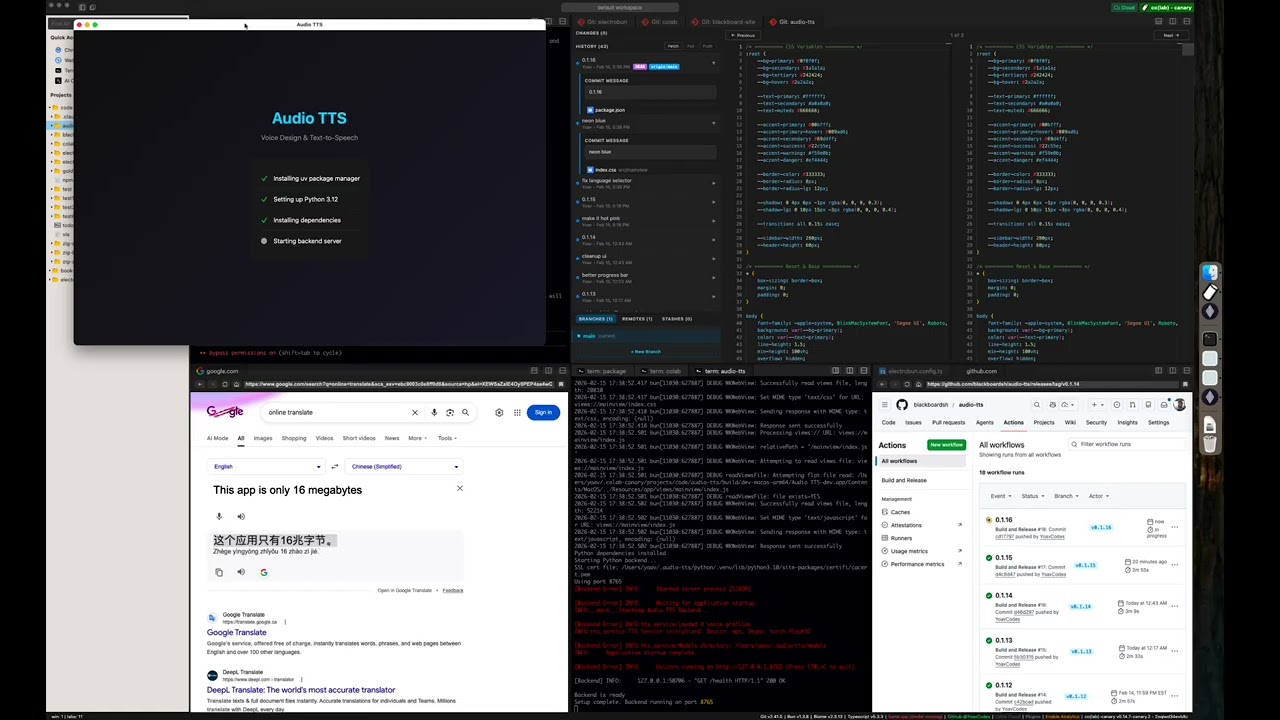
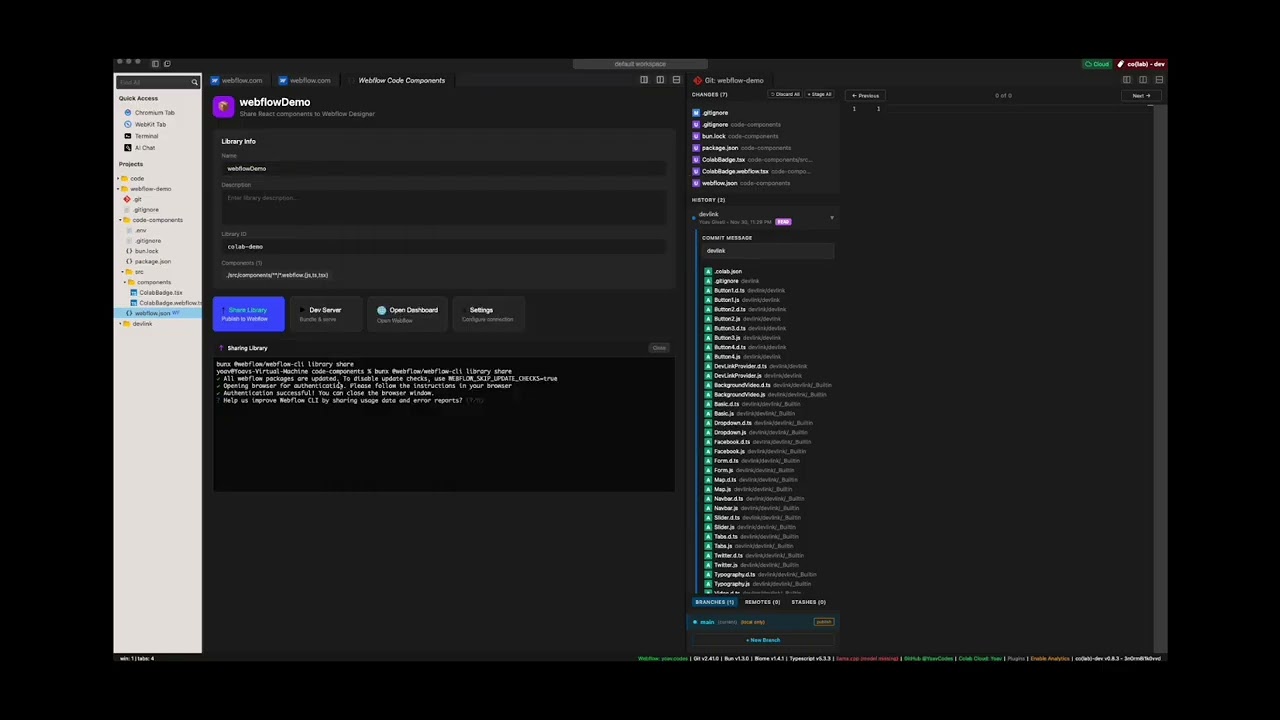
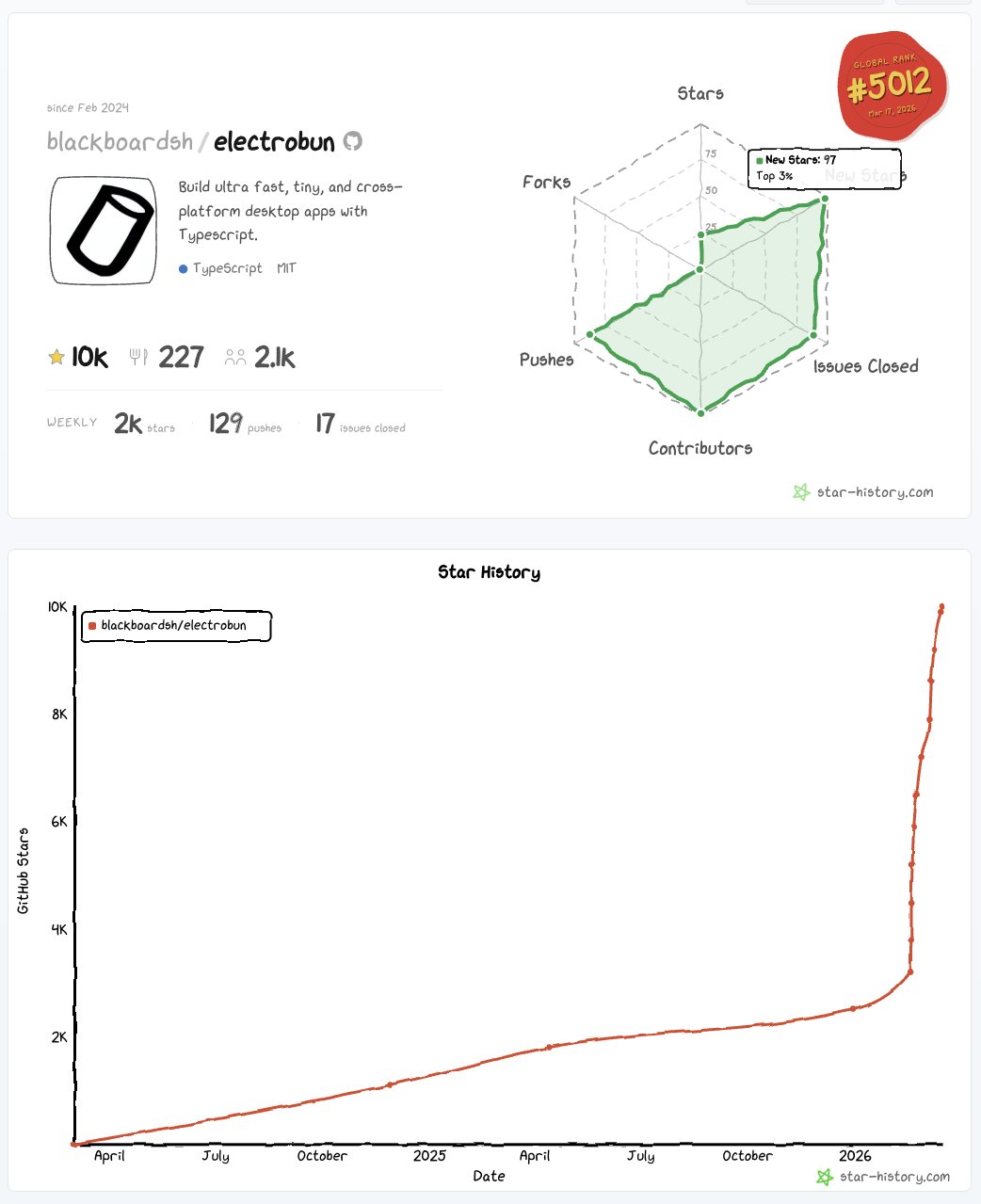
star history 4 weeks after v1 launch
Electrobun is one piece of a vision I'm building. I'm optimizing for focus and execution. Issues and PRs can be used to share ideas, but there should be no expectation that I will review, respond to, or merge them.
Ways to get involved:
Building apps with Electrobun is as easy as installing Hutch and running hutch electrobun init.
This section is for building Electrobun from source locally in order to contribute fixes to it.
Install Hutch globally before building Electrobun:
curl -fsSL https://hutch.blackboard.sh/hutch/install.sh | sh
On Windows PowerShell:
& ([scriptblock]::Create((irm https://hutch.blackboard.sh/hutch/install.ps1)))
macOS:
brew install cmake)Windows:
Linux:
On Ubuntu/Debian based distros: sudo apt install build-essential cmake pkg-config libgtk-3-dev libwebkit2gtk-4.1-dev libayatana-appindicator3-dev libpipewire-0.3-dev librsvg2-dev
Linux applications also require the corresponding GTK 3, WebKitGTK 4.1,
Ayatana AppIndicator, and librsvg runtime packages on end-user systems. See the
cross-platform development guide
for distro-specific install commands. The launcher reports the exact missing
shared library when these dependencies are unavailable.
Wayland screen-region capture additionally requires a working desktop portal,
PipeWire, and the libpipewire-0.3.so.0 runtime library (provided by
libpipewire-0.3-0, or libpipewire-0.3-0t64 on newer Ubuntu/Debian releases).
git clone --recurse-submodules https://github.com/blackboardsh/electrobun.git
cd electrobun/package
npm ci
hutch dev:clean
# All commands are run from the /package directory
cd electrobun/package

# After making changes to source code
hutch dev

# Exercise one repository template against the same local package/dist
hutch dev:template hello-world

# If you need a completely fresh start
hutch dev:clean
hutch dev builds package/dist and runs Kitchen against that local
Electrobun devkit. Running hutch dev directly from kitchen/ continues to
use the Electrobun version pinned in kitchen/hutch.config.ts.
hutch dev:template <template-name> builds the same local devkit, runs the
template's configured dependency installation, and starts its dev task against
those local bytes. Repository templates stay unpinned for this workflow; the
release publisher injects the shipped Electrobun version into each staged
template archive.
The native build generates package/src/native/compile_flags.txt from the
compiler flags resolved for the current machine. clangd-compatible editors
discover it automatically; rerun the build after changing native dependencies
or system toolchains.
With sibling jsc, cottontail, dash-cloud, and electrobun checkouts, use
--local to additionally build and select the local JSC, Cottontail, and Hutch
layers:
hutch dev --local
The first Hutch is globally installed. Stack preparation explicitly selects the completed local Hutch engine and Cottontail build for the remainder of the command.
All commands are run from the /package directory:
hutch dev:canary - Build and run kitchen sink in canary modehutch dev:template <template-name> - Build and run one template against the local devkithutch build:dev - Build Electrobun in development modehutch build:release - Build Electrobun in release modemacOS: Use lldb <path-to-bundle>/Contents/MacOS/launcher and then run to debug release builds
| OS | Status |
|---|---|
| macOS 14+ | Official |
| Windows 11+ x64 | Official |
| Windows 11+ ARM64 | Beta |
| Ubuntu 24.04+ | Official |
| Other Linux distros (gtk3, webkit2gtk-4.1) | Community |
| Raspberry Pi | Unofficial fork: kortexa-ai/electrobun (linux-wpe) — follow the author @francip |
Windows ARM64 supports JavaScript, Zig, Rust, and Go main processes with the system webview or CEF. Odin is currently unavailable on this target. The paired Cottontail canary uses interpreter-only JavaScriptCore without JIT or WebAssembly; benchmark JavaScript workloads before migrating an existing x64 app.
(top 24 of 235)
5,087 followers · starred Feb 2026
3,108 followers · starred Feb 2026
6,260 followers · starred Feb 2026
6,141 followers · starred Feb 2026
Build ultra fast, tiny, and cross-platform desktop apps with Typescript.
See the code
hutch electrobun init
Electrobun aims to be a complete solution-in-a-box for building, updating, and shipping fast, compact, cross-platform desktop applications written in TypeScript. Hutch is the native build and workspace CLI. Bun is Electrobun's default JavaScript runtime. Cottontail is an experimental JSC-based alternative. Electrobun's platform layer combines Zig, Objective-C, and C++.
Visit https://framework.blackboard.sh/electrobun/ to see api documentation, guides, and more.
Install Hutch globally, then use it to create and build a project. Published
templates include the exact Electrobun release they were tested with. In a
hand-written project that pin is optional; without one, Hutch uses an
npm-supplied paired default or floats on the active release channel. Hutch
verifies and installs the resolved release's platform archive under
~/.hutch/releases/electrobun and copies its SDKs into the project's generated
.hutch/devkit sysroot:
curl -fsSL https://hutch.blackboard.sh/hutch/install.sh | sh
hutch electrobun init
Initialization requires network access to fetch the current template catalog and selected template. Later builds can reuse exact releases and managed toolchains that are already installed.
Or bootstrap the same interactive initializer from npm or Bun. The single,
dependency-free npm package downloads the exact paired Hutch archive from that
version's Electrobun GitHub Release when needed, verifies and caches it, and
forwards the command. The initializer also ensures a compatible global launcher
for the generated project's hutch tasks. It does not carry or own the
Electrobun runtime or SDKs:
npx electrobun init
# or
bunx electrobun init
Hutch's built-in npm-compatible resolver installs JavaScript dependencies by
default and writes hutch.lock; hutch pm exec runs project-local package
binaries. A project's hutch.config.ts may instead select npm, Bun, pnpm, Yarn,
or a custom executable, and Hutch delegates package operations to that explicit
choice. Package management is independent of whether the app's main process
runs on Cottontail or Bun.
Don't miss our:
bundleCEF flag to bundle and pin Chromium for those that want that tradeoff of consistency over file sizebundleWGPU that lets you use Bun Typescript -> WGPU to control a native GPU surface without a webview<electrobun-webview> and <electrobun-wgpu> HTML elements that let you composite isolated webviews and native GPU surfaces into your UIsProject Goals
.env files across your projects
star history 4 weeks after v1 launch
Electrobun is one piece of a vision I'm building. I'm optimizing for focus and execution. Issues and PRs can be used to share ideas, but there should be no expectation that I will review, respond to, or merge them.
Ways to get involved:
Building apps with Electrobun is as easy as installing Hutch and running hutch electrobun init.
This section is for building Electrobun from source locally in order to contribute fixes to it.
Install Hutch globally before building Electrobun:
curl -fsSL https://hutch.blackboard.sh/hutch/install.sh | sh
On Windows PowerShell:
& ([scriptblock]::Create((irm https://hutch.blackboard.sh/hutch/install.ps1)))
macOS:
brew install cmake)Windows:
Linux:
On Ubuntu/Debian based distros: sudo apt install build-essential cmake pkg-config libgtk-3-dev libwebkit2gtk-4.1-dev libayatana-appindicator3-dev libpipewire-0.3-dev librsvg2-dev
Linux applications also require the corresponding GTK 3, WebKitGTK 4.1,
Ayatana AppIndicator, and librsvg runtime packages on end-user systems. See the
cross-platform development guide
for distro-specific install commands. The launcher reports the exact missing
shared library when these dependencies are unavailable.
Wayland screen-region capture additionally requires a working desktop portal,
PipeWire, and the libpipewire-0.3.so.0 runtime library (provided by
libpipewire-0.3-0, or libpipewire-0.3-0t64 on newer Ubuntu/Debian releases).
git clone --recurse-submodules https://github.com/blackboardsh/electrobun.git
cd electrobun/package
npm ci
hutch dev:clean
# All commands are run from the /package directory
cd electrobun/package

# After making changes to source code
hutch dev

# Exercise one repository template against the same local package/dist
hutch dev:template hello-world

# If you need a completely fresh start
hutch dev:clean
hutch dev builds package/dist and runs Kitchen against that local
Electrobun devkit. Running hutch dev directly from kitchen/ continues to
use the Electrobun version pinned in kitchen/hutch.config.ts.
hutch dev:template <template-name> builds the same local devkit, runs the
template's configured dependency installation, and starts its dev task against
those local bytes. Repository templates stay unpinned for this workflow; the
release publisher injects the shipped Electrobun version into each staged
template archive.
The native build generates package/src/native/compile_flags.txt from the
compiler flags resolved for the current machine. clangd-compatible editors
discover it automatically; rerun the build after changing native dependencies
or system toolchains.
With sibling jsc, cottontail, dash-cloud, and electrobun checkouts, use
--local to additionally build and select the local JSC, Cottontail, and Hutch
layers:
hutch dev --local
The first Hutch is globally installed. Stack preparation explicitly selects the completed local Hutch engine and Cottontail build for the remainder of the command.
All commands are run from the /package directory:
hutch dev:canary - Build and run kitchen sink in canary modehutch dev:template <template-name> - Build and run one template against the local devkithutch build:dev - Build Electrobun in development modehutch build:release - Build Electrobun in release modemacOS: Use lldb <path-to-bundle>/Contents/MacOS/launcher and then run to debug release builds
| OS | Status |
|---|---|
| macOS 14+ | Official |
| Windows 11+ x64 | Official |
| Windows 11+ ARM64 | Beta |
| Ubuntu 24.04+ | Official |
| Other Linux distros (gtk3, webkit2gtk-4.1) | Community |
| Raspberry Pi | Unofficial fork: kortexa-ai/electrobun (linux-wpe) — follow the author @francip |
Windows ARM64 supports JavaScript, Zig, Rust, and Go main processes with the system webview or CEF. Odin is currently unavailable on this target. The paired Cottontail canary uses interpreter-only JavaScriptCore without JIT or WebAssembly; benchmark JavaScript workloads before migrating an existing x64 app.
(top 24 of 235)
5,087 followers · starred Feb 2026
3,108 followers · starred Feb 2026
6,260 followers · starred Feb 2026
6,141 followers · starred Feb 2026