
README
ovim
macOS system-wide Vim keybindings and modal editor.
ovim has two independent editing modes:
| In-Place Mode | Edit Popup |
|---|---|
| Simulates Vim motions by intercepting keystrokes and injecting native macOS key events. Works instantly in any app. Supports a subset of Vim commands. | Opens your actual Neovim installation in a terminal window with your full config and plugins. Edit complex text, then paste back with :wq. |
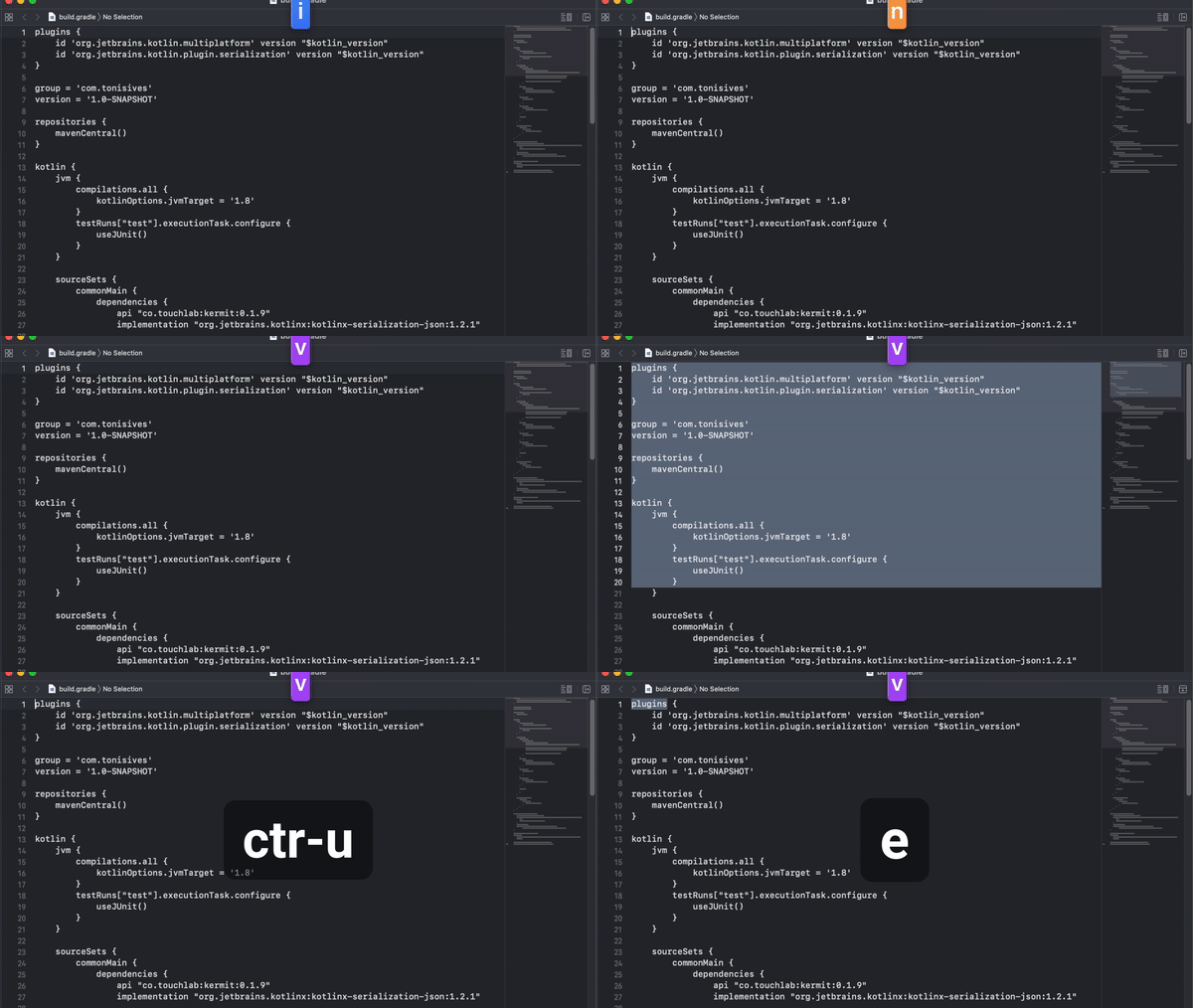 | 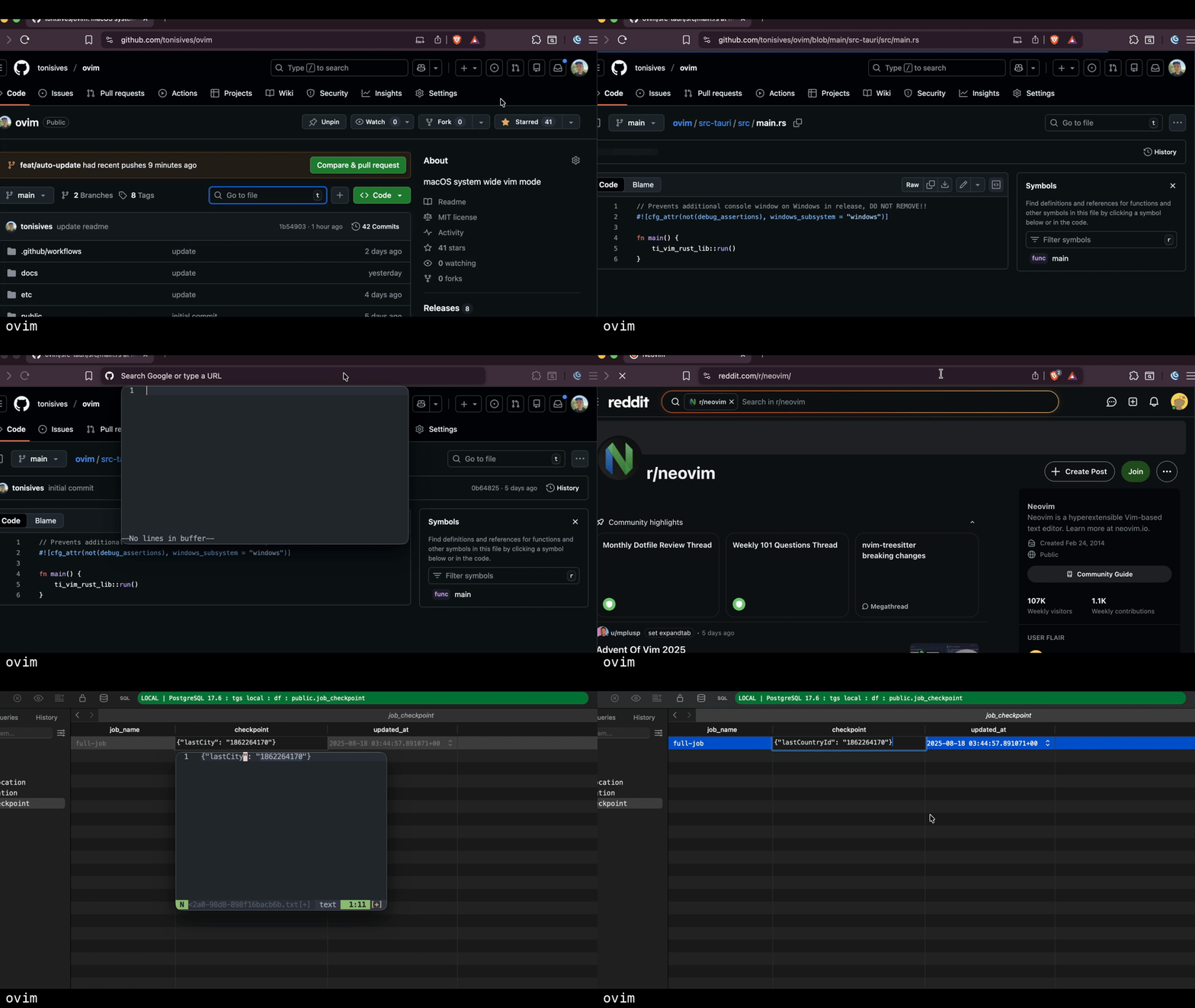 |
Features
| Feature | In-Place Mode | Edit Popup |
|---|---|---|
| Vim support | Basic motions, operators, text objects (see list) | Full Neovim with all your plugins |
| User config | In app configuration for widgets, ignore list | Uses your ~/.config/nvim |
| Speed | Instant | ~500ms (terminal startup) |
| App compatibility | All apps (with Accessibility permission) | Apps with Accessibility API or browsers |
| Use case | Quick edits, modal navigation | Complex edits, regex, macros, multi-line |
Installation
Homebrew
brew install --cask tonisives/tap/ovim
GitHub Releases
Download the latest .dmg from the Releases page.
Build from Source
git clone https://github.com/tonisives/ovim.git
cd ovim
pnpm install
pnpm tauri build
# Built app in src-tauri/target/release/bundle/
Requires Rust, Node.js v18+, and pnpm.
Package after local merges
The repository includes a tracked post-merge hook that builds the macOS app
from the primary checkout and installs it at ~/workspace/_tools/ovim.app:
pnpm hooks:install
The Git setting is shared with linked worktrees, but merges inside task
worktrees are skipped. Set OVIM_OUTPUT_DIR to choose another installation
directory, or set OVIM_SKIP_POST_MERGE_PACKAGE=1 to skip a build for one
merge. The hook does not restart a running app.
Requirements
- macOS 10.15 (Catalina) or later
- Accessibility permission - Grant in System Settings > Privacy & Security > Accessibility
- Terminal app.
Alacrittyis recommended. We also include Kitty, Terminal.app and WezTerm limited support.
Quick Start
- Launch ovim - it appears in your menu bar
- Grant Accessibility permission when prompted
- Access Settings from the menu bar icon
| In-Place Mode | Edit Popup |
|---|---|
| Press Caps Lock to toggle between Normal/Insert modes. Use Vim motions directly in any app. | Assign a shortcut to "Toggle Edit Popup" in Settings. Press it to open Neovim, edit, then :wq to paste back. |
In-Place Mode
Toggle between Normal and Insert modes with Caps Lock (configurable). In Normal mode, use Vim motions directly in any application.
Supported commands: hjkl, w/b/e, 0/$, gg/G, d/y/c + motions, dd/yy/cc, x, p/P, u/Ctrl+r, Visual mode, counts, and more. See docs/keybindings.md for the full list.
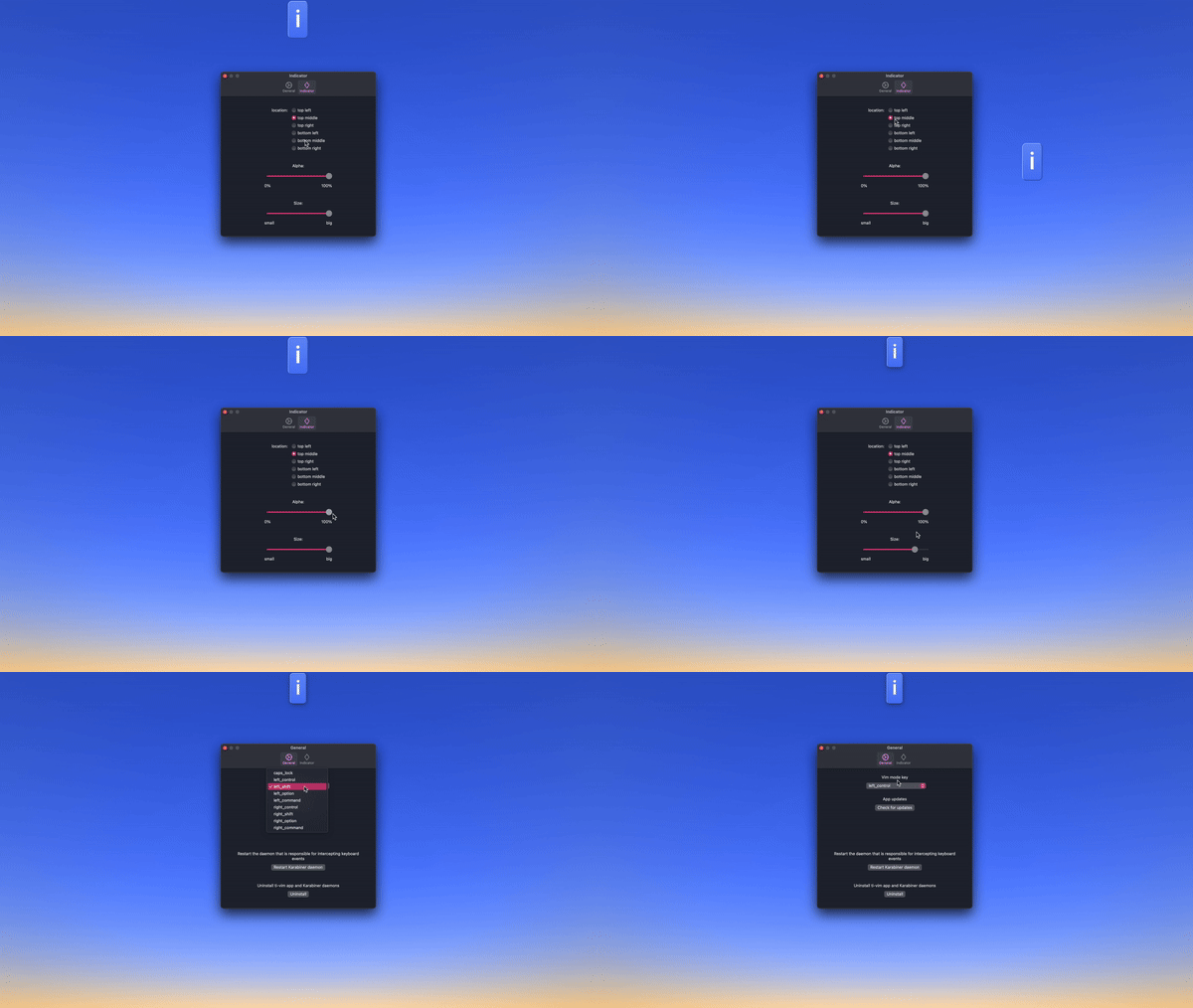
Widgets
Display battery status, time, or selection info
Edit Popup
Opens your actual Neovim installation in a terminal window. Your full config (~/.config/nvim) and all plugins are available.
How it works:
- Assign a shortcut to "Toggle Edit Popup" in Settings
- Select text in any application (optional - captures existing text)
- Press your shortcut to open Neovim in a popup terminal
- Edit with your full Neovim setup (plugins, keybindings, macros, etc.)
- Type
:wqto save and paste back, or close the window to cancel
Supported terminals: Alacritty, Kitty, WezTerm, iTerm2, Terminal.app
More features
- Custom launch script - use your own editor. docs/launcher-script.md
- CLI - toggle modes via CLI. docs/cli.md
Check out full docs and the official website
Issues
Please check logs at /tmp/ovim-rust.log and submit an issue
Also by the author
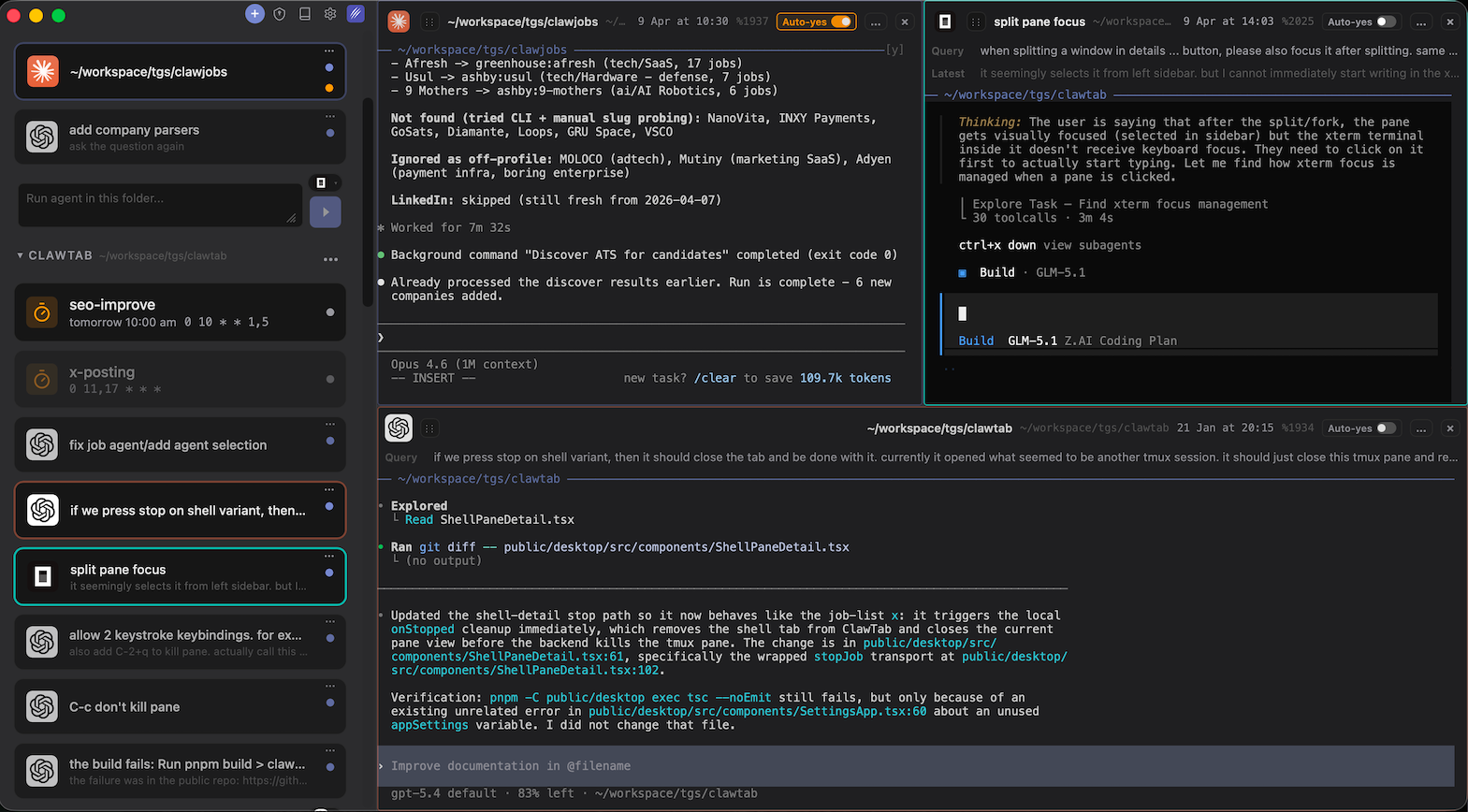
ClawTab - Schedule and manage Claude Code agents, shell scripts, and AI jobs from your macOS menu bar. Control everything remotely from your phone.
License
MIT License - see LICENSE for details.
Contributors


Similar repos


Languages
Rust
74.2%
TypeScript
17.1%
CSS
4.2%
JavaScript
2.8%
README
ovim
macOS system-wide Vim keybindings and modal editor.
ovim has two independent editing modes:
| In-Place Mode | Edit Popup |
|---|---|
| Simulates Vim motions by intercepting keystrokes and injecting native macOS key events. Works instantly in any app. Supports a subset of Vim commands. | Opens your actual Neovim installation in a terminal window with your full config and plugins. Edit complex text, then paste back with :wq. |
| |
Features
| Feature | In-Place Mode | Edit Popup |
|---|---|---|
| Vim support | Basic motions, operators, text objects (see list) | Full Neovim with all your plugins |
| User config | In app configuration for widgets, ignore list | Uses your ~/.config/nvim |
| Speed | Instant | ~500ms (terminal startup) |
| App compatibility | All apps (with Accessibility permission) | Apps with Accessibility API or browsers |
| Use case | Quick edits, modal navigation | Complex edits, regex, macros, multi-line |
Installation
Homebrew
brew install --cask tonisives/tap/ovim
GitHub Releases
Download the latest .dmg from the Releases page.
Build from Source
git clone https://github.com/tonisives/ovim.git
cd ovim
pnpm install
pnpm tauri build
# Built app in src-tauri/target/release/bundle/
Requires Rust, Node.js v18+, and pnpm.
Package after local merges
The repository includes a tracked post-merge hook that builds the macOS app
from the primary checkout and installs it at ~/workspace/_tools/ovim.app:
pnpm hooks:install
The Git setting is shared with linked worktrees, but merges inside task
worktrees are skipped. Set OVIM_OUTPUT_DIR to choose another installation
directory, or set OVIM_SKIP_POST_MERGE_PACKAGE=1 to skip a build for one
merge. The hook does not restart a running app.
Requirements
- macOS 10.15 (Catalina) or later
- Accessibility permission - Grant in System Settings > Privacy & Security > Accessibility
- Terminal app.
Alacrittyis recommended. We also include Kitty, Terminal.app and WezTerm limited support.
Quick Start
- Launch ovim - it appears in your menu bar
- Grant Accessibility permission when prompted
- Access Settings from the menu bar icon
| In-Place Mode | Edit Popup |
|---|---|
| Press Caps Lock to toggle between Normal/Insert modes. Use Vim motions directly in any app. | Assign a shortcut to "Toggle Edit Popup" in Settings. Press it to open Neovim, edit, then :wq to paste back. |
In-Place Mode
Toggle between Normal and Insert modes with Caps Lock (configurable). In Normal mode, use Vim motions directly in any application.
Supported commands: hjkl, w/b/e, 0/$, gg/G, d/y/c + motions, dd/yy/cc, x, p/P, u/Ctrl+r, Visual mode, counts, and more. See docs/keybindings.md for the full list.
Widgets
Display battery status, time, or selection info
Edit Popup
Opens your actual Neovim installation in a terminal window. Your full config (~/.config/nvim) and all plugins are available.
How it works:
- Assign a shortcut to "Toggle Edit Popup" in Settings
- Select text in any application (optional - captures existing text)
- Press your shortcut to open Neovim in a popup terminal
- Edit with your full Neovim setup (plugins, keybindings, macros, etc.)
- Type
:wqto save and paste back, or close the window to cancel
Supported terminals: Alacritty, Kitty, WezTerm, iTerm2, Terminal.app
More features
- Custom launch script - use your own editor. docs/launcher-script.md
- CLI - toggle modes via CLI. docs/cli.md
Check out full docs and the official website
Issues
Please check logs at /tmp/ovim-rust.log and submit an issue
Also by the author
ClawTab - Schedule and manage Claude Code agents, shell scripts, and AI jobs from your macOS menu bar. Control everything remotely from your phone.
License
MIT License - see LICENSE for details.
Similar repos
Contributors
Languages
Rust
74.2%
TypeScript
17.1%
CSS
4.2%
JavaScript
2.8%