Open-source BigSet — self-hostable live datasets populated by TinyFish web agents
TypeScript
1,706
97 commits
updated Oct 8, 2026

Build and maintain any dataset from the live web, that refreshes regularly




⚠️ BigSet is experimental. It works, sometimes surprisingly well, but expect rough edges. We're building in the open and shipping fast. Things will break, improve, and change. Issues and feedback are very welcome.
You type a sentence:
"YC companies that are currently hiring engineers, with their funding stage, location, and number of open roles."
BigSet infers the schema automatically, sends autonomous agents to research it on the live web, verifies what they find against real sources, deduplicates, and hands you a structured dataset. Download as CSV or XLSX.
You can even set a refresh cadence (30 min, 6 hours, 12 hours, daily, weekly) and the agents re-run on schedule, pulling fresh data so the dataset never goes stale.
Built on TinyFish APIs.
At the end of the day, every interaction with the web, whether it's you or your AI agent, ultimately comes down to data. Prices, companies, jobs, research, availability, inventory. The web has all of it, scattered across millions of pages.
There are great tools out there for parts of this problem. Scraping frameworks that extract content from URLs you point them at. Search APIs that return ranked results. Pre-built actors for specific sites. Lead gen platforms that produce verified lists of people and companies. They work, and they work well for what they do.
But the moment you need something that cuts across those categories, or something none of them cover, you're back to square one. Stitching together search, extraction, schema design, deduplication, verification, and a cron job to keep it fresh. For every dataset. Every time. The data is right there on the web. Getting it into a table you can use is still a project.
BigSet closes that gap. One sentence in, verified structured data out, refreshed on whatever cadence you set. Your agents get live data to reason over; you get a table you can actually use.
Any dataset. Any source. Always fresh. That's the idea.
Prerequisites: Node.js 22+ with npm. No Docker needed.
npm install --global @adamexu/bigset
bigset
That's it. The bigset command downloads the current local BigSet release,
starts Convex, the backend, the frontend, and the local credential bridge, then
prints the app URL. Open 127.0.0.1:3500 in your web browser to use it.
The first run caches release files under ~/.bigset; after that, starting
BigSet is designed to take only a few seconds.
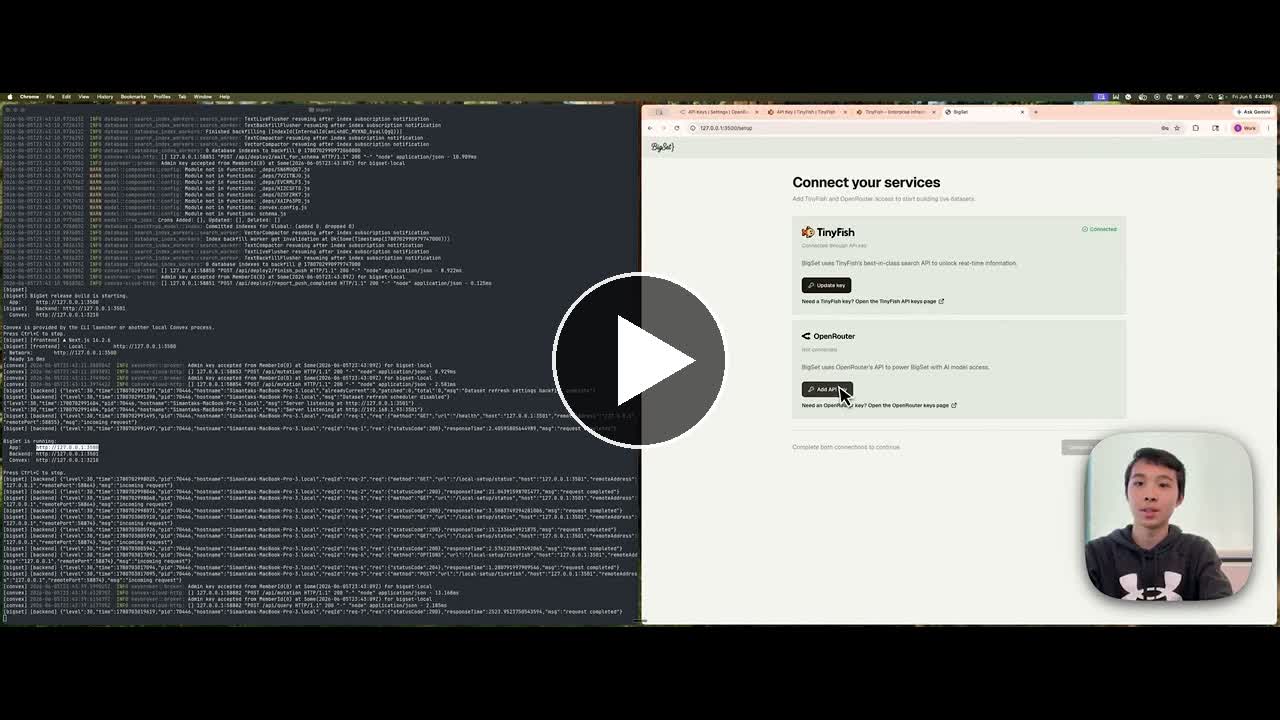
On first launch, BigSet sends you to setup. You'll connect two services:
| Service | What it's for | Get your key |
|---|---|---|
| TinyFish | Web search + page fetching | tinyfish.ai/api-keys |
| OpenRouter | LLM calls (schema inference + agents) | openrouter.ai/settings/keys |
Local API keys are stored in your OS keychain.
For a one-off run without installing globally:
npx @adamexu/bigset
Useful local options:
| Command | What it does |
|---|---|
bigset --force | Redownload the latest cached release |
bigset --app-port 4500 --backend-port 4501 | Use alternate app/backend ports |
bigset --home ~/.bigset-dev | Use a separate local cache directory |
Once bigset is running and setup is complete, you can create and export
datasets directly from your terminal.
Create a dataset:
bigset create "fintech startups in the bay area"
Create a dataset, wait for population to finish, and export CSV:
bigset create "fintech startups in the bay area" --rows 10 --wait --csv fintech.csv
List datasets:
bigset list
Inspect an existing dataset:
bigset status <datasetId>
bigset rows <datasetId> --json
Export an existing dataset:
bigset export <datasetId> --csv out.csv
Manage a run:
bigset populate <datasetId>
bigset stop <datasetId>
Useful create flags:
| Flag | What it does |
|---|---|
--rows <n> | Maximum rows to collect |
--wait | Keep the command open until population finishes |
--csv <path> | Write populated rows to a CSV file |
--skip-populate | Create the dataset without starting population |
--cadence manual|30m|6h|12h|daily|weekly | Set refresh cadence |
--backend-port <port> | Target a non-default local backend port |
Agents such as Codex or Claude Code can use the same commands. A typical agent workflow is:
bigset create "AI infrastructure startups hiring backend engineers" --rows 30 --wait --csv ai-infra-hiring.csv
The agent can then inspect ai-infra-hiring.csv and summarize or transform the
results.
Use this path when you're changing BigSet itself. The supported development
workflow is still make dev.
Prerequisites: Node.js 22+ with npm, Docker, and Make.
git clone https://github.com/tinyfish-io/bigset.git
cd bigset
make dev
make dev creates a local .env if needed, installs dependencies, builds and
starts all Docker services (Postgres, Convex, frontend, backend, Mastra), and
deploys the Convex schema. On first run, it automatically generates the Convex
admin key. See How make dev Works for the full
breakdown.
Once everything is ready, you'll see:
| Service | URL |
|---|---|
| BigSet app | localhost:3500 |
| Convex dashboard | localhost:6791 |
| Mastra Studio (workflow inspector) | localhost:4111 |
Open localhost:3500. The setup screen will ask for TinyFish and OpenRouter credentials and save them to your OS keychain for this workspace.
TinyFish powers web search and page fetching. OpenRouter routes LLM calls to the models BigSet uses for schema inference and agents.
OpenRouter is pay-as-you-go; $5-10 is plenty to start.
Note: root
.envis the only local env file. If you edit Convex functions infrontend/convex/, runmake convex-pushto deploy the changes.
Free tier: cloud signed-in accounts get 2,500 row operations per calendar month (resets on the 1st, UTC). Local mode bypasses the cloud quota and uses your TinyFish/OpenRouter accounts directly.
BigSet includes 9 curated public datasets (AI companies hiring, GPU prices, model pricing, etc.) that show on the landing page:
make seed-public-datasets
This is idempotent; safe to run multiple times.
make dev Worksmake dev is designed to handle everything — first run, subsequent runs, and recovery from bad state. You should never need to run any other setup command. Here's what it does, in order:
.env — creates local keychain bridge settings automatically.npm install in both frontend/ and backend/. Silent if already up to date.CONVEX_SELF_HOSTED_ADMIN_KEY is empty in .env, generates one automatically and writes it. If a key exists, validates it against the running Convex instance. If the key is stale (e.g. you ran make clean and wiped the database), it detects the mismatch and regenerates.BIGSET_LOCAL_MODE=1 for the local app.frontend/convex/ to the running instance..env including the admin key.Ctrl+C to stop watching (containers keep running).You only need three commands:
| Command | What it does |
|---|---|
make dev | Start everything (or recover from any broken state) |
make down | Stop all containers (data is preserved) |
make clean | Stop containers, delete all data, and clear the admin key |
Other commands you might use during development:
| Command | What it does |
|---|---|
make convex-push | Deploy Convex schema changes (run after editing frontend/convex/) |
make seed-public-datasets | Load 9 curated public datasets for the landing page |
make dev is self-healing. If you hit a problem, the fix is almost always just running make dev again.
| Problem | What happens |
|---|---|
Missing .env | make dev creates a local one automatically |
Stale admin key (after make clean) | Detected automatically, regenerated |
| Containers already running | No-op for running services, starts any that are missing |
| Convex won't start | Error after 120s timeout — check Docker is running |
If you want a completely fresh start: make clean then make dev.
.env at a Glance| Variable | Required | Where to get it |
|---|---|---|
CONVEX_SELF_HOSTED_ADMIN_KEY | Auto | Auto-generated by make dev on first run |
LOCAL_KEYCHAIN_PORT, LOCAL_KEYCHAIN_TOKEN, BIGSET_LOCAL_WORKSPACE_ID | Auto | Auto-generated by make dev for local OS keychain access |
RESEND_API_KEY | Optional | For "dataset ready" emails. Leave blank to skip. |
NEXT_PUBLIC_POSTHOG_KEY | Optional | For product analytics. Leave blank to disable. |
| Layer | Tech |
|---|---|
| Frontend | Next.js 16, React 19, Tailwind 4 |
| Backend | Fastify, TypeScript (agent runner) |
| Auth | Local auth (dev); Clerk (cloud) |
| Database | Convex (self-hosted) |
| Data Collection | TinyFish APIs (Search, Fetch, Browser) |
| AI orchestration | Mastra workflows + Vercel AI SDK + OpenRouter → Claude Sonnet (schema inference + populate agent) |
| Table view | TanStack Table + react-window virtualization |
| Exports | CSV (built-in) + XLSX (SheetJS, dynamic-imported) |
| Analytics | PostHog — events, session replay, error tracking (optional) |
bigset/
├── frontend/            Next.js 16 — UI + Convex schema & functions
│   ├── convex/          Convex functions, schema, authz + quota helpers
├── backend/             Fastify + Mastra — schema inference + populate agent
│   ├── src/pipeline/    Pure pipelines: schema inference + populate context
│   ├── src/mastra/      Mastra workflows, agents, and tools (Studio at :4111 in dev)
│   ├── src/email/       Transactional email (Resend) — sends "dataset ready" notifications
│   └── src/analytics/   Server-side PostHog wrapper for backend-only events
├── scripts/             One-off scripts (e.g. verify-authz.sh)
├── .env                 Local env for frontend, backend, Convex CLI, and Docker (not committed)
├── docker-compose.dev.yml
└── Makefile
We're building BigSet in the open. Here's what's coming:
BigSet is a work in progress. We're building in the open because the best ideas come from the people who actually want to use the thing.
We'd love your feedback, ideas, or help building — come say hi:
^ This awesome team is behind BigSet! We'd love to have you on board :)
Contributions are very welcome — whether it's code, feedback, or just telling us what datasets you'd want to build.
git checkout -b my-feature)bash scripts/verify-authz.sh to confirm the authorization layer still holdsIf you're not sure where to start, open an issue or come say hi.
427 followers · starred Jun 2026
690 followers · starred Jun 2026
841 followers · starred Aug 2026
1,844 followers · starred Jun 2026
Open-source BigSet — self-hostable live datasets populated by TinyFish web agents
TypeScript
1,706
97 commits
updated Oct 8, 2026
Build and maintain any dataset from the live web, that refreshes regularly
⚠️ BigSet is experimental. It works, sometimes surprisingly well, but expect rough edges. We're building in the open and shipping fast. Things will break, improve, and change. Issues and feedback are very welcome.
You type a sentence:
"YC companies that are currently hiring engineers, with their funding stage, location, and number of open roles."
BigSet infers the schema automatically, sends autonomous agents to research it on the live web, verifies what they find against real sources, deduplicates, and hands you a structured dataset. Download as CSV or XLSX.
You can even set a refresh cadence (30 min, 6 hours, 12 hours, daily, weekly) and the agents re-run on schedule, pulling fresh data so the dataset never goes stale.
Built on TinyFish APIs.
At the end of the day, every interaction with the web, whether it's you or your AI agent, ultimately comes down to data. Prices, companies, jobs, research, availability, inventory. The web has all of it, scattered across millions of pages.
There are great tools out there for parts of this problem. Scraping frameworks that extract content from URLs you point them at. Search APIs that return ranked results. Pre-built actors for specific sites. Lead gen platforms that produce verified lists of people and companies. They work, and they work well for what they do.
But the moment you need something that cuts across those categories, or something none of them cover, you're back to square one. Stitching together search, extraction, schema design, deduplication, verification, and a cron job to keep it fresh. For every dataset. Every time. The data is right there on the web. Getting it into a table you can use is still a project.
BigSet closes that gap. One sentence in, verified structured data out, refreshed on whatever cadence you set. Your agents get live data to reason over; you get a table you can actually use.
Any dataset. Any source. Always fresh. That's the idea.
Prerequisites: Node.js 22+ with npm. No Docker needed.
npm install --global @adamexu/bigset
bigset
That's it. The bigset command downloads the current local BigSet release,
starts Convex, the backend, the frontend, and the local credential bridge, then
prints the app URL. Open 127.0.0.1:3500 in your web browser to use it.
The first run caches release files under ~/.bigset; after that, starting
BigSet is designed to take only a few seconds.
On first launch, BigSet sends you to setup. You'll connect two services:
| Service | What it's for | Get your key |
|---|---|---|
| TinyFish | Web search + page fetching | tinyfish.ai/api-keys |
| OpenRouter | LLM calls (schema inference + agents) | openrouter.ai/settings/keys |
Local API keys are stored in your OS keychain.
For a one-off run without installing globally:
npx @adamexu/bigset
Useful local options:
| Command | What it does |
|---|---|
bigset --force | Redownload the latest cached release |
bigset --app-port 4500 --backend-port 4501 | Use alternate app/backend ports |
bigset --home ~/.bigset-dev | Use a separate local cache directory |
Once bigset is running and setup is complete, you can create and export
datasets directly from your terminal.
Create a dataset:
bigset create "fintech startups in the bay area"
Create a dataset, wait for population to finish, and export CSV:
bigset create "fintech startups in the bay area" --rows 10 --wait --csv fintech.csv
List datasets:
bigset list
Inspect an existing dataset:
bigset status <datasetId>
bigset rows <datasetId> --json
Export an existing dataset:
bigset export <datasetId> --csv out.csv
Manage a run:
bigset populate <datasetId>
bigset stop <datasetId>
Useful create flags:
| Flag | What it does |
|---|---|
--rows <n> | Maximum rows to collect |
--wait | Keep the command open until population finishes |
--csv <path> | Write populated rows to a CSV file |
--skip-populate | Create the dataset without starting population |
--cadence manual|30m|6h|12h|daily|weekly | Set refresh cadence |
--backend-port <port> | Target a non-default local backend port |
Agents such as Codex or Claude Code can use the same commands. A typical agent workflow is:
bigset create "AI infrastructure startups hiring backend engineers" --rows 30 --wait --csv ai-infra-hiring.csv
The agent can then inspect ai-infra-hiring.csv and summarize or transform the
results.
Use this path when you're changing BigSet itself. The supported development
workflow is still make dev.
Prerequisites: Node.js 22+ with npm, Docker, and Make.
git clone https://github.com/tinyfish-io/bigset.git
cd bigset
make dev
make dev creates a local .env if needed, installs dependencies, builds and
starts all Docker services (Postgres, Convex, frontend, backend, Mastra), and
deploys the Convex schema. On first run, it automatically generates the Convex
admin key. See How make dev Works for the full
breakdown.
Once everything is ready, you'll see:
| Service | URL |
|---|---|
| BigSet app | localhost:3500 |
| Convex dashboard | localhost:6791 |
| Mastra Studio (workflow inspector) | localhost:4111 |
Open localhost:3500. The setup screen will ask for TinyFish and OpenRouter credentials and save them to your OS keychain for this workspace.
TinyFish powers web search and page fetching. OpenRouter routes LLM calls to the models BigSet uses for schema inference and agents.
OpenRouter is pay-as-you-go; $5-10 is plenty to start.
Note: root
.envis the only local env file. If you edit Convex functions infrontend/convex/, runmake convex-pushto deploy the changes.
Free tier: cloud signed-in accounts get 2,500 row operations per calendar month (resets on the 1st, UTC). Local mode bypasses the cloud quota and uses your TinyFish/OpenRouter accounts directly.
BigSet includes 9 curated public datasets (AI companies hiring, GPU prices, model pricing, etc.) that show on the landing page:
make seed-public-datasets
This is idempotent; safe to run multiple times.
make dev Worksmake dev is designed to handle everything — first run, subsequent runs, and recovery from bad state. You should never need to run any other setup command. Here's what it does, in order:
.env — creates local keychain bridge settings automatically.npm install in both frontend/ and backend/. Silent if already up to date.CONVEX_SELF_HOSTED_ADMIN_KEY is empty in .env, generates one automatically and writes it. If a key exists, validates it against the running Convex instance. If the key is stale (e.g. you ran make clean and wiped the database), it detects the mismatch and regenerates.BIGSET_LOCAL_MODE=1 for the local app.frontend/convex/ to the running instance..env including the admin key.Ctrl+C to stop watching (containers keep running).You only need three commands:
| Command | What it does |
|---|---|
make dev | Start everything (or recover from any broken state) |
make down | Stop all containers (data is preserved) |
make clean | Stop containers, delete all data, and clear the admin key |
Other commands you might use during development:
| Command | What it does |
|---|---|
make convex-push | Deploy Convex schema changes (run after editing frontend/convex/) |
make seed-public-datasets | Load 9 curated public datasets for the landing page |
make dev is self-healing. If you hit a problem, the fix is almost always just running make dev again.
| Problem | What happens |
|---|---|
Missing .env | make dev creates a local one automatically |
Stale admin key (after make clean) | Detected automatically, regenerated |
| Containers already running | No-op for running services, starts any that are missing |
| Convex won't start | Error after 120s timeout — check Docker is running |
If you want a completely fresh start: make clean then make dev.
.env at a Glance| Variable | Required | Where to get it |
|---|---|---|
CONVEX_SELF_HOSTED_ADMIN_KEY | Auto | Auto-generated by make dev on first run |
LOCAL_KEYCHAIN_PORT, LOCAL_KEYCHAIN_TOKEN, BIGSET_LOCAL_WORKSPACE_ID | Auto | Auto-generated by make dev for local OS keychain access |
RESEND_API_KEY | Optional | For "dataset ready" emails. Leave blank to skip. |
NEXT_PUBLIC_POSTHOG_KEY | Optional | For product analytics. Leave blank to disable. |
| Layer | Tech |
|---|---|
| Frontend | Next.js 16, React 19, Tailwind 4 |
| Backend | Fastify, TypeScript (agent runner) |
| Auth | Local auth (dev); Clerk (cloud) |
| Database | Convex (self-hosted) |
| Data Collection | TinyFish APIs (Search, Fetch, Browser) |
| AI orchestration | Mastra workflows + Vercel AI SDK + OpenRouter → Claude Sonnet (schema inference + populate agent) |
| Table view | TanStack Table + react-window virtualization |
| Exports | CSV (built-in) + XLSX (SheetJS, dynamic-imported) |
| Analytics | PostHog — events, session replay, error tracking (optional) |
bigset/
├── frontend/            Next.js 16 — UI + Convex schema & functions
│   ├── convex/          Convex functions, schema, authz + quota helpers
├── backend/             Fastify + Mastra — schema inference + populate agent
│   ├── src/pipeline/    Pure pipelines: schema inference + populate context
│   ├── src/mastra/      Mastra workflows, agents, and tools (Studio at :4111 in dev)
│   ├── src/email/       Transactional email (Resend) — sends "dataset ready" notifications
│   └── src/analytics/   Server-side PostHog wrapper for backend-only events
├── scripts/             One-off scripts (e.g. verify-authz.sh)
├── .env                 Local env for frontend, backend, Convex CLI, and Docker (not committed)
├── docker-compose.dev.yml
└── Makefile
We're building BigSet in the open. Here's what's coming:
BigSet is a work in progress. We're building in the open because the best ideas come from the people who actually want to use the thing.
We'd love your feedback, ideas, or help building — come say hi:
^ This awesome team is behind BigSet! We'd love to have you on board :)
Contributions are very welcome — whether it's code, feedback, or just telling us what datasets you'd want to build.
git checkout -b my-feature)bash scripts/verify-authz.sh to confirm the authorization layer still holdsIf you're not sure where to start, open an issue or come say hi.
427 followers · starred Jun 2026
690 followers · starred Jun 2026
841 followers · starred Aug 2026
1,844 followers · starred Jun 2026