
README
Since it has been merged into Autoware, this repository is scheduled to be archived. Please add new features to Autoware Universe.
Autoware Diffusion Planner
Overview
The Autoware Diffusion Planner is a trajectory generation module for autonomous vehicles, designed to work within the Autoware ecosystem. It leverages the Diffusion Planner model, as described in the paper "Diffusion-Based Planning for Autonomous Driving with Flexible Guidance" by Zheng et al.
This planner generates smooth, feasible, and safe trajectories by considering:
- Dynamic and static obstacles
- Vehicle kinematics
- User-defined constraints
- Lanelet2 map context
- Traffic signals and speed limits
It is implemented as a ROS 2 component node, making it easy to integrate into Autoware-based stacks. The node is aimed at working within the proposed Autoware new planning framework.
Features
-
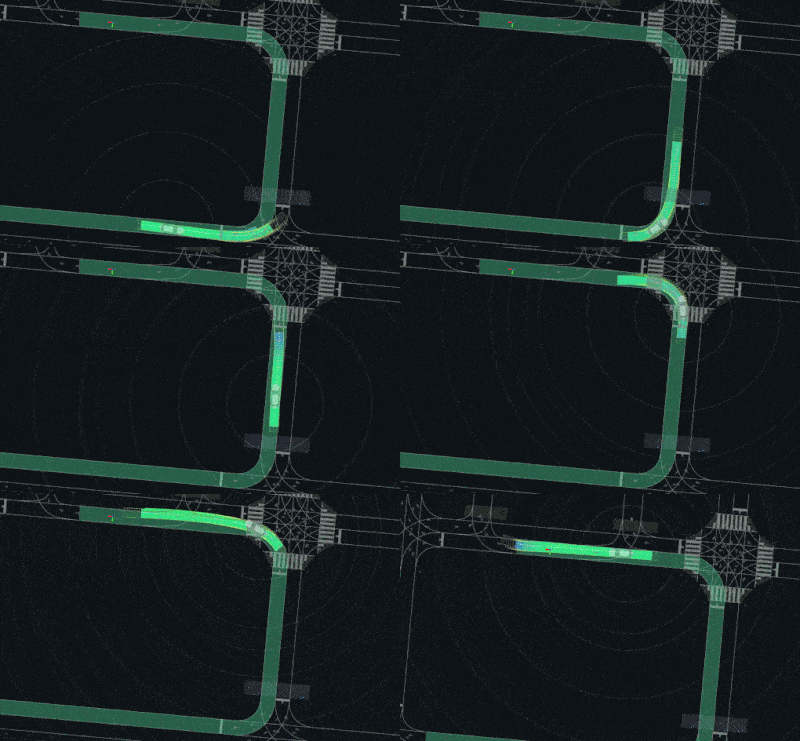
Diffusion-based trajectory generation for flexible and robust planning
-
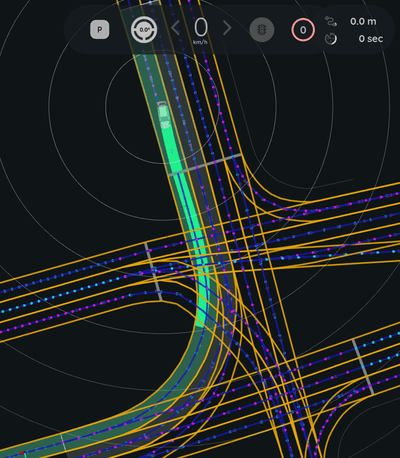
Integration with Lanelet2 maps for lane-level context
-
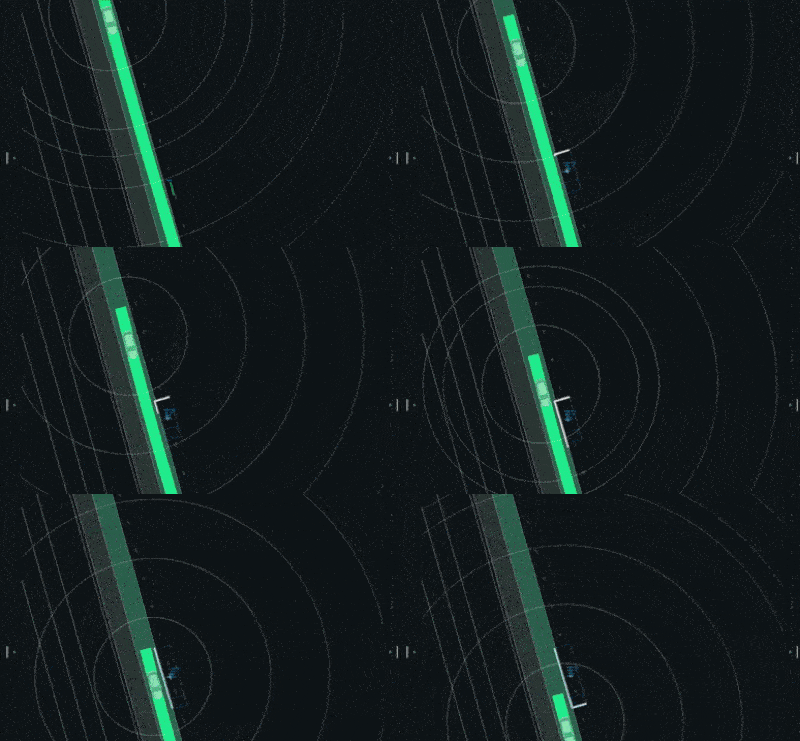
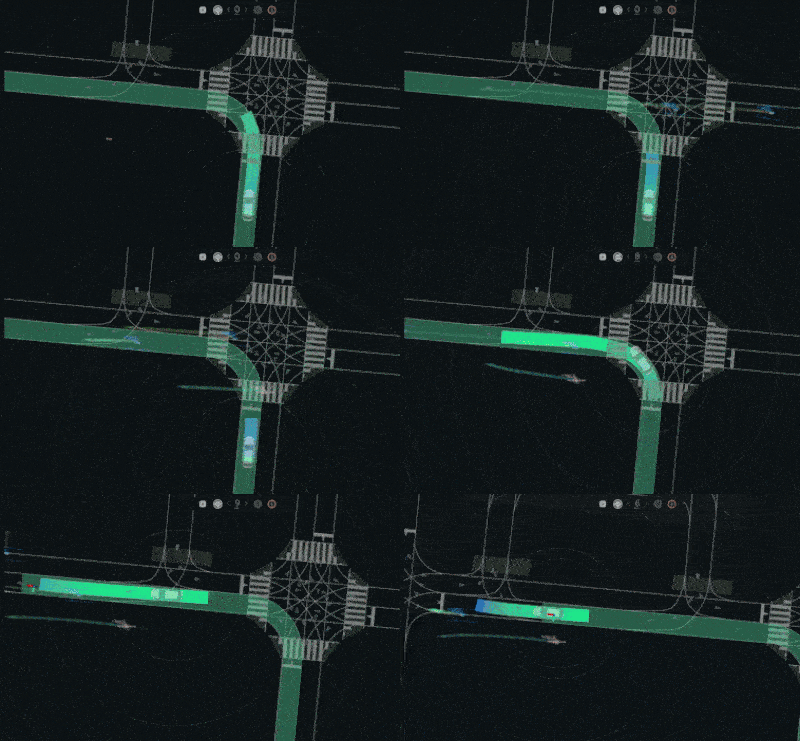
Dynamic and static obstacle handling using perception inputs
-
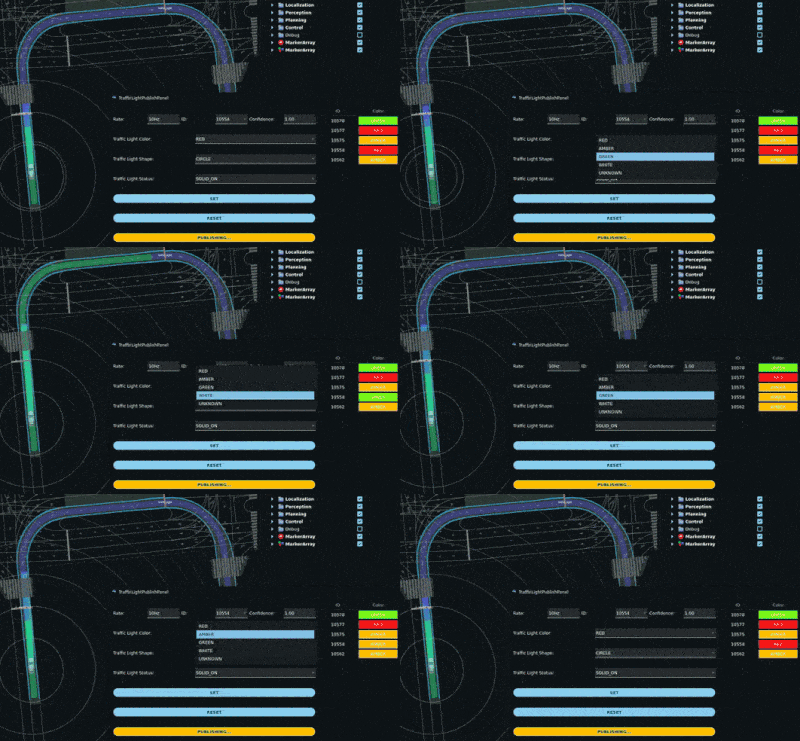
Traffic signal and speed limit awareness
-
ONNX Runtime inference for fast neural network execution
-
ROS 2 publishers for planned trajectories, predicted objects, and debug markers


Installation
Dependencies
- Autoware Universe packages
- Eigen3
- Lanelet2
- C++17
Build
Clone this package into your Autoware workspace and build with colcon:
cd ~/autoware/src
git clone <this-repo-url>
cd ~/autoware
rosdep install --from-paths src --ignore-src -r -y
colcon build --packages-select autoware_diffusion_planner
Usage
Launch the planner as a component node:
ros2 launch autoware_diffusion_planner diffusion_planner.launch.xml
Or include it in your Autoware launch setup.
Parameters
Parameters can be set via YAML (see config/diffusion_planner.param.yaml) or via the ROS 2 parameter server.
Main Parameters
| Name | Type | Default | Description |
|---|---|---|---|
onnx_model_path | string | "" | Path to the ONNX model file for the diffusion planner |
args_path | string | "" | Path to model argument/configuration file |
planning_frequency_hz | double | 10.0 | Planning frequency in Hz |
predict_neighbor_trajectory | bool | false | Predict trajectories for neighbor agents |
update_traffic_light_group_info | bool | false | Enable updating of traffic light group info |
traffic_light_group_msg_timeout_seconds | double | 0.2 | Timeout for traffic light group messages (seconds) |
Debug Parameters
| Name | Type | Default | Description |
|---|---|---|---|
debug_params.publish_debug_map | bool | false | Publish debug map markers |
debug_params.publish_debug_route | bool | false | Publish debug route markers |
Inputs
/input/odometry(nav_msgs/msg/Odometry): Ego vehicle odometry/input/acceleration(geometry_msgs/msg/AccelWithCovarianceStamped): Ego acceleration/input/tracked_objects(autoware_perception_msgs/msg/TrackedObjects): Detected dynamic objects/input/traffic_signals(autoware_perception_msgs/msg/TrafficLightGroupArray): Traffic light states/input/vector_map(autoware_map_msgs/msg/LaneletMapBin): Lanelet2 map/input/route(autoware_planning_msgs/msg/LaneletRoute): Route information
Outputs
/output/trajectory(autoware_planning_msgs/msg/Trajectory): Planned trajectory for the ego vehicle/output/trajectories(autoware_new_planning_msgs/msg/Trajectories): Multiple candidate trajectories/output/predicted_objects(autoware_perception_msgs/msg/PredictedObjects): Predicted future states of dynamic objects/debug/lane_marker(visualization_msgs/msg/MarkerArray): Lane debug markers/debug/route_marker(visualization_msgs/msg/MarkerArray): Route debug markers
Example Configuration
onnx_model_path: "/path/to/diffusion_planner.onnx"
args_path: "/path/to/model_args.yaml"
planning_frequency_hz: 10.0
predict_neighbor_trajectory: false
update_traffic_light_group_info: true
traffic_light_group_msg_timeout_seconds: 0.2

debug_params:
  publish_debug_map: true
  publish_debug_route: false
Testing
Unit tests are provided and can be run with:
colcon test --packages-select autoware_diffusion_planner
colcon test-result --all
❗ Limitations
While the Diffusion Planner shows promising capabilities, there are several limitations to be aware of:
-
Route Termination: The route input to the model consists of a sequence of preferred lanelets from the current position to the goal region. However, this route does not necessarily end exactly at the goal position. As a result, the ego vehicle may continue driving past the goal instead of stopping at the target location.
-
Training Dataset Domain Gap: The provided diffusion model checkpoint was trained on datasets using a proprietary Lanelet2 map that is not publicly available. Consequently, performance may significantly degrade when running on other maps, especially in environments with different topology or tagging conventions.
-
Route Adherence & Lane Changing: The model sometimes fails to strictly follow the preferred lanelet route. If the ego vehicle leaves the preferred lane (e.g., to avoid an obstacle), it tends to only return to the route during curves. It seldom performs deliberate lane changes to merge back into the correct route on straight segments.
-
Agent and Obstacle Avoidance: Although the planner reacts to other agents and can perform avoidance maneuvers, this behavior is not fully reliable. In some cases, collisions with static or dynamic obstacles may still occur due to ignored agents or insufficient context comprehension.
-
Lack of Static Object Context: Static environment context such as traffic cones, guard rails, or construction barriers is not currently provided to the model. Instead, an empty tensor is passed in their place, which can lead to limited understanding of occlusions or drivable boundaries.
Development & Contribution
- Follow the Autoware coding guidelines.
- Contributions, bug reports, and feature requests are welcome via GitHub issues and pull requests.
References
- Diffusion Planner (original repo)
- Diffusion planner (our fork of the previous repo, used to train the model)
- "Diffusion-Based Planning for Autonomous Driving with Flexible Guidance"
- Autoware Universe
License
This package is released under the Apache 2.0 License.
Similar repos


Languages
C++
98.8%
CMake
1.2%
README
Since it has been merged into Autoware, this repository is scheduled to be archived. Please add new features to Autoware Universe.
Autoware Diffusion Planner
Overview
The Autoware Diffusion Planner is a trajectory generation module for autonomous vehicles, designed to work within the Autoware ecosystem. It leverages the Diffusion Planner model, as described in the paper "Diffusion-Based Planning for Autonomous Driving with Flexible Guidance" by Zheng et al.
This planner generates smooth, feasible, and safe trajectories by considering:
- Dynamic and static obstacles
- Vehicle kinematics
- User-defined constraints
- Lanelet2 map context
- Traffic signals and speed limits
It is implemented as a ROS 2 component node, making it easy to integrate into Autoware-based stacks. The node is aimed at working within the proposed Autoware new planning framework.
Features
-
Diffusion-based trajectory generation for flexible and robust planning
-
Integration with Lanelet2 maps for lane-level context
-
Dynamic and static obstacle handling using perception inputs
-
Traffic signal and speed limit awareness
-
ONNX Runtime inference for fast neural network execution
-
ROS 2 publishers for planned trajectories, predicted objects, and debug markers
Installation
Dependencies
- Autoware Universe packages
- Eigen3
- Lanelet2
- C++17
Build
Clone this package into your Autoware workspace and build with colcon:
cd ~/autoware/src
git clone <this-repo-url>
cd ~/autoware
rosdep install --from-paths src --ignore-src -r -y
colcon build --packages-select autoware_diffusion_planner
Usage
Launch the planner as a component node:
ros2 launch autoware_diffusion_planner diffusion_planner.launch.xml
Or include it in your Autoware launch setup.
Parameters
Parameters can be set via YAML (see config/diffusion_planner.param.yaml) or via the ROS 2 parameter server.
Main Parameters
| Name | Type | Default | Description |
|---|---|---|---|
onnx_model_path | string | "" | Path to the ONNX model file for the diffusion planner |
args_path | string | "" | Path to model argument/configuration file |
planning_frequency_hz | double | 10.0 | Planning frequency in Hz |
predict_neighbor_trajectory | bool | false | Predict trajectories for neighbor agents |
update_traffic_light_group_info | bool | false | Enable updating of traffic light group info |
traffic_light_group_msg_timeout_seconds | double | 0.2 | Timeout for traffic light group messages (seconds) |
Debug Parameters
| Name | Type | Default | Description |
|---|---|---|---|
debug_params.publish_debug_map | bool | false | Publish debug map markers |
debug_params.publish_debug_route | bool | false | Publish debug route markers |
Inputs
/input/odometry(nav_msgs/msg/Odometry): Ego vehicle odometry/input/acceleration(geometry_msgs/msg/AccelWithCovarianceStamped): Ego acceleration/input/tracked_objects(autoware_perception_msgs/msg/TrackedObjects): Detected dynamic objects/input/traffic_signals(autoware_perception_msgs/msg/TrafficLightGroupArray): Traffic light states/input/vector_map(autoware_map_msgs/msg/LaneletMapBin): Lanelet2 map/input/route(autoware_planning_msgs/msg/LaneletRoute): Route information
Outputs
/output/trajectory(autoware_planning_msgs/msg/Trajectory): Planned trajectory for the ego vehicle/output/trajectories(autoware_new_planning_msgs/msg/Trajectories): Multiple candidate trajectories/output/predicted_objects(autoware_perception_msgs/msg/PredictedObjects): Predicted future states of dynamic objects/debug/lane_marker(visualization_msgs/msg/MarkerArray): Lane debug markers/debug/route_marker(visualization_msgs/msg/MarkerArray): Route debug markers
Example Configuration
onnx_model_path: "/path/to/diffusion_planner.onnx"
args_path: "/path/to/model_args.yaml"
planning_frequency_hz: 10.0
predict_neighbor_trajectory: false
update_traffic_light_group_info: true
traffic_light_group_msg_timeout_seconds: 0.2

debug_params:
  publish_debug_map: true
  publish_debug_route: false
Testing
Unit tests are provided and can be run with:
colcon test --packages-select autoware_diffusion_planner
colcon test-result --all
❗ Limitations
While the Diffusion Planner shows promising capabilities, there are several limitations to be aware of:
-
Route Termination: The route input to the model consists of a sequence of preferred lanelets from the current position to the goal region. However, this route does not necessarily end exactly at the goal position. As a result, the ego vehicle may continue driving past the goal instead of stopping at the target location.
-
Training Dataset Domain Gap: The provided diffusion model checkpoint was trained on datasets using a proprietary Lanelet2 map that is not publicly available. Consequently, performance may significantly degrade when running on other maps, especially in environments with different topology or tagging conventions.
-
Route Adherence & Lane Changing: The model sometimes fails to strictly follow the preferred lanelet route. If the ego vehicle leaves the preferred lane (e.g., to avoid an obstacle), it tends to only return to the route during curves. It seldom performs deliberate lane changes to merge back into the correct route on straight segments.
-
Agent and Obstacle Avoidance: Although the planner reacts to other agents and can perform avoidance maneuvers, this behavior is not fully reliable. In some cases, collisions with static or dynamic obstacles may still occur due to ignored agents or insufficient context comprehension.
-
Lack of Static Object Context: Static environment context such as traffic cones, guard rails, or construction barriers is not currently provided to the model. Instead, an empty tensor is passed in their place, which can lead to limited understanding of occlusions or drivable boundaries.
Development & Contribution
- Follow the Autoware coding guidelines.
- Contributions, bug reports, and feature requests are welcome via GitHub issues and pull requests.
References
- Diffusion Planner (original repo)
- Diffusion planner (our fork of the previous repo, used to train the model)
- "Diffusion-Based Planning for Autonomous Driving with Flexible Guidance"
- Autoware Universe
License
This package is released under the Apache 2.0 License.
Similar repos
Languages
C++
98.8%
CMake
1.2%