
Double-tap to turn your Android screen off, without leaving accessibility on. Plus wallpapers drawn around your camera hole.
See the codeSee what people are saying
README
TapOff
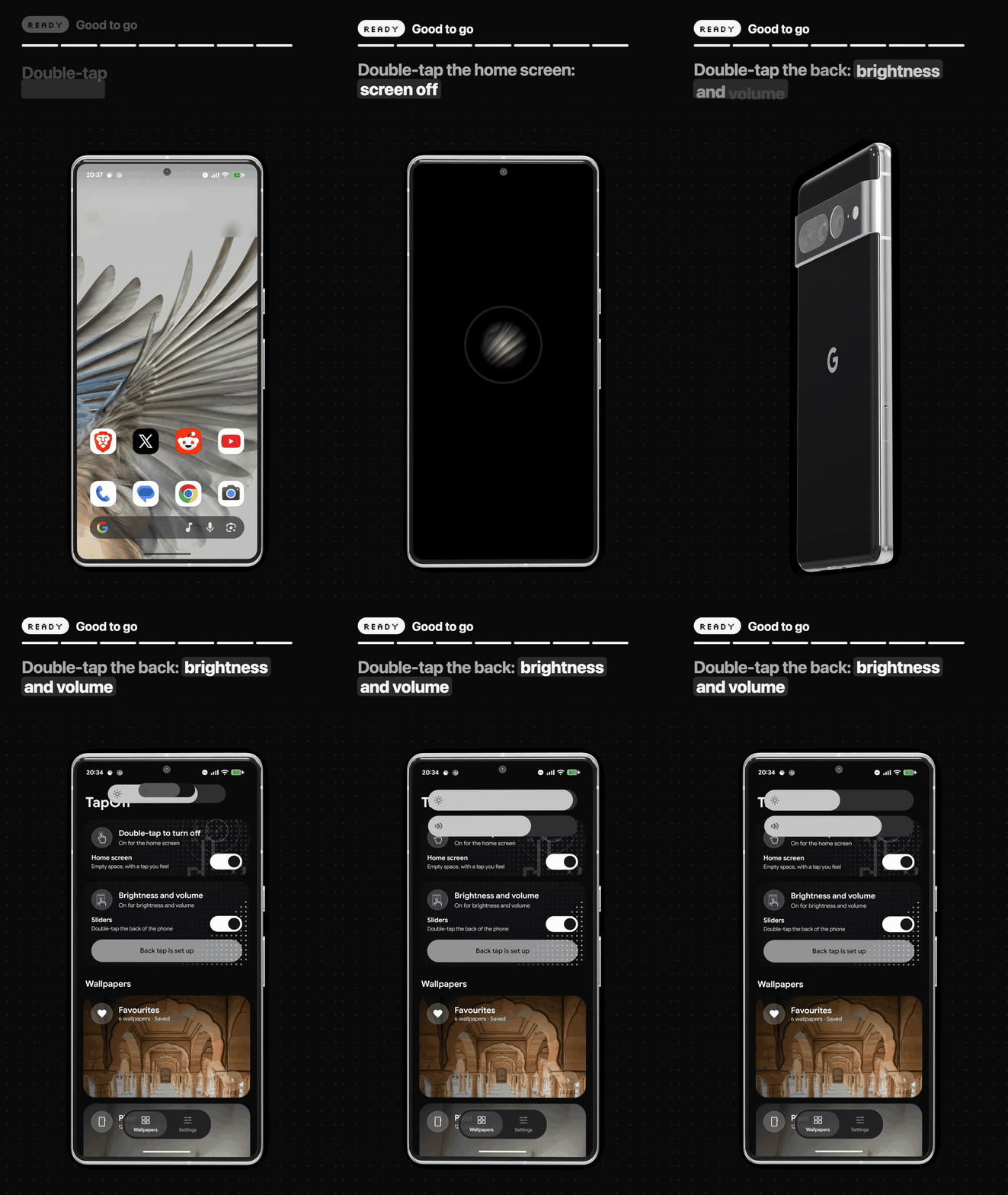
Double-tap to turn your Android phone's screen off, for when the power button is worn out, hard to press through a case, or just too far away. Double-tap the back of the phone for brightness and volume sliders. Plus a wallpaper browser with wallpapers drawn around your camera hole.
Download: TapOff.apk · Website: https://tapoff.vercel.app
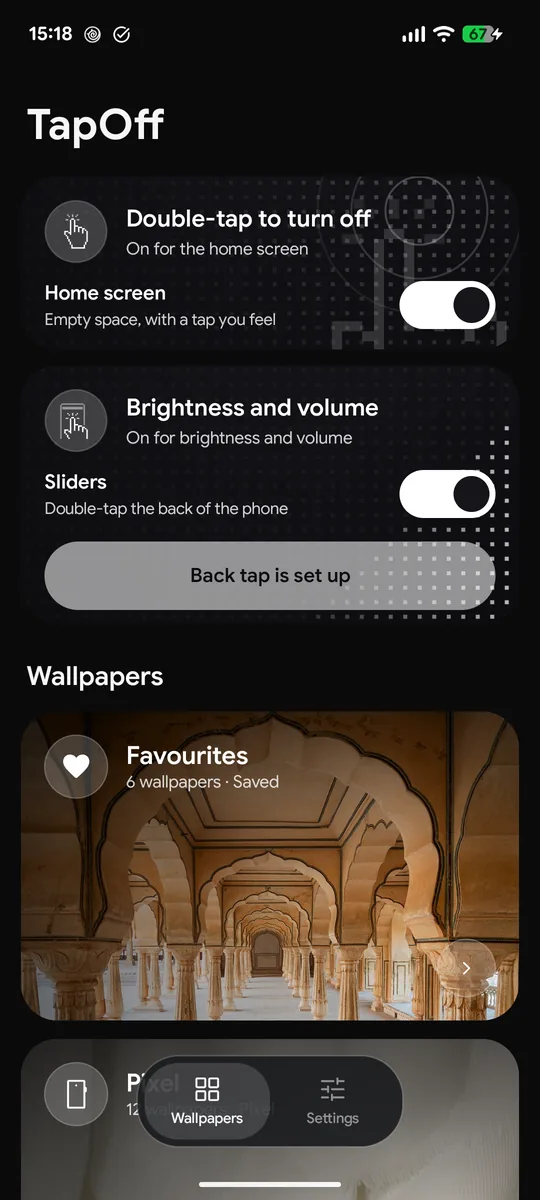
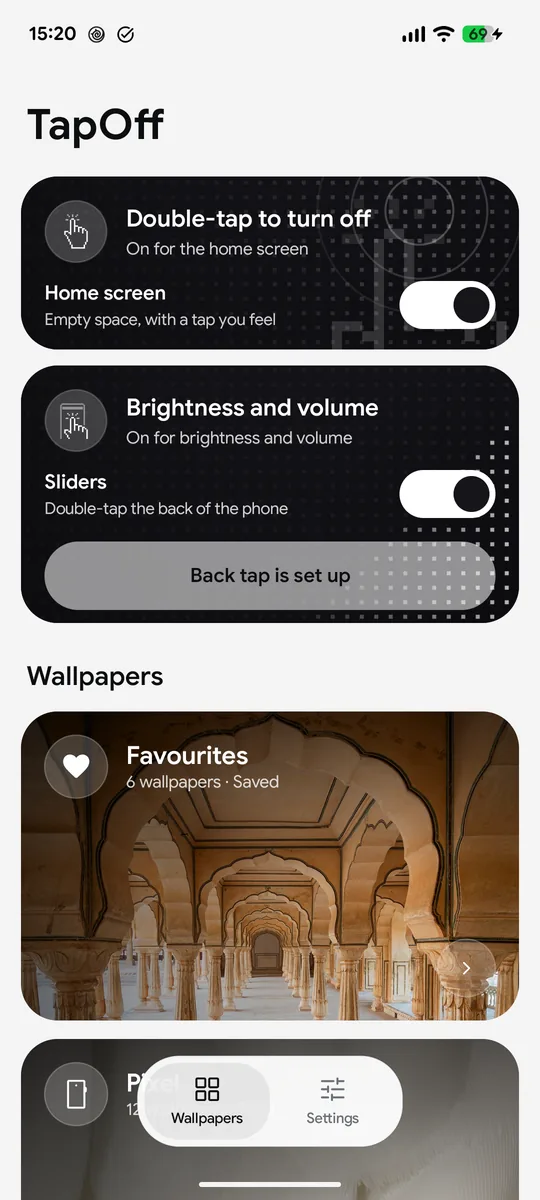
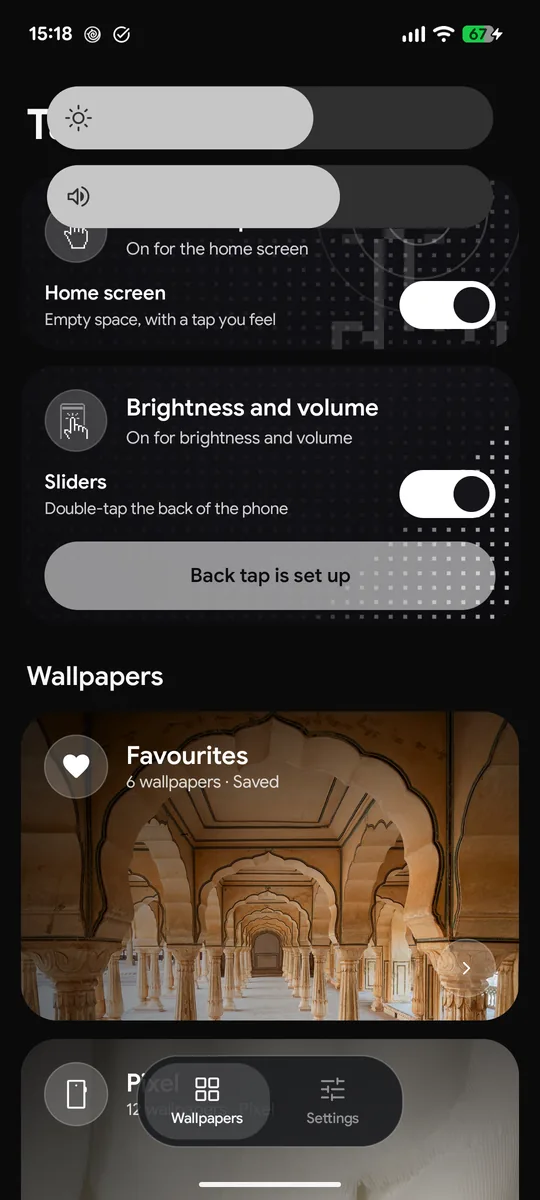
In most countries, opening that APK from a browser or file manager is blocked by Play Protect ("App blocked to protect your device"), because TapOff has an accessibility service. Install has the two ways in.
What it does
-
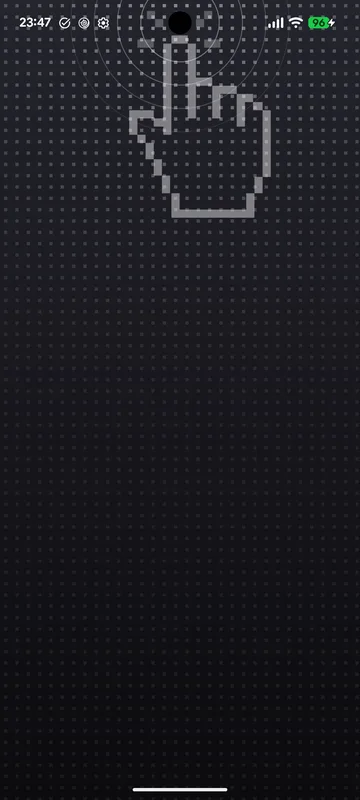
Double-tap the home screen on any empty space and the screen turns off, with a tap you feel.
-
Keeps bank apps working. Many banking apps refuse to open while any accessibility service is on. TapOff's is off all the time and switches on for about a second only while it turns the screen off.
-
Fingerprint unlock still works afterwards. The darkness closes in on the spot you tapped instead of flashing the lock screen.
-
Brightness and volume sliders that grow out of the camera hole, in your wallpaper's colours. Open them by double-tapping the back of the phone (Pixel's Quick Tap → Open app → TapOff Sliders); in landscape they open in the middle of the screen. Drag to change; touch anything else and they tuck back in while the rest of the screen keeps working. Adaptive brightness stays on. Needs "Display over other apps".
-
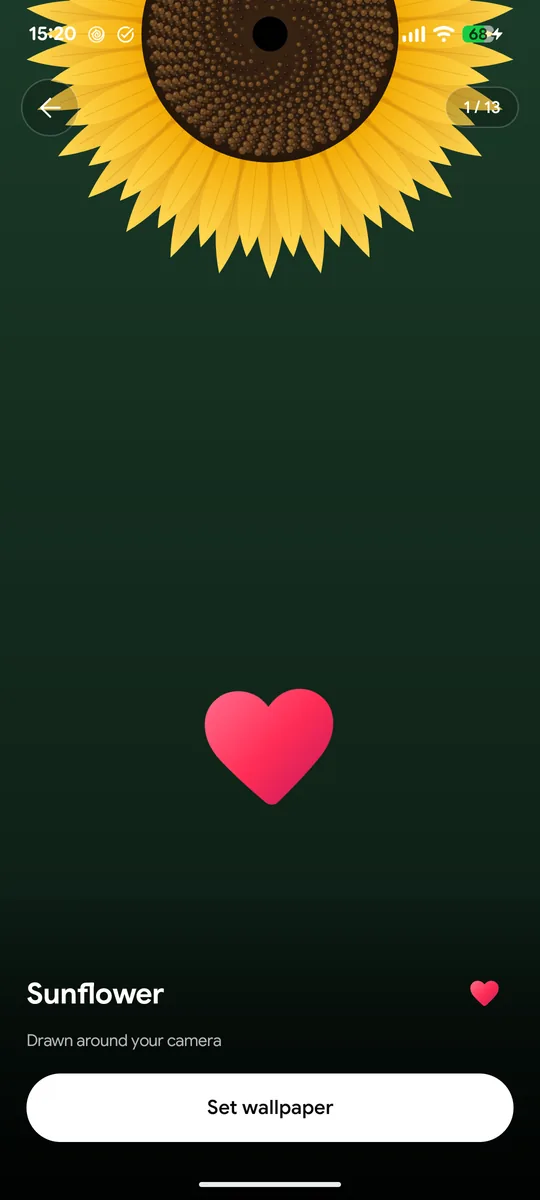
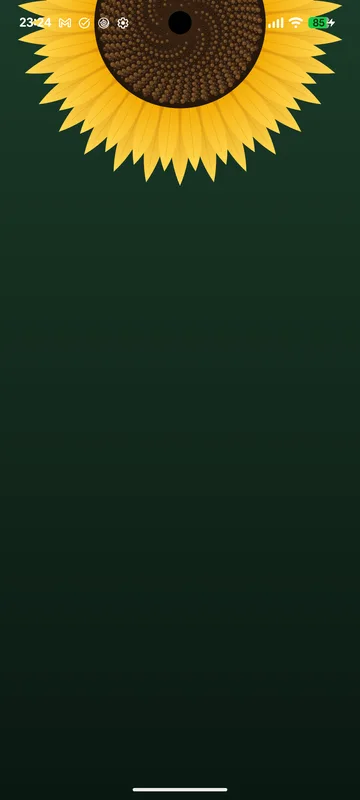
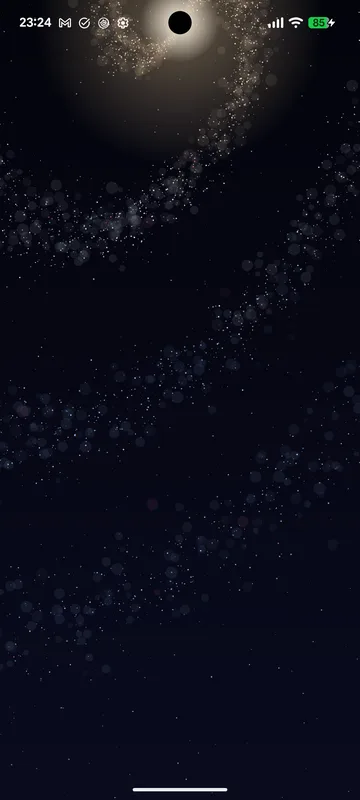
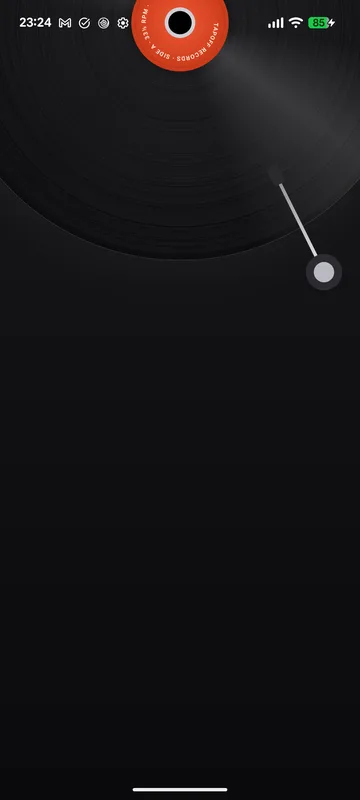
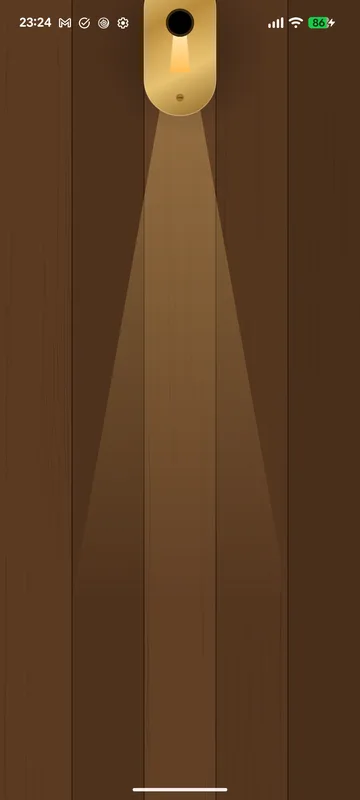
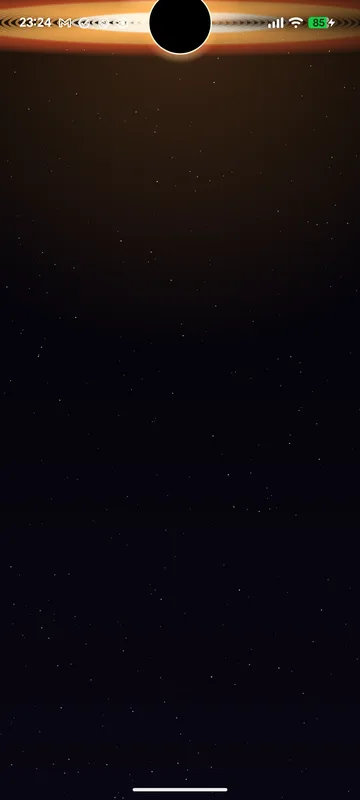
Wallpapers: Pixel's built-in ones, today's Bing photo, hand-checked art from Wallhaven, your own photo, and Cutout: 13 designs drawn live around your phone's camera hole (a black hole, a galaxy, a sunflower, a record, a keyhole...), and NASA's Hubble photos at full resolution. Whatever you pick goes on the home and lock screen. Double-tap one in the preview to save it to Favourites.
-
Quick Settings tiles for Screen off and Volume.
-
Light, dark or follow the system.
-
Checks GitHub for a newer version and offers an update button.
Install
TapOff needs Android 13 or newer. It was built and tested on a Pixel 7 running Android 17. It needs one permission that apps can't give themselves, so setup is a one-time step, on the phone or from a computer.
Without a computer (Shizuku)
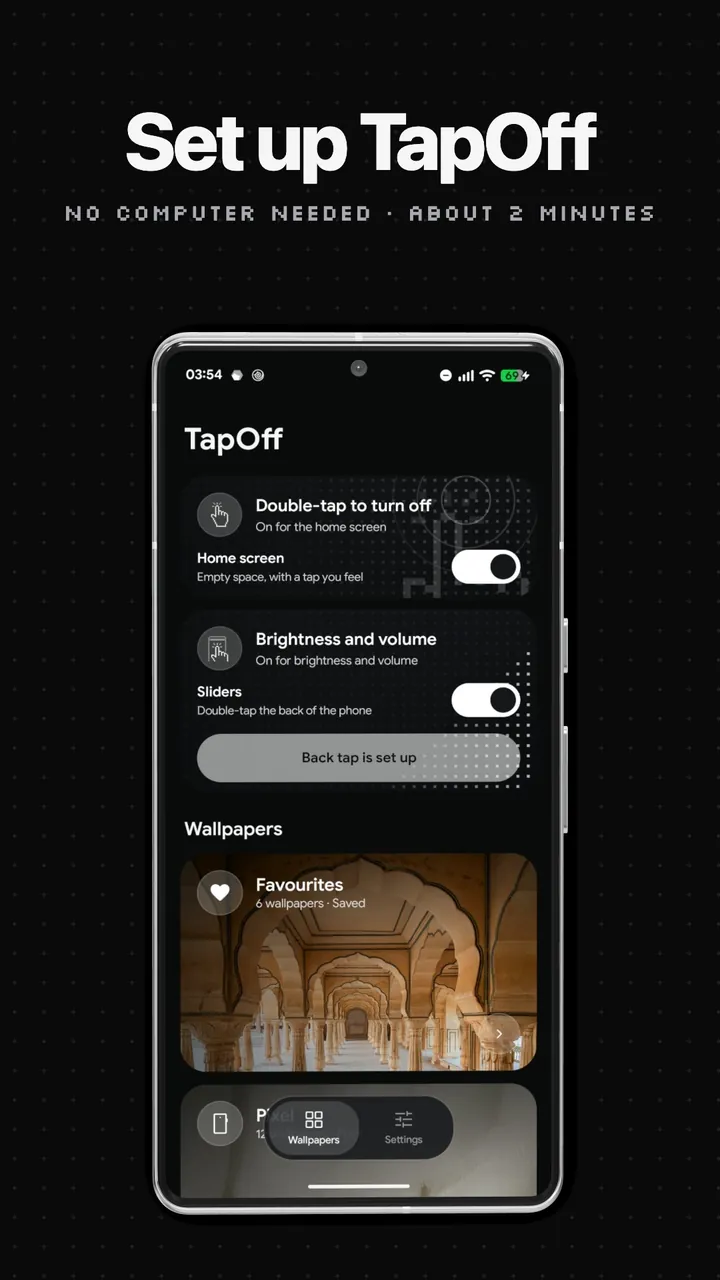
Watch it first if you like: the setup video (99 s) shows every step below on a Pixel.
- Download TapOff.apk on the phone and install it. If Play Protect says "App blocked to protect your device": Play Store → your profile → Play Protect → the gear → turn off Scan apps with Play Protect → Pause, then install again. Scanning turns itself back on the next day.
- Install Shizuku from the Play Store, open it and start it with Wireless debugging (it walks you through pairing on the phone; needs Wi-Fi).
- Open TapOff → Settings → Set up without a computer → Allow. The permission stays, so Shizuku can go afterwards.
Why Play Protect blocks it: Google's fraud protection (on in 185 markets) stops a browser or file manager from
installing any app with an accessibility service, and TapOff's accessibility service is what turns the screen off.
The block doesn't apply while app scanning is paused, or to installs run as shell. So instead of pausing, you can
start Shizuku first, install InstallerX Revived
(third-party, open source), set its Authorizer to Shizuku and open TapOff.apk with it: it installs as shell,
the same way a computer's adb install does. Keep Shizuku and you can install TapOff's updates that way too.
With a computer
- On the phone: Settings → About phone → tap Build number 7 times, then Settings → System → Developer options → turn on USB debugging.
- On the computer: download TapOff.apk and
Android platform-tools, plug the phone in, accept the
prompt on it, and run this in the folder with the APK:
You can turn USB debugging off again afterwards; the permission stays.adb install -r TapOff.apk && adb shell pm grant com.taseen.tapoff android.permission.WRITE_SECURE_SETTINGS
Then
- Open TapOff and tap Set TapOff as home wallpaper. Choose Home screen and lock screen. The home-screen double-tap works through the wallpaper, so this step is required.
- Optional: turn on Sliders, allow Display over other apps, then Set up back tap → Quick Tap → Open app → the gear → TapOff Sliders.
Build from source
No Gradle. You need JDK 17 and the Android SDK (platforms;android-35, build-tools;35.0.0, which includes aidl).
./build.sh            # builds TapOff.apk
./build.sh --install  # also installs it on a connected phone and grants the permission
Set JAVA_HOME and ANDROID_HOME if they aren't the Homebrew defaults. The first build creates a signing key
(debug.keystore, never committed). Set TAPOFF_KEYSTORE / TAPOFF_KEYSTORE_PASS to use your own.
How it works
| Part | File |
|---|---|
Live wallpaper that hears home-screen taps (android.wallpaper.tap) and draws your wallpaper | TapWallpaper.java |
| Accessibility service that fades to black, locks, and switches itself off | LockService.java |
| Brightness and volume sliders from the camera hole | NotchPanel.java |
| What Quick Tap opens to show the sliders | SlidersActivity.java |
| Wallpaper sources, on-phone cache, applying to home and lock screen | Wallpapers.java |
| The Cutout designs, drawn around the real camera hole | CutoutArt.java |
| Main screen, deck of cards, settings | MainActivity.java, GlassCard.java |
| Full-screen preview with swipe, double-tap to favourite | PreviewActivity.java, SwipeHint.java, DoubleTapHint.java |
| Quick Settings tiles | ScreenOffTile.java, VolumeTile.java |
Setup without a computer: receives Shizuku's binder and runs pm grant through it | ShizukuSetup.java, src/moe/shizuku/ |
Privacy
TapOff has no accounts, no analytics and no ads. It only goes online to fetch wallpapers (Bing, NASA, Wallhaven) and to check GitHub for a newer version, and downloaded wallpapers are cached on the phone. The accessibility service reads nothing on screen; it only turns the screen off.
Credits
- Photos of the day from Bing; space photos from the NASA Image and Video Library; art from Wallhaven. Each belongs to its owner.
- Pixel wallpapers are read from the Pixel wallpaper app already on your phone; none are included here.
- The no-computer setup talks to Shizuku; its interface files in
src/moe/shizuku/come from Shizuku-API (Apache 2.0). - App icons are Material Symbols and the swipe hint's hand is Material Icons "touch_app" (Apache 2.0). Website icons are Lucide (ISC).
Bugs
Message @taseen_tariq_ on X. If you can't send a DM, reply to any post.
License
Similar repos


Languages
HTML
75.9%
Java
23.5%
Double-tap to turn your Android screen off, without leaving accessibility on. Plus wallpapers drawn around your camera hole.
See the codeSee what people are saying
README
TapOff
Double-tap to turn your Android phone's screen off, for when the power button is worn out, hard to press through a case, or just too far away. Double-tap the back of the phone for brightness and volume sliders. Plus a wallpaper browser with wallpapers drawn around your camera hole.
Download: TapOff.apk · Website: https://tapoff.vercel.app
In most countries, opening that APK from a browser or file manager is blocked by Play Protect ("App blocked to protect your device"), because TapOff has an accessibility service. Install has the two ways in.
What it does
-
Double-tap the home screen on any empty space and the screen turns off, with a tap you feel.
-
Keeps bank apps working. Many banking apps refuse to open while any accessibility service is on. TapOff's is off all the time and switches on for about a second only while it turns the screen off.
-
Fingerprint unlock still works afterwards. The darkness closes in on the spot you tapped instead of flashing the lock screen.
-
Brightness and volume sliders that grow out of the camera hole, in your wallpaper's colours. Open them by double-tapping the back of the phone (Pixel's Quick Tap → Open app → TapOff Sliders); in landscape they open in the middle of the screen. Drag to change; touch anything else and they tuck back in while the rest of the screen keeps working. Adaptive brightness stays on. Needs "Display over other apps".
-
Wallpapers: Pixel's built-in ones, today's Bing photo, hand-checked art from Wallhaven, your own photo, and Cutout: 13 designs drawn live around your phone's camera hole (a black hole, a galaxy, a sunflower, a record, a keyhole...), and NASA's Hubble photos at full resolution. Whatever you pick goes on the home and lock screen. Double-tap one in the preview to save it to Favourites.
-
Quick Settings tiles for Screen off and Volume.
-
Light, dark or follow the system.
-
Checks GitHub for a newer version and offers an update button.
Install
TapOff needs Android 13 or newer. It was built and tested on a Pixel 7 running Android 17. It needs one permission that apps can't give themselves, so setup is a one-time step, on the phone or from a computer.
Without a computer (Shizuku)
Watch it first if you like: the setup video (99 s) shows every step below on a Pixel.
- Download TapOff.apk on the phone and install it. If Play Protect says "App blocked to protect your device": Play Store → your profile → Play Protect → the gear → turn off Scan apps with Play Protect → Pause, then install again. Scanning turns itself back on the next day.
- Install Shizuku from the Play Store, open it and start it with Wireless debugging (it walks you through pairing on the phone; needs Wi-Fi).
- Open TapOff → Settings → Set up without a computer → Allow. The permission stays, so Shizuku can go afterwards.
Why Play Protect blocks it: Google's fraud protection (on in 185 markets) stops a browser or file manager from
installing any app with an accessibility service, and TapOff's accessibility service is what turns the screen off.
The block doesn't apply while app scanning is paused, or to installs run as shell. So instead of pausing, you can
start Shizuku first, install InstallerX Revived
(third-party, open source), set its Authorizer to Shizuku and open TapOff.apk with it: it installs as shell,
the same way a computer's adb install does. Keep Shizuku and you can install TapOff's updates that way too.
With a computer
- On the phone: Settings → About phone → tap Build number 7 times, then Settings → System → Developer options → turn on USB debugging.
- On the computer: download TapOff.apk and
Android platform-tools, plug the phone in, accept the
prompt on it, and run this in the folder with the APK:
You can turn USB debugging off again afterwards; the permission stays.adb install -r TapOff.apk && adb shell pm grant com.taseen.tapoff android.permission.WRITE_SECURE_SETTINGS
Then
- Open TapOff and tap Set TapOff as home wallpaper. Choose Home screen and lock screen. The home-screen double-tap works through the wallpaper, so this step is required.
- Optional: turn on Sliders, allow Display over other apps, then Set up back tap → Quick Tap → Open app → the gear → TapOff Sliders.
Build from source
No Gradle. You need JDK 17 and the Android SDK (platforms;android-35, build-tools;35.0.0, which includes aidl).
./build.sh            # builds TapOff.apk
./build.sh --install  # also installs it on a connected phone and grants the permission
Set JAVA_HOME and ANDROID_HOME if they aren't the Homebrew defaults. The first build creates a signing key
(debug.keystore, never committed). Set TAPOFF_KEYSTORE / TAPOFF_KEYSTORE_PASS to use your own.
How it works
| Part | File |
|---|---|
Live wallpaper that hears home-screen taps (android.wallpaper.tap) and draws your wallpaper | TapWallpaper.java |
| Accessibility service that fades to black, locks, and switches itself off | LockService.java |
| Brightness and volume sliders from the camera hole | NotchPanel.java |
| What Quick Tap opens to show the sliders | SlidersActivity.java |
| Wallpaper sources, on-phone cache, applying to home and lock screen | Wallpapers.java |
| The Cutout designs, drawn around the real camera hole | CutoutArt.java |
| Main screen, deck of cards, settings | MainActivity.java, GlassCard.java |
| Full-screen preview with swipe, double-tap to favourite | PreviewActivity.java, SwipeHint.java, DoubleTapHint.java |
| Quick Settings tiles | ScreenOffTile.java, VolumeTile.java |
Setup without a computer: receives Shizuku's binder and runs pm grant through it | ShizukuSetup.java, src/moe/shizuku/ |
Privacy
TapOff has no accounts, no analytics and no ads. It only goes online to fetch wallpapers (Bing, NASA, Wallhaven) and to check GitHub for a newer version, and downloaded wallpapers are cached on the phone. The accessibility service reads nothing on screen; it only turns the screen off.
Credits
- Photos of the day from Bing; space photos from the NASA Image and Video Library; art from Wallhaven. Each belongs to its owner.
- Pixel wallpapers are read from the Pixel wallpaper app already on your phone; none are included here.
- The no-computer setup talks to Shizuku; its interface files in
src/moe/shizuku/come from Shizuku-API (Apache 2.0). - App icons are Material Symbols and the swipe hint's hand is Material Icons "touch_app" (Apache 2.0). Website icons are Lucide (ISC).
Bugs
Message @taseen_tariq_ on X. If you can't send a DM, reply to any post.
License
Similar repos
Languages
HTML
75.9%
Java
23.5%