
Focus: a text-only, black and white minimalist launcher for Android. App timers that lock distracting apps, a weekly screen time review, no internet permission.
See the codeSee what people are saying (1)
README
Focus
Reclaim your time. Spend it touching some grass.
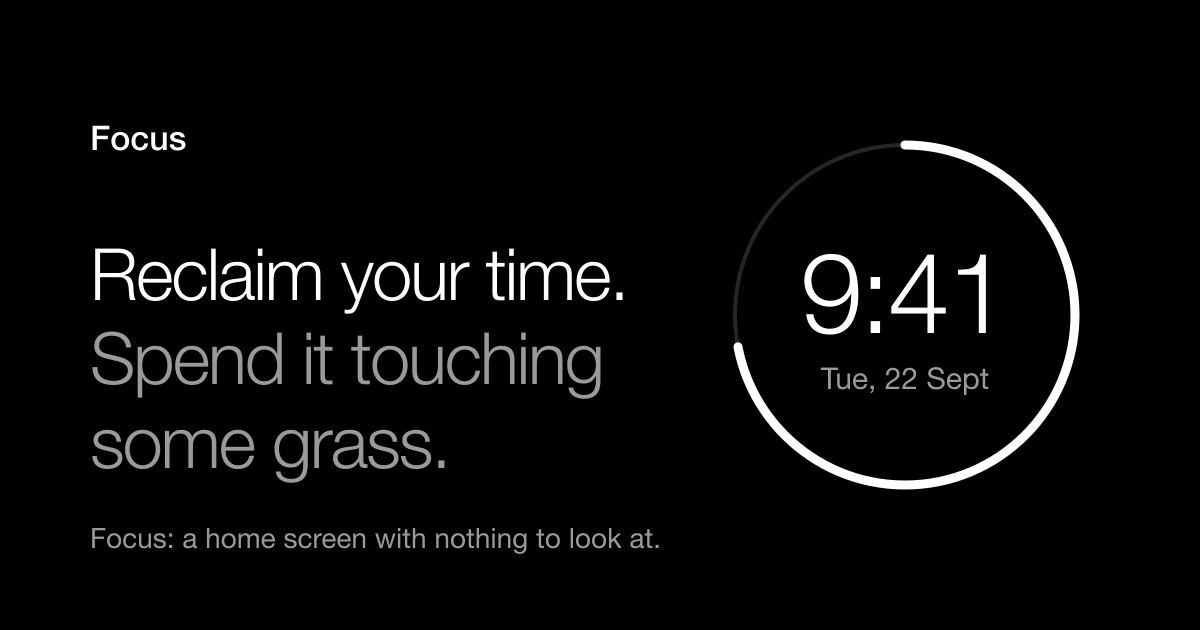
Focus is a minimalist launcher for Android: a text-only home screen built to be looked at as little as possible. No icons, no colour: black and white, the time, up to five apps you chose, and an honest picture of where the day went. It locks social apps and games when their daily time is up, and once a week it shows you the week you actually had.
Website · Download the APK (1.3 MB, Android 8.0+) · no ads, no account, no internet permission
Built with Kotlin and Jetpack Compose, without the Material library, in about 6,500 lines.
What it does
Home screen (page 1)
- Clock inside a ring. The bright arc is the battery level (a full circle is 100%), with the percentage and "charging" / "low" under the date. It can show the part of the day that has passed instead. Tapping the circle runs an action of your choice: open any app, alarms, calendar, screen time, battery, or nothing. Long-press the circle to change it.
- Screen-time bar: 24 cells, one per hour. The white part of each cell is the share of that hour spent on the phone, so the total amount of white is today's screen time out of 24 h.
- Optional calendar section: the next events from one calendar of your choice. Until you pick, Focus shows the main calendar that actually has events coming up (the first "primary" calendar on a phone is often an empty local account). The picker can be searched and shows how many events each calendar has coming up. Emoji are stripped from titles. A Mon-Sun strip with today marked can be switched on; it is off because the ring has the date. Calendars inside an Android Work profile are read through the official cross-profile calendar API, so they only appear if the organisation managing the profile allows this app. When it does not, settings say so instead of showing nothing; sharing the work calendar with a personal Google account is the sanctioned way to get it onto the home screen.
- Up to 5 "fast apps", as plain text.
- Two corner shortcuts (Phone / Camera by default). Long-press one to change it.
- Everything you touch lights up softly and fades back (no ripples, no colour).
- Gestures: swipe left = app drawer, swipe up = search, swipe down = notifications, long-press empty space = settings, double tap = lock (optional).
App drawer (page 2)
- Search bar, "installed in the last 24 hours", then every app alphabetically with an A–Z scrubber.
- Long-press an app: Uninstall · App info · Move to fast apps · App timer · Rename · Hide app.
App timers
- Social media and games get a daily allowance automatically (30 min by default, configurable, or off). Video & streaming is a third automatic group that is off until you switch it on. Any other app can be given a timer from its long-press menu.
- When the time is used up the app is locked behind a "Time's up" wall. From there you can close the app, continue for a few minutes (after a short pause), or ignore the limit for the day. Both escape hatches can be switched off (strict mode).
- Ignoring a limit does not make the app free for the day: Focus still asks "open anyway?" before every visit, with "Not now" as the big button and a one-tap way to bring the limit back. (Opened from Focus, the launcher asks; opened from a notification or recents, the timer service does. One yes covers the visit, until you are back on a home screen or the screen turns off.)
- Every time you go past a limit it is counted, and shown back to you.
Weekly review
- At the end of the week (Sunday 20:00 by default) a line appears on the home screen and a notification is posted. The review shows total and daily-average time, change versus last week, a bar per day, when in the day the phone was used, the top apps with when each is mostly used, how often limits were hit / continued / ignored, and unlock counts. It ends with one question and a one-line intention that is shown again the following week.
How apps are sorted into "social", "game" and the rest
Android's own label cannot be used as is. Its CATEGORY_SOCIAL officially means "messaging,
communication, email, or social network apps" (the Play Store files its Social, Communication and
Dating categories under it), so Gmail, Chrome and WhatsApp carry the same label as Instagram.
AppRepository.categorize therefore works in this order:
- Social media: a curated list of feeds, social networks and dating apps. Wins over everything.
- Game: Android's label, which the Play Store sets reliably.
- Video: a curated list (YouTube, Netflix, ...) plus Android's video label.
- Anything else Android calls "social" is a communication tool if it is on a curated list, if the system reports that it can open a generic web page, send mail or SMS, or dial (that is how browsers, mail clients and messengers are recognised without naming them), or if its package name says so. Tools are never limited automatically.
- Whatever is left is unsure: not limited, and listed under Settings → App timers → Limited apps → "Not sure about these", where one tap gives it a timer.
Being wrong in the strict direction (locking mail) costs more trust than being wrong in the lax one (missing a niche social app), so the classifier never guesses towards a limit. Every automatic decision is visible in "Limited apps" and can be overridden per app.
Permissions it asks for, and why
| Switch | Needed for |
|---|---|
| Default launcher | Being the home screen. |
| Usage access | All screen-time numbers: day bar, timers, weekly review. |
| Accessibility service ("Focus app timers") | Locking an app while you are in it. It only listens for window changes to learn the name of the app in front; canRetrieveWindowContent is false, so it cannot read the screen. |
| Notifications (optional) | The weekly review reminder. |
| Calendar (optional) | The calendar section. |
Without the accessibility service, timers still work at launch time: a spent app opened from Focus shows the wall instead. With it, the wall also comes up mid-session.
The app declares no INTERNET permission. Nothing leaves the phone.
Building
Requirements: JDK 17–21 and the Android SDK with platform 36.
./gradlew :app:assembleDebug      # debuggable build
./gradlew :app:assembleRelease    # R8-optimised build (~1.3 MB), signed with the debug key
./gradlew :app:testDebugUnitTest  # usage state machine + emoji stripping
adb install -r app/build/outputs/apk/release/app-release.apk
adb shell cmd package compile -m speed-profile -f com.focus.launcher   # optional: precompile right away
Use the release build for daily use. Compose is markedly slower in debuggable builds; swipes
and scrolling stutter there in a way they do not in release. profileinstaller is included so the
baseline profiles inside the Compose libraries are applied to sideloaded builds too.
Two machine-specific files:
local.properties→sdk.dir(not for version control).gradle.properties→org.gradle.java.homeis pinned to Homebrew's JDK 21, because Gradle 8.14 cannot run on JDK 25. Remove or edit that line on another machine.
Library versions are deliberately one step behind the newest: Compose 1.12 / core 1.19 /
lifecycle 2.11 require compileSdk 37 and AGP 9.1+. See gradle/libs.versions.toml.
Debug builds additionally export ReviewActivity and BlockActivity
(app/src/debug/AndroidManifest.xml) so they can be opened from adb:
adb shell am start -n com.focus.launcher/.SettingsActivity --es route timers
adb shell am start -n com.focus.launcher/.ReviewActivity
adb shell am start -n com.focus.launcher/.BlockActivity --es package com.instagram.android --el used 1860000 --ei limit 30 --ez preview true
Website and public download
Live at https://how2me.me/focusapp/ : a black and white, script-free landing page with the
APK download. Source in site/src, generated output in site/public (git-ignored; it contains
the APK).
./gradlew :app:assembleDist && site/deploy.sh # build signed APK, build site, upload, verify
deploy.sh re-downloads the APK afterwards and compares its SHA-256 with the local build, so a
bad upload fails loudly. The page shows that same checksum.
- Being found. The
<title>, description and an eyebrow inside the<h1>carry the phrase people search for ("minimalist launcher for Android"); the visible headline stays the owner's own line. The build derives JSON-LD (MobileApplication+FAQPage) from the page itself, writessitemap.xml, and arobots.txtthat is served at the domain root (it restricts nothing; it only names the sitemap).deploy.shpings IndexNow (Bing, Yandex, Seznam, Naver) after every deploy. Google takes no pings: it needs Search Console. Add the propertyhttps://how2me.me/focusapp/(URL prefix), choose the HTML-file method, drop the downloadedgoogle….htmlintosite/src/, runsite/deploy.sh, press Verify, then submitsitemap.xml. None of this substitutes for other sites linking here; nothing links to the page yet, not even the how2me.me homepage. - Hosting. nginx on the Oracle VM. Files live in
/var/www/focusapp, deliberately outside the main how2me.me root so redeploying that site cannot wipe them. The rules are insite/nginx-focusapp.conf, installed as/etc/nginx/snippets/focusapp.confand pulled into the how2me.me server block by a singleincludeline (a backup of the config from before that edit is at/etc/nginx/how2me.bak-*). Strict CSP (default-src 'none', no scripts, no inline styles),.apkserved asapplication/vnd.android.package-archivewithContent-Disposition: attachmentbecause nginx 1.18 does not know the type. - No personal data on the page. The phone mockups are HTML/SVG with invented content. Do not replace them with real screenshots: those show apps, calendar names and usage.
- Signing. Three build types:
debug;release(optimized, signed with the debug key, for the developer's own phone); anddist(the same optimized build signed with the real key, the only one that may be published). The key is~/.android/keystores/focus-release.jks; its location and password are inkeystore.properties(git-ignored). Back both up. If they are lost, no update can ever be installed over a published build. Android will not install adistAPK over adebug/releaseone or vice versa (different signatures): switching a phone between them means uninstalling first, which resets Focus's settings.
Staying small and quiet
A launcher is the one app that is always alive, so what it costs while nothing is happening
matters more than anything else. Measured on a OnePlus (Android 16), release build compiled with
speed-profile:
- Cold start: 0.57 s of CPU in total (main thread 0.22 s, background work 0.13 s), launch in ~660 ms. The first version spent 5.9 s of CPU on background work alone over a few minutes.
- Idle on screen: 0 frames drawn and ~0 ms CPU per 5 s. There are no looping animations;
every animation is finite, and animated values are read in the draw phase (
graphicsLayer,Canvas, the press indication) so they repaint without recomposing. - In the background: nothing runs. The once-a-minute refresh, the clock tick and the battery listener are tied to the lifecycle and stop when the home screen is not visible. No services besides the accessibility service (event-driven), no periodic jobs, one inexact alarm a week.
- Screen time is a running total.
UsageRepository.DayAccumulatorfeeds each system event to a long-livedForegroundTrackerexactly once; a refresh only asks the OS for events since the previous one (leaving the last 1.5 s to settle, because the OS writes its log from another thread). Re-reading the whole day on every return home, as the first version did, meant iterating tens of thousands of events a hundred times a day. When nothing changed, the very sameDayUsageobject is handed back, so nothing recomposes either. - Cold start does not re-read 200 labels. Loading a label opens that app's resources (seconds
in total). The remembered list stores each package's
lastUpdateTime; a label is only loaded for apps that are new or updated, and the cache is tied to the locale. A single install/update refreshes just that package instead of rescanning everything. - The calendar agenda is cached until the calendar provider reports a change (a
ContentObserverthat only flips a flag), an event in it ends, or ten minutes pass. - Apps open over the whole screen from their first frame (scale-up from 94%, fading in). An
earlier "clip reveal" that grew out of the tapped row looked good but hid most of the new app
for the first half of the animation, so every launch felt late; from the clock ring at the top
it was worst. Note that since Android 13 resource animations (
makeCustomAnimation) are ignored for task-level transitions such as a launcher opening an app; only the built-in scale-up and clip-reveal types are honoured. The system's own animation is one setting away (Appearance → Opening apps). Each launch logs how long the launcher took to hand over (adb logcat -s FocusLaunch), to compare with the system'sDisplayed … +NNNms, which is the opened app's own start-up time. - Swipes fade with
CompositingStrategy.ModulateAlpha, not through a full-screen off-screen buffer per page per frame. - Memory: no icons, no images, no Material library, no database; settings and day files are small JSON. The app's own Java heap is 6-10 MB. Total PSS reads anywhere from ~55 MB (settled) to ~95 MB (seconds after a cold start, when every code page has just been touched); most of it is runtime, framework and GPU-driver code shared with other apps, not data this app holds.
- Compiled with
speed-profile, notspeed. Compiling every method is marginally faster but maps several MB more code; compiling the hot paths named in the Compose baseline profiles (profileinstaller) gets nearly all of the speed for less memory, and is what Android does by itself for store-installed apps. Caches are dropped onTRIM_MEMORY_BACKGROUND, and deliberately not onUI_HIDDEN, which fires on every app launch and would defeat them.
To check for yourself:
adb shell dumpsys meminfo com.focus.launcher | grep -E "Java Heap:|Native Heap:|Code:|Graphics:|TOTAL PSS:"
adb shell dumpsys gfxinfo com.focus.launcher | grep "Total frames rendered"   # run twice, 10 s apart, screen idle
Code map
app/src/main/java/com/focus/launcher/
  FocusApp.kt, Graph.kt        Application + hand-rolled service locator (one process, shared state)
  MainActivity.kt              Pager: home ⇄ drawer, lifecycle refresh, Home-button handling
  SettingsActivity.kt          "Focus Settings" (also the LAUNCHER entry)
  ReviewActivity.kt            Today / weekly review
  BlockActivity.kt             The "Time's up" wall
  data/
    Settings.kt, SettingsStore.kt   Preferences as one immutable data class in a StateFlow
    AppRepository.kt           LauncherApps scan, labels, categories, disk cache for instant cold start
    UsageRepository.kt         Usage events → per-app, per-hour screen time; per-day JSON cache
    LimitManager.kt            Which apps are limited, continue/bypass passes, tally for the review
    WeekSummary.kt             Aggregation behind the weekly review
    ForegroundTracker.kt       Pure state machine: usage events in, foreground intervals out (unit tested)
    CalendarRepository.kt      Calendar list, one-calendar agenda, emoji stripping (unit tested)
    AppState.kt
  service/
    FocusAccessibilityService.kt    Mid-session enforcement
    WeeklyReview.kt            Alarm, notification, "review is due" bookkeeping
  ui/
    theme/        Two palettes (black, white), press-fade indication, edge-to-edge helpers
    components/   Text, rows, switch, buttons, dialogs. No Material: nothing brings in colour.
    home/ drawer/ block/ review/ settings/
How screen time is computed
UsageStatsManager.queryEvents gives RESUMED / PAUSED / STOPPED events per activity. Android pairs
them by activity instance, but the instance id is hidden from apps, and apps like Instagram stack
several instances of the same activity class. Tracking by class name loses time (a late STOPPED of
an old instance closes the new one; on a real day this lost 24 of Instagram's 75 minutes).
So ForegroundTracker (fed by UsageRepository.compute) keeps, per package, a counter of resumed-but-not-yet-paused
activities, ignores STOPPED, and uses "another package resumed and no PAUSED followed within 3 s"
as the safety net for crashes and split-screen. Checked against the system's instance-aware totals
for 40 apps over a real day, every app was within 10 seconds (5:28:50 vs 5:29:20 overall).
Two things the numbers deliberately leave out, and one they cannot see. Time on a home screen is
not counted, but only real launchers are excluded: the Settings app also declares a HOME
activity (FallbackHome, priority -1000, shown while the phone boots), and mistaking it for a
launcher once made all time spent in Settings vanish. And usage inside an Android Work profile is
invisible to a normal app (UsageStatsManager only covers the calling user), so Focus's total can
be a little lower than Digital Wellbeing's on phones that have one.
Note that "today" means since local midnight. Android's own daily bucket does not start at
midnight, so Digital Wellbeing-style totals from dumpsys usagestats can differ for apps used the
previous evening.
The OS keeps raw events for only about a week, so each finished day is stored as
files/usage/YYYY-MM-DD.json. That is what lets the review look further back. Bump
DayUsage.CACHE_VERSION whenever the computation changes.
Contributors

2 commits
Similar repos


Languages
Kotlin
87.6%
HTML
5.7%
CSS
4.6%
Shell
2.1%
Focus: a text-only, black and white minimalist launcher for Android. App timers that lock distracting apps, a weekly screen time review, no internet permission.
See the codeSee what people are saying (1)
README
Focus
Reclaim your time. Spend it touching some grass.
Focus is a minimalist launcher for Android: a text-only home screen built to be looked at as little as possible. No icons, no colour: black and white, the time, up to five apps you chose, and an honest picture of where the day went. It locks social apps and games when their daily time is up, and once a week it shows you the week you actually had.
Website · Download the APK (1.3 MB, Android 8.0+) · no ads, no account, no internet permission
Built with Kotlin and Jetpack Compose, without the Material library, in about 6,500 lines.
What it does
Home screen (page 1)
- Clock inside a ring. The bright arc is the battery level (a full circle is 100%), with the percentage and "charging" / "low" under the date. It can show the part of the day that has passed instead. Tapping the circle runs an action of your choice: open any app, alarms, calendar, screen time, battery, or nothing. Long-press the circle to change it.
- Screen-time bar: 24 cells, one per hour. The white part of each cell is the share of that hour spent on the phone, so the total amount of white is today's screen time out of 24 h.
- Optional calendar section: the next events from one calendar of your choice. Until you pick, Focus shows the main calendar that actually has events coming up (the first "primary" calendar on a phone is often an empty local account). The picker can be searched and shows how many events each calendar has coming up. Emoji are stripped from titles. A Mon-Sun strip with today marked can be switched on; it is off because the ring has the date. Calendars inside an Android Work profile are read through the official cross-profile calendar API, so they only appear if the organisation managing the profile allows this app. When it does not, settings say so instead of showing nothing; sharing the work calendar with a personal Google account is the sanctioned way to get it onto the home screen.
- Up to 5 "fast apps", as plain text.
- Two corner shortcuts (Phone / Camera by default). Long-press one to change it.
- Everything you touch lights up softly and fades back (no ripples, no colour).
- Gestures: swipe left = app drawer, swipe up = search, swipe down = notifications, long-press empty space = settings, double tap = lock (optional).
App drawer (page 2)
- Search bar, "installed in the last 24 hours", then every app alphabetically with an A–Z scrubber.
- Long-press an app: Uninstall · App info · Move to fast apps · App timer · Rename · Hide app.
App timers
- Social media and games get a daily allowance automatically (30 min by default, configurable, or off). Video & streaming is a third automatic group that is off until you switch it on. Any other app can be given a timer from its long-press menu.
- When the time is used up the app is locked behind a "Time's up" wall. From there you can close the app, continue for a few minutes (after a short pause), or ignore the limit for the day. Both escape hatches can be switched off (strict mode).
- Ignoring a limit does not make the app free for the day: Focus still asks "open anyway?" before every visit, with "Not now" as the big button and a one-tap way to bring the limit back. (Opened from Focus, the launcher asks; opened from a notification or recents, the timer service does. One yes covers the visit, until you are back on a home screen or the screen turns off.)
- Every time you go past a limit it is counted, and shown back to you.
Weekly review
- At the end of the week (Sunday 20:00 by default) a line appears on the home screen and a notification is posted. The review shows total and daily-average time, change versus last week, a bar per day, when in the day the phone was used, the top apps with when each is mostly used, how often limits were hit / continued / ignored, and unlock counts. It ends with one question and a one-line intention that is shown again the following week.
How apps are sorted into "social", "game" and the rest
Android's own label cannot be used as is. Its CATEGORY_SOCIAL officially means "messaging,
communication, email, or social network apps" (the Play Store files its Social, Communication and
Dating categories under it), so Gmail, Chrome and WhatsApp carry the same label as Instagram.
AppRepository.categorize therefore works in this order:
- Social media: a curated list of feeds, social networks and dating apps. Wins over everything.
- Game: Android's label, which the Play Store sets reliably.
- Video: a curated list (YouTube, Netflix, ...) plus Android's video label.
- Anything else Android calls "social" is a communication tool if it is on a curated list, if the system reports that it can open a generic web page, send mail or SMS, or dial (that is how browsers, mail clients and messengers are recognised without naming them), or if its package name says so. Tools are never limited automatically.
- Whatever is left is unsure: not limited, and listed under Settings → App timers → Limited apps → "Not sure about these", where one tap gives it a timer.
Being wrong in the strict direction (locking mail) costs more trust than being wrong in the lax one (missing a niche social app), so the classifier never guesses towards a limit. Every automatic decision is visible in "Limited apps" and can be overridden per app.
Permissions it asks for, and why
| Switch | Needed for |
|---|---|
| Default launcher | Being the home screen. |
| Usage access | All screen-time numbers: day bar, timers, weekly review. |
| Accessibility service ("Focus app timers") | Locking an app while you are in it. It only listens for window changes to learn the name of the app in front; canRetrieveWindowContent is false, so it cannot read the screen. |
| Notifications (optional) | The weekly review reminder. |
| Calendar (optional) | The calendar section. |
Without the accessibility service, timers still work at launch time: a spent app opened from Focus shows the wall instead. With it, the wall also comes up mid-session.
The app declares no INTERNET permission. Nothing leaves the phone.
Building
Requirements: JDK 17–21 and the Android SDK with platform 36.
./gradlew :app:assembleDebug      # debuggable build
./gradlew :app:assembleRelease    # R8-optimised build (~1.3 MB), signed with the debug key
./gradlew :app:testDebugUnitTest  # usage state machine + emoji stripping
adb install -r app/build/outputs/apk/release/app-release.apk
adb shell cmd package compile -m speed-profile -f com.focus.launcher   # optional: precompile right away
Use the release build for daily use. Compose is markedly slower in debuggable builds; swipes
and scrolling stutter there in a way they do not in release. profileinstaller is included so the
baseline profiles inside the Compose libraries are applied to sideloaded builds too.
Two machine-specific files:
local.properties→sdk.dir(not for version control).gradle.properties→org.gradle.java.homeis pinned to Homebrew's JDK 21, because Gradle 8.14 cannot run on JDK 25. Remove or edit that line on another machine.
Library versions are deliberately one step behind the newest: Compose 1.12 / core 1.19 /
lifecycle 2.11 require compileSdk 37 and AGP 9.1+. See gradle/libs.versions.toml.
Debug builds additionally export ReviewActivity and BlockActivity
(app/src/debug/AndroidManifest.xml) so they can be opened from adb:
adb shell am start -n com.focus.launcher/.SettingsActivity --es route timers
adb shell am start -n com.focus.launcher/.ReviewActivity
adb shell am start -n com.focus.launcher/.BlockActivity --es package com.instagram.android --el used 1860000 --ei limit 30 --ez preview true
Website and public download
Live at https://how2me.me/focusapp/ : a black and white, script-free landing page with the
APK download. Source in site/src, generated output in site/public (git-ignored; it contains
the APK).
./gradlew :app:assembleDist && site/deploy.sh # build signed APK, build site, upload, verify
deploy.sh re-downloads the APK afterwards and compares its SHA-256 with the local build, so a
bad upload fails loudly. The page shows that same checksum.
- Being found. The
<title>, description and an eyebrow inside the<h1>carry the phrase people search for ("minimalist launcher for Android"); the visible headline stays the owner's own line. The build derives JSON-LD (MobileApplication+FAQPage) from the page itself, writessitemap.xml, and arobots.txtthat is served at the domain root (it restricts nothing; it only names the sitemap).deploy.shpings IndexNow (Bing, Yandex, Seznam, Naver) after every deploy. Google takes no pings: it needs Search Console. Add the propertyhttps://how2me.me/focusapp/(URL prefix), choose the HTML-file method, drop the downloadedgoogle….htmlintosite/src/, runsite/deploy.sh, press Verify, then submitsitemap.xml. None of this substitutes for other sites linking here; nothing links to the page yet, not even the how2me.me homepage. - Hosting. nginx on the Oracle VM. Files live in
/var/www/focusapp, deliberately outside the main how2me.me root so redeploying that site cannot wipe them. The rules are insite/nginx-focusapp.conf, installed as/etc/nginx/snippets/focusapp.confand pulled into the how2me.me server block by a singleincludeline (a backup of the config from before that edit is at/etc/nginx/how2me.bak-*). Strict CSP (default-src 'none', no scripts, no inline styles),.apkserved asapplication/vnd.android.package-archivewithContent-Disposition: attachmentbecause nginx 1.18 does not know the type. - No personal data on the page. The phone mockups are HTML/SVG with invented content. Do not replace them with real screenshots: those show apps, calendar names and usage.
- Signing. Three build types:
debug;release(optimized, signed with the debug key, for the developer's own phone); anddist(the same optimized build signed with the real key, the only one that may be published). The key is~/.android/keystores/focus-release.jks; its location and password are inkeystore.properties(git-ignored). Back both up. If they are lost, no update can ever be installed over a published build. Android will not install adistAPK over adebug/releaseone or vice versa (different signatures): switching a phone between them means uninstalling first, which resets Focus's settings.
Staying small and quiet
A launcher is the one app that is always alive, so what it costs while nothing is happening
matters more than anything else. Measured on a OnePlus (Android 16), release build compiled with
speed-profile:
- Cold start: 0.57 s of CPU in total (main thread 0.22 s, background work 0.13 s), launch in ~660 ms. The first version spent 5.9 s of CPU on background work alone over a few minutes.
- Idle on screen: 0 frames drawn and ~0 ms CPU per 5 s. There are no looping animations;
every animation is finite, and animated values are read in the draw phase (
graphicsLayer,Canvas, the press indication) so they repaint without recomposing. - In the background: nothing runs. The once-a-minute refresh, the clock tick and the battery listener are tied to the lifecycle and stop when the home screen is not visible. No services besides the accessibility service (event-driven), no periodic jobs, one inexact alarm a week.
- Screen time is a running total.
UsageRepository.DayAccumulatorfeeds each system event to a long-livedForegroundTrackerexactly once; a refresh only asks the OS for events since the previous one (leaving the last 1.5 s to settle, because the OS writes its log from another thread). Re-reading the whole day on every return home, as the first version did, meant iterating tens of thousands of events a hundred times a day. When nothing changed, the very sameDayUsageobject is handed back, so nothing recomposes either. - Cold start does not re-read 200 labels. Loading a label opens that app's resources (seconds
in total). The remembered list stores each package's
lastUpdateTime; a label is only loaded for apps that are new or updated, and the cache is tied to the locale. A single install/update refreshes just that package instead of rescanning everything. - The calendar agenda is cached until the calendar provider reports a change (a
ContentObserverthat only flips a flag), an event in it ends, or ten minutes pass. - Apps open over the whole screen from their first frame (scale-up from 94%, fading in). An
earlier "clip reveal" that grew out of the tapped row looked good but hid most of the new app
for the first half of the animation, so every launch felt late; from the clock ring at the top
it was worst. Note that since Android 13 resource animations (
makeCustomAnimation) are ignored for task-level transitions such as a launcher opening an app; only the built-in scale-up and clip-reveal types are honoured. The system's own animation is one setting away (Appearance → Opening apps). Each launch logs how long the launcher took to hand over (adb logcat -s FocusLaunch), to compare with the system'sDisplayed … +NNNms, which is the opened app's own start-up time. - Swipes fade with
CompositingStrategy.ModulateAlpha, not through a full-screen off-screen buffer per page per frame. - Memory: no icons, no images, no Material library, no database; settings and day files are small JSON. The app's own Java heap is 6-10 MB. Total PSS reads anywhere from ~55 MB (settled) to ~95 MB (seconds after a cold start, when every code page has just been touched); most of it is runtime, framework and GPU-driver code shared with other apps, not data this app holds.
- Compiled with
speed-profile, notspeed. Compiling every method is marginally faster but maps several MB more code; compiling the hot paths named in the Compose baseline profiles (profileinstaller) gets nearly all of the speed for less memory, and is what Android does by itself for store-installed apps. Caches are dropped onTRIM_MEMORY_BACKGROUND, and deliberately not onUI_HIDDEN, which fires on every app launch and would defeat them.
To check for yourself:
adb shell dumpsys meminfo com.focus.launcher | grep -E "Java Heap:|Native Heap:|Code:|Graphics:|TOTAL PSS:"
adb shell dumpsys gfxinfo com.focus.launcher | grep "Total frames rendered"   # run twice, 10 s apart, screen idle
Code map
app/src/main/java/com/focus/launcher/
  FocusApp.kt, Graph.kt        Application + hand-rolled service locator (one process, shared state)
  MainActivity.kt              Pager: home ⇄ drawer, lifecycle refresh, Home-button handling
  SettingsActivity.kt          "Focus Settings" (also the LAUNCHER entry)
  ReviewActivity.kt            Today / weekly review
  BlockActivity.kt             The "Time's up" wall
  data/
    Settings.kt, SettingsStore.kt   Preferences as one immutable data class in a StateFlow
    AppRepository.kt           LauncherApps scan, labels, categories, disk cache for instant cold start
    UsageRepository.kt         Usage events → per-app, per-hour screen time; per-day JSON cache
    LimitManager.kt            Which apps are limited, continue/bypass passes, tally for the review
    WeekSummary.kt             Aggregation behind the weekly review
    ForegroundTracker.kt       Pure state machine: usage events in, foreground intervals out (unit tested)
    CalendarRepository.kt      Calendar list, one-calendar agenda, emoji stripping (unit tested)
    AppState.kt
  service/
    FocusAccessibilityService.kt    Mid-session enforcement
    WeeklyReview.kt            Alarm, notification, "review is due" bookkeeping
  ui/
    theme/        Two palettes (black, white), press-fade indication, edge-to-edge helpers
    components/   Text, rows, switch, buttons, dialogs. No Material: nothing brings in colour.
    home/ drawer/ block/ review/ settings/
How screen time is computed
UsageStatsManager.queryEvents gives RESUMED / PAUSED / STOPPED events per activity. Android pairs
them by activity instance, but the instance id is hidden from apps, and apps like Instagram stack
several instances of the same activity class. Tracking by class name loses time (a late STOPPED of
an old instance closes the new one; on a real day this lost 24 of Instagram's 75 minutes).
So ForegroundTracker (fed by UsageRepository.compute) keeps, per package, a counter of resumed-but-not-yet-paused
activities, ignores STOPPED, and uses "another package resumed and no PAUSED followed within 3 s"
as the safety net for crashes and split-screen. Checked against the system's instance-aware totals
for 40 apps over a real day, every app was within 10 seconds (5:28:50 vs 5:29:20 overall).
Two things the numbers deliberately leave out, and one they cannot see. Time on a home screen is
not counted, but only real launchers are excluded: the Settings app also declares a HOME
activity (FallbackHome, priority -1000, shown while the phone boots), and mistaking it for a
launcher once made all time spent in Settings vanish. And usage inside an Android Work profile is
invisible to a normal app (UsageStatsManager only covers the calling user), so Focus's total can
be a little lower than Digital Wellbeing's on phones that have one.
Note that "today" means since local midnight. Android's own daily bucket does not start at
midnight, so Digital Wellbeing-style totals from dumpsys usagestats can differ for apps used the
previous evening.
The OS keeps raw events for only about a week, so each finished day is stored as
files/usage/YYYY-MM-DD.json. That is what lets the review look further back. Bump
DayUsage.CACHE_VERSION whenever the computation changes.
Similar repos
Contributors
2 commits
Languages
Kotlin
87.6%
HTML
5.7%
CSS
4.6%
Shell
2.1%