Glyd Condor: Qwen3.8-Flash-Next (180B) on one 16 GB NVIDIA GPU with Glyd's engine
HTML
29
7 commits
updated Oct 18, 2026
Run a 180-billion-parameter AI model on one 16 GB NVIDIA graphics card
Linux · 64 GB of RAM · free for personal use
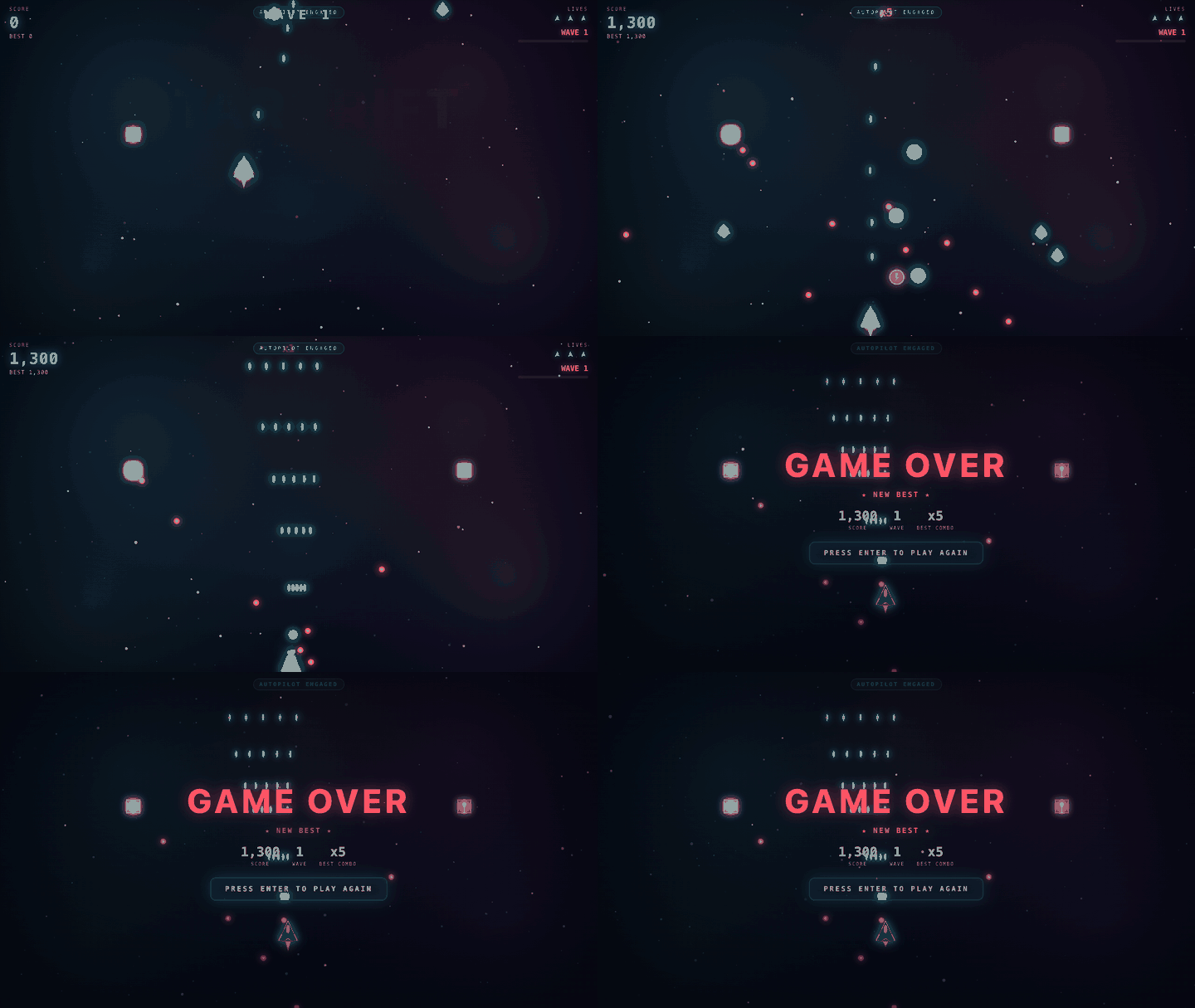
A space shooter written in one prompt by the model on an RTX 4080 SUPER, unedited ·
the prompt, the file and how often it works
This runs Qwen3.8-Flash-Next on a normal PC with Glyd's own engine. It's a large, smart AI model that usually needs a server. It chats, writes code and works with your apps and coding agents. Nothing leaves your PC.
Measured on one PC: an RTX 4080 SUPER (16 GB), a Ryzen 9 7950X3D and 64 GB of RAM. A token is about ¾ of a word.
| Precise | Fast | |
|---|---|---|
| Writes answers in a chat (the default settings) | 117 tokens/s | 135 tokens/s |
| Writes answers, top speed (a short prompt, greedy) | 145 tokens/s | 169–173 tokens/s |
| Reads your prompt (32,000 tokens) | about 7 s | about 7 s |
Run tools/bench.sh to measure your PC.
Inspect AI, 150 GSM8K and 150 MMLU-Pro questions, thinking off:
| Precise | Fast | |
|---|---|---|
| GSM8K (school math) | 148 of 150 | 148 of 150 |
| MMLU-Pro (hard knowledge questions) | 124 of 150 | 118 of 150 |
| A full game in one prompt (Star Drift) | 3 of 6 playable | 1 of 6 |
The logs: results/v0.1.0.
| Graphics card | NVIDIA GeForce RTX 30, 40 or 50 series, or a workstation card from the same generations (Ampere or newer), with 16 GB of VRAM or more and driver 580 or newer. |
| RAM | 64 GB. |
| Disk | About 90 GB free (75 GB for fast mode). An SSD makes the first start much faster. |
| System | Linux on x86-64: Ubuntu 22.04 or newer, or another distribution from 2022 on (tested on Ubuntu 22.04 and 24.04). Windows is not supported yet. |
Using an AI coding assistant (Claude Code, Cursor, Codex, ...)? Paste this into it:
Set up Qwen3.8-Flash-Next on Glyd on this PC for me: https://github.com/surya-koritala/glyd-qwen-3.8-flash - follow docs/AI_SETUP.md in that repository.
git clone https://github.com/surya-koritala/glyd-qwen-3.8-flash && cd glyd-qwen-3.8-flash
./setup.sh
It checks your graphics card, RAM and disk, installs the engine (no sudo, nothing else to install) and downloads the model (about 82 GB;
if the download stops, run it again and it continues). It asks two questions, precise or fast and how much context, then opens the
app in your browser at http://127.0.0.1:8080. Press Enter for the recommended answers.
Next time, run ./setup.sh again: it starts right away and downloads nothing twice. Press Ctrl+C to stop it.
./setup.sh asks; to switch later, tools/download.sh --fast and tools/serve.sh --fast (or the same without --fast for precise).
http://127.0.0.1:8080 has Chat, a live Monitor of the model and your GPU, CPU and RAM, and About.
The chat shows tables and code, draws flowcharts, and runs the web pages, games and animations the model writes in a live preview.http://127.0.0.1:8080/v1. Any API key and
any model name work.
http://127.0.0.1:8080/v1/messages (Claude Code: ANTHROPIC_BASE_URL=http://127.0.0.1:8080 claude).claude mcp add glyd -- ~/.glyd-qwen-3.8-flash/bin/glyd-engine qwenmcp --repo /path/to/glyd-qwen-3.8-flash.reasoning_effort in your app../setup.sh asks). A 32,000-token prompt is read in about 7 seconds; follow-up
messages reuse the conversation and start in under a second.tools/bench.sh measures a chat and 4K, 16K and 32K prompts in about 5 minutes and
writes bench-report.md to share../setup.sh again. It continues where it stopped.sudo apt install nvidia-driver-595), reboot, then run it again.tools/serve.sh 8090.Still stuck? Open an issue with what it printed. Found a security problem? Report it privately: SECURITY.md.
The model is a team of 512 small specialists ("experts") in each of its 48 layers, and each word needs only 10 of them. A 16 GB card can't hold them all, so Glyd shares the work across your PC:
The model is Qwen3.8-Flash-Next by the Qwen team, under its own license; Glyd's compressed copy on Hugging Face carries the same license.
Contributions are welcome: CONTRIBUTING.md.
Glyd Condor: Qwen3.8-Flash-Next (180B) on one 16 GB NVIDIA GPU with Glyd's engine
HTML
29
7 commits
updated Oct 18, 2026
Run a 180-billion-parameter AI model on one 16 GB NVIDIA graphics card
Linux · 64 GB of RAM · free for personal use
A space shooter written in one prompt by the model on an RTX 4080 SUPER, unedited ·
the prompt, the file and how often it works
This runs Qwen3.8-Flash-Next on a normal PC with Glyd's own engine. It's a large, smart AI model that usually needs a server. It chats, writes code and works with your apps and coding agents. Nothing leaves your PC.
Measured on one PC: an RTX 4080 SUPER (16 GB), a Ryzen 9 7950X3D and 64 GB of RAM. A token is about ¾ of a word.
| Precise | Fast | |
|---|---|---|
| Writes answers in a chat (the default settings) | 117 tokens/s | 135 tokens/s |
| Writes answers, top speed (a short prompt, greedy) | 145 tokens/s | 169–173 tokens/s |
| Reads your prompt (32,000 tokens) | about 7 s | about 7 s |
Run tools/bench.sh to measure your PC.
Inspect AI, 150 GSM8K and 150 MMLU-Pro questions, thinking off:
| Precise | Fast | |
|---|---|---|
| GSM8K (school math) | 148 of 150 | 148 of 150 |
| MMLU-Pro (hard knowledge questions) | 124 of 150 | 118 of 150 |
| A full game in one prompt (Star Drift) | 3 of 6 playable | 1 of 6 |
The logs: results/v0.1.0.
| Graphics card | NVIDIA GeForce RTX 30, 40 or 50 series, or a workstation card from the same generations (Ampere or newer), with 16 GB of VRAM or more and driver 580 or newer. |
| RAM | 64 GB. |
| Disk | About 90 GB free (75 GB for fast mode). An SSD makes the first start much faster. |
| System | Linux on x86-64: Ubuntu 22.04 or newer, or another distribution from 2022 on (tested on Ubuntu 22.04 and 24.04). Windows is not supported yet. |
Using an AI coding assistant (Claude Code, Cursor, Codex, ...)? Paste this into it:
Set up Qwen3.8-Flash-Next on Glyd on this PC for me: https://github.com/surya-koritala/glyd-qwen-3.8-flash - follow docs/AI_SETUP.md in that repository.
git clone https://github.com/surya-koritala/glyd-qwen-3.8-flash && cd glyd-qwen-3.8-flash
./setup.sh
It checks your graphics card, RAM and disk, installs the engine (no sudo, nothing else to install) and downloads the model (about 82 GB;
if the download stops, run it again and it continues). It asks two questions, precise or fast and how much context, then opens the
app in your browser at http://127.0.0.1:8080. Press Enter for the recommended answers.
Next time, run ./setup.sh again: it starts right away and downloads nothing twice. Press Ctrl+C to stop it.
./setup.sh asks; to switch later, tools/download.sh --fast and tools/serve.sh --fast (or the same without --fast for precise).
http://127.0.0.1:8080 has Chat, a live Monitor of the model and your GPU, CPU and RAM, and About.
The chat shows tables and code, draws flowcharts, and runs the web pages, games and animations the model writes in a live preview.http://127.0.0.1:8080/v1. Any API key and
any model name work.
http://127.0.0.1:8080/v1/messages (Claude Code: ANTHROPIC_BASE_URL=http://127.0.0.1:8080 claude).claude mcp add glyd -- ~/.glyd-qwen-3.8-flash/bin/glyd-engine qwenmcp --repo /path/to/glyd-qwen-3.8-flash.reasoning_effort in your app../setup.sh asks). A 32,000-token prompt is read in about 7 seconds; follow-up
messages reuse the conversation and start in under a second.tools/bench.sh measures a chat and 4K, 16K and 32K prompts in about 5 minutes and
writes bench-report.md to share../setup.sh again. It continues where it stopped.sudo apt install nvidia-driver-595), reboot, then run it again.tools/serve.sh 8090.Still stuck? Open an issue with what it printed. Found a security problem? Report it privately: SECURITY.md.
The model is a team of 512 small specialists ("experts") in each of its 48 layers, and each word needs only 10 of them. A 16 GB card can't hold them all, so Glyd shares the work across your PC:
The model is Qwen3.8-Flash-Next by the Qwen team, under its own license; Glyd's compressed copy on Hugging Face carries the same license.
Contributions are welcome: CONTRIBUTING.md.



