
Cover your Mac screen with a hotkey while AI agents keep running. Dog/cat mascot, native Settings, Touch ID unlock.
See the codeREADME
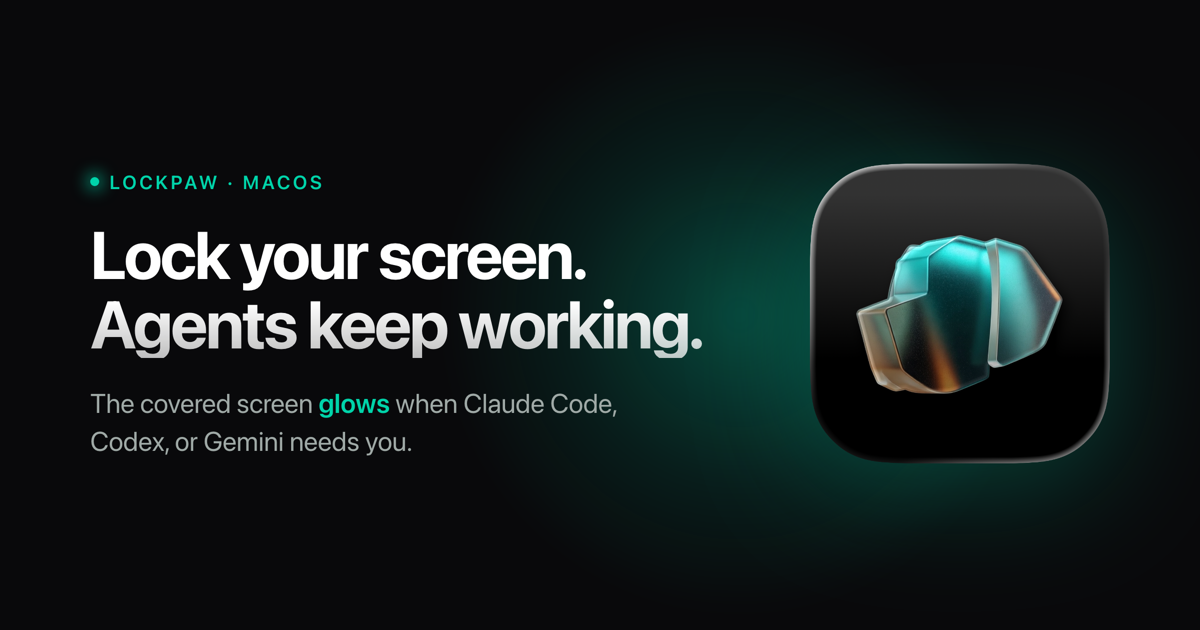
Lockpaw
One hotkey covers your screen. One hotkey uncovers it. Everything keeps running.
No sleep. No display disconnect. No process interruption. The screen glows when your agent needs you.




You could set up Amphetamine, configure Hot Corners, tweak energy settings, and adjust your screen saver. Or you could press ⌘⇧L.
Features
- ⌨️ One hotkey — lock and unlock with ⌘⇧L (customizable)
- 🔒 Touch ID unlock — just rest your finger on the sensor, no button first; password fallback like your Mac
- 🖥️ Every screen covered — all displays, auto-detects new monitors
- 🤖 Agents keep running — AI coding tools, builds, downloads, SSH sessions
- 🔔 Agent alerts — the locked screen glows when Claude Code, Codex, Gemini, Cursor, Copilot, or Aider needs you
- 😴 Prevents sleep — IOKit assertion keeps your Mac awake while locked
- 🌑 Fade to black — optionally dim the lock screen to pure black after inactivity (OLED-safe) without ever sleeping the display, so agents keep running
- 📦 10 MB — native Swift, no Electron
- 🚫 No analytics — no data leaves your Mac, no accounts; the only network call is the signed update check
- 🐕🐈 Dog, cat, or your own — choose the metallic origami dog or cat for the lock screen, drop in your own image, or show no mascot at all
- ⚙️ Native Settings — lock screen, shortcuts, updates, permissions, and about in one quiet window
Usage
| Action | How |
|---|---|
| Lock | Your hotkey (default Cmd+Shift+L) |
| Quick unlock | Same hotkey, or rest a finger on Touch ID |
| Fallback unlock | Click Authenticate with Touch ID at the bottom of the lock screen |
| Settings | Menu bar → Settings… |
| Change hotkey | Settings → Shortcuts → click to record |
| Change mascot, use your own image, or turn it off | Settings → Lock Screen → Mascot |
| Hide the menu bar icon | Settings → General → Show menu bar icon (open Lockpaw from Applications to bring it back) |
Agent alerts
Lock your screen and walk away — when your AI agent pauses for permission or finishes, the locked screen glows from across the room and a notification fires. You stay covered (and private) until you unlock. The glow is always silent; turn on a sound in Settings → General if you want one (off by default for shared offices).
Easiest: open Settings → General → Connect your agent and click your agent —
done. Prefer the terminal? Lockpaw ships a tiny lockpaw command-line tool
(Lockpaw.app/Contents/SharedSupport/lockpaw); one command wires everything up,
including installing itself into ~/.local/bin (add --print to just see the snippet):
| Agent | Setup | What it hooks |
|---|---|---|
| Claude Code | lockpaw install-hook claude | Notification + Stop hooks in ~/.claude/settings.json (honors $CLAUDE_CONFIG_DIR) |
| Codex CLI | lockpaw install-hook codex | notify in ~/.codex/config.toml |
| Gemini CLI | lockpaw install-hook gemini | Notification + AfterAgent hooks in ~/.gemini/settings.json |
| Cursor | lockpaw install-hook cursor | stop hook in ~/.cursor/hooks.json |
| Copilot CLI | lockpaw install-hook copilot | agentStop + notification hooks in ~/.copilot/hooks/lockpaw.json (honors $COPILOT_HOME) |
| Aider | lockpaw install-hook aider | notifications-command in ~/.aider.conf.yml |
| Anything else | append ; lockpaw ping to your command | runs after your agent finishes |
The hooks reference ~/.local/bin/lockpaw by path, so they work no matter what's on
your PATH, and keep working when the app moves or updates. Re-running install-hook
upgrades older hook entries in place; existing foreign hooks are never clobbered, and
a .bak backup is saved next to any config it touches. lockpaw install-cli is still
there if you just want the command on your PATH.
Under the hood, lockpaw ping posts a local notification that Lockpaw listens for — it
never launches the app if it isn't already running.
Install
Download
Grab the latest signed & notarized DMG from getlockpaw.com or GitHub Releases.
Homebrew
brew tap sorkila/lockpaw
brew install --cask lockpaw
Build from source
brew install xcodegen
git clone https://github.com/sorkila/lockpaw.git
cd lockpaw
xcodegen generate
xcodebuild -scheme Lockpaw -configuration Release build
On first launch, grant Accessibility when prompted. The Lockpaw icon appears in your menu bar.
Design
The lock screen is intentionally minimal. Near-black canvas. Subtle radial glow. One element at a time.
Calm by default — the screen opens with your chosen mascot, your message, and a quiet elapsed timer; the pointer slips away after a moment of stillness. The fallback auth button waits quietly at the bottom — always there, never loud. When an agent pings, the screen breathes two slow waves of teal, then keeps a soft "your agent needs you" hint until you return.
Mascots — a metallic origami dog or cat rendered in teal and amber, floating in a pool of light. Slow 12-second breathing cycle. On successful unlock, the mascot scales up with a teal bloom and fades away. Or bring your own: a custom image gets a soft feathered edge so it sits in the same pool of light (transparent backgrounds look best).
Typography — system San Francisco throughout. Regular weight message at 55% white. Monospaced timer at 35%. The screen whispers.
Auth button — glass material effect with a subtle border. Visible enough to be tappable, quiet enough to stay out of the way.
Under the hood
Hotkey — CGEvent.tapCreate with .listenOnly on a dedicated background thread. Bypasses the LSUIElement activation issue that affects Carbon hotkeys in menu bar apps. Requires Accessibility permission.
Input blocking — separate CGEventTap intercepts all keyboard, scroll, and tablet events system-wide while locked. Mouse events pass through to the overlay (SwiftUI buttons need clicks). If macOS disables the tap, it re-enables synchronously in the callback.
Window level — CGShieldingWindowLevel(), the highest level in the system. Above Spotlight, Notification Center, screen savers, everything.
Multi-display — one overlay window per screen, recreated on hot-plug.
State machine — LockState enum with validated transitions. Every transitionTo() call is checked. State is verified again after async authentication returns.
Sleep prevention — IOPMAssertion keeps the Mac awake while locked.
Auth — while locked, a biometrics-only LAContext is already armed behind the overlay, so the first finger press unlocks with nothing to click. The button path uses .deviceOwnerAuthentication for Touch ID with password fallback, rate-limited to a 30s cooldown after 3 failed attempts. A rejected finger on the armed sensor costs no attempt — it may be a palm or a bag strap, and Touch ID enforces its own lockout in hardware.
Auto-updates — Sparkle framework checks for updates automatically. Appcast hosted at getlockpaw.com.
Security model
Lockpaw is a visual privacy tool, not a security boundary.
It guards against the accidental — a colleague, a cat, your own muscle memory while agents run. Not the intentional.
What it does
- Overlay at highest system window level
- Event tap blocks all keyboard/scroll input
- Fast User Switching cancels auth, keeps lock active
- Accessibility revocation detected and handled (force unlock with warning)
- URL scheme rate-limited (100ms debounce)
- Debug escape hatch compile-gated (
#if DEBUG) - State machine validates every transition
- Hotkey conflict detection against system shortcuts
What it doesn't do
- Prevent
pkill Lockpaw - Block synthetic events (AppleScript, Accessibility API)
- Survive kernel-level access
- Protect against screen recording during overlay fade-in
For real security: Ctrl+Cmd+Q.
Found a lock or auth bypass anyway? Please report it privately.
URL scheme
lockpaw://lock              Lock the screen
lockpaw://unlock            Unlock with Touch ID
lockpaw://unlock-password   Unlock with password
lockpaw://toggle            Toggle lock state
Architecture
Lockpaw/
├─ LockpawApp                     Entry, MenuBarExtra, AppDelegate, onboarding
├─ Controllers/
│  ├─ LockController              State machine, lock/unlock orchestration
│  ├─ Authenticator               LAContext · armed Touch ID · password fallback
│  ├─ InputBlocker                CGEventTap · keyboard/scroll blocking
│  ├─ HotkeyManager               CGEventTap · global hotkey detection
│  ├─ OverlayWindowManager        NSWindow · multi-display · shielding level
│  ├─ SleepPreventer              IOKit · idle sleep assertion
│  └─ AgentNotifier               UNUserNotificationCenter · agent-ping notifications
├─ Models/
│  ├─ LockState                  .unlocked → .locking → .locked → .unlocking
│  ├─ HotkeyConfig               Centralized hotkey UserDefaults access
│  ├─ PingDecision               Pure agent-ping decision (pulse/notify/sound)
│  ├─ PassiveAuthPolicy          Pure armed-Touch-ID rules (arm/re-arm/stand down)
│  ├─ Mascot                     Dog/cat/custom/none lock screen preference
│  └─ TerminationPolicy          Quit is refused while guarded (+ LockStatus mirror)
├─ Views/
│  ├─ LockScreenView             Mascot (dog/cat/custom) · agent-ping glow · fallback auth
│  ├─ AmbientScreenView          Secondary display gradient animation
│  ├─ MenuBarView                Dropdown · lock/unlock/quit
│  ├─ SettingsView               Native tabs · hotkey recorder · updates
│  └─ OnboardingView             5-step wizard · hotkey · accessibility · agent alerts
├─ Utilities/
│  ├─ Constants                  Timing, animations, formatting
│  ├─ Notifications              All Notification.Name in one place
│  └─ AccessibilityChecker       AXIsProcessTrusted + System Settings
└─ Resources/
   └─ Assets                      App icon, mascot, menu bar icon, colors

LockpawCLI/
└─ main                           `lockpaw` CLI · ping · install-cli · install-hook
CI
Pushes to main and PRs run build + 96 unit tests via GitHub Actions. Shipped DMGs are Developer ID-signed, notarized, and published to GitHub Releases; auto-updates are delivered through Sparkle with EdDSA-signed appcasts.
Pairs with
Tintpad is the other half of the loop: one hotkey opens your terminal at the right repo with Claude Code, Codex, or any agent already running. Tintpad starts your agents. Lockpaw covers for you while they run. Also free, also MIT.
Contributors


Similar repos


Languages
Swift
97.5%
Shell
2.3%
Cover your Mac screen with a hotkey while AI agents keep running. Dog/cat mascot, native Settings, Touch ID unlock.
See the codeREADME
Lockpaw
One hotkey covers your screen. One hotkey uncovers it. Everything keeps running.
No sleep. No display disconnect. No process interruption. The screen glows when your agent needs you.
You could set up Amphetamine, configure Hot Corners, tweak energy settings, and adjust your screen saver. Or you could press ⌘⇧L.
Features
- ⌨️ One hotkey — lock and unlock with ⌘⇧L (customizable)
- 🔒 Touch ID unlock — just rest your finger on the sensor, no button first; password fallback like your Mac
- 🖥️ Every screen covered — all displays, auto-detects new monitors
- 🤖 Agents keep running — AI coding tools, builds, downloads, SSH sessions
- 🔔 Agent alerts — the locked screen glows when Claude Code, Codex, Gemini, Cursor, Copilot, or Aider needs you
- 😴 Prevents sleep — IOKit assertion keeps your Mac awake while locked
- 🌑 Fade to black — optionally dim the lock screen to pure black after inactivity (OLED-safe) without ever sleeping the display, so agents keep running
- 📦 10 MB — native Swift, no Electron
- 🚫 No analytics — no data leaves your Mac, no accounts; the only network call is the signed update check
- 🐕🐈 Dog, cat, or your own — choose the metallic origami dog or cat for the lock screen, drop in your own image, or show no mascot at all
- ⚙️ Native Settings — lock screen, shortcuts, updates, permissions, and about in one quiet window
Usage
| Action | How |
|---|---|
| Lock | Your hotkey (default Cmd+Shift+L) |
| Quick unlock | Same hotkey, or rest a finger on Touch ID |
| Fallback unlock | Click Authenticate with Touch ID at the bottom of the lock screen |
| Settings | Menu bar → Settings… |
| Change hotkey | Settings → Shortcuts → click to record |
| Change mascot, use your own image, or turn it off | Settings → Lock Screen → Mascot |
| Hide the menu bar icon | Settings → General → Show menu bar icon (open Lockpaw from Applications to bring it back) |
Agent alerts
Lock your screen and walk away — when your AI agent pauses for permission or finishes, the locked screen glows from across the room and a notification fires. You stay covered (and private) until you unlock. The glow is always silent; turn on a sound in Settings → General if you want one (off by default for shared offices).
Easiest: open Settings → General → Connect your agent and click your agent —
done. Prefer the terminal? Lockpaw ships a tiny lockpaw command-line tool
(Lockpaw.app/Contents/SharedSupport/lockpaw); one command wires everything up,
including installing itself into ~/.local/bin (add --print to just see the snippet):
| Agent | Setup | What it hooks |
|---|---|---|
| Claude Code | lockpaw install-hook claude | Notification + Stop hooks in ~/.claude/settings.json (honors $CLAUDE_CONFIG_DIR) |
| Codex CLI | lockpaw install-hook codex | notify in ~/.codex/config.toml |
| Gemini CLI | lockpaw install-hook gemini | Notification + AfterAgent hooks in ~/.gemini/settings.json |
| Cursor | lockpaw install-hook cursor | stop hook in ~/.cursor/hooks.json |
| Copilot CLI | lockpaw install-hook copilot | agentStop + notification hooks in ~/.copilot/hooks/lockpaw.json (honors $COPILOT_HOME) |
| Aider | lockpaw install-hook aider | notifications-command in ~/.aider.conf.yml |
| Anything else | append ; lockpaw ping to your command | runs after your agent finishes |
The hooks reference ~/.local/bin/lockpaw by path, so they work no matter what's on
your PATH, and keep working when the app moves or updates. Re-running install-hook
upgrades older hook entries in place; existing foreign hooks are never clobbered, and
a .bak backup is saved next to any config it touches. lockpaw install-cli is still
there if you just want the command on your PATH.
Under the hood, lockpaw ping posts a local notification that Lockpaw listens for — it
never launches the app if it isn't already running.
Install
Download
Grab the latest signed & notarized DMG from getlockpaw.com or GitHub Releases.
Homebrew
brew tap sorkila/lockpaw
brew install --cask lockpaw
Build from source
brew install xcodegen
git clone https://github.com/sorkila/lockpaw.git
cd lockpaw
xcodegen generate
xcodebuild -scheme Lockpaw -configuration Release build
On first launch, grant Accessibility when prompted. The Lockpaw icon appears in your menu bar.
Design
The lock screen is intentionally minimal. Near-black canvas. Subtle radial glow. One element at a time.
Calm by default — the screen opens with your chosen mascot, your message, and a quiet elapsed timer; the pointer slips away after a moment of stillness. The fallback auth button waits quietly at the bottom — always there, never loud. When an agent pings, the screen breathes two slow waves of teal, then keeps a soft "your agent needs you" hint until you return.
Mascots — a metallic origami dog or cat rendered in teal and amber, floating in a pool of light. Slow 12-second breathing cycle. On successful unlock, the mascot scales up with a teal bloom and fades away. Or bring your own: a custom image gets a soft feathered edge so it sits in the same pool of light (transparent backgrounds look best).
Typography — system San Francisco throughout. Regular weight message at 55% white. Monospaced timer at 35%. The screen whispers.
Auth button — glass material effect with a subtle border. Visible enough to be tappable, quiet enough to stay out of the way.
Under the hood
Hotkey — CGEvent.tapCreate with .listenOnly on a dedicated background thread. Bypasses the LSUIElement activation issue that affects Carbon hotkeys in menu bar apps. Requires Accessibility permission.
Input blocking — separate CGEventTap intercepts all keyboard, scroll, and tablet events system-wide while locked. Mouse events pass through to the overlay (SwiftUI buttons need clicks). If macOS disables the tap, it re-enables synchronously in the callback.
Window level — CGShieldingWindowLevel(), the highest level in the system. Above Spotlight, Notification Center, screen savers, everything.
Multi-display — one overlay window per screen, recreated on hot-plug.
State machine — LockState enum with validated transitions. Every transitionTo() call is checked. State is verified again after async authentication returns.
Sleep prevention — IOPMAssertion keeps the Mac awake while locked.
Auth — while locked, a biometrics-only LAContext is already armed behind the overlay, so the first finger press unlocks with nothing to click. The button path uses .deviceOwnerAuthentication for Touch ID with password fallback, rate-limited to a 30s cooldown after 3 failed attempts. A rejected finger on the armed sensor costs no attempt — it may be a palm or a bag strap, and Touch ID enforces its own lockout in hardware.
Auto-updates — Sparkle framework checks for updates automatically. Appcast hosted at getlockpaw.com.
Security model
Lockpaw is a visual privacy tool, not a security boundary.
It guards against the accidental — a colleague, a cat, your own muscle memory while agents run. Not the intentional.
What it does
- Overlay at highest system window level
- Event tap blocks all keyboard/scroll input
- Fast User Switching cancels auth, keeps lock active
- Accessibility revocation detected and handled (force unlock with warning)
- URL scheme rate-limited (100ms debounce)
- Debug escape hatch compile-gated (
#if DEBUG) - State machine validates every transition
- Hotkey conflict detection against system shortcuts
What it doesn't do
- Prevent
pkill Lockpaw - Block synthetic events (AppleScript, Accessibility API)
- Survive kernel-level access
- Protect against screen recording during overlay fade-in
For real security: Ctrl+Cmd+Q.
Found a lock or auth bypass anyway? Please report it privately.
URL scheme
lockpaw://lock              Lock the screen
lockpaw://unlock            Unlock with Touch ID
lockpaw://unlock-password   Unlock with password
lockpaw://toggle            Toggle lock state
Architecture
Lockpaw/
├─ LockpawApp                     Entry, MenuBarExtra, AppDelegate, onboarding
├─ Controllers/
│  ├─ LockController              State machine, lock/unlock orchestration
│  ├─ Authenticator               LAContext · armed Touch ID · password fallback
│  ├─ InputBlocker                CGEventTap · keyboard/scroll blocking
│  ├─ HotkeyManager               CGEventTap · global hotkey detection
│  ├─ OverlayWindowManager        NSWindow · multi-display · shielding level
│  ├─ SleepPreventer              IOKit · idle sleep assertion
│  └─ AgentNotifier               UNUserNotificationCenter · agent-ping notifications
├─ Models/
│  ├─ LockState                  .unlocked → .locking → .locked → .unlocking
│  ├─ HotkeyConfig               Centralized hotkey UserDefaults access
│  ├─ PingDecision               Pure agent-ping decision (pulse/notify/sound)
│  ├─ PassiveAuthPolicy          Pure armed-Touch-ID rules (arm/re-arm/stand down)
│  ├─ Mascot                     Dog/cat/custom/none lock screen preference
│  └─ TerminationPolicy          Quit is refused while guarded (+ LockStatus mirror)
├─ Views/
│  ├─ LockScreenView             Mascot (dog/cat/custom) · agent-ping glow · fallback auth
│  ├─ AmbientScreenView          Secondary display gradient animation
│  ├─ MenuBarView                Dropdown · lock/unlock/quit
│  ├─ SettingsView               Native tabs · hotkey recorder · updates
│  └─ OnboardingView             5-step wizard · hotkey · accessibility · agent alerts
├─ Utilities/
│  ├─ Constants                  Timing, animations, formatting
│  ├─ Notifications              All Notification.Name in one place
│  └─ AccessibilityChecker       AXIsProcessTrusted + System Settings
└─ Resources/
   └─ Assets                      App icon, mascot, menu bar icon, colors

LockpawCLI/
└─ main                           `lockpaw` CLI · ping · install-cli · install-hook
CI
Pushes to main and PRs run build + 96 unit tests via GitHub Actions. Shipped DMGs are Developer ID-signed, notarized, and published to GitHub Releases; auto-updates are delivered through Sparkle with EdDSA-signed appcasts.
Pairs with
Tintpad is the other half of the loop: one hotkey opens your terminal at the right repo with Claude Code, Codex, or any agent already running. Tintpad starts your agents. Lockpaw covers for you while they run. Also free, also MIT.
Similar repos
Contributors
Languages
Swift
97.5%
Shell
2.3%