Tools for transcribing and summarizing medical audio data
Jupyter Notebook
2
24 commits
updated Apr 29, 2024
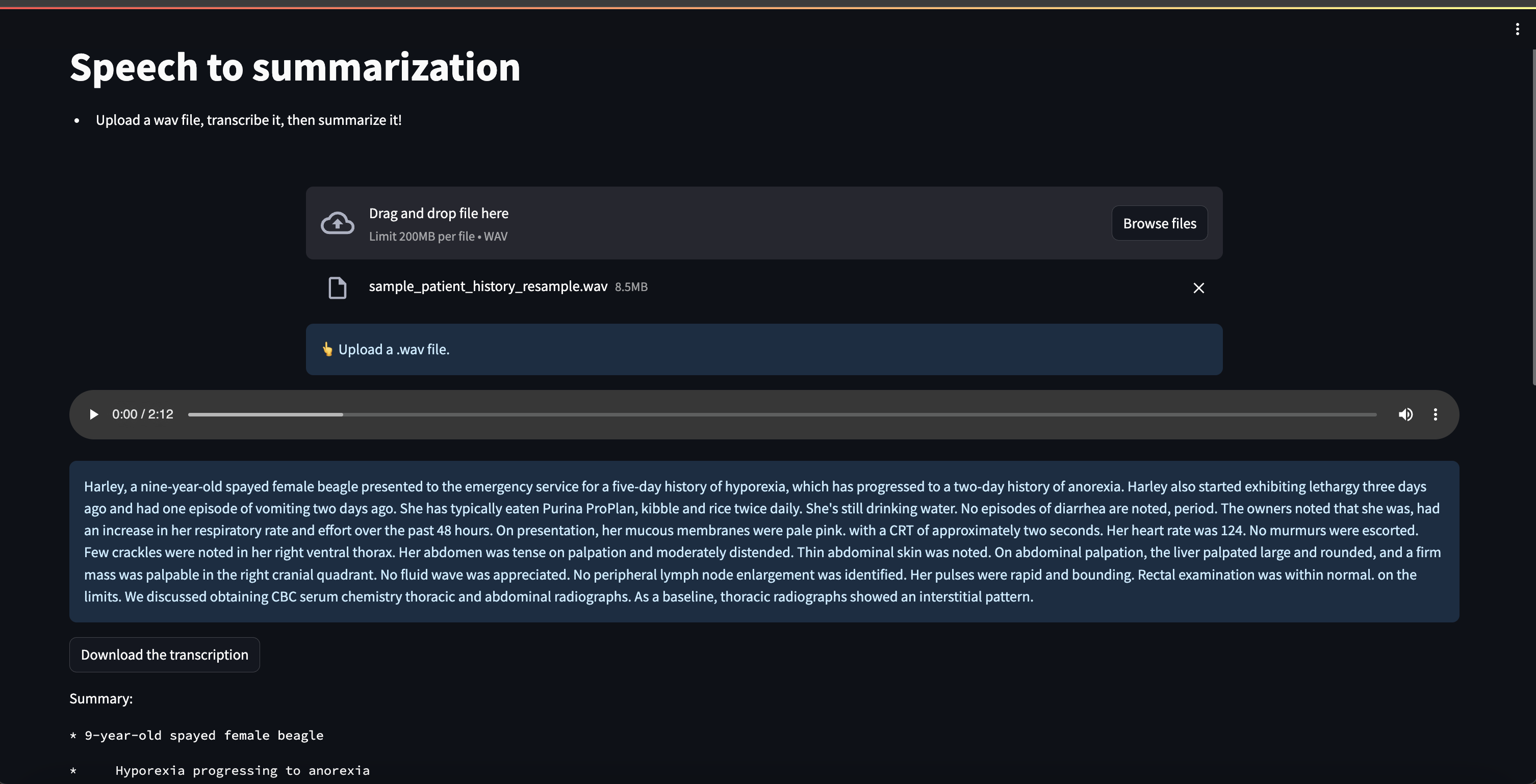
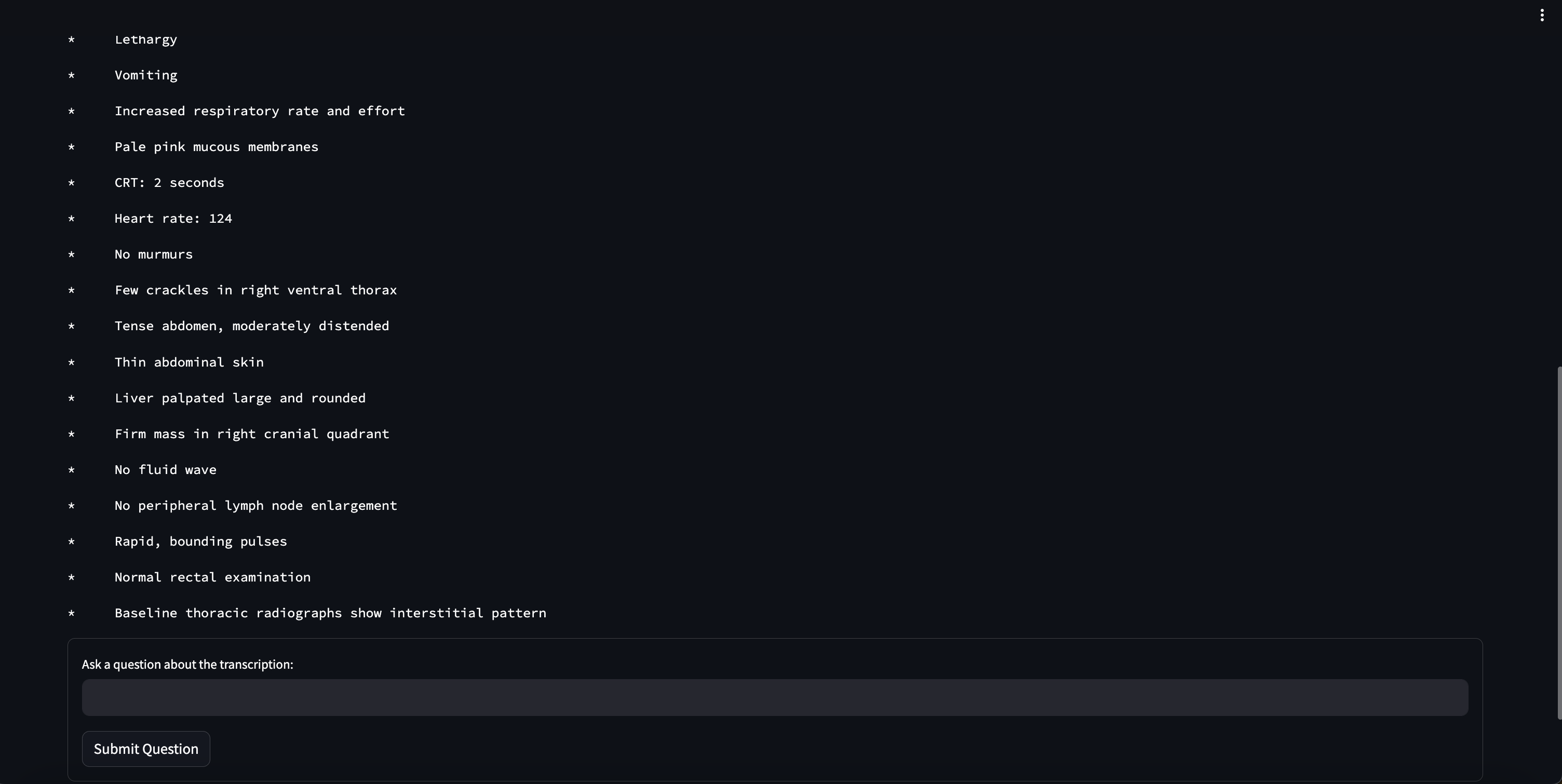
This repo will contain explorations on using LLMs and ASR to process different types of medical data. Here is an example of the streamlit app. Below is a sample transcribed patient history. This can then be summarized to pull out pertinant information. The audio clip used here is
./audio/sample_patient_history.wav.
The docker image can be built using ./Dockerfile. You can build it using the following command, run from the root directory
docker build --build-arg WB_API_KEY=<your_api_key> . -f Dockerfile --rm -t llm-finetuning:latest
First navigate to this repo on your local machine. Then run the container:
docker run --gpus all --name medical-summarization-and-transcription -it --rm -p 8888:8888 -p 8501:8501 -p 8000:8000 --entrypoint /bin/bash -w /medical-summarization-and-transcription -v $(pwd):/medical-summarization-and-transcription llm-finetuning:latest
Inside the Container:
jupyter lab --ip 0.0.0.0 --no-browser --allow-root --NotebookApp.token=''
Host machine access this url:
localhost:8888/<YOUR TREE HERE>
Inside the container:
streamlit run app.py
Host machine:
localhost:8501
./notebooks/dataset.ipynb./notebooks/speech_sample_rate.ipynb./app.pyTools for transcribing and summarizing medical audio data
Jupyter Notebook
2
24 commits
updated Apr 29, 2024
This repo will contain explorations on using LLMs and ASR to process different types of medical data. Here is an example of the streamlit app. Below is a sample transcribed patient history. This can then be summarized to pull out pertinant information. The audio clip used here is
./audio/sample_patient_history.wav.
The docker image can be built using ./Dockerfile. You can build it using the following command, run from the root directory
docker build --build-arg WB_API_KEY=<your_api_key> . -f Dockerfile --rm -t llm-finetuning:latest
First navigate to this repo on your local machine. Then run the container:
docker run --gpus all --name medical-summarization-and-transcription -it --rm -p 8888:8888 -p 8501:8501 -p 8000:8000 --entrypoint /bin/bash -w /medical-summarization-and-transcription -v $(pwd):/medical-summarization-and-transcription llm-finetuning:latest
Inside the Container:
jupyter lab --ip 0.0.0.0 --no-browser --allow-root --NotebookApp.token=''
Host machine access this url:
localhost:8888/<YOUR TREE HERE>
Inside the container:
streamlit run app.py
Host machine:
localhost:8501
./notebooks/dataset.ipynb./notebooks/speech_sample_rate.ipynb./app.py


