Gesture-first Android browser with Material 3 Expressive design and local privacy tools
Kotlin
544
672 commits
updated Oct 12, 2026

Firefox extensions on Android, powered by GeckoView.
A gesture-first browser with selectable GeckoView and Android System WebView engines,
an iOS WKWebView/Liquid Glass target, and local privacy tools.





GitHub Pages website · Privacy · Releases

[!NOTE] Next release: stability fixes. I'm focusing on finding and fixing as many bugs as possible and testing the changes over an extended period to make Candy Browser more reliable.
Candy uses GeckoView by default and supports Mozilla-signed Firefox extensions directly inside the Android app. A fresh Gecko profile comes with uBlock Origin and I still don't care about cookies, while additional compatible extensions can be installed and managed from Candy's browser settings.
Extension actions, popups, options, permissions, updates, and enable/disable controls stay inside Candy's browser chrome. See Platform engines for the supported GeckoView integration and current compatibility boundaries.
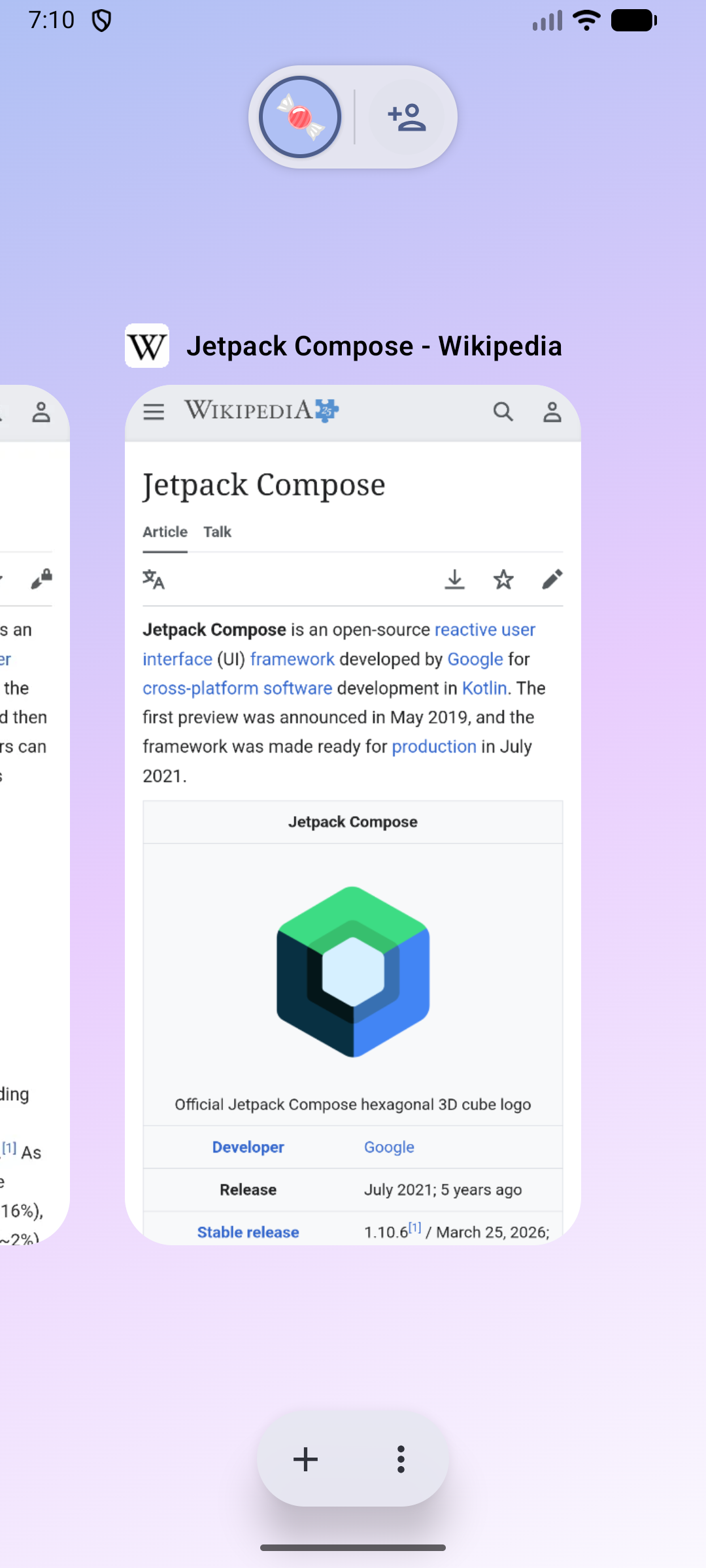
Candy Sync turns every connected Android, Chromium, or Firefox device into a writable profile. Open a desktop profile on your phone to inspect its live tab list, open new tabs, navigate, pin, reorder, or close them. The same small tab changes flow back to every connected client instead of re-uploading the complete browser state.
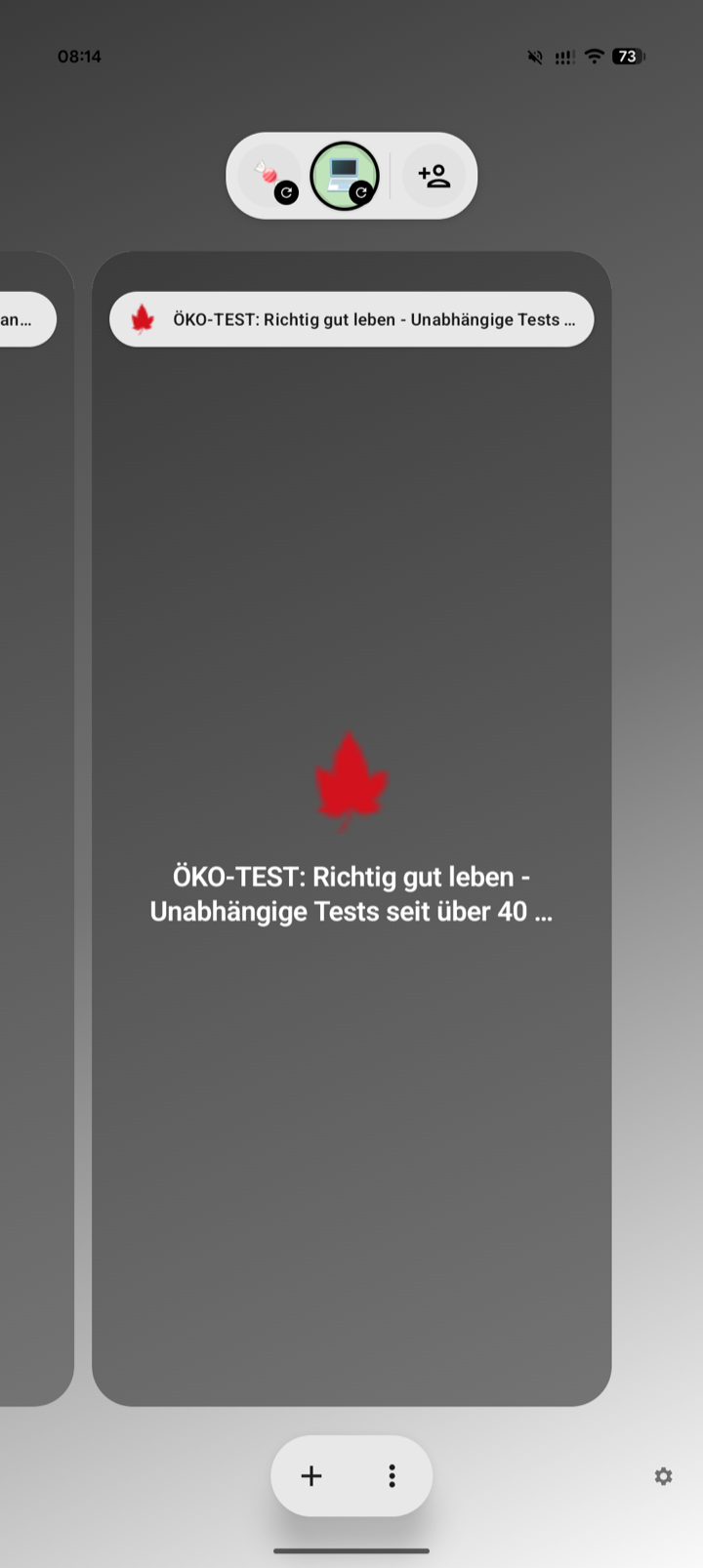
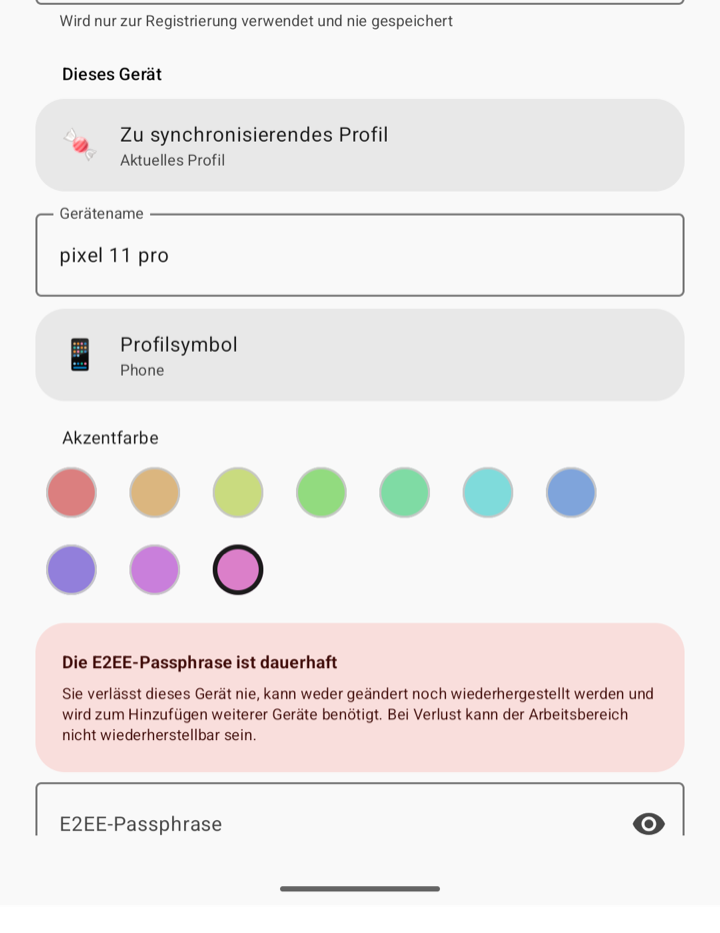
Changes are encrypted locally and written to a durable outbox. REST commits provide ordered, retry-safe storage; authenticated WebSocket notifications deliver committed changes immediately. After suspension or network loss, clients recover missing changes through REST.
The first client creates a random 256-bit workspace key. The immutable passphrase derives a local recovery key with Argon2id; HKDF-SHA-256 derives purpose- and device-specific keys, and AES-256-GCM encrypts and authenticates tab data. Every device also creates its own P-256 private key locally. The passphrase, workspace key, private keys, URLs, titles, device names, and icons never reach the server in plaintext—the server stores ciphertext plus the routing metadata required for sync.
cd sync/server
cp .env.example .env
# Set a unique username, password, public URL, and TLS host in .env.
# Never put the E2EE passphrase in server configuration.
docker compose pull candy-sync
docker compose up -d
The public sk2andy/candy-sync:latest image supports Linux AMD64 and ARM64. Contributors can still
build the server locally with docker compose up --build -d.
Build and load the WebExtension from sync/extension/, open its browser-managed Options Page, and
enter the endpoint plus an E2EE passphrase. In Candy Browser, open Settings → Synchronization
and join with the same endpoint, credentials, and passphrase.
See the Candy Sync guide for server deployment, local TLS, Chromium/Firefox loading, Android setup, backups, protocol details, and the full security model.
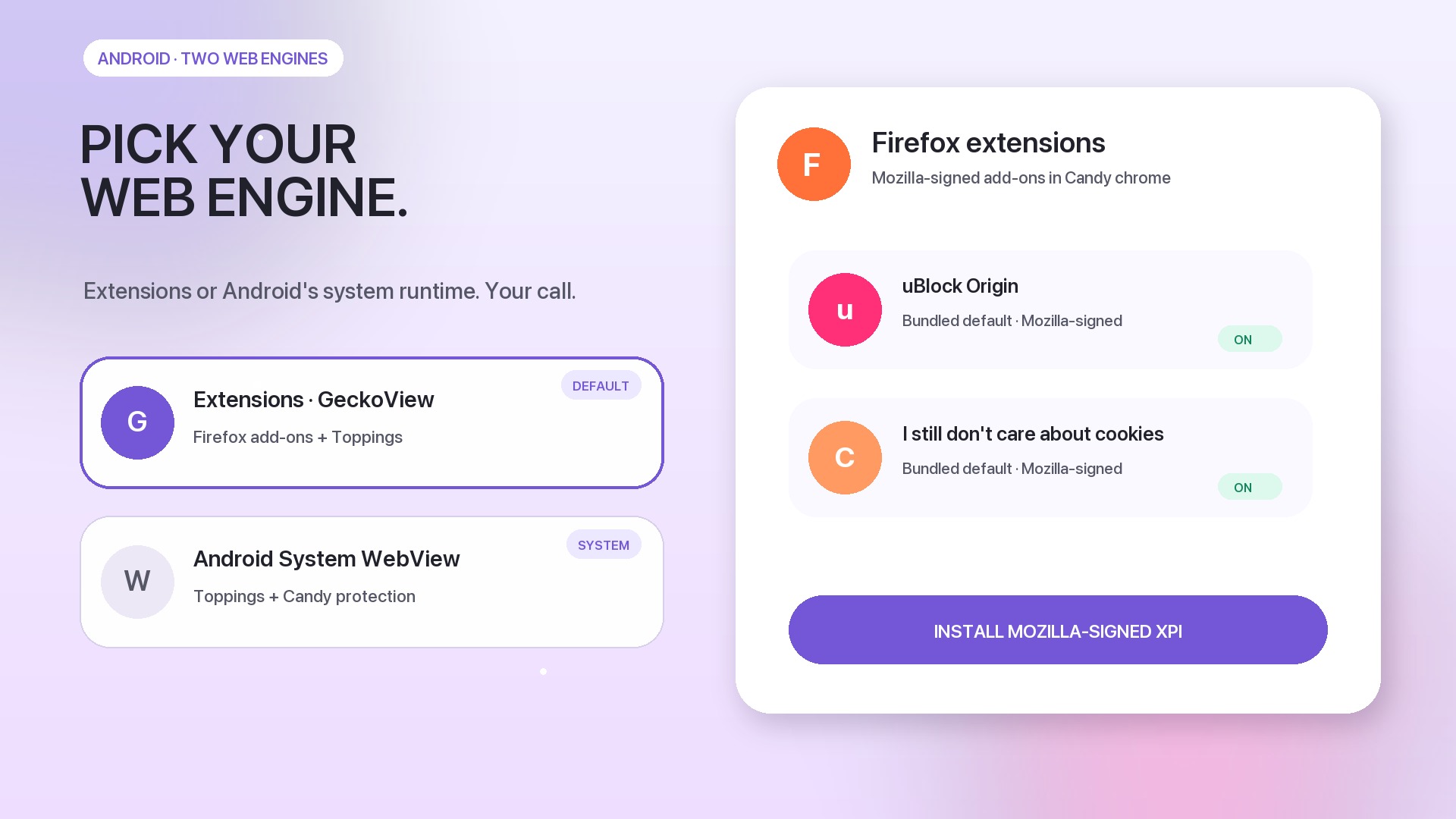
Watch or download the 16:9 feature showcase (MP4, 60 fps)
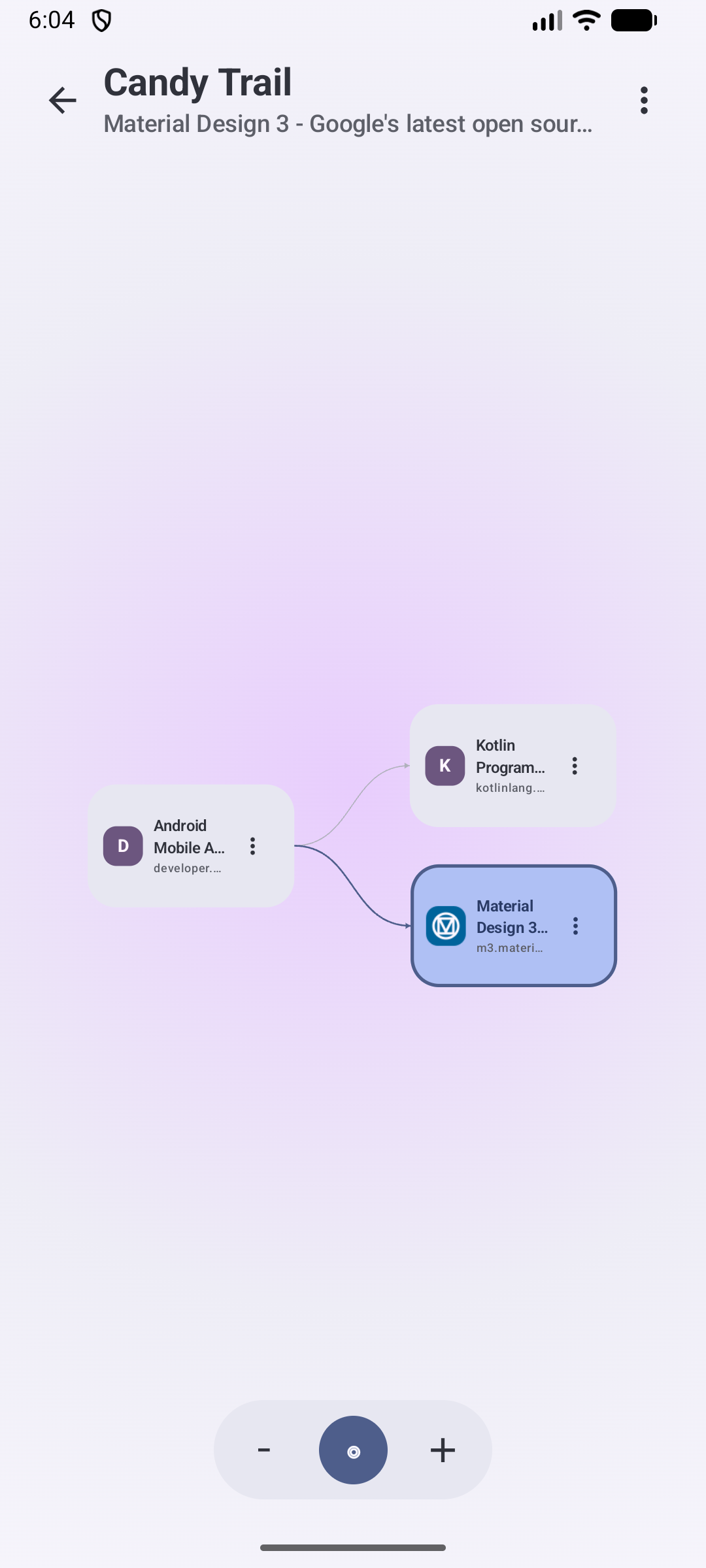
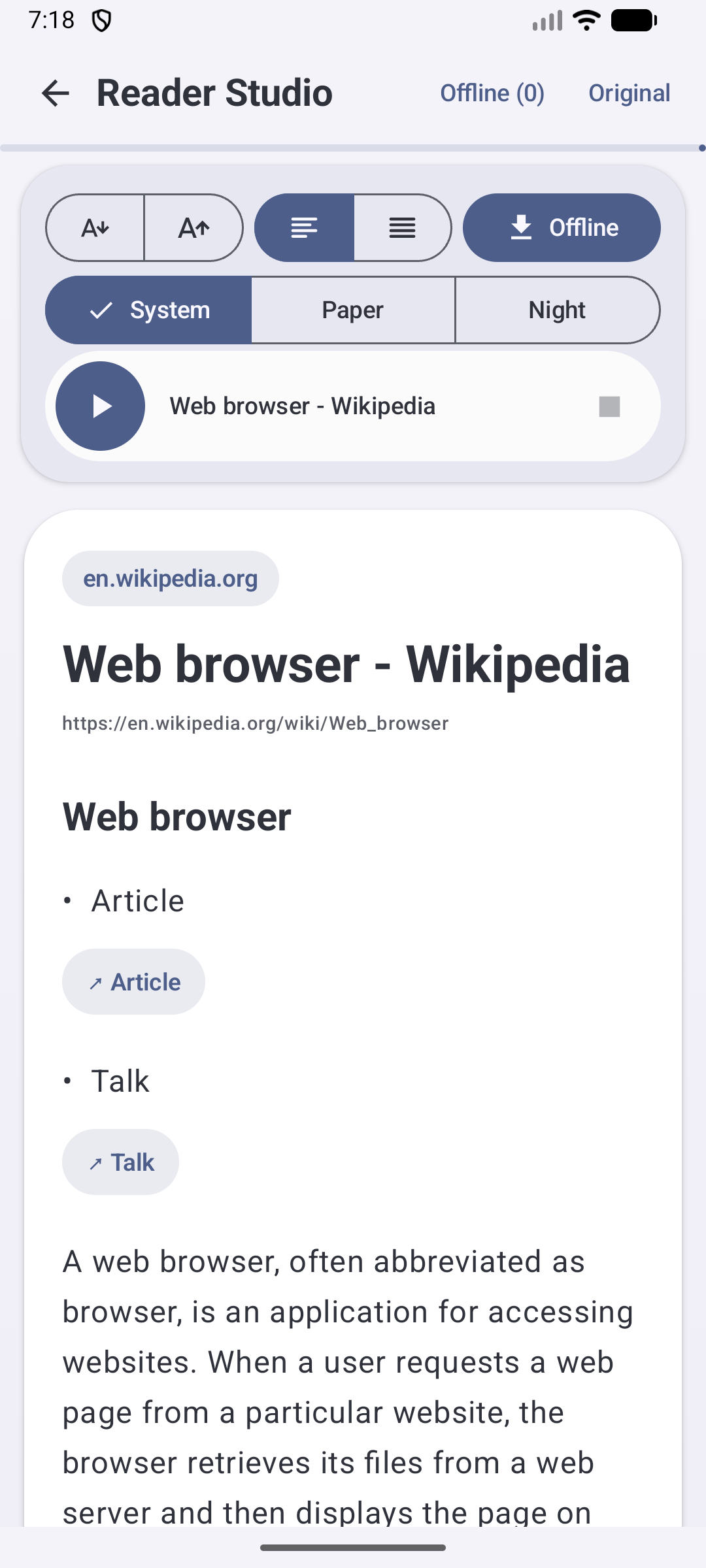
After its gesture-first opener, the showcase moves straight to the Android engine choice and Firefox extensions. It then combines self-hosted Android/Chromium/Firefox tab sync with E2EE, live API 36 emulator footage, current Topping scripts, and repository screenshots to show Link Peek, Spoilerfree Sports, Hacker News Comfort, Privacy X-Ray, Reader Studio, Candy Trails, and profiles. Its original soundtrack, kinetic typography, and camera motion are generated entirely from repository-owned sources.
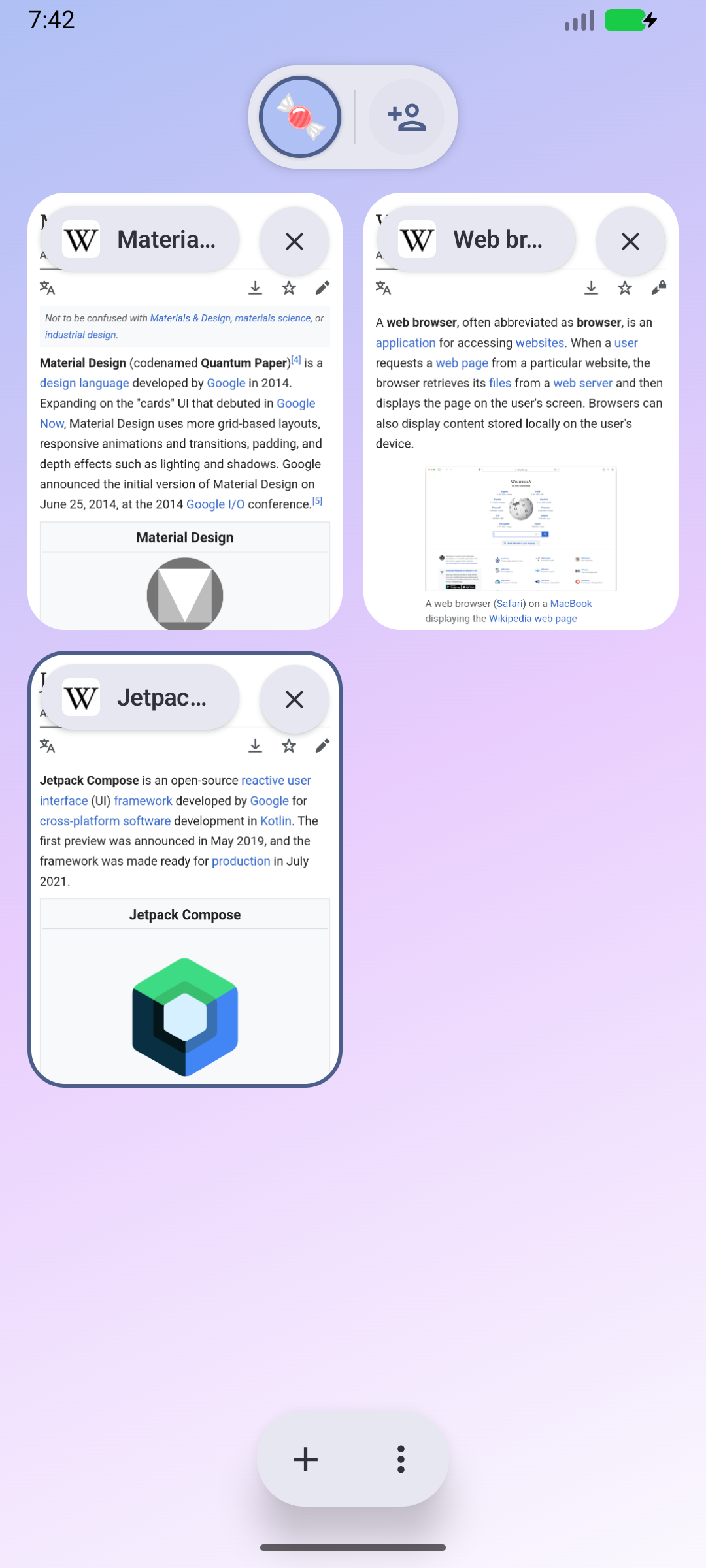
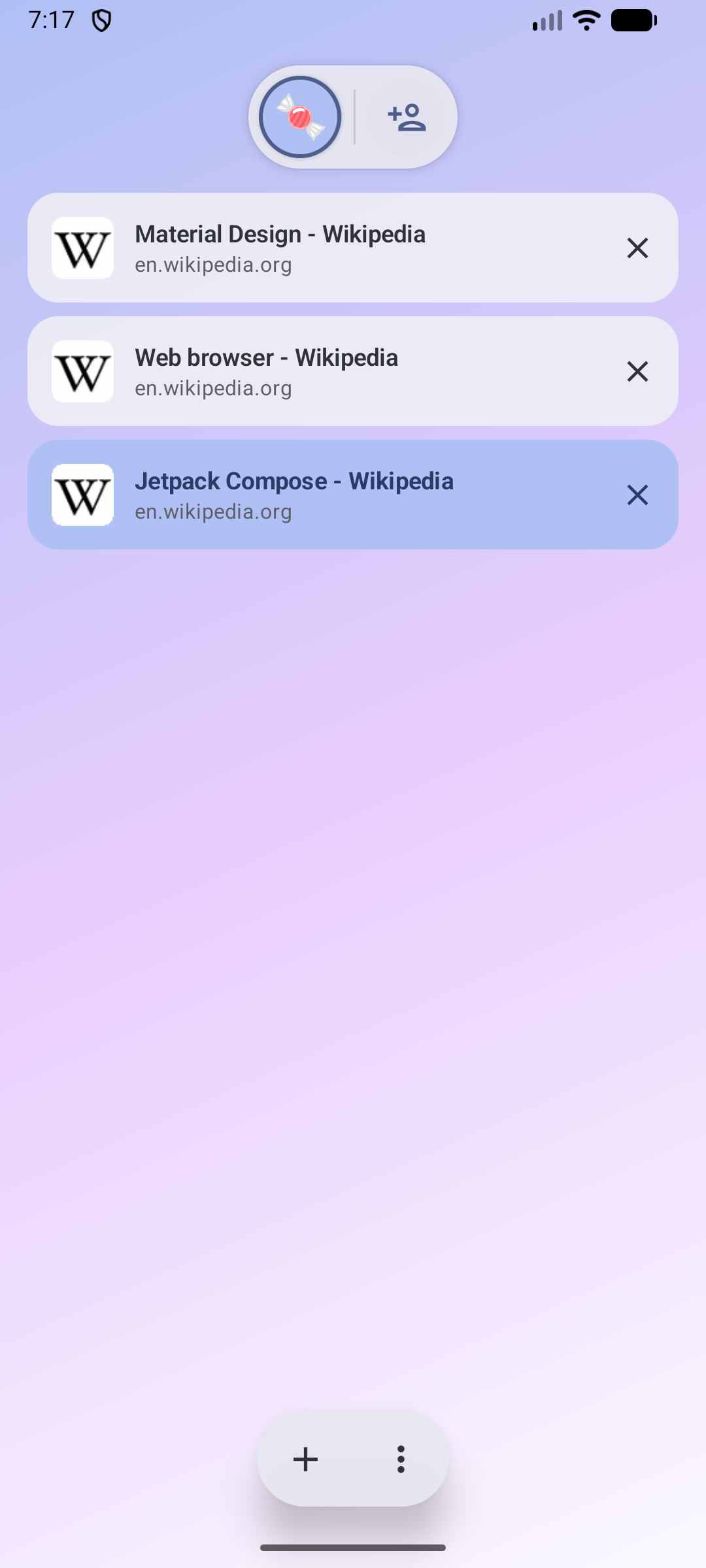
Candy keeps browser behavior and production UI in shared Kotlin. The address bar, gestures, menus, tab switcher, Hero/Grid/List previews, settings structure, and their motion rules are not rebuilt for each platform. Small platform adapters connect that shared product layer to the native browser engine, image types, resources, haptics, and visual effects.
flowchart TD
    K[Shared Kotlin behavior and state] --> C[Shared Compose UI and motion]
    C --> A[Android platform adapter]
    C --> I[iOS platform adapter]
    A --> E{Selected Android engine}
    E --> G[GeckoView sessions]
    E --> S[System WebView sessions]
    G --> F[Signed Firefox WebExtensions]
    K --> T[Shared Topping model and grants]
    T --> GT[Gecko userScripts host]
    T --> ST[System WebView userScripts host]
    T --> WT[WKUserScript host]
    I --> W[WKWebView sessions]
    W --> WT
Android defaults to GeckoView and can switch the whole app to Android System WebView from Browser settings. Candy checkpoints tab URLs and restarts into a fresh process, keeping tabs, bookmarks, history, profiles, and settings shared while cookies, logins, native back-forward lists, and other engine-owned session state stay separate. Firefox extensions remain available only in GeckoView; System WebView keeps Toppings and Candy protection. iOS uses WKWebView behind the same shared Kotlin contracts and Compose browser chrome, with native Liquid Glass supplied through an iOS effect adapter.
Implementation boundaries, invariants, and the current parity status are documented in Platform engines and Platform feature parity.
At 600 dp and wider, the floating address bar shows a horizontally scrollable tab strip. Tap another tab to open it, or tap the current tab to edit its address. Configurable actions and the More menu stay in place. Horizontal swipes scroll the strip; the upward overview gesture remains. The visual tab overview also adapts its previews and grid to larger screens.
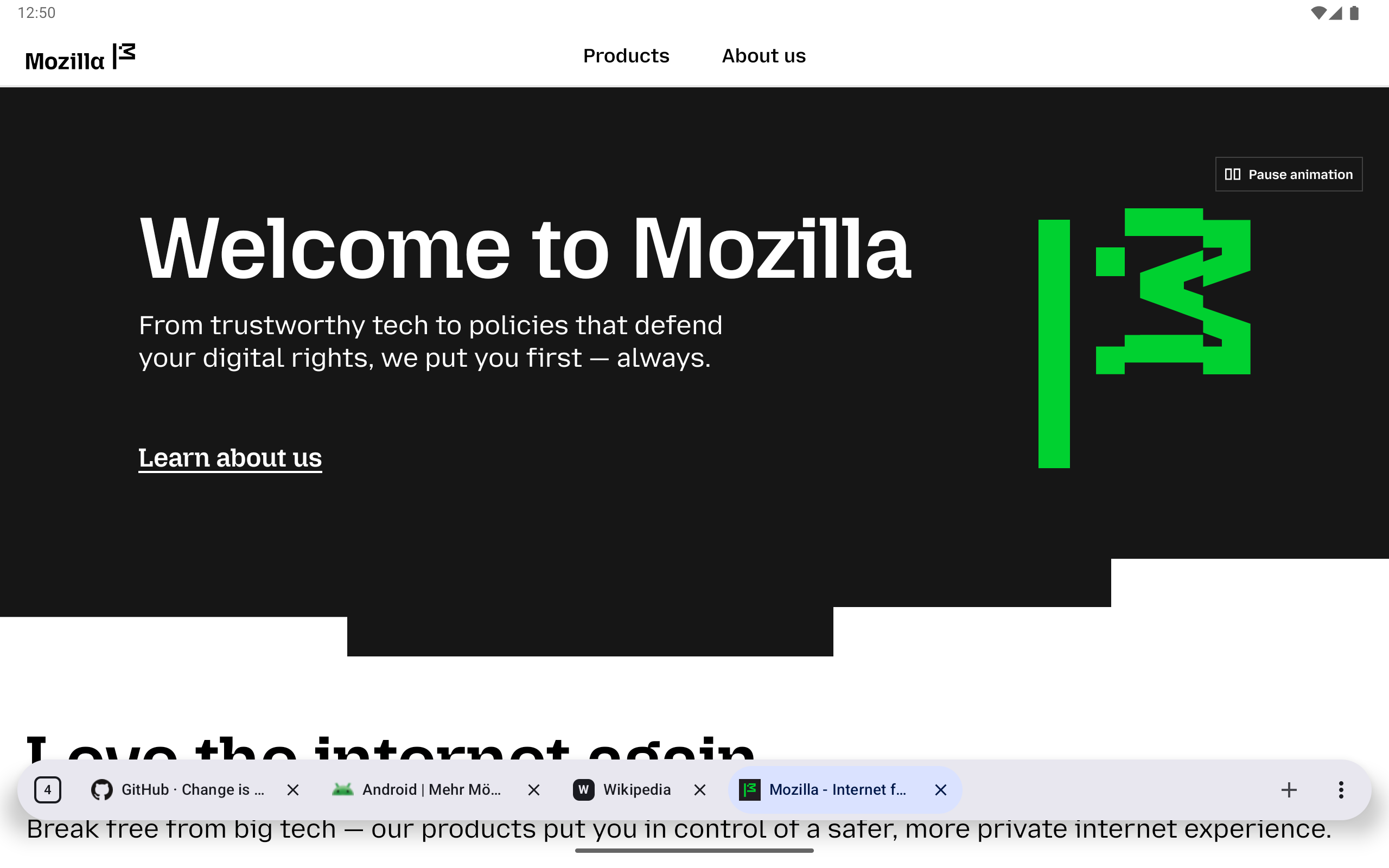
Tablet browsing with floating, scrollable tabs and website favicons.
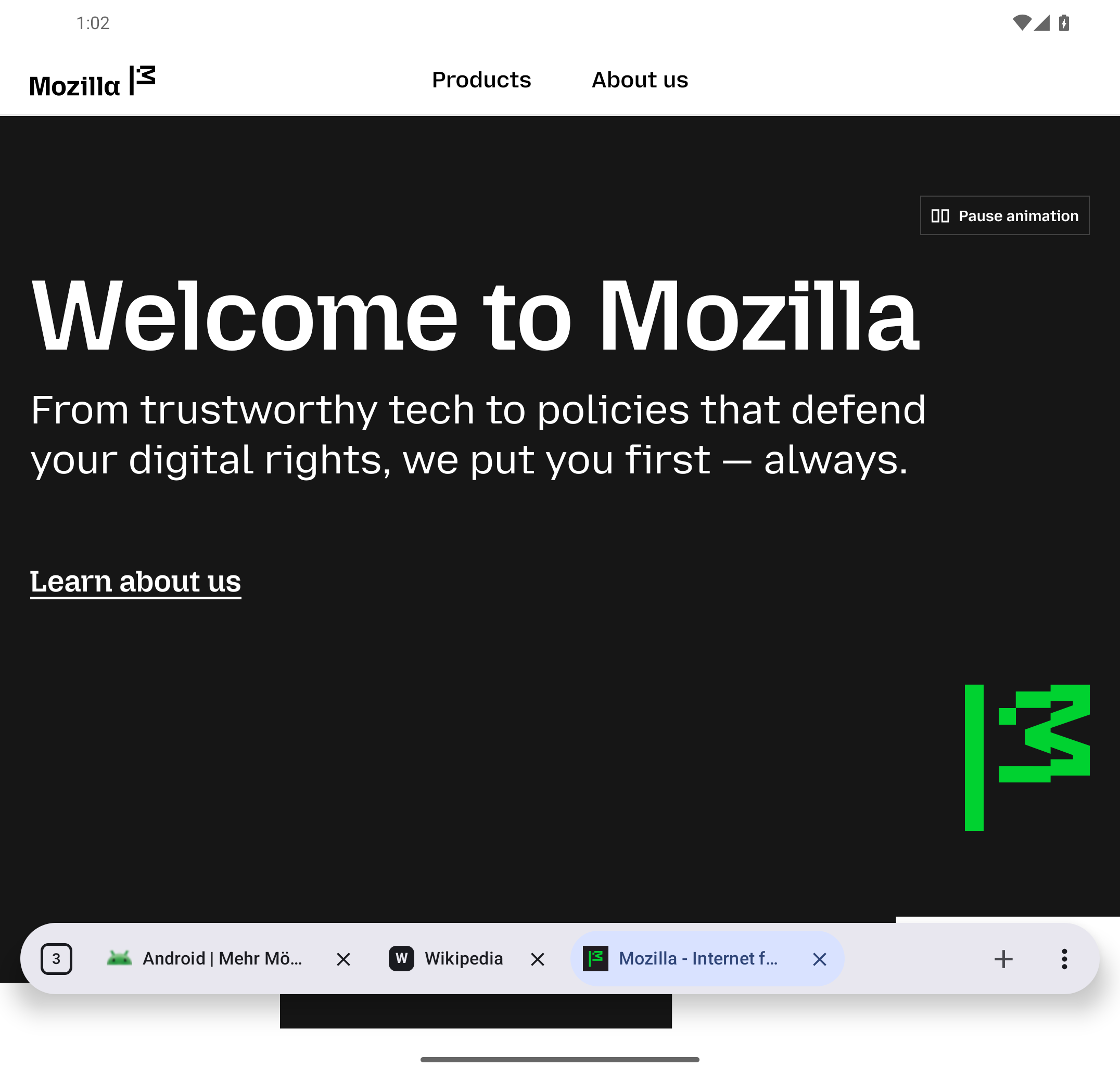
Unfolded foldable layout with the same tab strip and fixed browser actions.
> for tab, profile, cache, cookie, and navigation actions>recall, with no private-tab or cloud indexing
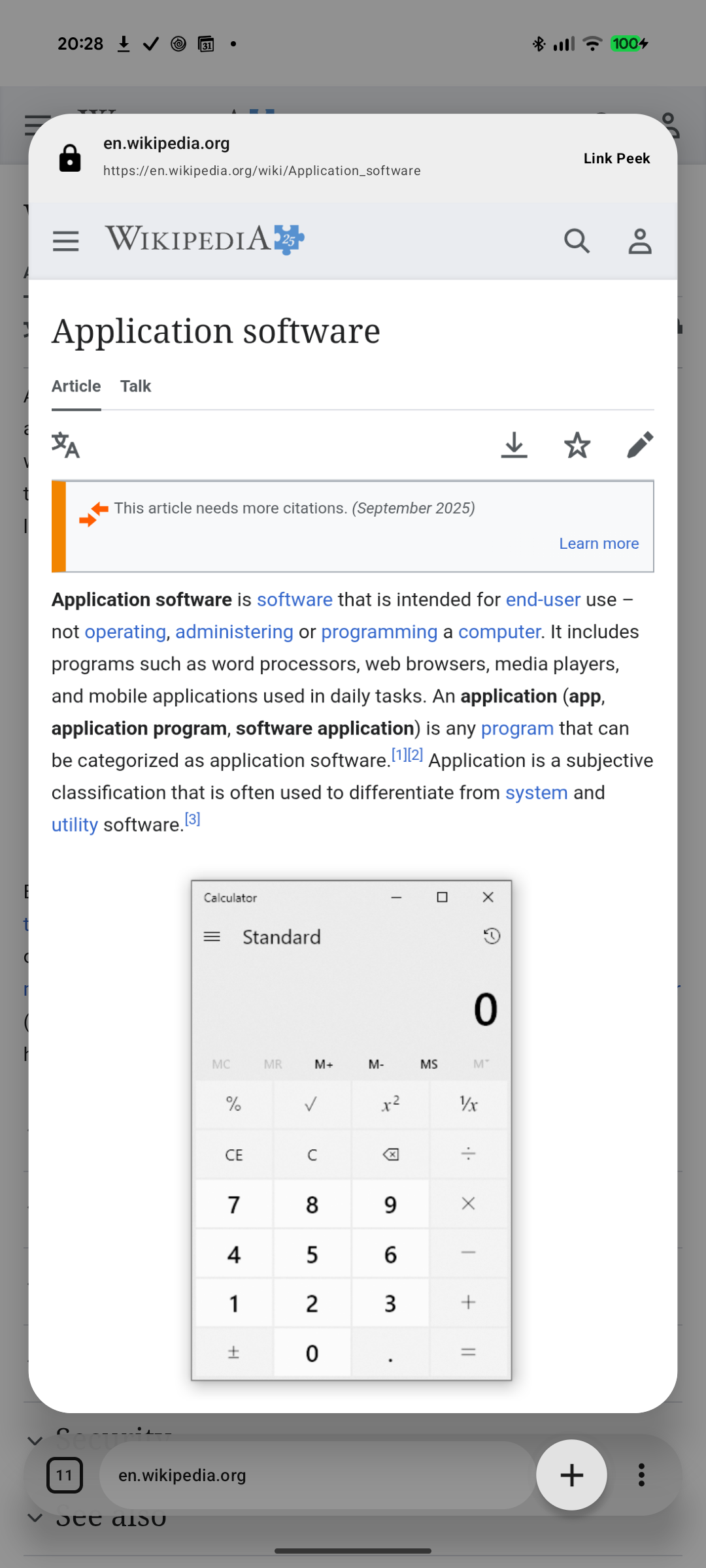
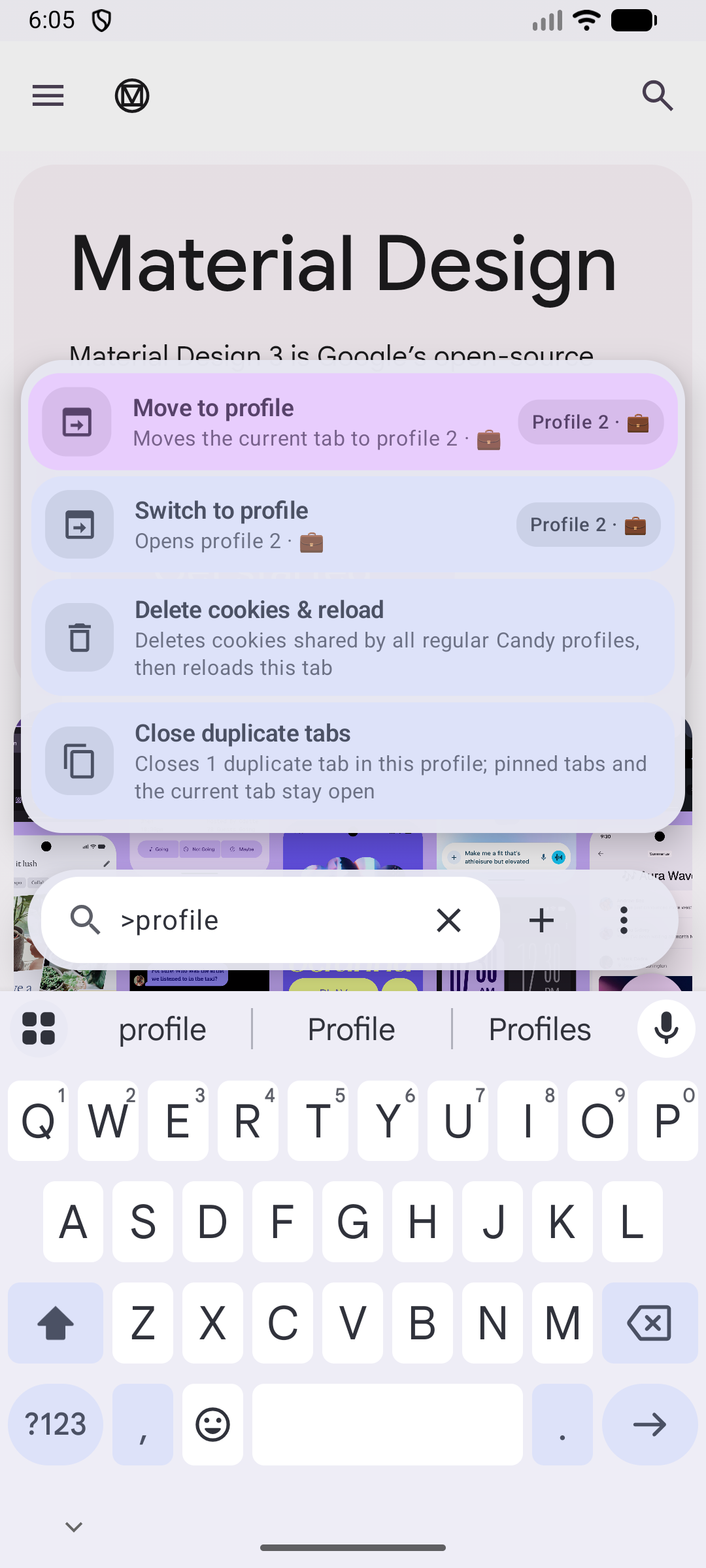
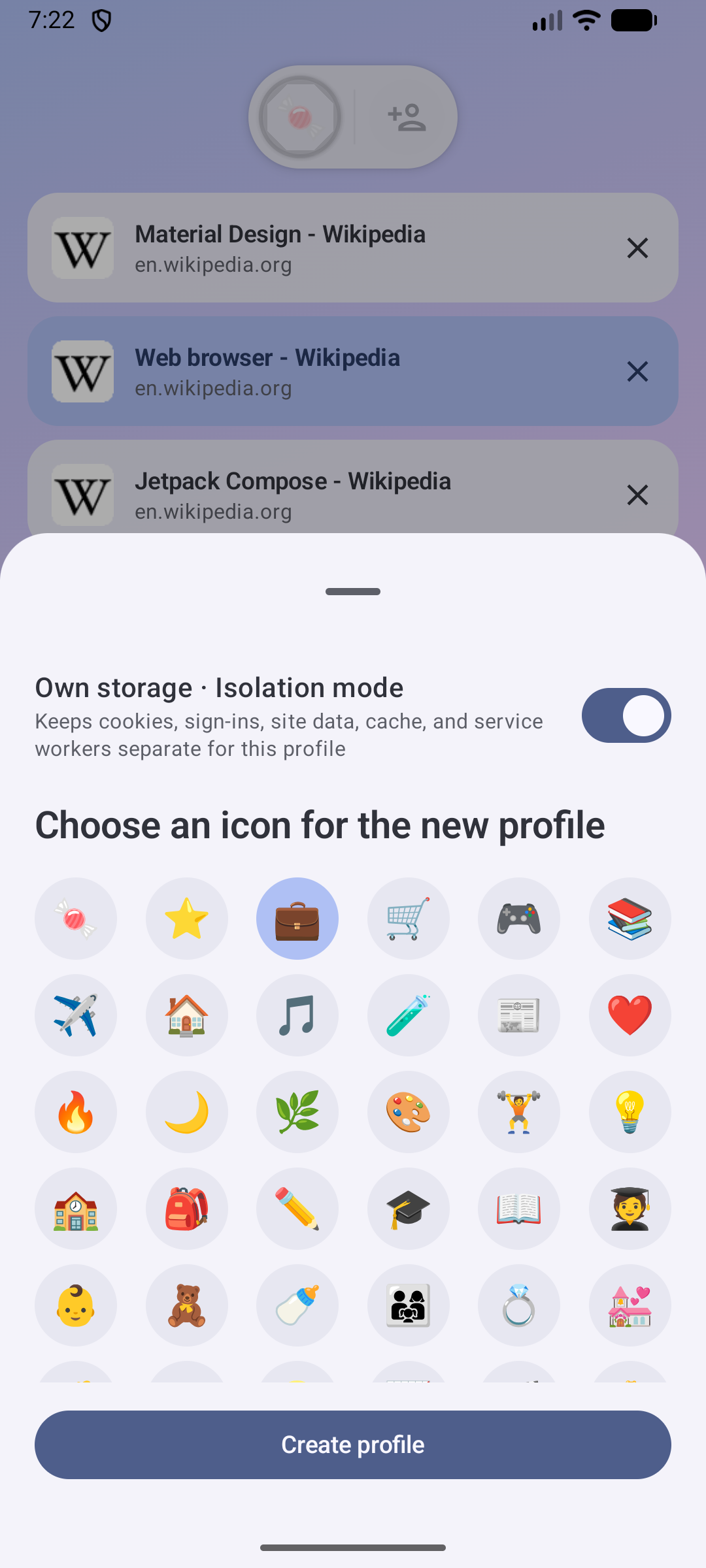
GM_* APIs. The reviewed catalog lives in
candy-browser-toppings, so new Toppings do
not require a Candy Browser release
tabs.update({ muted: ... }) and tabs.update({ pinned: ... }) are rejected by GeckoView 155's
extension schema.Pinned source URLs, versions, hashes, licenses, and delivery modes live in
app/src/gecko/assets/gecko_default_extensions/catalog.json. Maintainers verify local assets with
python3 scripts/generate_gecko_default_extensions.py verify, audit both upstream files with
python3 scripts/generate_gecko_default_extensions.py audit-remote, and refresh the bundled XPI
only with python3 scripts/generate_gecko_default_extensions.py refresh.
Candy Browser requires Android 13 (API 33) or newer.
Standard and User CA production builds check GitHub for updates at startup and offer a signed APK for download. Standard installs on ARM64 devices prefer the smaller ARM64 APK and fall back to the universal APK when needed. Both use the same application ID, version, and signing key, so either can update an existing standard install. The FOSS build disables this updater. Android still requires you to open a downloaded file and approve installation.
Use the filtered setup link so Obtainium always selects the standard certificate-trust channel:

The standard and User CA channels use separate application IDs, so both can stay installed and keep independent profiles, settings, and caches. Keep the asset filter: it prevents Obtainium from selecting a different channel than the configured app.
Candy includes a separately installable foss distribution flavor for the official F-Droid
repository. It uses the application ID dev.sk2andy.materialbrowser.foss, removes Google Play
services, Google Cast, Google Code Scanner, and Candy's GitHub update checker, and keeps its profiles,
settings, and caches isolated from the other channels. Remote search suggestions default to off.
F-Droid builds this variant from tagged public source and verifies it against Candy's upstream-signed
FOSS APK.
The isolated F-Droid listing starts with 0.37; older FOSS APKs used the universal application ID
and cannot become versions of the new package. Submission files and maintainer steps live in
distribution/fdroid. Candy publishes a signed FOSS reference APK
so F-Droid can verify its source build and preserve update compatibility with the upstream signing
key.
Releases contain four APK channels plus an architecture-optimized standard APK:
| APK suffix | Certificate trust | Intended use |
|---|---|---|
-release.apk | Android system CAs only | Universal compatibility fallback |
-arm64-v8a-release.apk | Android system CAs only | Recommended smaller APK for ARM64 devices |
-systemwebview-release.apk | Android system CAs only | Small, separately installed build using only Android System WebView |
-foss-release.apk | Android system CAs only | F-Droid reproducible-build reference without proprietary Google integrations |
-ca-release.apk | System CAs plus every CA in Android's user store | Explicit opt-in for HTTPS filtering/proxy tools such as AdGuard |
Both standard APKs use dev.sk2andy.materialbrowser and the same release signature. The System
WebView-only build uses dev.sk2andy.materialbrowser.systemwebview, the FOSS build uses
dev.sk2andy.materialbrowser.foss, and the User CA build uses
dev.sk2andy.materialbrowser.ca. Android therefore installs all four channels side by side with
isolated app data. Their launcher labels distinguish the channels; the warning under
Settings → Protection & data additionally identifies the User CA build's broader trust policy.
Updates stay on the installed channel. The System WebView build never downloads a GeckoView APK.
Releases through v0.36 used the standard application ID for all three APKs. Android cannot migrate
an installed package to a different application ID, so the isolated FOSS and CA channels start with
fresh app data. The new CA asset name is -ca-release.apk; legacy CA installs therefore do not get
offered an incompatible package as an in-place update.
Security warning: a trusted user CA can inspect and modify all HTTPS traffic made by Candy, including normal and private tabs, suggestions, filter subscriptions, and update metadata. Only install the User CA APK when you trust every CA in Android's user credential store and the software that controls its private key. APK signature verification still protects Candy updates from APKs signed by another key.
Advanced users who intentionally need this channel can use the filtered User CA Obtainium setup.
Requirements: Android SDK 37.1 and JDK 17. Point JAVA_HOME to your JDK 17 installation.
./gradlew testFullDebugUnitTest lintFullDebug assembleFullDebug
To verify the F-Droid-compatible build:
./gradlew testFossDebugUnitTest lintFossDebug assembleFossDebug
To verify the small System WebView-only build:
./gradlew testSystemwebviewDebugUnitTest lintSystemwebviewDebug assembleSystemwebviewDebug
./gradlew assembleSystemwebviewRelease
python3 scripts/test_systemwebview_apk.py
To build the explicit User CA development variant:
./gradlew testFullUserCaDebugUnitTest lintFullUserCaDebug assembleFullUserCaDebug
python3 scripts/test_network_security_apks.py
Debug APK: app/build/outputs/apk/full/debug/app-full-debug.apk. It installs as
dev.sk2andy.materialbrowser.linkpeek, uses the label Candy Link Peek, and has a badged launcher
icon, so it can stay installed beside the release app.
Release builds are minified with R8 and require a signing key. Never commit a keystore or its credentials. Configure signing locally with either an ignored project file or environment variables.
For the first release only, create a long-lived key if no release key exists yet. Reuse that same key for every later release:
mkdir -p .signing
keytool -genkeypair \
  -keystore .signing/candy-release.keystore \
  -storetype PKCS12 \
  -alias candy \
  -keyalg RSA \
  -keysize 4096 \
  -validity 10000
For an ignored project file:
cp keystore.properties.example keystore.properties
# Replace every placeholder in keystore.properties, then:
./gradlew assembleFullLocalRelease
Alternatively, export the same values from ~/.zshrc.shared:
export CANDY_RELEASE_KEYSTORE_PATH=/absolute/path/to/project/.signing/candy-release.keystore
export CANDY_RELEASE_STORE_PASSWORD='replace-me'
export CANDY_RELEASE_KEY_ALIAS='candy'
export CANDY_RELEASE_KEY_PASSWORD='replace-me'
Signed local APK: app/build/outputs/apk/full/localRelease/app-full-localRelease.apk
localRelease installs beside the GitHub build as dev.sk2andy.materialbrowser.local and uses a
separate launcher icon and the label Candy Browser Local. GitHub update prompts are disabled for
this side-by-side build because production APKs cannot update its package. The GitHub release
workflow uses assembleFullRelease, assembleFossRelease, assembleSystemwebviewRelease, and
assembleFullUserCaRelease; those outputs use the standard, .foss, .systemwebview, and .ca
application IDs and matching launcher identities. A
separate workflow signs and publishes the FOSS output from explicitly allowlisted release tags.
For current edge-to-edge experiments, use the separate Candy Edge package consistently:
./gradlew lintFullLocalRelease assembleFullLocalRelease \
  -Pcandy.localReleaseApplicationIdSuffix=.edge \
  '-Pcandy.localReleaseAppLabel=Candy Edge' \
  -Pcandy.performanceDiagnostics=true
This signed, minified APK installs as dev.sk2andy.materialbrowser.edge, without replacing standard
Candy or sharing its app data. Its diagnostic authority is
content://dev.sk2andy.materialbrowser.edge.performance; launch the component
dev.sk2andy.materialbrowser.edge/dev.sk2andy.materialbrowser.MainActivity. Keep production release
identities unchanged. Device commands must use the explicitly selected serial.
The manual Release Android APK workflow tests the selected source revision, builds the FOSS flavor,
builds and verifies the signed universal standard, ARM64 standard, System WebView-only, and User CA
APKs, creates a v<version> source tag, and publishes the four signed GitHub APKs plus their SHA-256
checksums. Add four
repository secrets once:
base64 < "$CANDY_RELEASE_KEYSTORE_PATH" | gh secret set CANDY_RELEASE_KEYSTORE_BASE64
printf '%s' "$CANDY_RELEASE_STORE_PASSWORD" | gh secret set CANDY_RELEASE_STORE_PASSWORD
printf '%s' "$CANDY_RELEASE_KEY_ALIAS" | gh secret set CANDY_RELEASE_KEY_ALIAS
printf '%s' "$CANDY_RELEASE_KEY_PASSWORD" | gh secret set CANDY_RELEASE_KEY_PASSWORD
Pin the public certificate fingerprint separately. This prevents an accidentally replaced keystore from publishing an APK that installed copies cannot update to:
keytool -exportcert \
  -keystore "$CANDY_RELEASE_KEYSTORE_PATH" \
  -storepass:env CANDY_RELEASE_STORE_PASSWORD \
  -alias "$CANDY_RELEASE_KEY_ALIAS" \
  | shasum -a 256 \
  | awk '{print $1}' \
  | gh variable set CANDY_RELEASE_CERTIFICATE_SHA256
The separate Publish F-Droid reference APK workflow builds without access to signing secrets, then
passes the unsigned APK to an isolated signing job that executes no repository code. It accepts only
explicitly allowlisted release tags and commits and uses Android Build Tools 34 for compatibility
with F-Droid's signature-copying process. Reference APKs disable the legacy v1/JAR signature and
enable modern APK signature schemes so F-Droid can copy the signature onto its independent build.
F-Droid accepts the resulting signed APK only when that build matches byte for byte apart from
signing.
The workflow uses the release GitHub environment. Configure required reviewers for that environment
if releases should require a manual approval after dispatch.
Before each release, update candy.versionName and the monotonically increasing
candy.versionCode in gradle.properties. The workflow rejects an input version that differs
from the committed version. Add the matching English changelog at
release-notes/<version>.md; it is bundled into Android’s one-time What’s New page and published
unchanged as the GitHub Release body. The project skill at
.agents/skills/release-changelog/SKILL.md documents the supported Markdown and screenshot format.
Then dispatch a release from GitHub Actions or with GitHub CLI:
gh workflow run release.yml \
  -f version=0.33 \
  -f changelog=release-notes/0.33.md \
  -f prerelease=false \
  -f play_track=alpha
The workflow publishes to Google Play after the GitHub Release by default. For a GitHub-only
release, pass -f publish_play=false; the signed APK and release checks still run.
The Play build uses the standard application ID dev.sk2andy.materialbrowser, targets API 36,
and disables Candy's GitHub update prompt. bundleFullPlayRelease produces one Android App Bundle
containing ARM64, ARMv7, x86, and x86_64 libraries; Google Play generates and serves only the
configuration APKs needed by each device.
Candy's Google Play developer account ID is 6525963931496038407. This ID identifies the account
but is not a publishing credential. The Android Publisher API authenticates a narrowly permissioned
service account through GitHub's short-lived Workload Identity Federation credentials.
For seamless updates between existing GitHub installations and Google Play, configure Play App Signing with the existing Candy release key as the app signing key. Do not let Play generate an unrelated app signing key. Create a separate upload key for the GitHub workflow:
mkdir -p .signing
keytool -genkeypair \
  -keystore .signing/candy-play-upload.keystore \
  -storetype PKCS12 \
  -alias candy-play-upload \
  -keyalg RSA \
  -keysize 4096 \
  -validity 10000
The google-play GitHub environment supplies four secrets and three variables:
| Kind | Name | Purpose |
|---|---|---|
| Secret | CANDY_PLAY_UPLOAD_KEYSTORE_BASE64 | Base64-encoded Play upload keystore |
| Secret | CANDY_PLAY_UPLOAD_STORE_PASSWORD | Upload keystore password |
| Secret | CANDY_PLAY_UPLOAD_KEY_ALIAS | Upload key alias |
| Secret | CANDY_PLAY_UPLOAD_KEY_PASSWORD | Upload key password |
| Variable | CANDY_PLAY_UPLOAD_CERTIFICATE_SHA256 | Pinned upload certificate digest |
| Variable | GCP_WORKLOAD_IDENTITY_PROVIDER | Full Google Cloud WIF provider name |
| Variable | GCP_PLAY_SERVICE_ACCOUNT | Play publisher service-account email |
Restrict the WIF attribute condition to repository sk2andy/candy-browser and environment
google-play. Allow either the reusable job_workflow_ref identity at refs/heads/main or the
direct workflow_ref identity for publish-google-play.yml on main and release tags matching
v*. Grant the service account access only to Candy in Play Console. Configure the google-play
GitHub environment to accept main and v* release tags. Automatic release publication must not
require a reviewer. The workflow builds without Google or signing credentials; only the separate
publish job can sign the AAB and request a short-lived Google credential. No service-account JSON
key is stored in GitHub.
The account must be verified and the app, declarations, Play App Signing, upload key, service account access, and first internal release must be created once in Play Console. After that, publish an existing GitHub release tag with:
gh workflow run publish-google-play.yml \
  -f version=0.42 \
  -f track=internal \
  -f status=completed
By default, the Android release workflow directly invokes the reusable Play workflow after creating
each GitHub Release; publish_play=false skips that job. The direct invocation avoids GitHub's
protection against recursively triggering workflows with GITHUB_TOKEN. Its play_track input
defaults to the closed alpha track and can target internal,
beta, or production explicitly. A manually created stable GitHub Release also publishes to closed
alpha, while a manually created prerelease publishes to Play beta. After production access is
approved, select production when dispatching the release workflow. Manual dispatch from main
remains available for drafts and existing releases. All paths check out the fully
qualified v<version> tag and require a corresponding published GitHub Release. The workflow also
requires matching English and German files at
fastlane/metadata/android/<locale>/changelogs/<versionCode>.txt, verifies their Play length limit,
the upload-key certificate, all four ABIs, the signed AAB, and the R8 mapping file. It defaults to a
draft internal release when dispatched manually. Manual production publication additionally requires
-f production_confirmation=PROMOTE-TESTED-TO-PRODUCTION. Each automatic release needs a new
versionCode; rerunning an already uploaded version can be rejected by Play. The release workflow
intentionally does not overwrite the Store listing.
Store descriptions and artwork in fastlane/metadata/android remain the canonical source for the
one-time Play Console setup and explicit later listing updates.
Publish a FOSS reference APK from an allowlisted release tag with:
gh workflow run publish-fdroid-reference.yml -f tag=v0.33
Before each later F-Droid release, add its exact tag and immutable commit to the workflow allowlist through normal code review, then dispatch the workflow.
Android versionCode is stored in source so GitHub and F-Droid can build identical version
metadata from a tag. Tags and releases are created only after full and FOSS tests, release build
checks, APK signing, certificate pinning, and signature verification succeed. Back up the original
keystore and credentials securely: Android updates must always use the same signing key.
Candy offers GeckoView and Android System WebView as selectable Android engines and uses WKWebView for the iOS target. It does not bundle a Chromium fork or route traffic through a proxy or VPN. Shared Candy filtering policy stays local and crosses a platform-specific engine adapter.
Engine APIs still define the visibility boundary. WebSockets, CNAME cloaking, some redirects, and content inside closed cross-origin or Shadow DOM contexts may get through. Firefox extensions can use only GeckoView's public embedder surface; Firefox Desktop support does not imply GeckoView support. Android System WebView and WKWebView cannot run Firefox extensions, so both use bounded Toppings instead.
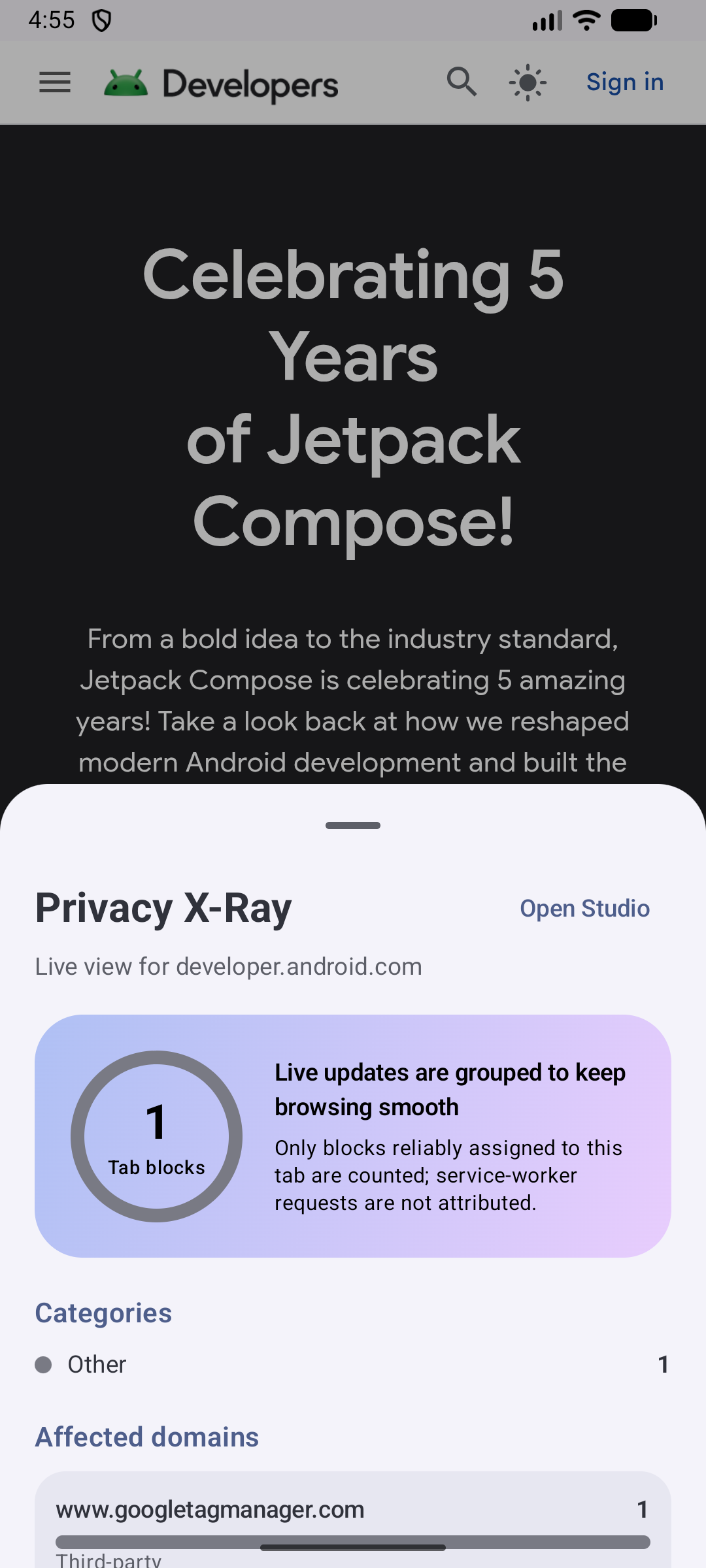
Privacy X-Ray includes only blocked requests that the active browser engine can reliably attribute to one tab. Service-worker requests are filtered but excluded from per-tab telemetry when no reliable tab ID is available.
Google Cast is used only after explicit device selection for compatible regular-tab video. Media URLs and metadata are sent to the selected Cast device and remain memory-only in Candy. Google's Cast Sender SDK can send Cast-device interaction activity to Google's logging service; release Data Safety disclosures must account for the current SDK behavior.
Candy Rules v1 supports exact host block/allow rules, positive site-to-host pairs, HOSTS entries, and origin-scoped standard CSS selectors. It deliberately rejects JavaScript, regular expressions, redirects, response-header filters, scriptlets, and advanced cosmetic operators rather than approximating them.
Bundled EasyList/EasyPrivacy and uAssets cosmetics are compiled separately from user rules and
merged in memory so exceptions work across sources. Only domain-specific standard ##selector
rules, their domain exclusions, and matching #@# exceptions are retained. Generic selectors,
conditional capability blocks, and procedural operators are skipped. Runtime lookup resolves
selectors for the current host before registering a bounded, exact-origin document-start script;
invalid browser-specific selectors fail independently through insertRule. Mail, Maps, and
Accounts Google hosts intentionally receive no bundled cosmetic CSS.
Bundled defaults may additionally use audited, declarative WebView rules: a site-scoped literal request-path prefix or a known Reject/Remind-later consent control. These rules cannot run imported JavaScript, never click Accept, and never intercept a main-frame navigation. An exact bundled path rule may override the general same-party escape only for its audited page-host, request-host, and literal non-root path prefix.
Imports are bounded and validated atomically. HTTPS subscriptions update only after a user-requested fetch, show a diff, and require confirmation. Private-profile imports remain in memory.
EasyList, EasyPrivacy, and EasyList Cookie data are distributed under CC BY-SA 3.0 or later. The
uAssets-derived network and cosmetic subsets are generated from one pinned revision of the official
uBlock Origin Ads source and distributed under GPL-3.0. The HaGeZi Pro host delta is generated from
a pinned official revision and distributed under GPL-3.0. Exact sources, revisions,
transformations, and notices ship in app/src/main/assets/; maintenance entry points live in
scripts/update_*.sh.
29 app languages, including Russian (ru, also used for ru-RU). See the
complete language list.
Candy Browser source code is available under the Mozilla Public License 2.0.
Third-party components and filter data retain their own licenses; bundled notices are available in
app/src/main/assets/third_party_notices.txt and inside the app.
Gesture-first Android browser with Material 3 Expressive design and local privacy tools
Kotlin
544
672 commits
updated Oct 12, 2026
Firefox extensions on Android, powered by GeckoView.
A gesture-first browser with selectable GeckoView and Android System WebView engines,
an iOS WKWebView/Liquid Glass target, and local privacy tools.
GitHub Pages website · Privacy · Releases
[!NOTE] Next release: stability fixes. I'm focusing on finding and fixing as many bugs as possible and testing the changes over an extended period to make Candy Browser more reliable.
Candy uses GeckoView by default and supports Mozilla-signed Firefox extensions directly inside the Android app. A fresh Gecko profile comes with uBlock Origin and I still don't care about cookies, while additional compatible extensions can be installed and managed from Candy's browser settings.
Extension actions, popups, options, permissions, updates, and enable/disable controls stay inside Candy's browser chrome. See Platform engines for the supported GeckoView integration and current compatibility boundaries.
Candy Sync turns every connected Android, Chromium, or Firefox device into a writable profile. Open a desktop profile on your phone to inspect its live tab list, open new tabs, navigate, pin, reorder, or close them. The same small tab changes flow back to every connected client instead of re-uploading the complete browser state.
Changes are encrypted locally and written to a durable outbox. REST commits provide ordered, retry-safe storage; authenticated WebSocket notifications deliver committed changes immediately. After suspension or network loss, clients recover missing changes through REST.
The first client creates a random 256-bit workspace key. The immutable passphrase derives a local recovery key with Argon2id; HKDF-SHA-256 derives purpose- and device-specific keys, and AES-256-GCM encrypts and authenticates tab data. Every device also creates its own P-256 private key locally. The passphrase, workspace key, private keys, URLs, titles, device names, and icons never reach the server in plaintext—the server stores ciphertext plus the routing metadata required for sync.
cd sync/server
cp .env.example .env
# Set a unique username, password, public URL, and TLS host in .env.
# Never put the E2EE passphrase in server configuration.
docker compose pull candy-sync
docker compose up -d
The public sk2andy/candy-sync:latest image supports Linux AMD64 and ARM64. Contributors can still
build the server locally with docker compose up --build -d.
Build and load the WebExtension from sync/extension/, open its browser-managed Options Page, and
enter the endpoint plus an E2EE passphrase. In Candy Browser, open Settings → Synchronization
and join with the same endpoint, credentials, and passphrase.
See the Candy Sync guide for server deployment, local TLS, Chromium/Firefox loading, Android setup, backups, protocol details, and the full security model.
Watch or download the 16:9 feature showcase (MP4, 60 fps)
After its gesture-first opener, the showcase moves straight to the Android engine choice and Firefox extensions. It then combines self-hosted Android/Chromium/Firefox tab sync with E2EE, live API 36 emulator footage, current Topping scripts, and repository screenshots to show Link Peek, Spoilerfree Sports, Hacker News Comfort, Privacy X-Ray, Reader Studio, Candy Trails, and profiles. Its original soundtrack, kinetic typography, and camera motion are generated entirely from repository-owned sources.
Candy keeps browser behavior and production UI in shared Kotlin. The address bar, gestures, menus, tab switcher, Hero/Grid/List previews, settings structure, and their motion rules are not rebuilt for each platform. Small platform adapters connect that shared product layer to the native browser engine, image types, resources, haptics, and visual effects.
flowchart TD
    K[Shared Kotlin behavior and state] --> C[Shared Compose UI and motion]
    C --> A[Android platform adapter]
    C --> I[iOS platform adapter]
    A --> E{Selected Android engine}
    E --> G[GeckoView sessions]
    E --> S[System WebView sessions]
    G --> F[Signed Firefox WebExtensions]
    K --> T[Shared Topping model and grants]
    T --> GT[Gecko userScripts host]
    T --> ST[System WebView userScripts host]
    T --> WT[WKUserScript host]
    I --> W[WKWebView sessions]
    W --> WT
Android defaults to GeckoView and can switch the whole app to Android System WebView from Browser settings. Candy checkpoints tab URLs and restarts into a fresh process, keeping tabs, bookmarks, history, profiles, and settings shared while cookies, logins, native back-forward lists, and other engine-owned session state stay separate. Firefox extensions remain available only in GeckoView; System WebView keeps Toppings and Candy protection. iOS uses WKWebView behind the same shared Kotlin contracts and Compose browser chrome, with native Liquid Glass supplied through an iOS effect adapter.
Implementation boundaries, invariants, and the current parity status are documented in Platform engines and Platform feature parity.
At 600 dp and wider, the floating address bar shows a horizontally scrollable tab strip. Tap another tab to open it, or tap the current tab to edit its address. Configurable actions and the More menu stay in place. Horizontal swipes scroll the strip; the upward overview gesture remains. The visual tab overview also adapts its previews and grid to larger screens.
Tablet browsing with floating, scrollable tabs and website favicons.
Unfolded foldable layout with the same tab strip and fixed browser actions.
> for tab, profile, cache, cookie, and navigation actions>recall, with no private-tab or cloud indexing
GM_* APIs. The reviewed catalog lives in
candy-browser-toppings, so new Toppings do
not require a Candy Browser release
tabs.update({ muted: ... }) and tabs.update({ pinned: ... }) are rejected by GeckoView 155's
extension schema.Pinned source URLs, versions, hashes, licenses, and delivery modes live in
app/src/gecko/assets/gecko_default_extensions/catalog.json. Maintainers verify local assets with
python3 scripts/generate_gecko_default_extensions.py verify, audit both upstream files with
python3 scripts/generate_gecko_default_extensions.py audit-remote, and refresh the bundled XPI
only with python3 scripts/generate_gecko_default_extensions.py refresh.
Candy Browser requires Android 13 (API 33) or newer.
Standard and User CA production builds check GitHub for updates at startup and offer a signed APK for download. Standard installs on ARM64 devices prefer the smaller ARM64 APK and fall back to the universal APK when needed. Both use the same application ID, version, and signing key, so either can update an existing standard install. The FOSS build disables this updater. Android still requires you to open a downloaded file and approve installation.
Use the filtered setup link so Obtainium always selects the standard certificate-trust channel:
The standard and User CA channels use separate application IDs, so both can stay installed and keep independent profiles, settings, and caches. Keep the asset filter: it prevents Obtainium from selecting a different channel than the configured app.
Candy includes a separately installable foss distribution flavor for the official F-Droid
repository. It uses the application ID dev.sk2andy.materialbrowser.foss, removes Google Play
services, Google Cast, Google Code Scanner, and Candy's GitHub update checker, and keeps its profiles,
settings, and caches isolated from the other channels. Remote search suggestions default to off.
F-Droid builds this variant from tagged public source and verifies it against Candy's upstream-signed
FOSS APK.
The isolated F-Droid listing starts with 0.37; older FOSS APKs used the universal application ID
and cannot become versions of the new package. Submission files and maintainer steps live in
distribution/fdroid. Candy publishes a signed FOSS reference APK
so F-Droid can verify its source build and preserve update compatibility with the upstream signing
key.
Releases contain four APK channels plus an architecture-optimized standard APK:
| APK suffix | Certificate trust | Intended use |
|---|---|---|
-release.apk | Android system CAs only | Universal compatibility fallback |
-arm64-v8a-release.apk | Android system CAs only | Recommended smaller APK for ARM64 devices |
-systemwebview-release.apk | Android system CAs only | Small, separately installed build using only Android System WebView |
-foss-release.apk | Android system CAs only | F-Droid reproducible-build reference without proprietary Google integrations |
-ca-release.apk | System CAs plus every CA in Android's user store | Explicit opt-in for HTTPS filtering/proxy tools such as AdGuard |
Both standard APKs use dev.sk2andy.materialbrowser and the same release signature. The System
WebView-only build uses dev.sk2andy.materialbrowser.systemwebview, the FOSS build uses
dev.sk2andy.materialbrowser.foss, and the User CA build uses
dev.sk2andy.materialbrowser.ca. Android therefore installs all four channels side by side with
isolated app data. Their launcher labels distinguish the channels; the warning under
Settings → Protection & data additionally identifies the User CA build's broader trust policy.
Updates stay on the installed channel. The System WebView build never downloads a GeckoView APK.
Releases through v0.36 used the standard application ID for all three APKs. Android cannot migrate
an installed package to a different application ID, so the isolated FOSS and CA channels start with
fresh app data. The new CA asset name is -ca-release.apk; legacy CA installs therefore do not get
offered an incompatible package as an in-place update.
Security warning: a trusted user CA can inspect and modify all HTTPS traffic made by Candy, including normal and private tabs, suggestions, filter subscriptions, and update metadata. Only install the User CA APK when you trust every CA in Android's user credential store and the software that controls its private key. APK signature verification still protects Candy updates from APKs signed by another key.
Advanced users who intentionally need this channel can use the filtered User CA Obtainium setup.
Requirements: Android SDK 37.1 and JDK 17. Point JAVA_HOME to your JDK 17 installation.
./gradlew testFullDebugUnitTest lintFullDebug assembleFullDebug
To verify the F-Droid-compatible build:
./gradlew testFossDebugUnitTest lintFossDebug assembleFossDebug
To verify the small System WebView-only build:
./gradlew testSystemwebviewDebugUnitTest lintSystemwebviewDebug assembleSystemwebviewDebug
./gradlew assembleSystemwebviewRelease
python3 scripts/test_systemwebview_apk.py
To build the explicit User CA development variant:
./gradlew testFullUserCaDebugUnitTest lintFullUserCaDebug assembleFullUserCaDebug
python3 scripts/test_network_security_apks.py
Debug APK: app/build/outputs/apk/full/debug/app-full-debug.apk. It installs as
dev.sk2andy.materialbrowser.linkpeek, uses the label Candy Link Peek, and has a badged launcher
icon, so it can stay installed beside the release app.
Release builds are minified with R8 and require a signing key. Never commit a keystore or its credentials. Configure signing locally with either an ignored project file or environment variables.
For the first release only, create a long-lived key if no release key exists yet. Reuse that same key for every later release:
mkdir -p .signing
keytool -genkeypair \
  -keystore .signing/candy-release.keystore \
  -storetype PKCS12 \
  -alias candy \
  -keyalg RSA \
  -keysize 4096 \
  -validity 10000
For an ignored project file:
cp keystore.properties.example keystore.properties
# Replace every placeholder in keystore.properties, then:
./gradlew assembleFullLocalRelease
Alternatively, export the same values from ~/.zshrc.shared:
export CANDY_RELEASE_KEYSTORE_PATH=/absolute/path/to/project/.signing/candy-release.keystore
export CANDY_RELEASE_STORE_PASSWORD='replace-me'
export CANDY_RELEASE_KEY_ALIAS='candy'
export CANDY_RELEASE_KEY_PASSWORD='replace-me'
Signed local APK: app/build/outputs/apk/full/localRelease/app-full-localRelease.apk
localRelease installs beside the GitHub build as dev.sk2andy.materialbrowser.local and uses a
separate launcher icon and the label Candy Browser Local. GitHub update prompts are disabled for
this side-by-side build because production APKs cannot update its package. The GitHub release
workflow uses assembleFullRelease, assembleFossRelease, assembleSystemwebviewRelease, and
assembleFullUserCaRelease; those outputs use the standard, .foss, .systemwebview, and .ca
application IDs and matching launcher identities. A
separate workflow signs and publishes the FOSS output from explicitly allowlisted release tags.
For current edge-to-edge experiments, use the separate Candy Edge package consistently:
./gradlew lintFullLocalRelease assembleFullLocalRelease \
  -Pcandy.localReleaseApplicationIdSuffix=.edge \
  '-Pcandy.localReleaseAppLabel=Candy Edge' \
  -Pcandy.performanceDiagnostics=true
This signed, minified APK installs as dev.sk2andy.materialbrowser.edge, without replacing standard
Candy or sharing its app data. Its diagnostic authority is
content://dev.sk2andy.materialbrowser.edge.performance; launch the component
dev.sk2andy.materialbrowser.edge/dev.sk2andy.materialbrowser.MainActivity. Keep production release
identities unchanged. Device commands must use the explicitly selected serial.
The manual Release Android APK workflow tests the selected source revision, builds the FOSS flavor,
builds and verifies the signed universal standard, ARM64 standard, System WebView-only, and User CA
APKs, creates a v<version> source tag, and publishes the four signed GitHub APKs plus their SHA-256
checksums. Add four
repository secrets once:
base64 < "$CANDY_RELEASE_KEYSTORE_PATH" | gh secret set CANDY_RELEASE_KEYSTORE_BASE64
printf '%s' "$CANDY_RELEASE_STORE_PASSWORD" | gh secret set CANDY_RELEASE_STORE_PASSWORD
printf '%s' "$CANDY_RELEASE_KEY_ALIAS" | gh secret set CANDY_RELEASE_KEY_ALIAS
printf '%s' "$CANDY_RELEASE_KEY_PASSWORD" | gh secret set CANDY_RELEASE_KEY_PASSWORD
Pin the public certificate fingerprint separately. This prevents an accidentally replaced keystore from publishing an APK that installed copies cannot update to:
keytool -exportcert \
  -keystore "$CANDY_RELEASE_KEYSTORE_PATH" \
  -storepass:env CANDY_RELEASE_STORE_PASSWORD \
  -alias "$CANDY_RELEASE_KEY_ALIAS" \
  | shasum -a 256 \
  | awk '{print $1}' \
  | gh variable set CANDY_RELEASE_CERTIFICATE_SHA256
The separate Publish F-Droid reference APK workflow builds without access to signing secrets, then
passes the unsigned APK to an isolated signing job that executes no repository code. It accepts only
explicitly allowlisted release tags and commits and uses Android Build Tools 34 for compatibility
with F-Droid's signature-copying process. Reference APKs disable the legacy v1/JAR signature and
enable modern APK signature schemes so F-Droid can copy the signature onto its independent build.
F-Droid accepts the resulting signed APK only when that build matches byte for byte apart from
signing.
The workflow uses the release GitHub environment. Configure required reviewers for that environment
if releases should require a manual approval after dispatch.
Before each release, update candy.versionName and the monotonically increasing
candy.versionCode in gradle.properties. The workflow rejects an input version that differs
from the committed version. Add the matching English changelog at
release-notes/<version>.md; it is bundled into Android’s one-time What’s New page and published
unchanged as the GitHub Release body. The project skill at
.agents/skills/release-changelog/SKILL.md documents the supported Markdown and screenshot format.
Then dispatch a release from GitHub Actions or with GitHub CLI:
gh workflow run release.yml \
  -f version=0.33 \
  -f changelog=release-notes/0.33.md \
  -f prerelease=false \
  -f play_track=alpha
The workflow publishes to Google Play after the GitHub Release by default. For a GitHub-only
release, pass -f publish_play=false; the signed APK and release checks still run.
The Play build uses the standard application ID dev.sk2andy.materialbrowser, targets API 36,
and disables Candy's GitHub update prompt. bundleFullPlayRelease produces one Android App Bundle
containing ARM64, ARMv7, x86, and x86_64 libraries; Google Play generates and serves only the
configuration APKs needed by each device.
Candy's Google Play developer account ID is 6525963931496038407. This ID identifies the account
but is not a publishing credential. The Android Publisher API authenticates a narrowly permissioned
service account through GitHub's short-lived Workload Identity Federation credentials.
For seamless updates between existing GitHub installations and Google Play, configure Play App Signing with the existing Candy release key as the app signing key. Do not let Play generate an unrelated app signing key. Create a separate upload key for the GitHub workflow:
mkdir -p .signing
keytool -genkeypair \
  -keystore .signing/candy-play-upload.keystore \
  -storetype PKCS12 \
  -alias candy-play-upload \
  -keyalg RSA \
  -keysize 4096 \
  -validity 10000
The google-play GitHub environment supplies four secrets and three variables:
| Kind | Name | Purpose |
|---|---|---|
| Secret | CANDY_PLAY_UPLOAD_KEYSTORE_BASE64 | Base64-encoded Play upload keystore |
| Secret | CANDY_PLAY_UPLOAD_STORE_PASSWORD | Upload keystore password |
| Secret | CANDY_PLAY_UPLOAD_KEY_ALIAS | Upload key alias |
| Secret | CANDY_PLAY_UPLOAD_KEY_PASSWORD | Upload key password |
| Variable | CANDY_PLAY_UPLOAD_CERTIFICATE_SHA256 | Pinned upload certificate digest |
| Variable | GCP_WORKLOAD_IDENTITY_PROVIDER | Full Google Cloud WIF provider name |
| Variable | GCP_PLAY_SERVICE_ACCOUNT | Play publisher service-account email |
Restrict the WIF attribute condition to repository sk2andy/candy-browser and environment
google-play. Allow either the reusable job_workflow_ref identity at refs/heads/main or the
direct workflow_ref identity for publish-google-play.yml on main and release tags matching
v*. Grant the service account access only to Candy in Play Console. Configure the google-play
GitHub environment to accept main and v* release tags. Automatic release publication must not
require a reviewer. The workflow builds without Google or signing credentials; only the separate
publish job can sign the AAB and request a short-lived Google credential. No service-account JSON
key is stored in GitHub.
The account must be verified and the app, declarations, Play App Signing, upload key, service account access, and first internal release must be created once in Play Console. After that, publish an existing GitHub release tag with:
gh workflow run publish-google-play.yml \
  -f version=0.42 \
  -f track=internal \
  -f status=completed
By default, the Android release workflow directly invokes the reusable Play workflow after creating
each GitHub Release; publish_play=false skips that job. The direct invocation avoids GitHub's
protection against recursively triggering workflows with GITHUB_TOKEN. Its play_track input
defaults to the closed alpha track and can target internal,
beta, or production explicitly. A manually created stable GitHub Release also publishes to closed
alpha, while a manually created prerelease publishes to Play beta. After production access is
approved, select production when dispatching the release workflow. Manual dispatch from main
remains available for drafts and existing releases. All paths check out the fully
qualified v<version> tag and require a corresponding published GitHub Release. The workflow also
requires matching English and German files at
fastlane/metadata/android/<locale>/changelogs/<versionCode>.txt, verifies their Play length limit,
the upload-key certificate, all four ABIs, the signed AAB, and the R8 mapping file. It defaults to a
draft internal release when dispatched manually. Manual production publication additionally requires
-f production_confirmation=PROMOTE-TESTED-TO-PRODUCTION. Each automatic release needs a new
versionCode; rerunning an already uploaded version can be rejected by Play. The release workflow
intentionally does not overwrite the Store listing.
Store descriptions and artwork in fastlane/metadata/android remain the canonical source for the
one-time Play Console setup and explicit later listing updates.
Publish a FOSS reference APK from an allowlisted release tag with:
gh workflow run publish-fdroid-reference.yml -f tag=v0.33
Before each later F-Droid release, add its exact tag and immutable commit to the workflow allowlist through normal code review, then dispatch the workflow.
Android versionCode is stored in source so GitHub and F-Droid can build identical version
metadata from a tag. Tags and releases are created only after full and FOSS tests, release build
checks, APK signing, certificate pinning, and signature verification succeed. Back up the original
keystore and credentials securely: Android updates must always use the same signing key.
Candy offers GeckoView and Android System WebView as selectable Android engines and uses WKWebView for the iOS target. It does not bundle a Chromium fork or route traffic through a proxy or VPN. Shared Candy filtering policy stays local and crosses a platform-specific engine adapter.
Engine APIs still define the visibility boundary. WebSockets, CNAME cloaking, some redirects, and content inside closed cross-origin or Shadow DOM contexts may get through. Firefox extensions can use only GeckoView's public embedder surface; Firefox Desktop support does not imply GeckoView support. Android System WebView and WKWebView cannot run Firefox extensions, so both use bounded Toppings instead.
Privacy X-Ray includes only blocked requests that the active browser engine can reliably attribute to one tab. Service-worker requests are filtered but excluded from per-tab telemetry when no reliable tab ID is available.
Google Cast is used only after explicit device selection for compatible regular-tab video. Media URLs and metadata are sent to the selected Cast device and remain memory-only in Candy. Google's Cast Sender SDK can send Cast-device interaction activity to Google's logging service; release Data Safety disclosures must account for the current SDK behavior.
Candy Rules v1 supports exact host block/allow rules, positive site-to-host pairs, HOSTS entries, and origin-scoped standard CSS selectors. It deliberately rejects JavaScript, regular expressions, redirects, response-header filters, scriptlets, and advanced cosmetic operators rather than approximating them.
Bundled EasyList/EasyPrivacy and uAssets cosmetics are compiled separately from user rules and
merged in memory so exceptions work across sources. Only domain-specific standard ##selector
rules, their domain exclusions, and matching #@# exceptions are retained. Generic selectors,
conditional capability blocks, and procedural operators are skipped. Runtime lookup resolves
selectors for the current host before registering a bounded, exact-origin document-start script;
invalid browser-specific selectors fail independently through insertRule. Mail, Maps, and
Accounts Google hosts intentionally receive no bundled cosmetic CSS.
Bundled defaults may additionally use audited, declarative WebView rules: a site-scoped literal request-path prefix or a known Reject/Remind-later consent control. These rules cannot run imported JavaScript, never click Accept, and never intercept a main-frame navigation. An exact bundled path rule may override the general same-party escape only for its audited page-host, request-host, and literal non-root path prefix.
Imports are bounded and validated atomically. HTTPS subscriptions update only after a user-requested fetch, show a diff, and require confirmation. Private-profile imports remain in memory.
EasyList, EasyPrivacy, and EasyList Cookie data are distributed under CC BY-SA 3.0 or later. The
uAssets-derived network and cosmetic subsets are generated from one pinned revision of the official
uBlock Origin Ads source and distributed under GPL-3.0. The HaGeZi Pro host delta is generated from
a pinned official revision and distributed under GPL-3.0. Exact sources, revisions,
transformations, and notices ship in app/src/main/assets/; maintenance entry points live in
scripts/update_*.sh.
29 app languages, including Russian (ru, also used for ru-RU). See the
complete language list.
Candy Browser source code is available under the Mozilla Public License 2.0.
Third-party components and filter data retain their own licenses; bundled notices are available in
app/src/main/assets/third_party_notices.txt and inside the app.



