Independent CarPlay receiver for compatible Android head units. Wired and wireless public preview.
See the codeCarPlay for compatible BYD Android head units. Wired and wireless, with the familiar DiAuto interface. Independent app: com.shihab.diplay.
BYD support scope: These projects focus on BYD cars. They may work on other brands, but other brands are unsupported and there are no plans to add support or fix brand-specific incompatibilities.
Download & website · Release · Report a problem
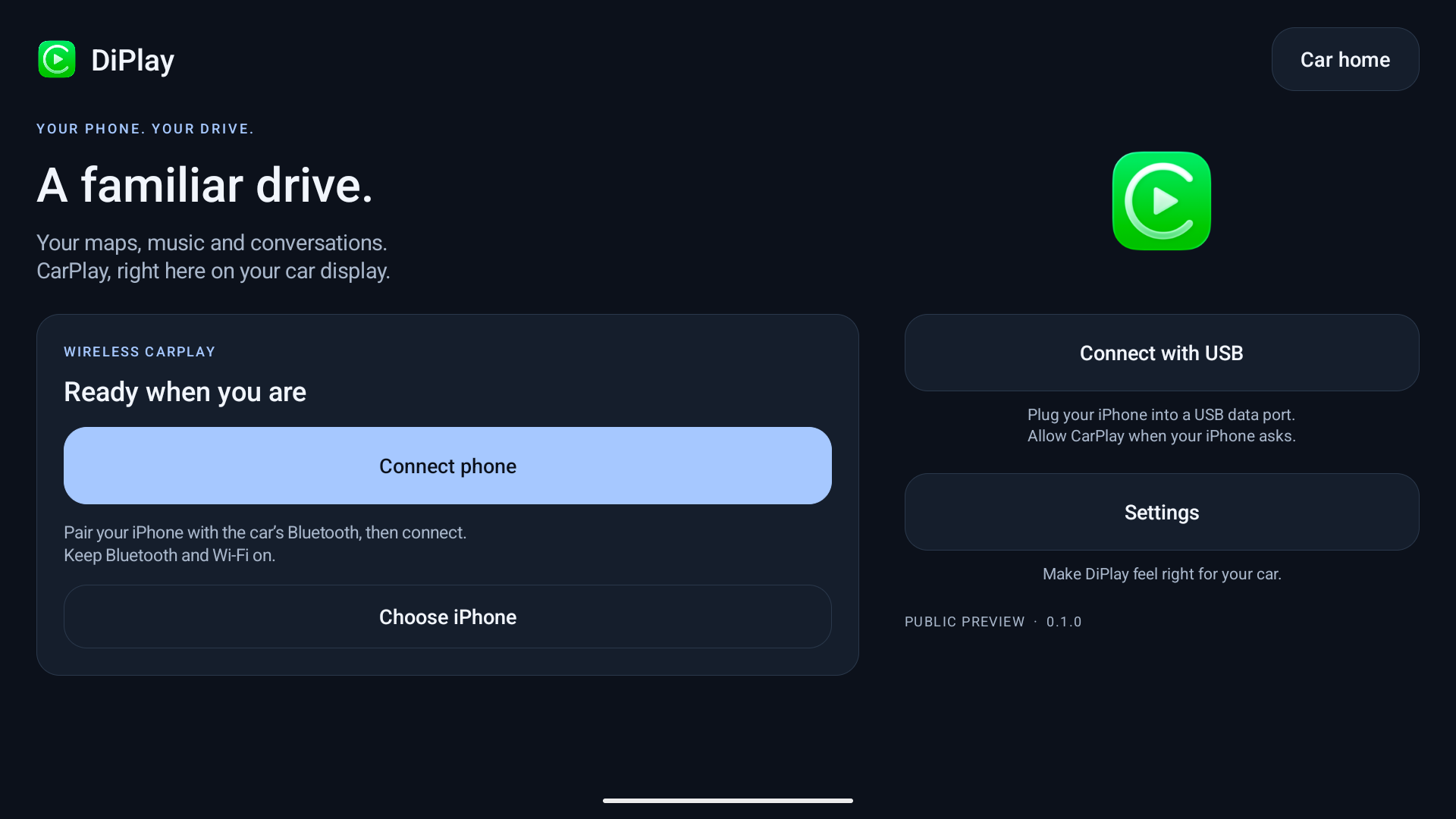
Install on the car, not the iPhone. No jailbreak, dongle, Mac, account or authentication server is required for use. Core CarPlay does not require ADB; optional dashboard, battery, wheel-speed and parked-video features do. Your head unit must permit APK installation. The APK supports Android 7.1+ (API 25); Android 7.1–8.1 support is not yet confirmed on a vehicle. Wireless supports Wi-Fi Direct, the car’s existing hotspot or Existing Wi-Fi / Same LAN. Android 7.1–9 Wi-Fi Direct uses a firmware-dependent legacy path with generated group credentials and unverified requested frequency; see Android 9 Wi-Fi Direct. Android 10+ verifies its negotiated group frequency.
This is not an Apple-certified product. The APK bundles an experimental accessory identity recovered from public Carlinkit firmware, not a newly provisioned MFi identity for DiPlay. A bundled private key is extractable. Acceptance after future iOS updates, reliability across head units and suitability of that identity for general distribution are unresolved. This release invites community testing; it is not a guarantee of universal compatibility.
Earlier releases were tested on the development DiLink5.1 car: live windshield guidance and street names work, Car hotspot now starts CarPlay, and Wi-Fi Direct performance is substantially improved. Audio underrun recovery is improved in 0.2.15; remaining cutouts need current diagnostic reports. The 0.2.16 software Opus microphone fallback was accepted on a BOS Mini A1 head unit (Android 9) with an iPhone 12 on iOS 27. The floating-map test build was installed on the development DiLink 5.1 car; feedback led to the pinch corrections in 0.2.9. Earlier wheel-speed and video contributions were tested on a BYD Tang with DiLink 5.0 and an iPhone 15 Pro on iOS 27; wheel-speed dead reckoning in tunnels remains unverified. Broader head-unit and iOS compatibility is not guaranteed. The HUD firmware scope and cleanup limits are documented in BYD navigation.
See 0.2.19 release notes and validation for contribution links and remaining physical tests. General stutter, calls/Siri, decoder and model-specific reports still need current-device evidence. 0.2.18 notes remain available as historical guidance.
If a problem remains, reproduce it on 0.2.19, then use Settings → Diagnostics → Save diagnostic report. Android 10+ normally saves to Downloads/DiPlay; Android 7.1–9 asks for storage access and saves there too. If unavailable, use View report or Share from the confirmation, which identifies external/private fallback storage. Review the .txt and add it to a matching existing issue, or create one. Include vehicle/head-unit model, exact firmware and Android/DiLink, phone/iOS, connection backend, relevant settings, steps and failure time. Reports are shared only when you choose; never post your hotspot password.
Existing Wi-Fi / Same LAN keeps the iPhone and head unit on an external router. See the guide for setup, build requirements and the BYD DiLink 4.0 / Android 10 clean-install validation result.
mobile for the main DiPlay app; maphost is a map sample.The app and the website source include English, Arabic, Russian, Ukrainian, Spanish, Simplified Chinese, Traditional Chinese (Taiwan), and Japanese. Traditional Chinese uses Taiwan wording; the app also recognizes Hong Kong/Macao and explicit Hant selections without claiming separate regional translations. Choose the app language in Settings; on Android 13+, it stays synchronized with Android’s per-app language setting. See the Traditional Chinese guide for installation, settings, troubleshooting, privacy and build instructions.
Based on xcertplay, GPL-3.0. The home/settings UI and website adapt DiAuto, AGPL-3.0; that license is included in docs/licenses. Preserve those notices when distributing modifications. CarPlay and its icon belong to Apple Inc.; no Apple or BYD affiliation or endorsement is implied.
This repository starts with a clean public source snapshot. Local research, tester reports and release-signing secrets are excluded. The complete source corresponding to the APK is provided with every release; experimental runtime identity assets are described separately in the build instructions and notices.
The release APK intentionally contains the experimental accessory identity. The Git repository and source archive exclude all accessory and Android signing keys; tests generate synthetic identities at runtime. Source/CI builds omit runtime identity assets by default. Local release builds explicitly select an external asset directory. Publishing the APK makes its bundled identity extractable; building locally does not preserve that identity's confidentiality.
511 followers · starred Sep 2026
142 followers · starred Oct 2026
115 followers · starred Oct 2026
17 followers · starred Oct 2026
Independent CarPlay receiver for compatible Android head units. Wired and wireless public preview.
See the codeCarPlay for compatible BYD Android head units. Wired and wireless, with the familiar DiAuto interface. Independent app: com.shihab.diplay.
BYD support scope: These projects focus on BYD cars. They may work on other brands, but other brands are unsupported and there are no plans to add support or fix brand-specific incompatibilities.
Download & website · Release · Report a problem
Install on the car, not the iPhone. No jailbreak, dongle, Mac, account or authentication server is required for use. Core CarPlay does not require ADB; optional dashboard, battery, wheel-speed and parked-video features do. Your head unit must permit APK installation. The APK supports Android 7.1+ (API 25); Android 7.1–8.1 support is not yet confirmed on a vehicle. Wireless supports Wi-Fi Direct, the car’s existing hotspot or Existing Wi-Fi / Same LAN. Android 7.1–9 Wi-Fi Direct uses a firmware-dependent legacy path with generated group credentials and unverified requested frequency; see Android 9 Wi-Fi Direct. Android 10+ verifies its negotiated group frequency.
This is not an Apple-certified product. The APK bundles an experimental accessory identity recovered from public Carlinkit firmware, not a newly provisioned MFi identity for DiPlay. A bundled private key is extractable. Acceptance after future iOS updates, reliability across head units and suitability of that identity for general distribution are unresolved. This release invites community testing; it is not a guarantee of universal compatibility.
Earlier releases were tested on the development DiLink5.1 car: live windshield guidance and street names work, Car hotspot now starts CarPlay, and Wi-Fi Direct performance is substantially improved. Audio underrun recovery is improved in 0.2.15; remaining cutouts need current diagnostic reports. The 0.2.16 software Opus microphone fallback was accepted on a BOS Mini A1 head unit (Android 9) with an iPhone 12 on iOS 27. The floating-map test build was installed on the development DiLink 5.1 car; feedback led to the pinch corrections in 0.2.9. Earlier wheel-speed and video contributions were tested on a BYD Tang with DiLink 5.0 and an iPhone 15 Pro on iOS 27; wheel-speed dead reckoning in tunnels remains unverified. Broader head-unit and iOS compatibility is not guaranteed. The HUD firmware scope and cleanup limits are documented in BYD navigation.
See 0.2.19 release notes and validation for contribution links and remaining physical tests. General stutter, calls/Siri, decoder and model-specific reports still need current-device evidence. 0.2.18 notes remain available as historical guidance.
If a problem remains, reproduce it on 0.2.19, then use Settings → Diagnostics → Save diagnostic report. Android 10+ normally saves to Downloads/DiPlay; Android 7.1–9 asks for storage access and saves there too. If unavailable, use View report or Share from the confirmation, which identifies external/private fallback storage. Review the .txt and add it to a matching existing issue, or create one. Include vehicle/head-unit model, exact firmware and Android/DiLink, phone/iOS, connection backend, relevant settings, steps and failure time. Reports are shared only when you choose; never post your hotspot password.
Existing Wi-Fi / Same LAN keeps the iPhone and head unit on an external router. See the guide for setup, build requirements and the BYD DiLink 4.0 / Android 10 clean-install validation result.
mobile for the main DiPlay app; maphost is a map sample.The app and the website source include English, Arabic, Russian, Ukrainian, Spanish, Simplified Chinese, Traditional Chinese (Taiwan), and Japanese. Traditional Chinese uses Taiwan wording; the app also recognizes Hong Kong/Macao and explicit Hant selections without claiming separate regional translations. Choose the app language in Settings; on Android 13+, it stays synchronized with Android’s per-app language setting. See the Traditional Chinese guide for installation, settings, troubleshooting, privacy and build instructions.
Based on xcertplay, GPL-3.0. The home/settings UI and website adapt DiAuto, AGPL-3.0; that license is included in docs/licenses. Preserve those notices when distributing modifications. CarPlay and its icon belong to Apple Inc.; no Apple or BYD affiliation or endorsement is implied.
This repository starts with a clean public source snapshot. Local research, tester reports and release-signing secrets are excluded. The complete source corresponding to the APK is provided with every release; experimental runtime identity assets are described separately in the build instructions and notices.
The release APK intentionally contains the experimental accessory identity. The Git repository and source archive exclude all accessory and Android signing keys; tests generate synthetic identities at runtime. Source/CI builds omit runtime identity assets by default. Local release builds explicitly select an external asset directory. Publishing the APK makes its bundled identity extractable; building locally does not preserve that identity's confidentiality.
511 followers · starred Sep 2026
142 followers · starred Oct 2026
115 followers · starred Oct 2026
17 followers · starred Oct 2026



