Mixify is an open-source Android music player featuring synced lyrics, offline playback, beautiful UI, playlists and Listen Together.
Kotlin
2
30 commits
updated Oct 12, 2026




Download · Features · Origins & Modifications · Screenshots · Installation · FAQ · License · Telegram
Mixify is a modern Android music application designed for a fast, smooth and enjoyable listening experience.
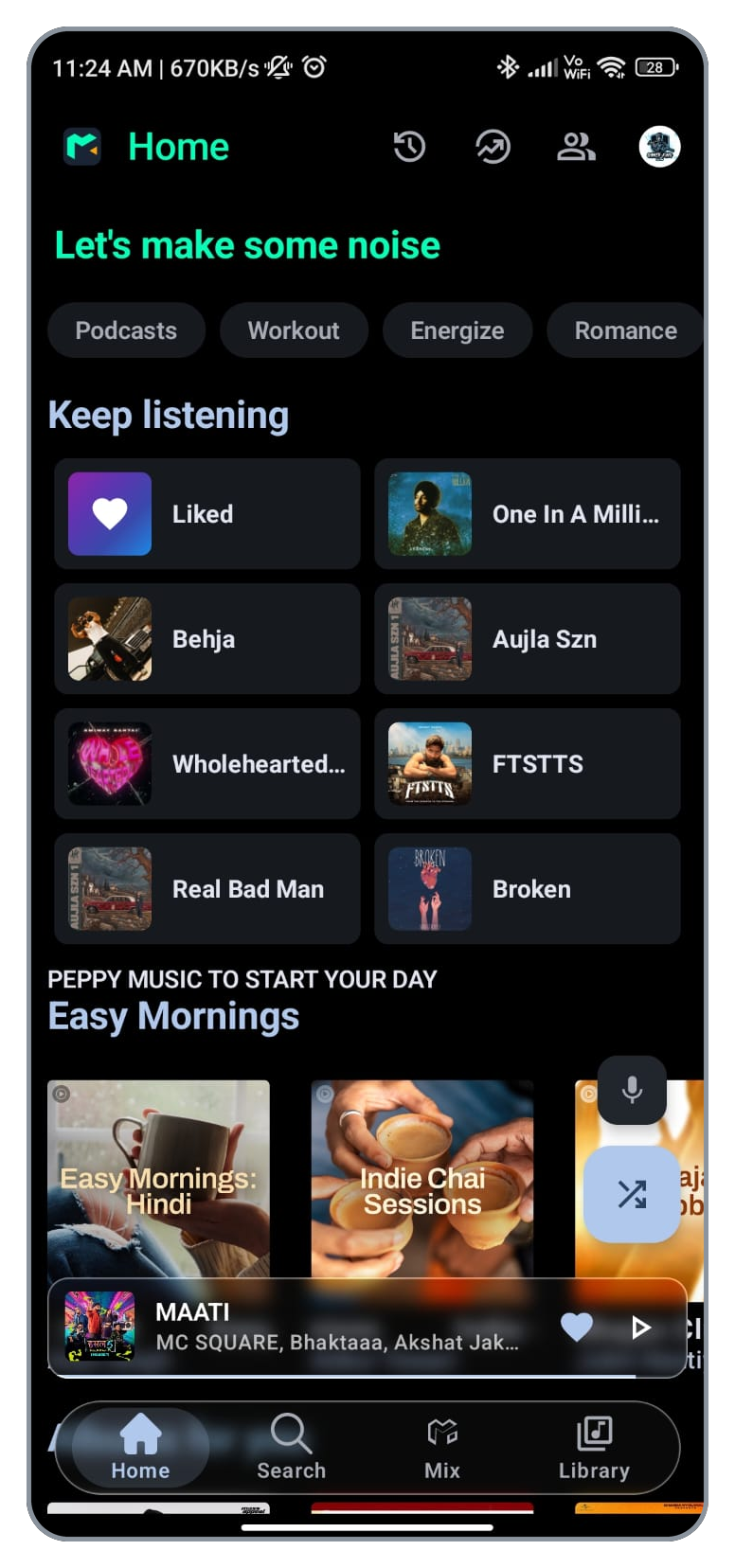
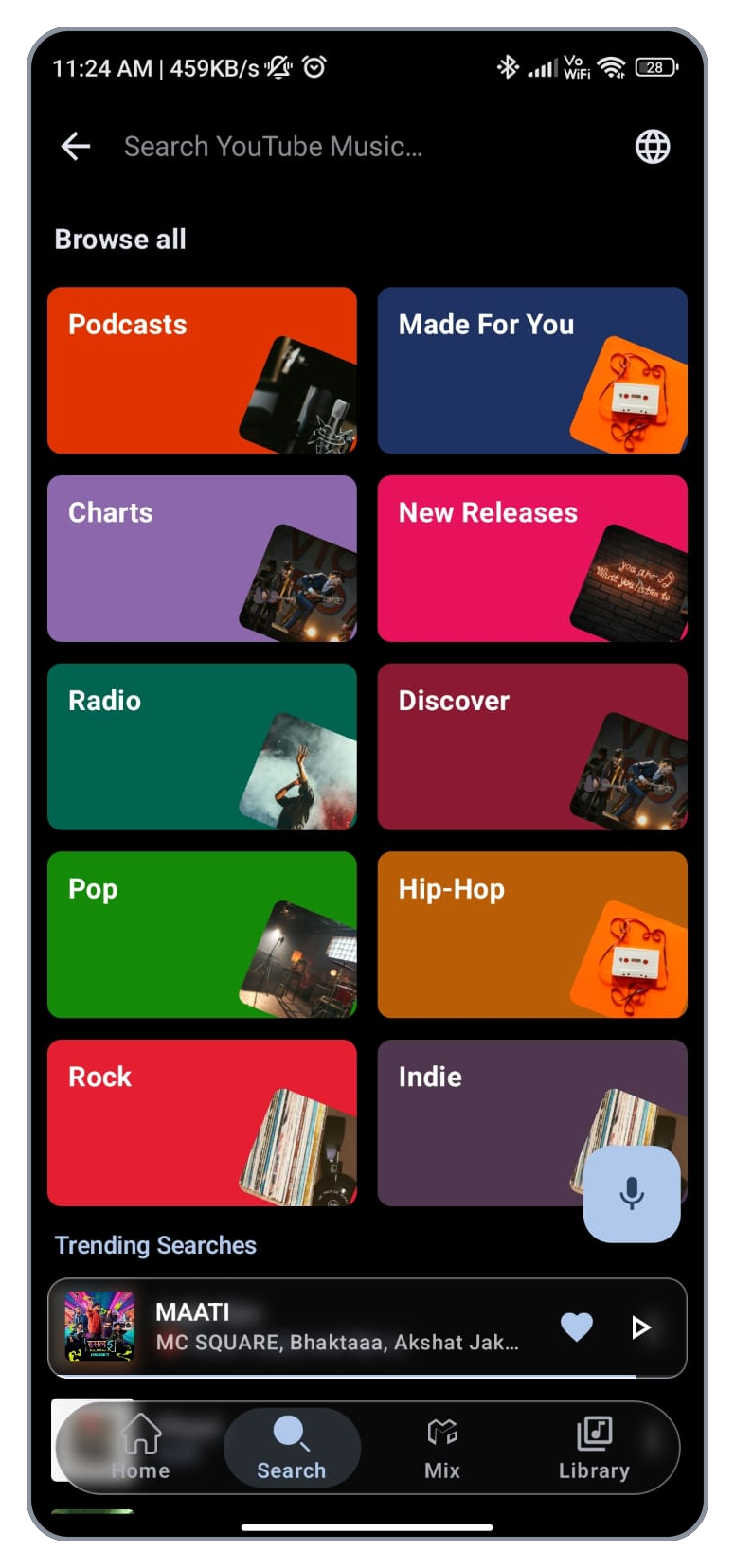
It brings together music playback, smart lyrics, offline listening, playlist management, queue controls, search and social listening features inside one clean and modern interface.
Fast Playback · Smart Lyrics · Offline Music · Premium Quality · Listen Together
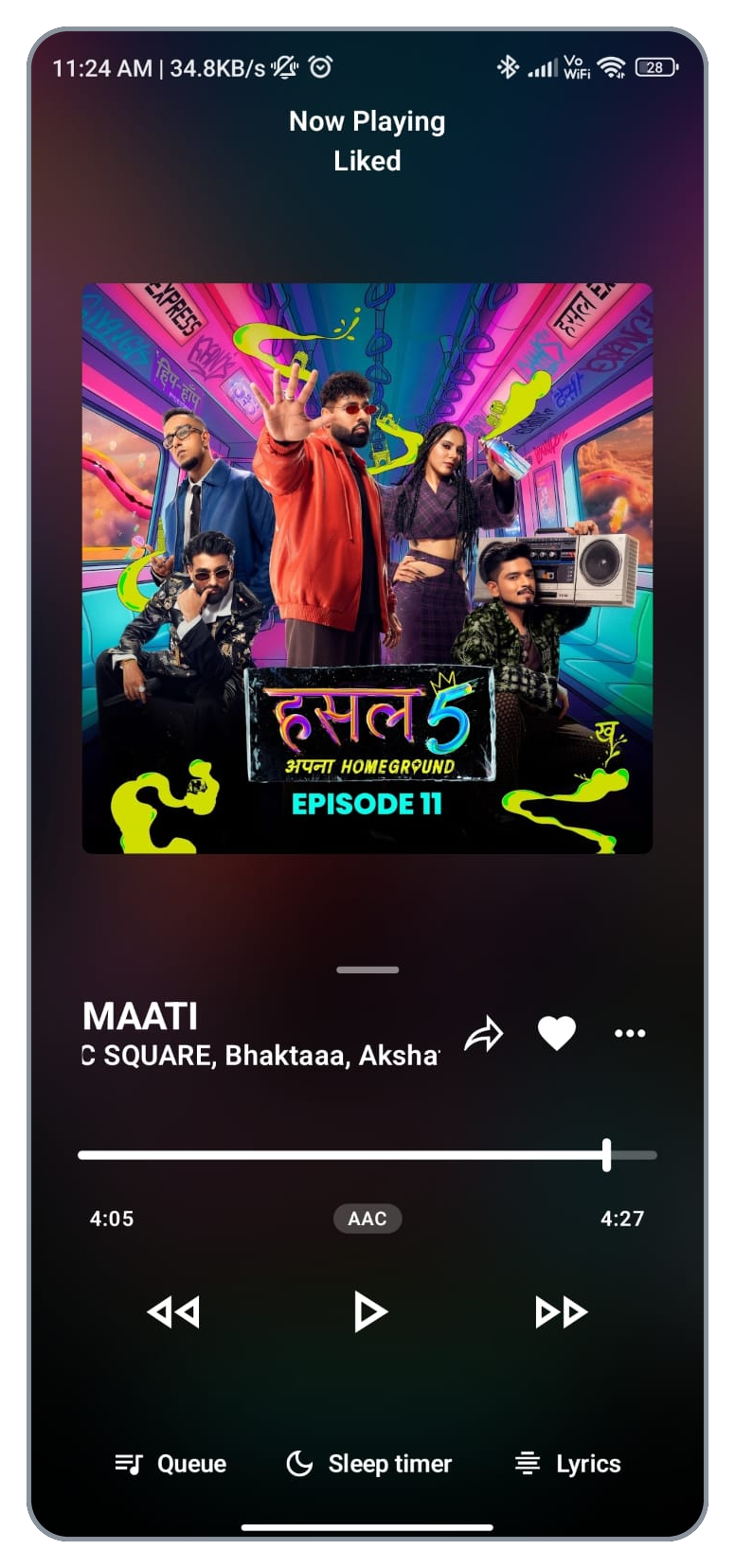
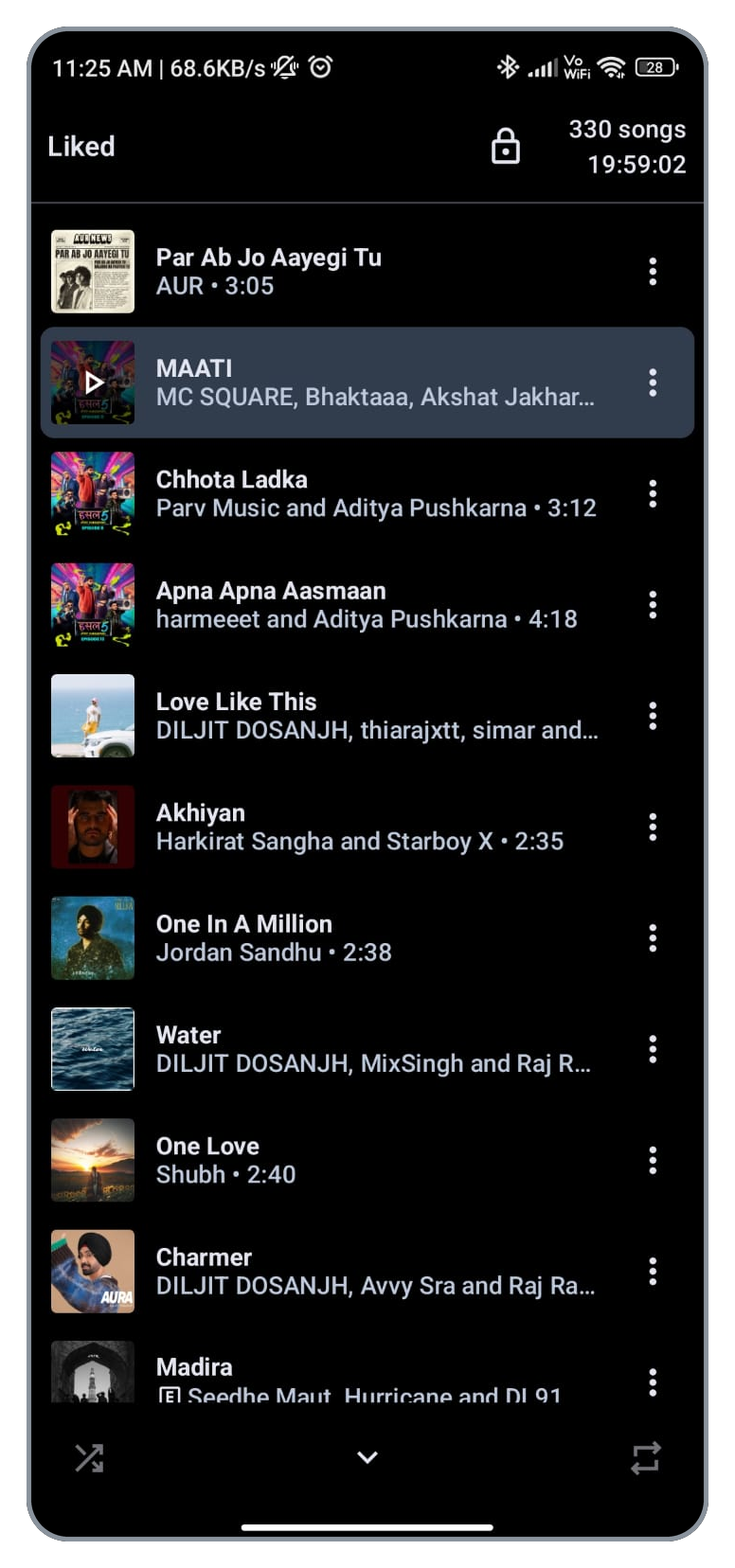
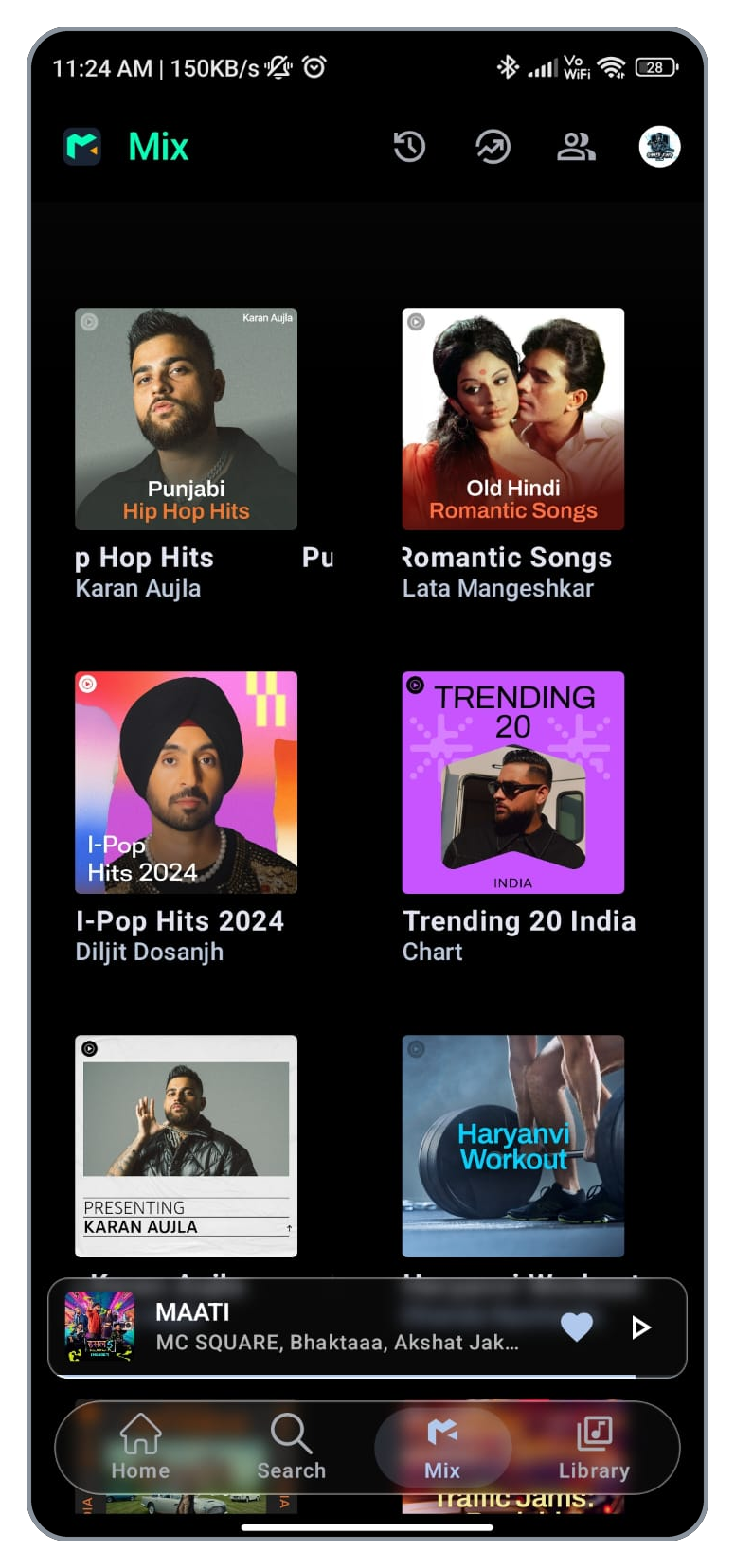
🎧 Playback
|
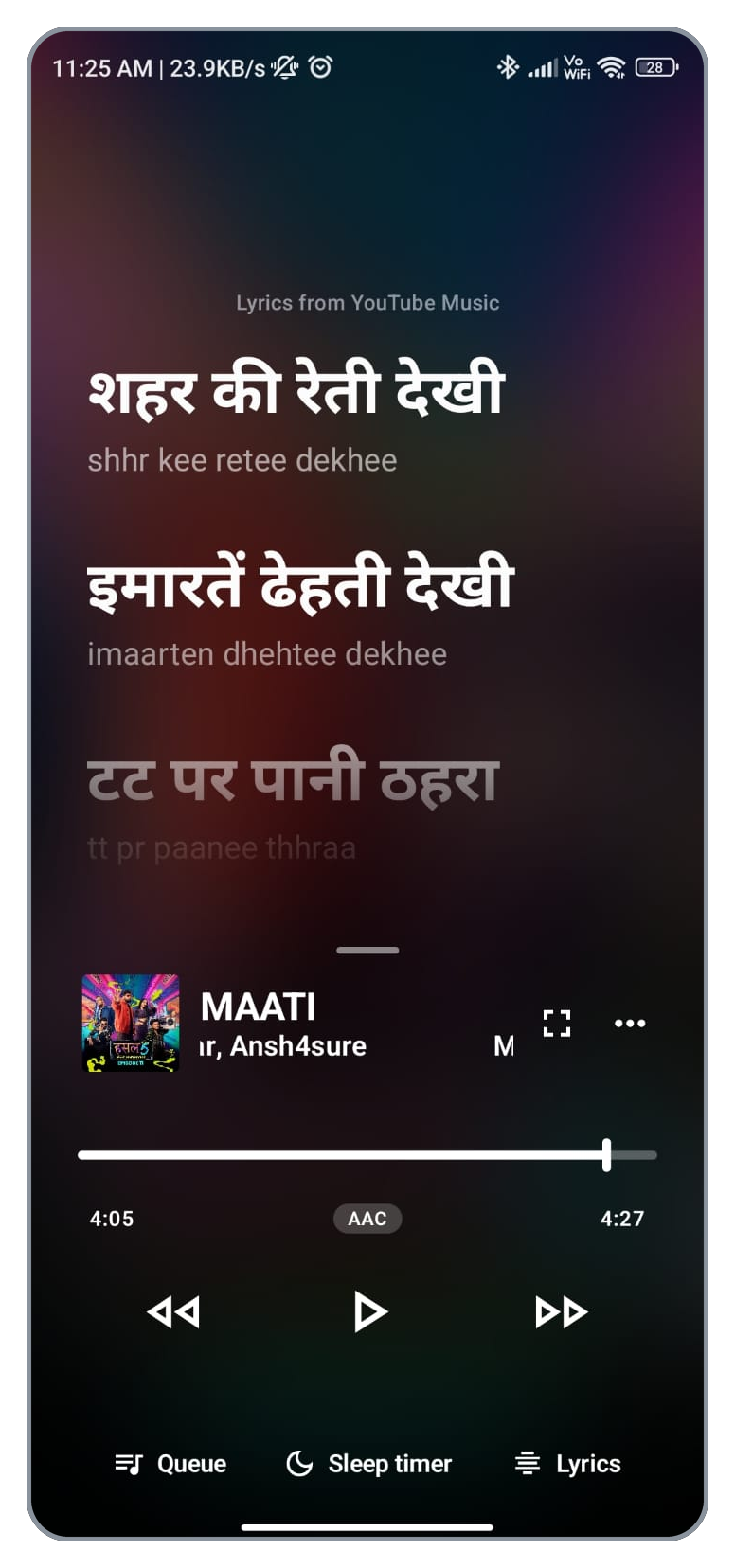
🎤 Smart Lyrics
|
📚 Library & Playlists
|
🔍 Search & Discovery
|
👥 Listen Together
|
🎨 Interface
|
📥 Offline Experience
|
⚡ Performance
|
| APKPure | GitHub |
|---|---|

|

|

Download Mixify from your preferred source.
Always download Mixify from the official GitHub repository or a trusted distribution source.
Join the Mixify community for updates, release announcements and discussions.

Mixify can be built using Android Studio.
git clone https://github.com/scisims12/Mixify.git
Then:
cd Mixify
Open the project in Android Studio, allow Gradle to sync, and run the application on an Android device or emulator.
Privacy is important to Mixify.
Sensitive information should never be committed to the public repository.
Do not upload files such as:
.envlocal.propertieskey.properties.jks.keystoreIf a secret is accidentally published, revoke or rotate it immediately.
Yes.
Download the latest Mixify release
Yes, Mixify includes offline listening support for supported saved content.
Yes. Mixify includes a smart lyrics experience with a dedicated lyrics interface.
Yes. Mixify includes a Listen Together experience.
Yes.
Use the GitHub Issues section.
If you find a bug, please include:
Suggestions for improving Mixify are welcome.
Contributions are welcome.
Thank you to everyone who contributes to Mixify.
If you enjoy Mixify, you can support the project by:
⭐ Starring the repository
🍴 Forking the project
🐛 Reporting bugs
💡 Suggesting new features
🤝 Contributing code
📢 Sharing Mixify
💬 Joining the Telegram community


Mixify has been developed within the open-source Android music ecosystem, with InnerTune and OuterTune acknowledged as important upstream influences. Their authors and contributors are credited in the Special Thanks section below.
The Mixify developer has also invested substantial work in redesigning the application, implementing a personalized Mix experience, integrating a custom Listen Together server, and improving music fetching and playback.
Transparency note: This section describes modifications and development work on Mixify. It does not claim that every component was written from scratch or that all upstream code originated with Mixify. Existing third-party code and contributions retain their original authorship and applicable license requirements.
Mixify includes a dedicated Mix section designed around the user's available listening data and music preferences, helping listeners discover relevant mixes and collections.
This is a key focus of Mixify's ongoing feature development and interface customization.
A significant area of development has been Listen Together, including a custom server setup for shared listening sessions.
The system is designed to support shared rooms, communication between listeners, and playback synchronization. The developer continues to refine the session experience and reliability.
Significant effort has gone into how Mixify fetches songs and manages the listening experience, including work on music retrieval, playback integration, interface behavior, and bug fixes.
Mixify continues to evolve through feature improvements, UI refinements, and fixes. Its changes should be understood alongside the underlying open-source work and third-party integrations used by the project.
Acknowledged upstream projects:
Mixify is distributed under the GNU GPL-3.0. Reused source code, libraries, and assets remain subject to their applicable licenses and attribution obligations. The exact code lineage and modification history can be explored through the repository's source files and commit history.
| Project | Authors |
|---|---|
| InnerTune | Zion Huang · Malopieds |
| OuterTune | Davide Garberi · Michael Zh |
| Project | Contribution |
|---|---|
| Better Lyrics | Time-synced lyrics with word-by-word highlighting & YouTube Music integration |
InnerTune itself credits ViMusic by vfsfitvnm as an inspiration, so thanks to that project as well.
Mixify is licensed under the GNU General Public License v3.0 (GPL-3.0). See the LICENSE file for the full text.
In short, you are free to use, study, modify and share Mixify under the terms of the GPL-3.0. Any modified or redistributed version must also be released under the same license, with its source code made available.
Third-party libraries, services and content used by Mixify remain under their own licenses.
Mixify is an independent software project and is not affiliated with, endorsed by, or maintained by InnerTune or its developers.
Any trademarks, service names, music, artwork, APIs or third-party services referenced or accessed through the application remain the property of their respective owners.
This project does not claim ownership of third-party content.
Users and contributors are responsible for complying with applicable licenses, platform terms and laws when using third-party services or content.
Mixify is an open-source Android music player featuring synced lyrics, offline playback, beautiful UI, playlists and Listen Together.
Kotlin
2
30 commits
updated Oct 12, 2026
Download · Features · Origins & Modifications · Screenshots · Installation · FAQ · License · Telegram
Mixify is a modern Android music application designed for a fast, smooth and enjoyable listening experience.
It brings together music playback, smart lyrics, offline listening, playlist management, queue controls, search and social listening features inside one clean and modern interface.
Fast Playback · Smart Lyrics · Offline Music · Premium Quality · Listen Together
🎧 Playback
|
🎤 Smart Lyrics
|
📚 Library & Playlists
|
🔍 Search & Discovery
|
👥 Listen Together
|
🎨 Interface
|
📥 Offline Experience
|
⚡ Performance
|
| APKPure | GitHub |
|---|---|
|
|
|
Download Mixify from your preferred source.
Always download Mixify from the official GitHub repository or a trusted distribution source.
Join the Mixify community for updates, release announcements and discussions.
Mixify can be built using Android Studio.
git clone https://github.com/scisims12/Mixify.git
Then:
cd Mixify
Open the project in Android Studio, allow Gradle to sync, and run the application on an Android device or emulator.
Privacy is important to Mixify.
Sensitive information should never be committed to the public repository.
Do not upload files such as:
.envlocal.propertieskey.properties.jks.keystoreIf a secret is accidentally published, revoke or rotate it immediately.
Yes.
Download the latest Mixify release
Yes, Mixify includes offline listening support for supported saved content.
Yes. Mixify includes a smart lyrics experience with a dedicated lyrics interface.
Yes. Mixify includes a Listen Together experience.
Yes.
Use the GitHub Issues section.
If you find a bug, please include:
Suggestions for improving Mixify are welcome.
Contributions are welcome.
Thank you to everyone who contributes to Mixify.
If you enjoy Mixify, you can support the project by:
⭐ Starring the repository
🍴 Forking the project
🐛 Reporting bugs
💡 Suggesting new features
🤝 Contributing code
📢 Sharing Mixify
💬 Joining the Telegram community
Mixify has been developed within the open-source Android music ecosystem, with InnerTune and OuterTune acknowledged as important upstream influences. Their authors and contributors are credited in the Special Thanks section below.
The Mixify developer has also invested substantial work in redesigning the application, implementing a personalized Mix experience, integrating a custom Listen Together server, and improving music fetching and playback.
Transparency note: This section describes modifications and development work on Mixify. It does not claim that every component was written from scratch or that all upstream code originated with Mixify. Existing third-party code and contributions retain their original authorship and applicable license requirements.
Mixify includes a dedicated Mix section designed around the user's available listening data and music preferences, helping listeners discover relevant mixes and collections.
This is a key focus of Mixify's ongoing feature development and interface customization.
A significant area of development has been Listen Together, including a custom server setup for shared listening sessions.
The system is designed to support shared rooms, communication between listeners, and playback synchronization. The developer continues to refine the session experience and reliability.
Significant effort has gone into how Mixify fetches songs and manages the listening experience, including work on music retrieval, playback integration, interface behavior, and bug fixes.
Mixify continues to evolve through feature improvements, UI refinements, and fixes. Its changes should be understood alongside the underlying open-source work and third-party integrations used by the project.
Acknowledged upstream projects:
Mixify is distributed under the GNU GPL-3.0. Reused source code, libraries, and assets remain subject to their applicable licenses and attribution obligations. The exact code lineage and modification history can be explored through the repository's source files and commit history.
| Project | Authors |
|---|---|
| InnerTune | Zion Huang · Malopieds |
| OuterTune | Davide Garberi · Michael Zh |
| Project | Contribution |
|---|---|
| Better Lyrics | Time-synced lyrics with word-by-word highlighting & YouTube Music integration |
InnerTune itself credits ViMusic by vfsfitvnm as an inspiration, so thanks to that project as well.
Mixify is licensed under the GNU General Public License v3.0 (GPL-3.0). See the LICENSE file for the full text.
In short, you are free to use, study, modify and share Mixify under the terms of the GPL-3.0. Any modified or redistributed version must also be released under the same license, with its source code made available.
Third-party libraries, services and content used by Mixify remain under their own licenses.
Mixify is an independent software project and is not affiliated with, endorsed by, or maintained by InnerTune or its developers.
Any trademarks, service names, music, artwork, APIs or third-party services referenced or accessed through the application remain the property of their respective owners.
This project does not claim ownership of third-party content.
Users and contributors are responsible for complying with applicable licenses, platform terms and laws when using third-party services or content.