
See what people are saying
README
Flipper Watch Remote
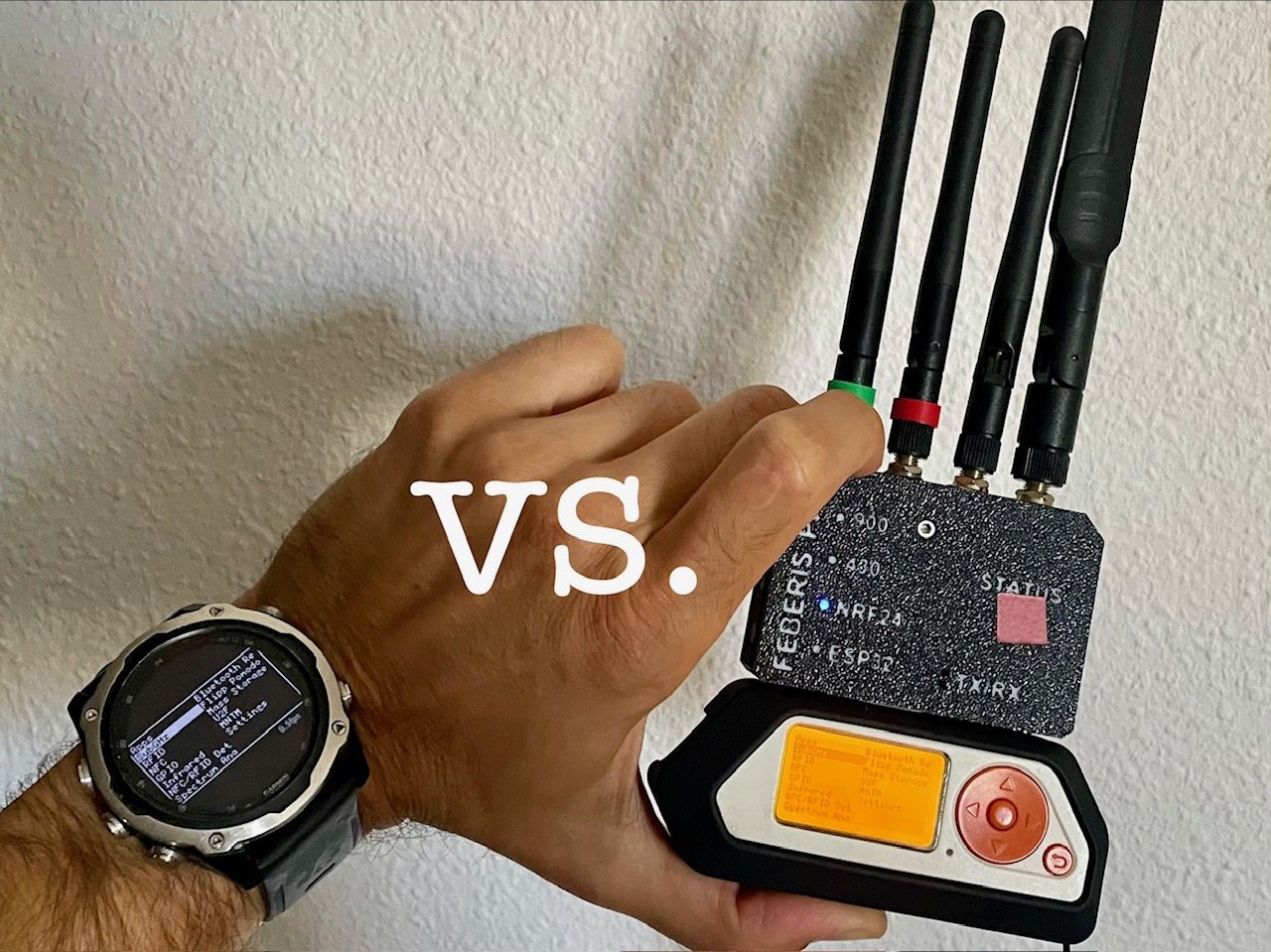
Drive a Flipper Zero from a Garmin watch. Use the watch buttons to control the Flipper. The watch mirrors its screen over Bluetooth Low Energy. The Flipper can stay in a pocket or a backpack while you use its own interface from your wrist.
Full write-up and project story: Controlling Flipper Zero with a Garmin Watch
Why I made it
Flipper Zero is popular with hackers and hardware people for good reason. During red team work, while diagnosing radio equipment in the field, or simply experimenting, it can draw attention that has nothing to do with the task. People who do not know it ask what it is; people who do know it can be even more curious. Add accessories or antennas and the problem only gets louder, even when some of them are discreet.
I wanted a quieter way to use parts of it, so I made a Garmin app. I have used Momentum for years, which is why the first firmware work is there. The project took me a while and came with a few challenges. AI helped me get past some technical problems and move things along faster.
Using it from the watch is a trade: it is more discreet, but it is slower and less convenient. On the tested Descent Mk2, the mirror runs at about 0.5fps, so do not expect a smooth screen. Button presses can be noticeably delayed too. The command has to reach the Flipper, change its UI, and return in a new screen frame. Input jumps ahead of screen data, but it can still wait for BLE work already in flight. The project has no separate press-to-screen timing measurement.
The measured limit is the BLE transfer: one frame uses 52 acknowledged packets at the default MTU. The renderer also has a watchdog limit and its own draw throttle, but the project does not show that the watch CPU sets the observed frame rate.
Two parts, one remote
| Part | Source | Job |
|---|---|---|
| Watch app | watchapp/ | A Connect IQ / Monkey C app that scans, connects, renders the screen and sends input. |
| Firmware change | rz-x/momentum-firmware-for-garmin on feature/open-ble-pairing | An opt-in setting that makes the existing Flipper RPC path reachable by this watch app. |
The watch is a BLE central. It talks to a custom GATT serial service, sends Flipper input events and receives the composited screen framebuffer through the existing RPC protocol. There are no per-feature watch screens: the watch shows the Flipper UI that is already running.
On five-button watches, UP/DOWN move on the selected axis, double-tap ENTER switches between the vertical and horizontal axes, ENTER is OK, and BACK is BACK. Hold BACK for about 1.5 seconds to leave the app. On touchscreen watches, swipe sends a direction and tap is OK.
Device support
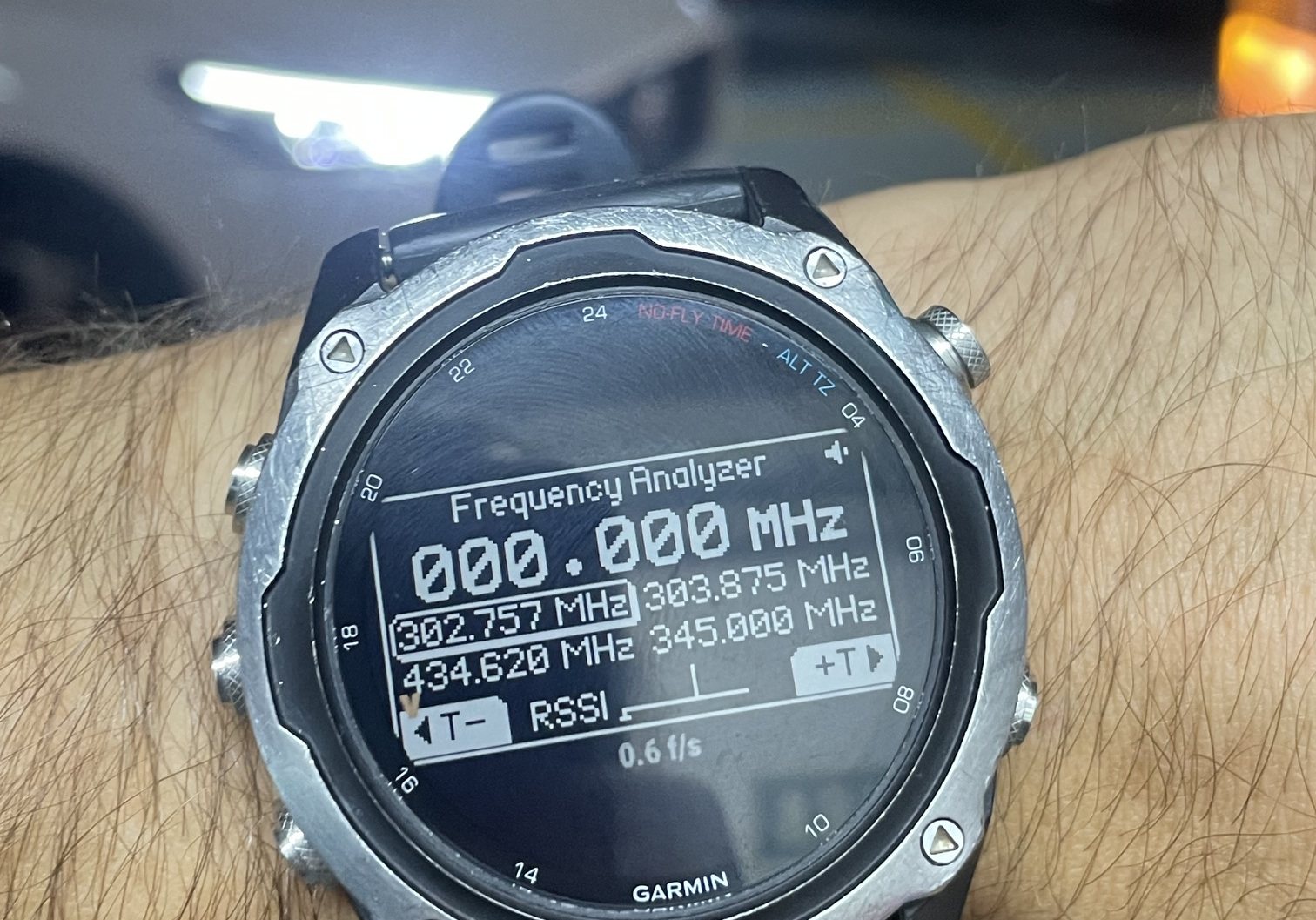
The full link has been tested on a Garmin Descent Mk2 and a Flipper Zero running the patched Momentum build. It mirrors correctly and sends all basic inputs.
Check docs/COMPATIBILITY.md to see whether your Garmin may work.
Install
Two parts, two installs. The quick way needs no toolchain at all:
| Part | Ready-made | Do this |
|---|---|---|
| Flipper firmware | .tgz from Releases | flash, enable Open BLE Pairing |
| Watch app | v1.0.0 zip, 118 models | copy one .prg to the watch |
1. Flipper firmware
Grab the .tgz from Releases and flash it
like any Momentum update: qFlipper, or drop it on the SD card and pick it in the updater. Then on the
Flipper: Momentum -> Protocols -> Open BLE Pairing -> ON, and reboot when asked.
To build it yourself, same toolchain as stock Momentum:
git clone --recursive -b feature/open-ble-pairing https://github.com/rz-x/momentum-firmware-for-garmin.git
cd momentum-firmware-for-garmin
./fbt updater_package    # .tgz lands in dist/f7-C/
./fbt flash_usb_full     # or flash straight over USB, qFlipper closed
2. Watch app
Quickest: download the release zip, unpack it and
copy the .prg matching your watch (flipper_<model>.prg, e.g. flipper_descentmk2.prg) to the
watch over USB into Primary/GARMIN/Apps/, or sideload it with Garmin Express. Watches on Connect IQ
7 or newer need Developer Mode enabled in the Connect IQ settings first, otherwise a sideloaded app
will not start.
Or build it yourself with the free Connect IQ SDK:
- Install the SDK via Garmin's SDK Manager (needs a Garmin login) and add your watch's device files.
- Generate a developer key:
openssl genrsa -out developer_key.pem 4096 && openssl pkcs8 -topk8 -inform PEM -outform DER -in developer_key.pem -out developer_key.der -nocrypt - Build, replacing
descentmk2with your device id:monkeyc -f monkey.jungle -o bin/flipper.prg -y developer_key.der -d descentmk2Or runtools/build-all-devices.shto build every device you have installed at once. - Sideload the
.prgwith Garmin Express, or copy it to the watch over USB intoPrimary/GARMIN/Apps/.
Details and the on-device test procedure: watchapp/README.md.
3. First run
- Flipper: Momentum -> Protocols -> Open BLE Pairing -> ON (if you have not done it yet).
- Start the app on the watch. It scans, finds the Flipper and connects.
- The Flipper asks Allow BLE remote? - confirm with LEFT/OK, and the watch address is remembered (up to eight; Forget BLE Remotes clears them).
- The Flipper screen appears on the watch. Buttons: UP/DOWN move, double-tap ENTER switches axis, ENTER is OK, BACK is BACK. Hold BACK ~1.5 s to leave.
If nothing connects: check that Open BLE Pairing is on and the Flipper has rebooted since, that the watch is not already bonded to a phone (Garmin Connect app), and that the watch app was sideloaded with Developer Mode on. No encryption reaches over this link, so switch the setting off when you are not using it.
Firmware and BLE
This project needs its feature/open-ble-pairing Momentum build. Stock Momentum protects its
serial/RPC service with a bonded, authenticated Bluetooth LE link. The Descent Mk2 target cannot
make that secure bond from this Connect IQ app, so the patch adds an opt-in non-bonded path.
With Momentum -> Protocols -> Open BLE Pairing enabled, a new watch must be approved on the Flipper before it can use RPC. Approval stores the watch's BLE address (up to eight devices); deny closes the link before the service is available. Forget BLE Remotes clears that list.
This approval is not encryption. Screen contents and keystrokes are visible over the air, so leave
the setting off unless you are using the app. The connection, screen mirror and input have run on
hardware. The approval prompt and allowlist are build-verified and still need their own hardware
test. Read docs/KNOWN-ISSUES.md before using the project.
The current Momentum contribution policy does not accept AI-assisted contributions. That is a practical obstacle to upstreaming this patch, not a judgment on Momentum or its maintainers.
That surprised me, especially today. In my view, it may hurt the project by turning away many other useful contributions.
For wire-layer tests and the on-device procedure, see watchapp/README.md. The deeper
record of the BLE work is in docs/PROJECT-JOURNAL.md, and the draft
firmware proposal is in docs/UPSTREAM-PR.md.
What happens next
The plan is to test more watches, prepare an app package and submit it to the Connect IQ Store. Submission is not a promise of publication: Garmin reviews each app before it appears in the store.
The more useful next step is official support in a Flipper firmware whose main branch can take it. That would make the watch app much easier to use than a separate firmware build.
Source and contributions
Both parts are available in source: the watch app is in this repository, and the firmware change is in the linked Momentum fork. Help is welcome with hardware tests on named Garmin models, improving screen refresh, reviewing the BLE approval path, and getting the app ready for store submission.
- Watch app: Apache License 2.0, with NOTICE.
- Firmware change: GPLv3 as a derivative of Momentum.
- Protocol definitions: flipperzero-protobuf.
Similar repos


Languages
Monkey C
97.2%
Shell
2.8%
See what people are saying
README
Flipper Watch Remote
Drive a Flipper Zero from a Garmin watch. Use the watch buttons to control the Flipper. The watch mirrors its screen over Bluetooth Low Energy. The Flipper can stay in a pocket or a backpack while you use its own interface from your wrist.
Full write-up and project story: Controlling Flipper Zero with a Garmin Watch
Why I made it
Flipper Zero is popular with hackers and hardware people for good reason. During red team work, while diagnosing radio equipment in the field, or simply experimenting, it can draw attention that has nothing to do with the task. People who do not know it ask what it is; people who do know it can be even more curious. Add accessories or antennas and the problem only gets louder, even when some of them are discreet.
I wanted a quieter way to use parts of it, so I made a Garmin app. I have used Momentum for years, which is why the first firmware work is there. The project took me a while and came with a few challenges. AI helped me get past some technical problems and move things along faster.
Using it from the watch is a trade: it is more discreet, but it is slower and less convenient. On the tested Descent Mk2, the mirror runs at about 0.5fps, so do not expect a smooth screen. Button presses can be noticeably delayed too. The command has to reach the Flipper, change its UI, and return in a new screen frame. Input jumps ahead of screen data, but it can still wait for BLE work already in flight. The project has no separate press-to-screen timing measurement.
The measured limit is the BLE transfer: one frame uses 52 acknowledged packets at the default MTU. The renderer also has a watchdog limit and its own draw throttle, but the project does not show that the watch CPU sets the observed frame rate.
Two parts, one remote
| Part | Source | Job |
|---|---|---|
| Watch app | watchapp/ | A Connect IQ / Monkey C app that scans, connects, renders the screen and sends input. |
| Firmware change | rz-x/momentum-firmware-for-garmin on feature/open-ble-pairing | An opt-in setting that makes the existing Flipper RPC path reachable by this watch app. |
The watch is a BLE central. It talks to a custom GATT serial service, sends Flipper input events and receives the composited screen framebuffer through the existing RPC protocol. There are no per-feature watch screens: the watch shows the Flipper UI that is already running.
On five-button watches, UP/DOWN move on the selected axis, double-tap ENTER switches between the vertical and horizontal axes, ENTER is OK, and BACK is BACK. Hold BACK for about 1.5 seconds to leave the app. On touchscreen watches, swipe sends a direction and tap is OK.
Device support
The full link has been tested on a Garmin Descent Mk2 and a Flipper Zero running the patched Momentum build. It mirrors correctly and sends all basic inputs.
Check docs/COMPATIBILITY.md to see whether your Garmin may work.
Install
Two parts, two installs. The quick way needs no toolchain at all:
| Part | Ready-made | Do this |
|---|---|---|
| Flipper firmware | .tgz from Releases | flash, enable Open BLE Pairing |
| Watch app | v1.0.0 zip, 118 models | copy one .prg to the watch |
1. Flipper firmware
Grab the .tgz from Releases and flash it
like any Momentum update: qFlipper, or drop it on the SD card and pick it in the updater. Then on the
Flipper: Momentum -> Protocols -> Open BLE Pairing -> ON, and reboot when asked.
To build it yourself, same toolchain as stock Momentum:
git clone --recursive -b feature/open-ble-pairing https://github.com/rz-x/momentum-firmware-for-garmin.git
cd momentum-firmware-for-garmin
./fbt updater_package    # .tgz lands in dist/f7-C/
./fbt flash_usb_full     # or flash straight over USB, qFlipper closed
2. Watch app
Quickest: download the release zip, unpack it and
copy the .prg matching your watch (flipper_<model>.prg, e.g. flipper_descentmk2.prg) to the
watch over USB into Primary/GARMIN/Apps/, or sideload it with Garmin Express. Watches on Connect IQ
7 or newer need Developer Mode enabled in the Connect IQ settings first, otherwise a sideloaded app
will not start.
Or build it yourself with the free Connect IQ SDK:
- Install the SDK via Garmin's SDK Manager (needs a Garmin login) and add your watch's device files.
- Generate a developer key:
openssl genrsa -out developer_key.pem 4096 && openssl pkcs8 -topk8 -inform PEM -outform DER -in developer_key.pem -out developer_key.der -nocrypt - Build, replacing
descentmk2with your device id:monkeyc -f monkey.jungle -o bin/flipper.prg -y developer_key.der -d descentmk2Or runtools/build-all-devices.shto build every device you have installed at once. - Sideload the
.prgwith Garmin Express, or copy it to the watch over USB intoPrimary/GARMIN/Apps/.
Details and the on-device test procedure: watchapp/README.md.
3. First run
- Flipper: Momentum -> Protocols -> Open BLE Pairing -> ON (if you have not done it yet).
- Start the app on the watch. It scans, finds the Flipper and connects.
- The Flipper asks Allow BLE remote? - confirm with LEFT/OK, and the watch address is remembered (up to eight; Forget BLE Remotes clears them).
- The Flipper screen appears on the watch. Buttons: UP/DOWN move, double-tap ENTER switches axis, ENTER is OK, BACK is BACK. Hold BACK ~1.5 s to leave.
If nothing connects: check that Open BLE Pairing is on and the Flipper has rebooted since, that the watch is not already bonded to a phone (Garmin Connect app), and that the watch app was sideloaded with Developer Mode on. No encryption reaches over this link, so switch the setting off when you are not using it.
Firmware and BLE
This project needs its feature/open-ble-pairing Momentum build. Stock Momentum protects its
serial/RPC service with a bonded, authenticated Bluetooth LE link. The Descent Mk2 target cannot
make that secure bond from this Connect IQ app, so the patch adds an opt-in non-bonded path.
With Momentum -> Protocols -> Open BLE Pairing enabled, a new watch must be approved on the Flipper before it can use RPC. Approval stores the watch's BLE address (up to eight devices); deny closes the link before the service is available. Forget BLE Remotes clears that list.
This approval is not encryption. Screen contents and keystrokes are visible over the air, so leave
the setting off unless you are using the app. The connection, screen mirror and input have run on
hardware. The approval prompt and allowlist are build-verified and still need their own hardware
test. Read docs/KNOWN-ISSUES.md before using the project.
The current Momentum contribution policy does not accept AI-assisted contributions. That is a practical obstacle to upstreaming this patch, not a judgment on Momentum or its maintainers.
That surprised me, especially today. In my view, it may hurt the project by turning away many other useful contributions.
For wire-layer tests and the on-device procedure, see watchapp/README.md. The deeper
record of the BLE work is in docs/PROJECT-JOURNAL.md, and the draft
firmware proposal is in docs/UPSTREAM-PR.md.
What happens next
The plan is to test more watches, prepare an app package and submit it to the Connect IQ Store. Submission is not a promise of publication: Garmin reviews each app before it appears in the store.
The more useful next step is official support in a Flipper firmware whose main branch can take it. That would make the watch app much easier to use than a separate firmware build.
Source and contributions
Both parts are available in source: the watch app is in this repository, and the firmware change is in the linked Momentum fork. Help is welcome with hardware tests on named Garmin models, improving screen refresh, reviewing the BLE approval path, and getting the app ready for store submission.
- Watch app: Apache License 2.0, with NOTICE.
- Firmware change: GPLv3 as a derivative of Momentum.
- Protocol definitions: flipperzero-protobuf.
Similar repos
Languages
Monkey C
97.2%
Shell
2.8%