Create beautiful moving gradients on Framer, Figma and React
See the codeCustomizable 3D, moving gradient for React. The v2 package is lean: it only ships the ShaderGradient renderer (and its canvas helper), while the stateless UI pieces now live in the separate @shadergradient/ui package.
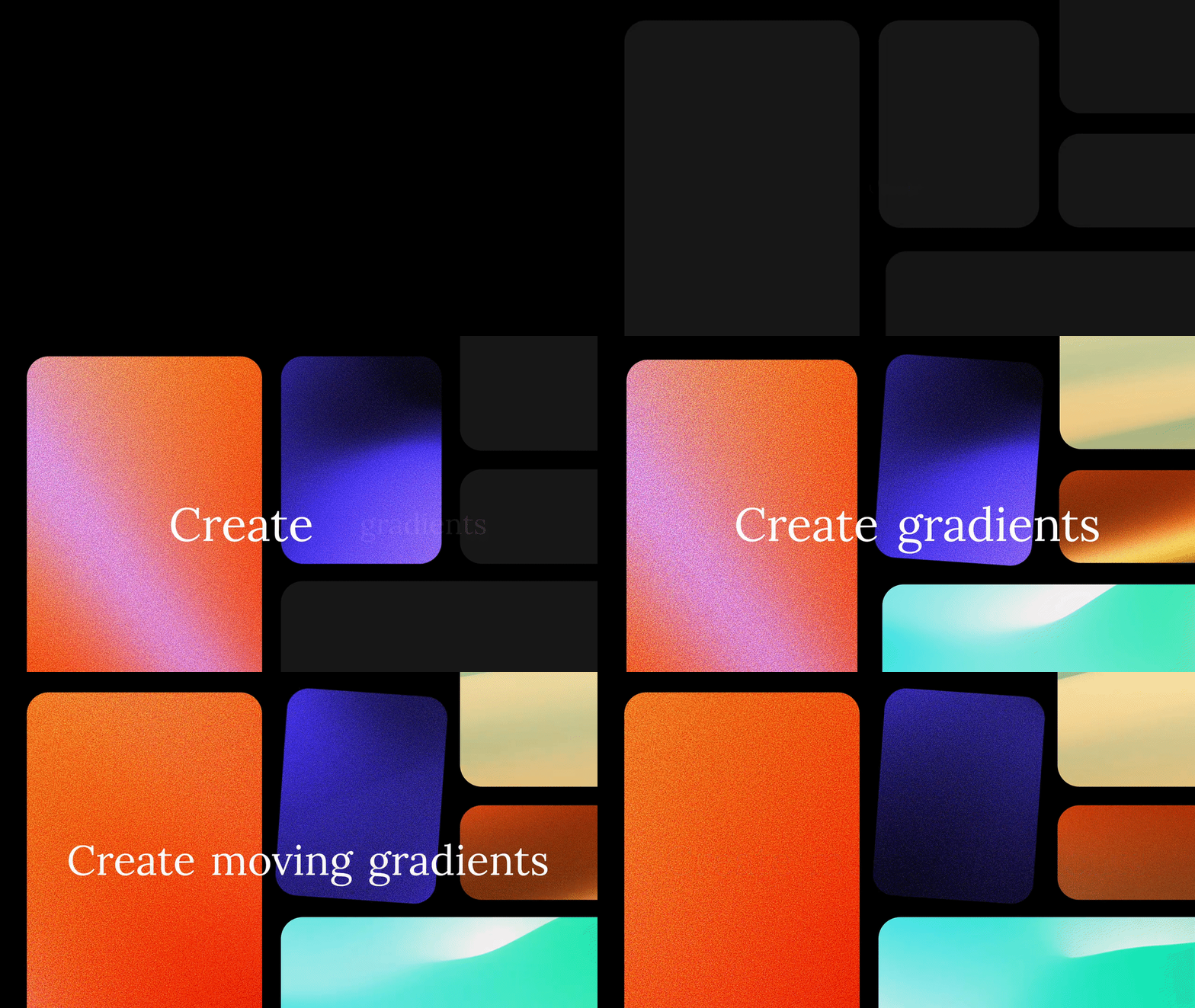
Framer Component (Copy this URL and paste it on Framer Canvas)
Install the core renderer and its peer deps.
# with yarn
yarn add @shadergradient/react @react-three/fiber three three-stdlib camera-controls
yarn add -D @types/three

# with npm
npm i @shadergradient/react @react-three/fiber three three-stdlib camera-controls
npm i -D @types/three

# with pnpm
pnpm add @shadergradient/react @react-three/fiber three three-stdlib camera-controls
pnpm add -D @types/three
Need the stateless control surfaces? Pull them from the @shadergradient/ui package (ESM build used by Framer/Figma), not from @shadergradient/react.
@shadergradient/react itself works on React 18 or 19, but the right @react-three/fiber version depends on your environment. For Next.js 15 App Router specifically, you must use R3F v9 + React 19 — R3F v8 is structurally incompatible with the App Router's vendored React 19 canary (see #138 for the full trace).
| Environment | React | @react-three/fiber | three |
|---|---|---|---|
| Next 15 — App Router | ^19.0.0 | ^9.0.0 | >=0.158.0 |
| Next 14 / Next 15 Pages / Vite / etc. | ^18 or ^19 | matching 8.x/9.x | >=0.158.0 |
No next.config aliases or transpilePackages entries are required when you stay on these combinations.
Use ShaderGradient inside ShaderGradientCanvas from @shadergradient/vue.
See installation and Vue/Nuxt usage
for installation commands, component examples, SSR fallbacks, and supported
dependency versions.
@shadergradient/react
ShaderGradient and ShaderGradientCanvas.@shadergradient/ui.@shadergradient/ui
packages/ui).@shadergradient/vue
shadergradient-old
Drop ShaderGradient inside ShaderGradientCanvas and drive it with props or a query string.
import { ShaderGradientCanvas, ShaderGradient } from '@shadergradient/react'

function App() {
  return (
    <ShaderGradientCanvas
      style={{ position: 'absolute', inset: 0 }}
      pixelDensity={1.5}
      fov={45}
    >
      <ShaderGradient cDistance={32} cPolarAngle={125} />
    </ShaderGradientCanvas>
  )
}
Load settings from a URL (for example, one copied from shadergradient.co/customize):
<ShaderGradientCanvas>
  <ShaderGradient
    control='query'
    urlString='https://www.shadergradient.co/customize?animate=on&cDistance=3.6&cPolarAngle=90&color1=%2352ff89&color2=%23dbba95&color3=%23d0bce1&lightType=3d&shader=defaults&type=plane&uFrequency=5.5&uSpeed=0.4&uStrength=4'
  />
</ShaderGradientCanvas>
type MeshT = {
  type?: 'plane' | 'sphere' | 'waterPlane'
  animate?: 'on' | 'off'
  uTime?: number
  uSpeed?: number
  uStrength?: number
  uDensity?: number
  uFrequency?: number
  uAmplitude?: number
  range?: 'enabled' | 'disabled' | string
  rangeStart?: number
  rangeEnd?: number
  loop?: 'on' | 'off'
  loopDuration?: number
  positionX?: number
  positionY?: number
  positionZ?: number
  rotationX?: number
  rotationY?: number
  rotationZ?: number
  color1?: string
  color2?: string
  color3?: string
  reflection?: number
  wireframe?: boolean
  shader?: string
  rotSpringOption?: any
  posSpringOption?: any
}

type GradientT = MeshT & {
  control?: 'query' | 'props'
  isFigmaPlugin?: boolean
  smoothTime?: number
  cAzimuthAngle?: number
  cPolarAngle?: number
  cDistance?: number
  cameraZoom?: number
  lightType?: '3d' | 'env'
  brightness?: number
  envPreset?: 'city' | 'dawn' | 'lobby'
  grain?: 'on' | 'off'
  grainBlending?: number
  zoomOut?: boolean
  toggleAxis?: boolean
  hoverState?: string
  enableTransition?: boolean
  enableCameraUpdate?: boolean
  urlString?: string
  onCameraUpdate?: (updates: Partial<GradientT>) => void
}
ShaderGradientCanvas also accepts pixelDensity, fov, envBasePath, GL overrides (preserveDrawingBuffer, powerPreference), and lazy-load controls (lazyLoad, threshold, rootMargin).
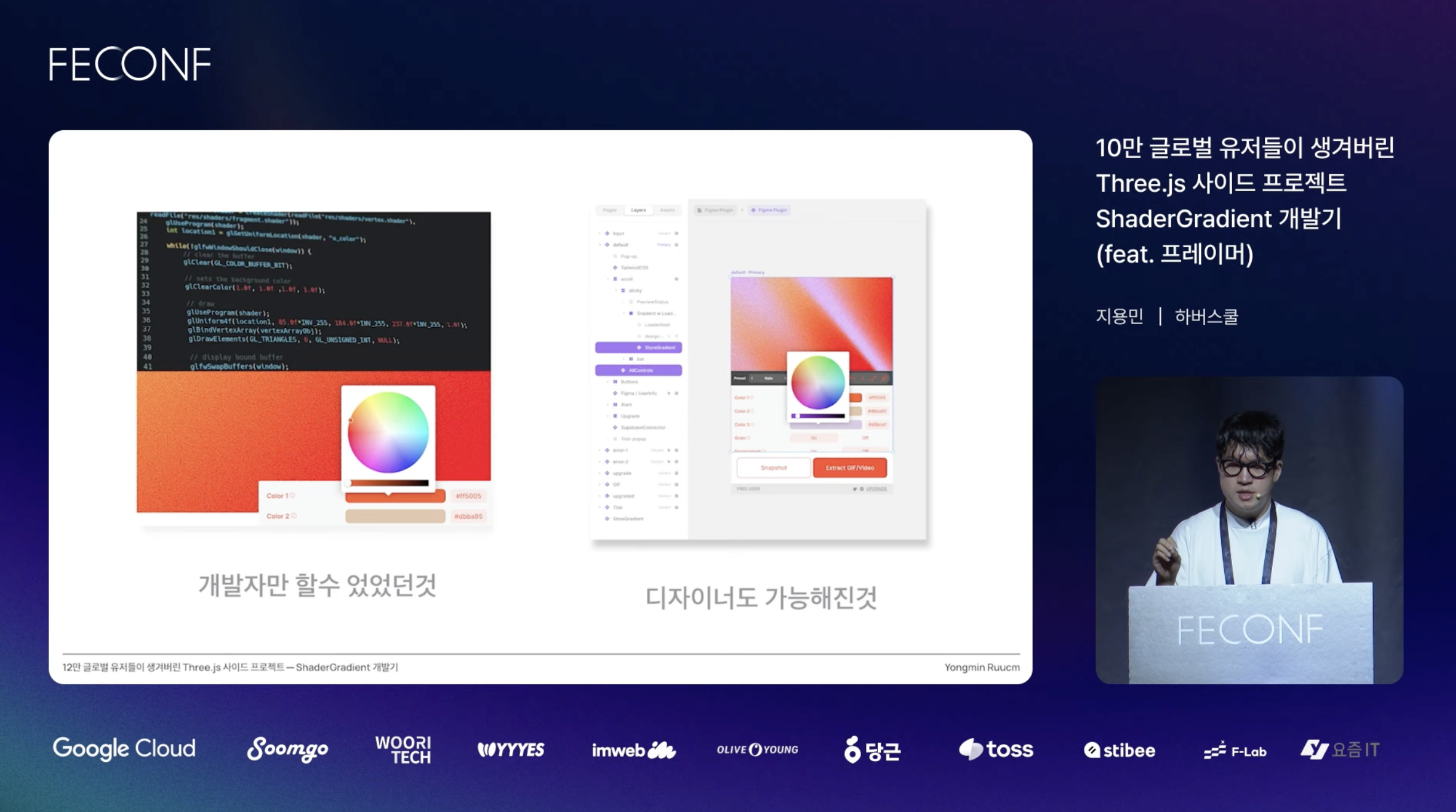
Figma and Framer demos still use the UI package internally:
For Vue/Nuxt development, testing, and release notes, see the Vue contributor guide.
pnpm install
pnpm dev
pnpm changeset
pnpm version-packages
then commit changes (message like v1.x.x)
# Release to npm
pnpm release

# Release it as ES Module (Hosted by GitHub Pages)
git push origin main
MIT © ruucm, stone-skipper
958 followers · starred Aug 2025
388 followers · starred Jul 2023
187 followers · starred Jul 2024
20 followers · starred Aug 2026
Create beautiful moving gradients on Framer, Figma and React
See the codeCustomizable 3D, moving gradient for React. The v2 package is lean: it only ships the ShaderGradient renderer (and its canvas helper), while the stateless UI pieces now live in the separate @shadergradient/ui package.
Framer Component (Copy this URL and paste it on Framer Canvas)
Install the core renderer and its peer deps.
# with yarn
yarn add @shadergradient/react @react-three/fiber three three-stdlib camera-controls
yarn add -D @types/three

# with npm
npm i @shadergradient/react @react-three/fiber three three-stdlib camera-controls
npm i -D @types/three

# with pnpm
pnpm add @shadergradient/react @react-three/fiber three three-stdlib camera-controls
pnpm add -D @types/three
Need the stateless control surfaces? Pull them from the @shadergradient/ui package (ESM build used by Framer/Figma), not from @shadergradient/react.
@shadergradient/react itself works on React 18 or 19, but the right @react-three/fiber version depends on your environment. For Next.js 15 App Router specifically, you must use R3F v9 + React 19 — R3F v8 is structurally incompatible with the App Router's vendored React 19 canary (see #138 for the full trace).
| Environment | React | @react-three/fiber | three |
|---|---|---|---|
| Next 15 — App Router | ^19.0.0 | ^9.0.0 | >=0.158.0 |
| Next 14 / Next 15 Pages / Vite / etc. | ^18 or ^19 | matching 8.x/9.x | >=0.158.0 |
No next.config aliases or transpilePackages entries are required when you stay on these combinations.
Use ShaderGradient inside ShaderGradientCanvas from @shadergradient/vue.
See installation and Vue/Nuxt usage
for installation commands, component examples, SSR fallbacks, and supported
dependency versions.
@shadergradient/react
ShaderGradient and ShaderGradientCanvas.@shadergradient/ui.@shadergradient/ui
packages/ui).@shadergradient/vue
shadergradient-old
Drop ShaderGradient inside ShaderGradientCanvas and drive it with props or a query string.
import { ShaderGradientCanvas, ShaderGradient } from '@shadergradient/react'

function App() {
  return (
    <ShaderGradientCanvas
      style={{ position: 'absolute', inset: 0 }}
      pixelDensity={1.5}
      fov={45}
    >
      <ShaderGradient cDistance={32} cPolarAngle={125} />
    </ShaderGradientCanvas>
  )
}
Load settings from a URL (for example, one copied from shadergradient.co/customize):
<ShaderGradientCanvas>
  <ShaderGradient
    control='query'
    urlString='https://www.shadergradient.co/customize?animate=on&cDistance=3.6&cPolarAngle=90&color1=%2352ff89&color2=%23dbba95&color3=%23d0bce1&lightType=3d&shader=defaults&type=plane&uFrequency=5.5&uSpeed=0.4&uStrength=4'
  />
</ShaderGradientCanvas>
type MeshT = {
  type?: 'plane' | 'sphere' | 'waterPlane'
  animate?: 'on' | 'off'
  uTime?: number
  uSpeed?: number
  uStrength?: number
  uDensity?: number
  uFrequency?: number
  uAmplitude?: number
  range?: 'enabled' | 'disabled' | string
  rangeStart?: number
  rangeEnd?: number
  loop?: 'on' | 'off'
  loopDuration?: number
  positionX?: number
  positionY?: number
  positionZ?: number
  rotationX?: number
  rotationY?: number
  rotationZ?: number
  color1?: string
  color2?: string
  color3?: string
  reflection?: number
  wireframe?: boolean
  shader?: string
  rotSpringOption?: any
  posSpringOption?: any
}

type GradientT = MeshT & {
  control?: 'query' | 'props'
  isFigmaPlugin?: boolean
  smoothTime?: number
  cAzimuthAngle?: number
  cPolarAngle?: number
  cDistance?: number
  cameraZoom?: number
  lightType?: '3d' | 'env'
  brightness?: number
  envPreset?: 'city' | 'dawn' | 'lobby'
  grain?: 'on' | 'off'
  grainBlending?: number
  zoomOut?: boolean
  toggleAxis?: boolean
  hoverState?: string
  enableTransition?: boolean
  enableCameraUpdate?: boolean
  urlString?: string
  onCameraUpdate?: (updates: Partial<GradientT>) => void
}
ShaderGradientCanvas also accepts pixelDensity, fov, envBasePath, GL overrides (preserveDrawingBuffer, powerPreference), and lazy-load controls (lazyLoad, threshold, rootMargin).
Figma and Framer demos still use the UI package internally:
For Vue/Nuxt development, testing, and release notes, see the Vue contributor guide.
pnpm install
pnpm dev
pnpm changeset
pnpm version-packages
then commit changes (message like v1.x.x)
# Release to npm
pnpm release

# Release it as ES Module (Hosted by GitHub Pages)
git push origin main
MIT © ruucm, stone-skipper
958 followers · starred Aug 2025
388 followers · starred Jul 2023
187 followers · starred Jul 2024
20 followers · starred Aug 2026