A SwiftUI based macOS GUI for rsync.
See the code


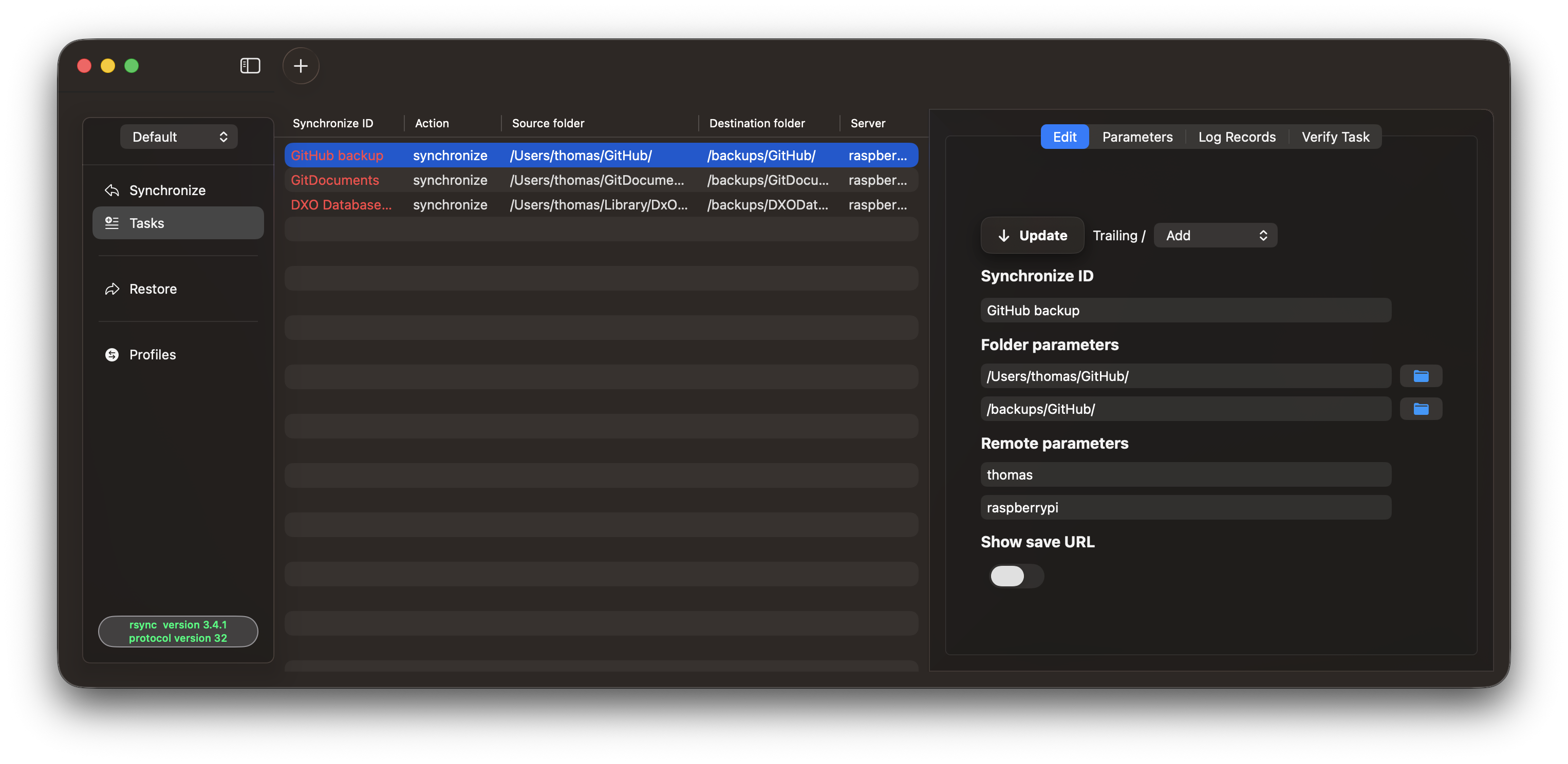
RsyncUI is a SwiftUI macOS GUI for rsync — it handles task organisation and parameter configuration so you can get the most out of rsync without touching the command line.
If RsyncUI is useful to you, a ⭐ on the repository is always appreciated!
Install via Homebrew:
brew install --cask rsyncui
Or download directly from the releases page. The application is signed and notarized by Apple.
RsyncUI uses the following Swift Package Manager dependencies:
| Package | Function in RsyncUI |
|---|---|
| DecodeEncodeGeneric | Encodes application data as JSON for persistent storage. |
| ParseRsyncOutput | Parses rsync output into transfer statistics, including file counts, created and deleted files, and data sizes for estimates and execution results. |
| ProcessCommand | Runs supporting commands, such as SSH key creation, connection checks, and snapshot deletion, with output and termination handlers. |
| RsyncArguments | Builds rsync and SSH arguments for synchronization, dry runs, snapshots, restoration, verification, and remote file listings. |
| RsyncProcessStreaming | Executes rsync processes and streams their output to handlers for progress, errors, and completion. |
| RsyncUIDeepLinks | Creates, parses, and validates deep-link URLs for profile actions and widget integration. |
| SSHCreateKey | Prepares SSH key creation and connection arguments, manages key paths, and checks whether a public key exists. |
138 followers · starred Oct 2025
529 followers · starred Mar 2025
1,229 followers · starred May 2025
329 followers · starred May 2025
A SwiftUI based macOS GUI for rsync.
See the code
RsyncUI is a SwiftUI macOS GUI for rsync — it handles task organisation and parameter configuration so you can get the most out of rsync without touching the command line.
If RsyncUI is useful to you, a ⭐ on the repository is always appreciated!
Install via Homebrew:
brew install --cask rsyncui
Or download directly from the releases page. The application is signed and notarized by Apple.
RsyncUI uses the following Swift Package Manager dependencies:
| Package | Function in RsyncUI |
|---|---|
| DecodeEncodeGeneric | Encodes application data as JSON for persistent storage. |
| ParseRsyncOutput | Parses rsync output into transfer statistics, including file counts, created and deleted files, and data sizes for estimates and execution results. |
| ProcessCommand | Runs supporting commands, such as SSH key creation, connection checks, and snapshot deletion, with output and termination handlers. |
| RsyncArguments | Builds rsync and SSH arguments for synchronization, dry runs, snapshots, restoration, verification, and remote file listings. |
| RsyncProcessStreaming | Executes rsync processes and streams their output to handlers for progress, errors, and completion. |
| RsyncUIDeepLinks | Creates, parses, and validates deep-link URLs for profile actions and widget integration. |
| SSHCreateKey | Prepares SSH key creation and connection arguments, manages key paths, and checks whether a public key exists. |
138 followers · starred Oct 2025
529 followers · starred Mar 2025
1,229 followers · starred May 2025
329 followers · starred May 2025



