An open benchmark and evaluation framework for causal reasoning and decision-making in autonomous driving systems, designed to assess robustness, interpretability, and generalization across diverse driving scenarios.
Python
0
4 commits
updated Oct 12, 2026
Evaluating Causal Reasoning in Vision-Language-Action Models for Autonomous Driving
NeurIPS 2026






📄 Paper · 🤗 Dataset · 🗂️ Code & Doc Index · 🧪 Evaluation Framework · 📑 Citation
CausalDriveBench tests whether driving vision-language-action (VLA) models reason causally: can they explain why the ego vehicle brakes, yields or proceeds, and predict what it would do if the scene were different? Grounded in Pearl's Causal Hierarchy, it combines structured causal visual question answering with counterfactual trajectory prediction on real nuScenes driving scenes. Each scene is backed by a causal scene graph that separates active, dormant and distractor entities.
This repository contains the full code for building the benchmark (records → causal scene graphs → QA → counterfactual trajectories) and for evaluating VLAs / VLMs on it.
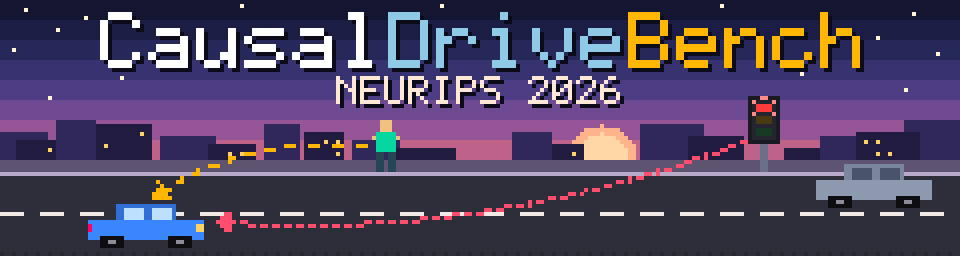
The banner shows the idea in miniature: the red light is an active cause of the ego car's behaviour (red, dotted), the pedestrian on the kerb is a dormant cause (amber, dashed), and the parked car is a distractor (no arrow).
"Neither fluent rationales nor accurate observed-scene trajectories constitute evidence of causal understanding."
flowchart LR
    subgraph Build["Benchmark construction (scripts/)"]
        direction TB
        A[Raw driving logs<br/>nuScenes · OpenScene · AV2] --> B[Unified records<br/>4 timesteps · cameras · BEV · state]
        B --> C[Causal scene graph<br/>VLM, Batch API]
        C --> D[Pruning +<br/>human verification]
        D --> E[Diversity<br/>clustering]
        E --> F[Causal QA<br/>active · dormant · distractor]
        E --> G[Counterfactual<br/>trajectories]
    end
    subgraph Eval["Evaluation (evaluation/)"]
        direction TB
        H[Dataloader] --> I[Model inference<br/>Docker per model] --> J[Post-processing<br/>accuracy · ADE · LLM judge]
        J --> K[JSON + HTML reports]
    end
    Build ==>|released benchmark| Eval
What a model is asked to do
| Task | Source in graph | What it probes |
|---|---|---|
| Active QA (Causal Ladder) | Active ego edges | Association → intervention → counterfactual questions about entities that currently drive ego behaviour (rungs R0–R3). |
| Dormant QA | Dormant ego edges | Entities that would affect the ego under a small change (e.g. a pedestrian approaching the kerb). |
| Distractor QA | Distractor list | Recognising entities with no causal influence on the ego. |
| BTE: baseline trajectory | Observed scene | Predict the ego's future waypoints in the real scene. |
| CTE-R2 / CTE-R3: counterfactual trajectory | Intervened scene | Predict the ego's trajectory after an intervention (R2) or in an alternate history (R3). |
Causal scene graph schema: 5 node types (TRAFFIC_CONTROL, ROAD_OBSTACLE, OTHER_AGENT, ENVIRONMENT, EGO). 5 ego-edge effects (CONSTRAINS_LONGITUDINAL, CONSTRAINS_LATERAL, INHIBITS_PROCEED, GRANTS_PROCEED, DEGRADES). 2 inter-node edges (AFFECTS, CONFOUNDED_BY). 3 causal statuses (active_sustaining, active_triggering, dormant). A distractors list with rejection reasons.
The released benchmark is hosted on Hugging Face: causaldrivebench/CausalDriveBench.
from datasets import load_dataset

qa = load_dataset("causaldrivebench/CausalDriveBench", "qa", split="test")
print(qa)          # question, options, correct_answer, reasoning, rung, category, difficulty, ...
Each QA row has the question, answer options, correct answer and reasoning, plus metadata: rung, category, difficulty, graph structure, counterfactual frame and spatial context. The per-sample release layout produced by scripts/release/package_samples.py is:
<dataset>/<scene>/<SAMPLED_N>/
├── meta.json          # scene metadata (token, log, location, timestamp)
├── state.json         # ego + agent states at T=0 (ego-local coordinates)
├── calib.json         # camera intrinsics + extrinsics
├── frames.json        # paths to the original raw sensor images per timestep (Tm1p5 … Tp0p0)
├── graph.json         # verified causal scene graph
└── qa/
    ├── active_qa.json
    ├── dormant_qa.json
    └── distractor_qa.json
A small sample in this exact format ships with the repo under evaluation/sample_data/, so you can try the pipeline without downloading anything.
Raw imagery is not redistributed.
frames.jsonpoints into the original datasets, which you must obtain separately under their own terms (nuScenes, OpenScene / NAVSIM, Argoverse 2).
causaldrivebench/
├── scripts/                  # Benchmark construction pipeline
│   ├── build_records/        #   raw logs → unified records (nuScenes, OpenScene, AV2)
│   ├── batch_processing/     #   ⭐ run_batch_pipeline.sh: graph → QA → trajectories via Batch API
│   ├── causal_graph_extraction/  # pruning, subgraph extraction & statistics
│   ├── graph_postprocessing/ #   post-review clean-up → *_verified.json
│   ├── graph_filtering/      #   diversity clustering & subset selection
│   ├── question_answers/     #   QA balancing & statistics
│   ├── counterfactual_trajectory/  # CF / agent-intervention trajectories
│   ├── rendering/            #   interactive D3 HTML viewers + review editor
│   ├── release/              #   release packaging
│   └── download/             #   dataset download helpers
├── prompts/                  # All VLM prompt templates (graph, QA, trajectories, verification)
├── evaluation/               # Containerised multi-model evaluation framework
│   ├── common/               #   base classes, metrics, trajectory eval, LLM judge, reports
│   ├── models/               #   one folder per evaluated model (+ _template)
│   ├── docs/                 #   architecture, data formats, adding a model, …
│   └── sample_data/ · sample_outputs/ · sample_reports/   # runnable examples
├── driving_rules/            # Driving-rule knowledge base (generic, Singapore, California)
├── docs/                     # Project overview & design specs
├── config.yaml.example       # Pipeline configuration template
└── environment.yaml          # Conda environment
👉 See INDEX.md for a file-by-file index of all code and documentation.
git clone https://github.com/renesas/causaldrivebench.git
cd causaldrivebench

# Benchmark-construction environment
conda env create -f environment.yaml
conda activate causal_graph

# Graph PNG rendering
sudo apt install graphviz

# Pipeline configuration (paths, provider, API keys); config.yaml is git-ignored
cp config.yaml.example config.yaml
Evaluation runs each model in its own Docker container, so you need Docker with the NVIDIA Container Toolkit for GPU models. See evaluation/docs/docker_operations.md.
# From the repo root, in any Python ≥ 3.10 env with numpy, pillow, tqdm
export PYTHONPATH="$PYTHONPATH:$(pwd)"

# Simulate a full run (dataloader → synthetic outputs → 4-tier reports)
python evaluation/generate_sample_outputs.py

# Re-run post-processing on the simulated run
python evaluation/models/alpamayo_1_0/postprocess.py \
    --run-dir   evaluation/sample_outputs/<run_dir> \
    --bench-dir evaluation/sample_data/causal_nuscenes \
    --mode single --scene nuscenes-scene-0072
An example of the generated static HTML report is in evaluation/sample_reports/ (open index.html locally in a browser).
cd evaluation/models/<model>/            # e.g. alpamayo_1_5, recogdrive, orion, …

cp dev.env.example dev.env               # set data paths, HF token, GPU, …
docker compose build
docker compose --profile setup run --rm weight-downloader

# Smoke-test on one scene, then drop MODE/SCENE for the full benchmark
MODE=single SCENE=nuscenes-scene-0001 docker compose run --rm inference
MODE=single SCENE=nuscenes-scene-0001 docker compose --profile postprocess run --rm postprocess
Docker-based model folders have a commands.md cheat-sheet with their exact commands. Post-processing can also score reasoning quality with an LLM judge: four dimensions, 0–2 each. See evaluation/docs/llm_judge.md.
python evaluation/orchestrate.py \
    --models alpamayo_1_0,alpamayo_1_5 \
    --dataset nuscenes --mode subset --subset-size 50 \
    --output-dir evaluation/outputs --report-dir evaluation/reports
Adding your own model? Copy evaluation/models/_template/, implement the dataloader, inference and post-processor, then follow evaluation/docs/adding_a_model.md.
Integrations live in evaluation/models/. Each one wraps the upstream model behind the same dataloader → inference → postprocess interface.
| Folder | Upstream model | Type |
|---|---|---|
alpamayo_1_0 | NVIDIA Alpamayo-R1-10B (reference implementation) | Driving VLA |
alpamayo_1_5 | NVIDIA Alpamayo-1.5-10B | Driving VLA |
doe | Doe-1 | Driving world model |
impromptu_vla | Impromptu-VLA 3B | Driving VLA |
omnidrive | NVlabs OmniDrive | Driving VLA |
opendrivevla | OpenDriveVLA-0.5B | Driving VLA |
orion | ORION | Driving VLA |
recogdrive | ReCogDrive-8B-RL | Driving VLA |
safeauto | SafeAuto | Driving VLA |
simlingo | SimLingo | Driving VLA |
gemma4 | Google Gemma 4 (E2B / E4B / 26B-A4B / 31B) | General VLM |
qwen25vl | Qwen2.5-VL-3B / 7B-Instruct | General VLM |
_template | Starting point for new integrations | – |
The official results tables (per-rung and per-QA-type accuracy, BTE / CTE trajectory ADE) are in the paper. In short:
To reproduce, run the evaluation framework above on the Hugging Face release. evaluation/sanity_check.py verifies run completeness, and evaluation/scripts/reorganize_and_report.py builds Markdown / LaTeX tables.
The released dataset is all you need for evaluation. The sections below are for rebuilding or extending the benchmark from raw driving logs. Click a section to expand it.
Raw data → Records → Stage 1: causal graph → Pruning → Stage 3a/3b/3c: QA → Stage 4cf / 5: counterfactual trajectories → HTML / release
bash scripts/download/download_openscene_metadata.sh <LOGS_DIR>
bash scripts/download/download_openscene_sensor.sh
bash scripts/download/download_nuplan_maps.sh
Record building converts each raw dataset into one unified record format that every downstream step consumes:
<RECORDS>/<scene_name>/SAMPLED_N/
├── meta.json
├── Tm1p5/  Tm1p0/  Tm0p5/        # T = -1.5 s, -1.0 s, -0.5 s: bev.png + cameras
└── Tp0p0/                        # T = 0 (present)
    ├── bev.png                   # 1536×1536 BEV with heading arrows
    ├── cam_front.jpg …           # cameras annotated with 2D boxes + labels
    ├── state.json                # ego + agent states (ego-local coordinates)
    ├── calib.json                # camera intrinsics + extrinsics
    └── uuid_map.json             # short labels (car_1) → dataset UUIDs
The record builders apply these rules:
conda activate causal_graph

# nuScenes
python scripts/build_records/build_nuscenes_records.py \
  --data /path/to/nuscenes --maps /path/to/maps/expansion \
  --records /path/to/records/nuscenes --num-scenes 120

# OpenScene (quartile sampling, 4 samples per scene)
python scripts/build_records/build_openscene_records.py \
  --logs /path/to/navsim_logs --blobs /path/to/openscene --maps /path/to/openscene/maps \
  --records /path/to/records/openscene --num-scenes 100 --max-samples 4

# Argoverse 2 (5 cameras); --split train | val | both
python scripts/build_records/build_argoverse2_records.py \
  --data /path/to/argoverse2/sensor --split val \
  --records /path/to/records/argoverse2 --num-scenes 133
The builders skip existing scenes unless you pass --force. Other useful flags:
--scenes …: build specific scenes only.--samples-file: build specific scene/SAMPLED_N pairs.--workers N: number of parallel workers (default 4).scripts/batch_processing/run_batch_pipeline.sh drives every generation stage through a provider's Batch API (Claude by default).
| Stage | Name | Description |
|---|---|---|
| 1 | Generator | Images + state.json → raw causal scene graph |
| prune | Pruning | Reverse-BFS reachability; nodes with no causal path to ego → distractors |
| 3a | Causal Ladder QA | Active edges → active_qa.json |
| 3b | Dormant QA | Dormant edges → dormant_qa.json |
| 3c | Distractor QA | Distractors → distractor_qa.json |
| 4cf | CF trajectories | QA items with trajectory_changes=true → routed (below) |
| 5 | LLM ego trajectory | Agent interventions (remove / reposition / speed change) → LLM-predicted ego response (--nuplan uses the nuPlan simulator instead, stage 4np) |
Stage 4cf routing:
| Route | Condition | Prompts | Output |
|---|---|---|---|
nuplan_config | entity_type=agent | prompts/nuplan_config/ | Agent intervention config → consumed by stage 5 / 4np |
llm_t0 | infrastructure, anchor t0 | prompts/alternate_trajectories/Intervention_* | 8 future ego waypoints |
llm_obs_window | infrastructure, anchor observation_window | prompts/alternate_trajectories/CounterFactual_* | 4 alternate-history ego waypoints |
# Full pipeline for one dataset (nuscenes | openscene | argoverse2)
bash scripts/batch_processing/run_batch_pipeline.sh nuscenes \
  --provider claude \
  --records-dir /path/to/records/nuscenes \
  --output-dir  /path/to/outputs/nuscenes \
  --batch-dir   /path/to/batch_jobs

# Stop early / resume
bash scripts/batch_processing/run_batch_pipeline.sh nuscenes ... --stop-after 1     # graphs only
bash scripts/batch_processing/run_batch_pipeline.sh nuscenes ... --stop-after 3c    # through QA
bash scripts/batch_processing/run_batch_pipeline.sh nuscenes ... --resume 3a        # graphs already exist
| Flag | Description |
|---|---|
--provider | claude (default), openai, gemini |
--model, --reasoning | Override model; reasoning effort none (default, recommended) / low / medium / high |
--records-dir, --output-dir, --batch-dir | Override paths from config.yaml (use a fresh --batch-dir per run) |
--stop-after <stage>, --resume <stage> | Run a sub-range of stages (1, prune, 3a–3c, 4cf, 5) |
--graph-prompt-version, --qa-prompt-version | Prompt versions (default v5) |
--nuplan | Use the nuPlan simulator for agent interventions (stage 4np) instead of the LLM (stage 5) |
--max-samples N, --filter, --dry-run, --skip-download | Limit / filter samples, preview batches, reuse downloaded results |
Prompt versions:
prompts/causal_scene_graph/v5 and prompts/causal_qas/v5 are the defaults. v6 is the newest graph schema and is opt-in.v1–v4 are kept for reference.After stage 1, prune_graphs.py reverses every edge (CONFOUNDED_BY becomes bidirectional) and runs a BFS from the ego. Any node it does not reach has no causal influence on the ego and moves to distractors. This takes O(V + E) per graph, parallelised across files. It runs automatically in the batch pipeline, or standalone:
python scripts/causal_graph_extraction/prune_graphs.py /path/to/outputs/nuscenes --dry-run   # preview
python scripts/causal_graph_extraction/prune_graphs.py /path/to/outputs/nuscenes --workers 8 # writes *_pruned.json
The scripts in scripts/graph_postprocessing/ turn human-reviewed graphs into the canonical {scene_id}_verified.json, which downstream QA, trajectory and release steps consume.
# 1. Work on a copy; never modify the originals
cp -r outputs/nuscenes_full_edit/ outputs/nuscenes_full_edit_backup/

# 2. Rule-based edge / node clean-up (remove --dry-run to apply)
python scripts/graph_postprocessing/fix_causal_graphs.py \
  --input-dir outputs/nuscenes_full_edit_backup/ --edits-dir edits/ --dry-run

# 3. Align scene descriptions with the remaining active edges
#    test: real-time on a few scenes, writes side-by-side comparisons
python scripts/graph_postprocessing/align_scene_description.py test \
  --input-dir outputs/nuscenes_full_edit_backup/ --edits-dir edits/ \
  --records-dir records/nuscenes_full/ --out-dir /path/to/comparison_output/
#    run: submit batch, poll, and apply → writes {scene_id}_verified.json
python scripts/graph_postprocessing/align_scene_description.py run \
  --input-dir outputs/nuscenes_full_edit_backup/ --edits-dir edits/ \
  --records-dir records/nuscenes_full/
Graph review itself happens in the Flask editor scripts/rendering/editor_server.py.
render_causal_graph.py renders an interactive page per sample: a D3 causal graph, the camera images, the BEV and QA cards. Each page has an Original / Pruned toggle and a JSON viewer.
# Paths are read from config.yaml for the given dataset
python scripts/rendering/render_causal_graph.py --dataset nuscenes \
  --html --index --root-index --serve 9888

# Non-canonical output folder
python scripts/rendering/render_causal_graph.py --dataset nuscenes \
  --output-dir /path/to/outputs/nuscenes_50 --records-dir /path/to/records/nuscenes_50 \
  --html --index --force

# Counterfactual BEV / camera overlays
python scripts/rendering/regenerate_cf_bevs.py \
  --outputs /path/to/outputs/nuscenes --records /path/to/records/nuscenes
The server serves from the parent of the outputs directory, so the relative image paths into records/ resolve.
python scripts/release/package_samples.py --dataset nuscenes      # nuscenes | openscene | argoverse2
#   --records / --outputs / --download   override paths from config.yaml
This assembles the release layout and writes a root manifest.json that flags any samples with missing graph or QA files. frames.json lists the original raw sensor image paths, relative to data_root, not the annotated copies in the records.
state.json: ego + agent states{
"t_rel_s": 0.0,
"nav_command": "GO STRAIGHT",
"ego": {
"speed": 4.058,
"history": [{"t": -1.5, "x": -6.82, "y": -0.27, "speed": 4.53}],
"future": [{"t": 0.5, "x": 2.07, "y": -0.03, "speed": 4.14}]
},
"agents": {
"car_1": {
"category": "vehicle.car",
"position": {"x": 12.5, "y": -11.3, "yaw": 1.65},
"speed": 0.0,
"history": [{"t": -1.5, "x": 12.66, "y": -11.33, "speed": 0.11}]
}
}
}
Coordinates are ego-local at T=0: +x is forward, +y is left, and the ego is at the origin. History has 3 steps (t = −1.5, −1.0, −0.5 s). Future has 6 steps (t = 0.5 … 3.0 s).
graph.json){
"scene_id": "...",
"scene_context": {"road_geometry": "...", "navigation_intent": "..."},
"ego_state": {"speed_mps": "4.0", "inferred_acceleration": "...", "behavior_explanation": "..."},
"nodes": [
{"id": "ego", "type": "EGO"},
{"id": "n1", "type": "TRAFFIC_CONTROL", "label": "Green signal"}
],
"ego_edges": [
{"source": "n1", "target": "ego", "effect_type": "GRANTS_PROCEED",
"active": true, "causal_status": "active_sustaining", "justification": "..."}
],
"inter_node_edges": [],
"distractors": [{"id": "car_2", "rejection_reason": "..."}]
}
The full schema is in the stage-1 prompt, prompts/causal_scene_graph/v5/system_prompt.md. Evaluation-side formats (prompts.jsonl, outputs.jsonl, reports) are documented in evaluation/docs/data_formats.md.
| Problem | Cause | Solution |
|---|---|---|
Truncated JSON (max_tokens hit) | Response too long | max_tokens is set in scripts/common/llm_provider.py |
| Image dimensions exceed 2000 px | AV2 cameras are 2048×1550 | Images are auto-resized at batch preparation (scene_utils.py) |
| Old batch results reprocessed | Re-used batch directory | Use a fresh / empty --batch-dir for every run |
| No Causal Ladder (active) questions | All ego edges dormant | Check graph quality; active QA needs active edges |
| No dormant questions | All ego edges active | Expected: dormant QA needs dormant edges |
_pruned.json not found by QA stages | Pruning not run | python scripts/causal_graph_extraction/prune_graphs.py <output_dir> |
| Empty BEV (no lanes / roads) | --maps not provided | Rebuild records with the map path |
| Missing heading arrows in temporal BEVs | Stale records | Rebuild records |
| OpenScene IDs rejected by the batch API | Dots in custom_id | Handled automatically (dots → -) |
| Docker / GPU / evaluation issues | – | See evaluation/docs/docker_operations.md |
If you find CausalDriveBench useful, please cite:
@article{chembu2026causaldrivebench,
  title   = {CausalDriveBench: Evaluating Causal Reasoning in Vision-Language-Action Models for Autonomous Driving},
  author  = {Chembu, Narendiran and Rao, Navvrat and Kodate, Shreedhar Shreeshail and Banda, Gayatri Srujana and Sarkar, Arko and Khanna, Abhinav and Das, Rajarshee and Kanala, Umesh and Khandelwal, Siddarth and Aman, Kumar and Dubey, Aish and Beedkar, Kaustubh and Jain, Arjun},
  journal = {arXiv preprint arXiv:2609.32157},
  year    = {2026},
  doi     = {10.48550/arXiv.2609.32157},
  url     = {https://arxiv.org/abs/2609.32157}
}
CausalDriveBench builds on nuScenes, OpenScene / NAVSIM, nuPlan and Argoverse 2. We thank the authors of all the evaluated models for releasing their code and weights.
An open benchmark and evaluation framework for causal reasoning and decision-making in autonomous driving systems, designed to assess robustness, interpretability, and generalization across diverse driving scenarios.
Python
0
4 commits
updated Oct 12, 2026
Evaluating Causal Reasoning in Vision-Language-Action Models for Autonomous Driving
NeurIPS 2026
📄 Paper · 🤗 Dataset · 🗂️ Code & Doc Index · 🧪 Evaluation Framework · 📑 Citation
CausalDriveBench tests whether driving vision-language-action (VLA) models reason causally: can they explain why the ego vehicle brakes, yields or proceeds, and predict what it would do if the scene were different? Grounded in Pearl's Causal Hierarchy, it combines structured causal visual question answering with counterfactual trajectory prediction on real nuScenes driving scenes. Each scene is backed by a causal scene graph that separates active, dormant and distractor entities.
This repository contains the full code for building the benchmark (records → causal scene graphs → QA → counterfactual trajectories) and for evaluating VLAs / VLMs on it.
The banner shows the idea in miniature: the red light is an active cause of the ego car's behaviour (red, dotted), the pedestrian on the kerb is a dormant cause (amber, dashed), and the parked car is a distractor (no arrow).
"Neither fluent rationales nor accurate observed-scene trajectories constitute evidence of causal understanding."
flowchart LR
    subgraph Build["Benchmark construction (scripts/)"]
        direction TB
        A[Raw driving logs<br/>nuScenes · OpenScene · AV2] --> B[Unified records<br/>4 timesteps · cameras · BEV · state]
        B --> C[Causal scene graph<br/>VLM, Batch API]
        C --> D[Pruning +<br/>human verification]
        D --> E[Diversity<br/>clustering]
        E --> F[Causal QA<br/>active · dormant · distractor]
        E --> G[Counterfactual<br/>trajectories]
    end
    subgraph Eval["Evaluation (evaluation/)"]
        direction TB
        H[Dataloader] --> I[Model inference<br/>Docker per model] --> J[Post-processing<br/>accuracy · ADE · LLM judge]
        J --> K[JSON + HTML reports]
    end
    Build ==>|released benchmark| Eval
What a model is asked to do
| Task | Source in graph | What it probes |
|---|---|---|
| Active QA (Causal Ladder) | Active ego edges | Association → intervention → counterfactual questions about entities that currently drive ego behaviour (rungs R0–R3). |
| Dormant QA | Dormant ego edges | Entities that would affect the ego under a small change (e.g. a pedestrian approaching the kerb). |
| Distractor QA | Distractor list | Recognising entities with no causal influence on the ego. |
| BTE: baseline trajectory | Observed scene | Predict the ego's future waypoints in the real scene. |
| CTE-R2 / CTE-R3: counterfactual trajectory | Intervened scene | Predict the ego's trajectory after an intervention (R2) or in an alternate history (R3). |
Causal scene graph schema: 5 node types (TRAFFIC_CONTROL, ROAD_OBSTACLE, OTHER_AGENT, ENVIRONMENT, EGO). 5 ego-edge effects (CONSTRAINS_LONGITUDINAL, CONSTRAINS_LATERAL, INHIBITS_PROCEED, GRANTS_PROCEED, DEGRADES). 2 inter-node edges (AFFECTS, CONFOUNDED_BY). 3 causal statuses (active_sustaining, active_triggering, dormant). A distractors list with rejection reasons.
The released benchmark is hosted on Hugging Face: causaldrivebench/CausalDriveBench.
from datasets import load_dataset

qa = load_dataset("causaldrivebench/CausalDriveBench", "qa", split="test")
print(qa)          # question, options, correct_answer, reasoning, rung, category, difficulty, ...
Each QA row has the question, answer options, correct answer and reasoning, plus metadata: rung, category, difficulty, graph structure, counterfactual frame and spatial context. The per-sample release layout produced by scripts/release/package_samples.py is:
<dataset>/<scene>/<SAMPLED_N>/
├── meta.json          # scene metadata (token, log, location, timestamp)
├── state.json         # ego + agent states at T=0 (ego-local coordinates)
├── calib.json         # camera intrinsics + extrinsics
├── frames.json        # paths to the original raw sensor images per timestep (Tm1p5 … Tp0p0)
├── graph.json         # verified causal scene graph
└── qa/
    ├── active_qa.json
    ├── dormant_qa.json
    └── distractor_qa.json
A small sample in this exact format ships with the repo under evaluation/sample_data/, so you can try the pipeline without downloading anything.
Raw imagery is not redistributed.
frames.jsonpoints into the original datasets, which you must obtain separately under their own terms (nuScenes, OpenScene / NAVSIM, Argoverse 2).
causaldrivebench/
├── scripts/                  # Benchmark construction pipeline
│   ├── build_records/        #   raw logs → unified records (nuScenes, OpenScene, AV2)
│   ├── batch_processing/     #   ⭐ run_batch_pipeline.sh: graph → QA → trajectories via Batch API
│   ├── causal_graph_extraction/  # pruning, subgraph extraction & statistics
│   ├── graph_postprocessing/ #   post-review clean-up → *_verified.json
│   ├── graph_filtering/      #   diversity clustering & subset selection
│   ├── question_answers/     #   QA balancing & statistics
│   ├── counterfactual_trajectory/  # CF / agent-intervention trajectories
│   ├── rendering/            #   interactive D3 HTML viewers + review editor
│   ├── release/              #   release packaging
│   └── download/             #   dataset download helpers
├── prompts/                  # All VLM prompt templates (graph, QA, trajectories, verification)
├── evaluation/               # Containerised multi-model evaluation framework
│   ├── common/               #   base classes, metrics, trajectory eval, LLM judge, reports
│   ├── models/               #   one folder per evaluated model (+ _template)
│   ├── docs/                 #   architecture, data formats, adding a model, …
│   └── sample_data/ · sample_outputs/ · sample_reports/   # runnable examples
├── driving_rules/            # Driving-rule knowledge base (generic, Singapore, California)
├── docs/                     # Project overview & design specs
├── config.yaml.example       # Pipeline configuration template
└── environment.yaml          # Conda environment
👉 See INDEX.md for a file-by-file index of all code and documentation.
git clone https://github.com/renesas/causaldrivebench.git
cd causaldrivebench

# Benchmark-construction environment
conda env create -f environment.yaml
conda activate causal_graph

# Graph PNG rendering
sudo apt install graphviz

# Pipeline configuration (paths, provider, API keys); config.yaml is git-ignored
cp config.yaml.example config.yaml
Evaluation runs each model in its own Docker container, so you need Docker with the NVIDIA Container Toolkit for GPU models. See evaluation/docs/docker_operations.md.
# From the repo root, in any Python ≥ 3.10 env with numpy, pillow, tqdm
export PYTHONPATH="$PYTHONPATH:$(pwd)"

# Simulate a full run (dataloader → synthetic outputs → 4-tier reports)
python evaluation/generate_sample_outputs.py

# Re-run post-processing on the simulated run
python evaluation/models/alpamayo_1_0/postprocess.py \
    --run-dir   evaluation/sample_outputs/<run_dir> \
    --bench-dir evaluation/sample_data/causal_nuscenes \
    --mode single --scene nuscenes-scene-0072
An example of the generated static HTML report is in evaluation/sample_reports/ (open index.html locally in a browser).
cd evaluation/models/<model>/            # e.g. alpamayo_1_5, recogdrive, orion, …

cp dev.env.example dev.env               # set data paths, HF token, GPU, …
docker compose build
docker compose --profile setup run --rm weight-downloader

# Smoke-test on one scene, then drop MODE/SCENE for the full benchmark
MODE=single SCENE=nuscenes-scene-0001 docker compose run --rm inference
MODE=single SCENE=nuscenes-scene-0001 docker compose --profile postprocess run --rm postprocess
Docker-based model folders have a commands.md cheat-sheet with their exact commands. Post-processing can also score reasoning quality with an LLM judge: four dimensions, 0–2 each. See evaluation/docs/llm_judge.md.
python evaluation/orchestrate.py \
    --models alpamayo_1_0,alpamayo_1_5 \
    --dataset nuscenes --mode subset --subset-size 50 \
    --output-dir evaluation/outputs --report-dir evaluation/reports
Adding your own model? Copy evaluation/models/_template/, implement the dataloader, inference and post-processor, then follow evaluation/docs/adding_a_model.md.
Integrations live in evaluation/models/. Each one wraps the upstream model behind the same dataloader → inference → postprocess interface.
| Folder | Upstream model | Type |
|---|---|---|
alpamayo_1_0 | NVIDIA Alpamayo-R1-10B (reference implementation) | Driving VLA |
alpamayo_1_5 | NVIDIA Alpamayo-1.5-10B | Driving VLA |
doe | Doe-1 | Driving world model |
impromptu_vla | Impromptu-VLA 3B | Driving VLA |
omnidrive | NVlabs OmniDrive | Driving VLA |
opendrivevla | OpenDriveVLA-0.5B | Driving VLA |
orion | ORION | Driving VLA |
recogdrive | ReCogDrive-8B-RL | Driving VLA |
safeauto | SafeAuto | Driving VLA |
simlingo | SimLingo | Driving VLA |
gemma4 | Google Gemma 4 (E2B / E4B / 26B-A4B / 31B) | General VLM |
qwen25vl | Qwen2.5-VL-3B / 7B-Instruct | General VLM |
_template | Starting point for new integrations | – |
The official results tables (per-rung and per-QA-type accuracy, BTE / CTE trajectory ADE) are in the paper. In short:
To reproduce, run the evaluation framework above on the Hugging Face release. evaluation/sanity_check.py verifies run completeness, and evaluation/scripts/reorganize_and_report.py builds Markdown / LaTeX tables.
The released dataset is all you need for evaluation. The sections below are for rebuilding or extending the benchmark from raw driving logs. Click a section to expand it.
Raw data → Records → Stage 1: causal graph → Pruning → Stage 3a/3b/3c: QA → Stage 4cf / 5: counterfactual trajectories → HTML / release
bash scripts/download/download_openscene_metadata.sh <LOGS_DIR>
bash scripts/download/download_openscene_sensor.sh
bash scripts/download/download_nuplan_maps.sh
Record building converts each raw dataset into one unified record format that every downstream step consumes:
<RECORDS>/<scene_name>/SAMPLED_N/
├── meta.json
├── Tm1p5/  Tm1p0/  Tm0p5/        # T = -1.5 s, -1.0 s, -0.5 s: bev.png + cameras
└── Tp0p0/                        # T = 0 (present)
    ├── bev.png                   # 1536×1536 BEV with heading arrows
    ├── cam_front.jpg …           # cameras annotated with 2D boxes + labels
    ├── state.json                # ego + agent states (ego-local coordinates)
    ├── calib.json                # camera intrinsics + extrinsics
    └── uuid_map.json             # short labels (car_1) → dataset UUIDs
The record builders apply these rules:
conda activate causal_graph

# nuScenes
python scripts/build_records/build_nuscenes_records.py \
  --data /path/to/nuscenes --maps /path/to/maps/expansion \
  --records /path/to/records/nuscenes --num-scenes 120

# OpenScene (quartile sampling, 4 samples per scene)
python scripts/build_records/build_openscene_records.py \
  --logs /path/to/navsim_logs --blobs /path/to/openscene --maps /path/to/openscene/maps \
  --records /path/to/records/openscene --num-scenes 100 --max-samples 4

# Argoverse 2 (5 cameras); --split train | val | both
python scripts/build_records/build_argoverse2_records.py \
  --data /path/to/argoverse2/sensor --split val \
  --records /path/to/records/argoverse2 --num-scenes 133
The builders skip existing scenes unless you pass --force. Other useful flags:
--scenes …: build specific scenes only.--samples-file: build specific scene/SAMPLED_N pairs.--workers N: number of parallel workers (default 4).scripts/batch_processing/run_batch_pipeline.sh drives every generation stage through a provider's Batch API (Claude by default).
| Stage | Name | Description |
|---|---|---|
| 1 | Generator | Images + state.json → raw causal scene graph |
| prune | Pruning | Reverse-BFS reachability; nodes with no causal path to ego → distractors |
| 3a | Causal Ladder QA | Active edges → active_qa.json |
| 3b | Dormant QA | Dormant edges → dormant_qa.json |
| 3c | Distractor QA | Distractors → distractor_qa.json |
| 4cf | CF trajectories | QA items with trajectory_changes=true → routed (below) |
| 5 | LLM ego trajectory | Agent interventions (remove / reposition / speed change) → LLM-predicted ego response (--nuplan uses the nuPlan simulator instead, stage 4np) |
Stage 4cf routing:
| Route | Condition | Prompts | Output |
|---|---|---|---|
nuplan_config | entity_type=agent | prompts/nuplan_config/ | Agent intervention config → consumed by stage 5 / 4np |
llm_t0 | infrastructure, anchor t0 | prompts/alternate_trajectories/Intervention_* | 8 future ego waypoints |
llm_obs_window | infrastructure, anchor observation_window | prompts/alternate_trajectories/CounterFactual_* | 4 alternate-history ego waypoints |
# Full pipeline for one dataset (nuscenes | openscene | argoverse2)
bash scripts/batch_processing/run_batch_pipeline.sh nuscenes \
  --provider claude \
  --records-dir /path/to/records/nuscenes \
  --output-dir  /path/to/outputs/nuscenes \
  --batch-dir   /path/to/batch_jobs

# Stop early / resume
bash scripts/batch_processing/run_batch_pipeline.sh nuscenes ... --stop-after 1     # graphs only
bash scripts/batch_processing/run_batch_pipeline.sh nuscenes ... --stop-after 3c    # through QA
bash scripts/batch_processing/run_batch_pipeline.sh nuscenes ... --resume 3a        # graphs already exist
| Flag | Description |
|---|---|
--provider | claude (default), openai, gemini |
--model, --reasoning | Override model; reasoning effort none (default, recommended) / low / medium / high |
--records-dir, --output-dir, --batch-dir | Override paths from config.yaml (use a fresh --batch-dir per run) |
--stop-after <stage>, --resume <stage> | Run a sub-range of stages (1, prune, 3a–3c, 4cf, 5) |
--graph-prompt-version, --qa-prompt-version | Prompt versions (default v5) |
--nuplan | Use the nuPlan simulator for agent interventions (stage 4np) instead of the LLM (stage 5) |
--max-samples N, --filter, --dry-run, --skip-download | Limit / filter samples, preview batches, reuse downloaded results |
Prompt versions:
prompts/causal_scene_graph/v5 and prompts/causal_qas/v5 are the defaults. v6 is the newest graph schema and is opt-in.v1–v4 are kept for reference.After stage 1, prune_graphs.py reverses every edge (CONFOUNDED_BY becomes bidirectional) and runs a BFS from the ego. Any node it does not reach has no causal influence on the ego and moves to distractors. This takes O(V + E) per graph, parallelised across files. It runs automatically in the batch pipeline, or standalone:
python scripts/causal_graph_extraction/prune_graphs.py /path/to/outputs/nuscenes --dry-run   # preview
python scripts/causal_graph_extraction/prune_graphs.py /path/to/outputs/nuscenes --workers 8 # writes *_pruned.json
The scripts in scripts/graph_postprocessing/ turn human-reviewed graphs into the canonical {scene_id}_verified.json, which downstream QA, trajectory and release steps consume.
# 1. Work on a copy; never modify the originals
cp -r outputs/nuscenes_full_edit/ outputs/nuscenes_full_edit_backup/

# 2. Rule-based edge / node clean-up (remove --dry-run to apply)
python scripts/graph_postprocessing/fix_causal_graphs.py \
  --input-dir outputs/nuscenes_full_edit_backup/ --edits-dir edits/ --dry-run

# 3. Align scene descriptions with the remaining active edges
#    test: real-time on a few scenes, writes side-by-side comparisons
python scripts/graph_postprocessing/align_scene_description.py test \
  --input-dir outputs/nuscenes_full_edit_backup/ --edits-dir edits/ \
  --records-dir records/nuscenes_full/ --out-dir /path/to/comparison_output/
#    run: submit batch, poll, and apply → writes {scene_id}_verified.json
python scripts/graph_postprocessing/align_scene_description.py run \
  --input-dir outputs/nuscenes_full_edit_backup/ --edits-dir edits/ \
  --records-dir records/nuscenes_full/
Graph review itself happens in the Flask editor scripts/rendering/editor_server.py.
render_causal_graph.py renders an interactive page per sample: a D3 causal graph, the camera images, the BEV and QA cards. Each page has an Original / Pruned toggle and a JSON viewer.
# Paths are read from config.yaml for the given dataset
python scripts/rendering/render_causal_graph.py --dataset nuscenes \
  --html --index --root-index --serve 9888

# Non-canonical output folder
python scripts/rendering/render_causal_graph.py --dataset nuscenes \
  --output-dir /path/to/outputs/nuscenes_50 --records-dir /path/to/records/nuscenes_50 \
  --html --index --force

# Counterfactual BEV / camera overlays
python scripts/rendering/regenerate_cf_bevs.py \
  --outputs /path/to/outputs/nuscenes --records /path/to/records/nuscenes
The server serves from the parent of the outputs directory, so the relative image paths into records/ resolve.
python scripts/release/package_samples.py --dataset nuscenes      # nuscenes | openscene | argoverse2
#   --records / --outputs / --download   override paths from config.yaml
This assembles the release layout and writes a root manifest.json that flags any samples with missing graph or QA files. frames.json lists the original raw sensor image paths, relative to data_root, not the annotated copies in the records.
state.json: ego + agent states{
"t_rel_s": 0.0,
"nav_command": "GO STRAIGHT",
"ego": {
"speed": 4.058,
"history": [{"t": -1.5, "x": -6.82, "y": -0.27, "speed": 4.53}],
"future": [{"t": 0.5, "x": 2.07, "y": -0.03, "speed": 4.14}]
},
"agents": {
"car_1": {
"category": "vehicle.car",
"position": {"x": 12.5, "y": -11.3, "yaw": 1.65},
"speed": 0.0,
"history": [{"t": -1.5, "x": 12.66, "y": -11.33, "speed": 0.11}]
}
}
}
Coordinates are ego-local at T=0: +x is forward, +y is left, and the ego is at the origin. History has 3 steps (t = −1.5, −1.0, −0.5 s). Future has 6 steps (t = 0.5 … 3.0 s).
graph.json){
"scene_id": "...",
"scene_context": {"road_geometry": "...", "navigation_intent": "..."},
"ego_state": {"speed_mps": "4.0", "inferred_acceleration": "...", "behavior_explanation": "..."},
"nodes": [
{"id": "ego", "type": "EGO"},
{"id": "n1", "type": "TRAFFIC_CONTROL", "label": "Green signal"}
],
"ego_edges": [
{"source": "n1", "target": "ego", "effect_type": "GRANTS_PROCEED",
"active": true, "causal_status": "active_sustaining", "justification": "..."}
],
"inter_node_edges": [],
"distractors": [{"id": "car_2", "rejection_reason": "..."}]
}
The full schema is in the stage-1 prompt, prompts/causal_scene_graph/v5/system_prompt.md. Evaluation-side formats (prompts.jsonl, outputs.jsonl, reports) are documented in evaluation/docs/data_formats.md.
| Problem | Cause | Solution |
|---|---|---|
Truncated JSON (max_tokens hit) | Response too long | max_tokens is set in scripts/common/llm_provider.py |
| Image dimensions exceed 2000 px | AV2 cameras are 2048×1550 | Images are auto-resized at batch preparation (scene_utils.py) |
| Old batch results reprocessed | Re-used batch directory | Use a fresh / empty --batch-dir for every run |
| No Causal Ladder (active) questions | All ego edges dormant | Check graph quality; active QA needs active edges |
| No dormant questions | All ego edges active | Expected: dormant QA needs dormant edges |
_pruned.json not found by QA stages | Pruning not run | python scripts/causal_graph_extraction/prune_graphs.py <output_dir> |
| Empty BEV (no lanes / roads) | --maps not provided | Rebuild records with the map path |
| Missing heading arrows in temporal BEVs | Stale records | Rebuild records |
| OpenScene IDs rejected by the batch API | Dots in custom_id | Handled automatically (dots → -) |
| Docker / GPU / evaluation issues | – | See evaluation/docs/docker_operations.md |
If you find CausalDriveBench useful, please cite:
@article{chembu2026causaldrivebench,
  title   = {CausalDriveBench: Evaluating Causal Reasoning in Vision-Language-Action Models for Autonomous Driving},
  author  = {Chembu, Narendiran and Rao, Navvrat and Kodate, Shreedhar Shreeshail and Banda, Gayatri Srujana and Sarkar, Arko and Khanna, Abhinav and Das, Rajarshee and Kanala, Umesh and Khandelwal, Siddarth and Aman, Kumar and Dubey, Aish and Beedkar, Kaustubh and Jain, Arjun},
  journal = {arXiv preprint arXiv:2609.32157},
  year    = {2026},
  doi     = {10.48550/arXiv.2609.32157},
  url     = {https://arxiv.org/abs/2609.32157}
}
CausalDriveBench builds on nuScenes, OpenScene / NAVSIM, nuPlan and Argoverse 2. We thank the authors of all the evaluated models for releasing their code and weights.



