
Self-hosted media manager for movies, TV, music, ebooks and audiobooks: search, download and organise, all in one Docker container.
See the codeSee what people are saying
README

Your movies, TV, music and books, from search to library, in one app.
Install · Documentation · Features · Changelog · Report a bug · Ideas and questions
Mediarium
Mediarium is a self-hosted media manager. Find a movie or show, and it searches your Usenet and torrent indexers, downloads the best release, unpacks it, names it and puts it in your library, ready for Plex, Jellyfin or Emby.
It does the jobs of Radarr, Sonarr, Prowlarr, SABnzbd, a torrent client and Bazarr in one app: one container, one web page, one search bar, one thing to update and back up.
- Movies and TV (anime, daily shows and specials included), plus music, ebooks and audiobooks if you switch them on.
- Mediarium Books, a built-in reader and audiobook player that opens as an app of its own and remembers your place on every device. It reads Kindle books too, jumps between audiobook chapters, and follows book series.
- Tags such as Kids or 4K, which also show up as collections in Plex, Jellyfin and Emby.
- Discover and search everything from one place, across all your indexers.
- Built-in downloaders for Usenet and torrents, with repair and unpacking.
- Built-in VPN for torrents (WireGuard), with no special container permissions.
- Quality profiles with upgrades and fallbacks, automatic searching and retries.
- Family accounts with permissions and requests: choose what each person can do, and anyone who can't add titles sends a request for you to approve.
- Subtitles picked to match your exact file, with a timing fix when one is out of sync.
- What's been watched, read from Plex, Jellyfin and Emby, with watch statistics and optional cleanup rules (all off until you switch them on).
- Notifications, media-server refresh (Plex, Jellyfin, Emby, Audiobookshelf, Kavita), download hours, backups, and your own script after each import.
- Move over from Radarr, Sonarr, Prowlarr, SABnzbd and eight other apps without redoing your setup. They are only read, never changed.
- Runs on Synology, Unraid, QNAP, any Linux server and 64-bit Raspberry Pi.
Mediarium is new. Movies and TV work end to end, and so do music, ebooks and audiobooks once you switch them on. It's used daily, but expect some rough edges. FEATURES.md says what works and what doesn't yet.
Screenshots
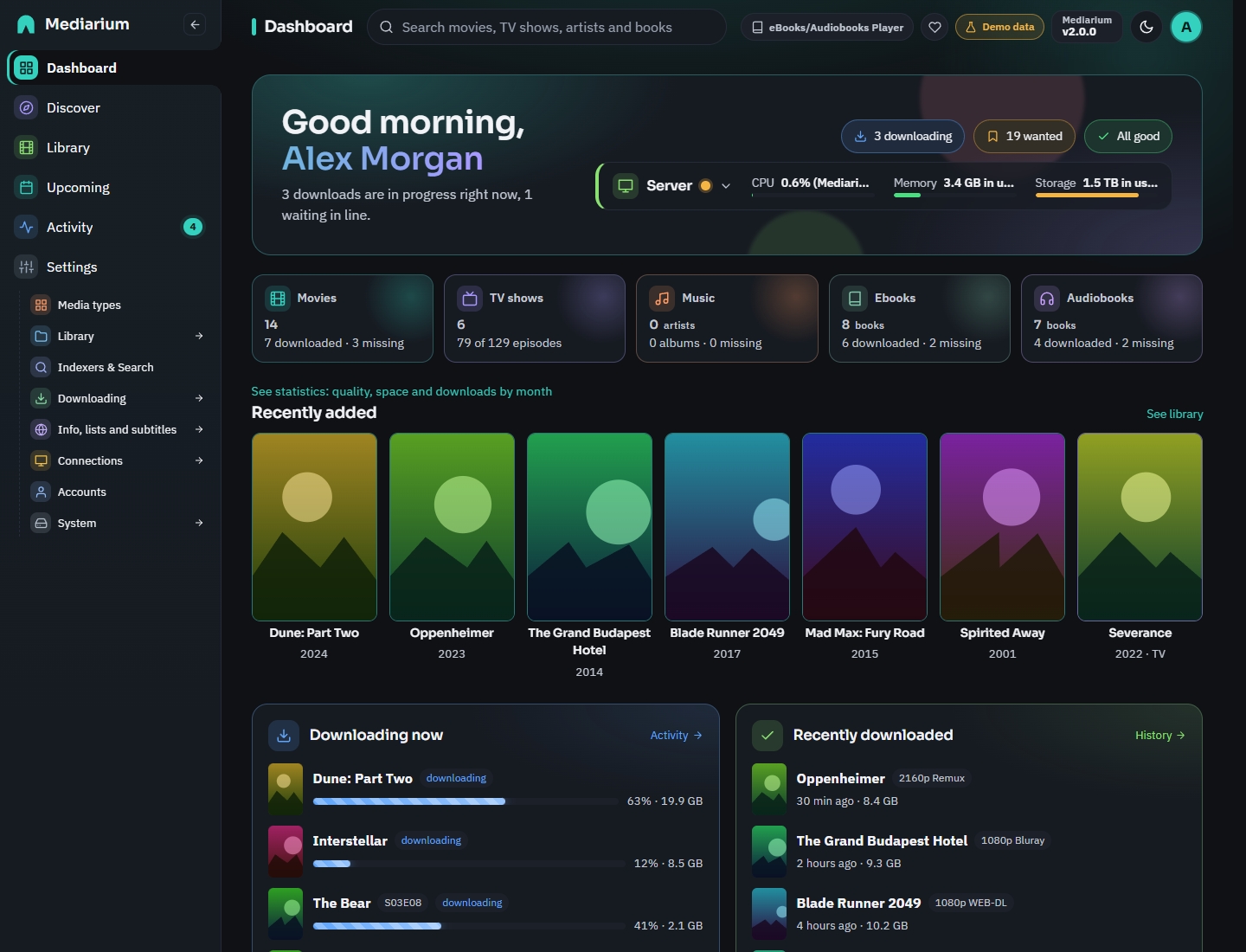 | 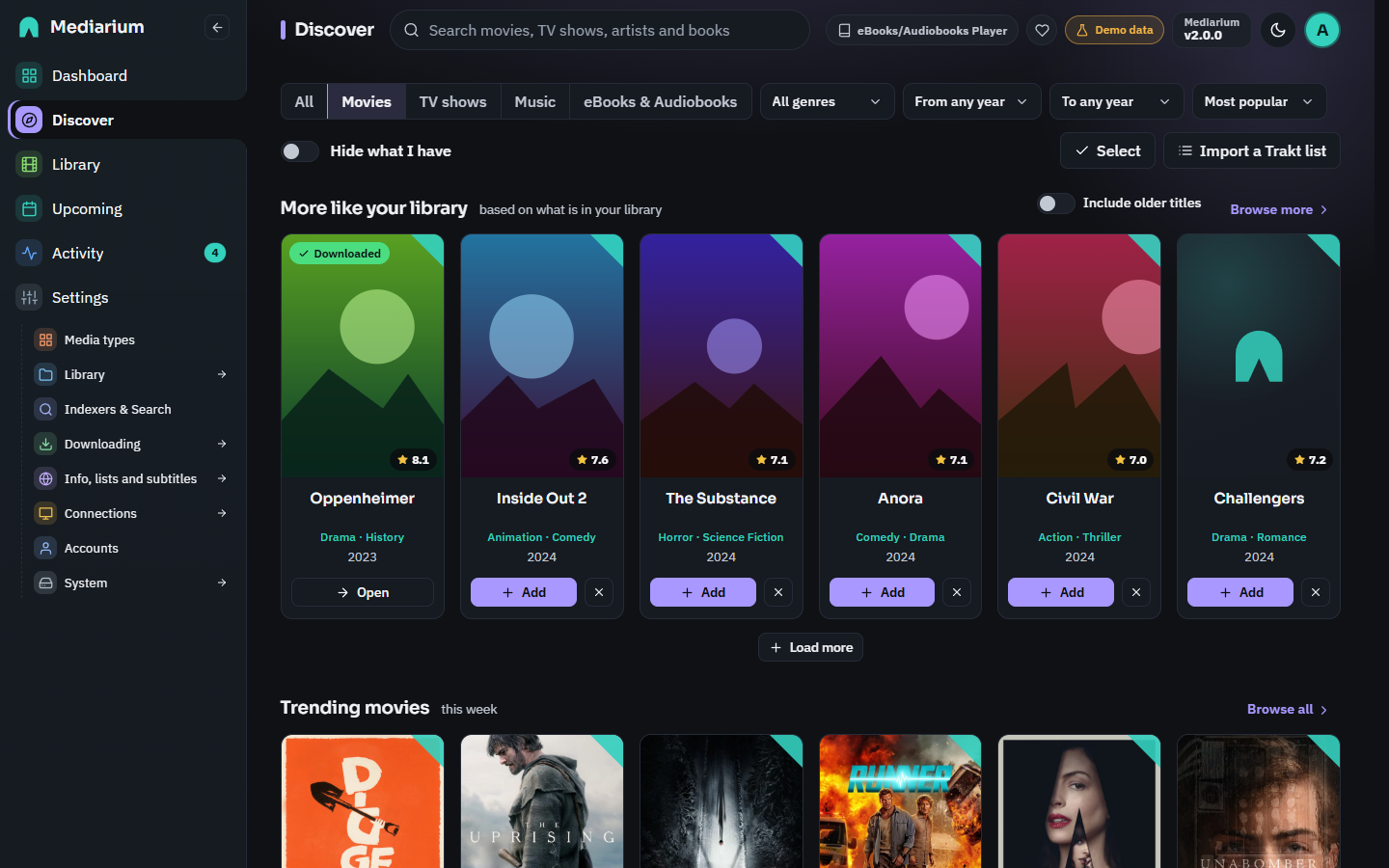 |
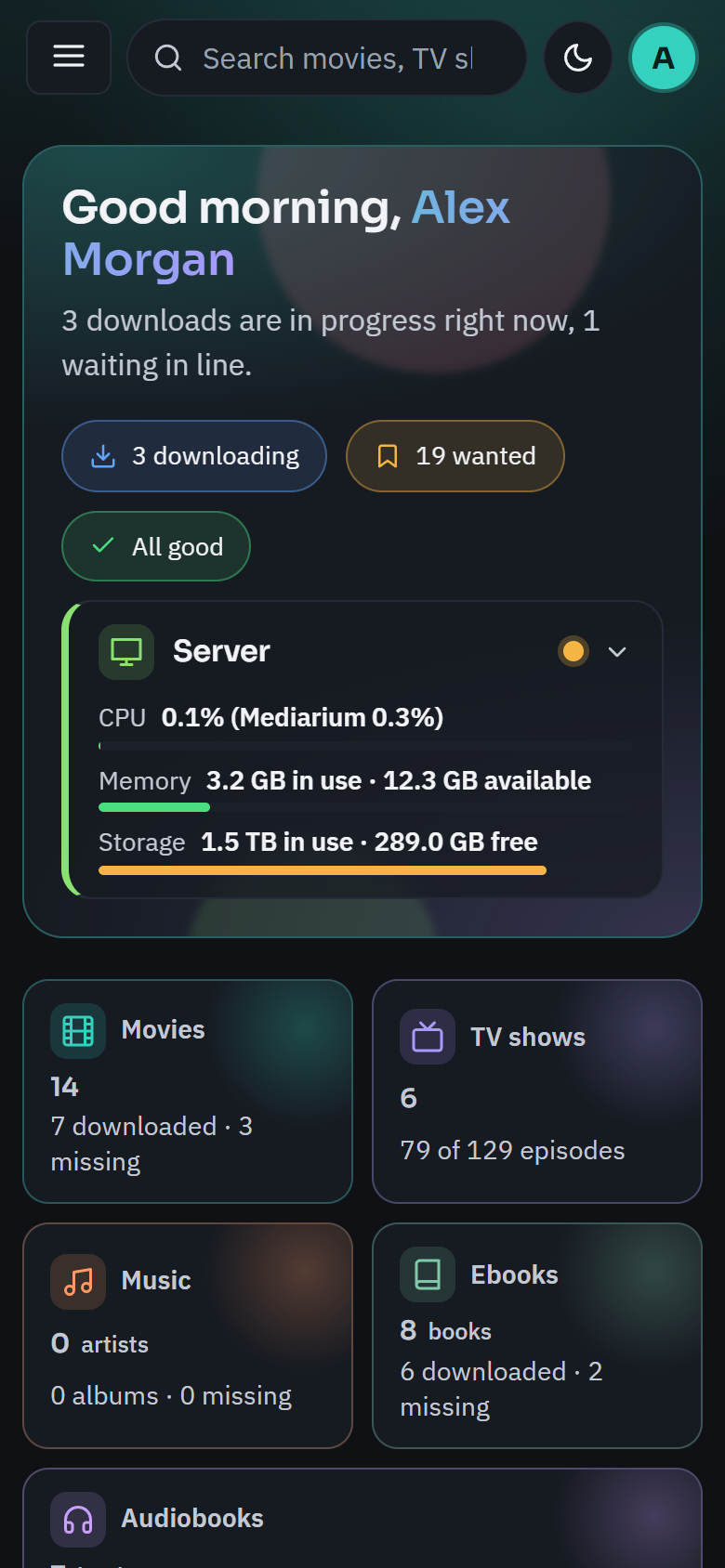
| Dashboard: what needs attention, a card per kind of media and the Server card | Discover: more like your library, trending, popular and coming soon |
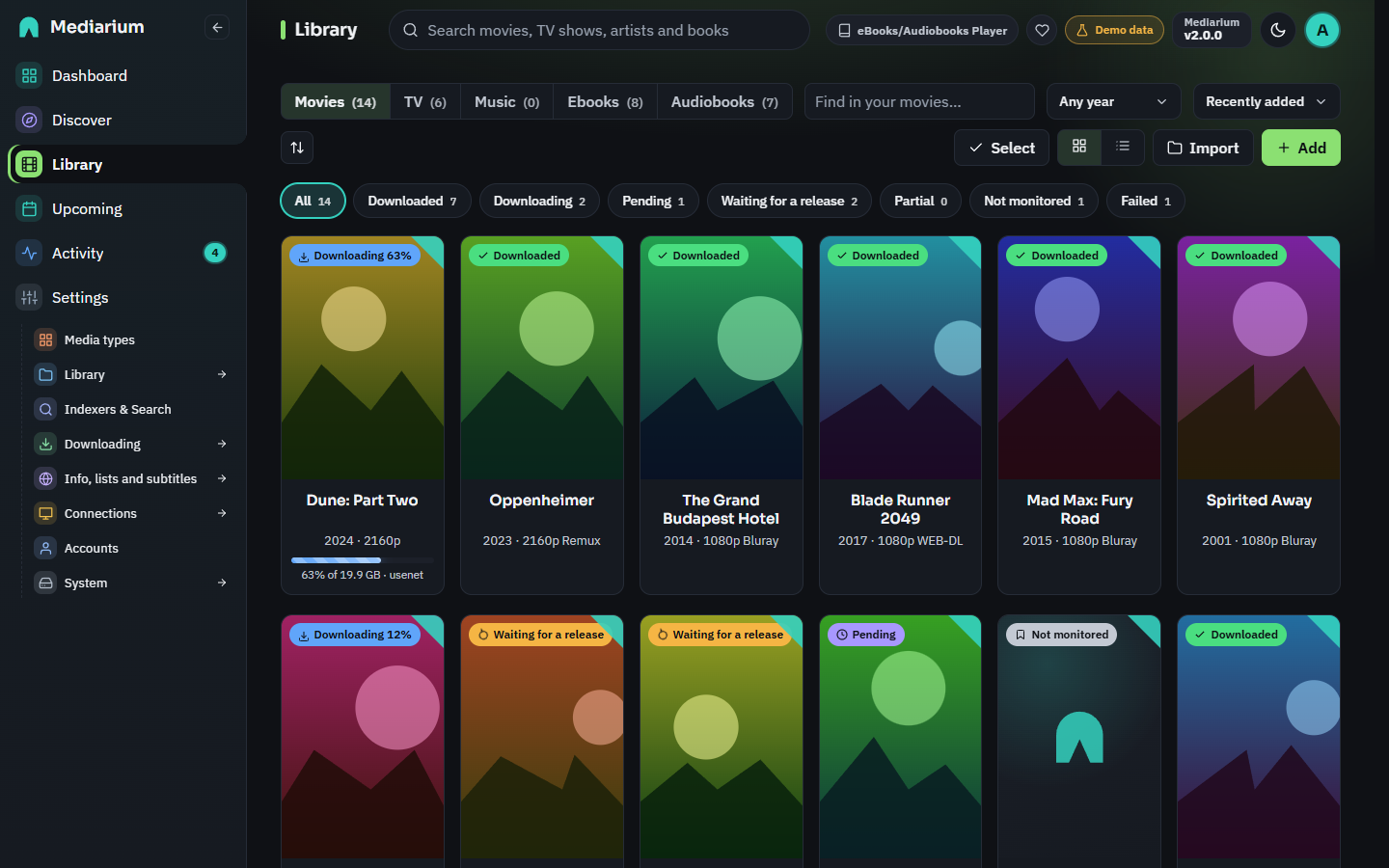 | 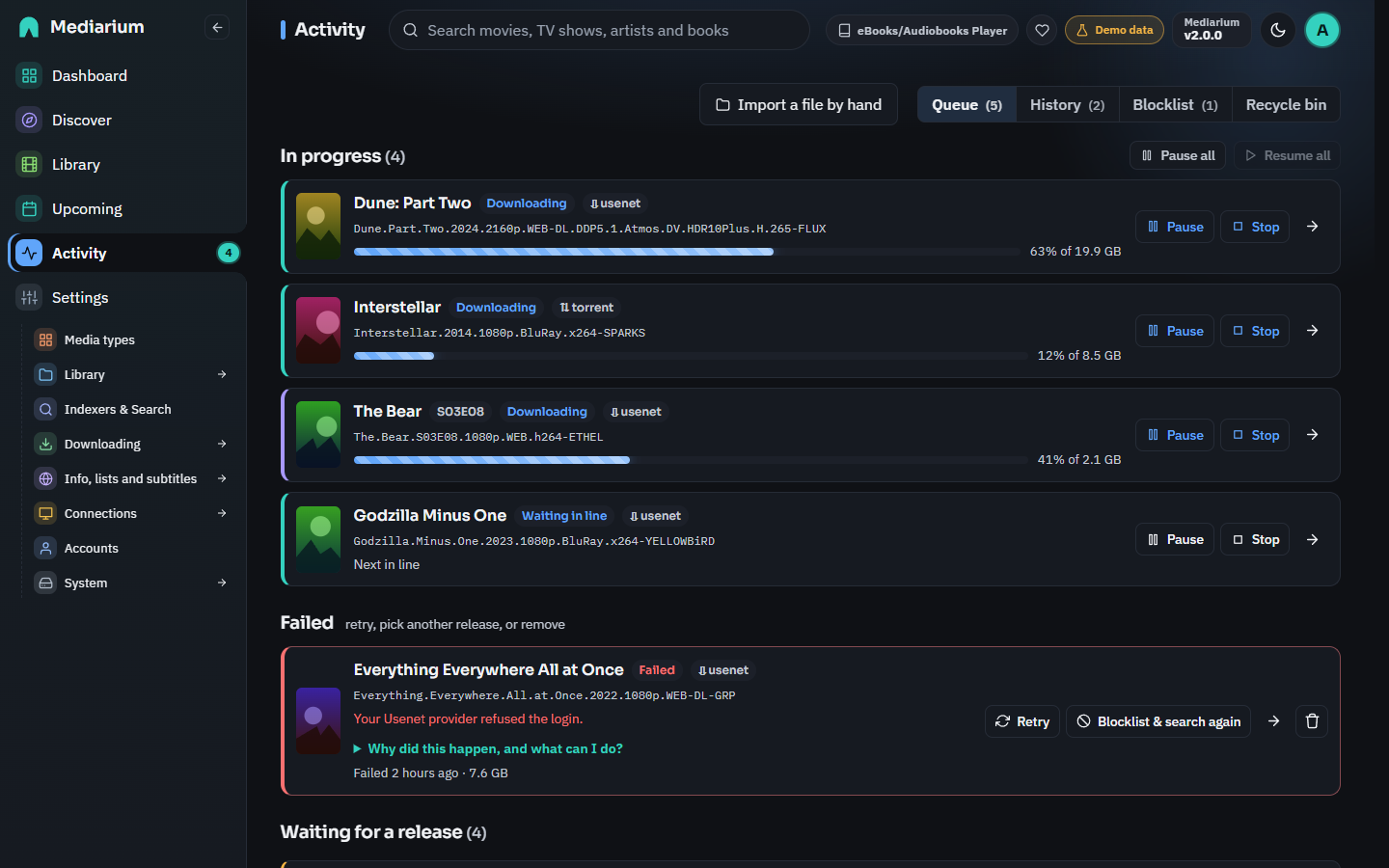 |
| Library: every title with its status, and Select to change many at once | Activity: what is downloading, waiting in line or failed, plus history and blocklist |
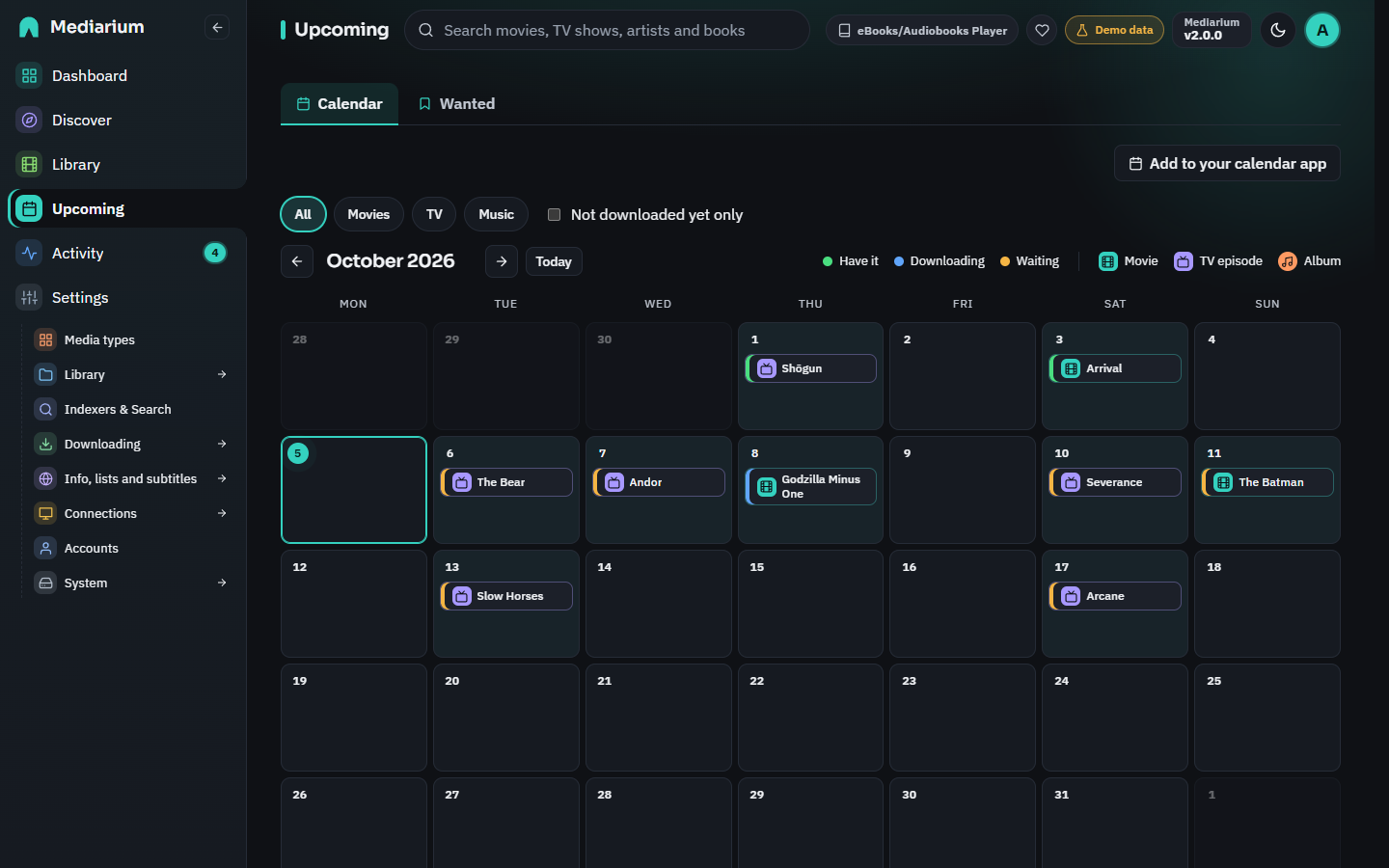 | 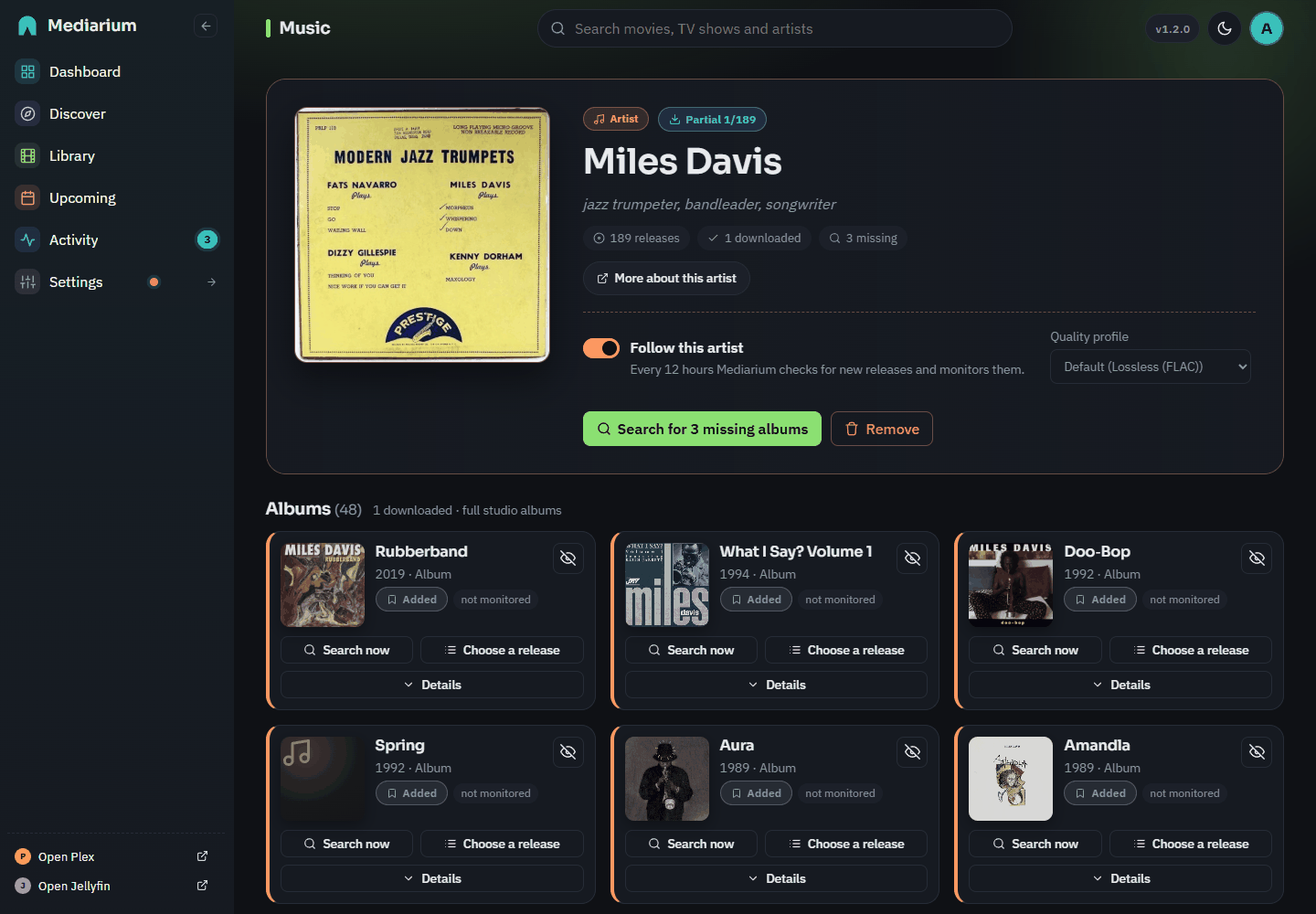 |
| Upcoming: the calendar of releases and episodes, and what is still wanted | Music: artists and albums, off until you switch it on |
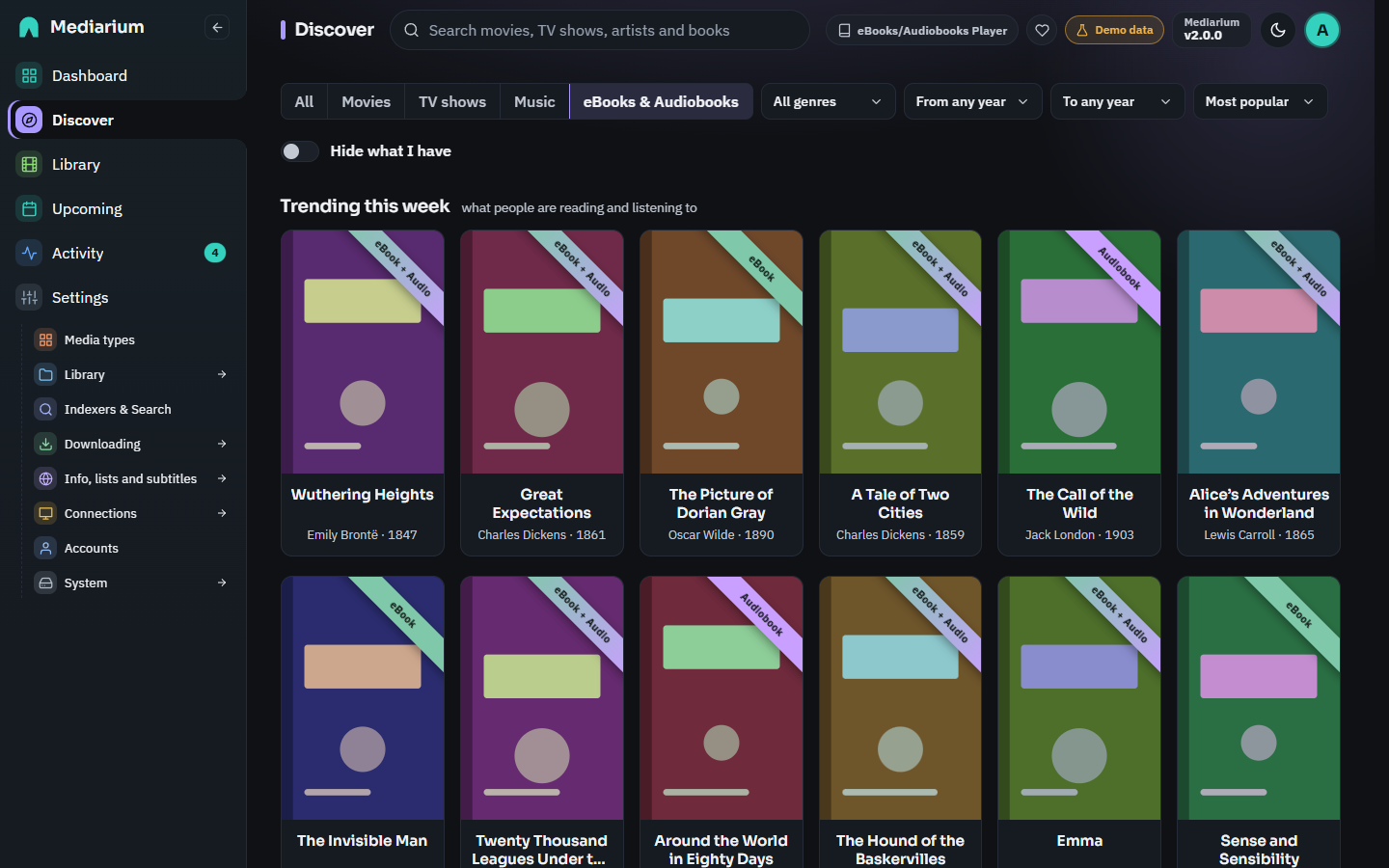 | 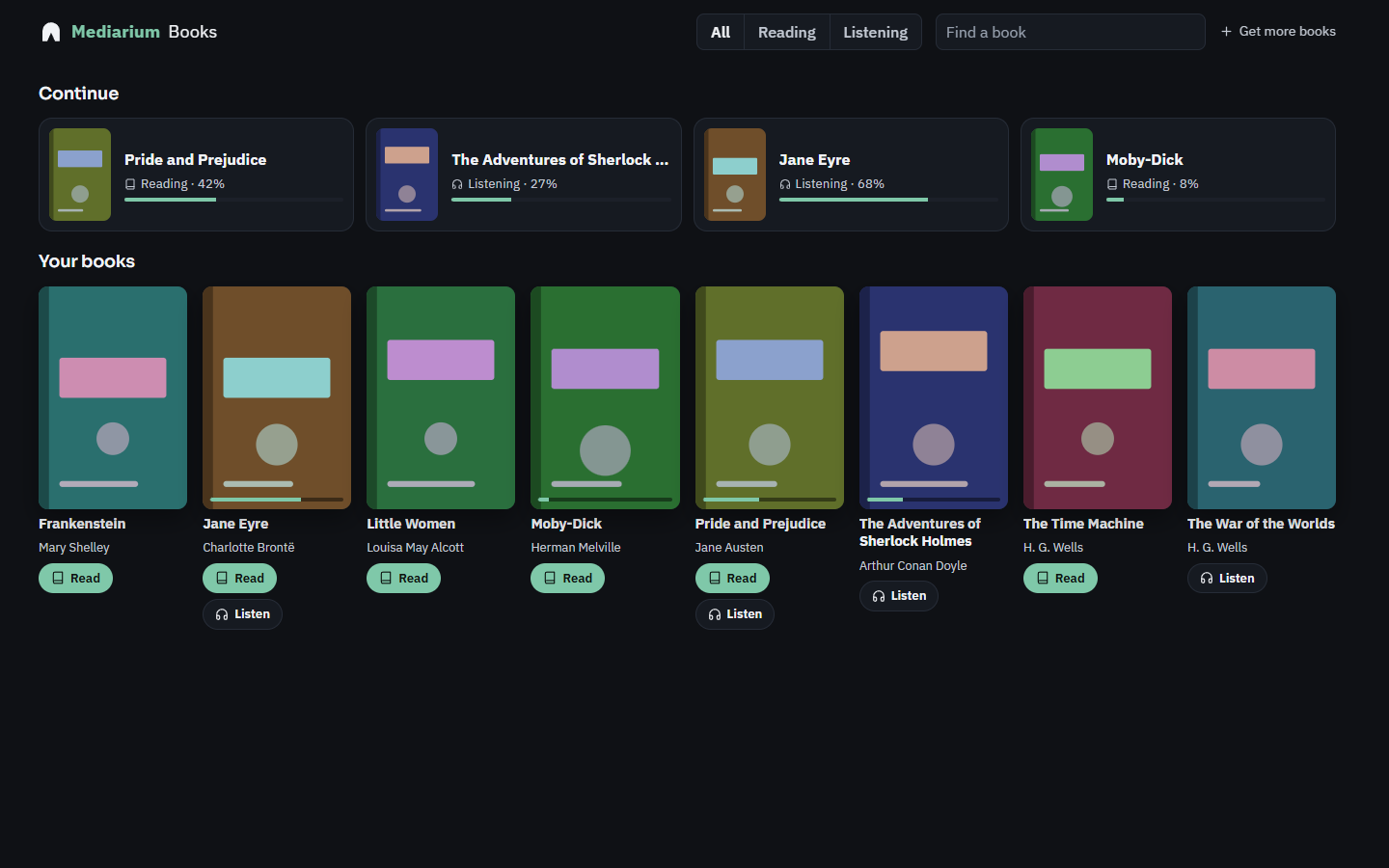 |
| Books: trending and classic books, each marked eBook, Audiobook or both | Mediarium Books: your shelf, with the reader and the audiobook player |
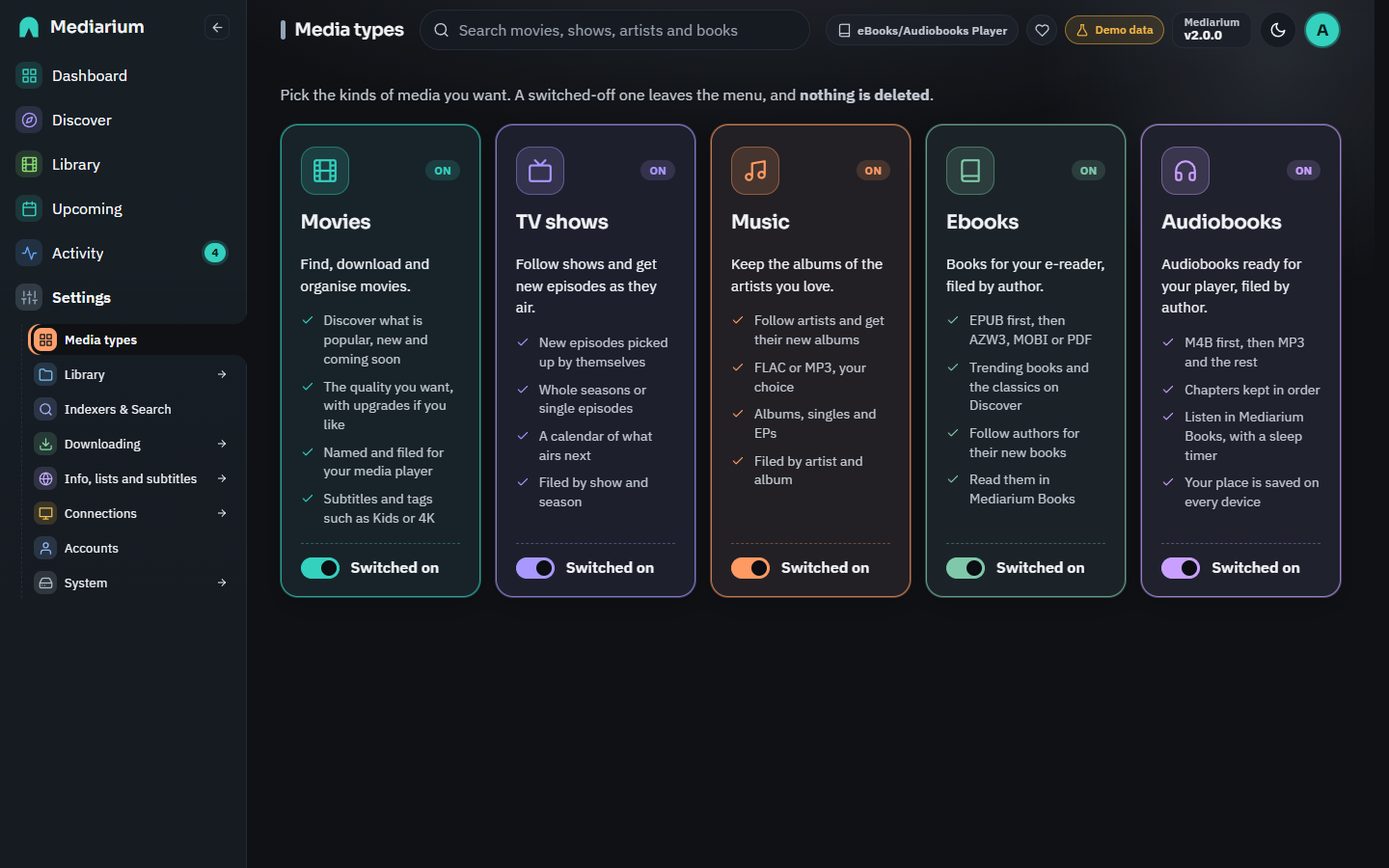 | 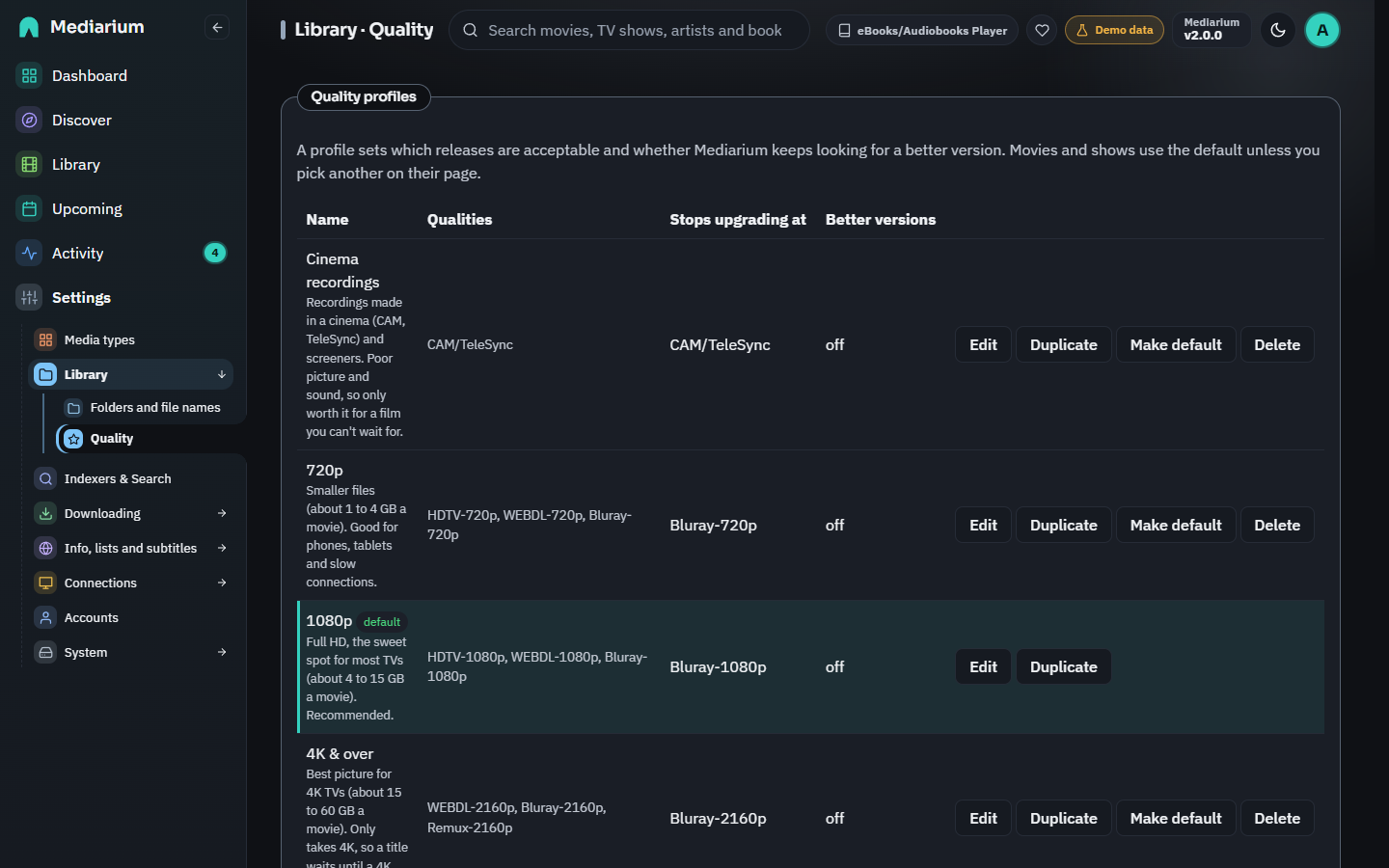 |
| Media types: switch movies, TV, music, ebooks and audiobooks on or off | Quality: profiles and the fallback order |
Install with Docker
Mediarium runs in Docker on any 64-bit Linux server or NAS (amd64 or arm64).
mkdir mediarium && cd mediarium
curl -fsSLO https://raw.githubusercontent.com/rdborg/Mediarium/main/docker/docker-compose.yml
# open docker-compose.yml and set PUID, PGID, TZ and your folders
docker compose up -d
Then open http://<your-server-ip>:8264 and follow the setup wizard.
The install guide covers every line of docker-compose.yml: folders, PUID/PGID, why one /data folder makes imports instant, updating, backups and a docker run alternative.
Step-by-step guides: Synology (including running next to Radarr, Sonarr and SABnzbd) · Unraid · QNAP · Linux. Coming from the *arr apps? See Move from Radarr, Sonarr, Prowlarr and SABnzbd.
Other ways to install: coming soon
| Platform | Status |
|---|---|
| Docker on Linux, NAS or Raspberry Pi (64-bit) | Available now |
Linux without Docker (.deb, .rpm, systemd) | Coming soon |
| One-click apps: Unraid, TrueNAS, CasaOS/ZimaOS, Umbrel, Portainer | Coming soon |
| Proxmox helper script, Helm chart | Coming soon |
There are no separate Windows or macOS versions. On a Windows PC or a Mac, Mediarium runs in Docker Desktop.
Details: What runs where.
Documentation
Everything is in docs/: installing, indexers, downloads and the torrent port, quality profiles, subtitles, media servers, family accounts, and reference pages for the API, environment variables and settings.
Getting help
- Something not working? Check troubleshooting, then open an issue. Include your version (Settings > System > About and credits), or better, the text that Copy for support puts on your clipboard (Settings > System > Server and backup > Help and support). It has no passwords or keys in it.
- Security problem? Report it privately, as described in SECURITY.md.
- Ideas and feature requests are welcome as issues.
Support the project
Mediarium is free, open source and has no ads. If it saves you time, you can buy a coffee on Ko-fi. The app works exactly the same either way.
Contributing
Contributions are welcome. Start with CONTRIBUTING.md and follow the Code of Conduct.
Responsible use
Mediarium does not host, provide or link to any content. It is a tool for managing media you have the right to access. You are responsible for the indexers you add and what you download: read LEGAL.md.
Licence
Mediarium is free software under the GNU Affero General Public License v3.0 (AGPL-3.0). You can use it, change it and share it. If you offer a changed version to others as a network service, you must share your source code under the same licence.
Similar repos


Self-hosted media manager for movies, TV, music, ebooks and audiobooks: search, download and organise, all in one Docker container.
See the codeSee what people are saying
README
Your movies, TV, music and books, from search to library, in one app.
Install · Documentation · Features · Changelog · Report a bug · Ideas and questions
Mediarium
Mediarium is a self-hosted media manager. Find a movie or show, and it searches your Usenet and torrent indexers, downloads the best release, unpacks it, names it and puts it in your library, ready for Plex, Jellyfin or Emby.
It does the jobs of Radarr, Sonarr, Prowlarr, SABnzbd, a torrent client and Bazarr in one app: one container, one web page, one search bar, one thing to update and back up.
- Movies and TV (anime, daily shows and specials included), plus music, ebooks and audiobooks if you switch them on.
- Mediarium Books, a built-in reader and audiobook player that opens as an app of its own and remembers your place on every device. It reads Kindle books too, jumps between audiobook chapters, and follows book series.
- Tags such as Kids or 4K, which also show up as collections in Plex, Jellyfin and Emby.
- Discover and search everything from one place, across all your indexers.
- Built-in downloaders for Usenet and torrents, with repair and unpacking.
- Built-in VPN for torrents (WireGuard), with no special container permissions.
- Quality profiles with upgrades and fallbacks, automatic searching and retries.
- Family accounts with permissions and requests: choose what each person can do, and anyone who can't add titles sends a request for you to approve.
- Subtitles picked to match your exact file, with a timing fix when one is out of sync.
- What's been watched, read from Plex, Jellyfin and Emby, with watch statistics and optional cleanup rules (all off until you switch them on).
- Notifications, media-server refresh (Plex, Jellyfin, Emby, Audiobookshelf, Kavita), download hours, backups, and your own script after each import.
- Move over from Radarr, Sonarr, Prowlarr, SABnzbd and eight other apps without redoing your setup. They are only read, never changed.
- Runs on Synology, Unraid, QNAP, any Linux server and 64-bit Raspberry Pi.
Mediarium is new. Movies and TV work end to end, and so do music, ebooks and audiobooks once you switch them on. It's used daily, but expect some rough edges. FEATURES.md says what works and what doesn't yet.
Screenshots
| |
| Dashboard: what needs attention, a card per kind of media and the Server card | Discover: more like your library, trending, popular and coming soon |
| |
| Library: every title with its status, and Select to change many at once | Activity: what is downloading, waiting in line or failed, plus history and blocklist |
| |
| Upcoming: the calendar of releases and episodes, and what is still wanted | Music: artists and albums, off until you switch it on |
| |
| Books: trending and classic books, each marked eBook, Audiobook or both | Mediarium Books: your shelf, with the reader and the audiobook player |
| |
| Media types: switch movies, TV, music, ebooks and audiobooks on or off | Quality: profiles and the fallback order |
Install with Docker
Mediarium runs in Docker on any 64-bit Linux server or NAS (amd64 or arm64).
mkdir mediarium && cd mediarium
curl -fsSLO https://raw.githubusercontent.com/rdborg/Mediarium/main/docker/docker-compose.yml
# open docker-compose.yml and set PUID, PGID, TZ and your folders
docker compose up -d
Then open http://<your-server-ip>:8264 and follow the setup wizard.
The install guide covers every line of docker-compose.yml: folders, PUID/PGID, why one /data folder makes imports instant, updating, backups and a docker run alternative.
Step-by-step guides: Synology (including running next to Radarr, Sonarr and SABnzbd) · Unraid · QNAP · Linux. Coming from the *arr apps? See Move from Radarr, Sonarr, Prowlarr and SABnzbd.
Other ways to install: coming soon
| Platform | Status |
|---|---|
| Docker on Linux, NAS or Raspberry Pi (64-bit) | Available now |
Linux without Docker (.deb, .rpm, systemd) | Coming soon |
| One-click apps: Unraid, TrueNAS, CasaOS/ZimaOS, Umbrel, Portainer | Coming soon |
| Proxmox helper script, Helm chart | Coming soon |
There are no separate Windows or macOS versions. On a Windows PC or a Mac, Mediarium runs in Docker Desktop.
Details: What runs where.
Documentation
Everything is in docs/: installing, indexers, downloads and the torrent port, quality profiles, subtitles, media servers, family accounts, and reference pages for the API, environment variables and settings.
Getting help
- Something not working? Check troubleshooting, then open an issue. Include your version (Settings > System > About and credits), or better, the text that Copy for support puts on your clipboard (Settings > System > Server and backup > Help and support). It has no passwords or keys in it.
- Security problem? Report it privately, as described in SECURITY.md.
- Ideas and feature requests are welcome as issues.
Support the project
Mediarium is free, open source and has no ads. If it saves you time, you can buy a coffee on Ko-fi. The app works exactly the same either way.
Contributing
Contributions are welcome. Start with CONTRIBUTING.md and follow the Code of Conduct.
Responsible use
Mediarium does not host, provide or link to any content. It is a tool for managing media you have the right to access. You are responsible for the indexers you add and what you download: read LEGAL.md.
Licence
Mediarium is free software under the GNU Affero General Public License v3.0 (AGPL-3.0). You can use it, change it and share it. If you offer a changed version to others as a network service, you must share your source code under the same licence.