Your Spotify + YouTube Music library & daily mixes. Free and open source forever.
See the codeYour Spotify + YouTube Music library



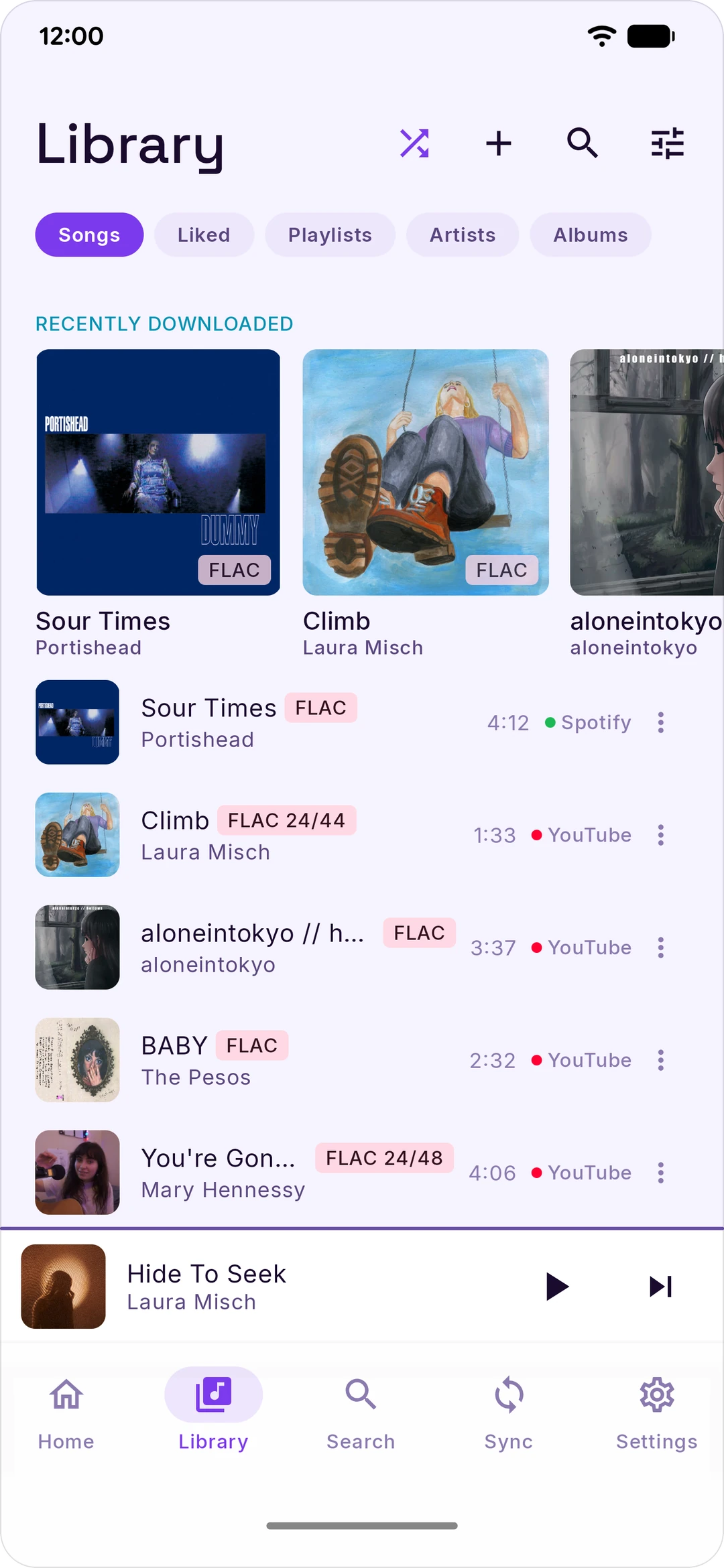
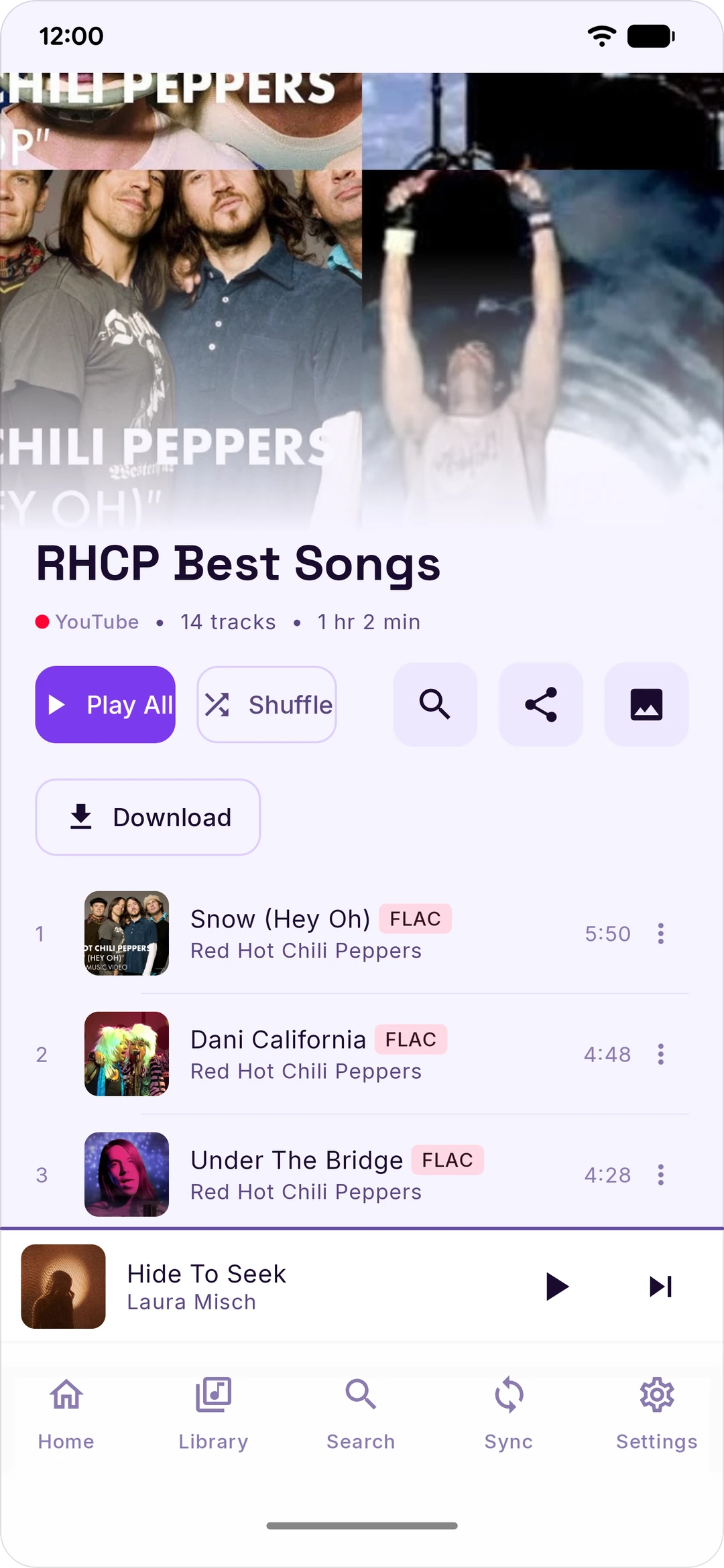
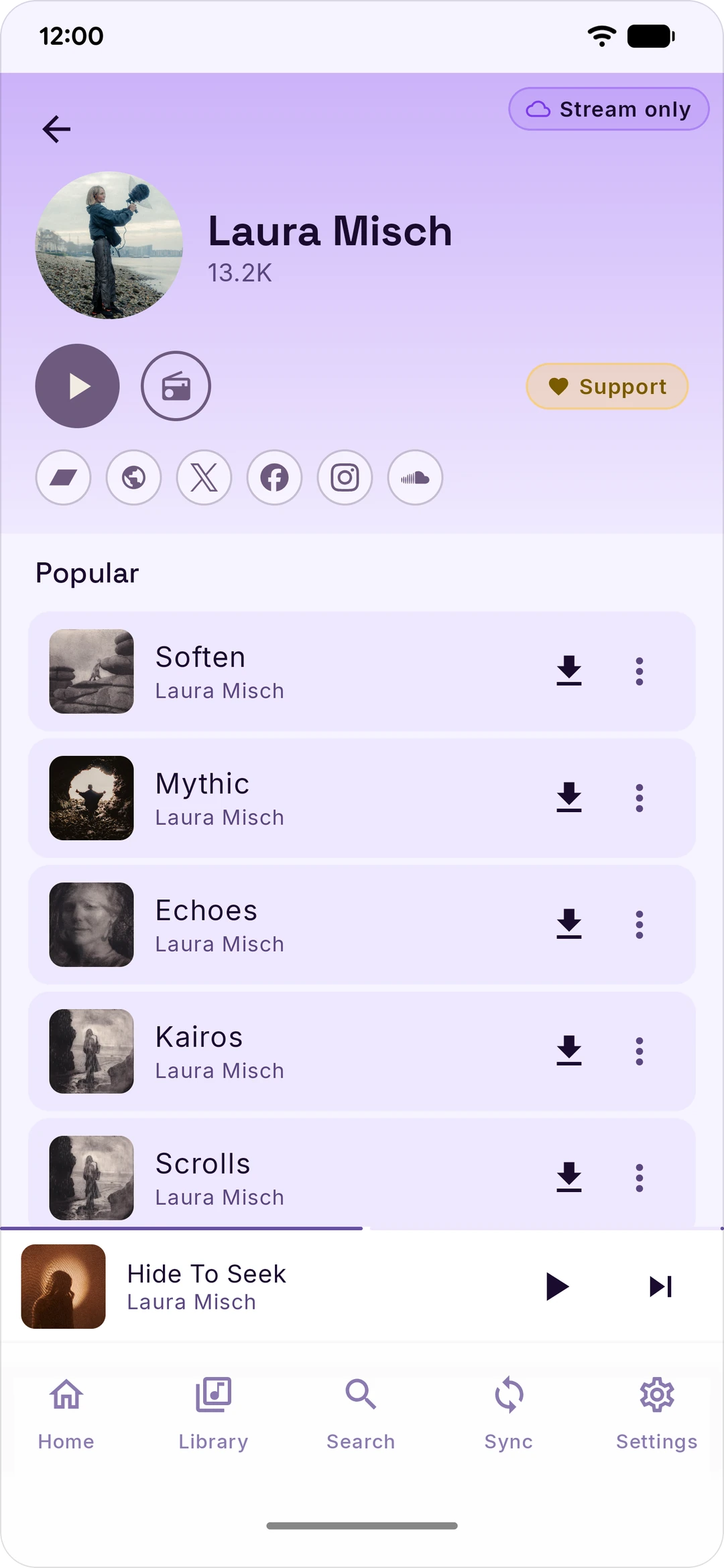
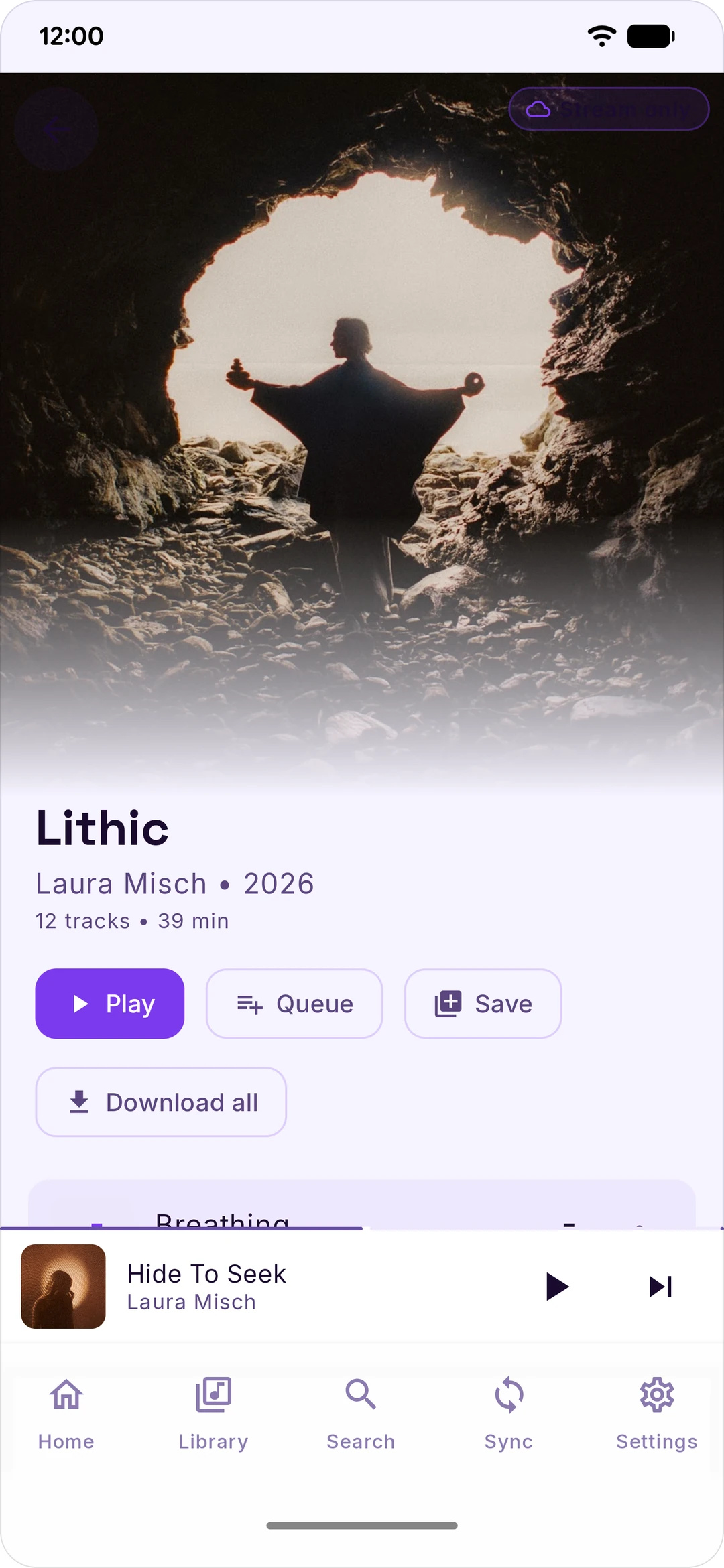
Stash mirrors your Spotify and YouTube Music libraries to your Android phone. You connect each service, pick the playlists and mixes you want, and Stash either downloads them for offline playback — as real FLAC files when a lossless source has them — or surfaces them as a streaming index so you can stream tracks without filling up your storage.
There's no Stash account and no analytics. Your credentials live on your phone — the Spotify, YouTube, and Discord tokens encrypted, the rest in app-private storage — and each one is only ever sent back to the service it came from. Spotify and YouTube aren't the only hosts Stash talks to, though — lyrics, scrobbling, artist metadata, Discord presence, and lossless all have their own. The full list is below.
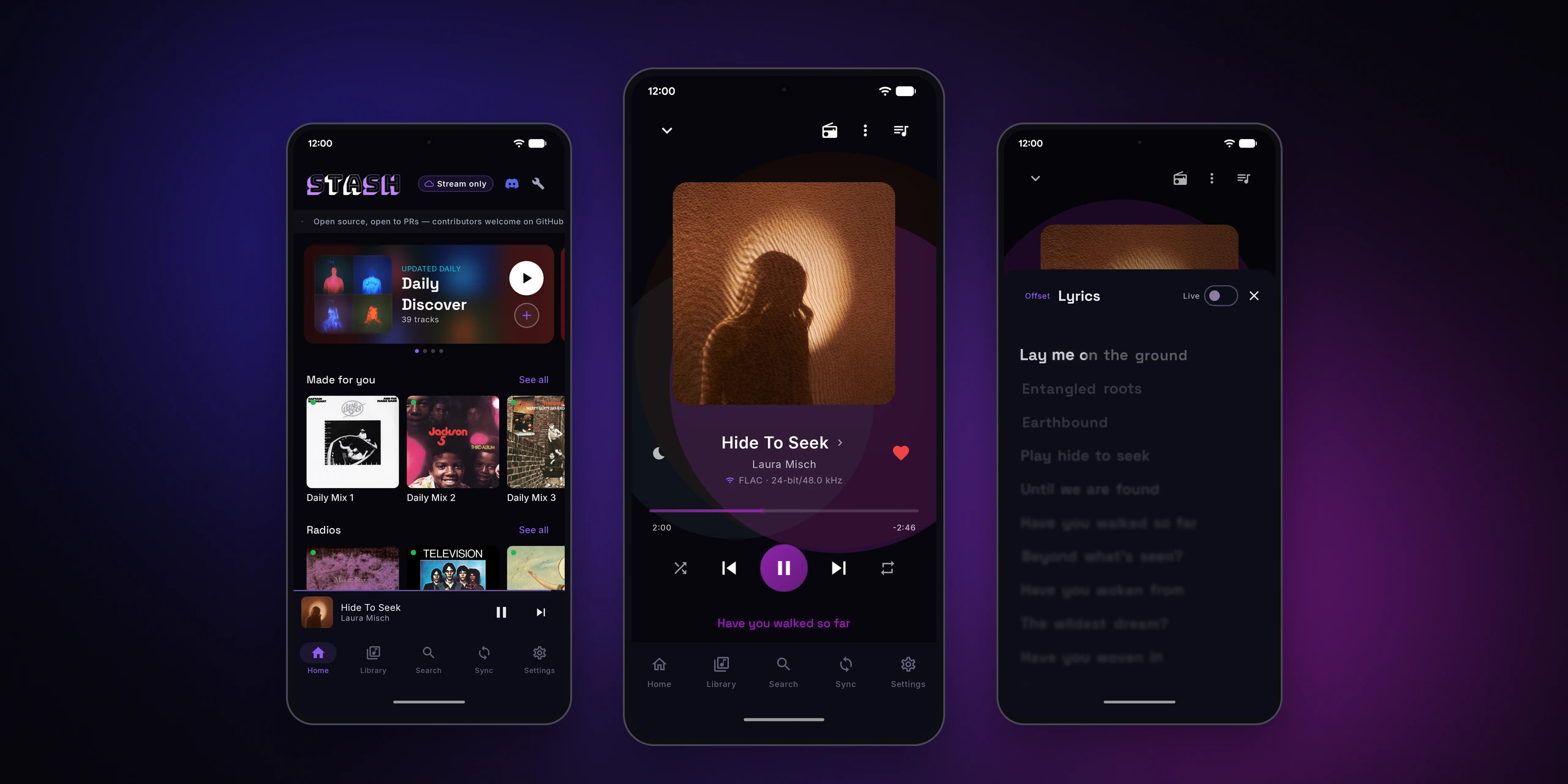
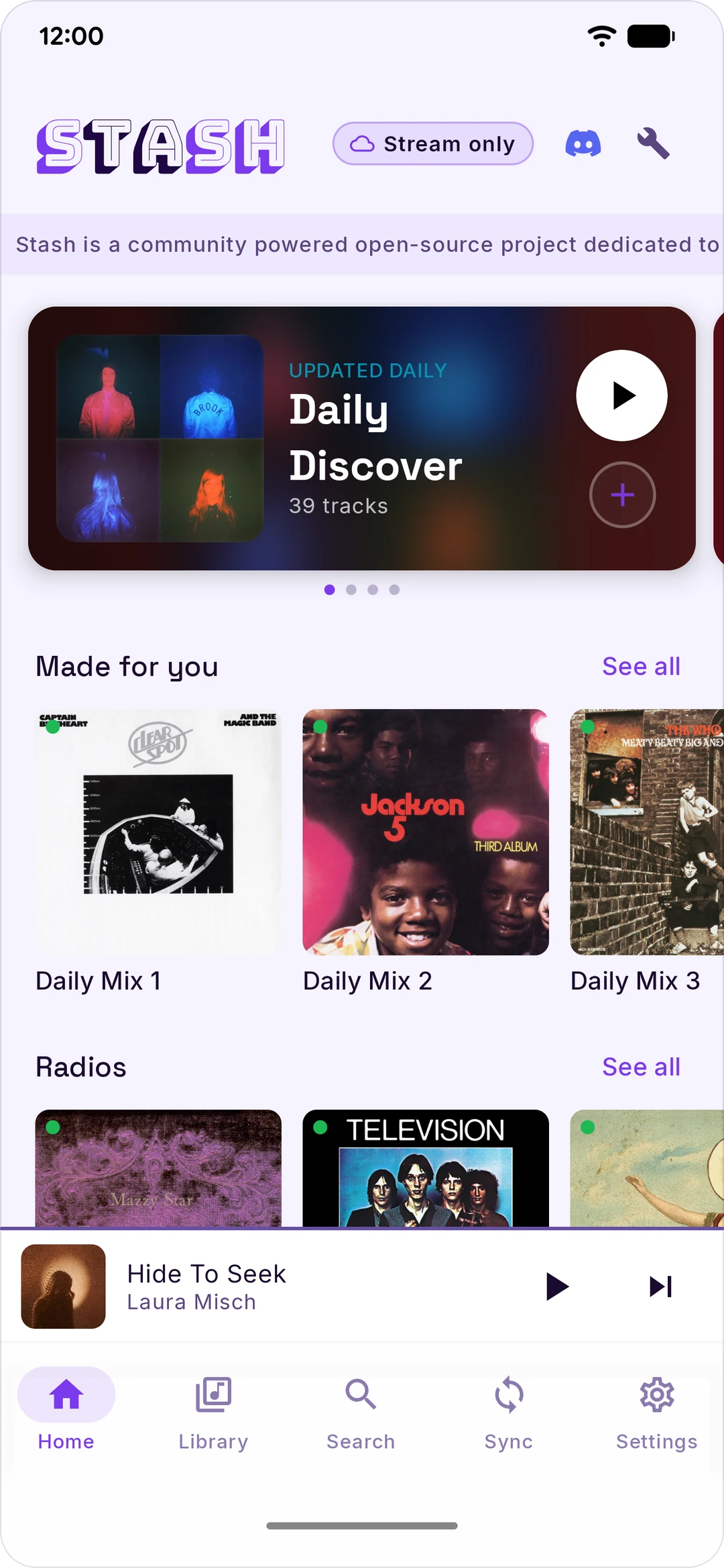
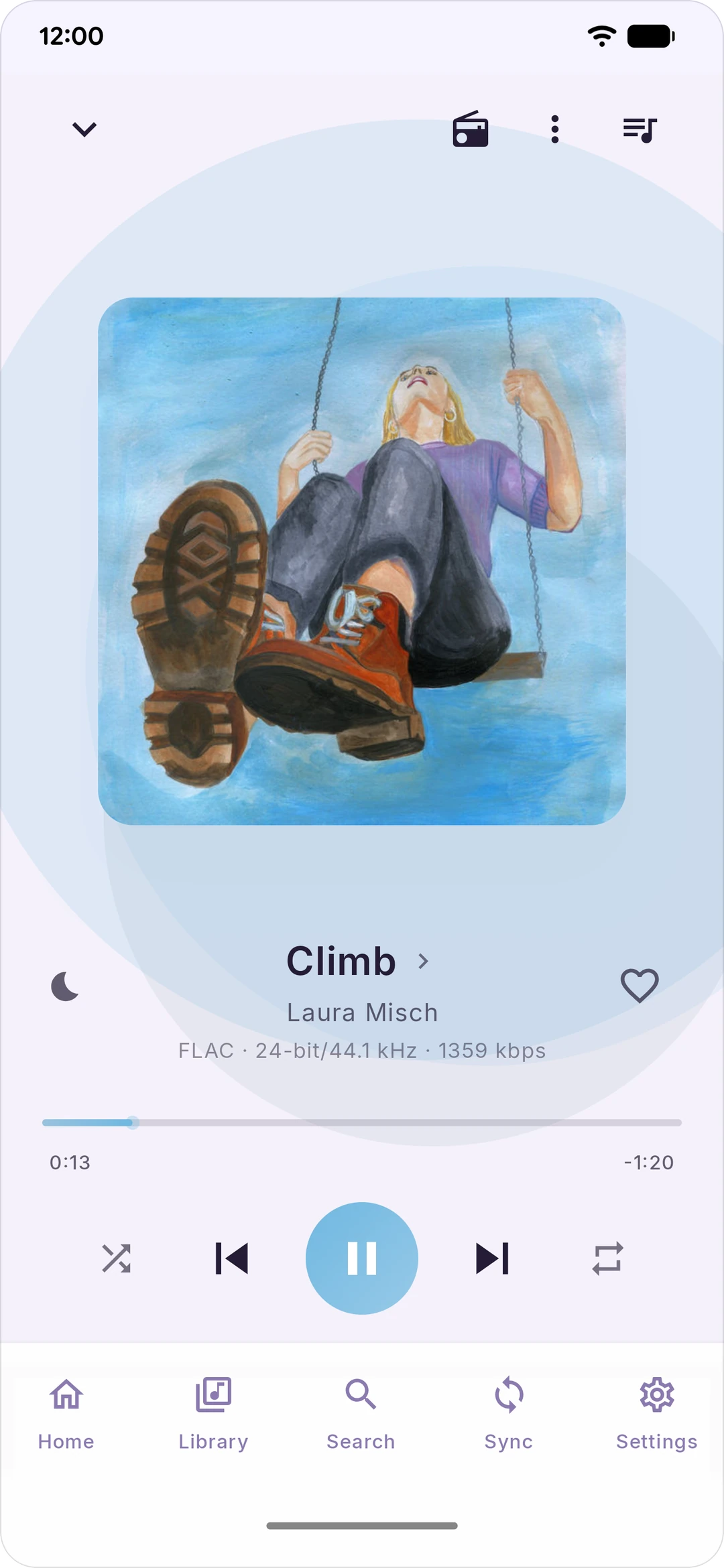
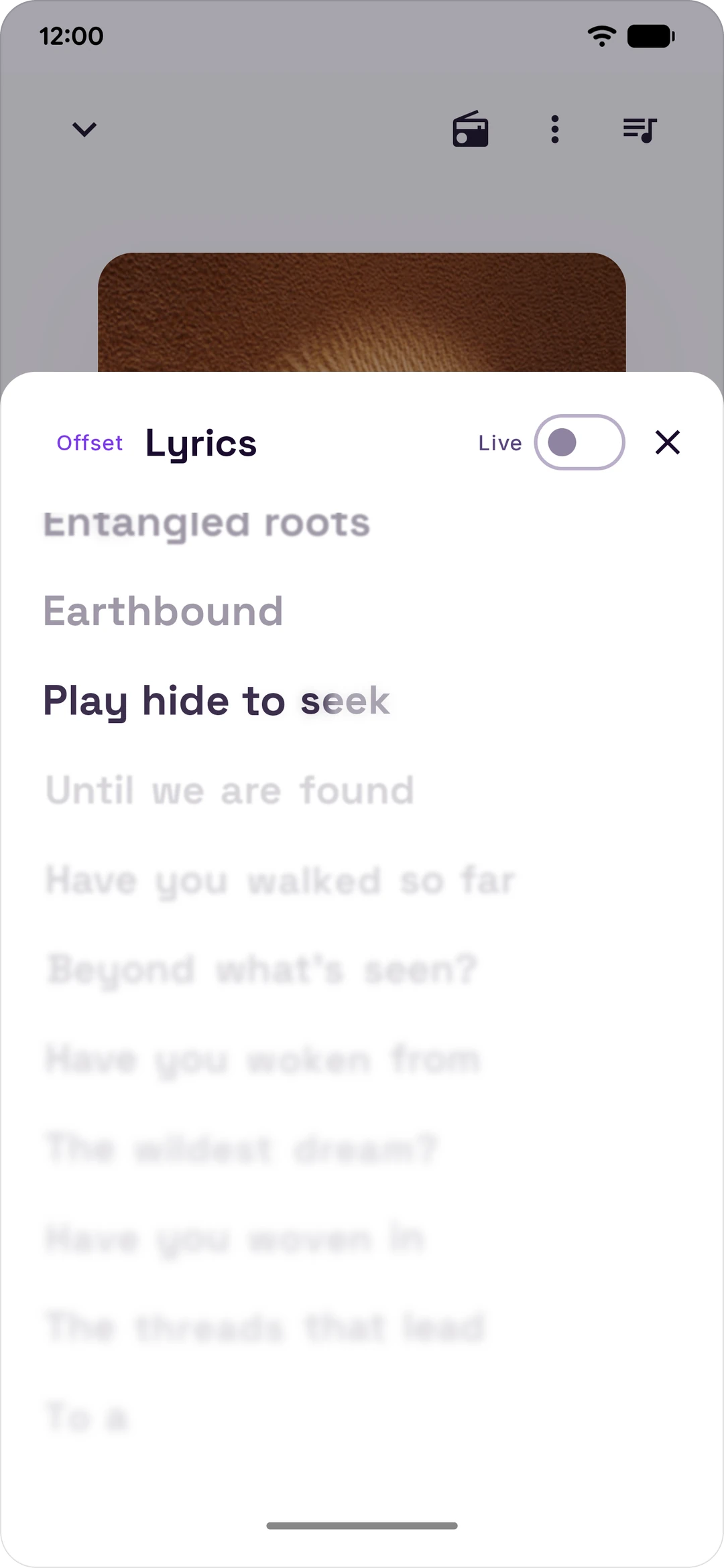
Stash has dark, light and pure-black themes.
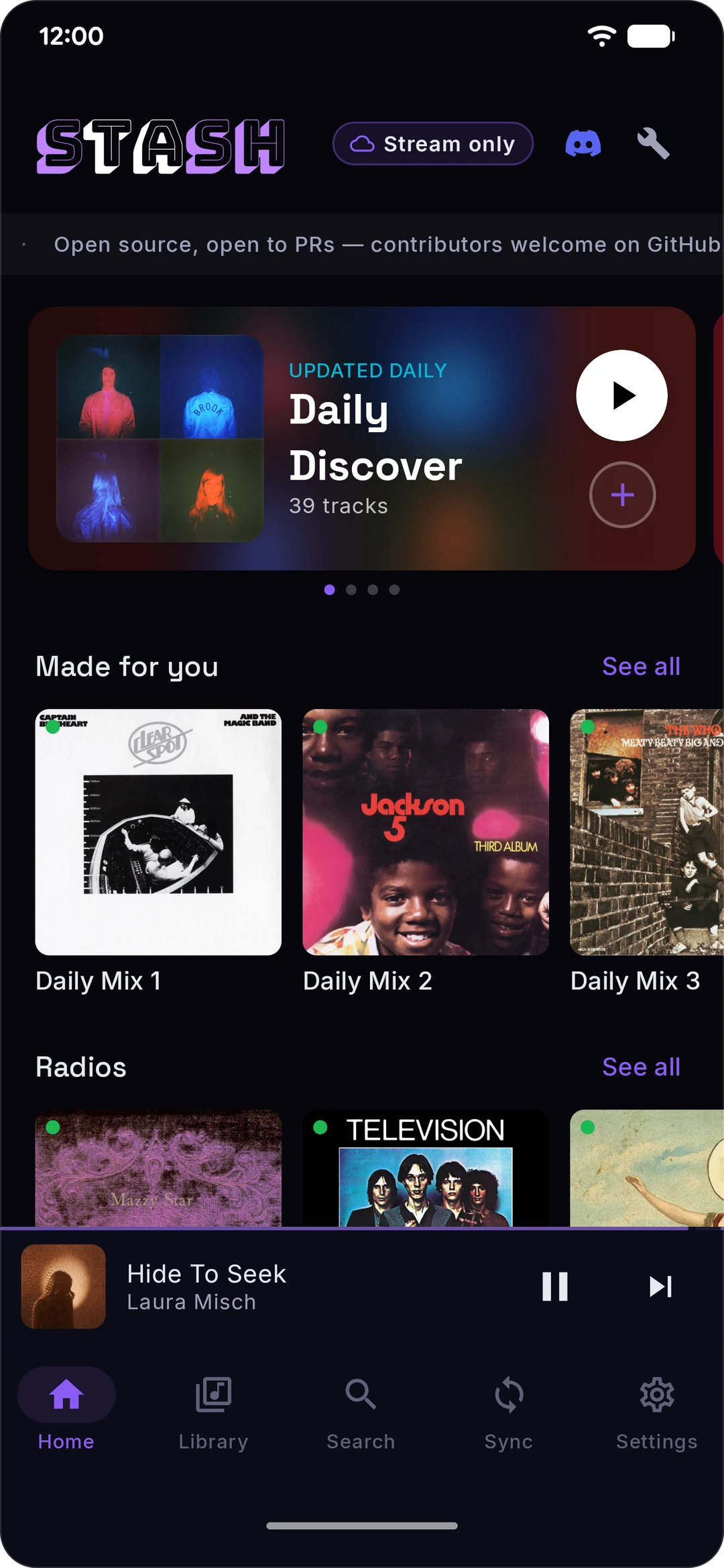 | 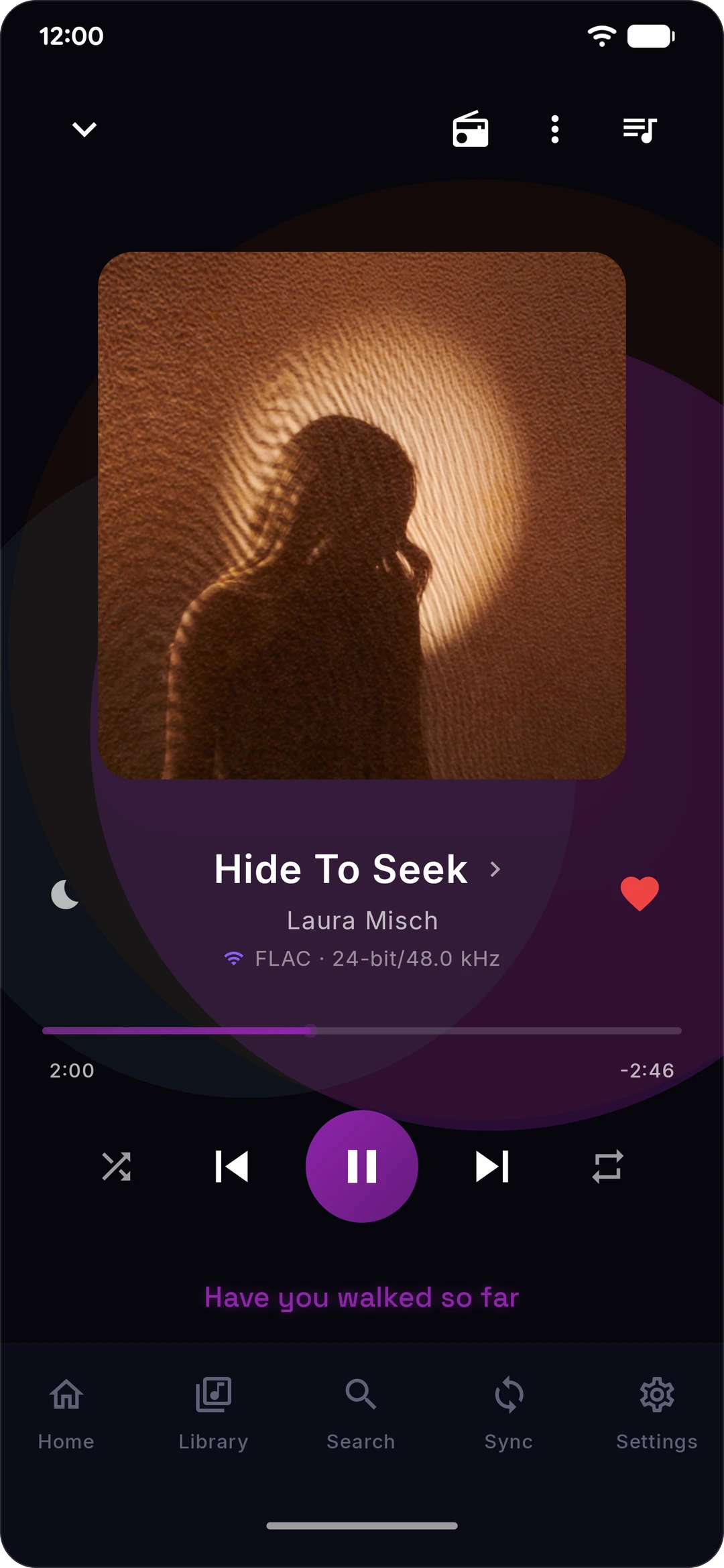 | 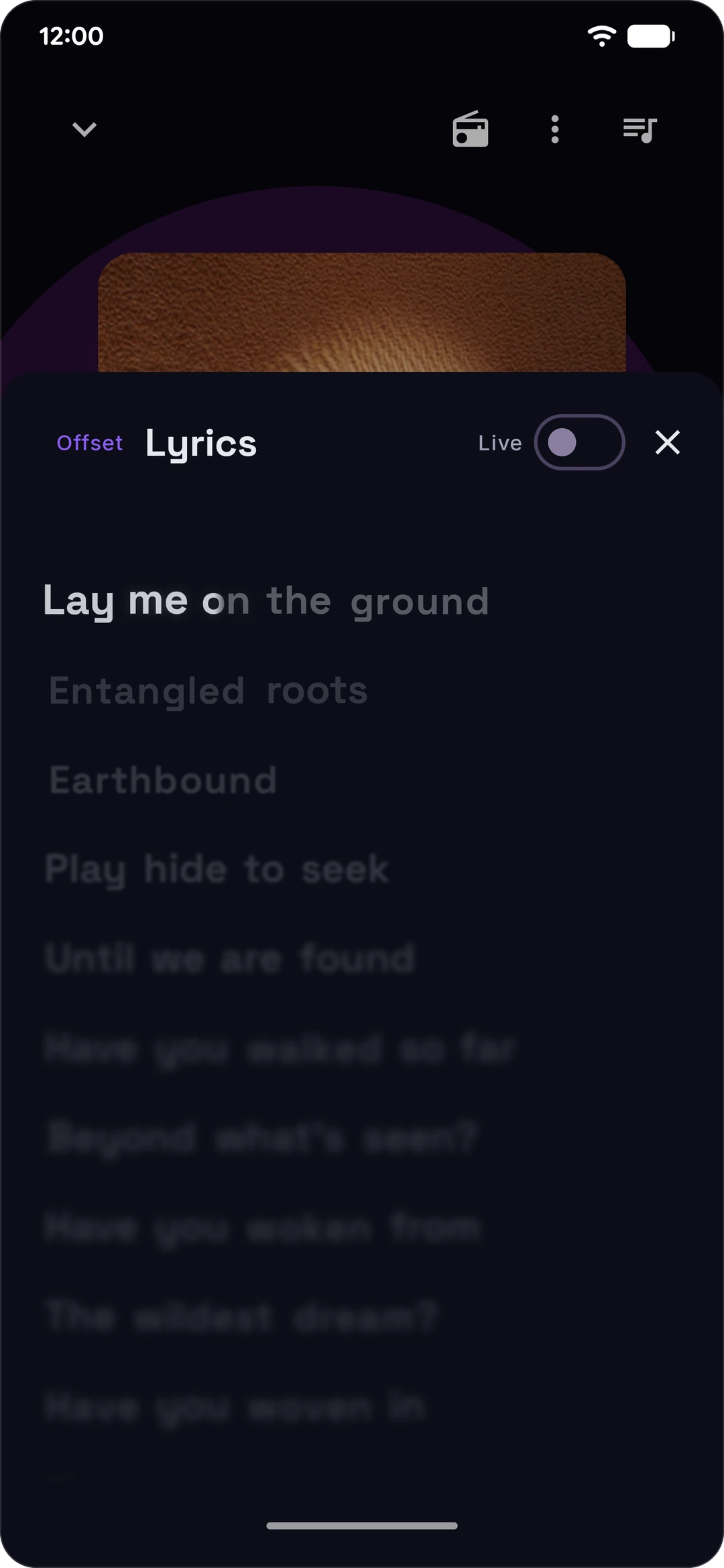 | 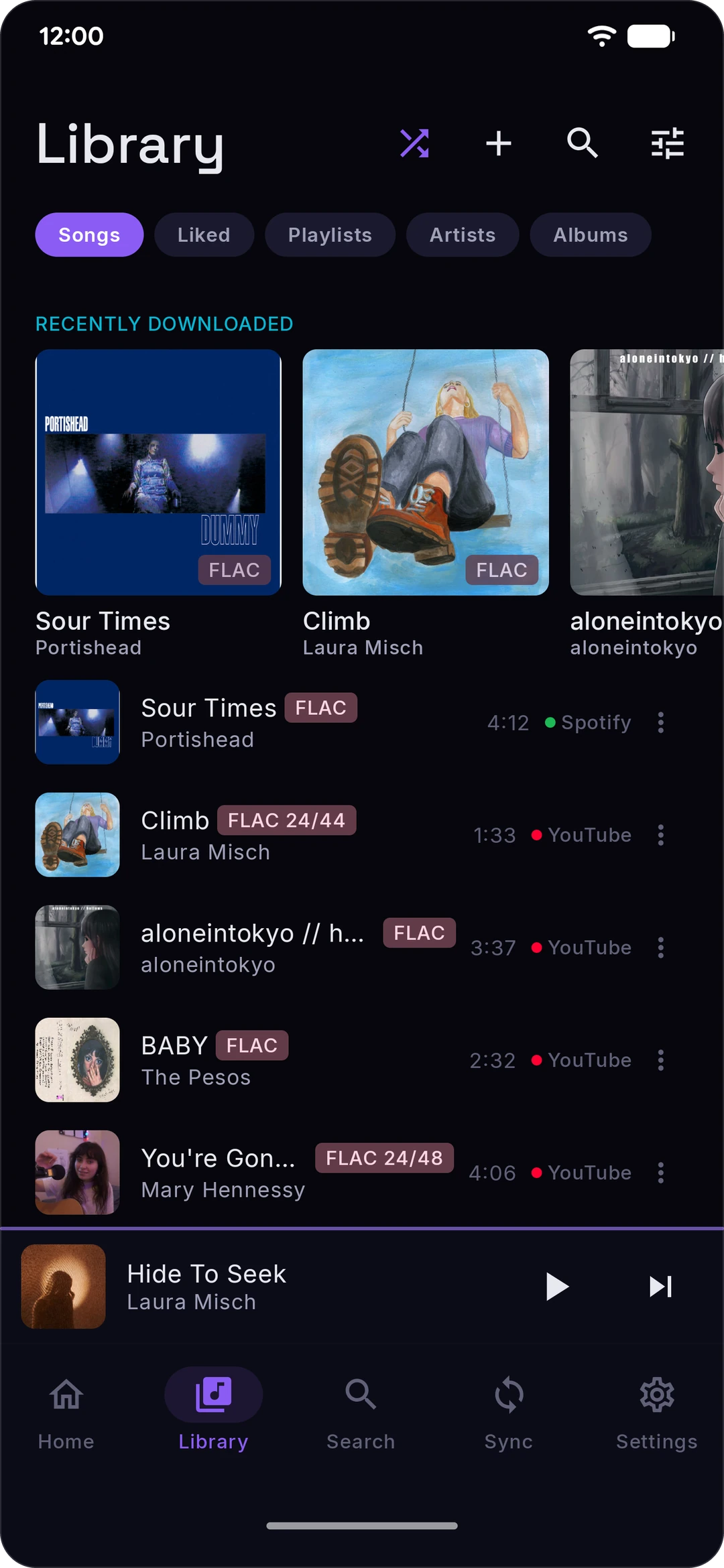 |
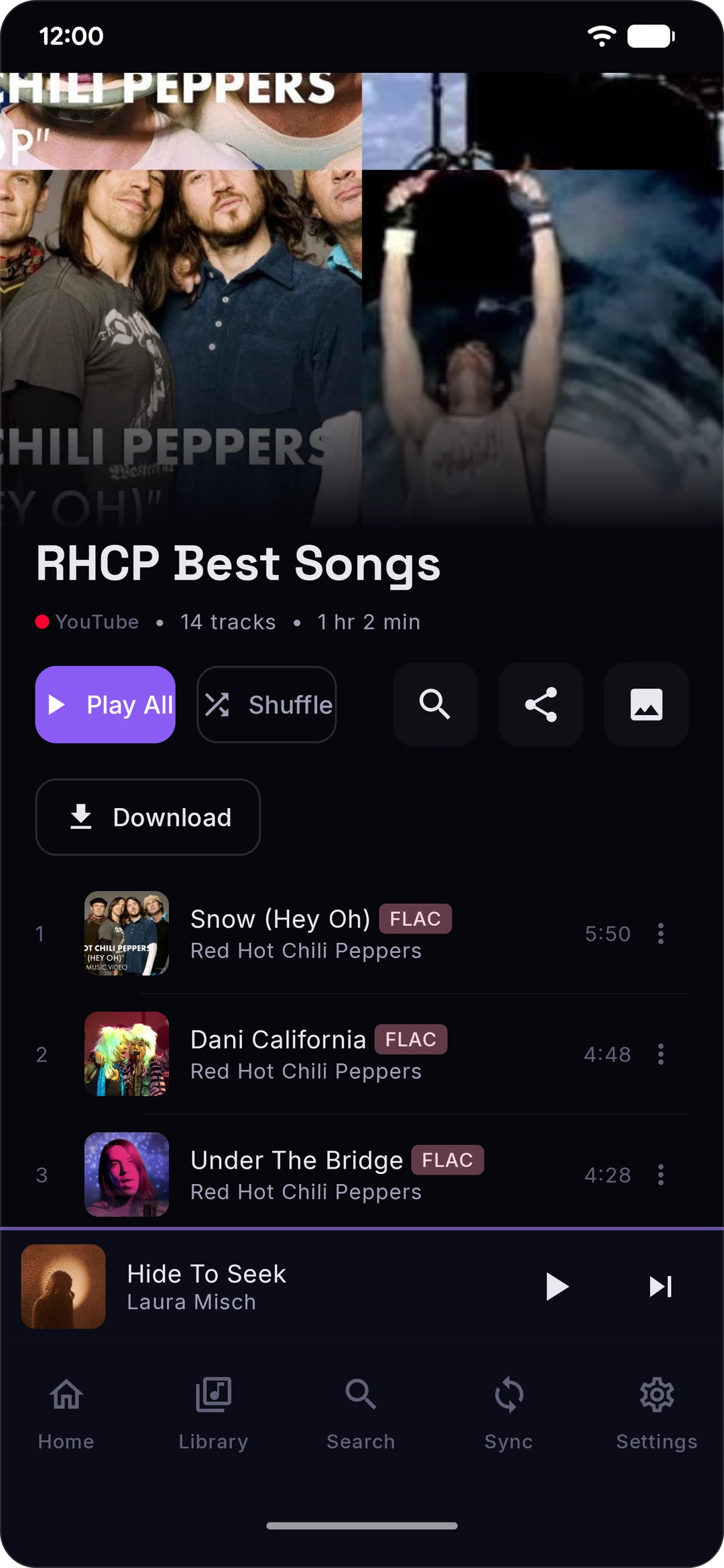 | 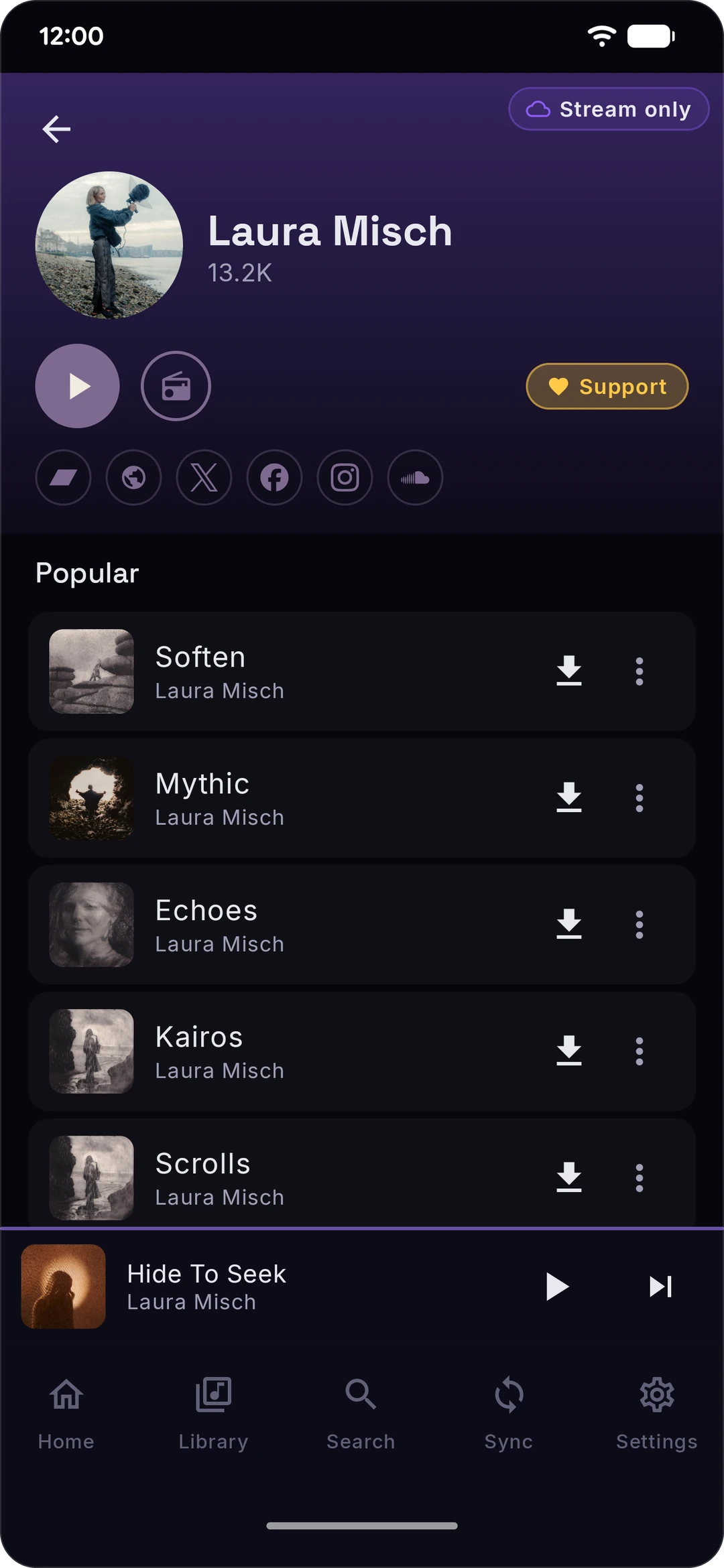 | 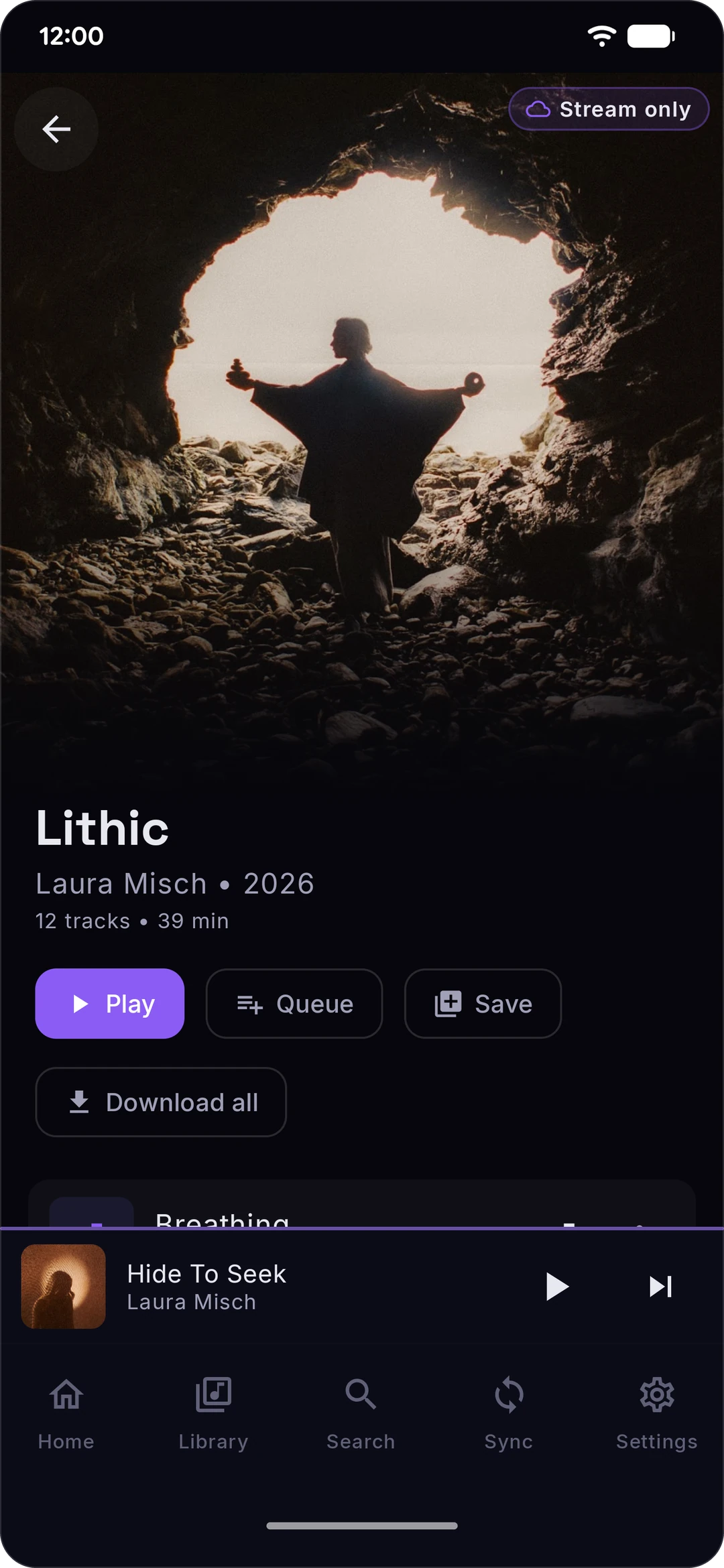 |  |
 |  |  |  |
 |  |  | 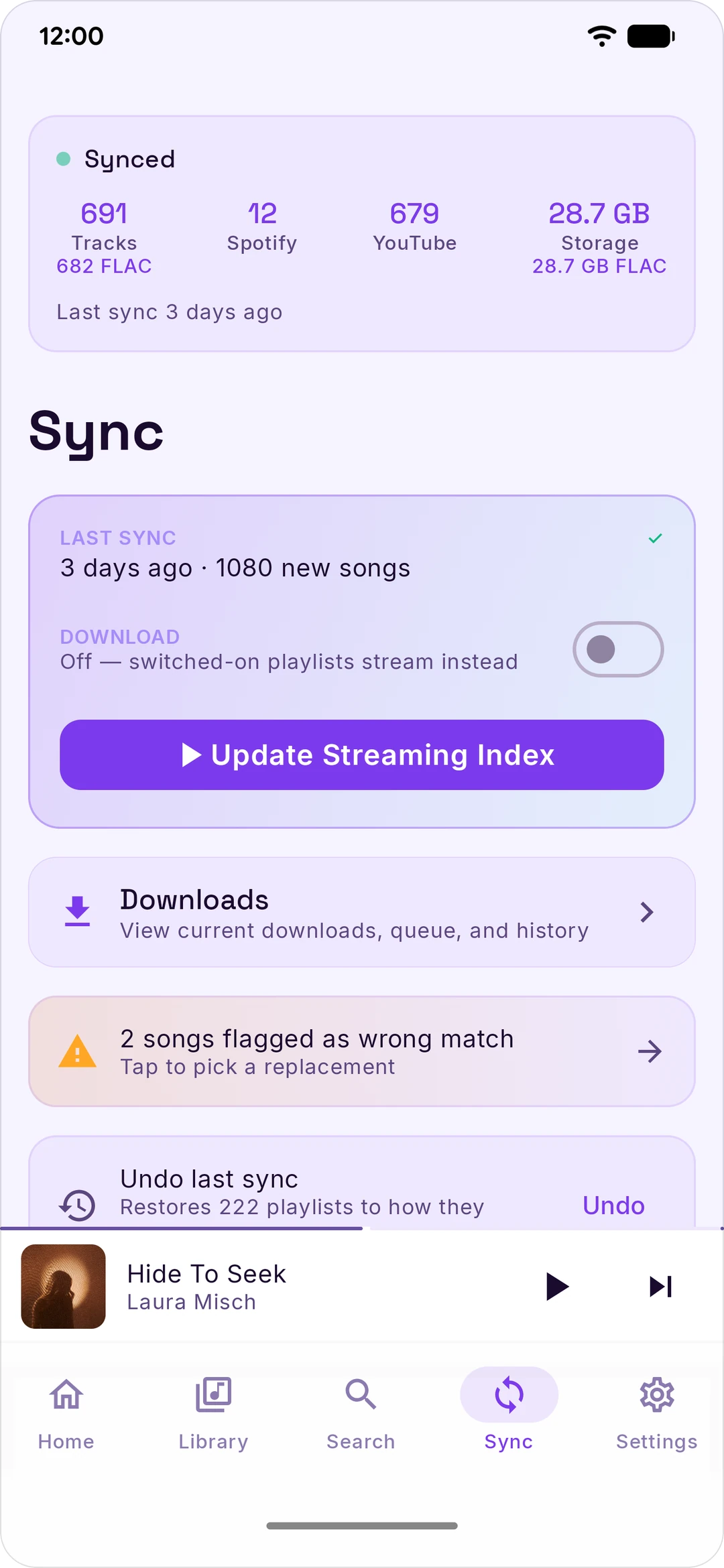 |
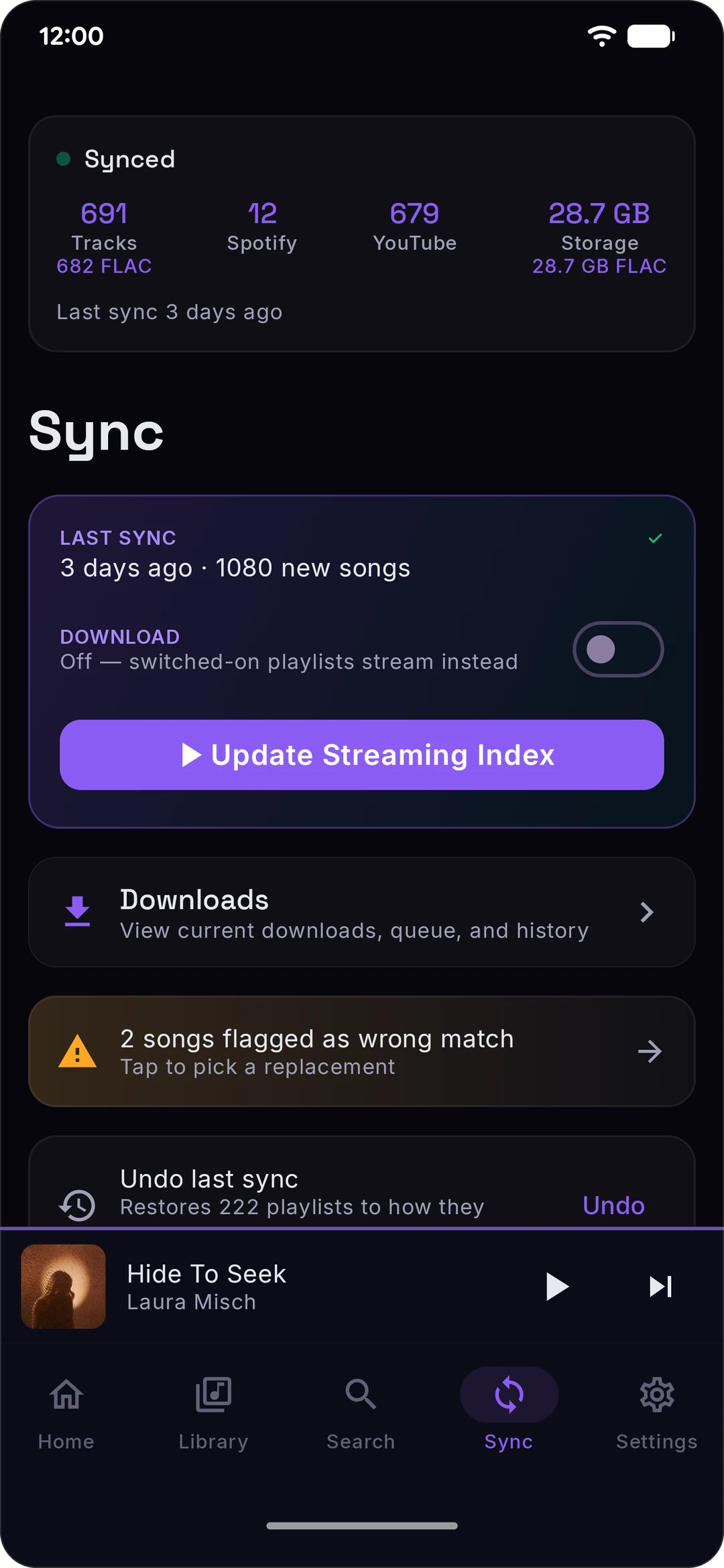
One switch, Download, decides what a sync does. It's on the Sync tab, and in Settings › Playback as Stream only / Download. Songs on your phone play from your phone, and the rest stream.
Download — sync saves your switched-on playlists and mixes to your phone, so they play with no connection. It costs storage. Whether a download lands as FLAC depends on whether a lossless source has the song — see Lossless. Without one, a download waits for FLAC ("Waiting for lossless") unless you turn on Lossy fallback in Settings › Audio & Quality, which takes an AAC or Opus copy instead.
Stream only — sync keeps your playlists up to date without saving them, so it takes almost no storage. Songs stream over Wi-Fi, or over mobile data once you turn on Stream on cellular in Settings › Playback.
Either way, a playlist's own Download button keeps that playlist on your phone.
There's no Qobuz account or token inside the app. FLAC comes from the first of these that can serve the song:
stash-relay.rawnaldclark.workers.dev, a relay the project runs. With nothing of your own connected, Stash uses it for FLAC. Connect your own account and your phone uses your account first, falling back to the relay only for a song whose request on your account fails, or while Qobuz is rejecting your login. It hands your phone a short-lived Qobuz CDN link for the track; the audio comes from Qobuz's CDN, never through the relay. What Stash talks to says what it's sent. The relay hostname is not in the APK — a plain source checkout has no config URL, so a Stash you build yourself has this path switched off entirely.When no lossless source can serve a song, it streams in AAC or Opus instead, and Now Playing shows where it came from. Downloads wait for FLAC by default and show as "Waiting for lossless"; to take an AAC or Opus copy instead, turn on Lossy fallback in Settings › Audio & Quality.
Stash has no account server, but it isn't a two-service app either. Everything the official release APK can reach, and what for. A build you make yourself from a plain checkout reaches strictly less: it has no Last.fm keys or proxy and no relay config.
accounts., open., api-partner., api.spotify.com, www.spotify.com, clienttoken.spotify.com) — sign-in and library sync. Two optional features, both off by default, also write to your account: mirroring your likes, and auto-saving songs you play often to your Liked Songs.music.youtube.com, www.youtube.com, and Google's OAuth endpoints if you use the Google sign-in) — library sync, search, artist and album pages, artist photos, and the audio itself via yt-dlp. Two optional features, both off by default, also write to your account: mirroring your likes, and sending your plays to your YouTube Music history. Each play is reported to the tracking address that comes back in YouTube's player response.m.youtube.com — the YouTube sign-in window*.googlevideo.com — YouTube's audio CDN; the URL comes back in the player response, so no hostname for it ships in the appoauth2.googleapis.com) — only if you use the YouTube device-code sign-inaccounts.scdn.co, Google reCAPTCHA (www.google.com, www.gstatic.com), Google's sign-in pages, and Discord's image CDN and CAPTCHA. Stash itself never calls those hosts; the pages do.api.github.com) — the update checks, for Stash itself and for yt-dlp's nightly builds, at every cold start and dailygithub.com, release-assets.githubusercontent.com) — a newer yt-dlp nightly build when there is one, and a helper script yt-dlp needs for YouTube playback, whether or not you use streamingwww.qobuz.com, with no account, under Qobuz's public web-player app id. Stash also contacts Qobuz's web player, open.qobuz.com, when that id needs refreshing and when you connect an account; that host is sent nothing about you.
stash-relay.rawnaldclark.workers.dev — the project's lossless relay, used only by the official release build. With no Qobuz account or relay endpoint of your own, Stash asks it for every FLAC link. With your own account connected, Stash asks your account first. It uses the relay for a song when the request on your account fails, and for every song while Qobuz is rejecting your login. Your login is retried once a minute, so a login Qobuz no longer accepts keeps using the relay until you sign in again or disconnect it. With your own relay endpoint set, the project's relay is used when yours fails.
streaming-qobuz-std.akamaized.net) — where the FLAC itself comes from, whether the link came from your account or the project's relay. The address comes back with each link, so it can change. It sees your IP address and which file you're getting. Share diagnostics, when you use it, also checks that this CDN, the relay and the relay config host answer.stash-tipjar.rawnaldclark.workers.dev/lossless.json — the signed relay config and its .sig, fetched at every cold start and every 6 hours after by the official release build. This URL is in the APK; it is fetched with nothing of yours connected, like the tip jar list on the same host. A plain checkout has no config URL and skips it.www.jiosaavn.com, aac.saavncdn.com) — the AAC 320 fallback when nothing lossless matchedlrclib.net) — synced lyricsitunes.apple.com) — the first step of word-synced Apple Music lyrics: sent the song's title and artist to find its Apple Music song idlyrics.paxsenix.org) — the second step: sent that Apple song id, and nothing else about you, to get the word-synced lyrics (its cache first, then a live lookup)mobileservice.kugou.com, lyrics.kugou.com) — synced lyrics when the sources before it have none: sent the song's title and artist, and for some lookups its length. It sees an ordinary desktop-browser User-Agent, not Stash's.music.youtube.com) — plain-text lyrics as the last fallback, only for songs that have a YouTube idStash/<version> User-Agent. iTunes Search and paxsenix are asked whenever lyrics are looked up or fetched for a download while Apple Music is the preferred lyrics source, which is the default. They're also asked by a background pass that upgrades lyrics you already have (once after each app update, on Wi-Fi) and by "Fetch lyrics" in Library Health. LRCLIB, KuGou and YouTube Music come next, in that order, each only when the ones before it come back empty or fail: from Now Playing, after a download, and by "Fetch lyrics", never by the background pass. Setting the lyrics source to LRC only in Settings › Playback stops iTunes Search and paxsenix. LRCLIB, KuGou and YouTube Music keep working.ws.audioscrobbler.com, and www.last.fm for its sign-in page) — scrobbling, only if you connect your account, and loved tracks if you also turn on mirroring likes to Last.fm. Official release builds also look things up on Last.fm without needing an account: artist bios on artist pages, missing album art, genre tags for your downloads, and the similar artists, songs and genres behind radios and Stash Mixes (see below). Those lookups go through stash-lastfm-proxy.rawnaldclark.workers.dev, a caching Worker the project runs. It sees the artist or song being looked up, never your account, and keeps only Last.fm's answers, for up to 14 days. If the proxy fails, Stash asks Last.fm directly. With your account connected and Stash Mixes on, Stash also reads your top artists and songs, and looks up your downloaded songs under your username, straight from Last.fm.api.listenbrainz.org) — optional scrobbling, only if you connect itdiscord.com, cdn.discordapp.com) — optional Rich Presence, only if you connect your account. While a song plays, Stash sends Discord its title, artist, album, a link to its cover and how far into the song you are; pausing clears it. Stash sets this status through your account's own session, which it gets from the sign-in window. If Discord needs your permission first, Settings opens Discord's permission page in your browser. Agreeing sends your browser on to a blank page at paraliyzed.net, with a one-time code in the address that Stash doesn't use. See the callout in First-time setup for exactly how it works and what that means.musicbrainz.org) — artist metadatastash-tipjar.rawnaldclark.workers.dev — the public supporters list behind the Home supporter pill. Fetch only; it's told nothing about you.stashfm.app, and its first address, stash-share.rawnaldclark.workers.dev) — a Worker the project runs, behind four features. Depending on its version, Stash uses one address or the other; versions that use stashfm.app switch to the other address when stashfm.app can't be reached.
stashfm.app/t/ and a code) is stored on the Worker instead: making one sends the song's title, artist and, when known, album, length, ISRC, Spotify/YouTube IDs and album-art link, and opening one in Stash reads them back. A short link holds the song and when the link was first made, nothing about who made it, and it doesn't expire. If the Worker can't be reached when you share, Stash shares a long link instead. Anyone with a song link can read it. The Worker uses your IP address to rate-limit and doesn't store it.sync.stashfm.app) — a Worker the project runs, used only after you link Stash on the web (Settings › Library & Storage › Link Stash on the web). It stores, end-to-end encrypted with a key only your linked devices have, what you chose to share between them: what's playing and your queue (when "Pick up where you left off" is on), the likes, plays and playlists you chose to mirror, and anything you send to the other device. The Worker can't read any of it; it sees sizes, times and a random id per device. Each device checks it when Stash opens and sends to it when what's playing or your mirrored library changes; while mirroring is on, the app also checks every 6 hours in the background and Stash on the web every few minutes while it's open. Logins, files, downloads and settings never go. Your IP address is used for rate limiting and isn't stored. A device that hasn't been seen for 90 days is removed, and a link with no devices left is deleted; what's playing is deleted after 7 days, and a send after 7 days or when it's received. Unlinking cuts a device off at once. Cloudflare's 30-day recovery history holds only the encrypted data.i.scdn.co, mosaic.scdn.co, and *.spotifycdn.com hosts such as pickasso.spotifycdn.com for its mixes), YouTube (i.ytimg.com, lh3.googleusercontent.com, yt3.googleusercontent.com, yt3.ggpht.com), Last.fm (lastfm.freetls.fastly.net, lastfm-img.freetls.fastly.net), Qobuz (static.qobuz.com) and JioSaavn (c.saavncdn.com). A short song link can also bring a cover from Deezer (cdn-images.dzcdn.net, e-cdns-images.dzcdn.net). A playlist cover loads from whatever image address its service hands back. Each image host sees your IP address, as with any image on the web.Some of these run without being asked:
music.youtube.com and a security check with www.youtube.com, so YouTube playback starts sooner, even if you never play anything from YouTube; with a connection, a warm-up request to music.youtube.com, the Stash and yt-dlp update checks on api.github.com (a newer yt-dlp is downloaded from GitHub when there is one), and a test run of yt-dlp on one public YouTube video, through www.youtube.com; in the official release build, the relay config, then every 6 hours while Stash runs; a fill-in for missing album art on downloaded songs (their artist and title go to Last.fm through the proxy, or Stash uses the song's YouTube thumbnail from i.ytimg.com); on Wi-Fi, an artist-photo lookup that sends music.youtube.com the name of each artist in your library that has no photo yet, which also runs after each sync; downloads you started that are still waiting are picked up again, and retried later; and, if you follow shared mixes, a check for new versions, at most every 6 hours.ws.audioscrobbler.com.Opening Home also loads the Qobuz rows, unless you've turned them off, and the supporters list.
Two more, qobuz.squid.wtf and qobuz.kennyy.com.br, still have code in the repo but are parked: the resolve chain skips them, so a release build never calls them.
Three paths. Pick whichever you'd actually use.
Stash.apk from the latest release (releases before v0.9.111 name it Stash-v*.apk).Obtainium tracks GitHub Releases and notifies you when a new version ships. Add https://github.com/rawnaldclark/Stash and you're done.
git clone https://github.com/rawnaldclark/Stash.git
cd Stash
./gradlew assembleDebug
# APK lands in app/build/outputs/apk/debug/
You'll need Android Studio Hedgehog (2023.1.1) or later, JDK 17, and Android SDK 35.
Stash doesn't use Spotify's or YouTube's official APIs, because the official APIs don't let third-party apps do what Stash does. It uses your existing login cookies instead. This sounds sketchier than it is: cookies live only on your device, stored encrypted with AES-256-GCM, and the only place they ever get sent is back to Spotify or YouTube themselves. The setup is a couple of minutes per service.
If the in-app login fails for any reason, fall back to Option B.
>> arrows if you don't see it.https://open.spotify.com.sp_dc.Tip: cookies from incognito / private windows sometimes fail to sync. If you hit weird errors, use a regular browser window.
Why a cookie? Spotify's mobile login API doesn't allow third-party apps. The cookie approach authenticates Stash the same way your browser session does. The cookie is session-scoped and can be revoked by logging out of Spotify on the web.
browse and press Enter.browse).cookie: and copy the entire value after cookie:. It's long, with a lot of = and ; characters.Stash will start pulling your YouTube Music daily mixes, discover mix, replay mix, and liked music.
Tip: same incognito caveat as Spotify — use a regular browser window.
Why the whole cookie header? YouTube authenticates with multiple cookies together (
SAPISID,__Secure-3PAPISID,LOGIN_INFO). Grabbing all of them at once is easier than finding each one individually.
Discord Rich Presence works differently from Spotify/YouTube, and it's worth reading before you connect it.
Discord doesn't give third-party apps an official way to set another app's "Playing X" status from a phone — that's normally a desktop-only feature (Discord's Game SDK, talking to the desktop client over a local socket). Stash instead uses the same technique a few well-known Rich Presence tools (PreMiD, and others in that space) use on the web: it signs in as you, the same way the in-app Spotify/YouTube login does, then uses your account's own session — not a bot, not an API key — to post your Now Playing status to Discord's private (undocumented) headless-session endpoint.
Read this first. Discord has no sanctioned way for a phone app to set Rich Presence, so Stash drives your account's own session. Discord's Platform Manipulation Policy names that pattern a self-bot, and their support article says it can end in account termination. Enforcement in practice goes after spam rather than status updates, so the real-world risk is low — but it is your account, and the app asks before connecting for that reason.
This is genuinely different from the Spotify/YouTube cookie approach in one important way: reusing your own session cookie to read your library is indistinguishable from you just... using a browser. Posting to an undocumented endpoint as your own account is something Discord's Terms of Service is more likely to call automation of a user account, even though nothing here is a bot, nothing acts on your behalf beyond showing a status, and it's the exact mechanism a number of long-running open-source RPC tools already use. Stash does its best to make these requests look like they came from Discord's own client (matching headers, backing off on rate limits) so this doesn't trip automated-abuse detection — but "does its best" isn't "guaranteed," and connecting this feature is a judgment call you're making about your own account, not something Stash can de-risk for you. If that trade-off isn't one you want to make, skip this section entirely — the rest of Stash works exactly the same without it.
If the in-app login fails, tap Paste token and provide it manually: sign in at discord.com/login on a computer, open DevTools (F12) → Application → Local Storage → https://discord.com, find the token key, and copy its value.
Disconnecting (Settings → Discord → Disconnect) clears your presence immediately and deletes the stored token from your phone.
Open the Sync tab. Before you tap Sync Now, expand the Spotify Sync Preferences card and pick the playlists and mixes you actually want — each playlist has its own toggle. For mixes, decide between Refresh mode (each sync replaces the mix's contents, cleaning up old tracks) and Accumulate mode (each sync stacks new tracks on top of what's there)
The first sync is the slow one — with Download on, a thousand-song library takes about an hour because every track has to download. After that, each sync just picks up what's new. Turn on Auto-sync in the Sync tab and it runs on its own, on the days and at the time you pick.
Some Android phones — looking at you, Samsung, Xiaomi, OnePlus, Huawei — kill background processes aggressively to save battery. If your sync fails partway through with a foreground-service error, the fix is one toggle:
You only need to do this once. If that's not enough on your specific device, dontkillmyapp.com has manufacturer-specific instructions.
Google Play doesn't allow apps that save audio from YouTube, so Stash is published on GitHub instead.
Stash never downloads audio from Spotify. It reads your Spotify library with your own login and finds each song's audio elsewhere, as What Stash talks to lists. Stash isn't affiliated with or endorsed by any of the services it connects to, and you're responsible for how you use it.
Bug reports and feature requests through GitHub Issues. For everything else — questions, requests, "is this thing on" — the Stash Discord is the place. Active dev there, fast answers.
Want to help translate Stash into your language? Join the Crowdin project and request translator access here.
Pull requests welcome. See CONTRIBUTING.md for how to build the app, a map of the module layout, and the PR workflow. For anything substantial, please open an issue first so we can talk through the change before you sink time into a PR.
Stash is GPL-3.0-or-later. You can use, copy, modify, and redistribute it freely. If you distribute a modified version, you have to release your changes under the GPL too.
Stash is free, open source, and has no ads or analytics. If you'd like to chip in:
rawnaldclark (rawn) — Owner, main dev

Paraliyzed_evo — Co-dev, makes the beta builds
You can also sponsor on GitHub for recurring support.
A star, a bug report, or telling a friend helps just as much. Thanks.
If you find a security issue, please use the disclosure process in SECURITY.md.
Stash is an independent, unofficial project. It is not affiliated with, endorsed by, or sponsored by Spotify, YouTube, Google, Qobuz, Apple, Deezer, Discord, Last.fm, ListenBrainz, MusicBrainz, JioSaavn, KuGou, LRCLIB, or any other service it connects to. Third-party names and logos here are used only to identify the services they belong to, and all trademarks belong to their respective owners.
Stash is a tool for managing your own music library. You're responsible for complying with the Terms of Service of any music service you use Stash with. Downloading copyrighted content without a license may be illegal in your jurisdiction. The Stash project accepts no responsibility for misuse.
Rights holders, service operators, and anyone else with a takedown or abuse report: email legal@stashfm.app, which reaches the maintainer directly. You can also open an issue on GitHub Issues or, if the report shouldn't be public, file a private security advisory. Reports are read, and a source can be removed from the app in a release.
Stash builds on top of several open-source projects:
Copyright © 2026 Rawnald Clark
Stash is free software: you can redistribute it and/or modify it under the terms of the GNU General Public License, either version 3 of the License, or (at your option) any later version.
This program is distributed in the hope that it will be useful, but WITHOUT ANY WARRANTY; without even the implied warranty of MERCHANTABILITY or FITNESS FOR A PARTICULAR PURPOSE. See the LICENSE file for the full text.
152 followers · starred May 2026
Your Spotify + YouTube Music library & daily mixes. Free and open source forever.
See the codeYour Spotify + YouTube Music library
Stash mirrors your Spotify and YouTube Music libraries to your Android phone. You connect each service, pick the playlists and mixes you want, and Stash either downloads them for offline playback — as real FLAC files when a lossless source has them — or surfaces them as a streaming index so you can stream tracks without filling up your storage.
There's no Stash account and no analytics. Your credentials live on your phone — the Spotify, YouTube, and Discord tokens encrypted, the rest in app-private storage — and each one is only ever sent back to the service it came from. Spotify and YouTube aren't the only hosts Stash talks to, though — lyrics, scrobbling, artist metadata, Discord presence, and lossless all have their own. The full list is below.
Stash has dark, light and pure-black themes.
| | | |
| | | |
| | | |
| | | |
One switch, Download, decides what a sync does. It's on the Sync tab, and in Settings › Playback as Stream only / Download. Songs on your phone play from your phone, and the rest stream.
Download — sync saves your switched-on playlists and mixes to your phone, so they play with no connection. It costs storage. Whether a download lands as FLAC depends on whether a lossless source has the song — see Lossless. Without one, a download waits for FLAC ("Waiting for lossless") unless you turn on Lossy fallback in Settings › Audio & Quality, which takes an AAC or Opus copy instead.
Stream only — sync keeps your playlists up to date without saving them, so it takes almost no storage. Songs stream over Wi-Fi, or over mobile data once you turn on Stream on cellular in Settings › Playback.
Either way, a playlist's own Download button keeps that playlist on your phone.
There's no Qobuz account or token inside the app. FLAC comes from the first of these that can serve the song:
stash-relay.rawnaldclark.workers.dev, a relay the project runs. With nothing of your own connected, Stash uses it for FLAC. Connect your own account and your phone uses your account first, falling back to the relay only for a song whose request on your account fails, or while Qobuz is rejecting your login. It hands your phone a short-lived Qobuz CDN link for the track; the audio comes from Qobuz's CDN, never through the relay. What Stash talks to says what it's sent. The relay hostname is not in the APK — a plain source checkout has no config URL, so a Stash you build yourself has this path switched off entirely.When no lossless source can serve a song, it streams in AAC or Opus instead, and Now Playing shows where it came from. Downloads wait for FLAC by default and show as "Waiting for lossless"; to take an AAC or Opus copy instead, turn on Lossy fallback in Settings › Audio & Quality.
Stash has no account server, but it isn't a two-service app either. Everything the official release APK can reach, and what for. A build you make yourself from a plain checkout reaches strictly less: it has no Last.fm keys or proxy and no relay config.
accounts., open., api-partner., api.spotify.com, www.spotify.com, clienttoken.spotify.com) — sign-in and library sync. Two optional features, both off by default, also write to your account: mirroring your likes, and auto-saving songs you play often to your Liked Songs.music.youtube.com, www.youtube.com, and Google's OAuth endpoints if you use the Google sign-in) — library sync, search, artist and album pages, artist photos, and the audio itself via yt-dlp. Two optional features, both off by default, also write to your account: mirroring your likes, and sending your plays to your YouTube Music history. Each play is reported to the tracking address that comes back in YouTube's player response.m.youtube.com — the YouTube sign-in window*.googlevideo.com — YouTube's audio CDN; the URL comes back in the player response, so no hostname for it ships in the appoauth2.googleapis.com) — only if you use the YouTube device-code sign-inaccounts.scdn.co, Google reCAPTCHA (www.google.com, www.gstatic.com), Google's sign-in pages, and Discord's image CDN and CAPTCHA. Stash itself never calls those hosts; the pages do.api.github.com) — the update checks, for Stash itself and for yt-dlp's nightly builds, at every cold start and dailygithub.com, release-assets.githubusercontent.com) — a newer yt-dlp nightly build when there is one, and a helper script yt-dlp needs for YouTube playback, whether or not you use streamingwww.qobuz.com, with no account, under Qobuz's public web-player app id. Stash also contacts Qobuz's web player, open.qobuz.com, when that id needs refreshing and when you connect an account; that host is sent nothing about you.
stash-relay.rawnaldclark.workers.dev — the project's lossless relay, used only by the official release build. With no Qobuz account or relay endpoint of your own, Stash asks it for every FLAC link. With your own account connected, Stash asks your account first. It uses the relay for a song when the request on your account fails, and for every song while Qobuz is rejecting your login. Your login is retried once a minute, so a login Qobuz no longer accepts keeps using the relay until you sign in again or disconnect it. With your own relay endpoint set, the project's relay is used when yours fails.
streaming-qobuz-std.akamaized.net) — where the FLAC itself comes from, whether the link came from your account or the project's relay. The address comes back with each link, so it can change. It sees your IP address and which file you're getting. Share diagnostics, when you use it, also checks that this CDN, the relay and the relay config host answer.stash-tipjar.rawnaldclark.workers.dev/lossless.json — the signed relay config and its .sig, fetched at every cold start and every 6 hours after by the official release build. This URL is in the APK; it is fetched with nothing of yours connected, like the tip jar list on the same host. A plain checkout has no config URL and skips it.www.jiosaavn.com, aac.saavncdn.com) — the AAC 320 fallback when nothing lossless matchedlrclib.net) — synced lyricsitunes.apple.com) — the first step of word-synced Apple Music lyrics: sent the song's title and artist to find its Apple Music song idlyrics.paxsenix.org) — the second step: sent that Apple song id, and nothing else about you, to get the word-synced lyrics (its cache first, then a live lookup)mobileservice.kugou.com, lyrics.kugou.com) — synced lyrics when the sources before it have none: sent the song's title and artist, and for some lookups its length. It sees an ordinary desktop-browser User-Agent, not Stash's.music.youtube.com) — plain-text lyrics as the last fallback, only for songs that have a YouTube idStash/<version> User-Agent. iTunes Search and paxsenix are asked whenever lyrics are looked up or fetched for a download while Apple Music is the preferred lyrics source, which is the default. They're also asked by a background pass that upgrades lyrics you already have (once after each app update, on Wi-Fi) and by "Fetch lyrics" in Library Health. LRCLIB, KuGou and YouTube Music come next, in that order, each only when the ones before it come back empty or fail: from Now Playing, after a download, and by "Fetch lyrics", never by the background pass. Setting the lyrics source to LRC only in Settings › Playback stops iTunes Search and paxsenix. LRCLIB, KuGou and YouTube Music keep working.ws.audioscrobbler.com, and www.last.fm for its sign-in page) — scrobbling, only if you connect your account, and loved tracks if you also turn on mirroring likes to Last.fm. Official release builds also look things up on Last.fm without needing an account: artist bios on artist pages, missing album art, genre tags for your downloads, and the similar artists, songs and genres behind radios and Stash Mixes (see below). Those lookups go through stash-lastfm-proxy.rawnaldclark.workers.dev, a caching Worker the project runs. It sees the artist or song being looked up, never your account, and keeps only Last.fm's answers, for up to 14 days. If the proxy fails, Stash asks Last.fm directly. With your account connected and Stash Mixes on, Stash also reads your top artists and songs, and looks up your downloaded songs under your username, straight from Last.fm.api.listenbrainz.org) — optional scrobbling, only if you connect itdiscord.com, cdn.discordapp.com) — optional Rich Presence, only if you connect your account. While a song plays, Stash sends Discord its title, artist, album, a link to its cover and how far into the song you are; pausing clears it. Stash sets this status through your account's own session, which it gets from the sign-in window. If Discord needs your permission first, Settings opens Discord's permission page in your browser. Agreeing sends your browser on to a blank page at paraliyzed.net, with a one-time code in the address that Stash doesn't use. See the callout in First-time setup for exactly how it works and what that means.musicbrainz.org) — artist metadatastash-tipjar.rawnaldclark.workers.dev — the public supporters list behind the Home supporter pill. Fetch only; it's told nothing about you.stashfm.app, and its first address, stash-share.rawnaldclark.workers.dev) — a Worker the project runs, behind four features. Depending on its version, Stash uses one address or the other; versions that use stashfm.app switch to the other address when stashfm.app can't be reached.
stashfm.app/t/ and a code) is stored on the Worker instead: making one sends the song's title, artist and, when known, album, length, ISRC, Spotify/YouTube IDs and album-art link, and opening one in Stash reads them back. A short link holds the song and when the link was first made, nothing about who made it, and it doesn't expire. If the Worker can't be reached when you share, Stash shares a long link instead. Anyone with a song link can read it. The Worker uses your IP address to rate-limit and doesn't store it.sync.stashfm.app) — a Worker the project runs, used only after you link Stash on the web (Settings › Library & Storage › Link Stash on the web). It stores, end-to-end encrypted with a key only your linked devices have, what you chose to share between them: what's playing and your queue (when "Pick up where you left off" is on), the likes, plays and playlists you chose to mirror, and anything you send to the other device. The Worker can't read any of it; it sees sizes, times and a random id per device. Each device checks it when Stash opens and sends to it when what's playing or your mirrored library changes; while mirroring is on, the app also checks every 6 hours in the background and Stash on the web every few minutes while it's open. Logins, files, downloads and settings never go. Your IP address is used for rate limiting and isn't stored. A device that hasn't been seen for 90 days is removed, and a link with no devices left is deleted; what's playing is deleted after 7 days, and a send after 7 days or when it's received. Unlinking cuts a device off at once. Cloudflare's 30-day recovery history holds only the encrypted data.i.scdn.co, mosaic.scdn.co, and *.spotifycdn.com hosts such as pickasso.spotifycdn.com for its mixes), YouTube (i.ytimg.com, lh3.googleusercontent.com, yt3.googleusercontent.com, yt3.ggpht.com), Last.fm (lastfm.freetls.fastly.net, lastfm-img.freetls.fastly.net), Qobuz (static.qobuz.com) and JioSaavn (c.saavncdn.com). A short song link can also bring a cover from Deezer (cdn-images.dzcdn.net, e-cdns-images.dzcdn.net). A playlist cover loads from whatever image address its service hands back. Each image host sees your IP address, as with any image on the web.Some of these run without being asked:
music.youtube.com and a security check with www.youtube.com, so YouTube playback starts sooner, even if you never play anything from YouTube; with a connection, a warm-up request to music.youtube.com, the Stash and yt-dlp update checks on api.github.com (a newer yt-dlp is downloaded from GitHub when there is one), and a test run of yt-dlp on one public YouTube video, through www.youtube.com; in the official release build, the relay config, then every 6 hours while Stash runs; a fill-in for missing album art on downloaded songs (their artist and title go to Last.fm through the proxy, or Stash uses the song's YouTube thumbnail from i.ytimg.com); on Wi-Fi, an artist-photo lookup that sends music.youtube.com the name of each artist in your library that has no photo yet, which also runs after each sync; downloads you started that are still waiting are picked up again, and retried later; and, if you follow shared mixes, a check for new versions, at most every 6 hours.ws.audioscrobbler.com.Opening Home also loads the Qobuz rows, unless you've turned them off, and the supporters list.
Two more, qobuz.squid.wtf and qobuz.kennyy.com.br, still have code in the repo but are parked: the resolve chain skips them, so a release build never calls them.
Three paths. Pick whichever you'd actually use.
Stash.apk from the latest release (releases before v0.9.111 name it Stash-v*.apk).Obtainium tracks GitHub Releases and notifies you when a new version ships. Add https://github.com/rawnaldclark/Stash and you're done.
git clone https://github.com/rawnaldclark/Stash.git
cd Stash
./gradlew assembleDebug
# APK lands in app/build/outputs/apk/debug/
You'll need Android Studio Hedgehog (2023.1.1) or later, JDK 17, and Android SDK 35.
Stash doesn't use Spotify's or YouTube's official APIs, because the official APIs don't let third-party apps do what Stash does. It uses your existing login cookies instead. This sounds sketchier than it is: cookies live only on your device, stored encrypted with AES-256-GCM, and the only place they ever get sent is back to Spotify or YouTube themselves. The setup is a couple of minutes per service.
If the in-app login fails for any reason, fall back to Option B.
>> arrows if you don't see it.https://open.spotify.com.sp_dc.Tip: cookies from incognito / private windows sometimes fail to sync. If you hit weird errors, use a regular browser window.
Why a cookie? Spotify's mobile login API doesn't allow third-party apps. The cookie approach authenticates Stash the same way your browser session does. The cookie is session-scoped and can be revoked by logging out of Spotify on the web.
browse and press Enter.browse).cookie: and copy the entire value after cookie:. It's long, with a lot of = and ; characters.Stash will start pulling your YouTube Music daily mixes, discover mix, replay mix, and liked music.
Tip: same incognito caveat as Spotify — use a regular browser window.
Why the whole cookie header? YouTube authenticates with multiple cookies together (
SAPISID,__Secure-3PAPISID,LOGIN_INFO). Grabbing all of them at once is easier than finding each one individually.
Discord Rich Presence works differently from Spotify/YouTube, and it's worth reading before you connect it.
Discord doesn't give third-party apps an official way to set another app's "Playing X" status from a phone — that's normally a desktop-only feature (Discord's Game SDK, talking to the desktop client over a local socket). Stash instead uses the same technique a few well-known Rich Presence tools (PreMiD, and others in that space) use on the web: it signs in as you, the same way the in-app Spotify/YouTube login does, then uses your account's own session — not a bot, not an API key — to post your Now Playing status to Discord's private (undocumented) headless-session endpoint.
Read this first. Discord has no sanctioned way for a phone app to set Rich Presence, so Stash drives your account's own session. Discord's Platform Manipulation Policy names that pattern a self-bot, and their support article says it can end in account termination. Enforcement in practice goes after spam rather than status updates, so the real-world risk is low — but it is your account, and the app asks before connecting for that reason.
This is genuinely different from the Spotify/YouTube cookie approach in one important way: reusing your own session cookie to read your library is indistinguishable from you just... using a browser. Posting to an undocumented endpoint as your own account is something Discord's Terms of Service is more likely to call automation of a user account, even though nothing here is a bot, nothing acts on your behalf beyond showing a status, and it's the exact mechanism a number of long-running open-source RPC tools already use. Stash does its best to make these requests look like they came from Discord's own client (matching headers, backing off on rate limits) so this doesn't trip automated-abuse detection — but "does its best" isn't "guaranteed," and connecting this feature is a judgment call you're making about your own account, not something Stash can de-risk for you. If that trade-off isn't one you want to make, skip this section entirely — the rest of Stash works exactly the same without it.
If the in-app login fails, tap Paste token and provide it manually: sign in at discord.com/login on a computer, open DevTools (F12) → Application → Local Storage → https://discord.com, find the token key, and copy its value.
Disconnecting (Settings → Discord → Disconnect) clears your presence immediately and deletes the stored token from your phone.
Open the Sync tab. Before you tap Sync Now, expand the Spotify Sync Preferences card and pick the playlists and mixes you actually want — each playlist has its own toggle. For mixes, decide between Refresh mode (each sync replaces the mix's contents, cleaning up old tracks) and Accumulate mode (each sync stacks new tracks on top of what's there)
The first sync is the slow one — with Download on, a thousand-song library takes about an hour because every track has to download. After that, each sync just picks up what's new. Turn on Auto-sync in the Sync tab and it runs on its own, on the days and at the time you pick.
Some Android phones — looking at you, Samsung, Xiaomi, OnePlus, Huawei — kill background processes aggressively to save battery. If your sync fails partway through with a foreground-service error, the fix is one toggle:
You only need to do this once. If that's not enough on your specific device, dontkillmyapp.com has manufacturer-specific instructions.
Google Play doesn't allow apps that save audio from YouTube, so Stash is published on GitHub instead.
Stash never downloads audio from Spotify. It reads your Spotify library with your own login and finds each song's audio elsewhere, as What Stash talks to lists. Stash isn't affiliated with or endorsed by any of the services it connects to, and you're responsible for how you use it.
Bug reports and feature requests through GitHub Issues. For everything else — questions, requests, "is this thing on" — the Stash Discord is the place. Active dev there, fast answers.
Want to help translate Stash into your language? Join the Crowdin project and request translator access here.
Pull requests welcome. See CONTRIBUTING.md for how to build the app, a map of the module layout, and the PR workflow. For anything substantial, please open an issue first so we can talk through the change before you sink time into a PR.
Stash is GPL-3.0-or-later. You can use, copy, modify, and redistribute it freely. If you distribute a modified version, you have to release your changes under the GPL too.
Stash is free, open source, and has no ads or analytics. If you'd like to chip in:
rawnaldclark (rawn) — Owner, main dev
Paraliyzed_evo — Co-dev, makes the beta builds
You can also sponsor on GitHub for recurring support.
A star, a bug report, or telling a friend helps just as much. Thanks.
If you find a security issue, please use the disclosure process in SECURITY.md.
Stash is an independent, unofficial project. It is not affiliated with, endorsed by, or sponsored by Spotify, YouTube, Google, Qobuz, Apple, Deezer, Discord, Last.fm, ListenBrainz, MusicBrainz, JioSaavn, KuGou, LRCLIB, or any other service it connects to. Third-party names and logos here are used only to identify the services they belong to, and all trademarks belong to their respective owners.
Stash is a tool for managing your own music library. You're responsible for complying with the Terms of Service of any music service you use Stash with. Downloading copyrighted content without a license may be illegal in your jurisdiction. The Stash project accepts no responsibility for misuse.
Rights holders, service operators, and anyone else with a takedown or abuse report: email legal@stashfm.app, which reaches the maintainer directly. You can also open an issue on GitHub Issues or, if the report shouldn't be public, file a private security advisory. Reports are read, and a source can be removed from the app in a release.
Stash builds on top of several open-source projects:
Copyright © 2026 Rawnald Clark
Stash is free software: you can redistribute it and/or modify it under the terms of the GNU General Public License, either version 3 of the License, or (at your option) any later version.
This program is distributed in the hope that it will be useful, but WITHOUT ANY WARRANTY; without even the implied warranty of MERCHANTABILITY or FITNESS FOR A PARTICULAR PURPOSE. See the LICENSE file for the full text.
152 followers · starred May 2026






