Stunning status pages, batteries included!
See the code
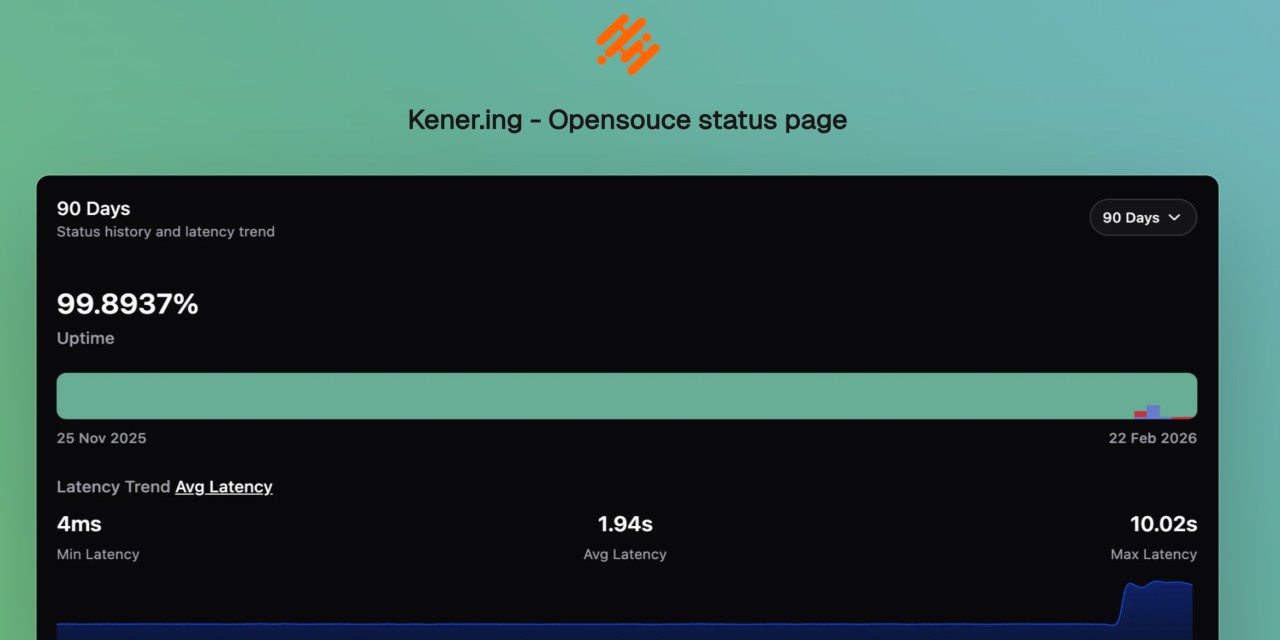


















Kener is a sleek and lightweight status page system built with SvelteKit and NodeJS. It’s not here to replace heavyweights like Datadog or Atlassian but rather to offer a simple, modern, and hassle-free way to set up a great-looking status page with minimal effort.
Designed with ease of use and customization in mind, Kener provides all the essential features you’d expect from a status page—without unnecessary complexity.
✅ Minimal overhead – Set up quickly with a clean, modern UI
✅ Customizable – Easily tailor it to match your brand
✅ Open-source & free – Because great tools should be accessible to everyone
“Kener” is inspired by the Assamese word “Kene”, meaning “how’s it going?”. The ‘.ing’ was added because, well… that domain was available. 😄
Get Kener running in minutes.
git clone https://github.com/rajnandan1/kener.git
cd kener

# Uses docker-compose.yml (includes Redis + Kener)
# Set a strong KENER_SECRET_KEY and ORIGIN in docker-compose.yml before first run
docker compose up -d
Open http://localhost:3000.
[!IMPORTANT] Set a strong
KENER_SECRET_KEYand setORIGINto your public URL before starting for the first time.
Use docker-compose.dev.yml when you want to build from local source instead of pulling the published image:
docker compose -f docker-compose.dev.yml up -d --build
Or combine both files to keep base production config while overriding Kener with a local build:
docker compose -f docker-compose.yml -f docker-compose.dev.yml up -d --build
You can use either image:
docker.io/rajnandan1/kener:latestghcr.io/rajnandan1/kener:latestFor subpath deployments (/status), use:
docker.io/rajnandan1/kener:latest-statusdocker.io/rajnandan1/kener:latest-status-alpineghcr.io/rajnandan1/kener:latest-statusghcr.io/rajnandan1/kener:latest-status-alpinemkdir -p database
docker run -d \
--name kener \
-p 3000:3000 \
-v "$(pwd)/database:/app/database" \
-e "KENER_SECRET_KEY=replace_with_a_random_string" \
-e "ORIGIN=http://localhost:3000" \
-e "REDIS_URL=redis://host.docker.internal:6379" \
docker.io/rajnandan1/kener:latest
/status)mkdir -p database
docker run -d \
--name kener-status \
-p 3000:3000 \
-v "$(pwd)/database:/app/database" \
-e "KENER_SECRET_KEY=replace_with_a_random_string" \
-e "ORIGIN=http://localhost:3000" \
-e "KENER_BASE_PATH=/status" \
-e "REDIS_URL=redis://host.docker.internal:6379" \
docker.io/rajnandan1/kener:latest-status
[!NOTE] For subpath mode, keep
ORIGINas the site origin (http://localhost:3000), nothttp://localhost:3000/status.
Requirements:
>= 24.14git clone https://github.com/rajnandan1/kener.git
cd kener
npm install
# Start Redis (example)
docker run -d --name kener-redis -p 6379:6379 redis:7-alpine
npm run build
npm run start
Create a .env with at least:
KENER_SECRET_KEY=replace_with_a_random_string
ORIGIN=http://localhost:3000
REDIS_URL=redis://localhost:6379
PORT=3000
For the full quick start (including local Docker builds and dev mode), see the docs:
Kener combines public status page essentials with advanced admin workflows.
If you’re enjoying Kener and want to support its development, consider sponsoring me on GitHub or treating me to a coffee. Your support helps keep the project growing! 🚀
If you want to contribute to Kener, please read the Contribution Guide.
(top 24 of 44)
1,090 followers · starred Jan 2024
782 followers · starred Oct 2024
12,637 followers · starred Feb 2025
312 followers · starred Jan 2024
Stunning status pages, batteries included!
See the code
Kener is a sleek and lightweight status page system built with SvelteKit and NodeJS. It’s not here to replace heavyweights like Datadog or Atlassian but rather to offer a simple, modern, and hassle-free way to set up a great-looking status page with minimal effort.
Designed with ease of use and customization in mind, Kener provides all the essential features you’d expect from a status page—without unnecessary complexity.
✅ Minimal overhead – Set up quickly with a clean, modern UI
✅ Customizable – Easily tailor it to match your brand
✅ Open-source & free – Because great tools should be accessible to everyone
“Kener” is inspired by the Assamese word “Kene”, meaning “how’s it going?”. The ‘.ing’ was added because, well… that domain was available. 😄
Get Kener running in minutes.
git clone https://github.com/rajnandan1/kener.git
cd kener

# Uses docker-compose.yml (includes Redis + Kener)
# Set a strong KENER_SECRET_KEY and ORIGIN in docker-compose.yml before first run
docker compose up -d
Open http://localhost:3000.
[!IMPORTANT] Set a strong
KENER_SECRET_KEYand setORIGINto your public URL before starting for the first time.
Use docker-compose.dev.yml when you want to build from local source instead of pulling the published image:
docker compose -f docker-compose.dev.yml up -d --build
Or combine both files to keep base production config while overriding Kener with a local build:
docker compose -f docker-compose.yml -f docker-compose.dev.yml up -d --build
You can use either image:
docker.io/rajnandan1/kener:latestghcr.io/rajnandan1/kener:latestFor subpath deployments (/status), use:
docker.io/rajnandan1/kener:latest-statusdocker.io/rajnandan1/kener:latest-status-alpineghcr.io/rajnandan1/kener:latest-statusghcr.io/rajnandan1/kener:latest-status-alpinemkdir -p database
docker run -d \
--name kener \
-p 3000:3000 \
-v "$(pwd)/database:/app/database" \
-e "KENER_SECRET_KEY=replace_with_a_random_string" \
-e "ORIGIN=http://localhost:3000" \
-e "REDIS_URL=redis://host.docker.internal:6379" \
docker.io/rajnandan1/kener:latest
/status)mkdir -p database
docker run -d \
--name kener-status \
-p 3000:3000 \
-v "$(pwd)/database:/app/database" \
-e "KENER_SECRET_KEY=replace_with_a_random_string" \
-e "ORIGIN=http://localhost:3000" \
-e "KENER_BASE_PATH=/status" \
-e "REDIS_URL=redis://host.docker.internal:6379" \
docker.io/rajnandan1/kener:latest-status
[!NOTE] For subpath mode, keep
ORIGINas the site origin (http://localhost:3000), nothttp://localhost:3000/status.
Requirements:
>= 24.14git clone https://github.com/rajnandan1/kener.git
cd kener
npm install
# Start Redis (example)
docker run -d --name kener-redis -p 6379:6379 redis:7-alpine
npm run build
npm run start
Create a .env with at least:
KENER_SECRET_KEY=replace_with_a_random_string
ORIGIN=http://localhost:3000
REDIS_URL=redis://localhost:6379
PORT=3000
For the full quick start (including local Docker builds and dev mode), see the docs:
Kener combines public status page essentials with advanced admin workflows.
If you’re enjoying Kener and want to support its development, consider sponsoring me on GitHub or treating me to a coffee. Your support helps keep the project growing! 🚀
If you want to contribute to Kener, please read the Contribution Guide.
(top 24 of 44)
1,090 followers · starred Jan 2024
782 followers · starred Oct 2024
12,637 followers · starred Feb 2025
312 followers · starred Jan 2024