
TUI framework and developer productivity apps in Rust 🦀
See the codeREADME
r3bl-open-core
██████╗  ██████╗  ██████╗
██╔══██╗██╔═══██╗██╔════╝
██████╔╝██║   ██║██║
██╔══██╗██║   ██║██║
██║  ██║╚██████╔╝╚██████╗
╚═╝  ╚═╝ ╚═════╝  ╚═════╝

Modernizing the Terminal: Taking Inspiration From Web and Desktop Apps
Despite the massive rise of AI/LLM coding agents & execution harnesses and cloud VM
administration over SSH, terminal UI innovation has largely stagnated since the 1970s.
Most CLI tools still rely on blocking single-threaded I/O, curses-era APIs, and fragile
platform hacks - or rely on the heavy, fragile workaround of layering web stacks like
Node.js, React, and ink onto the console. This introduces unreasonable memory
bloat, high latency, broken keyboard shortcuts, and unpredictable instability that breaks
down during long-horizon agentic workflows and sub-process orchestration.
ROC (r3bl-open-core) moves the terminal forward (with love & respect) into 2026 and
beyond. ❤️
R3BL brings modern web and desktop app design patterns to the terminal, turning it into a place of focused productivity to build delightful, ergonomic, and rich text user interface (TUI) experiences.
Representing years of systems programming, performance optimization, and production-grade infrastructure design in Rust, R3BL re-imagines the terminal for the modern era - making rich, reactive TUI applications accessible over SSH to any terminal emulator across Linux, macOS, Windows, and Unix/BSDs (such as FreeBSD).
R3BL TUI is fundamentally different from vim, neovim, and ratatui through its
immediate mode reactive UI, clean separation between rendering and state mutation, and
purely async architecture - it never blocks the main thread, and natively embraces
multithreaded execution and multi-process orchestration.
Primary Use Cases
ROC is designed to power four primary use cases:
-
🤖 AI/LLM Coding Agents & Execution Harnesses: Building fast, interactive terminal interfaces and execution harnesses for AI/LLM coding agents in pure Rust. While popular agent tools are written in
Node.jsandink(see origin story), Node-based runtimes struggle with runaway memory consumption, fragile sub-process control, and unstable PTY session management when orchestrating heavy, long-running tools in sandboxed environments (containers, microVMs, systemd-nspawn machines, etc.). Furthermore, Node-based runtimes struggle with terminal input decoding, frequently dropping modifier keys, mangling keyboard chords, and introducing sluggish ESC key disambiguation lag. ROC provides a rock-solid, pure Rust foundation engineered for native PTY orchestration, zero-latency ANSI input decoding, deterministic process lifecycles, flicker-free diff rendering, and minimal resource overhead. -
☁️ DevOps & Cloud Workflows: Administering modern cloud infrastructure shouldn't feel like using stone-age tools to build a satellite. Juggling remote VMs, containers, and multi-process server environments through bare terminal sessions is slow and error-prone. ROC transforms terminal workflows into a rich, responsive workspace with in-memory virtual terminal emulation, virtual tabs, 2D horizontal panning across wide logs, and double-buffered diff rendering that stays lag-free even over high-latency SSH connections.
-
📝 Interactive Document & Markdown Workflows: Rich interactive editing, syntax highlighting, and real-time code block execution directly inside Markdown documents in the terminal, bridging documentation directly with live operations.
-
🛠️ Developer Productivity Infrastructure: High-efficiency developer tooling and composable terminal infrastructure to enhance knowledge capture, eliminate friction, and streamline everyday command-line workflows.
The framework supports the full spectrum from CLI to inline dialogs to full-screen TUI and terminal multiplexing experiences with deep systems integration.
ROC Workspace Architecture: Core Engine, Productivity Apps & Build Tools
With over 2.7M downloads across crates.io, ROC (r3bl-open-core) provides
production-grade systems infrastructure across five specialized crates:
| Crate | Purpose |
|---|---|
r3bl_tui | Core foundational async TUI engine, reactive runtime & PTY primitives |
r3bl-cmdr | Suite of productivity apps (giti, edi, env-source) |
r3bl-build-infra | Developer infrastructure & build tools (cargo-rustdoc-fmt, spawny) |
r3bl-rust-analyzer-mcp-server | High-performance std-thread rust-analyzer MCP server for coding agents & IDEs |
r3bl_analytics_schema | Shared schema for privacy-first analytics & upgrade checks |
Built-from-Scratch Primitives: The Four Pillars of r3bl_tui
At the heart of ROC is r3bl_tui, which provides four foundational interaction
primitives designed from the ground up in pure Rust:
-
📟 CLI & REPLs (
readline_async): Unlike GNUreadlinewhich is single-threaded and blocking, our implementation is fully async, interruptable, and non-blocking, allowing background spinners and tasks to print concurrently without pausing line editing or blocking your main thread. -
📑 Inline / Partial TUI (
choose): Single-shot interactive multi-select dialogs that enter raw mode and render inline in terminal scrollback without taking over the screen or disrupting the back buffer (similar tofzfin spirit). -
🖥️ Full-Screen TUI: Complete raw mode with alternate screen support, fully async and panic-safe terminal restoration. Build React and Elm inspired apps with unidirectional data flow, responsive flexbox layouts, declarative CSS-like styling, reactive state architecture, reusable modal dialogs with asynchronous autocomplete, and a full-featured Markdown editor component with custom parser, custom syntax highlighter, and fast zero-copy gap buffer.
-
🔀 Terminal Multiplexing & PTY: In-memory virtual terminals, virtual terminal tabs, deterministic process orchestration, and multiplexing primitives (build your own
tmuxor sandboxed AI/LLM coding agent execution harness) featuring 2D horizontal viewport panning and decoupled throughput.
Power via Composition: Designed to be loosely coupled and strongly coherent, you can
pick and choose only what you need or compose them seamlessly within a single application.
Transition smoothly from a non-blocking readline_async prompt into an inline choose
menu, launch a full-screen TUI for complex tasks, or orchestrate background PTY
subprocesses, all sharing application state without process restarts.
Automated Headless Testing & Benchmarking
The entire framework across all 4 pillars is testable across Linux, macOS, and Windows. Powered by our own PTY pillar, real production code runs headlessly in an isolated virtual terminal environment, enabling end-to-end testing of interactive apps without requiring human interaction:
- PTY Automated Interactive Testing: Enables end-to-end testing of interactive apps
via headless PTY subprocess orchestration with the
generate_pty_test!macro. Automate key sequences, window resizing, and screen output verification in completely isolated child processes without someone having to sit and manually type at a keyboard. - Visual UI Snapshot Testing: Everything renders to an offscreen buffer (
OfsBuf), providing built-in visual snapshot testing. Easily diff and assert the actual rendered terminal screen state headlessly generated in a real PTY environment. - Sans-IO In-Memory Terminal: Pure functional VT-100 parser verifying virtual terminal screen buffers directly in RAM with zero OS syscalls.
- Decoupled I/O Devices:
InputDeviceandOutputDeviceabstract terminal I/O away from physicalstdinandstdout, allowing input events and output streams to be driven and inspected directly in tests without taking over your terminal. - Empirical Benchmarking & Flamegraph Profiling: Continuous performance measurement via Rust's built-in benchmarking suites and automated flamegraph profiling against established baselines rather than guesswork.
Engineered for Performance, Correctness & Reliability
-
📐 Zero-Cost Type-Proof Architecture & Mathematical Correctness: Rather than relying on ambiguous primitive integers (
usize,u16) and runtime assertions, formal type theory and trait hierarchies make illegal states unrepresentable:- The Newtype Pattern for Domain Separation & Coordinate Safety: Replaces raw
primitive integers with zero-cost newtypes (
CRow,VPRow,CHeight), eliminating primitive obsession and transposition bugs with zero runtime memory or performance overhead:- 0-Index vs 1-Index Separation: Strongly types the distinction between
0-based buffer positions (
IndexOps:VPRow,VPCol,CRow,CCol), 1-based terminal coordinates (TermRow,TermCol), and 1-based lengths (LengthOps:VPHeight,VPWidth,CHeight,CWidth). - Safe Bidirectional Conversions: Pairing traits provide explicit conversions
between 0-based and 1-based domains (
to_zero_based(),from_zero_based(),convert_to_length()). - Algebraic Identities & CSI Zero Protection: Enforces algebraic laws
(
Index + Length = Index,Index - Index = Length) to eliminate dangerous manual arithmetic on raw integers, preventing off-by-one errors (<vs<=), negative underflow, and CSI zero-index terminal crashes (TermRowDelta,TermColDelta). - Empirically Proven Zero-Cost Layout: Newtypes share the identical memory layout, size, and ABI of raw primitives (passed in CPU registers with zero heap allocation or indirection) and are completely erased during LLVM compilation; Criterion benchmarks confirm execution differences remain strictly within the +/- 2% noise margin (FUNARCH 2026).
- 0-Index vs 1-Index Separation: Strongly types the distinction between
0-based buffer positions (
- Dual-Domain Coordinate Trait Hierarchy: Strict trait boundaries isolate 64-bit
memory coordinates (
StorageCoordinate,usize:CPos) from 16-bit visual coordinates (ScreenCoordinate,u16:VPPos), requiring explicit camera viewport transformations. - Explicit Narrowing/Widening Traits & Zero Raw
asCasts: Replaces dangerous, silent primitiveascasting across the codebase with explicit, type-safe traits (WideningCastTofor lossless promotions andNarrowingCastTofor checked/clamped reductions), preventing accidental truncations and sign-loss bugs. - Eliminating Boolean Blindness with Witness Enums: Grounded in ACM research
(FUNARCH 2023 and Parse, don't validate), boundary and
bounds checks never return uninformative
boolflags. Instead, they return structured witness enums (ArrayOverflowResult,RangeBoundsResult), forcing callers to exhaustively handle all boundary states at compile time.
- The Newtype Pattern for Domain Separation & Coordinate Safety: Replaces raw
primitive integers with zero-cost newtypes (
-
🦄 First-Class Unicode & Complex Emoji Engine (
GCString): Most terminal emulators and TUI libraries break when handling "jumbo emojis", zero-width joiners (ZWJ), skin tone modifiers, and wide characters (display width > 1), causing visual tearing, misaligned borders, and string-slicing panics. ROC solves this from the ground up viaGCStringOwned:- Tri-Index Separation: Strictly decouples memory position (
ByteIndex, UTF-8 offset), logical editing position (SegIndex, user-perceived grapheme clusters), and visual column position (VPCol, actual terminal display width). - Complex Emoji & Modifier Support: Correctly measures and renders multi-codepoint
sequences (e.g.,
👨🏾🤝👨🏿spans 5 codepoints and 7 code units, but resolves to 1 logical grapheme segment and 2 visual columns). - Panic-Proof Slicing & Boundary Safety: Guarantees cursor navigation, backspace, and substring slicing never split UTF-8 codepoints or mid-grapheme clusters, eliminating runtime slicing panics across editors, line inputs, and diff rendering.
- Tri-Index Separation: Strictly decouples memory position (
-
🔒 Supply-Chain Integrity & Owning Our BOM: In an era of software supply-chain attacks, maintainer burnout, and abandonware, our explicit architectural goal is to own our Bill of Materials (BOM). Critical primitives (including our custom
direct_to_ansiterminal I/O backend, VT-100/ANSI parser, zero-copy gap buffer, and Markdown parser) are engineered in-house in pure Rust. We strictly limit external dependencies to actively funded, strongly supported, and battle-tested industry foundations (such astokio,mio, andmimalloc), safeguarding production applications against transitive bloat, sudden deprecations, and upstream vulnerabilities. -
🌍 Multi-Backend Architecture (Linux, macOS, Windows, Unix/BSDs): Native, first-class support across platforms using the best backend for each OS:
- Linux: Our custom high-performance, Linux-native
direct_to_ansiengine (talking directly to the terminal device viamio/epoll for minimal latency and maximum throughput, without the use ofcrossterm). - macOS, Windows & Unix/BSDs: Currently powered by
crossterm. We plan to expanddirect_to_ansiin the future to replacecrosstermacross all platforms.
- Linux: Our custom high-performance, Linux-native
-
🚀 SIMD Contiguous Memory Layout (
Flat2DArray): Single contiguous 1D allocation indexed as 2D, delivering 2.3x rendering speedups, SIMD chunk batching, and eliminating pointer indirection (implementation deep dive and memory latency theory). -
🧑🤝🧑 Double-Buffered SSH-Optimized Diff Rendering: Double-buffered compositor computes minimal cell-level diffs between frames, painting only what changed for smooth, flicker-free performance over high-latency SSH connections, with multi-layer Z-order compositing for modal overlays and popups.
-
🔀 Terminal Multiplexing & PTY Architecture (
PTYMux): Decouples physical display constraints from subprocess execution via virtual terminals and process orchestration:- 2D Viewport Panning in PTY Sessions (Horizontal Scrolling without Wrapping):
Traditional terminal emulators (like
xterm,Alacritty,Kitty) lack horizontal panning for standard CLI tools (likecat,grep,git log,dmesg), forcibly hard-wrapping wide lines across rows and mangling tabular data, JSON, or stack traces into unreadable spaghetti. When running any CLI program inside a ROC PTY session (a concrete manifestation of which ispty_mux_example, powered byGrowableBufferandPTYMux), ROC decouples the physical viewport from the virtual terminal canvas width (e.g., 1,000+ columns). The child process writes into this wide virtual canvas without line wrapping, allowing users to smoothly pan horizontally (Shift + Mouse Wheelor trackpad gestures) across the output without layout destruction. - Decoupled Throughput vs. Terminal Bottlenecks (Faster Than Bare
xterm): In traditional terminal emulators (likexterm), running a command that dumps megabytes of text (e.g.,cat large.log) blocks the process onstdoutI/O while the terminal synchronously parses escape codes, recalculates line wrapping, and rasterizes every glyph. Counter-intuitively, running that same command inside a ROC PTY session (such aspty_mux_example) running insidextermis often significantly faster than running the command directly in barexterm. ROC's headless VT-100 parser (OfsBufVT100) acts as an in-memory shock absorber, ingesting raw subprocess output at memory bus speeds, while double-buffered diff rendering paints only the visible viewport to the host terminal at controlled display intervals. Subprocesses drainstdoutwithout stalling on terminal drawing or network I/O backpressure.
- 2D Viewport Panning in PTY Sessions (Horizontal Scrolling without Wrapping):
Traditional terminal emulators (like
-
🕊️ Terminfo Liberation: Completely frees your applications from legacy
terminfo/termcapdatabases and ncurses baggage by querying modern ANSI protocols directly at runtime. -
📜
CSS-Like Styling & Declarative Layouts: Responsive flexbox layouts and declarative CSS-like styling inspired by React and Elm. -
🎨 Intelligent Color Degradation: Automatically detects terminal capabilities and gracefully degrades colors: 24-bit Truecolor -> 256 colors -> 16 ANSI colors -> Monochrome (black & white). Gracefully handles environments lacking truecolor support (such as pre-macOS 26 Tahoe
Terminal.app, Linux virtual consoles, or headless CI runners), complete with dynamic lolcat rainbow color-wheel palettes that automatically adapt to terminal color capability. -
⌨️ Modern Terminal Input & Keyboard Protocol Architecture: Combines Linux-native kernel TTY polling via
direct_to_ansiwith an IO-free Sans-IO protocol state machine for robust, zero-latency input handling across local terminals and SSH:- Linux-Native
direct_to_ansiDriver: BypassescrosstermandlibcFFI wrappers on Linux by talking directly to/dev/ttyviamio/epoll(7), eliminating thread-blocking reads and CPU-spinning loops. - Disambiguating Modifier Chords & Key Collisions: Reliably decodes chords and
combinations that traditional terminal runtimes mangle or drop - such as
Shift+Enter,Ctrl+Enter,Ctrl+Tab,Ctrl+Number/Punctuation,Ctrl+IvsTab, andAlt+[collisions. - Kitty Keyboard Protocol (
CSI u) Progressive Enhancement: Negotiates advanced keyboard protocols with modern terminals (Kitty keyboard protocol), enabling full modifier reporting, key-release events, and unambiguous key sequences with graceful legacy fallback. - Zero-Latency ESC Disambiguation (
MaybeMore): Replaces brittle 50-100ms timeout heuristics with an internal state machine (Drained,KernelMayHaveMore,RemainingInReadBuffer), achieving 0ms zero-latency ESC handling while correctly reassembling multi-packet escape sequences across SSH. - OSC Terminal Query Absorption & SGR Mouse Reporting: Frames and absorbs
background terminal responses (such as OSC 10/11 color queries and OSC 52 clipboard)
on
stdinto prevent terminal text leakage, while supporting full SGR mouse tracking (clicks, drags, scroll wheel).
- Linux-Native
-
🧩 Composable "Applet" Architecture & Shared State: Enables multiple integrated TUI experiences ("applets") to run within the same process and terminal window. Supports shared application state across sub-apps alongside local view state, allowing seamless transitions and routing between Full-Screen TUI views and inline Partial-TUI dialogs without process restarts or lost context.
Welcome to the monorepo and workspace
All the crates in the r3bl-open-core monorepo provide lots of useful functionality to
help you build TUI (text user interface) apps, along with general niceties & ergonomics
that all Rustaceans 🦀 can enjoy 🎉.
Any top-level folder in this repository that contains a Cargo.toml file is a Rust
project, also known as a crate. These crates are likely published to crates.io.
Together, they form a Rust workspace.
Here's the changelog for this monorepo containing a Rust workspace. The changelog is a great place to start to get familiar with what has changed recently in each of the crates in this Rust workspace.
This workspace contains crates for building TUI, CLI, TTY apps
The r3bl_tui crate is the main crate that contains the core functionality for building
TUI apps. It allows you to build apps that range from "full" TUI to "partial" TUI, and
everything in the middle.
Here are some videos that you can watch to get a better understanding of TTY programming.
This crate provides five entry points for building interactive terminal applications. Each
internalizes terminal availability and size checks, and returns a TuiAvailability<T>
enum:
| Entry Point | Purpose | Best For |
|---|---|---|
TerminalWindow::main_event_loop() | Full TUI framework | Complex, multi-component apps with layouts, dialogs, and custom logic. |
ReadlineAsyncContext::try_new() | Async Readline | CLI-style line input, REPLs, and background logging. |
choose() | Interactive Selection | Prompting user to select one or more items from a list. |
PTYMuxBuilder::build() | Terminal Multiplexer | Wrapping existing CLI tools (like htop, bash) in a multi-pane TUI. |
Spinner::try_start() | Indeterminate Progress | Long-running tasks needing visual feedback (standalone or embedded). |
Full TUI (async, raw mode, full screen) for immersive TUI apps
tui gives you "raw mode", "alternate screen" and "full screen" support, while being
totally async. It provides a full-featured framework with:
Apptrait: Unidirectional data flow architecture.FlexBox: Responsive layout engine.- Component System: Reusable UI elements (editors, dialogs, etc.).
An example of this is the "Full TUI" app edi in the r3bl-cmdr crate. You can install
& run this with the following command:
cargo install r3bl-cmdr
edi
Partial TUI (async, partial raw mode, async readline) for choice based user interaction
choose allows you to build less interactive apps that ask a user to make choices from
a list of options and then use a decision tree to perform actions.
An example of this is this "Partial TUI" app giti in the r3bl-cmdr crate. You can
install & run this with the following command:
cargo install r3bl-cmdr
giti
Partial TUI (async, partial raw mode, async readline) for async REPL
readline_async gives you the ability to easily ask for user input in a line editor.
You can customize the prompt, and other behaviors, like input history.
Using this, you can build your own async shell programs using "async readline & stdout".
Use advanced features like showing indeterminate progress spinners, and even write to
stdout in an async manner, without clobbering the prompt / async readline, or the
spinner. When the spinner is active, it pauses output to stdout, and resumes it when the
spinner is stopped.
An example of this is this "Partial TUI" app giti in the r3bl-cmdr crate. You can
install & run this with the following command:
cargo install r3bl-cmdr
giti
Here are other examples of this:
tcp-api-server: An interactive async REPL client demonstratingreadline_asyncwith concurrent background tasks and progress spinners.tui/examples: Standalone examples in this workspace demonstrating async readline (readline_async.rs), spinners (spinner.rs), shell (shell_async.rs), and PTY orchestration.
Terminal multiplexer
PTYMux::run() lets you build a terminal multiplexer similar to tmux. It manages
multiple child processes (each in its own PTY) with per-process virtual terminal buffers
and instant switching. See the pty_mux_example for a working example that wraps
bash, htop, and other CLI tools.
Power via composition
You can mix and match "Full TUI" with "Partial TUI" to build for whatever use case you
need. r3bl_tui allows you to create application state that can be moved between various
"applets", where each "applet" can be "Full TUI" or "Partial TUI".
Main library crate
There is just one main library crate in this workspace: r3bl_tui.
Main binary crate
There is just one main binary crate that contains user facing apps that are built using
the library crates: r3bl-cmdr. This crate contains these apps:
giti: Interactive git workflows made easy.edi: Beautiful Markdown editor with advanced rendering and editing features.env-source: Fast cross-platform environment loader evaluating scripts across POSIX sh, Fish, PowerShell, and cmd.exe.
You can install & run this with the following command:
cargo install r3bl-cmdr
# Interactive git workflows made easy.
giti --version
# Beautiful Markdown editor with advanced rendering and editing features.
edi --version
# Fast cross-platform environment loader.
env-source --version
Build infrastructure and developer tooling crate
The r3bl-build-infra crate provides developer productivity tools:
cargo-rustdoc-fmt: Formats markdown tables and converts inline links to reference-style links in rustdoc comments.
You can install this binary with:
cargo install r3bl-build-infra
# Or from local source within this workspace:
fish run.fish install-build-infra
Project Task Organization
This project uses a task management system for organizing day-to-day development work
using detailed task files with implementation plans in the ./task/ directory.
Task Management Files
./task/- Directory containing detailed task management files:- Active tasks:
task_*.mdfiles in root of./task/- Complex tasks currently in progress pending/: Tasks queued for later workdone/: Completed task files moved from root after all steps are marked[COMPLETE]archive/: Abandoned tasks retained for historical referenceAGENTS.md: Rules and format specifications for creating and maintaining task files
- Active tasks:
Task File Format
Detailed task files follow a structured format defined in ./task/AGENTS.md:
Structure:
# Task Overview

High-level description, architecture, context, and the "why"

# Implementation Plan

## Step 0: Do Something [STATUS]

Detailed instructions for this step

### Step 0.0: Do Subtask [STATUS]

Details about subtask

### Step 0.1: Do Another Subtask [STATUS]

Details about another subtask

## Step 1: Do Something Else [STATUS]

More detailed steps...
Hierarchical organization:
- Steps are numbered (Step 0, Step 1, Step 2, etc.)
- Substeps use decimal notation (Step 0.0, Step 0.1, etc.)
- Table of contents automatically generated and maintained using
doctoc - Formatting standardized with
prettier
Status markers:
[COMPLETE]- Step finished and verified[WORK_IN_PROGRESS]- Currently working on this step[BLOCKED]- Cannot proceed (waiting for dependency)[DEFERRED]- Postponed to later
Task Workflow Commands
The /r3bl-task slash command (defined in AGENTS.md: task-tracking-system) manages
the task lifecycle:
Create a new task:
/r3bl-task create my_feature_name
- Creates
./task/task_my_feature_name.mdfrom your detailed plan - Use after you have a comprehensive plan in your todo list
- Initializes structure with steps and status markers
Update an existing task:
/r3bl-task update my_feature_name
- Updates progress markers in
./task/task_my_feature_name.md - Moves completed task files to
./task/done/when all steps are[COMPLETE]
Resume working on a task:
/r3bl-task load my_feature_name
- Loads
./task/task_my_feature_name.mdfor continued work - Resumes from the last step marked
[WORK_IN_PROGRESS] - If none found, asks which incomplete step to start with
Workflow Connection
The task organization workflow connects strategic planning with tactical execution:
- Strategic Planning (
docs/folder): Feature roadmaps, architectural decisions, design documents - Planning to Active Work: Complex features are documented in
docs/first. - Tactical Execution:
- Complex tasks get detailed planning →
/r3bl-task create→./task/task_*.md - Work progresses through hierarchical steps with
/r3bl-task updatemarking progress - Completion → Task moved to
./task/done/via/r3bl-task update
- Complex tasks get detailed planning →
This approach (docs → ./task/) ensures strategic planning, tactical planning, and detailed execution are well-organized and connected.
Development Tools Integration
R3BL provides IDE extensions to enhance your development workflow:
For VSCode Users
R3BL provides custom VSCode extensions including Task Spaces (organize editor tabs by context), theme, and enhanced syntax highlighting. See the R3BL VSCode Extensions section below for installation and detailed feature descriptions.
Workflow Integration:
The R3BL Task Spaces extension helps you organize editor tabs by context (e.g., one space
for features, one for docs, one for debugging) while the ./task/ files track your
implementation progress.
Documentation and Planning
We invest heavily in documentation quality because it is the right thing to do. Also, research shows it is the single most important factor developers consider when evaluating open source projects. In the Rust ecosystem specifically, documentation is the #1 crate evaluation criterion (RFC 1824), and 91% of practitioners depend on documentation for adoption decisions (2024 study). Every public API has rustdoc comments with usage examples, and doc tests verify that every example compiles and runs.
Our documentation standards are not aspirational - they are machine-enforced. Conventions for voice, structure, links, and formatting are codified as an AI (LLM) skill that runs during development, not a style guide that sits in a wiki collecting dust. We also operationalize inclusivity at the documentation level: our Pedagogical Links for Inclusivity rule requires linking domain-specific terms to external references so no reader is excluded by assumed knowledge - a concrete, measurable practice rather than a vague aspiration.
The docs/ folder contains comprehensive documentation for this project, including:
Documentation Philosophy
why-good-docs-matter.md- Research evidence for why we invest heavily in documentation quality
Release and Contribution Guides
release-guide.md- Step-by-step guide for releasing new versionscontributing_guides/- Detailed contribution guidelines including:- Branch naming conventions (
BRANCH.md) - Commit message standards (
COMMIT_MESSAGE.md) - Issue creation guidelines (
ISSUE.md) - Pull request procedures (
PULL_REQUEST.md) - Code style guide (
STYLE_GUIDE.md)
- Branch naming conventions (
Technical Design Documents
- Parser strategy analysis and design decisions
- Performance optimization guides (
docs/task_tui_perf_optimize.md) - Architecture documentation for various components
- Feature-specific planning and design documents
The docs/ folder serves as the central repository for:
- Long-term planning: Strategic goals and feature roadmaps
- Technical decisions: Architecture choices and implementation strategies
- Process documentation: How we work and contribute to the project
- Design artifacts: Detailed analysis of complex features before implementation
Learn how these crates are built, provide feedback
To learn how we built this crate, please take a look at the following resources.
- If you like consuming video content, here's our YT channel. Please consider subscribing.
Quick Start
Automated Setup (Recommended)
Use the bootstrap script to automatically install all required tools:
# Clone the repository
git clone https://github.com/r3bl-org/r3bl-open-core.git
cd r3bl-open-core

# Run the bootstrap script
./bootstrap.sh
The bootstrap.sh script handles OS-level setup with a clean main function
structure and will:
- Cross-Platform Support: Works on macOS (Homebrew) and Linux including Ubuntu (apt), Fedora (dnf), Arch (pacman), openSUSE (zypper), and Alpine (apk)
- Core Rust Installation: Install Rust toolchain (
rustup) and ensurecargois inPATH - Development Shell: Install
Fishshell andfzffor interactive development - File Watching: Install file watchers (
inotifywaiton Linux,fswatchon macOS) - Development Utilities: Install
htop,screen,tmuxfor system monitoring - Node.js Ecosystem: Install
Node.jsandnpm(for Markdown formatting via Prettier and local documentation serving) - AI (LLM) Integration (Optional): If you choose to use an AI coding agent, the repo
supports
Antigravity CLI(agy), or any tool of your choice - Rust Development Tools Setup: Call
fish run.fish install-cargo-toolsfor all Rust-specificcargotooling
Architecture: Uses clear function separation with main() orchestrator and dedicated
functions for each concern (install_rustup, install_clang, install_shell_tools,
etc.)
Manual Setup
If you prefer manual installation or are on Windows:
# Install Rust
curl --proto '=https' --tlsv1.2 -sSf https://sh.rustup.rs | sh

# Install `fish`, `fzf`, `nodejs`, and `npm` (via package manager)
# Ubuntu/Debian: sudo apt install fish fzf nodejs npm
# macOS: brew install fish fzf node
# Or run `./bootstrap.sh` for automatic detection

# Install Rust development tools (after OS dependencies)
fish run.fish install-cargo-tools
Note: The manual approach requires you to install OS-level dependencies yourself. The
install-cargo-tools command focuses specifically on Rust development tools:
From crates.io (via cargo-binstall with fallback to cargo install):
cargo-binstall: Fast binary installer (installed first as foundation)- Core Development Tools:
bacon,flamegraph,inferno - Workspace Management:
cargo-workspaces,cargo-cache,cargo-update - Code Quality & Link Checking:
cargo-deny,cargo-unmaintained,cargo-expand,cargo-readme,lychee - Language Server Components:
rust-analyzercomponent,rust-src
From local source (via cargo install --path):
- cmdr:
edi,giti,rc,env-sourcebinaries (callsrun.fish install-cmdr) - build-infra:
cargo-rustdoc-fmt(callsrun.fish install-build-infra) - rust-analyzer-mcp-server:
rust-analyzer-mcp-serverMCP binary (callsrun.fish install-rust-analyzer-mcp-server)
Features:
- Smart Installation: Uses
cargo-binstallfor speed with fallback tocargo install --locked - Local Source Rebuild: Always rebuilds
cmdr,build-infra, andrust-analyzer-mcp-serverfrom source with current toolchain - Shared Utilities: Leverages utility functions from
script_lib.fishfor consistency
IDE Setup and Extensions
R3BL VSCode Extensions
For an optimal development experience with r3bl-open-core in VSCode, we provide a custom extension pack specifically designed for Rust development. This extension pack is not available on the VSCode marketplace and must be installed manually.
What's included:
- Task Spaces - Organize and switch between collections of editor tabs for different
work contexts (e.g., one space for editing features, one for writing documentation, one
for debugging). Complements the
./task/file management system by helping you organize your editor sessions. - R3BL Theme - A carefully crafted dark theme optimized for Rust and Markdown development
- Auto Insert Copyright - Automatically inserts copyright headers in new files
- Semantic Configuration - Enhanced Rust syntax highlighting with additional semantic tokens
- Extension Pack - Bundles all R3BL extensions for easy installation
Benefits for r3bl-open-core development:
- Zero manual configuration required
- Enhanced semantic highlighting for better code readability
- Automatic copyright header insertion following project standards
- Seamless integration with rust-analyzer
- Optimized color scheme for the r3bl codebase
Installation:
# Clone the extension repository
git clone https://github.com/r3bl-org/r3bl-vscode-extensions.git
cd r3bl-vscode-extensions

# Install extensions (works with both VSCode and VSCode Insiders)
./install.sh
Prerequisites:
- VSCode or VSCode Insiders installed
- Bash shell (for running install.sh)
Post-installation:
- Restart VSCode
- Select the R3BL Theme:
Ctrl+Shift+P→ "Preferences: Color Theme" → "R3BL Theme" - Configure copyright settings if needed
The R3BL VSCode extensions work seamlessly with the existing development tools mentioned
in this guide, including rust-analyzer, bacon, and the comprehensive development
workflow.
AI (LLM) Coding Agent Integration (Optional)
We believe developers should be empowered to think for themselves, read & understand code, and write code. We do not push the use of AI (LLM) coding agents or advocate "vibe coding".
Comprehensive Non-AI (LLM) Tooling:
Our primary development experience is built around robust tools and scripts which don't require LLMs. These tools are deterministic (not probabilistic), don't hallucinate, are fast & efficient, and only consume your local compute and energy resources:
./check.fish: Your go-to tool for builds, tests, and linting.run.fish: Orchestrates workspace-wide commands.bacon: Provides real-time background feedback.bootstrap.sh: Automated OS-level and toolchain setup.cargo-rustdoc-fmt: Custom rustdoc formatter located in thebuild-infra/folder.- R3BL VSCode Extensions: Enhancements for the developer's environment (Themes, Copyright management, etc).
- Core Rust Stack:
rustup,cargo,rust-analyzer,clippy,rustfmt. - CLI Power Tools:
fzf(fuzzy finding),btop(monitoring),tmux(multiplexing),flamegraph(profiling),inferno(stack collapse),lychee(link checking). - Workspace Utilities:
cargo-binstall,cargo-deny,cargo-expand,cargo-update,cargo-workspaces,cargo-cache,cargo-outdated,cargo-unmaintained,cargo-readme,cargo-warloc(count lines of code).
For those who choose to use AI (LLM) coding agents, this project is agent-agnostic and provides structured guidance to support you in using your tool of choice. This ensures that you can:
- Explore the existing codebase with confidence.
- Run tests, do profiling, and measure optimizations.
- Refactor code or generate new code that adheres to our engineering standards. There are
manual review steps and many other guardrails in place in the
skillsthemselves.
How it works:
Using an AI coding agent is completely optional. If you do choose to use an AI/LLM coding
agent (such as Antigravity CLI (agy), or any tool of your choice), point it to the
instructions in AGENTS.md. This file contains our design philosophy, coding standards,
and crate-specific guidance.
To equip your AI coding agent with AST-aware code navigation, compiler diagnostics, and
automated quick-fixes via rust-analyzer, connect it to our
r3bl-rust-analyzer-mcp-server (crates.io: r3bl-rust-analyzer-mcp-server) Model
Context Protocol (MCP) server.
Available Skills (.agents/skills/):
When used, AI (LLM) coding agents can leverage the patterns and commands defined in the
.agents/ directory:
| Skill | Purpose |
|---|---|
check-code-quality | Comprehensive quality checklist (check → build → clippy → tests) |
run-clippy | Linting, comment punctuation, cargo fmt |
write-documentation | Rustdoc conventions, intra-doc links, constant formatting |
organize-modules | Private modules with public re-exports pattern |
check-bounds-safety | Type-safe Index/Length patterns for bounds-sensitive code |
analyze-performance | Flamegraph-based performance regression detection |
design-philosophy | Core principles: cognitive load, type safety, abstraction worth |
Slash Commands:
Invoke skills directly in your AI (LLM) coding agent:
| Command | Action |
|---|---|
/check | Run comprehensive code quality checks |
/docs | Documentation build and formatting |
/clippy | Code style and linting |
/fix-intradoc-links | Fix rustdoc intra-doc links |
/check-regression | Detect performance regressions |
/analyze-logs | Analyze log files (strips ANSI codes) |
/r3bl-task | Task management (create, update, load, done) |
AI (LLM) Coding Agent Synergy: R3BL VSCode Extensions
For the best experience, install the R3BL VSCode Extensions. They boost your productivity whether you use them standalone or hand-in-hand with AI (LLM) coding agents. Here are some highlights:
| Extension | AI (LLM) Coding Agent Synergy |
|---|---|
| R3BL Theme | Optimized dark theme for long coding sessions with AI (LLM) coding agents |
| R3BL Task Spaces | Organize editor tabs by task context — switch between feature work, debugging, and documentation while the agent tracks your ./task/ files |
| R3BL Copy Selection Path | Press Alt+O to copy file paths with line ranges — paste directly into your agent for precise code references |
Build the workspace and run tests
There's a unified fish script that you can use to run the build and release pipeline
for this workspace, and more (local only operations).
To get a list of available commands, you can review the fish script in the root of this
repo run.fish. To see all available commands:
fish run.fish
Key Commands
| Command | Description |
|---|---|
fish run.fish all | Run all major checks (build, test, clippy, docs, audit, format) |
fish run.fish build | Build the entire workspace |
fish run.fish test | Run all tests across the workspace |
fish run.fish install-cargo-tools | Install all dev tools (crates.io + local source packages) |
fish run.fish update-cargo-tools | Update all tools (crates.io + rebuild local source packages) |
fish run.fish install-cmdr | Install cmdr binaries (edi, giti, rc, env-source) from source |
fish run.fish install-build-infra | Install build-infra tools (cargo-rustdoc-fmt) from source |
fish run.fish test-watch [pattern] | Watch for file changes and run specific test |
fish run.fish run-examples | Run TUI examples interactively |
fish run.fish run-examples-flamegraph-svg | Generate SVG flamegraph for performance analysis |
fish run.fish run-examples-flamegraph-fold [--benchmark] | Generate perf-folded format for analysis (use --benchmark for reproducible profiling) |
fish run.fish bench | Run benchmarks |
fish run.fish run-binaries | Run cmdr binaries (edi, giti, rc, env-source) interactively |
fish run.fish dev-dashboard | Start 2-pane tmux development dashboard (tests, docs, checks) |
fish run.fish check-full | Run comprehensive checks (tests, doctests, docs, toolchain validation) |
fish run.fish check-windows-build | Verify Windows cross-compilation (platform cfg gates) |
fish run.fish toolchain-validate | Quick toolchain validation (components only, ~1-2 seconds) |
fish run.fish toolchain-validate-complete | Complete toolchain validation (full build+test, ~5-10 minutes) |
fish run.fish toolchain-update | Update Rust to month-old nightly toolchain with cleanup |
fish run.fish toolchain-sync | Sync Rust environment to match rust-toolchain.toml |
fish run.fish toolchain-remove | Remove ALL toolchains (⚠️ destructive testing utility) |
TUI Testing: The
r3bl_tuicrate uses PTY-based testing for accurate terminal I/O verification. See the PTY Testing Infrastructure section in the TUI README for details on writing and running TUI tests.
Automatic Tmpfs Symlink Architecture & Git Worktree Isolation
High-Performance Zero-Configuration Build Architecture: check.fish dynamically
provisions an isolated tmpfs target directory based on the repository and worktree
location, and symlinks ./target to that directory. This ensures blazing-fast RAM builds
(~2-3x speedup) while completely eliminating lock contention across multiple terminals,
IDE instances (rust-analyzer), and Git worktrees.
1. Git Worktree Isolation
When working concurrently across multiple Git worktrees (e.g. roc, roc-build-spawny,
roc-fix-shift-home-lockup), each worktree operates in its own isolated tmpfs workspace:
/home/user/github/roc/target                       -> /tmp/check-fish-$USER-roc-<hash>/target
/home/user/github/roc-build-spawny/target          -> /tmp/check-fish-$USER-roc-build-spawny-<hash>/target
/home/user/github/roc-fix-shift-home-lockup/target -> /tmp/check-fish-$USER-roc-fix-shift-home-lockup-<hash>/target
- Zero Lock Contention: Each worktree has its own dedicated
.lockfile and build cache. - Shared IDE & Terminal Cache: Because
./targetis a native filesystem symlink,cargo,rust-analyzer,bacon, andcheck.fishwithin the same worktree share the exact same RAM cache seamlessly without requiring customCARGO_TARGET_DIRenvironment variables.
2. Smart RAM-Aware Storage Selection
check.fish automatically inspects total physical system memory:
- High-RAM Workstations (>= 48 GiB RAM): Uses
/tmp(RAM-backed tmpfs) for maximum compilation speed. - Lower-RAM Machines (< 48 GiB RAM): Automatically routes to
/var/tmp(NVMe disk-backed storage) to prevent tmpfs exhaustion and out-of-memory crashes during large builds or background system updates.
3. Directory Independence
check.fish can be safely executed from any subfolder or crate directory (e.g. from
tui/, cmdr/, etc.). It automatically resolves the repository root (CHECK_REPO_ROOT)
and operates relative to the root project workspace.
4. Rsync & Auto-Healing Symlinks
When cloning, syncing, or copying repository folders via rsync (or across reboots where
tmpfs is wiped):
- The backing store directory is automatically re-created.
- Broken or misdirected
./targetsymlinks are detected and auto-healed whenevercheck.fishruns. - Simply execute
./check.fish --checkon any new machine or worktree to instantly provision the build cache symlink.
5. Cache Management & Cleaning (--clean)
To clear the build cache:
./check.fish --clean(Recommended): Safely empties the backing tmpfs target directory contents and staging directories, preserving the symlink structure and avoiding OS errors.cargo clean: Standard cargo clean works normally through the symlink.rm -rf target: If the./targetsymlink is manually deleted from the shell,check.fishdetects the missing symlink on the next run, wipes any orphaned backing store, and re-provisions a fresh symlink.
Incremental Compilation Management
Incremental compilation is disabled globally (incremental = false in
.cargo/config.toml) to avoid issues with the rustc dependency graph on nightly builds:
# .cargo/config.toml
[build]
incremental = false  # Disable to avoid rustc dep graph ICE on nightly
Why disable incremental compilation?
- The nightly compiler has occasional bugs with the dependency graph in incremental mode
- These bugs can cause Internal Compiler Errors (ICE) like "mir_drops_elaborated_and_const_checked"
- Disabling it globally ensures stable builds across all
cargoinvocations - The performance impact is acceptable for development workflows
If you encounter ICE errors anyway:
# Clear any corrupted incremental artifacts
rm -rf target/check target/debug target/release

# Rebuild cleanly
cargo check  # or cargo build, cargo test, etc.
The check.fish script also explicitly sets CARGO_INCREMENTAL=0 as a redundant
safeguard.
Bacon Development Tools
This project includes bacon configuration for background code checking and testing.
bacon provides real-time feedback on code changes with two distinct workflows:
Interactive Workflow (Rich TUI with details):
- Full terminal UI with detailed output
- Ctrl+click on errors and warnings to jump directly to source code (via
OSChyperlinks) - Perfect for active debugging and development
Background Workflow (Silent monitoring):
- Minimal output - just success/failure status
- Answers simple yes/no questions like "do tests pass?" or "do docs build?"
- Ideal for background monitoring while focusing on other tasks
Available Bacon Commands:
Code Quality & Checking:
| Command | Description |
|---|---|
bacon check | Fast typecheck of default target |
bacon check-all | Typecheck all targets (lib, bins, tests, benches, examples) |
bacon clippy | Run clippy lints on default target |
bacon clippy-all | Run clippy lints on all targets (keybinding: c) |
Testing:
| Command | Workflow | Description |
|---|---|---|
bacon test | Interactive | Run all tests with cargo test (includes unit, integration, and doctests) |
bacon test -- <pattern> | Interactive | Run specific test matching pattern |
bacon doctests | Interactive | Run only documentation tests (cargo test --doc) |
bacon test --headless --summary | Background | Silent test runner providing only pass/fail status |
Documentation:
| Command | Workflow | Description |
|---|---|---|
bacon doc | Interactive | Generate documentation with detailed output |
bacon doc --headless --summary | Background | Silent doc builder answering "did docs generate?" |
bacon doc-open | Interactive | Generate docs and open in browser |
Running & Benchmarking:
| Command | Description |
|---|---|
bacon run | Build and run the project in background |
bacon run-long | Run long-running processes (e.g., servers) with auto-restart on changes |
bacon ex -- <example_name> | Run specific example (e.g., bacon ex -- my-example) |
bacon bench | Run performance benchmarks |
Choose the workflow that matches your current needs:
- Use interactive when actively debugging or wanting detailed feedback
- Use background for continuous monitoring, CI/CD pipelines, or when you just need to know if things work
Testing Notes:
- Use
bacon testto run all tests (includes unit, integration, and doctests) - Use
bacon doctestsorbacon test --docto run only documentation tests
Automated Development Monitoring
The project provides two complementary approaches for continuous monitoring during development - choose based on your workflow preferences:
Option 1: Lightweight Watch Mode (Recommended for Most Users)
For developers who want automated monitoring without the overhead of tmux, use the
standalone check script:
./check.fish --watch
What it does:
- Monitors source directories: Watches
cmdr/src/,analytics_schema/src/, andtui/src/for changes - Event-driven execution: Triggers immediately on file changes (no polling delay)
- Intelligent debouncing: 1-second delay prevents rapid re-runs during saves
- Comprehensive checks: Runs tests, doctests, and doc builds automatically
- Clean progress output: Shows stage-by-stage progress without verbose
cargologs - Automatic toolchain validation: Validates and repairs Rust toolchain before checks
- ICE recovery: Detects and recovers from Internal Compiler Errors automatically
- ICE escalation: On persistent ICE, escalates to
rust-toolchain-update.fishto find a stable nightly - Continuous operation: Keeps watching even if checks fail (perfect for iterative development)
Example output:
👀 Watch mode activated
Monitoring: cmdr/src, analytics_schema/src, tui/src
Log file:   /tmp/r3bl_tui/check.log
Press Ctrl+C to stop

[10:00:00] 🔄 Quiet period reached, running checks...

[10:00:01] 🛫 Running tests...
[10:00:05] ✅ tests passed (4.2s)

[10:00:06] 🛫 Running doctests...
[10:00:08] ✅ doctests passed (2.1s)

[10:00:09] 🛫 Running doc build...
[10:00:15] ✅ doc build passed (6.3s)

[10:00:15] ✅ All checks passed!

[10:00:15] 👀 Watching for changes...
Benefits:
- Single window: No
tmuxcomplexity - just one terminal - Immediate feedback: 1-second response time after file saves
- Low overhead: Minimal resource usage compared to running multiple monitors
- Perfect for focus: Clean output doesn't distract from your editor
Event handling: While checks run (30+ seconds), the Linux kernel buffers new file
change events. When checks complete, buffered events trigger immediately if debounce
allows. This ensures no changes are lost but may cause cascading re-runs if you save
multiple times during test execution. Adjust DEBOUNCE_WINDOW_SECS in the script if
needed.
Usage:
# Show available options
./check.fish --help

# Start watch mode
./check.fish --watch

# Or run checks once (manual mode)
./check.fish              # Default: tests + doctests + docs
./check.fish --check      # Fast typecheck only (cargo check)
./check.fish --build      # Compile only (cargo build)
./check.fish --clippy     # Lint only (cargo clippy --all-targets)
./check.fish --fmt        # Format changed files (cargo fmt + cargo-rustdoc-fmt)
./check.fish --test       # Tests + doctests only
./check.fish --doc        # Docs only (quick, no deps)
./check.fish --full       # ALL checks + ICE escalation to toolchain update
Option 2: Comprehensive Tmux Dashboard
Tmux Development Dashboard
For developers who prefer a multi-pane visual environment, the tmux dashboard combines
documentation monitoring with a focused development shell.
Comprehensive 2-Pane Development Dashboard:
┌─────────────────────────────────────────────────────────────┐
│ Tmux Session: r3bl (2-pane vertical layout)                 │
├─────────────────────────────────────────────────────────────┤
│ Top Pane:                                                   │
│ ./check.fish --watch-doc                                    │
│ (Documentation watch mode for real-time feedback)           │
├─────────────────────────────────────────────────────────────┤
│ Bottom Pane:                                                │
│ (Empty, focused for your commands)                          │
└─────────────────────────────────────────────────────────────┘
Key Features:
- Persistent Session: Session name "r3bl" - reconnect from other terminals with
tmux attach-session -t r3bl - Watch Mode Documentation: The top pane runs
./check.fish --watch-docwhich triggers immediately on file changes to rebuild documentation. - Focused Development: The bottom pane is focused and ready for your manual commands, tests, or binary execution.
- Persistent Session: survives terminal disconnects, allowing you to pick up exactly where you left off.
Usage:
# Start the development dashboard
fish run.fish dev-dashboard

# Reconnect to existing session from another terminal
tmux attach-session -t r3bl

# Kill the session when done
tmux kill-session -t r3bl
Comparison: Standalone vs Tmux Dashboard:
| Aspect | ./check.fish --watch | Tmux Dashboard |
|---|---|---|
| Setup Complexity | Single command, one window | tmux session with 2 panes |
| Screen Real Estate | Minimal (one terminal) | Standard (vertical split) |
| Monitoring Scope | Comprehensive (tests+docs+doctests) | Documentation focused + open shell |
| Visual Separation | Sequential output in one stream | Parallel output in dedicated panes |
| Ideal For | Focused development, laptop screens | Continuous documentation feedback |
| Tmux Knowledge | Not required | Helpful for navigation |
| Resource Usage | Lower (one monitor) | Moderate (monitoring + open shell) |
| Event-Driven | Yes (file system events) | Yes (top pane) |
When to use each:
- Use standalone watch: When you want simple, focused monitoring of tests and docs in a single terminal.
- Use tmux dashboard: When you want continuous documentation feedback while maintaining an open shell for commands.
Both approaches use the check.fish script in different contexts - standalone for
comprehensive monitoring, integrated for a focused documentation dashboard.
Cross-Platform Verification (Windows)
This project uses platform-specific code gates (#[cfg(unix)], #[cfg(not(unix))]) for
Unix-specific functionality like terminal I/O. To verify these gates compile correctly on
Windows without needing a full Windows cross-compiler (mingw-w64), we use Rust's
metadata-only compilation.
How It Works:
The --emit=metadata flag tells rustc to stop after type checking and MIR generation,
skipping code generation and linking entirely. This validates all platform-specific cfg
gates without needing a linker for the target platform.
# Verify Windows cross-compilation
fish run.fish check-windows-build

# Or run directly:
cargo rustc -p r3bl_tui --target x86_64-pc-windows-gnu -- --emit=metadata
Prerequisites:
The Windows target is automatically installed by fish run.fish install-cargo-tools. To
install manually:
rustup target add x86_64-pc-windows-gnu
When to Use:
- After modifying
#[cfg(unix)]or#[cfg(not(unix))]conditional compilation gates - Before committing platform-specific code changes
- As part of CI/CD for cross-platform verification
- When adding new platform-specific modules or functions
Example Output:
Verifying Windows cross-compilation for r3bl_tui...
Target: x86_64-pc-windows-gnu
Mode: metadata only (no linking required)

✅ Windows cross-compilation check passed
Platform-specific cfg gates compile correctly for Windows.
Technical Details:
| Aspect | Description |
|---|---|
| Target | x86_64-pc-windows-gnu (Windows with GNU toolchain ABI) |
| Compilation | Stops at MIR stage (--emit=metadata), no object code generated |
| Linking | Not required - no mingw-w64 or Windows SDK needed |
| What's Verified | Syntax, types, trait bounds, cfg gate correctness |
| What's NOT | Runtime behavior, Windows-specific API calls, linking errors |
This approach catches the most common cross-platform issues (missing cfg gates, type mismatches in platform-specific code) with minimal setup overhead.
Platform Backends: The TUI crate supports multiple backends:
Crossterm(cross-platform, default on macOS/Windows) andDirectToAnsi(provided byr3bl_tuiitself, Linux-native, ~18% better performance). We use cfg gates to ensure the selection of the correct backend for supported platforms. See Platform-Specific Backends for details.
Rust Toolchain Management
This project includes three complementary scripts for comprehensive Rust toolchain management, each serving a specific purpose in the development workflow.
Concurrency Safety: Toolchain modification scripts (rust-toolchain-update.fish
and rust-toolchain-sync-to-toml.fish) use mkdir (atomic directory creation) to ensure
only one toolchain modification runs at a time. Validation scripts
(rust-toolchain-validate.fish and check.fish) are lock-free since they only read
toolchain state - multiple validations can run concurrently without conflict.
Why mkdir for Locking?
The key insight is understanding atomicity - when a system operation must check-and-act in a way that's guaranteed to be indivisible:
The Problem with File Existence Checks:
Traditional approaches try to check if a lock exists, then create it:
# UNSAFE - Race condition!
if [ ! -f lock ]; then
    echo "timestamp" > temp
    mv temp lock  # TOCTOU race between check and move
fi
Between the check ([ ! -f lock ]) and the move (mv temp lock), another process can
slip in and also acquire the lock. This is called a Time-Of-Check-Time-Of-Use (TOCTOU)
race condition.
How mkdir Works - Atomic Check-and-Create:
mkdir is different. It combines the check and create into ONE indivisible kernel
operation:
# SAFE - Atomic operation
mkdir lock_dir  # Check AND create in ONE kernel operation
# Only ONE process succeeds; all others fail
When mkdir runs, the kernel does:
- Check: Does the directory exist?
- Create: If not, create it
- Return: With ONE atomic operation - not two separate steps
Even with perfect timing and multiple processes starting simultaneously, only ONE can create the directory.
Technical Implementation:
# In script_lib.fish
if mkdir ./rust-toolchain-script.lock 2>/dev/null
    # Lock acquired - this process has exclusive access
else
    # Lock held by another process
fi
Key Advantages:
- Atomic: Check-and-create in ONE kernel operation (impossible to race)
- Simple: No file descriptors or special handling needed
- Reliable: Works on all Unix systems (standard POSIX behavior)
- Stale lock detection: Automatically removes locks older than 10 minutes (crashed processes)
- Crash-safe: Abandoned locks are auto-cleaned after 10 minutes, or manually via
rm -rf rust-toolchain-script.lock
The locking mechanism uses:
- mkdir (atomic directory creation): Creates lock directory atomically - succeeds for one process, fails for all others
- Atomic kernel operation: Check-and-create happens as ONE indivisible operation - the definition of mutual exclusion
- Timestamp tracking: Stores creation time in
rust-toolchain-script.lock/timestampfor age tracking - Stale lock detection: Checks lock age on collision - auto-removes if older than 10 minutes (600 seconds)
- Lock holder cleanup: Process that acquired lock removes directory (including timestamp) when done
- Conflict detection: Failed mkdir indicates lock is held - shows age for transparency
- Standard Unix pattern: Used by systemd, init systems, and most Unix tools
1. rust-toolchain-update.fish - Smart Validated Toolchain Updates
Intelligently finds and validates a stable nightly toolchain, preferring older versions for stability while ensuring they don't have ICE (Internal Compiler Error) bugs.
# Via run.fish command
fish run.fish toolchain-update

# Or directly
./rust-toolchain-update.fish
What it does:
- Smart search: Tests nightly toolchains starting from 45 days ago, moving forward day-by-day until finding a stable one (up to today)
- ICE validation: Runs comprehensive validation suite on each candidate:
cargo clippy --all-targetscargo buildcargo test --all-targetscargo test --doccargo doc --workspace --no-deps
- Toolchain vs code errors: Distinguishes between:
- ❌ ICE errors (compiler crashes) → rejects toolchain, tries next day
- ✅ Code errors (compilation/test failures) → accepts toolchain (validates compiler works, not your code)
- First stable wins: Stops at the first toolchain without ICE errors (usually finds stable toolchain in first attempt)
- Updates
rust-toolchain.tomlto use the validated stable nightly - Installs the target toolchain with
rust-analyzercomponent (required by IDEs andcargo) - Desktop notifications (via
notify-send):- 🎉 Success notification when stable toolchain found (normal urgency)
- 🚨 Critical alert if no stable toolchain found in entire 45-day window (extremely rare)
- Performs aggressive cleanup by removing all old nightly toolchains except:
- All stable toolchains (
stable-*) - The newly validated nightly
- All stable toolchains (
- Final verification with fresh build:
- Removes ICE failure files (
rustc-ice-*.txt) generated during validation - Cleans all caches:
cargocache, build artifacts - Runs full verification: tests, doctests, and documentation build
- Ensures new toolchain works perfectly from scratch
- Removes ICE failure files (
- Logs all operations to
/home/nazmul/Downloads/rust-toolchain-update.log
When to use:
- Weekly maintenance (can be automated via
systemdtimer) - When you want to update to a validated stable nightly
- When you want to clean up old toolchains
- After encountering ICE errors with current toolchain
Example output:
═══════════════════════════════════════════════════════
Starting search for stable toolchain
Strategy: Start 45 days ago, try progressively newer up to today
Search window: 2025-08-29 to 2025-10-13
═══════════════════════════════════════════════════════

Attempt 1/46
Trying toolchain: nightly-2025-08-29 (45 days ago)

━━━━━━━━━━━━━━━━━━━━━━━━━━━━━━━━━━━━━━━━━━━━━━━━━━━━━
Validating toolchain: nightly-2025-08-29
━━━━━━━━━━━━━━━━━━━━━━━━━━━━━━━━━━━━━━━━━━━━━━━━━━━━━
Running validation step: `clippy`
  ⚠️  Command exited with code 101 (this is OK if not ICE)
  ✅ No ICE detected - continuing validation
...
✅ Toolchain nightly-2025-08-29 is STABLE (no ICE detected)

🎉 FOUND STABLE TOOLCHAIN: nightly-2025-08-29
Success notification sent

✅ Successfully updated `rust-toolchain.toml`
✅ Successfully installed `rust-analyzer` component
Removed 2 old toolchain(s)
Toolchains directory size before cleanup: 5.3G
Toolchains directory size after cleanup: 2.6G
2. rust-toolchain-sync-to-toml.fish - Sync to Existing Config
Syncs your Rust environment to match whatever is specified in rust-toolchain.toml.
# Via run.fish command
fish run.fish toolchain-sync

# Or directly
./rust-toolchain-sync-to-toml.fish
What it does:
- Reads the channel value from
rust-toolchain.toml(doesn't modify it) - Installs the exact toolchain specified in the TOML
- Installs
rust-analyzerandrust-srccomponents automatically (required by IDEs andcargo) - Performs aggressive cleanup by removing all old nightly toolchains except:
- All stable toolchains (
stable-*) - The target toolchain from the TOML
- All stable toolchains (
- Logs all operations to
/home/nazmul/Downloads/rust-toolchain-sync-to-toml.log
When to use:
- After
git checkout/reset/pullchangesrust-toolchain.toml - When
rust-analyzeris missing for the current toolchain - When your IDE shows "
rust-analyzerfailed to start" - After manually editing
rust-toolchain.toml - When you need to stay on a specific nightly version
Key difference from update script:
- This script (sync): Respects TOML → Installs what's specified
- Update script: Modifies TOML → Installs "1 month ago" nightly
Example workflow:
# Weekly script updates TOML to nightly-2025-09-11
# But you need to stay on nightly-2025-09-05 for testing a specific feature
git checkout rust-toolchain.toml  # Revert to 09-05
fish run.fish toolchain-sync  # Install components for 09-05
# Now rust-analyzer works for 09-05
3. rust-toolchain-validate.fish - Unified Toolchain Validation
Consolidated validation script providing two modes: quick component check or comprehensive build+test validation.
# Quick mode: Fast component check (~1-2 seconds)
fish run.fish toolchain-validate
./rust-toolchain-validate.fish quick

# Complete mode: Full build+test validation (~5-10 minutes)
fish run.fish toolchain-validate-complete
./rust-toolchain-validate.fish complete

# View detailed help
./rust-toolchain-validate.fish
Mode Comparison:
| Aspect | Quick Mode | Complete Mode |
|---|---|---|
| Time | ~1-2 seconds | ~5-10 minutes |
| Purpose | Component verification | Stability verification |
| Use Case | Fast health checks | Pre-nightly validation |
| Checks | Installation + components + rustc works | Full build + clippy + tests + docs |
| ICE Detection | No | Yes (critical for nightly selection) |
Quick Mode Validation:
- ✅ Toolchain is installed via
rustup - ✅
rustupprofile isdefaultorcomplete - ✅
rust-analyzercomponent is present - ✅
rust-srccomponent is present - ✅
rustc --versionworks (not corrupted)
Complete Mode Validation:
- ✅ All quick mode checks
- ✅
cargo clippy --all-targets(no ICE) - ✅
cargo build(no ICE) - ✅
cargo test --all-targets(no ICE) - ✅
cargo test --doc(no ICE) - ✅
cargo doc --workspace --no-deps(no ICE)
Return Codes:
0: ✅ Valid (quick) or Stable (complete)1: ❌ Not installed (quick) or ICE detected (complete)2: ⚠️ Missing components (quick only)3: ❌ Toolchain corrupted (quick only)4: ❌ Failed to readrust-toolchain.toml5: ❌ Wrongrustupprofile (quick only)
When to use Quick Mode:
- After installing/repairing toolchain with
sync-toolchain - Troubleshooting IDE issues (
rust-analyzernot working?) - Pre-flight check before running tests
- Regular health monitoring
- Part of automated CI/CD pipelines
When to use Complete Mode:
- Verifying nightly toolchain stability before using it
- Detecting Internal Compiler Errors (ICE) in compiler
- Before committing code with new toolchain
- During
toolchain-updatesearch (finding stable nightly) - After major Rust version updates
Integration with other toolchain scripts:
check.fish: Uses quick mode to check toolchain before running tests; callstoolchain-syncif invalidrust-toolchain-sync-to-toml.fish: Performs quick validation after installing componentsrust-toolchain-update.fish: Uses complete mode to find stable nightly
4. remove_toolchains.sh - Testing Utility
Removes ALL Rust toolchains for testing upgrade progress display (⚠️ DESTRUCTIVE).
./remove_toolchains.sh
What it does:
- Removes ALL Rust toolchains from your system
- Cleans up toolchain directories completely
- Creates a clean slate for testing
rustupinstallation progress
When to use:
- When developing/testing the upgrade progress display in
ediandgiti - To see full
rustupdownload and installation progress - For testing
cmdr/src/analytics_client/upgrade_check.rsfunctionality
Recovery after testing:
`rustup toolchain install stable && rustup default stable`
# Or
fish run.fish toolchain-update
⚠️ Warning: This is a destructive testing utility. Use only when you understand the implications and are prepared to reinstall toolchains.
Log File Output
All toolchain management scripts display detailed log file locations to stdout at
startup:
📋 Detailed log: /home/nazmul/Downloads/rust-toolchain-sync-to-toml.log
This makes it easy to monitor progress and check detailed logs after operations complete:
# Watch logs in real-time
tail -f /home/nazmul/Downloads/rust-toolchain-update.log

# Or review after completion
cat /home/nazmul/Downloads/rust-toolchain-sync-to-toml.log
Comprehensive Toolchain Management System
The four scripts work together to provide a complete toolchain management solution:
Four complementary scripts:
- validate (
rust-toolchain-validate.fish): Non-destructive validation of current toolchain - update (
rust-toolchain-update.fish): Smart search for stable nightly with comprehensive validation - sync (
rust-toolchain-sync-to-toml.fish): Install toolchain matching rust-toolchain.toml - remove (
remove_toolchains.sh): Testing utility to clean all toolchains (destructive)
Key benefits:
- Stability: Month-old nightlies have proven stability while providing recent features
- Disk space savings: Aggressive cleanup removes accumulated old toolchains
- Consistency: All developers use the same Rust version via
rust-toolchain.toml - Automation ready:
updatescript designed to run weekly via systemd timer - Recovery ready:
syncscript fixes environment after git operations - Validation ready:
validatescript enables automated health checks in CI/CD pipelines - Testing support:
removescript enables testing upgrade workflows - Integrated monitoring:
check.fishautomatically validates and repairs toolchain before running tests
Unified Script Architecture
The project uses a clean separation of concerns across three main scripts with shared utilities:
┌──────────────────────────────────────────────────────────────────────────┐
│                           Bootstrap Flow                                 │
└──────────────────────────────────────────────────────────────────────────┘

    ┌─────────────────┐     calls     ┌────────────────────────────────────┐
    │  bootstrap.sh   │──────────────►│  fish run.fish install-cargo-tools │
    │  (OS-level)     │               │  (Rust development tools)          │
    └─────────────────┘               └────────────────────────────────────┘
            │                                       │
            │ installs                              │ uses
            ▼                                       ▼
    ┌─────────────────┐               ┌──────────────────────────────────┐
    │ rustup,         │               │        script_lib.fish           │
    │ fish, fzf,      │               │   (shared utility functions)     │
    │ inotify-tools   │               │                                  │
    └─────────────────┘               │  • install_windows_target        │
                                      │  • install_if_missing            │
                                      │  • install_cargo_tool            │
                                      │  • read_toolchain_from_toml      │
                                      │  • acquire_toolchain_lock        │
                                      │  • ... 25+ shared functions      │
                                      └──────────────────────────────────┘
                                                    ▲
                    ┌───────────────────────────────┼───────────────────────┐
                    │                               │                       │
                    │ sources                       │ sources               │ sources
                    │                               │                       │
    ┌───────────────────────┐  ┌─────────────────────────────┐  ┌───────────────────────┐
    │       run.fish        │  │ rust-toolchain-update.fish  │  │ rust-toolchain-sync-  │
    │  (dev commands)       │  │ (smart toolchain updater)   │  │ to-toml.fish          │
    │                       │  │                             │  │ (sync to TOML)        │
    │  • build, test, docs  │  │  • install_windows_target   │  │                       │
    │  • clippy, rustfmt    │  │  • acquire_toolchain_lock   │  │  • install_windows_   │
    │  • install-cargo-tools│  │  • read_toolchain_from_toml │  │    target             │
    │    (calls install_    │  │  • set_toolchain_in_toml    │  │  • acquire_toolchain_ │
    │     windows_target)   │  │  • ...                      │  │    lock               │
    └───────────────────────┘  └─────────────────────────────┘  └───────────────────────┘
Key DRY Principle: All shared functionality lives in script_lib.fish. Individual
scripts source this library and call shared functions, ensuring consistent behavior and
eliminating code duplication. When a function like install_windows_target needs
updating, it only needs to be changed in one place.
bootstrap.sh - OS-Level Setup
- System package manager detection and OS dependencies
- Rust toolchain installation via
rustup - Development environment setup (
Fishshell,fzf, file watchers) - Cross-platform compatibility (Linux, macOS)
- Calls
run.fishfor Rust-specificcargotooling
run.fish - Rust Development Commands
- Workspace-wide commands that operate on the entire project
- Cargo tool installation (
install-cargo-toolswithcargo-binstall,uv,bacon, etc.) - TUI-specific commands for running examples and benchmarks
- cmdr-specific commands for binary management
- Cross-platform file watching using
inotifywait(Linux) orfswatch(macOS) - Smart log monitoring that detects and manages log files from different workspaces
script_lib.fish - Shared Utilities
- Common functions used by both
bootstrap.shandrun.fish - Utility functions:
install_if_missing,install_cargo_tool - Cross-platform package manager detection
All commands work from the root directory, eliminating the need to navigate between subdirectories. This architecture ensures no redundancy - each tool is installed in exactly one place with clear ownership.
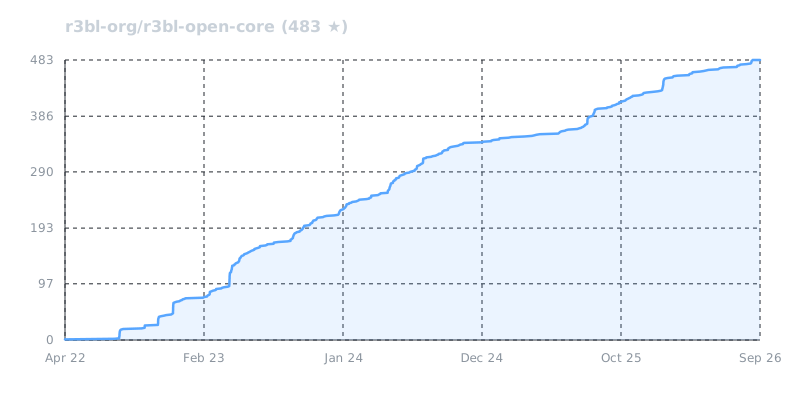
Star History
Origin Story
After leaving Google in 2021, I (Nazmul Idris) embarked on a journey to create infrastructure for modern, powerful, async CLI and TUI experiences.
I initially tried Node.js with ink, but encountered fundamental limitations:
- Module incompatibilities and dependency conflicts.
- Limited control over keybindings and terminal behavior.
- High resource consumption for simple tasks.
- Screen flickering and poor rendering performance.
Since I couldn't find the framework and toolkit of my dreams, I decided to build it myself from scratch in Rust.
The core architectural innovation: a purely async, immediate mode reactive UI (every state
change triggers a render from scratch) where nothing blocks the main thread - unlike
traditional approaches using platform-specific blocking operations like GNU readline
on Linux/macOS or Windows ReadConsole().
This fully async, responsive framework works seamlessly across Linux, macOS, and Windows. It's optimized for use over SSH connections by painting only diffs, and handles complex concurrent operations with low latency while ensuring no thread blocking.
Archive
As this repo grows, changes, and matures, pruning is necessary. The
r3bl-open-core-archive is where all the code and artifacts that are no longer needed
are moved to.
This way nothing is "lost" and if you need to use some of the code that was removed, you can find it there.
Also if you want to make changes to this code and maintain it yourself, please let us know.
- You can submit PRs and we can also accept them, and publish them to
crates.ioif that makes sense. - Or we can even work out and arrangements to move ownership of the code & crate to you if you would like to commit to maintaining it.
Contributors


Similar repos


Languages
Rust
95.8%
Shell
4.2%
TUI framework and developer productivity apps in Rust 🦀
See the codeREADME
r3bl-open-core
██████╗  ██████╗  ██████╗
██╔══██╗██╔═══██╗██╔════╝
██████╔╝██║   ██║██║
██╔══██╗██║   ██║██║
██║  ██║╚██████╔╝╚██████╗
╚═╝  ╚═╝ ╚═════╝  ╚═════╝
Modernizing the Terminal: Taking Inspiration From Web and Desktop Apps
Despite the massive rise of AI/LLM coding agents & execution harnesses and cloud VM
administration over SSH, terminal UI innovation has largely stagnated since the 1970s.
Most CLI tools still rely on blocking single-threaded I/O, curses-era APIs, and fragile
platform hacks - or rely on the heavy, fragile workaround of layering web stacks like
Node.js, React, and ink onto the console. This introduces unreasonable memory
bloat, high latency, broken keyboard shortcuts, and unpredictable instability that breaks
down during long-horizon agentic workflows and sub-process orchestration.
ROC (r3bl-open-core) moves the terminal forward (with love & respect) into 2026 and
beyond. ❤️
R3BL brings modern web and desktop app design patterns to the terminal, turning it into a place of focused productivity to build delightful, ergonomic, and rich text user interface (TUI) experiences.
Representing years of systems programming, performance optimization, and production-grade infrastructure design in Rust, R3BL re-imagines the terminal for the modern era - making rich, reactive TUI applications accessible over SSH to any terminal emulator across Linux, macOS, Windows, and Unix/BSDs (such as FreeBSD).
R3BL TUI is fundamentally different from vim, neovim, and ratatui through its
immediate mode reactive UI, clean separation between rendering and state mutation, and
purely async architecture - it never blocks the main thread, and natively embraces
multithreaded execution and multi-process orchestration.
Primary Use Cases
ROC is designed to power four primary use cases:
-
🤖 AI/LLM Coding Agents & Execution Harnesses: Building fast, interactive terminal interfaces and execution harnesses for AI/LLM coding agents in pure Rust. While popular agent tools are written in
Node.jsandink(see origin story), Node-based runtimes struggle with runaway memory consumption, fragile sub-process control, and unstable PTY session management when orchestrating heavy, long-running tools in sandboxed environments (containers, microVMs, systemd-nspawn machines, etc.). Furthermore, Node-based runtimes struggle with terminal input decoding, frequently dropping modifier keys, mangling keyboard chords, and introducing sluggish ESC key disambiguation lag. ROC provides a rock-solid, pure Rust foundation engineered for native PTY orchestration, zero-latency ANSI input decoding, deterministic process lifecycles, flicker-free diff rendering, and minimal resource overhead. -
☁️ DevOps & Cloud Workflows: Administering modern cloud infrastructure shouldn't feel like using stone-age tools to build a satellite. Juggling remote VMs, containers, and multi-process server environments through bare terminal sessions is slow and error-prone. ROC transforms terminal workflows into a rich, responsive workspace with in-memory virtual terminal emulation, virtual tabs, 2D horizontal panning across wide logs, and double-buffered diff rendering that stays lag-free even over high-latency SSH connections.
-
📝 Interactive Document & Markdown Workflows: Rich interactive editing, syntax highlighting, and real-time code block execution directly inside Markdown documents in the terminal, bridging documentation directly with live operations.
-
🛠️ Developer Productivity Infrastructure: High-efficiency developer tooling and composable terminal infrastructure to enhance knowledge capture, eliminate friction, and streamline everyday command-line workflows.
The framework supports the full spectrum from CLI to inline dialogs to full-screen TUI and terminal multiplexing experiences with deep systems integration.
ROC Workspace Architecture: Core Engine, Productivity Apps & Build Tools
With over 2.7M downloads across crates.io, ROC (r3bl-open-core) provides
production-grade systems infrastructure across five specialized crates:
| Crate | Purpose |
|---|---|
r3bl_tui | Core foundational async TUI engine, reactive runtime & PTY primitives |
r3bl-cmdr | Suite of productivity apps (giti, edi, env-source) |
r3bl-build-infra | Developer infrastructure & build tools (cargo-rustdoc-fmt, spawny) |
r3bl-rust-analyzer-mcp-server | High-performance std-thread rust-analyzer MCP server for coding agents & IDEs |
r3bl_analytics_schema | Shared schema for privacy-first analytics & upgrade checks |
Built-from-Scratch Primitives: The Four Pillars of r3bl_tui
At the heart of ROC is r3bl_tui, which provides four foundational interaction
primitives designed from the ground up in pure Rust:
-
📟 CLI & REPLs (
readline_async): Unlike GNUreadlinewhich is single-threaded and blocking, our implementation is fully async, interruptable, and non-blocking, allowing background spinners and tasks to print concurrently without pausing line editing or blocking your main thread. -
📑 Inline / Partial TUI (
choose): Single-shot interactive multi-select dialogs that enter raw mode and render inline in terminal scrollback without taking over the screen or disrupting the back buffer (similar tofzfin spirit). -
🖥️ Full-Screen TUI: Complete raw mode with alternate screen support, fully async and panic-safe terminal restoration. Build React and Elm inspired apps with unidirectional data flow, responsive flexbox layouts, declarative CSS-like styling, reactive state architecture, reusable modal dialogs with asynchronous autocomplete, and a full-featured Markdown editor component with custom parser, custom syntax highlighter, and fast zero-copy gap buffer.
-
🔀 Terminal Multiplexing & PTY: In-memory virtual terminals, virtual terminal tabs, deterministic process orchestration, and multiplexing primitives (build your own
tmuxor sandboxed AI/LLM coding agent execution harness) featuring 2D horizontal viewport panning and decoupled throughput.
Power via Composition: Designed to be loosely coupled and strongly coherent, you can
pick and choose only what you need or compose them seamlessly within a single application.
Transition smoothly from a non-blocking readline_async prompt into an inline choose
menu, launch a full-screen TUI for complex tasks, or orchestrate background PTY
subprocesses, all sharing application state without process restarts.
Automated Headless Testing & Benchmarking
The entire framework across all 4 pillars is testable across Linux, macOS, and Windows. Powered by our own PTY pillar, real production code runs headlessly in an isolated virtual terminal environment, enabling end-to-end testing of interactive apps without requiring human interaction:
- PTY Automated Interactive Testing: Enables end-to-end testing of interactive apps
via headless PTY subprocess orchestration with the
generate_pty_test!macro. Automate key sequences, window resizing, and screen output verification in completely isolated child processes without someone having to sit and manually type at a keyboard. - Visual UI Snapshot Testing: Everything renders to an offscreen buffer (
OfsBuf), providing built-in visual snapshot testing. Easily diff and assert the actual rendered terminal screen state headlessly generated in a real PTY environment. - Sans-IO In-Memory Terminal: Pure functional VT-100 parser verifying virtual terminal screen buffers directly in RAM with zero OS syscalls.
- Decoupled I/O Devices:
InputDeviceandOutputDeviceabstract terminal I/O away from physicalstdinandstdout, allowing input events and output streams to be driven and inspected directly in tests without taking over your terminal. - Empirical Benchmarking & Flamegraph Profiling: Continuous performance measurement via Rust's built-in benchmarking suites and automated flamegraph profiling against established baselines rather than guesswork.
Engineered for Performance, Correctness & Reliability
-
📐 Zero-Cost Type-Proof Architecture & Mathematical Correctness: Rather than relying on ambiguous primitive integers (
usize,u16) and runtime assertions, formal type theory and trait hierarchies make illegal states unrepresentable:- The Newtype Pattern for Domain Separation & Coordinate Safety: Replaces raw
primitive integers with zero-cost newtypes (
CRow,VPRow,CHeight), eliminating primitive obsession and transposition bugs with zero runtime memory or performance overhead:- 0-Index vs 1-Index Separation: Strongly types the distinction between
0-based buffer positions (
IndexOps:VPRow,VPCol,CRow,CCol), 1-based terminal coordinates (TermRow,TermCol), and 1-based lengths (LengthOps:VPHeight,VPWidth,CHeight,CWidth). - Safe Bidirectional Conversions: Pairing traits provide explicit conversions
between 0-based and 1-based domains (
to_zero_based(),from_zero_based(),convert_to_length()). - Algebraic Identities & CSI Zero Protection: Enforces algebraic laws
(
Index + Length = Index,Index - Index = Length) to eliminate dangerous manual arithmetic on raw integers, preventing off-by-one errors (<vs<=), negative underflow, and CSI zero-index terminal crashes (TermRowDelta,TermColDelta). - Empirically Proven Zero-Cost Layout: Newtypes share the identical memory layout, size, and ABI of raw primitives (passed in CPU registers with zero heap allocation or indirection) and are completely erased during LLVM compilation; Criterion benchmarks confirm execution differences remain strictly within the +/- 2% noise margin (FUNARCH 2026).
- 0-Index vs 1-Index Separation: Strongly types the distinction between
0-based buffer positions (
- Dual-Domain Coordinate Trait Hierarchy: Strict trait boundaries isolate 64-bit
memory coordinates (
StorageCoordinate,usize:CPos) from 16-bit visual coordinates (ScreenCoordinate,u16:VPPos), requiring explicit camera viewport transformations. - Explicit Narrowing/Widening Traits & Zero Raw
asCasts: Replaces dangerous, silent primitiveascasting across the codebase with explicit, type-safe traits (WideningCastTofor lossless promotions andNarrowingCastTofor checked/clamped reductions), preventing accidental truncations and sign-loss bugs. - Eliminating Boolean Blindness with Witness Enums: Grounded in ACM research
(FUNARCH 2023 and Parse, don't validate), boundary and
bounds checks never return uninformative
boolflags. Instead, they return structured witness enums (ArrayOverflowResult,RangeBoundsResult), forcing callers to exhaustively handle all boundary states at compile time.
- The Newtype Pattern for Domain Separation & Coordinate Safety: Replaces raw
primitive integers with zero-cost newtypes (
-
🦄 First-Class Unicode & Complex Emoji Engine (
GCString): Most terminal emulators and TUI libraries break when handling "jumbo emojis", zero-width joiners (ZWJ), skin tone modifiers, and wide characters (display width > 1), causing visual tearing, misaligned borders, and string-slicing panics. ROC solves this from the ground up viaGCStringOwned:- Tri-Index Separation: Strictly decouples memory position (
ByteIndex, UTF-8 offset), logical editing position (SegIndex, user-perceived grapheme clusters), and visual column position (VPCol, actual terminal display width). - Complex Emoji & Modifier Support: Correctly measures and renders multi-codepoint
sequences (e.g.,
👨🏾🤝👨🏿spans 5 codepoints and 7 code units, but resolves to 1 logical grapheme segment and 2 visual columns). - Panic-Proof Slicing & Boundary Safety: Guarantees cursor navigation, backspace, and substring slicing never split UTF-8 codepoints or mid-grapheme clusters, eliminating runtime slicing panics across editors, line inputs, and diff rendering.
- Tri-Index Separation: Strictly decouples memory position (
-
🔒 Supply-Chain Integrity & Owning Our BOM: In an era of software supply-chain attacks, maintainer burnout, and abandonware, our explicit architectural goal is to own our Bill of Materials (BOM). Critical primitives (including our custom
direct_to_ansiterminal I/O backend, VT-100/ANSI parser, zero-copy gap buffer, and Markdown parser) are engineered in-house in pure Rust. We strictly limit external dependencies to actively funded, strongly supported, and battle-tested industry foundations (such astokio,mio, andmimalloc), safeguarding production applications against transitive bloat, sudden deprecations, and upstream vulnerabilities. -
🌍 Multi-Backend Architecture (Linux, macOS, Windows, Unix/BSDs): Native, first-class support across platforms using the best backend for each OS:
- Linux: Our custom high-performance, Linux-native
direct_to_ansiengine (talking directly to the terminal device viamio/epoll for minimal latency and maximum throughput, without the use ofcrossterm). - macOS, Windows & Unix/BSDs: Currently powered by
crossterm. We plan to expanddirect_to_ansiin the future to replacecrosstermacross all platforms.
- Linux: Our custom high-performance, Linux-native
-
🚀 SIMD Contiguous Memory Layout (
Flat2DArray): Single contiguous 1D allocation indexed as 2D, delivering 2.3x rendering speedups, SIMD chunk batching, and eliminating pointer indirection (implementation deep dive and memory latency theory). -
🧑🤝🧑 Double-Buffered SSH-Optimized Diff Rendering: Double-buffered compositor computes minimal cell-level diffs between frames, painting only what changed for smooth, flicker-free performance over high-latency SSH connections, with multi-layer Z-order compositing for modal overlays and popups.
-
🔀 Terminal Multiplexing & PTY Architecture (
PTYMux): Decouples physical display constraints from subprocess execution via virtual terminals and process orchestration:- 2D Viewport Panning in PTY Sessions (Horizontal Scrolling without Wrapping):
Traditional terminal emulators (like
xterm,Alacritty,Kitty) lack horizontal panning for standard CLI tools (likecat,grep,git log,dmesg), forcibly hard-wrapping wide lines across rows and mangling tabular data, JSON, or stack traces into unreadable spaghetti. When running any CLI program inside a ROC PTY session (a concrete manifestation of which ispty_mux_example, powered byGrowableBufferandPTYMux), ROC decouples the physical viewport from the virtual terminal canvas width (e.g., 1,000+ columns). The child process writes into this wide virtual canvas without line wrapping, allowing users to smoothly pan horizontally (Shift + Mouse Wheelor trackpad gestures) across the output without layout destruction. - Decoupled Throughput vs. Terminal Bottlenecks (Faster Than Bare
xterm): In traditional terminal emulators (likexterm), running a command that dumps megabytes of text (e.g.,cat large.log) blocks the process onstdoutI/O while the terminal synchronously parses escape codes, recalculates line wrapping, and rasterizes every glyph. Counter-intuitively, running that same command inside a ROC PTY session (such aspty_mux_example) running insidextermis often significantly faster than running the command directly in barexterm. ROC's headless VT-100 parser (OfsBufVT100) acts as an in-memory shock absorber, ingesting raw subprocess output at memory bus speeds, while double-buffered diff rendering paints only the visible viewport to the host terminal at controlled display intervals. Subprocesses drainstdoutwithout stalling on terminal drawing or network I/O backpressure.
- 2D Viewport Panning in PTY Sessions (Horizontal Scrolling without Wrapping):
Traditional terminal emulators (like
-
🕊️ Terminfo Liberation: Completely frees your applications from legacy
terminfo/termcapdatabases and ncurses baggage by querying modern ANSI protocols directly at runtime. -
📜
CSS-Like Styling & Declarative Layouts: Responsive flexbox layouts and declarative CSS-like styling inspired by React and Elm. -
🎨 Intelligent Color Degradation: Automatically detects terminal capabilities and gracefully degrades colors: 24-bit Truecolor -> 256 colors -> 16 ANSI colors -> Monochrome (black & white). Gracefully handles environments lacking truecolor support (such as pre-macOS 26 Tahoe
Terminal.app, Linux virtual consoles, or headless CI runners), complete with dynamic lolcat rainbow color-wheel palettes that automatically adapt to terminal color capability. -
⌨️ Modern Terminal Input & Keyboard Protocol Architecture: Combines Linux-native kernel TTY polling via
direct_to_ansiwith an IO-free Sans-IO protocol state machine for robust, zero-latency input handling across local terminals and SSH:- Linux-Native
direct_to_ansiDriver: BypassescrosstermandlibcFFI wrappers on Linux by talking directly to/dev/ttyviamio/epoll(7), eliminating thread-blocking reads and CPU-spinning loops. - Disambiguating Modifier Chords & Key Collisions: Reliably decodes chords and
combinations that traditional terminal runtimes mangle or drop - such as
Shift+Enter,Ctrl+Enter,Ctrl+Tab,Ctrl+Number/Punctuation,Ctrl+IvsTab, andAlt+[collisions. - Kitty Keyboard Protocol (
CSI u) Progressive Enhancement: Negotiates advanced keyboard protocols with modern terminals (Kitty keyboard protocol), enabling full modifier reporting, key-release events, and unambiguous key sequences with graceful legacy fallback. - Zero-Latency ESC Disambiguation (
MaybeMore): Replaces brittle 50-100ms timeout heuristics with an internal state machine (Drained,KernelMayHaveMore,RemainingInReadBuffer), achieving 0ms zero-latency ESC handling while correctly reassembling multi-packet escape sequences across SSH. - OSC Terminal Query Absorption & SGR Mouse Reporting: Frames and absorbs
background terminal responses (such as OSC 10/11 color queries and OSC 52 clipboard)
on
stdinto prevent terminal text leakage, while supporting full SGR mouse tracking (clicks, drags, scroll wheel).
- Linux-Native
-
🧩 Composable "Applet" Architecture & Shared State: Enables multiple integrated TUI experiences ("applets") to run within the same process and terminal window. Supports shared application state across sub-apps alongside local view state, allowing seamless transitions and routing between Full-Screen TUI views and inline Partial-TUI dialogs without process restarts or lost context.
Welcome to the monorepo and workspace
All the crates in the r3bl-open-core monorepo provide lots of useful functionality to
help you build TUI (text user interface) apps, along with general niceties & ergonomics
that all Rustaceans 🦀 can enjoy 🎉.
Any top-level folder in this repository that contains a Cargo.toml file is a Rust
project, also known as a crate. These crates are likely published to crates.io.
Together, they form a Rust workspace.
Here's the changelog for this monorepo containing a Rust workspace. The changelog is a great place to start to get familiar with what has changed recently in each of the crates in this Rust workspace.
This workspace contains crates for building TUI, CLI, TTY apps
The r3bl_tui crate is the main crate that contains the core functionality for building
TUI apps. It allows you to build apps that range from "full" TUI to "partial" TUI, and
everything in the middle.
Here are some videos that you can watch to get a better understanding of TTY programming.
This crate provides five entry points for building interactive terminal applications. Each
internalizes terminal availability and size checks, and returns a TuiAvailability<T>
enum:
| Entry Point | Purpose | Best For |
|---|---|---|
TerminalWindow::main_event_loop() | Full TUI framework | Complex, multi-component apps with layouts, dialogs, and custom logic. |
ReadlineAsyncContext::try_new() | Async Readline | CLI-style line input, REPLs, and background logging. |
choose() | Interactive Selection | Prompting user to select one or more items from a list. |
PTYMuxBuilder::build() | Terminal Multiplexer | Wrapping existing CLI tools (like htop, bash) in a multi-pane TUI. |
Spinner::try_start() | Indeterminate Progress | Long-running tasks needing visual feedback (standalone or embedded). |
Full TUI (async, raw mode, full screen) for immersive TUI apps
tui gives you "raw mode", "alternate screen" and "full screen" support, while being
totally async. It provides a full-featured framework with:
Apptrait: Unidirectional data flow architecture.FlexBox: Responsive layout engine.- Component System: Reusable UI elements (editors, dialogs, etc.).
An example of this is the "Full TUI" app edi in the r3bl-cmdr crate. You can install
& run this with the following command:
cargo install r3bl-cmdr
edi
Partial TUI (async, partial raw mode, async readline) for choice based user interaction
choose allows you to build less interactive apps that ask a user to make choices from
a list of options and then use a decision tree to perform actions.
An example of this is this "Partial TUI" app giti in the r3bl-cmdr crate. You can
install & run this with the following command:
cargo install r3bl-cmdr
giti
Partial TUI (async, partial raw mode, async readline) for async REPL
readline_async gives you the ability to easily ask for user input in a line editor.
You can customize the prompt, and other behaviors, like input history.
Using this, you can build your own async shell programs using "async readline & stdout".
Use advanced features like showing indeterminate progress spinners, and even write to
stdout in an async manner, without clobbering the prompt / async readline, or the
spinner. When the spinner is active, it pauses output to stdout, and resumes it when the
spinner is stopped.
An example of this is this "Partial TUI" app giti in the r3bl-cmdr crate. You can
install & run this with the following command:
cargo install r3bl-cmdr
giti
Here are other examples of this:
tcp-api-server: An interactive async REPL client demonstratingreadline_asyncwith concurrent background tasks and progress spinners.tui/examples: Standalone examples in this workspace demonstrating async readline (readline_async.rs), spinners (spinner.rs), shell (shell_async.rs), and PTY orchestration.
Terminal multiplexer
PTYMux::run() lets you build a terminal multiplexer similar to tmux. It manages
multiple child processes (each in its own PTY) with per-process virtual terminal buffers
and instant switching. See the pty_mux_example for a working example that wraps
bash, htop, and other CLI tools.
Power via composition
You can mix and match "Full TUI" with "Partial TUI" to build for whatever use case you
need. r3bl_tui allows you to create application state that can be moved between various
"applets", where each "applet" can be "Full TUI" or "Partial TUI".
Main library crate
There is just one main library crate in this workspace: r3bl_tui.
Main binary crate
There is just one main binary crate that contains user facing apps that are built using
the library crates: r3bl-cmdr. This crate contains these apps:
giti: Interactive git workflows made easy.edi: Beautiful Markdown editor with advanced rendering and editing features.env-source: Fast cross-platform environment loader evaluating scripts across POSIX sh, Fish, PowerShell, and cmd.exe.
You can install & run this with the following command:
cargo install r3bl-cmdr
# Interactive git workflows made easy.
giti --version
# Beautiful Markdown editor with advanced rendering and editing features.
edi --version
# Fast cross-platform environment loader.
env-source --version
Build infrastructure and developer tooling crate
The r3bl-build-infra crate provides developer productivity tools:
cargo-rustdoc-fmt: Formats markdown tables and converts inline links to reference-style links in rustdoc comments.
You can install this binary with:
cargo install r3bl-build-infra
# Or from local source within this workspace:
fish run.fish install-build-infra
Project Task Organization
This project uses a task management system for organizing day-to-day development work
using detailed task files with implementation plans in the ./task/ directory.
Task Management Files
./task/- Directory containing detailed task management files:- Active tasks:
task_*.mdfiles in root of./task/- Complex tasks currently in progress pending/: Tasks queued for later workdone/: Completed task files moved from root after all steps are marked[COMPLETE]archive/: Abandoned tasks retained for historical referenceAGENTS.md: Rules and format specifications for creating and maintaining task files
- Active tasks:
Task File Format
Detailed task files follow a structured format defined in ./task/AGENTS.md:
Structure:
# Task Overview

High-level description, architecture, context, and the "why"

# Implementation Plan

## Step 0: Do Something [STATUS]

Detailed instructions for this step

### Step 0.0: Do Subtask [STATUS]

Details about subtask

### Step 0.1: Do Another Subtask [STATUS]

Details about another subtask

## Step 1: Do Something Else [STATUS]

More detailed steps...
Hierarchical organization:
- Steps are numbered (Step 0, Step 1, Step 2, etc.)
- Substeps use decimal notation (Step 0.0, Step 0.1, etc.)
- Table of contents automatically generated and maintained using
doctoc - Formatting standardized with
prettier
Status markers:
[COMPLETE]- Step finished and verified[WORK_IN_PROGRESS]- Currently working on this step[BLOCKED]- Cannot proceed (waiting for dependency)[DEFERRED]- Postponed to later
Task Workflow Commands
The /r3bl-task slash command (defined in AGENTS.md: task-tracking-system) manages
the task lifecycle:
Create a new task:
/r3bl-task create my_feature_name
- Creates
./task/task_my_feature_name.mdfrom your detailed plan - Use after you have a comprehensive plan in your todo list
- Initializes structure with steps and status markers
Update an existing task:
/r3bl-task update my_feature_name
- Updates progress markers in
./task/task_my_feature_name.md - Moves completed task files to
./task/done/when all steps are[COMPLETE]
Resume working on a task:
/r3bl-task load my_feature_name
- Loads
./task/task_my_feature_name.mdfor continued work - Resumes from the last step marked
[WORK_IN_PROGRESS] - If none found, asks which incomplete step to start with
Workflow Connection
The task organization workflow connects strategic planning with tactical execution:
- Strategic Planning (
docs/folder): Feature roadmaps, architectural decisions, design documents - Planning to Active Work: Complex features are documented in
docs/first. - Tactical Execution:
- Complex tasks get detailed planning →
/r3bl-task create→./task/task_*.md - Work progresses through hierarchical steps with
/r3bl-task updatemarking progress - Completion → Task moved to
./task/done/via/r3bl-task update
- Complex tasks get detailed planning →
This approach (docs → ./task/) ensures strategic planning, tactical planning, and detailed execution are well-organized and connected.
Development Tools Integration
R3BL provides IDE extensions to enhance your development workflow:
For VSCode Users
R3BL provides custom VSCode extensions including Task Spaces (organize editor tabs by context), theme, and enhanced syntax highlighting. See the R3BL VSCode Extensions section below for installation and detailed feature descriptions.
Workflow Integration:
The R3BL Task Spaces extension helps you organize editor tabs by context (e.g., one space
for features, one for docs, one for debugging) while the ./task/ files track your
implementation progress.
Documentation and Planning
We invest heavily in documentation quality because it is the right thing to do. Also, research shows it is the single most important factor developers consider when evaluating open source projects. In the Rust ecosystem specifically, documentation is the #1 crate evaluation criterion (RFC 1824), and 91% of practitioners depend on documentation for adoption decisions (2024 study). Every public API has rustdoc comments with usage examples, and doc tests verify that every example compiles and runs.
Our documentation standards are not aspirational - they are machine-enforced. Conventions for voice, structure, links, and formatting are codified as an AI (LLM) skill that runs during development, not a style guide that sits in a wiki collecting dust. We also operationalize inclusivity at the documentation level: our Pedagogical Links for Inclusivity rule requires linking domain-specific terms to external references so no reader is excluded by assumed knowledge - a concrete, measurable practice rather than a vague aspiration.
The docs/ folder contains comprehensive documentation for this project, including:
Documentation Philosophy
why-good-docs-matter.md- Research evidence for why we invest heavily in documentation quality
Release and Contribution Guides
release-guide.md- Step-by-step guide for releasing new versionscontributing_guides/- Detailed contribution guidelines including:- Branch naming conventions (
BRANCH.md) - Commit message standards (
COMMIT_MESSAGE.md) - Issue creation guidelines (
ISSUE.md) - Pull request procedures (
PULL_REQUEST.md) - Code style guide (
STYLE_GUIDE.md)
- Branch naming conventions (
Technical Design Documents
- Parser strategy analysis and design decisions
- Performance optimization guides (
docs/task_tui_perf_optimize.md) - Architecture documentation for various components
- Feature-specific planning and design documents
The docs/ folder serves as the central repository for:
- Long-term planning: Strategic goals and feature roadmaps
- Technical decisions: Architecture choices and implementation strategies
- Process documentation: How we work and contribute to the project
- Design artifacts: Detailed analysis of complex features before implementation
Learn how these crates are built, provide feedback
To learn how we built this crate, please take a look at the following resources.
- If you like consuming video content, here's our YT channel. Please consider subscribing.
Quick Start
Automated Setup (Recommended)
Use the bootstrap script to automatically install all required tools:
# Clone the repository
git clone https://github.com/r3bl-org/r3bl-open-core.git
cd r3bl-open-core

# Run the bootstrap script
./bootstrap.sh
The bootstrap.sh script handles OS-level setup with a clean main function
structure and will:
- Cross-Platform Support: Works on macOS (Homebrew) and Linux including Ubuntu (apt), Fedora (dnf), Arch (pacman), openSUSE (zypper), and Alpine (apk)
- Core Rust Installation: Install Rust toolchain (
rustup) and ensurecargois inPATH - Development Shell: Install
Fishshell andfzffor interactive development - File Watching: Install file watchers (
inotifywaiton Linux,fswatchon macOS) - Development Utilities: Install
htop,screen,tmuxfor system monitoring - Node.js Ecosystem: Install
Node.jsandnpm(for Markdown formatting via Prettier and local documentation serving) - AI (LLM) Integration (Optional): If you choose to use an AI coding agent, the repo
supports
Antigravity CLI(agy), or any tool of your choice - Rust Development Tools Setup: Call
fish run.fish install-cargo-toolsfor all Rust-specificcargotooling
Architecture: Uses clear function separation with main() orchestrator and dedicated
functions for each concern (install_rustup, install_clang, install_shell_tools,
etc.)
Manual Setup
If you prefer manual installation or are on Windows:
# Install Rust
curl --proto '=https' --tlsv1.2 -sSf https://sh.rustup.rs | sh

# Install `fish`, `fzf`, `nodejs`, and `npm` (via package manager)
# Ubuntu/Debian: sudo apt install fish fzf nodejs npm
# macOS: brew install fish fzf node
# Or run `./bootstrap.sh` for automatic detection

# Install Rust development tools (after OS dependencies)
fish run.fish install-cargo-tools
Note: The manual approach requires you to install OS-level dependencies yourself. The
install-cargo-tools command focuses specifically on Rust development tools:
From crates.io (via cargo-binstall with fallback to cargo install):
cargo-binstall: Fast binary installer (installed first as foundation)- Core Development Tools:
bacon,flamegraph,inferno - Workspace Management:
cargo-workspaces,cargo-cache,cargo-update - Code Quality & Link Checking:
cargo-deny,cargo-unmaintained,cargo-expand,cargo-readme,lychee - Language Server Components:
rust-analyzercomponent,rust-src
From local source (via cargo install --path):
- cmdr:
edi,giti,rc,env-sourcebinaries (callsrun.fish install-cmdr) - build-infra:
cargo-rustdoc-fmt(callsrun.fish install-build-infra) - rust-analyzer-mcp-server:
rust-analyzer-mcp-serverMCP binary (callsrun.fish install-rust-analyzer-mcp-server)
Features:
- Smart Installation: Uses
cargo-binstallfor speed with fallback tocargo install --locked - Local Source Rebuild: Always rebuilds
cmdr,build-infra, andrust-analyzer-mcp-serverfrom source with current toolchain - Shared Utilities: Leverages utility functions from
script_lib.fishfor consistency
IDE Setup and Extensions
R3BL VSCode Extensions
For an optimal development experience with r3bl-open-core in VSCode, we provide a custom extension pack specifically designed for Rust development. This extension pack is not available on the VSCode marketplace and must be installed manually.
What's included:
- Task Spaces - Organize and switch between collections of editor tabs for different
work contexts (e.g., one space for editing features, one for writing documentation, one
for debugging). Complements the
./task/file management system by helping you organize your editor sessions. - R3BL Theme - A carefully crafted dark theme optimized for Rust and Markdown development
- Auto Insert Copyright - Automatically inserts copyright headers in new files
- Semantic Configuration - Enhanced Rust syntax highlighting with additional semantic tokens
- Extension Pack - Bundles all R3BL extensions for easy installation
Benefits for r3bl-open-core development:
- Zero manual configuration required
- Enhanced semantic highlighting for better code readability
- Automatic copyright header insertion following project standards
- Seamless integration with rust-analyzer
- Optimized color scheme for the r3bl codebase
Installation:
# Clone the extension repository
git clone https://github.com/r3bl-org/r3bl-vscode-extensions.git
cd r3bl-vscode-extensions

# Install extensions (works with both VSCode and VSCode Insiders)
./install.sh
Prerequisites:
- VSCode or VSCode Insiders installed
- Bash shell (for running install.sh)
Post-installation:
- Restart VSCode
- Select the R3BL Theme:
Ctrl+Shift+P→ "Preferences: Color Theme" → "R3BL Theme" - Configure copyright settings if needed
The R3BL VSCode extensions work seamlessly with the existing development tools mentioned
in this guide, including rust-analyzer, bacon, and the comprehensive development
workflow.
AI (LLM) Coding Agent Integration (Optional)
We believe developers should be empowered to think for themselves, read & understand code, and write code. We do not push the use of AI (LLM) coding agents or advocate "vibe coding".
Comprehensive Non-AI (LLM) Tooling:
Our primary development experience is built around robust tools and scripts which don't require LLMs. These tools are deterministic (not probabilistic), don't hallucinate, are fast & efficient, and only consume your local compute and energy resources:
./check.fish: Your go-to tool for builds, tests, and linting.run.fish: Orchestrates workspace-wide commands.bacon: Provides real-time background feedback.bootstrap.sh: Automated OS-level and toolchain setup.cargo-rustdoc-fmt: Custom rustdoc formatter located in thebuild-infra/folder.- R3BL VSCode Extensions: Enhancements for the developer's environment (Themes, Copyright management, etc).
- Core Rust Stack:
rustup,cargo,rust-analyzer,clippy,rustfmt. - CLI Power Tools:
fzf(fuzzy finding),btop(monitoring),tmux(multiplexing),flamegraph(profiling),inferno(stack collapse),lychee(link checking). - Workspace Utilities:
cargo-binstall,cargo-deny,cargo-expand,cargo-update,cargo-workspaces,cargo-cache,cargo-outdated,cargo-unmaintained,cargo-readme,cargo-warloc(count lines of code).
For those who choose to use AI (LLM) coding agents, this project is agent-agnostic and provides structured guidance to support you in using your tool of choice. This ensures that you can:
- Explore the existing codebase with confidence.
- Run tests, do profiling, and measure optimizations.
- Refactor code or generate new code that adheres to our engineering standards. There are
manual review steps and many other guardrails in place in the
skillsthemselves.
How it works:
Using an AI coding agent is completely optional. If you do choose to use an AI/LLM coding
agent (such as Antigravity CLI (agy), or any tool of your choice), point it to the
instructions in AGENTS.md. This file contains our design philosophy, coding standards,
and crate-specific guidance.
To equip your AI coding agent with AST-aware code navigation, compiler diagnostics, and
automated quick-fixes via rust-analyzer, connect it to our
r3bl-rust-analyzer-mcp-server (crates.io: r3bl-rust-analyzer-mcp-server) Model
Context Protocol (MCP) server.
Available Skills (.agents/skills/):
When used, AI (LLM) coding agents can leverage the patterns and commands defined in the
.agents/ directory:
| Skill | Purpose |
|---|---|
check-code-quality | Comprehensive quality checklist (check → build → clippy → tests) |
run-clippy | Linting, comment punctuation, cargo fmt |
write-documentation | Rustdoc conventions, intra-doc links, constant formatting |
organize-modules | Private modules with public re-exports pattern |
check-bounds-safety | Type-safe Index/Length patterns for bounds-sensitive code |
analyze-performance | Flamegraph-based performance regression detection |
design-philosophy | Core principles: cognitive load, type safety, abstraction worth |
Slash Commands:
Invoke skills directly in your AI (LLM) coding agent:
| Command | Action |
|---|---|
/check | Run comprehensive code quality checks |
/docs | Documentation build and formatting |
/clippy | Code style and linting |
/fix-intradoc-links | Fix rustdoc intra-doc links |
/check-regression | Detect performance regressions |
/analyze-logs | Analyze log files (strips ANSI codes) |
/r3bl-task | Task management (create, update, load, done) |
AI (LLM) Coding Agent Synergy: R3BL VSCode Extensions
For the best experience, install the R3BL VSCode Extensions. They boost your productivity whether you use them standalone or hand-in-hand with AI (LLM) coding agents. Here are some highlights:
| Extension | AI (LLM) Coding Agent Synergy |
|---|---|
| R3BL Theme | Optimized dark theme for long coding sessions with AI (LLM) coding agents |
| R3BL Task Spaces | Organize editor tabs by task context — switch between feature work, debugging, and documentation while the agent tracks your ./task/ files |
| R3BL Copy Selection Path | Press Alt+O to copy file paths with line ranges — paste directly into your agent for precise code references |
Build the workspace and run tests
There's a unified fish script that you can use to run the build and release pipeline
for this workspace, and more (local only operations).
To get a list of available commands, you can review the fish script in the root of this
repo run.fish. To see all available commands:
fish run.fish
Key Commands
| Command | Description |
|---|---|
fish run.fish all | Run all major checks (build, test, clippy, docs, audit, format) |
fish run.fish build | Build the entire workspace |
fish run.fish test | Run all tests across the workspace |
fish run.fish install-cargo-tools | Install all dev tools (crates.io + local source packages) |
fish run.fish update-cargo-tools | Update all tools (crates.io + rebuild local source packages) |
fish run.fish install-cmdr | Install cmdr binaries (edi, giti, rc, env-source) from source |
fish run.fish install-build-infra | Install build-infra tools (cargo-rustdoc-fmt) from source |
fish run.fish test-watch [pattern] | Watch for file changes and run specific test |
fish run.fish run-examples | Run TUI examples interactively |
fish run.fish run-examples-flamegraph-svg | Generate SVG flamegraph for performance analysis |
fish run.fish run-examples-flamegraph-fold [--benchmark] | Generate perf-folded format for analysis (use --benchmark for reproducible profiling) |
fish run.fish bench | Run benchmarks |
fish run.fish run-binaries | Run cmdr binaries (edi, giti, rc, env-source) interactively |
fish run.fish dev-dashboard | Start 2-pane tmux development dashboard (tests, docs, checks) |
fish run.fish check-full | Run comprehensive checks (tests, doctests, docs, toolchain validation) |
fish run.fish check-windows-build | Verify Windows cross-compilation (platform cfg gates) |
fish run.fish toolchain-validate | Quick toolchain validation (components only, ~1-2 seconds) |
fish run.fish toolchain-validate-complete | Complete toolchain validation (full build+test, ~5-10 minutes) |
fish run.fish toolchain-update | Update Rust to month-old nightly toolchain with cleanup |
fish run.fish toolchain-sync | Sync Rust environment to match rust-toolchain.toml |
fish run.fish toolchain-remove | Remove ALL toolchains (⚠️ destructive testing utility) |
TUI Testing: The
r3bl_tuicrate uses PTY-based testing for accurate terminal I/O verification. See the PTY Testing Infrastructure section in the TUI README for details on writing and running TUI tests.
Automatic Tmpfs Symlink Architecture & Git Worktree Isolation
High-Performance Zero-Configuration Build Architecture: check.fish dynamically
provisions an isolated tmpfs target directory based on the repository and worktree
location, and symlinks ./target to that directory. This ensures blazing-fast RAM builds
(~2-3x speedup) while completely eliminating lock contention across multiple terminals,
IDE instances (rust-analyzer), and Git worktrees.
1. Git Worktree Isolation
When working concurrently across multiple Git worktrees (e.g. roc, roc-build-spawny,
roc-fix-shift-home-lockup), each worktree operates in its own isolated tmpfs workspace:
/home/user/github/roc/target                       -> /tmp/check-fish-$USER-roc-<hash>/target
/home/user/github/roc-build-spawny/target          -> /tmp/check-fish-$USER-roc-build-spawny-<hash>/target
/home/user/github/roc-fix-shift-home-lockup/target -> /tmp/check-fish-$USER-roc-fix-shift-home-lockup-<hash>/target
- Zero Lock Contention: Each worktree has its own dedicated
.lockfile and build cache. - Shared IDE & Terminal Cache: Because
./targetis a native filesystem symlink,cargo,rust-analyzer,bacon, andcheck.fishwithin the same worktree share the exact same RAM cache seamlessly without requiring customCARGO_TARGET_DIRenvironment variables.
2. Smart RAM-Aware Storage Selection
check.fish automatically inspects total physical system memory:
- High-RAM Workstations (>= 48 GiB RAM): Uses
/tmp(RAM-backed tmpfs) for maximum compilation speed. - Lower-RAM Machines (< 48 GiB RAM): Automatically routes to
/var/tmp(NVMe disk-backed storage) to prevent tmpfs exhaustion and out-of-memory crashes during large builds or background system updates.
3. Directory Independence
check.fish can be safely executed from any subfolder or crate directory (e.g. from
tui/, cmdr/, etc.). It automatically resolves the repository root (CHECK_REPO_ROOT)
and operates relative to the root project workspace.
4. Rsync & Auto-Healing Symlinks
When cloning, syncing, or copying repository folders via rsync (or across reboots where
tmpfs is wiped):
- The backing store directory is automatically re-created.
- Broken or misdirected
./targetsymlinks are detected and auto-healed whenevercheck.fishruns. - Simply execute
./check.fish --checkon any new machine or worktree to instantly provision the build cache symlink.
5. Cache Management & Cleaning (--clean)
To clear the build cache:
./check.fish --clean(Recommended): Safely empties the backing tmpfs target directory contents and staging directories, preserving the symlink structure and avoiding OS errors.cargo clean: Standard cargo clean works normally through the symlink.rm -rf target: If the./targetsymlink is manually deleted from the shell,check.fishdetects the missing symlink on the next run, wipes any orphaned backing store, and re-provisions a fresh symlink.
Incremental Compilation Management
Incremental compilation is disabled globally (incremental = false in
.cargo/config.toml) to avoid issues with the rustc dependency graph on nightly builds:
# .cargo/config.toml
[build]
incremental = false  # Disable to avoid rustc dep graph ICE on nightly
Why disable incremental compilation?
- The nightly compiler has occasional bugs with the dependency graph in incremental mode
- These bugs can cause Internal Compiler Errors (ICE) like "mir_drops_elaborated_and_const_checked"
- Disabling it globally ensures stable builds across all
cargoinvocations - The performance impact is acceptable for development workflows
If you encounter ICE errors anyway:
# Clear any corrupted incremental artifacts
rm -rf target/check target/debug target/release

# Rebuild cleanly
cargo check  # or cargo build, cargo test, etc.
The check.fish script also explicitly sets CARGO_INCREMENTAL=0 as a redundant
safeguard.
Bacon Development Tools
This project includes bacon configuration for background code checking and testing.
bacon provides real-time feedback on code changes with two distinct workflows:
Interactive Workflow (Rich TUI with details):
- Full terminal UI with detailed output
- Ctrl+click on errors and warnings to jump directly to source code (via
OSChyperlinks) - Perfect for active debugging and development
Background Workflow (Silent monitoring):
- Minimal output - just success/failure status
- Answers simple yes/no questions like "do tests pass?" or "do docs build?"
- Ideal for background monitoring while focusing on other tasks
Available Bacon Commands:
Code Quality & Checking:
| Command | Description |
|---|---|
bacon check | Fast typecheck of default target |
bacon check-all | Typecheck all targets (lib, bins, tests, benches, examples) |
bacon clippy | Run clippy lints on default target |
bacon clippy-all | Run clippy lints on all targets (keybinding: c) |
Testing:
| Command | Workflow | Description |
|---|---|---|
bacon test | Interactive | Run all tests with cargo test (includes unit, integration, and doctests) |
bacon test -- <pattern> | Interactive | Run specific test matching pattern |
bacon doctests | Interactive | Run only documentation tests (cargo test --doc) |
bacon test --headless --summary | Background | Silent test runner providing only pass/fail status |
Documentation:
| Command | Workflow | Description |
|---|---|---|
bacon doc | Interactive | Generate documentation with detailed output |
bacon doc --headless --summary | Background | Silent doc builder answering "did docs generate?" |
bacon doc-open | Interactive | Generate docs and open in browser |
Running & Benchmarking:
| Command | Description |
|---|---|
bacon run | Build and run the project in background |
bacon run-long | Run long-running processes (e.g., servers) with auto-restart on changes |
bacon ex -- <example_name> | Run specific example (e.g., bacon ex -- my-example) |
bacon bench | Run performance benchmarks |
Choose the workflow that matches your current needs:
- Use interactive when actively debugging or wanting detailed feedback
- Use background for continuous monitoring, CI/CD pipelines, or when you just need to know if things work
Testing Notes:
- Use
bacon testto run all tests (includes unit, integration, and doctests) - Use
bacon doctestsorbacon test --docto run only documentation tests
Automated Development Monitoring
The project provides two complementary approaches for continuous monitoring during development - choose based on your workflow preferences:
Option 1: Lightweight Watch Mode (Recommended for Most Users)
For developers who want automated monitoring without the overhead of tmux, use the
standalone check script:
./check.fish --watch
What it does:
- Monitors source directories: Watches
cmdr/src/,analytics_schema/src/, andtui/src/for changes - Event-driven execution: Triggers immediately on file changes (no polling delay)
- Intelligent debouncing: 1-second delay prevents rapid re-runs during saves
- Comprehensive checks: Runs tests, doctests, and doc builds automatically
- Clean progress output: Shows stage-by-stage progress without verbose
cargologs - Automatic toolchain validation: Validates and repairs Rust toolchain before checks
- ICE recovery: Detects and recovers from Internal Compiler Errors automatically
- ICE escalation: On persistent ICE, escalates to
rust-toolchain-update.fishto find a stable nightly - Continuous operation: Keeps watching even if checks fail (perfect for iterative development)
Example output:
👀 Watch mode activated
Monitoring: cmdr/src, analytics_schema/src, tui/src
Log file:   /tmp/r3bl_tui/check.log
Press Ctrl+C to stop

[10:00:00] 🔄 Quiet period reached, running checks...

[10:00:01] 🛫 Running tests...
[10:00:05] ✅ tests passed (4.2s)

[10:00:06] 🛫 Running doctests...
[10:00:08] ✅ doctests passed (2.1s)

[10:00:09] 🛫 Running doc build...
[10:00:15] ✅ doc build passed (6.3s)

[10:00:15] ✅ All checks passed!

[10:00:15] 👀 Watching for changes...
Benefits:
- Single window: No
tmuxcomplexity - just one terminal - Immediate feedback: 1-second response time after file saves
- Low overhead: Minimal resource usage compared to running multiple monitors
- Perfect for focus: Clean output doesn't distract from your editor
Event handling: While checks run (30+ seconds), the Linux kernel buffers new file
change events. When checks complete, buffered events trigger immediately if debounce
allows. This ensures no changes are lost but may cause cascading re-runs if you save
multiple times during test execution. Adjust DEBOUNCE_WINDOW_SECS in the script if
needed.
Usage:
# Show available options
./check.fish --help

# Start watch mode
./check.fish --watch

# Or run checks once (manual mode)
./check.fish              # Default: tests + doctests + docs
./check.fish --check      # Fast typecheck only (cargo check)
./check.fish --build      # Compile only (cargo build)
./check.fish --clippy     # Lint only (cargo clippy --all-targets)
./check.fish --fmt        # Format changed files (cargo fmt + cargo-rustdoc-fmt)
./check.fish --test       # Tests + doctests only
./check.fish --doc        # Docs only (quick, no deps)
./check.fish --full       # ALL checks + ICE escalation to toolchain update
Option 2: Comprehensive Tmux Dashboard
Tmux Development Dashboard
For developers who prefer a multi-pane visual environment, the tmux dashboard combines
documentation monitoring with a focused development shell.
Comprehensive 2-Pane Development Dashboard:
┌─────────────────────────────────────────────────────────────┐
│ Tmux Session: r3bl (2-pane vertical layout)                 │
├─────────────────────────────────────────────────────────────┤
│ Top Pane:                                                   │
│ ./check.fish --watch-doc                                    │
│ (Documentation watch mode for real-time feedback)           │
├─────────────────────────────────────────────────────────────┤
│ Bottom Pane:                                                │
│ (Empty, focused for your commands)                          │
└─────────────────────────────────────────────────────────────┘
Key Features:
- Persistent Session: Session name "r3bl" - reconnect from other terminals with
tmux attach-session -t r3bl - Watch Mode Documentation: The top pane runs
./check.fish --watch-docwhich triggers immediately on file changes to rebuild documentation. - Focused Development: The bottom pane is focused and ready for your manual commands, tests, or binary execution.
- Persistent Session: survives terminal disconnects, allowing you to pick up exactly where you left off.
Usage:
# Start the development dashboard
fish run.fish dev-dashboard

# Reconnect to existing session from another terminal
tmux attach-session -t r3bl

# Kill the session when done
tmux kill-session -t r3bl
Comparison: Standalone vs Tmux Dashboard:
| Aspect | ./check.fish --watch | Tmux Dashboard |
|---|---|---|
| Setup Complexity | Single command, one window | tmux session with 2 panes |
| Screen Real Estate | Minimal (one terminal) | Standard (vertical split) |
| Monitoring Scope | Comprehensive (tests+docs+doctests) | Documentation focused + open shell |
| Visual Separation | Sequential output in one stream | Parallel output in dedicated panes |
| Ideal For | Focused development, laptop screens | Continuous documentation feedback |
| Tmux Knowledge | Not required | Helpful for navigation |
| Resource Usage | Lower (one monitor) | Moderate (monitoring + open shell) |
| Event-Driven | Yes (file system events) | Yes (top pane) |
When to use each:
- Use standalone watch: When you want simple, focused monitoring of tests and docs in a single terminal.
- Use tmux dashboard: When you want continuous documentation feedback while maintaining an open shell for commands.
Both approaches use the check.fish script in different contexts - standalone for
comprehensive monitoring, integrated for a focused documentation dashboard.
Cross-Platform Verification (Windows)
This project uses platform-specific code gates (#[cfg(unix)], #[cfg(not(unix))]) for
Unix-specific functionality like terminal I/O. To verify these gates compile correctly on
Windows without needing a full Windows cross-compiler (mingw-w64), we use Rust's
metadata-only compilation.
How It Works:
The --emit=metadata flag tells rustc to stop after type checking and MIR generation,
skipping code generation and linking entirely. This validates all platform-specific cfg
gates without needing a linker for the target platform.
# Verify Windows cross-compilation
fish run.fish check-windows-build

# Or run directly:
cargo rustc -p r3bl_tui --target x86_64-pc-windows-gnu -- --emit=metadata
Prerequisites:
The Windows target is automatically installed by fish run.fish install-cargo-tools. To
install manually:
rustup target add x86_64-pc-windows-gnu
When to Use:
- After modifying
#[cfg(unix)]or#[cfg(not(unix))]conditional compilation gates - Before committing platform-specific code changes
- As part of CI/CD for cross-platform verification
- When adding new platform-specific modules or functions
Example Output:
Verifying Windows cross-compilation for r3bl_tui...
Target: x86_64-pc-windows-gnu
Mode: metadata only (no linking required)

✅ Windows cross-compilation check passed
Platform-specific cfg gates compile correctly for Windows.
Technical Details:
| Aspect | Description |
|---|---|
| Target | x86_64-pc-windows-gnu (Windows with GNU toolchain ABI) |
| Compilation | Stops at MIR stage (--emit=metadata), no object code generated |
| Linking | Not required - no mingw-w64 or Windows SDK needed |
| What's Verified | Syntax, types, trait bounds, cfg gate correctness |
| What's NOT | Runtime behavior, Windows-specific API calls, linking errors |
This approach catches the most common cross-platform issues (missing cfg gates, type mismatches in platform-specific code) with minimal setup overhead.
Platform Backends: The TUI crate supports multiple backends:
Crossterm(cross-platform, default on macOS/Windows) andDirectToAnsi(provided byr3bl_tuiitself, Linux-native, ~18% better performance). We use cfg gates to ensure the selection of the correct backend for supported platforms. See Platform-Specific Backends for details.
Rust Toolchain Management
This project includes three complementary scripts for comprehensive Rust toolchain management, each serving a specific purpose in the development workflow.
Concurrency Safety: Toolchain modification scripts (rust-toolchain-update.fish
and rust-toolchain-sync-to-toml.fish) use mkdir (atomic directory creation) to ensure
only one toolchain modification runs at a time. Validation scripts
(rust-toolchain-validate.fish and check.fish) are lock-free since they only read
toolchain state - multiple validations can run concurrently without conflict.
Why mkdir for Locking?
The key insight is understanding atomicity - when a system operation must check-and-act in a way that's guaranteed to be indivisible:
The Problem with File Existence Checks:
Traditional approaches try to check if a lock exists, then create it:
# UNSAFE - Race condition!
if [ ! -f lock ]; then
    echo "timestamp" > temp
    mv temp lock  # TOCTOU race between check and move
fi
Between the check ([ ! -f lock ]) and the move (mv temp lock), another process can
slip in and also acquire the lock. This is called a Time-Of-Check-Time-Of-Use (TOCTOU)
race condition.
How mkdir Works - Atomic Check-and-Create:
mkdir is different. It combines the check and create into ONE indivisible kernel
operation:
# SAFE - Atomic operation
mkdir lock_dir  # Check AND create in ONE kernel operation
# Only ONE process succeeds; all others fail
When mkdir runs, the kernel does:
- Check: Does the directory exist?
- Create: If not, create it
- Return: With ONE atomic operation - not two separate steps
Even with perfect timing and multiple processes starting simultaneously, only ONE can create the directory.
Technical Implementation:
# In script_lib.fish
if mkdir ./rust-toolchain-script.lock 2>/dev/null
    # Lock acquired - this process has exclusive access
else
    # Lock held by another process
fi
Key Advantages:
- Atomic: Check-and-create in ONE kernel operation (impossible to race)
- Simple: No file descriptors or special handling needed
- Reliable: Works on all Unix systems (standard POSIX behavior)
- Stale lock detection: Automatically removes locks older than 10 minutes (crashed processes)
- Crash-safe: Abandoned locks are auto-cleaned after 10 minutes, or manually via
rm -rf rust-toolchain-script.lock
The locking mechanism uses:
- mkdir (atomic directory creation): Creates lock directory atomically - succeeds for one process, fails for all others
- Atomic kernel operation: Check-and-create happens as ONE indivisible operation - the definition of mutual exclusion
- Timestamp tracking: Stores creation time in
rust-toolchain-script.lock/timestampfor age tracking - Stale lock detection: Checks lock age on collision - auto-removes if older than 10 minutes (600 seconds)
- Lock holder cleanup: Process that acquired lock removes directory (including timestamp) when done
- Conflict detection: Failed mkdir indicates lock is held - shows age for transparency
- Standard Unix pattern: Used by systemd, init systems, and most Unix tools
1. rust-toolchain-update.fish - Smart Validated Toolchain Updates
Intelligently finds and validates a stable nightly toolchain, preferring older versions for stability while ensuring they don't have ICE (Internal Compiler Error) bugs.
# Via run.fish command
fish run.fish toolchain-update

# Or directly
./rust-toolchain-update.fish
What it does:
- Smart search: Tests nightly toolchains starting from 45 days ago, moving forward day-by-day until finding a stable one (up to today)
- ICE validation: Runs comprehensive validation suite on each candidate:
cargo clippy --all-targetscargo buildcargo test --all-targetscargo test --doccargo doc --workspace --no-deps
- Toolchain vs code errors: Distinguishes between:
- ❌ ICE errors (compiler crashes) → rejects toolchain, tries next day
- ✅ Code errors (compilation/test failures) → accepts toolchain (validates compiler works, not your code)
- First stable wins: Stops at the first toolchain without ICE errors (usually finds stable toolchain in first attempt)
- Updates
rust-toolchain.tomlto use the validated stable nightly - Installs the target toolchain with
rust-analyzercomponent (required by IDEs andcargo) - Desktop notifications (via
notify-send):- 🎉 Success notification when stable toolchain found (normal urgency)
- 🚨 Critical alert if no stable toolchain found in entire 45-day window (extremely rare)
- Performs aggressive cleanup by removing all old nightly toolchains except:
- All stable toolchains (
stable-*) - The newly validated nightly
- All stable toolchains (
- Final verification with fresh build:
- Removes ICE failure files (
rustc-ice-*.txt) generated during validation - Cleans all caches:
cargocache, build artifacts - Runs full verification: tests, doctests, and documentation build
- Ensures new toolchain works perfectly from scratch
- Removes ICE failure files (
- Logs all operations to
/home/nazmul/Downloads/rust-toolchain-update.log
When to use:
- Weekly maintenance (can be automated via
systemdtimer) - When you want to update to a validated stable nightly
- When you want to clean up old toolchains
- After encountering ICE errors with current toolchain
Example output:
═══════════════════════════════════════════════════════
Starting search for stable toolchain
Strategy: Start 45 days ago, try progressively newer up to today
Search window: 2025-08-29 to 2025-10-13
═══════════════════════════════════════════════════════

Attempt 1/46
Trying toolchain: nightly-2025-08-29 (45 days ago)

━━━━━━━━━━━━━━━━━━━━━━━━━━━━━━━━━━━━━━━━━━━━━━━━━━━━━
Validating toolchain: nightly-2025-08-29
━━━━━━━━━━━━━━━━━━━━━━━━━━━━━━━━━━━━━━━━━━━━━━━━━━━━━
Running validation step: `clippy`
  ⚠️  Command exited with code 101 (this is OK if not ICE)
  ✅ No ICE detected - continuing validation
...
✅ Toolchain nightly-2025-08-29 is STABLE (no ICE detected)

🎉 FOUND STABLE TOOLCHAIN: nightly-2025-08-29
Success notification sent

✅ Successfully updated `rust-toolchain.toml`
✅ Successfully installed `rust-analyzer` component
Removed 2 old toolchain(s)
Toolchains directory size before cleanup: 5.3G
Toolchains directory size after cleanup: 2.6G
2. rust-toolchain-sync-to-toml.fish - Sync to Existing Config
Syncs your Rust environment to match whatever is specified in rust-toolchain.toml.
# Via run.fish command
fish run.fish toolchain-sync

# Or directly
./rust-toolchain-sync-to-toml.fish
What it does:
- Reads the channel value from
rust-toolchain.toml(doesn't modify it) - Installs the exact toolchain specified in the TOML
- Installs
rust-analyzerandrust-srccomponents automatically (required by IDEs andcargo) - Performs aggressive cleanup by removing all old nightly toolchains except:
- All stable toolchains (
stable-*) - The target toolchain from the TOML
- All stable toolchains (
- Logs all operations to
/home/nazmul/Downloads/rust-toolchain-sync-to-toml.log
When to use:
- After
git checkout/reset/pullchangesrust-toolchain.toml - When
rust-analyzeris missing for the current toolchain - When your IDE shows "
rust-analyzerfailed to start" - After manually editing
rust-toolchain.toml - When you need to stay on a specific nightly version
Key difference from update script:
- This script (sync): Respects TOML → Installs what's specified
- Update script: Modifies TOML → Installs "1 month ago" nightly
Example workflow:
# Weekly script updates TOML to nightly-2025-09-11
# But you need to stay on nightly-2025-09-05 for testing a specific feature
git checkout rust-toolchain.toml  # Revert to 09-05
fish run.fish toolchain-sync  # Install components for 09-05
# Now rust-analyzer works for 09-05
3. rust-toolchain-validate.fish - Unified Toolchain Validation
Consolidated validation script providing two modes: quick component check or comprehensive build+test validation.
# Quick mode: Fast component check (~1-2 seconds)
fish run.fish toolchain-validate
./rust-toolchain-validate.fish quick

# Complete mode: Full build+test validation (~5-10 minutes)
fish run.fish toolchain-validate-complete
./rust-toolchain-validate.fish complete

# View detailed help
./rust-toolchain-validate.fish
Mode Comparison:
| Aspect | Quick Mode | Complete Mode |
|---|---|---|
| Time | ~1-2 seconds | ~5-10 minutes |
| Purpose | Component verification | Stability verification |
| Use Case | Fast health checks | Pre-nightly validation |
| Checks | Installation + components + rustc works | Full build + clippy + tests + docs |
| ICE Detection | No | Yes (critical for nightly selection) |
Quick Mode Validation:
- ✅ Toolchain is installed via
rustup - ✅
rustupprofile isdefaultorcomplete - ✅
rust-analyzercomponent is present - ✅
rust-srccomponent is present - ✅
rustc --versionworks (not corrupted)
Complete Mode Validation:
- ✅ All quick mode checks
- ✅
cargo clippy --all-targets(no ICE) - ✅
cargo build(no ICE) - ✅
cargo test --all-targets(no ICE) - ✅
cargo test --doc(no ICE) - ✅
cargo doc --workspace --no-deps(no ICE)
Return Codes:
0: ✅ Valid (quick) or Stable (complete)1: ❌ Not installed (quick) or ICE detected (complete)2: ⚠️ Missing components (quick only)3: ❌ Toolchain corrupted (quick only)4: ❌ Failed to readrust-toolchain.toml5: ❌ Wrongrustupprofile (quick only)
When to use Quick Mode:
- After installing/repairing toolchain with
sync-toolchain - Troubleshooting IDE issues (
rust-analyzernot working?) - Pre-flight check before running tests
- Regular health monitoring
- Part of automated CI/CD pipelines
When to use Complete Mode:
- Verifying nightly toolchain stability before using it
- Detecting Internal Compiler Errors (ICE) in compiler
- Before committing code with new toolchain
- During
toolchain-updatesearch (finding stable nightly) - After major Rust version updates
Integration with other toolchain scripts:
check.fish: Uses quick mode to check toolchain before running tests; callstoolchain-syncif invalidrust-toolchain-sync-to-toml.fish: Performs quick validation after installing componentsrust-toolchain-update.fish: Uses complete mode to find stable nightly
4. remove_toolchains.sh - Testing Utility
Removes ALL Rust toolchains for testing upgrade progress display (⚠️ DESTRUCTIVE).
./remove_toolchains.sh
What it does:
- Removes ALL Rust toolchains from your system
- Cleans up toolchain directories completely
- Creates a clean slate for testing
rustupinstallation progress
When to use:
- When developing/testing the upgrade progress display in
ediandgiti - To see full
rustupdownload and installation progress - For testing
cmdr/src/analytics_client/upgrade_check.rsfunctionality
Recovery after testing:
`rustup toolchain install stable && rustup default stable`
# Or
fish run.fish toolchain-update
⚠️ Warning: This is a destructive testing utility. Use only when you understand the implications and are prepared to reinstall toolchains.
Log File Output
All toolchain management scripts display detailed log file locations to stdout at
startup:
📋 Detailed log: /home/nazmul/Downloads/rust-toolchain-sync-to-toml.log
This makes it easy to monitor progress and check detailed logs after operations complete:
# Watch logs in real-time
tail -f /home/nazmul/Downloads/rust-toolchain-update.log

# Or review after completion
cat /home/nazmul/Downloads/rust-toolchain-sync-to-toml.log
Comprehensive Toolchain Management System
The four scripts work together to provide a complete toolchain management solution:
Four complementary scripts:
- validate (
rust-toolchain-validate.fish): Non-destructive validation of current toolchain - update (
rust-toolchain-update.fish): Smart search for stable nightly with comprehensive validation - sync (
rust-toolchain-sync-to-toml.fish): Install toolchain matching rust-toolchain.toml - remove (
remove_toolchains.sh): Testing utility to clean all toolchains (destructive)
Key benefits:
- Stability: Month-old nightlies have proven stability while providing recent features
- Disk space savings: Aggressive cleanup removes accumulated old toolchains
- Consistency: All developers use the same Rust version via
rust-toolchain.toml - Automation ready:
updatescript designed to run weekly via systemd timer - Recovery ready:
syncscript fixes environment after git operations - Validation ready:
validatescript enables automated health checks in CI/CD pipelines - Testing support:
removescript enables testing upgrade workflows - Integrated monitoring:
check.fishautomatically validates and repairs toolchain before running tests
Unified Script Architecture
The project uses a clean separation of concerns across three main scripts with shared utilities:
┌──────────────────────────────────────────────────────────────────────────┐
│                           Bootstrap Flow                                 │
└──────────────────────────────────────────────────────────────────────────┘

    ┌─────────────────┐     calls     ┌────────────────────────────────────┐
    │  bootstrap.sh   │──────────────►│  fish run.fish install-cargo-tools │
    │  (OS-level)     │               │  (Rust development tools)          │
    └─────────────────┘               └────────────────────────────────────┘
            │                                       │
            │ installs                              │ uses
            ▼                                       ▼
    ┌─────────────────┐               ┌──────────────────────────────────┐
    │ rustup,         │               │        script_lib.fish           │
    │ fish, fzf,      │               │   (shared utility functions)     │
    │ inotify-tools   │               │                                  │
    └─────────────────┘               │  • install_windows_target        │
                                      │  • install_if_missing            │
                                      │  • install_cargo_tool            │
                                      │  • read_toolchain_from_toml      │
                                      │  • acquire_toolchain_lock        │
                                      │  • ... 25+ shared functions      │
                                      └──────────────────────────────────┘
                                                    ▲
                    ┌───────────────────────────────┼───────────────────────┐
                    │                               │                       │
                    │ sources                       │ sources               │ sources
                    │                               │                       │
    ┌───────────────────────┐  ┌─────────────────────────────┐  ┌───────────────────────┐
    │       run.fish        │  │ rust-toolchain-update.fish  │  │ rust-toolchain-sync-  │
    │  (dev commands)       │  │ (smart toolchain updater)   │  │ to-toml.fish          │
    │                       │  │                             │  │ (sync to TOML)        │
    │  • build, test, docs  │  │  • install_windows_target   │  │                       │
    │  • clippy, rustfmt    │  │  • acquire_toolchain_lock   │  │  • install_windows_   │
    │  • install-cargo-tools│  │  • read_toolchain_from_toml │  │    target             │
    │    (calls install_    │  │  • set_toolchain_in_toml    │  │  • acquire_toolchain_ │
    │     windows_target)   │  │  • ...                      │  │    lock               │
    └───────────────────────┘  └─────────────────────────────┘  └───────────────────────┘
Key DRY Principle: All shared functionality lives in script_lib.fish. Individual
scripts source this library and call shared functions, ensuring consistent behavior and
eliminating code duplication. When a function like install_windows_target needs
updating, it only needs to be changed in one place.
bootstrap.sh - OS-Level Setup
- System package manager detection and OS dependencies
- Rust toolchain installation via
rustup - Development environment setup (
Fishshell,fzf, file watchers) - Cross-platform compatibility (Linux, macOS)
- Calls
run.fishfor Rust-specificcargotooling
run.fish - Rust Development Commands
- Workspace-wide commands that operate on the entire project
- Cargo tool installation (
install-cargo-toolswithcargo-binstall,uv,bacon, etc.) - TUI-specific commands for running examples and benchmarks
- cmdr-specific commands for binary management
- Cross-platform file watching using
inotifywait(Linux) orfswatch(macOS) - Smart log monitoring that detects and manages log files from different workspaces
script_lib.fish - Shared Utilities
- Common functions used by both
bootstrap.shandrun.fish - Utility functions:
install_if_missing,install_cargo_tool - Cross-platform package manager detection
All commands work from the root directory, eliminating the need to navigate between subdirectories. This architecture ensures no redundancy - each tool is installed in exactly one place with clear ownership.
Star History
Origin Story
After leaving Google in 2021, I (Nazmul Idris) embarked on a journey to create infrastructure for modern, powerful, async CLI and TUI experiences.
I initially tried Node.js with ink, but encountered fundamental limitations:
- Module incompatibilities and dependency conflicts.
- Limited control over keybindings and terminal behavior.
- High resource consumption for simple tasks.
- Screen flickering and poor rendering performance.
Since I couldn't find the framework and toolkit of my dreams, I decided to build it myself from scratch in Rust.
The core architectural innovation: a purely async, immediate mode reactive UI (every state
change triggers a render from scratch) where nothing blocks the main thread - unlike
traditional approaches using platform-specific blocking operations like GNU readline
on Linux/macOS or Windows ReadConsole().
This fully async, responsive framework works seamlessly across Linux, macOS, and Windows. It's optimized for use over SSH connections by painting only diffs, and handles complex concurrent operations with low latency while ensuring no thread blocking.
Archive
As this repo grows, changes, and matures, pruning is necessary. The
r3bl-open-core-archive is where all the code and artifacts that are no longer needed
are moved to.
This way nothing is "lost" and if you need to use some of the code that was removed, you can find it there.
Also if you want to make changes to this code and maintain it yourself, please let us know.
- You can submit PRs and we can also accept them, and publish them to
crates.ioif that makes sense. - Or we can even work out and arrangements to move ownership of the code & crate to you if you would like to commit to maintaining it.
Similar repos
Contributors
Languages
Rust
95.8%
Shell
4.2%