
Beautiful terminal output for Rust inspired by Python's Rich: tables, panels, syntax highlighting, progress bars, and full-color rendering
Rust
86
422 commits
updated Sep 21, 2026
README
rich_rust
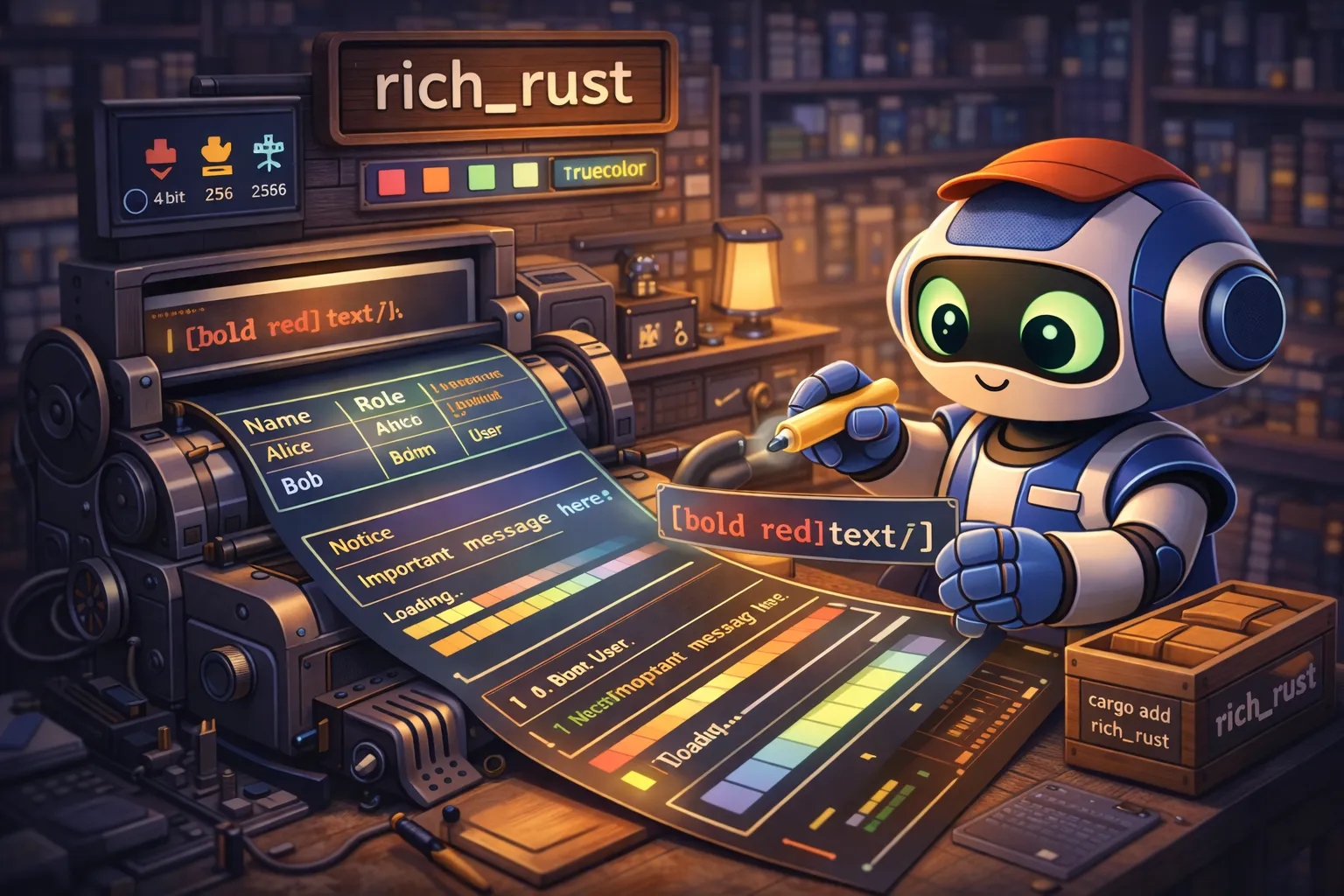




Beautiful terminal output for Rust, inspired by Python's Rich.
Quick Install
cargo add rich_rust
Or with all features: cargo add rich_rust --features full
Run the Demo
See rich_rust in action with the Nebula Deploy demo — a complete showcase of terminal UI capabilities wrapped in a fictional deployment narrative.
# Full demo with all features (recommended)
cargo run --bin demo_showcase --features showcase

# Quick mode for faster run
cargo run --bin demo_showcase --features showcase -- --quick

# CI-safe mode (non-blocking, deterministic output)
cargo run --bin demo_showcase --features showcase -- --quick --no-live --no-interactive

# List available scenes
cargo run --bin demo_showcase --features showcase -- --list-scenes

# Run a specific scene
cargo run --bin demo_showcase --features showcase -- --scene hero
What the demo showcases:
- Typography — styled text, colors, bold/italic/underline, themes
- Tables — alignment, borders, headers, badges, ASCII fallback
- Panels — box styles, titles, padding, nested layouts
- Trees — hierarchical data, custom guides, icons
- Progress — bars, spinners, live updates
- Syntax — code highlighting for 100+ languages (Rust, YAML, TOML, etc.)
- Markdown — CommonMark + GFM rendering
- JSON — pretty-printed, theme-aware output
- Tracing — structured logging integration
- Export — HTML/SVG capture of terminal output
TL;DR
The Problem
Building beautiful terminal UIs in Rust is tedious. You either:
- Write raw ANSI escape codes (error-prone, unreadable)
- Use low-level crates that require boilerplate for simple things
- Miss features like automatic terminal capability detection, tables, progress bars
The Solution
rich_rust brings Python Rich's ergonomic API to Rust: styled text, tables, panels, progress bars, syntax highlighting, and more. Zero unsafe code, automatic terminal detection.
Why Use rich_rust?
| Feature | rich_rust | Raw ANSI | colored | termion |
|---|---|---|---|---|
Markup syntax ([bold red]text[/]) | Yes | No | No | No |
| Tables with auto-sizing | Yes | No | No | No |
| Panels and boxes | Yes | No | No | No |
| Progress bars & spinners | Yes | No | No | No |
| Syntax highlighting | Yes | No | No | No |
| Markdown rendering | Yes | No | No | No |
| Auto color downgrade | Yes | No | Partial | No |
| Unicode width handling | Yes | No | No | Partial |
Quick Example
use rich_rust::prelude::*;

fn main() {
    let console = Console::new();

    // Styled text with markup
    console.print("[bold green]Success![/] Operation completed.");
    console.print("[red on white]Error:[/] [italic]File not found[/]");

    // Horizontal rule
    console.rule(Some("Configuration"));

    // Tables
    let mut table = Table::new()
        .title("Users")
        .with_column(Column::new("Name"))
        .with_column(Column::new("Role").justify(JustifyMethod::Right));

    table.add_row_cells(["Alice", "Admin"]);
    table.add_row_cells(["Bob", "User"]);

    console.print_renderable(&table);

    // Panels
    let panel = Panel::from_text("Hello, World!")
        .title("Greeting")
        .width(40);

    console.print_renderable(&panel);
}
Output:
Success! Operation completed.
Error: File not found
─────────────────── Configuration ───────────────────
┌─────────────────────── Users ───────────────────────┐
│ Name   │   Role │
├────────┼────────┤
│ Alice  │  Admin │
│ Bob    │   User │
└────────────────────────────────────────────────────┘
┌─────────── Greeting ───────────┐
│ Hello, World!                  │
└────────────────────────────────┘
Design Philosophy
1. Zero Unsafe Code
#![forbid(unsafe_code)]
The entire codebase uses safe Rust. No segfaults, no data races, no undefined behavior.
2. Python Rich Compatibility
API and behavior closely follow Python Rich. If you know Rich, you know rich_rust. The RICH_SPEC.md documents every behavioral detail.
3. Renderable Extensibility
Instead of Python's duck typing, rich_rust uses explicit render methods and an optional measurement trait:
use rich_rust::console::{Console, ConsoleOptions};
use rich_rust::measure::{Measurement, RichMeasure};
use rich_rust::segment::Segment;

struct MyRenderable;

impl MyRenderable {
    fn render(&self, width: usize) -> Vec<Segment> {
        vec![Segment::plain(format!("width={width}"))]
    }
}

impl RichMeasure for MyRenderable {
    fn rich_measure(&self, _console: &Console, _options: &ConsoleOptions) -> Measurement {
        Measurement::exact(10)
    }
}
Renderables expose render(...) -> Vec<Segment>. Implement RichMeasure to
participate in layout width calculations.
4. Automatic Terminal Detection
rich_rust detects terminal capabilities at runtime:
- Color support (4-bit, 8-bit, 24-bit truecolor)
- Terminal dimensions
- Unicode support
- Legacy Windows console
Colors automatically downgrade to what the terminal supports.
5. Minimal Dependencies
Core functionality has few dependencies. Optional features (syntax highlighting, markdown, JSON, tracing) are behind feature flags to keep compile times fast.
Comparison vs Alternatives
| Feature | rich_rust | Python Rich | colored | termcolor | owo-colors |
|---|---|---|---|---|---|
| Language | Rust | Python | Rust | Rust | Rust |
| Markup parsing | [bold]text[/] | [bold]text[/] | No | No | No |
| Tables | Yes | Yes | No | No | No |
| Panels/Boxes | Yes | Yes | No | No | No |
| Progress bars | Yes | Yes | No | No | No |
| Trees | Yes | Yes | No | No | No |
| Syntax highlighting | Yes (syntect) | Yes (Pygments) | No | No | No |
| Markdown | Yes | Yes | Yes | No | No |
| JSON pretty-print | Yes | Yes | No | No | No |
| Color downgrade | Auto | Auto | Partial | Yes | No |
| Zero unsafe | Yes | N/A | Yes | Yes | Yes |
| No runtime | Yes | No (Python) | Yes | Yes | Yes |
| Single binary | Yes | No | Yes | Yes | Yes |
When to use rich_rust:
- You want Python Rich's features in Rust
- You need tables, panels, or progress bars
- You want markup syntax for styling
- You're building CLI tools that need beautiful output
When to use alternatives:
colored: Simple color-only needs, minimal dependenciestermcolor: Cross-platform color with Windows supportowo-colors: Zero-allocation, const colors- Python Rich: You're writing Python
Installation
From crates.io
cargo add rich_rust
With Optional Features
# Syntax highlighting
cargo add rich_rust --features syntax

# Markdown rendering
cargo add rich_rust --features markdown

# JSON pretty-printing
cargo add rich_rust --features json

# Tracing integration
cargo add rich_rust --features tracing

# All features
cargo add rich_rust --features full
From Source
git clone https://github.com/Dicklesworthstone/rich_rust
cd rich_rust
cargo build --release
Cargo.toml
[dependencies]
rich_rust = "0.1"

# Or with features:
rich_rust = { version = "0.1", features = ["full"] }
Quick Start
1. Create a Console
use rich_rust::prelude::*;

let console = Console::new();
2. Print Styled Text
// Using markup syntax
console.print("[bold]Bold[/] and [italic red]italic red[/]");

// Using explicit style
console.print_styled("Styled text", Style::new().bold().underline());

// Plain text (no markup parsing)
console.print_plain("[brackets] are literal here");
3. Create a Table
let mut table = Table::new()
    .title("Data")
    .with_column(Column::new("Key"))
    .with_column(Column::new("Value").justify(JustifyMethod::Right));

table.add_row_cells(["version", "1.0.0"]);
table.add_row_cells(["status", "active"]);

console.print_renderable(&table);
4. Create a Panel
let panel = Panel::from_text("Important message here")
    .title("Notice")
    .subtitle("v1.0")
    .width(50);

console.print_renderable(&panel);
5. Print a Rule
// Simple rule
console.rule(None);

// Rule with title
console.rule(Some("Section"));

// Styled rule
let rule = Rule::with_title("Custom")
    .style(Style::parse("cyan bold").unwrap_or_default())
    .align_left();
console.print_renderable(&rule);
Feature Reference
Markup Syntax
| Markup | Effect |
|---|---|
[bold]text[/] | Bold text |
[italic]text[/] | Italic text |
[underline]text[/] | Underlined text |
[red]text[/] | Red foreground |
[on blue]text[/] | Blue background |
[bold red on white]text[/] | Combined styles |
[#ff0000]text[/] | Hex color |
[rgb(255,0,0)]text[/] | RGB color |
[color(196)]text[/] | 256-color palette |
Themes (Named Styles)
Python Rich defines many named styles (e.g. rule.line, table.header). rich_rust
ports this theme system and lets you add custom names:
use rich_rust::prelude::*;

let theme = Theme::from_style_definitions([("warning", "bold red")], true).unwrap();
let console = Console::builder().theme(theme).build();
console.print("[warning]Danger[/]");
Style Attributes
Style::new()
    .bold()
    .italic()
    .underline()
    .strikethrough()
    .dim()
    .reverse()
    .foreground(Color::parse("red").unwrap())
    .background(Color::parse("white").unwrap())
Color Systems
| System | Colors | Detection |
|---|---|---|
| Standard | 16 | Basic terminals |
| 256-color | 256 | Most modern terminals |
| Truecolor | 16M | iTerm2, Windows Terminal, etc. |
Box Styles
Panel::from_text("content").rounded()  // ╭─╮ (default)
Panel::from_text("content").square()   // ┌─┐
Panel::from_text("content").heavy()    // ┏━┓
Panel::from_text("content").double()   // ╔═╗
Panel::from_text("content").ascii()    // +-+
Progress Bars
let bar = ProgressBar::new()
    .completed(75)
    .total(100)
    .width(40);

console.print_renderable(&bar);
Trees
let mut root = TreeNode::new("Root");
root.add_child(TreeNode::new("Child 1"));
root.add_child(TreeNode::new("Child 2"));

let tree = Tree::new(root);
console.print_renderable(&tree);
Live Updates
use rich_rust::prelude::*;

fn main() -> std::io::Result<()> {
    let console = Console::new().shared();
    let live = Live::new(console.clone()).renderable(Text::new("Loading..."));

    live.start(true)?;
    live.update(Text::new("Done!"), true);
    live.stop()?;

    Ok(())
}
For external writers, use live.stdout_proxy() / live.stderr_proxy() to route output
through the Live display.
Layouts
use rich_rust::prelude::*;

let mut layout = Layout::new().name("root");
layout.split_column(vec![
    Layout::new()
        .name("header")
        .size(3)
        .renderable(Panel::from_text("Header")),
    Layout::new().name("body").ratio(1),
]);

if let Some(body) = layout.get_mut("body") {
    body.split_row(vec![
        Layout::new().name("left").ratio(1).renderable(Panel::from_text("Left")),
        Layout::new().name("right").ratio(2).renderable(Panel::from_text("Right")),
    ]);
}

console.print_renderable(&layout);
Logging
use rich_rust::prelude::*;
use log::LevelFilter;

fn main() -> Result<(), Box<dyn std::error::Error>> {
    let console = Console::new().shared();
    RichLogger::new(console)
        .level(LevelFilter::Info)
        .show_path(true)
        .init()?;

    log::info!("Server started");
    Ok(())
}
Note: log macros come from the log crate; add log = "0.4" to your Cargo.toml.
Tracing: enable rich_rust feature tracing and install RichTracingLayer if you use
the tracing ecosystem.
HTML/SVG Export
Export terminal output to shareable files:
use rich_rust::prelude::*;

let mut console = Console::new();
console.begin_capture();
console.print("[bold green]Hello[/]");

let html = console.export_html(false);  // false = don't clear buffer
let svg = console.export_svg(true);     // true = clear buffer after
Note: The HTML/SVG exports follow Python Rich's export templates (including optional
terminal-window chrome). SVG is rendered with SVG primitives (<text>, <rect>, clip paths),
so it works in browsers and in many SVG-capable viewers (no <foreignObject> required).
For a quick demo of export capabilities, run:
cargo run --bin demo_showcase --features showcase -- --export
Syntax Highlighting (requires syntax feature)
use rich_rust::prelude::*;

let code = r#"fn main() { println!("Hello"); }"#;
let syntax = Syntax::new(code, "rust")
    .line_numbers(true)
    .theme("Solarized (dark)");

console.print_renderable(&syntax);
Markdown Rendering (requires markdown feature)
use rich_rust::prelude::*;

let md = Markdown::new("# Header\n\nParagraph with **bold**.");
console.print_renderable(&md);
Pretty / Inspect
Rust doesn't have Python-style runtime reflection, so rich_rust's equivalents are
Debug-based and deterministic.
use rich_rust::prelude::*;

#[derive(Debug)]
struct Config {
    mode: String,
    retries: usize,
}

let console = Console::new();
let cfg = Config {
    mode: "safe".to_string(),
    retries: 3,
};

console.print_renderable(&Pretty::new(&cfg));
inspect(&console, &cfg);
Tracebacks
Traceback is a renderable inspired by Python Rich's rich.traceback.
You can construct it from explicit frames (deterministic, great for tests/fixtures),
or capture a real runtime backtrace when the backtrace feature is enabled.
use rich_rust::prelude::*;

let console = Console::new();
let traceback = Traceback::new(
    vec![
        TracebackFrame::new("<module>", 14),
        TracebackFrame::new("level1", 11),
        TracebackFrame::new("level2", 8),
        TracebackFrame::new("level3", 5),
    ],
    "ZeroDivisionError",
    "division by zero",
);

console.print_exception(&traceback);
Automatic capture (requires backtrace feature):
use rich_rust::prelude::*;

let console = Console::new();
let traceback = Traceback::capture("MyError", "something went wrong");
console.print_exception(&traceback);
Architecture
┌─────────────────────────────────────────────────────────────┐
│                         Console                              │
│  (Central coordinator: options, rendering, I/O)             │
└─────────────────────────┬───────────────────────────────────┘
                          │
                          ▼
┌─────────────────────────────────────────────────────────────┐
│                      Renderables                             │
│  (Text, Table, Panel, Rule, Tree, Progress, Syntax, etc.)   │
│  Expose render() + optional RichMeasure for sizing           │
└─────────────────────────┬───────────────────────────────────┘
                          │
                          ▼
┌─────────────────────────────────────────────────────────────┐
│                        Segments                              │
│  (Atomic unit: text + optional style + control codes)       │
└─────────────────────────┬───────────────────────────────────┘
                          │
                          ▼
┌─────────────────────────────────────────────────────────────┐
│                     ANSI Codes + Output                      │
│  (Style diffing, escape sequences, terminal write)          │
└─────────────────────────────────────────────────────────────┘
Render Pipeline (Step-by-Step)
- Input — A string (optionally with markup) or a renderable (Table, Panel, Tree, etc.).
- Markup parsing —
[bold red]text[/]is parsed intoText+ styled spans. - Renderable layout — Each renderable converts itself into
Vec<Segment>. - Segment stream — Segments carry plain text + optional
Style+ control codes. - ANSI generation — Styles are diffed and rendered to ANSI SGR (or skipped if disabled).
- Output —
Consolewrites the final stream to the configuredWrite.
Module Structure
src/
├── lib.rs           # Crate root, prelude
├── color.rs         # Color system (4/8/24-bit)
├── style.rs         # Style attributes (bold, italic, etc.)
├── segment.rs       # Atomic rendering unit
├── text.rs          # Rich text with spans
├── markup/          # Markup parser ([bold]...[/])
├── measure.rs       # Width measurement protocol
├── console.rs       # Console I/O coordinator
├── terminal.rs      # Terminal detection
├── cells.rs         # Unicode cell width
├── box.rs           # Box drawing characters
└── renderables/
    ├── align.rs     # Alignment
    ├── columns.rs   # Multi-column layout
    ├── padding.rs   # Padding
    ├── panel.rs     # Boxed panels
    ├── progress.rs  # Progress bars, spinners
    ├── rule.rs      # Horizontal rules
    ├── table.rs     # Tables with auto-sizing
    ├── tree.rs      # Hierarchical trees
    ├── syntax.rs    # Syntax highlighting (optional)
    ├── markdown.rs  # Markdown rendering (optional)
    └── json.rs      # JSON pretty-print (optional)
Feature Parity (Python Rich)
See FEATURE_PARITY.md for the authoritative matrix and RICH_SPEC.md for detailed behavior notes.
Implemented
- Markup (
[bold red]text[/]), styles, colors, hyperlinks - Tables, panels, rules, trees, columns, padding, alignment
- Terminal control renderable (
Control) + control-code helpers - Progress bars & spinners
- Live updating / dynamic refresh (
Live) - Layout engine (
Layout) - Logging handler integration (
RichLogger) - HTML/SVG export (
Console::export_html/Console::export_svg) - Syntax highlighting (feature
syntax) (seeFEATURE_PARITY.mdfor remaining parity gaps) - Markdown rendering (feature
markdown) (seeFEATURE_PARITY.mdfor remaining parity gaps) - JSON pretty-print (feature
json) (seeFEATURE_PARITY.mdfor remaining parity gaps) - Traceback rendering (
Traceback,Console::print_exception) (explicit frames for deterministic tests; optionalTraceback::capturevia featurebacktrace) - Unicode width handling + auto color downgrade
Notes
- rich_rust is output-focused, but it also includes small, pragmatic interactive helpers (prompts, pager, status) for common CLI workflows.
Demo Showcase: demo_showcase
We’re building a standalone demo_showcase binary that shows off rich_rust end-to-end in a single cohesive narrative (product-grade visuals, not just a grab bag of examples).
Narrative
Nebula Deploy — a fictional deployment/release assistant. It naturally justifies a live dashboard, progress, structured data views, and a deliberate failure for traceback/debug tooling.
Scene Flow
--list-scenes must output stable names (used by --scene <name>), in this order (with a one-line purpose + any feature-gate notes):
| Scene | Purpose | Exercises |
|---|---|---|
hero | Introduce Nebula Deploy and the visual "brand". | markup, Style/Theme, Emoji, Rule/Panel |
dashboard | Show the live split-screen dashboard (services + pipeline + logs). | Layout, Live, Progress, logging |
markdown | Show a runbook / release notes view. | Markdown (feature markdown) |
syntax | Show a config/code snippet view. | Syntax (feature syntax) |
json | Show an API payload view. | Json (feature json) |
table | Show data tables with various styles. | Table with sorting, alignment |
panels | Show boxed content with titles. | Panel with borders, padding |
tree | Show hierarchical data structures. | Tree with nested nodes |
layout | Show split-screen layouts. | Layout with columns/rows |
emoji_links | Show emoji and hyperlink support. | Emoji, OSC8 links |
debug_tools | Walk through a failure and recovery workflow. | Pretty/Inspect, Traceback |
tracing | Show tracing integration. | RichTracingLayer (feature tracing) |
traceback | Show error tracebacks. | Traceback rendering |
export | Export the run to artifacts for sharing. | Console::export_html, Console::export_svg |
outro | Wrap up with a crisp summary and next steps. | Table, Tree, Rule |
Feature-gated scenes must self-report clearly when disabled (and how to enable the required --features ...).
CLI Contract (Explicit + Stable)
The goal is (a) safe in CI/pipes and (b) tunable for maximum “wow” in a real terminal.
demo_showcase --help should read like a real CLI:
demo_showcase — Nebula Deploy (rich_rust showcase)

USAGE:
    demo_showcase [OPTIONS]

OPTIONS:
    --list-scenes               List available scenes and exit
    --scene <name>              Run a single scene (see --list-scenes)
    --seed <u64>                Seed deterministic demo data (default: 0)
    --quick                     Reduce sleeps/runtime (CI-friendly)
    --speed <multiplier>        Animation speed multiplier (default: 1.0)

    --interactive               Force interactive mode
    --no-interactive            Disable prompts/pager/etc
    --live                      Force live refresh
    --no-live                   Disable live refresh; print snapshots
    --screen                    Use alternate screen (requires live)
    --no-screen                 Disable alternate screen

    --force-terminal            Treat stdout as a TTY (even when piped)
    --width <cols>              Override console width
    --height <rows>             Override console height
    --color-system <mode>       auto|none|standard|eight_bit|truecolor
    --emoji                     Enable emoji (default)
    --no-emoji                  Disable emoji
    --safe-box                  Use ASCII-safe box characters
    --no-safe-box               Use Unicode box characters (default)
    --links                     Enable OSC8 hyperlinks
    --no-links                  Disable OSC8 hyperlinks

    --export                    Write an HTML/SVG bundle to a temp dir
    --export-dir <path>         Write an HTML/SVG bundle to a directory

    -h, --help                  Print help and exit
Export Usage
Export captures the full demo output and writes two files:
demo_showcase.html— Standalone HTML with inline CSS. Opens in any browser.demo_showcase.svg— Scalable vector graphic rendered with SVG text and shapes.
# Quick export to temp directory (prints path)
cargo run --bin demo_showcase --features showcase -- --export

# Export to specific directory
cargo run --bin demo_showcase --features showcase -- --export-dir ./output

# Recommended flags for clean export
cargo run --bin demo_showcase --features showcase -- \
    --export-dir ./output \
    --no-interactive \
    --color-system truecolor \
    --width 100 \
    --quick
Viewing exported files:
- HTML: Open directly in any browser. Colors and styles are preserved.
- SVG: Open in any modern browser (Chrome, Firefox, Safari). The SVG uses only standard SVG primitives (text, rects, clip paths), so it is broadly compatible.
Defaults ("auto")
interactive=automeans: interactive only when stdout is a TTY andTERMis notdumb/unknown.live=automeans:live = interactive.screen=automeans:screen = live && interactive(TTY-only).links=automeans: hyperlinks only wheninteractive; override with--links/--no-links.FORCE_COLORmay force color output, but must not enable interactive/live behavior; use--force-terminalto intentionally override TTY checks.
Safety requirements
- If stdout is not a TTY and
--force-terminalis not set:- disable live refresh and alternate screen
- disable prompt/pager helpers
- print static snapshots only
- No scene may require user input to terminate.
- No infinite loops; any animation must be time-bounded and/or gated on TTY.
- Unknown flags must yield a concise error plus a
--helphint. --scenemust validate known names and print an “available scenes” list on error.
Implementation note: keep CLI parsing dependency-light (hand-rolled; no large CLI frameworks).
Troubleshooting
Colors not showing
Symptom: Text prints without colors in terminal.
Causes & Fixes:
- Piped output: Colors disabled when stdout isn't a TTY. Use
FORCE_COLOR=1env var. - Terminal doesn't support colors: Try a modern terminal (iTerm2, Windows Terminal).
- TERM variable: Ensure
TERMis set correctly (xterm-256color, etc.).
Unicode characters garbled
Symptom: Box characters display as ? or mojibake.
Fixes:
- Use
.ascii()variant:Panel::from_text("...").ascii() - Set terminal encoding to UTF-8
- Use a font with box-drawing characters (most monospace fonts have them)
Table columns too wide/narrow
Symptom: Table layout doesn't fit terminal.
Fixes:
- Get terminal width:
console.width() - Set explicit column widths:
Column::new("...").width(20) - Set min/max widths:
Column::new("...").min_width(10).max_width(40)
Markup not parsing
Symptom: [bold]text[/] prints literally.
Fixes:
- Use
console.print()notconsole.print_plain() - Check for unbalanced brackets
- Escape literal brackets:
\[not markup\]
Windows console issues
Symptom: Escape codes visible or wrong colors on Windows.
Fixes:
- Use Windows Terminal (modern) instead of cmd.exe
- Enable virtual terminal processing:
SetConsoleModewithENABLE_VIRTUAL_TERMINAL_PROCESSING - rich_rust auto-detects this, but old cmd.exe may not support it
Limitations
- No input: This is an output library; use
crosstermordialoguerfor input - Limited input: rich_rust includes prompts/pager/status helpers, but it is not a full TUI/input widget framework. For complex input, use crates like
dialoguer,rustyline, orinquire. - No async: Rendering is synchronous; wrap in
spawn_blockingif needed - Live redirection:
Livecan redirect process-wide stdout/stderr in interactive terminals (TTY-only). In piped/non-interactive contexts it stays disabled; uselive.stdout_proxy()/live.stderr_proxy()for external writers. - HTML/SVG export: Export is intended to match Python Rich's HTML/SVG export behavior and templates.
FAQ
Q: How does this compare to Python Rich?
A: rich_rust targets feature-for-feature parity with Python Rich. When behavior differs, treat it as a bug (or an explicitly documented, test-covered deviation) and track it until resolved.
Q: Is this production-ready?
A: It's in active development (v0.1.x). Core features work well, but the API may change. Pin your version in Cargo.toml.
Q: Can I use this in a TUI application?
A: rich_rust is for styled output, not interactive TUIs. For interactive apps, use ratatui, cursive, or tui-rs (which can potentially use rich_rust for styled text rendering).
Q: Why not just use Python Rich via PyO3?
A: Native Rust has no Python runtime dependency, compiles to a single binary, and avoids FFI overhead. If you're already in Rust, stay in Rust.
Q: How do I contribute?
A: See the "About Contributions" section below.
Q: What's the minimum Rust version?
A: Rust 2024 edition (nightly required currently). Check rust-toolchain.toml for specifics.
About Contributions
Please don't take this the wrong way, but I do not accept outside contributions for any of my projects. I simply don't have the mental bandwidth to review anything, and it's my name on the thing, so I'm responsible for any problems it causes; thus, the risk-reward is highly asymmetric from my perspective. I'd also have to worry about other "stakeholders," which seems unwise for tools I mostly make for myself for free. Feel free to submit issues, and even PRs if you want to illustrate a proposed fix, but know I won't merge them directly. Instead, I'll have Claude or Codex review submissions via gh and independently decide whether and how to address them. Bug reports in particular are welcome. Sorry if this offends, but I want to avoid wasted time and hurt feelings. I understand this isn't in sync with the prevailing open-source ethos that seeks community contributions, but it's the only way I can move at this velocity and keep my sanity.
License
MIT License (with OpenAI/Anthropic Rider). See LICENSE for details.
Made with Rust by Jeffrey Emanuel
Contributors

422 commits
Similar repos


Languages
Rust
98.5%
Beautiful terminal output for Rust inspired by Python's Rich: tables, panels, syntax highlighting, progress bars, and full-color rendering
Rust
86
422 commits
updated Sep 21, 2026
README
rich_rust
Beautiful terminal output for Rust, inspired by Python's Rich.
Quick Install
cargo add rich_rust
Or with all features: cargo add rich_rust --features full
Run the Demo
See rich_rust in action with the Nebula Deploy demo — a complete showcase of terminal UI capabilities wrapped in a fictional deployment narrative.
# Full demo with all features (recommended)
cargo run --bin demo_showcase --features showcase

# Quick mode for faster run
cargo run --bin demo_showcase --features showcase -- --quick

# CI-safe mode (non-blocking, deterministic output)
cargo run --bin demo_showcase --features showcase -- --quick --no-live --no-interactive

# List available scenes
cargo run --bin demo_showcase --features showcase -- --list-scenes

# Run a specific scene
cargo run --bin demo_showcase --features showcase -- --scene hero
What the demo showcases:
- Typography — styled text, colors, bold/italic/underline, themes
- Tables — alignment, borders, headers, badges, ASCII fallback
- Panels — box styles, titles, padding, nested layouts
- Trees — hierarchical data, custom guides, icons
- Progress — bars, spinners, live updates
- Syntax — code highlighting for 100+ languages (Rust, YAML, TOML, etc.)
- Markdown — CommonMark + GFM rendering
- JSON — pretty-printed, theme-aware output
- Tracing — structured logging integration
- Export — HTML/SVG capture of terminal output
TL;DR
The Problem
Building beautiful terminal UIs in Rust is tedious. You either:
- Write raw ANSI escape codes (error-prone, unreadable)
- Use low-level crates that require boilerplate for simple things
- Miss features like automatic terminal capability detection, tables, progress bars
The Solution
rich_rust brings Python Rich's ergonomic API to Rust: styled text, tables, panels, progress bars, syntax highlighting, and more. Zero unsafe code, automatic terminal detection.
Why Use rich_rust?
| Feature | rich_rust | Raw ANSI | colored | termion |
|---|---|---|---|---|
Markup syntax ([bold red]text[/]) | Yes | No | No | No |
| Tables with auto-sizing | Yes | No | No | No |
| Panels and boxes | Yes | No | No | No |
| Progress bars & spinners | Yes | No | No | No |
| Syntax highlighting | Yes | No | No | No |
| Markdown rendering | Yes | No | No | No |
| Auto color downgrade | Yes | No | Partial | No |
| Unicode width handling | Yes | No | No | Partial |
Quick Example
use rich_rust::prelude::*;

fn main() {
    let console = Console::new();

    // Styled text with markup
    console.print("[bold green]Success![/] Operation completed.");
    console.print("[red on white]Error:[/] [italic]File not found[/]");

    // Horizontal rule
    console.rule(Some("Configuration"));

    // Tables
    let mut table = Table::new()
        .title("Users")
        .with_column(Column::new("Name"))
        .with_column(Column::new("Role").justify(JustifyMethod::Right));

    table.add_row_cells(["Alice", "Admin"]);
    table.add_row_cells(["Bob", "User"]);

    console.print_renderable(&table);

    // Panels
    let panel = Panel::from_text("Hello, World!")
        .title("Greeting")
        .width(40);

    console.print_renderable(&panel);
}
Output:
Success! Operation completed.
Error: File not found
─────────────────── Configuration ───────────────────
┌─────────────────────── Users ───────────────────────┐
│ Name   │   Role │
├────────┼────────┤
│ Alice  │  Admin │
│ Bob    │   User │
└────────────────────────────────────────────────────┘
┌─────────── Greeting ───────────┐
│ Hello, World!                  │
└────────────────────────────────┘
Design Philosophy
1. Zero Unsafe Code
#![forbid(unsafe_code)]
The entire codebase uses safe Rust. No segfaults, no data races, no undefined behavior.
2. Python Rich Compatibility
API and behavior closely follow Python Rich. If you know Rich, you know rich_rust. The RICH_SPEC.md documents every behavioral detail.
3. Renderable Extensibility
Instead of Python's duck typing, rich_rust uses explicit render methods and an optional measurement trait:
use rich_rust::console::{Console, ConsoleOptions};
use rich_rust::measure::{Measurement, RichMeasure};
use rich_rust::segment::Segment;

struct MyRenderable;

impl MyRenderable {
    fn render(&self, width: usize) -> Vec<Segment> {
        vec![Segment::plain(format!("width={width}"))]
    }
}

impl RichMeasure for MyRenderable {
    fn rich_measure(&self, _console: &Console, _options: &ConsoleOptions) -> Measurement {
        Measurement::exact(10)
    }
}
Renderables expose render(...) -> Vec<Segment>. Implement RichMeasure to
participate in layout width calculations.
4. Automatic Terminal Detection
rich_rust detects terminal capabilities at runtime:
- Color support (4-bit, 8-bit, 24-bit truecolor)
- Terminal dimensions
- Unicode support
- Legacy Windows console
Colors automatically downgrade to what the terminal supports.
5. Minimal Dependencies
Core functionality has few dependencies. Optional features (syntax highlighting, markdown, JSON, tracing) are behind feature flags to keep compile times fast.
Comparison vs Alternatives
| Feature | rich_rust | Python Rich | colored | termcolor | owo-colors |
|---|---|---|---|---|---|
| Language | Rust | Python | Rust | Rust | Rust |
| Markup parsing | [bold]text[/] | [bold]text[/] | No | No | No |
| Tables | Yes | Yes | No | No | No |
| Panels/Boxes | Yes | Yes | No | No | No |
| Progress bars | Yes | Yes | No | No | No |
| Trees | Yes | Yes | No | No | No |
| Syntax highlighting | Yes (syntect) | Yes (Pygments) | No | No | No |
| Markdown | Yes | Yes | Yes | No | No |
| JSON pretty-print | Yes | Yes | No | No | No |
| Color downgrade | Auto | Auto | Partial | Yes | No |
| Zero unsafe | Yes | N/A | Yes | Yes | Yes |
| No runtime | Yes | No (Python) | Yes | Yes | Yes |
| Single binary | Yes | No | Yes | Yes | Yes |
When to use rich_rust:
- You want Python Rich's features in Rust
- You need tables, panels, or progress bars
- You want markup syntax for styling
- You're building CLI tools that need beautiful output
When to use alternatives:
colored: Simple color-only needs, minimal dependenciestermcolor: Cross-platform color with Windows supportowo-colors: Zero-allocation, const colors- Python Rich: You're writing Python
Installation
From crates.io
cargo add rich_rust
With Optional Features
# Syntax highlighting
cargo add rich_rust --features syntax

# Markdown rendering
cargo add rich_rust --features markdown

# JSON pretty-printing
cargo add rich_rust --features json

# Tracing integration
cargo add rich_rust --features tracing

# All features
cargo add rich_rust --features full
From Source
git clone https://github.com/Dicklesworthstone/rich_rust
cd rich_rust
cargo build --release
Cargo.toml
[dependencies]
rich_rust = "0.1"

# Or with features:
rich_rust = { version = "0.1", features = ["full"] }
Quick Start
1. Create a Console
use rich_rust::prelude::*;

let console = Console::new();
2. Print Styled Text
// Using markup syntax
console.print("[bold]Bold[/] and [italic red]italic red[/]");

// Using explicit style
console.print_styled("Styled text", Style::new().bold().underline());

// Plain text (no markup parsing)
console.print_plain("[brackets] are literal here");
3. Create a Table
let mut table = Table::new()
    .title("Data")
    .with_column(Column::new("Key"))
    .with_column(Column::new("Value").justify(JustifyMethod::Right));

table.add_row_cells(["version", "1.0.0"]);
table.add_row_cells(["status", "active"]);

console.print_renderable(&table);
4. Create a Panel
let panel = Panel::from_text("Important message here")
    .title("Notice")
    .subtitle("v1.0")
    .width(50);

console.print_renderable(&panel);
5. Print a Rule
// Simple rule
console.rule(None);

// Rule with title
console.rule(Some("Section"));

// Styled rule
let rule = Rule::with_title("Custom")
    .style(Style::parse("cyan bold").unwrap_or_default())
    .align_left();
console.print_renderable(&rule);
Feature Reference
Markup Syntax
| Markup | Effect |
|---|---|
[bold]text[/] | Bold text |
[italic]text[/] | Italic text |
[underline]text[/] | Underlined text |
[red]text[/] | Red foreground |
[on blue]text[/] | Blue background |
[bold red on white]text[/] | Combined styles |
[#ff0000]text[/] | Hex color |
[rgb(255,0,0)]text[/] | RGB color |
[color(196)]text[/] | 256-color palette |
Themes (Named Styles)
Python Rich defines many named styles (e.g. rule.line, table.header). rich_rust
ports this theme system and lets you add custom names:
use rich_rust::prelude::*;

let theme = Theme::from_style_definitions([("warning", "bold red")], true).unwrap();
let console = Console::builder().theme(theme).build();
console.print("[warning]Danger[/]");
Style Attributes
Style::new()
    .bold()
    .italic()
    .underline()
    .strikethrough()
    .dim()
    .reverse()
    .foreground(Color::parse("red").unwrap())
    .background(Color::parse("white").unwrap())
Color Systems
| System | Colors | Detection |
|---|---|---|
| Standard | 16 | Basic terminals |
| 256-color | 256 | Most modern terminals |
| Truecolor | 16M | iTerm2, Windows Terminal, etc. |
Box Styles
Panel::from_text("content").rounded()  // ╭─╮ (default)
Panel::from_text("content").square()   // ┌─┐
Panel::from_text("content").heavy()    // ┏━┓
Panel::from_text("content").double()   // ╔═╗
Panel::from_text("content").ascii()    // +-+
Progress Bars
let bar = ProgressBar::new()
    .completed(75)
    .total(100)
    .width(40);

console.print_renderable(&bar);
Trees
let mut root = TreeNode::new("Root");
root.add_child(TreeNode::new("Child 1"));
root.add_child(TreeNode::new("Child 2"));

let tree = Tree::new(root);
console.print_renderable(&tree);
Live Updates
use rich_rust::prelude::*;

fn main() -> std::io::Result<()> {
    let console = Console::new().shared();
    let live = Live::new(console.clone()).renderable(Text::new("Loading..."));

    live.start(true)?;
    live.update(Text::new("Done!"), true);
    live.stop()?;

    Ok(())
}
For external writers, use live.stdout_proxy() / live.stderr_proxy() to route output
through the Live display.
Layouts
use rich_rust::prelude::*;

let mut layout = Layout::new().name("root");
layout.split_column(vec![
    Layout::new()
        .name("header")
        .size(3)
        .renderable(Panel::from_text("Header")),
    Layout::new().name("body").ratio(1),
]);

if let Some(body) = layout.get_mut("body") {
    body.split_row(vec![
        Layout::new().name("left").ratio(1).renderable(Panel::from_text("Left")),
        Layout::new().name("right").ratio(2).renderable(Panel::from_text("Right")),
    ]);
}

console.print_renderable(&layout);
Logging
use rich_rust::prelude::*;
use log::LevelFilter;

fn main() -> Result<(), Box<dyn std::error::Error>> {
    let console = Console::new().shared();
    RichLogger::new(console)
        .level(LevelFilter::Info)
        .show_path(true)
        .init()?;

    log::info!("Server started");
    Ok(())
}
Note: log macros come from the log crate; add log = "0.4" to your Cargo.toml.
Tracing: enable rich_rust feature tracing and install RichTracingLayer if you use
the tracing ecosystem.
HTML/SVG Export
Export terminal output to shareable files:
use rich_rust::prelude::*;

let mut console = Console::new();
console.begin_capture();
console.print("[bold green]Hello[/]");

let html = console.export_html(false);  // false = don't clear buffer
let svg = console.export_svg(true);     // true = clear buffer after
Note: The HTML/SVG exports follow Python Rich's export templates (including optional
terminal-window chrome). SVG is rendered with SVG primitives (<text>, <rect>, clip paths),
so it works in browsers and in many SVG-capable viewers (no <foreignObject> required).
For a quick demo of export capabilities, run:
cargo run --bin demo_showcase --features showcase -- --export
Syntax Highlighting (requires syntax feature)
use rich_rust::prelude::*;

let code = r#"fn main() { println!("Hello"); }"#;
let syntax = Syntax::new(code, "rust")
    .line_numbers(true)
    .theme("Solarized (dark)");

console.print_renderable(&syntax);
Markdown Rendering (requires markdown feature)
use rich_rust::prelude::*;

let md = Markdown::new("# Header\n\nParagraph with **bold**.");
console.print_renderable(&md);
Pretty / Inspect
Rust doesn't have Python-style runtime reflection, so rich_rust's equivalents are
Debug-based and deterministic.
use rich_rust::prelude::*;

#[derive(Debug)]
struct Config {
    mode: String,
    retries: usize,
}

let console = Console::new();
let cfg = Config {
    mode: "safe".to_string(),
    retries: 3,
};

console.print_renderable(&Pretty::new(&cfg));
inspect(&console, &cfg);
Tracebacks
Traceback is a renderable inspired by Python Rich's rich.traceback.
You can construct it from explicit frames (deterministic, great for tests/fixtures),
or capture a real runtime backtrace when the backtrace feature is enabled.
use rich_rust::prelude::*;

let console = Console::new();
let traceback = Traceback::new(
    vec![
        TracebackFrame::new("<module>", 14),
        TracebackFrame::new("level1", 11),
        TracebackFrame::new("level2", 8),
        TracebackFrame::new("level3", 5),
    ],
    "ZeroDivisionError",
    "division by zero",
);

console.print_exception(&traceback);
Automatic capture (requires backtrace feature):
use rich_rust::prelude::*;

let console = Console::new();
let traceback = Traceback::capture("MyError", "something went wrong");
console.print_exception(&traceback);
Architecture
┌─────────────────────────────────────────────────────────────┐
│                         Console                              │
│  (Central coordinator: options, rendering, I/O)             │
└─────────────────────────┬───────────────────────────────────┘
                          │
                          ▼
┌─────────────────────────────────────────────────────────────┐
│                      Renderables                             │
│  (Text, Table, Panel, Rule, Tree, Progress, Syntax, etc.)   │
│  Expose render() + optional RichMeasure for sizing           │
└─────────────────────────┬───────────────────────────────────┘
                          │
                          ▼
┌─────────────────────────────────────────────────────────────┐
│                        Segments                              │
│  (Atomic unit: text + optional style + control codes)       │
└─────────────────────────┬───────────────────────────────────┘
                          │
                          ▼
┌─────────────────────────────────────────────────────────────┐
│                     ANSI Codes + Output                      │
│  (Style diffing, escape sequences, terminal write)          │
└─────────────────────────────────────────────────────────────┘
Render Pipeline (Step-by-Step)
- Input — A string (optionally with markup) or a renderable (Table, Panel, Tree, etc.).
- Markup parsing —
[bold red]text[/]is parsed intoText+ styled spans. - Renderable layout — Each renderable converts itself into
Vec<Segment>. - Segment stream — Segments carry plain text + optional
Style+ control codes. - ANSI generation — Styles are diffed and rendered to ANSI SGR (or skipped if disabled).
- Output —
Consolewrites the final stream to the configuredWrite.
Module Structure
src/
├── lib.rs           # Crate root, prelude
├── color.rs         # Color system (4/8/24-bit)
├── style.rs         # Style attributes (bold, italic, etc.)
├── segment.rs       # Atomic rendering unit
├── text.rs          # Rich text with spans
├── markup/          # Markup parser ([bold]...[/])
├── measure.rs       # Width measurement protocol
├── console.rs       # Console I/O coordinator
├── terminal.rs      # Terminal detection
├── cells.rs         # Unicode cell width
├── box.rs           # Box drawing characters
└── renderables/
    ├── align.rs     # Alignment
    ├── columns.rs   # Multi-column layout
    ├── padding.rs   # Padding
    ├── panel.rs     # Boxed panels
    ├── progress.rs  # Progress bars, spinners
    ├── rule.rs      # Horizontal rules
    ├── table.rs     # Tables with auto-sizing
    ├── tree.rs      # Hierarchical trees
    ├── syntax.rs    # Syntax highlighting (optional)
    ├── markdown.rs  # Markdown rendering (optional)
    └── json.rs      # JSON pretty-print (optional)
Feature Parity (Python Rich)
See FEATURE_PARITY.md for the authoritative matrix and RICH_SPEC.md for detailed behavior notes.
Implemented
- Markup (
[bold red]text[/]), styles, colors, hyperlinks - Tables, panels, rules, trees, columns, padding, alignment
- Terminal control renderable (
Control) + control-code helpers - Progress bars & spinners
- Live updating / dynamic refresh (
Live) - Layout engine (
Layout) - Logging handler integration (
RichLogger) - HTML/SVG export (
Console::export_html/Console::export_svg) - Syntax highlighting (feature
syntax) (seeFEATURE_PARITY.mdfor remaining parity gaps) - Markdown rendering (feature
markdown) (seeFEATURE_PARITY.mdfor remaining parity gaps) - JSON pretty-print (feature
json) (seeFEATURE_PARITY.mdfor remaining parity gaps) - Traceback rendering (
Traceback,Console::print_exception) (explicit frames for deterministic tests; optionalTraceback::capturevia featurebacktrace) - Unicode width handling + auto color downgrade
Notes
- rich_rust is output-focused, but it also includes small, pragmatic interactive helpers (prompts, pager, status) for common CLI workflows.
Demo Showcase: demo_showcase
We’re building a standalone demo_showcase binary that shows off rich_rust end-to-end in a single cohesive narrative (product-grade visuals, not just a grab bag of examples).
Narrative
Nebula Deploy — a fictional deployment/release assistant. It naturally justifies a live dashboard, progress, structured data views, and a deliberate failure for traceback/debug tooling.
Scene Flow
--list-scenes must output stable names (used by --scene <name>), in this order (with a one-line purpose + any feature-gate notes):
| Scene | Purpose | Exercises |
|---|---|---|
hero | Introduce Nebula Deploy and the visual "brand". | markup, Style/Theme, Emoji, Rule/Panel |
dashboard | Show the live split-screen dashboard (services + pipeline + logs). | Layout, Live, Progress, logging |
markdown | Show a runbook / release notes view. | Markdown (feature markdown) |
syntax | Show a config/code snippet view. | Syntax (feature syntax) |
json | Show an API payload view. | Json (feature json) |
table | Show data tables with various styles. | Table with sorting, alignment |
panels | Show boxed content with titles. | Panel with borders, padding |
tree | Show hierarchical data structures. | Tree with nested nodes |
layout | Show split-screen layouts. | Layout with columns/rows |
emoji_links | Show emoji and hyperlink support. | Emoji, OSC8 links |
debug_tools | Walk through a failure and recovery workflow. | Pretty/Inspect, Traceback |
tracing | Show tracing integration. | RichTracingLayer (feature tracing) |
traceback | Show error tracebacks. | Traceback rendering |
export | Export the run to artifacts for sharing. | Console::export_html, Console::export_svg |
outro | Wrap up with a crisp summary and next steps. | Table, Tree, Rule |
Feature-gated scenes must self-report clearly when disabled (and how to enable the required --features ...).
CLI Contract (Explicit + Stable)
The goal is (a) safe in CI/pipes and (b) tunable for maximum “wow” in a real terminal.
demo_showcase --help should read like a real CLI:
demo_showcase — Nebula Deploy (rich_rust showcase)

USAGE:
    demo_showcase [OPTIONS]

OPTIONS:
    --list-scenes               List available scenes and exit
    --scene <name>              Run a single scene (see --list-scenes)
    --seed <u64>                Seed deterministic demo data (default: 0)
    --quick                     Reduce sleeps/runtime (CI-friendly)
    --speed <multiplier>        Animation speed multiplier (default: 1.0)

    --interactive               Force interactive mode
    --no-interactive            Disable prompts/pager/etc
    --live                      Force live refresh
    --no-live                   Disable live refresh; print snapshots
    --screen                    Use alternate screen (requires live)
    --no-screen                 Disable alternate screen

    --force-terminal            Treat stdout as a TTY (even when piped)
    --width <cols>              Override console width
    --height <rows>             Override console height
    --color-system <mode>       auto|none|standard|eight_bit|truecolor
    --emoji                     Enable emoji (default)
    --no-emoji                  Disable emoji
    --safe-box                  Use ASCII-safe box characters
    --no-safe-box               Use Unicode box characters (default)
    --links                     Enable OSC8 hyperlinks
    --no-links                  Disable OSC8 hyperlinks

    --export                    Write an HTML/SVG bundle to a temp dir
    --export-dir <path>         Write an HTML/SVG bundle to a directory

    -h, --help                  Print help and exit
Export Usage
Export captures the full demo output and writes two files:
demo_showcase.html— Standalone HTML with inline CSS. Opens in any browser.demo_showcase.svg— Scalable vector graphic rendered with SVG text and shapes.
# Quick export to temp directory (prints path)
cargo run --bin demo_showcase --features showcase -- --export

# Export to specific directory
cargo run --bin demo_showcase --features showcase -- --export-dir ./output

# Recommended flags for clean export
cargo run --bin demo_showcase --features showcase -- \
    --export-dir ./output \
    --no-interactive \
    --color-system truecolor \
    --width 100 \
    --quick
Viewing exported files:
- HTML: Open directly in any browser. Colors and styles are preserved.
- SVG: Open in any modern browser (Chrome, Firefox, Safari). The SVG uses only standard SVG primitives (text, rects, clip paths), so it is broadly compatible.
Defaults ("auto")
interactive=automeans: interactive only when stdout is a TTY andTERMis notdumb/unknown.live=automeans:live = interactive.screen=automeans:screen = live && interactive(TTY-only).links=automeans: hyperlinks only wheninteractive; override with--links/--no-links.FORCE_COLORmay force color output, but must not enable interactive/live behavior; use--force-terminalto intentionally override TTY checks.
Safety requirements
- If stdout is not a TTY and
--force-terminalis not set:- disable live refresh and alternate screen
- disable prompt/pager helpers
- print static snapshots only
- No scene may require user input to terminate.
- No infinite loops; any animation must be time-bounded and/or gated on TTY.
- Unknown flags must yield a concise error plus a
--helphint. --scenemust validate known names and print an “available scenes” list on error.
Implementation note: keep CLI parsing dependency-light (hand-rolled; no large CLI frameworks).
Troubleshooting
Colors not showing
Symptom: Text prints without colors in terminal.
Causes & Fixes:
- Piped output: Colors disabled when stdout isn't a TTY. Use
FORCE_COLOR=1env var. - Terminal doesn't support colors: Try a modern terminal (iTerm2, Windows Terminal).
- TERM variable: Ensure
TERMis set correctly (xterm-256color, etc.).
Unicode characters garbled
Symptom: Box characters display as ? or mojibake.
Fixes:
- Use
.ascii()variant:Panel::from_text("...").ascii() - Set terminal encoding to UTF-8
- Use a font with box-drawing characters (most monospace fonts have them)
Table columns too wide/narrow
Symptom: Table layout doesn't fit terminal.
Fixes:
- Get terminal width:
console.width() - Set explicit column widths:
Column::new("...").width(20) - Set min/max widths:
Column::new("...").min_width(10).max_width(40)
Markup not parsing
Symptom: [bold]text[/] prints literally.
Fixes:
- Use
console.print()notconsole.print_plain() - Check for unbalanced brackets
- Escape literal brackets:
\[not markup\]
Windows console issues
Symptom: Escape codes visible or wrong colors on Windows.
Fixes:
- Use Windows Terminal (modern) instead of cmd.exe
- Enable virtual terminal processing:
SetConsoleModewithENABLE_VIRTUAL_TERMINAL_PROCESSING - rich_rust auto-detects this, but old cmd.exe may not support it
Limitations
- No input: This is an output library; use
crosstermordialoguerfor input - Limited input: rich_rust includes prompts/pager/status helpers, but it is not a full TUI/input widget framework. For complex input, use crates like
dialoguer,rustyline, orinquire. - No async: Rendering is synchronous; wrap in
spawn_blockingif needed - Live redirection:
Livecan redirect process-wide stdout/stderr in interactive terminals (TTY-only). In piped/non-interactive contexts it stays disabled; uselive.stdout_proxy()/live.stderr_proxy()for external writers. - HTML/SVG export: Export is intended to match Python Rich's HTML/SVG export behavior and templates.
FAQ
Q: How does this compare to Python Rich?
A: rich_rust targets feature-for-feature parity with Python Rich. When behavior differs, treat it as a bug (or an explicitly documented, test-covered deviation) and track it until resolved.
Q: Is this production-ready?
A: It's in active development (v0.1.x). Core features work well, but the API may change. Pin your version in Cargo.toml.
Q: Can I use this in a TUI application?
A: rich_rust is for styled output, not interactive TUIs. For interactive apps, use ratatui, cursive, or tui-rs (which can potentially use rich_rust for styled text rendering).
Q: Why not just use Python Rich via PyO3?
A: Native Rust has no Python runtime dependency, compiles to a single binary, and avoids FFI overhead. If you're already in Rust, stay in Rust.
Q: How do I contribute?
A: See the "About Contributions" section below.
Q: What's the minimum Rust version?
A: Rust 2024 edition (nightly required currently). Check rust-toolchain.toml for specifics.
About Contributions
Please don't take this the wrong way, but I do not accept outside contributions for any of my projects. I simply don't have the mental bandwidth to review anything, and it's my name on the thing, so I'm responsible for any problems it causes; thus, the risk-reward is highly asymmetric from my perspective. I'd also have to worry about other "stakeholders," which seems unwise for tools I mostly make for myself for free. Feel free to submit issues, and even PRs if you want to illustrate a proposed fix, but know I won't merge them directly. Instead, I'll have Claude or Codex review submissions via gh and independently decide whether and how to address them. Bug reports in particular are welcome. Sorry if this offends, but I want to avoid wasted time and hurt feelings. I understand this isn't in sync with the prevailing open-source ethos that seeks community contributions, but it's the only way I can move at this velocity and keep my sanity.
License
MIT License (with OpenAI/Anthropic Rider). See LICENSE for details.
Made with Rust by Jeffrey Emanuel
Similar repos
Contributors
422 commits
Languages
Rust
98.5%