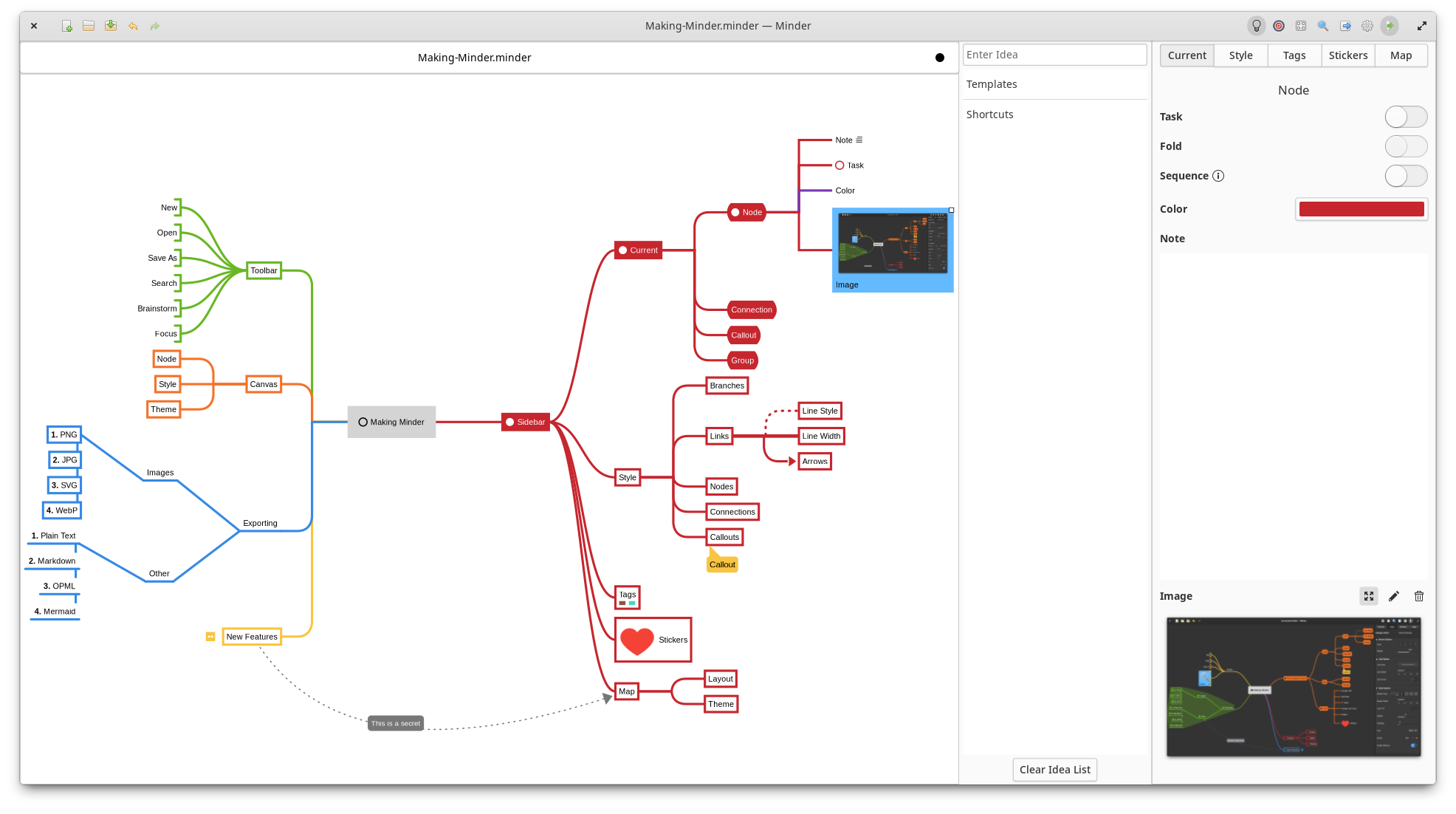
Use the power of mind-mapping to make your ideas come to life.
$...$ or $$...$$ delimiters.You will need the following dependencies to build Minder:
latex, amsmath, amssymb and dvisvgm (i.e., texlive)To install from source, run sudo ./app install and then run the application from your application launcher or from
the command-line with ./app run. If you want to debug with gdb using this build, run ./app debug.
Alternatively, you can install the elementary OS Flatpak using ./app elementary or the Flathub Flatpak using ./app flathub. Once the Flatpak has been built, it can be run using ./app run-flatpak. To make this work, make sure that flatpak and flatpak-builder are installed on your system along with the required Sdk and Platform flatpaks.
Minder is available as a Flatpak (recommended) via Flathub and elementary OS AppCenter.
You can install the Flathub flatpak from:
https://flathub.org/apps/com.github.phase1geo.minder
Search for "Minder" in AppCenter and install from there.
The following distributions have Minder available in their own packaging formats. These versions may not be the latest versions of Minder, so install these at your own discretion. The Flatpak versions of Minder are officially supported by the developers of Minder.
Minder is packaged in Arch Linux, install it with pacman:
$ sudo pacman -S minder
Minder is packaged in Void Linux, install it with xbps-install:
$ sudo xbps-install Minder
For Fedora users, install the RPM package with:
$ sudo dnf install minder
Debian/Ubuntu package is also available:
$ sudo apt install minder
Minder documentation can be found here.
254 followers · starred Feb 2023
102 followers · starred Dec 2023
142 followers · starred Jun 2019
18 followers · starred Sep 2022
Use the power of mind-mapping to make your ideas come to life.
$...$ or $$...$$ delimiters.You will need the following dependencies to build Minder:
latex, amsmath, amssymb and dvisvgm (i.e., texlive)To install from source, run sudo ./app install and then run the application from your application launcher or from
the command-line with ./app run. If you want to debug with gdb using this build, run ./app debug.
Alternatively, you can install the elementary OS Flatpak using ./app elementary or the Flathub Flatpak using ./app flathub. Once the Flatpak has been built, it can be run using ./app run-flatpak. To make this work, make sure that flatpak and flatpak-builder are installed on your system along with the required Sdk and Platform flatpaks.
Minder is available as a Flatpak (recommended) via Flathub and elementary OS AppCenter.
You can install the Flathub flatpak from:
https://flathub.org/apps/com.github.phase1geo.minder
Search for "Minder" in AppCenter and install from there.
The following distributions have Minder available in their own packaging formats. These versions may not be the latest versions of Minder, so install these at your own discretion. The Flatpak versions of Minder are officially supported by the developers of Minder.
Minder is packaged in Arch Linux, install it with pacman:
$ sudo pacman -S minder
Minder is packaged in Void Linux, install it with xbps-install:
$ sudo xbps-install Minder
For Fedora users, install the RPM package with:
$ sudo dnf install minder
Debian/Ubuntu package is also available:
$ sudo apt install minder
Minder documentation can be found here.
254 followers · starred Feb 2023
102 followers · starred Dec 2023
142 followers · starred Jun 2019
18 followers · starred Sep 2022