
README
Erlang for Visual Studio Code




This extension adds support for the Erlang language to Visual Studio Code, including editing, building and debugging.
New to the extension? Open Help > Welcome > Get started with Erlang: a walkthrough that checks your Erlang/OTP and rebar3 installation, then builds, tests and debugs your project.
Features at a glance
| Area | Features |
|---|---|
| Editing | Completion with snippets, hover docs, signature help, inlay hints, CodeLens, diagnostics while typing |
| Highlighting | TextMate grammar + semantic highlighting from the syntax tree |
| Navigation | Definition, declaration, type definition, implementations, references, document/workspace symbols, call & type hierarchy, highlight occurrences, links in -include |
| Code actions | Quick fixes from compiler diagnostics, export/unexport, generate -spec, implement behaviour callbacks, extract function, inline variable, if ↔ case, sort -export |
| Formatting | Document, selection and on-type formatting (erlfmt), folding, expand/shrink selection, rename |
| Testing | EUnit and Common Test in the Testing view: run, debug, coverage |
| Build | rebar3 commands, rebar3 tasks (compile, eunit, ct, dialyzer, release, shell, clean), Dialyzer warnings in Problems with PLT status in the status bar |
| Debugger | Launch or attach to a running node; line, function, conditional, hit-count breakpoints, logpoints; variables, call stack, inline values |
| Status | Language server state and OTP version in the status bar |
Editing support
- Syntax highlighting
- Automatic indentation
- Erlang IntelliSense
- Shows errors and warnings dynamically while you type
- Go To Definition/Peek Definition
- Hover help for standard functions
- Hover for project functions showing head clauses
- CodeLens showing exported functions and references
- InlayHints showing parameters name in function calls
- disable by default : enable in configuration settings
- limits : only works with locals calls
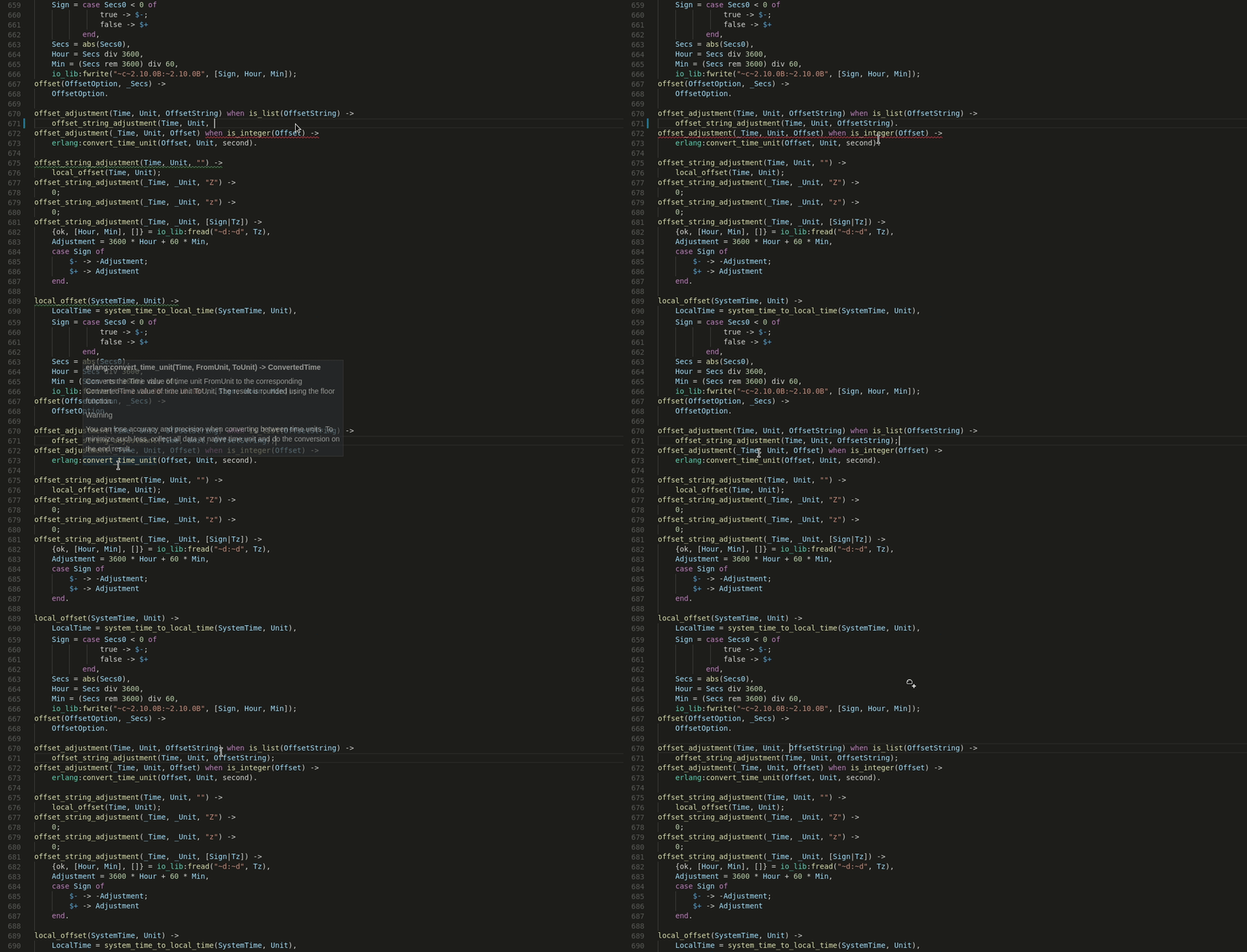
InlayHints in function calls
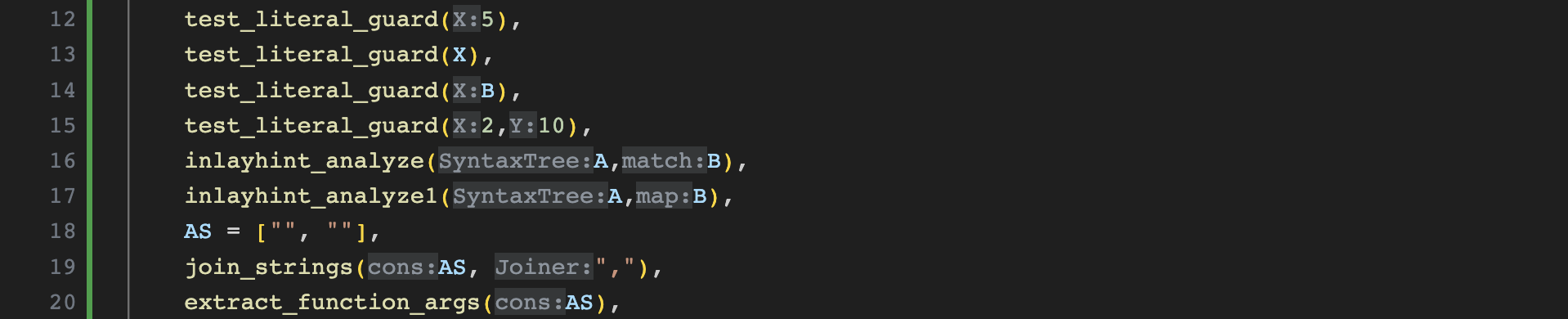
- showing parameter name when it doesn't match with caller var name
Semantic highlighting
Modules, functions, macros, variables, parameters, types, records and record fields are colored from the real syntax tree, on top of the TextMate grammar. OTP modules are flagged as defaultLibrary and functions listed in -deprecated as deprecated.
- disable with
erlang.semanticTokensEnabled
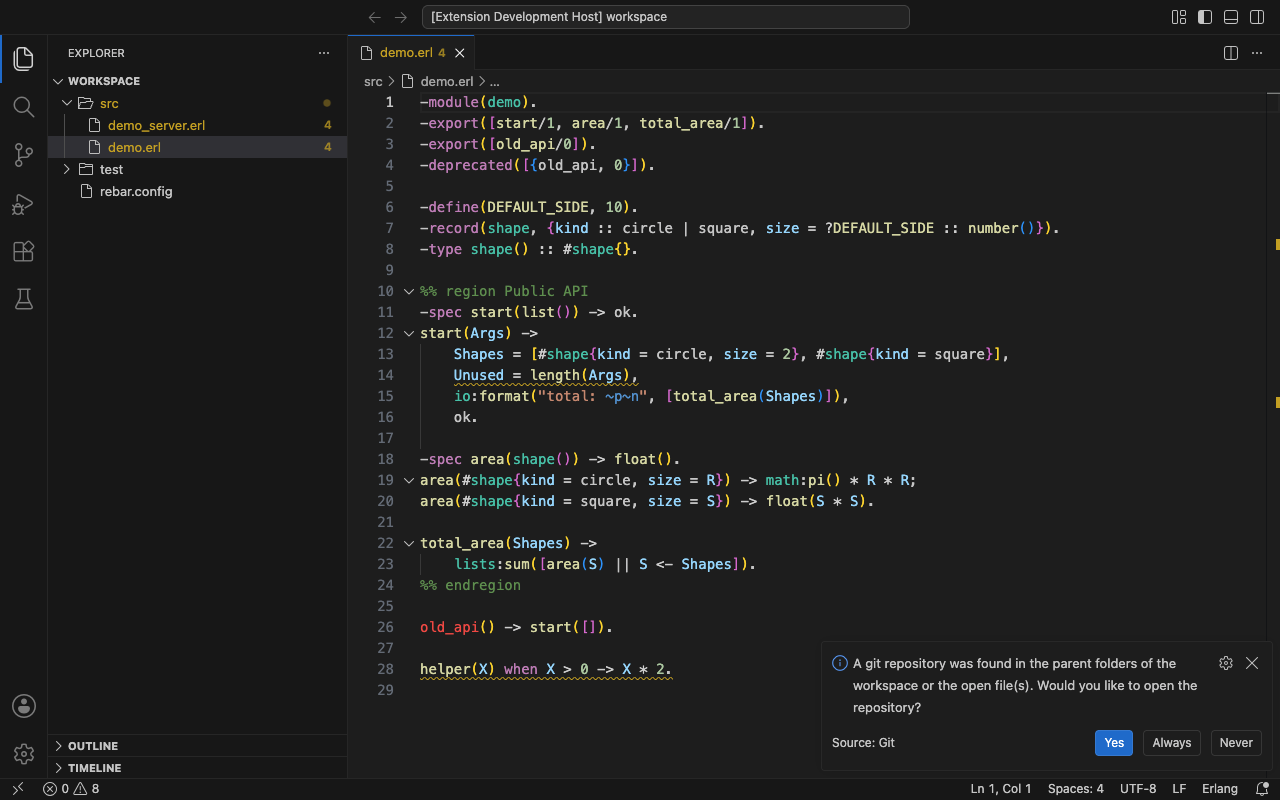
Quick fixes and refactorings
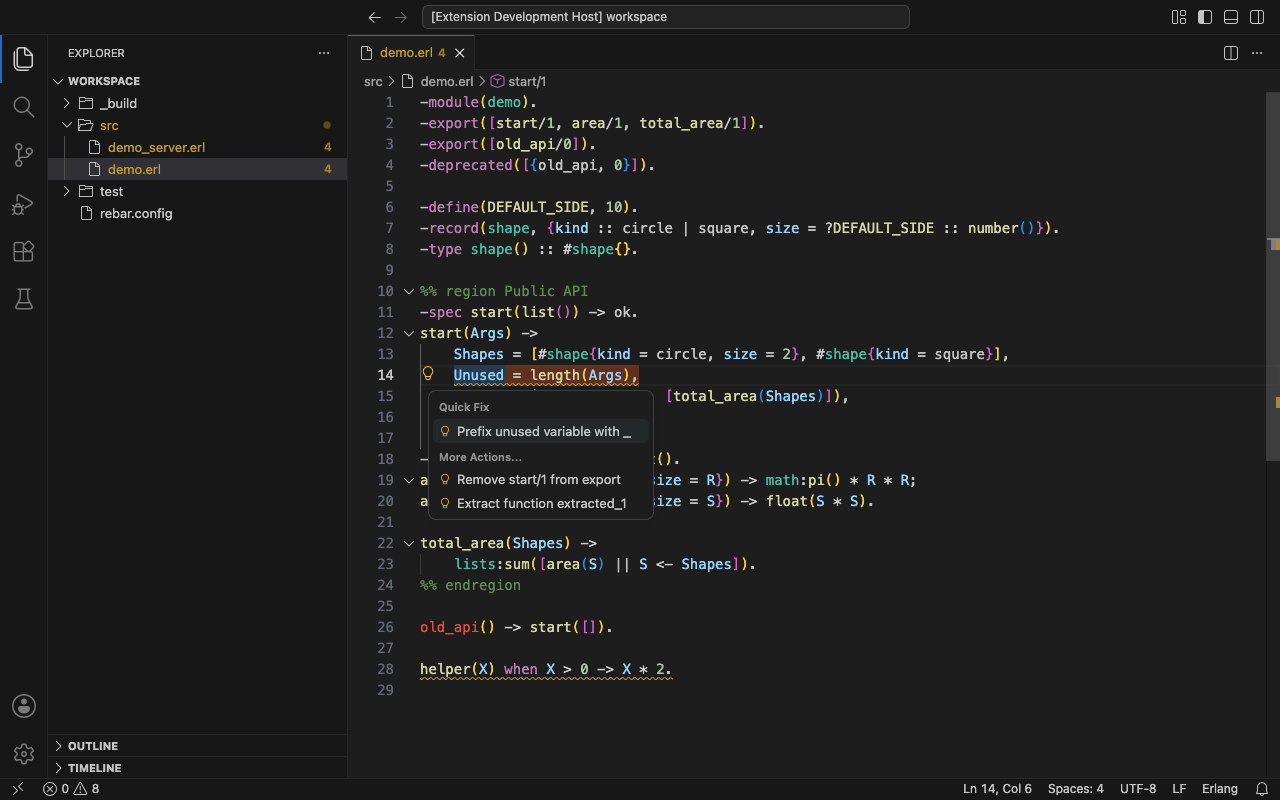
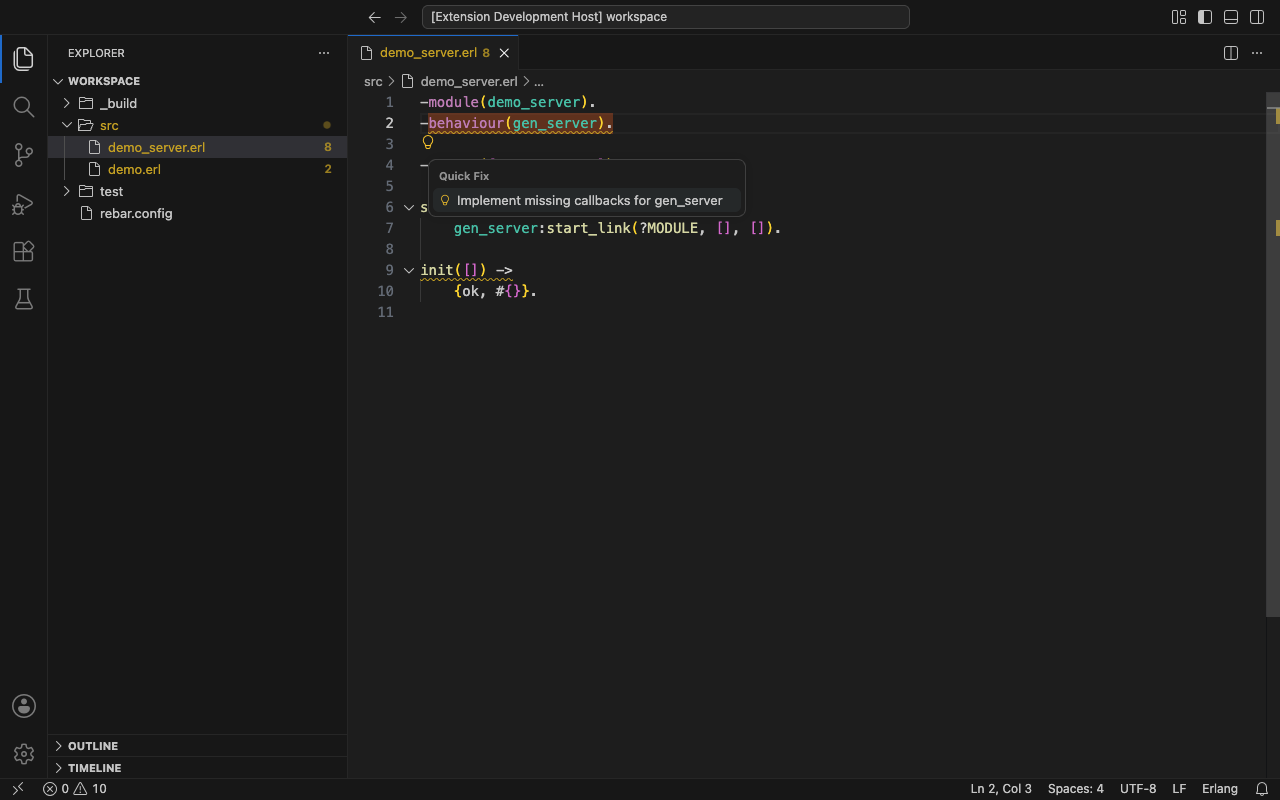
Press Ctrl+. / Cmd+. on a diagnostic or on a selection:
- Quick fixes driven by compiler warnings/errors:
- Prefix unused variable with
_ - Export an unused function
- Create a stub for an undefined function
- Add a missing field to a record definition
- Remove include of a missing file
- Add missing
-module(...)
- Prefix unused variable with
- Export / unexport a function, generate
-specfrom the function clauses - Implement missing callbacks for a
-behaviour(...) - Refactorings: extract function from selection, inline variable, convert
if↔case - Source actions: sort the
-exportlist
Navigation
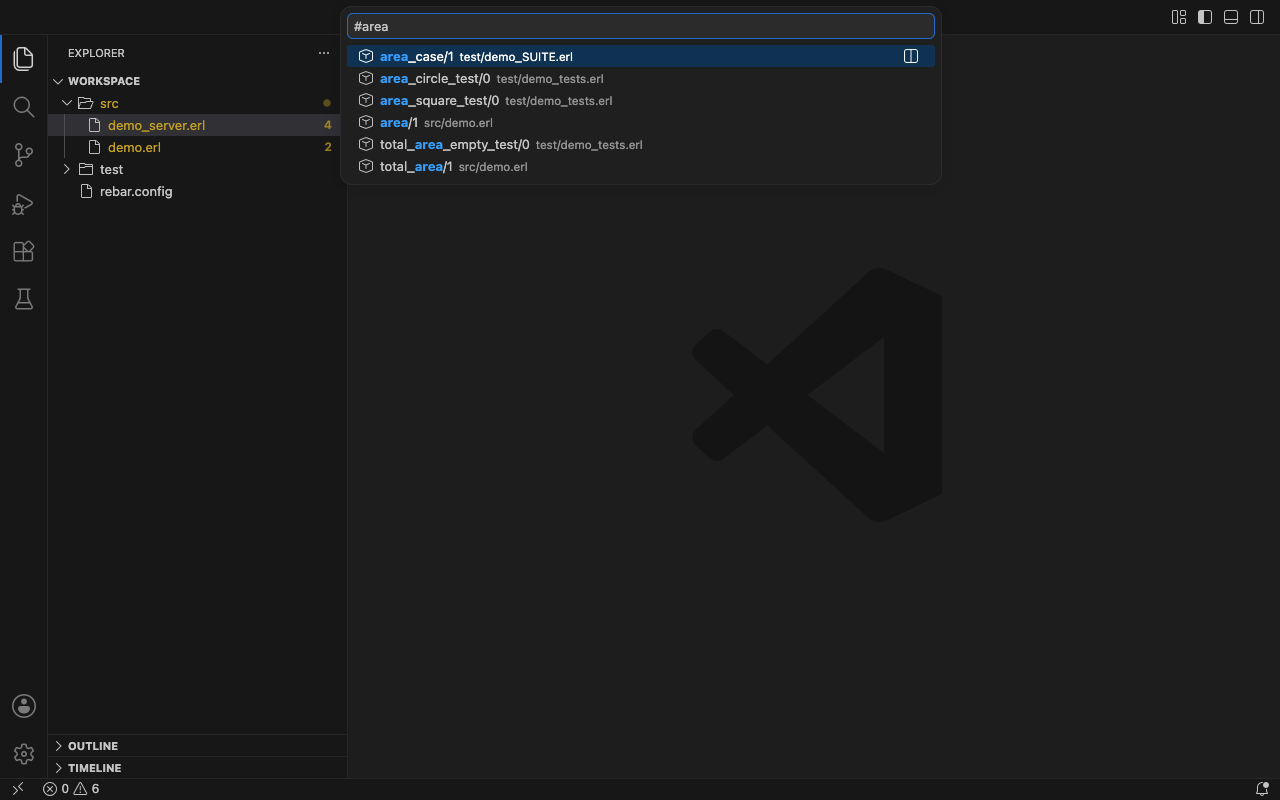
- Go to Symbol in Workspace (
Ctrl+T/Cmd+T): functions, records, types, macros across the project - Go to Declaration, Go to Type Definition (from a
-spec/type usage to its-type/-opaque) - Go to Implementations: from a
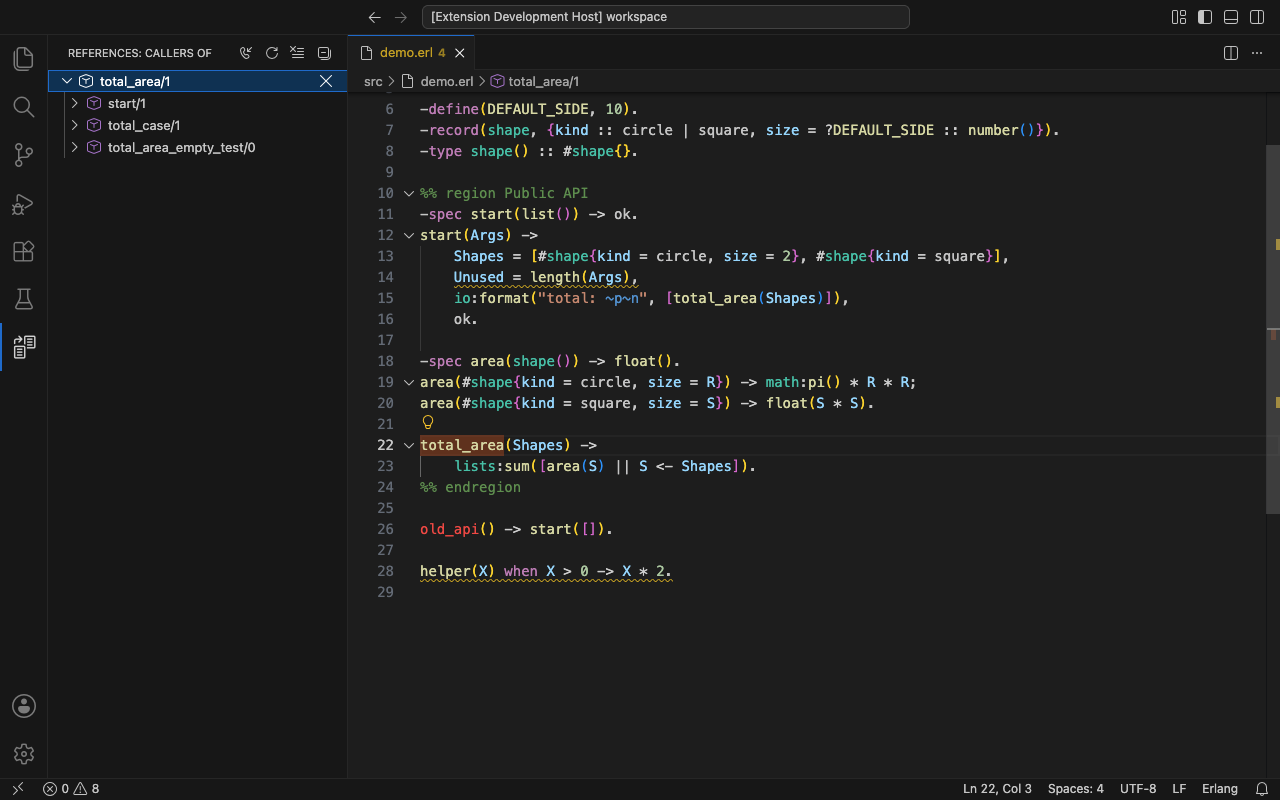
-callbackto every module implementing the behaviour - Call Hierarchy (incoming/outgoing calls) and Type Hierarchy (behaviour ↔ implementors)
- Highlight all occurrences of the variable/function/record under the cursor
- Clickable
-include/-include_libpaths and URLs in comments
Formatting and folding
- Format document, format selection and format on type (
.,;,,, newline), powered by erlfmt- disable with
erlang.formatterEnabled, line length witherlang.formattingLineLength
- disable with
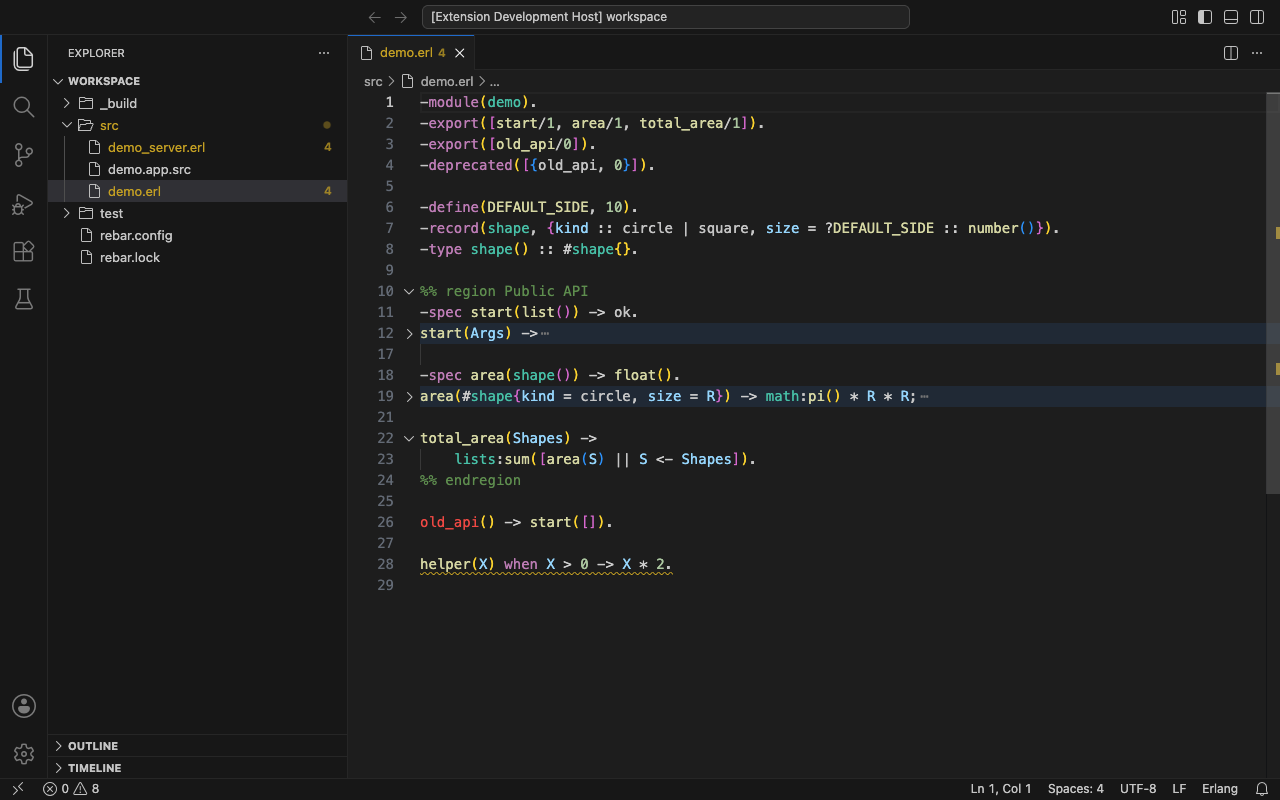
- Folding of functions, clauses,
case/receive/try,-exportlists, comment blocks and%% region/%% endregionmarkers - Expand/shrink selection (
Shift+Alt+→/Shift+Alt+←) - Completion with snippets for function arguments,
?for macros,-for attributes
Testing
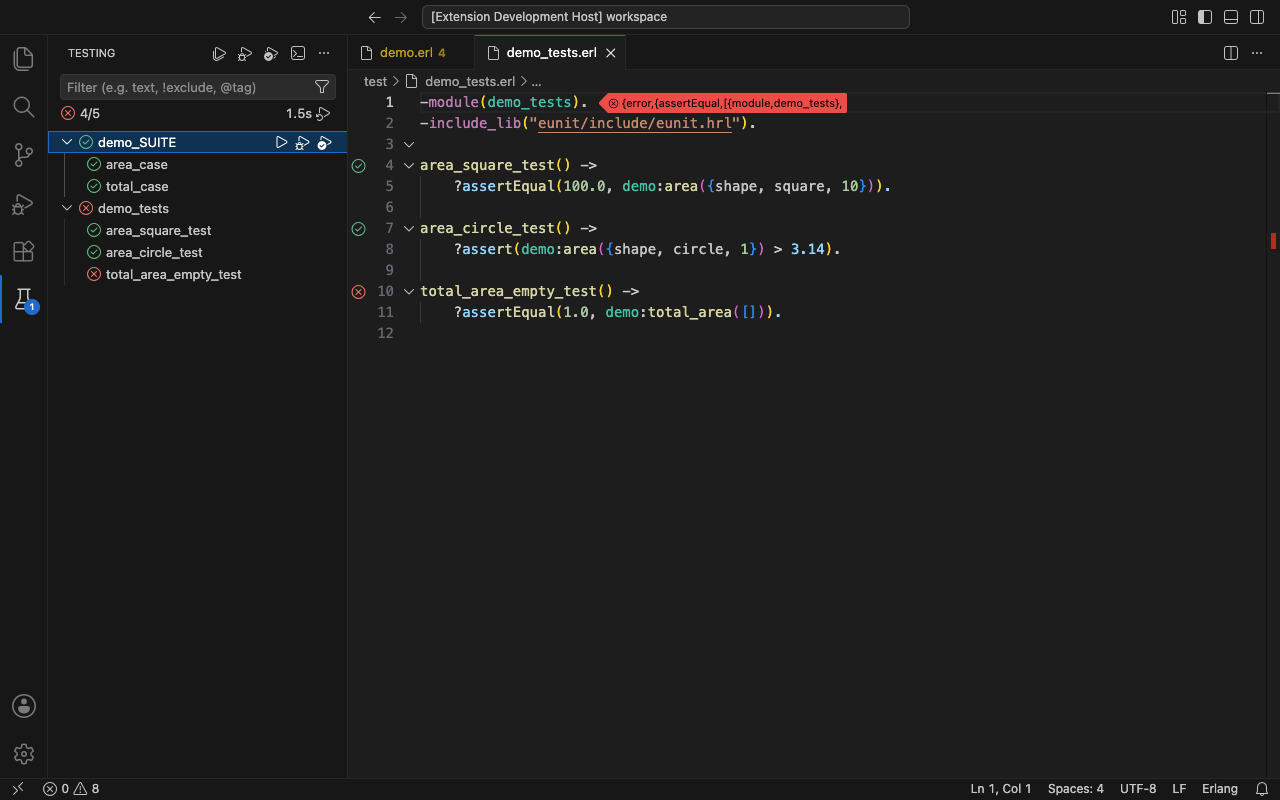
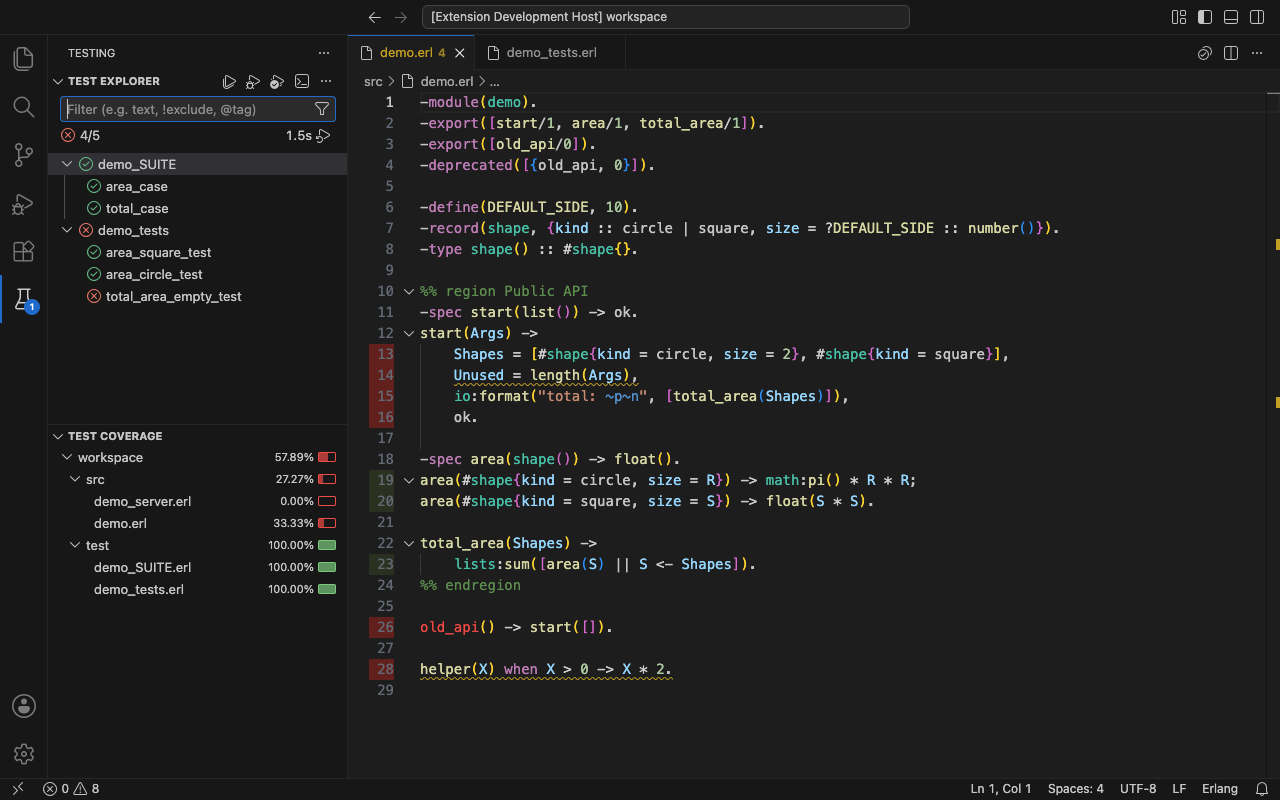
EUnit and Common Test tests are discovered by the language server and shown in the VS Code Testing sidebar:
- EUnit:
*_test/0,*_test_/0functions (including inside-ifdef(TEST)) - Common Test:
*_SUITE.erlmodules and their test cases - Run, Debug (breakpoints in tests) and Run with Coverage profiles
- Per-test results with failure message and location, line coverage of the code under test shown in the editor gutter
Build
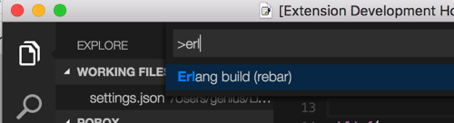
- Standard rebar3 is the default build tool, also rebar is supported. The rebar.config file should be placed in the root directory.
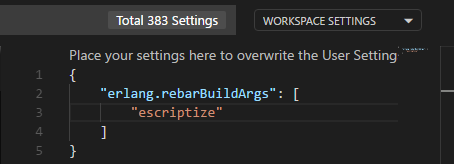
- Build arguments are configurable, by default "compile" is used
- You can override the default in configuration file (i.e. workspace settings)
rebar3 tasks
For every workspace folder with a rebar.config, Terminal > Run Task > rebar3 offers compile (the default build task), eunit and ct (test tasks), dialyzer, shell, clean, and release when relx is configured. Compiler errors and dialyzer warnings land in the Problems panel ($rebar3 and $rebar3-dialyzer problem matchers).
Customize them in tasks.json:
{
    "type": "rebar3",
    "command": "ct",
    "profile": "test",
    "args": ["--suite", "apps/myapp/test/myapp_SUITE"],
    "problemMatcher": ["$rebar3"]
}
Dialyzer
Erlang: rebar dialyzer shows its warnings in the Problems panel. The status bar shows the state of the project PLT: none (the first run builds it, which is slow), stale (rebar.lock or rebar.config changed since it was built; rebar3 updates it incrementally on the next run) or ready. Click it to run dialyzer.
Debugger
- Variables List shows variables from the current scope
- Call Stack shows Erlang processes and allows to control them with e.g. Pause and Continue
- Standard commands Step Over, Step Into, Step Out supported
- Full breakpoints support:
- Regular breakpoints
- Function Breakpoints: use format module:function/arity
- Conditional Breakpoints
- Hit-Count Breakpoints
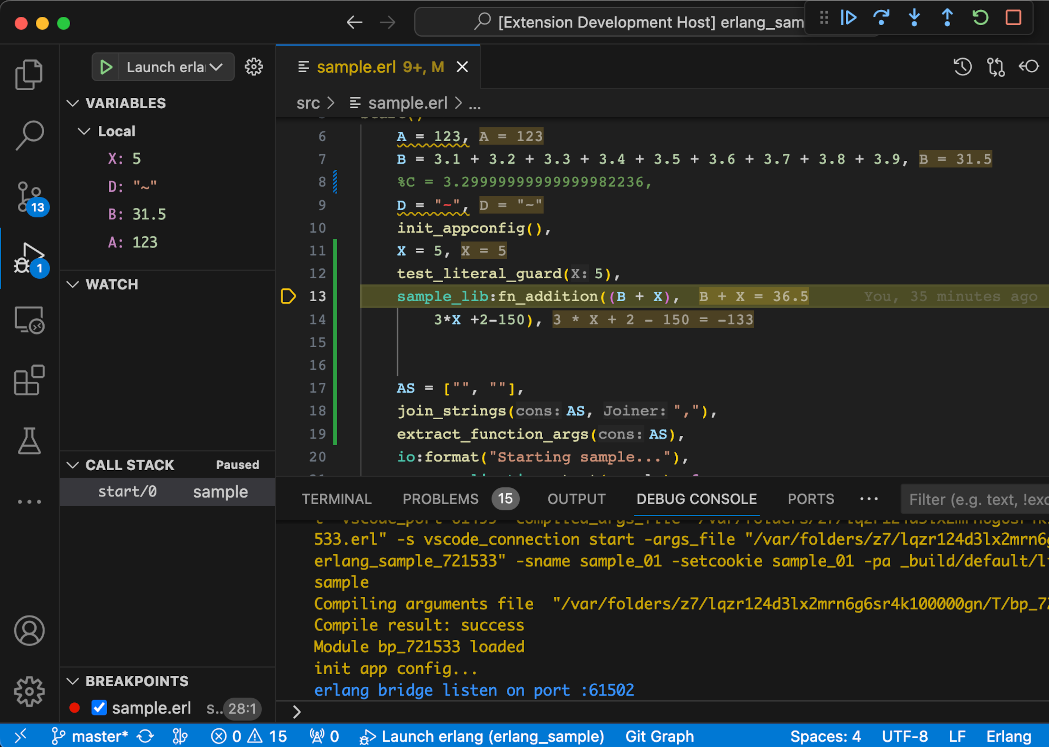
Running debugger
You can provide a specific command line to 'erl' in launch.json configuration file in "arguments" entry.
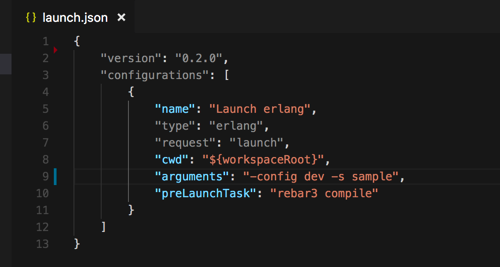
The modified code may be automatically build before debugger is started: add "preLaunchTask": "rebar3: compile" to the launch configuration. Then, before debugging is started, modified files will be recompiled automatically.
"erlpath": "${command:erlpath}" uses the erl from erlang.erlangPath (or the PATH). Add Configuration... in launch.json offers ready-made snippets.
Attach to a running node
{
    "name": "Attach to myapp",
    "type": "erlang",
    "request": "attach",
    "node": "myapp@localhost",
    "cwd": "${workspaceFolder}"
}
The debugger starts a hidden helper node, connects to node, loads its bridge there and interprets the project's modules, so breakpoints work in the running system. Disconnecting removes every breakpoint, releases the processes stopped at one and stops interpreting; the node keeps running (use Terminate to stop it instead).
- The node must run on the same machine, as a distributed node (
-sname/-name), with thedebuggerandinetsapplications available (a release must include them). - Cookie:
~/.erlang.cookieby default, or a"cookie"entry. - Project modules must be compiled with
debug_info(rebar3 default).
Using this extension in Erlang Docker instance
Clone this repo, and try it :
For more information about vscode and containers :
Available commands
Support for Erlang tools, including rebar3, EUnit and Dialyzer
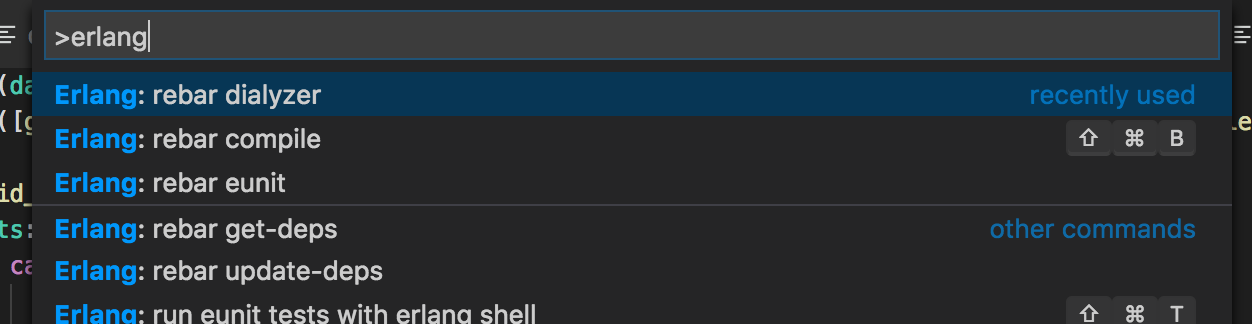
- Dialyzer warnings displayed in Problems tab for easy navigation
Erlang: Check Erlang/OTP and rebar3 installation- which erl and rebar3 the extension usesErlang: Show Language Server Output,Erlang: Restart Language Server
The status bar shows the language server state (starting, ready with the OTP version, failed). A start failure is reported with a notification; click the item to open the output.
Editor defaults
For Erlang files the extension sets 4-space indentation (erlfmt's), enables semantic highlighting and keeps format-on-save off. Override them under "[erlang]" in your settings. Double-click selects whole Erlang words: node@host atoms, 'quoted atoms', 16#FF numbers.
Settings
erlang.erlangPath- Directory location of erl/escripterlang.erlangArgs- Arguments passed to Erlang backenderlang.erlangDistributedNode- Start the Erlang backend in a distributed Erlang node for extension developmenterlang.rebarPath- Directory location of rebar/rebar3erlang.rebarBuildArgs- Arguments to provide to rebar/rebar3 build commanderlang.includePaths- Include paths are read from rebar.config, and also standard set of paths is used. This setting is for special cases when the default behaviour is not enougherlang.linting- Enable/disable dynamic validation of opened Erlang source fileserlang.codeLensEnabled- Enable/Disable CodeLenserlang.cacheManagement- Specify where and how to store large cache tableserlang.inlayHintsEnabled- Enable/Disable InlayHintserlang.semanticTokensEnabled- Enable/Disable semantic highlightingerlang.formatterEnabled- Enable/Disable the formatter (document, selection and on-type)erlang.formattingLineLength- Maximum line length for formattingerlang.verbose- Activate technical traces for use in the extension developmenterlang.verboseExcludeFilter- LSP methods excluded from technical traceserlang.debuggerRunMode- How the debug adapter is run (external,server,inline)
Help
Credits
File 'Erlang.tmLanguage' is inspired from https://github.com/textmate/erlang.tmbundle/blob/master/Syntaxes/Erlang.plist
Contributors


README
Erlang for Visual Studio Code
This extension adds support for the Erlang language to Visual Studio Code, including editing, building and debugging.
New to the extension? Open Help > Welcome > Get started with Erlang: a walkthrough that checks your Erlang/OTP and rebar3 installation, then builds, tests and debugs your project.
Features at a glance
| Area | Features |
|---|---|
| Editing | Completion with snippets, hover docs, signature help, inlay hints, CodeLens, diagnostics while typing |
| Highlighting | TextMate grammar + semantic highlighting from the syntax tree |
| Navigation | Definition, declaration, type definition, implementations, references, document/workspace symbols, call & type hierarchy, highlight occurrences, links in -include |
| Code actions | Quick fixes from compiler diagnostics, export/unexport, generate -spec, implement behaviour callbacks, extract function, inline variable, if ↔ case, sort -export |
| Formatting | Document, selection and on-type formatting (erlfmt), folding, expand/shrink selection, rename |
| Testing | EUnit and Common Test in the Testing view: run, debug, coverage |
| Build | rebar3 commands, rebar3 tasks (compile, eunit, ct, dialyzer, release, shell, clean), Dialyzer warnings in Problems with PLT status in the status bar |
| Debugger | Launch or attach to a running node; line, function, conditional, hit-count breakpoints, logpoints; variables, call stack, inline values |
| Status | Language server state and OTP version in the status bar |
Editing support
- Syntax highlighting
- Automatic indentation
- Erlang IntelliSense
- Shows errors and warnings dynamically while you type
- Go To Definition/Peek Definition
- Hover help for standard functions
- Hover for project functions showing head clauses
- CodeLens showing exported functions and references
- InlayHints showing parameters name in function calls
- disable by default : enable in configuration settings
- limits : only works with locals calls
InlayHints in function calls
- showing parameter name when it doesn't match with caller var name
Semantic highlighting
Modules, functions, macros, variables, parameters, types, records and record fields are colored from the real syntax tree, on top of the TextMate grammar. OTP modules are flagged as defaultLibrary and functions listed in -deprecated as deprecated.
- disable with
erlang.semanticTokensEnabled
Quick fixes and refactorings
Press Ctrl+. / Cmd+. on a diagnostic or on a selection:
- Quick fixes driven by compiler warnings/errors:
- Prefix unused variable with
_ - Export an unused function
- Create a stub for an undefined function
- Add a missing field to a record definition
- Remove include of a missing file
- Add missing
-module(...)
- Prefix unused variable with
- Export / unexport a function, generate
-specfrom the function clauses - Implement missing callbacks for a
-behaviour(...) - Refactorings: extract function from selection, inline variable, convert
if↔case - Source actions: sort the
-exportlist
Navigation
- Go to Symbol in Workspace (
Ctrl+T/Cmd+T): functions, records, types, macros across the project - Go to Declaration, Go to Type Definition (from a
-spec/type usage to its-type/-opaque) - Go to Implementations: from a
-callbackto every module implementing the behaviour - Call Hierarchy (incoming/outgoing calls) and Type Hierarchy (behaviour ↔ implementors)
- Highlight all occurrences of the variable/function/record under the cursor
- Clickable
-include/-include_libpaths and URLs in comments
Formatting and folding
- Format document, format selection and format on type (
.,;,,, newline), powered by erlfmt- disable with
erlang.formatterEnabled, line length witherlang.formattingLineLength
- disable with
- Folding of functions, clauses,
case/receive/try,-exportlists, comment blocks and%% region/%% endregionmarkers - Expand/shrink selection (
Shift+Alt+→/Shift+Alt+←) - Completion with snippets for function arguments,
?for macros,-for attributes
Testing
EUnit and Common Test tests are discovered by the language server and shown in the VS Code Testing sidebar:
- EUnit:
*_test/0,*_test_/0functions (including inside-ifdef(TEST)) - Common Test:
*_SUITE.erlmodules and their test cases - Run, Debug (breakpoints in tests) and Run with Coverage profiles
- Per-test results with failure message and location, line coverage of the code under test shown in the editor gutter
Build
- Standard rebar3 is the default build tool, also rebar is supported. The rebar.config file should be placed in the root directory.
- Build arguments are configurable, by default "compile" is used
- You can override the default in configuration file (i.e. workspace settings)
rebar3 tasks
For every workspace folder with a rebar.config, Terminal > Run Task > rebar3 offers compile (the default build task), eunit and ct (test tasks), dialyzer, shell, clean, and release when relx is configured. Compiler errors and dialyzer warnings land in the Problems panel ($rebar3 and $rebar3-dialyzer problem matchers).
Customize them in tasks.json:
{
    "type": "rebar3",
    "command": "ct",
    "profile": "test",
    "args": ["--suite", "apps/myapp/test/myapp_SUITE"],
    "problemMatcher": ["$rebar3"]
}
Dialyzer
Erlang: rebar dialyzer shows its warnings in the Problems panel. The status bar shows the state of the project PLT: none (the first run builds it, which is slow), stale (rebar.lock or rebar.config changed since it was built; rebar3 updates it incrementally on the next run) or ready. Click it to run dialyzer.
Debugger
- Variables List shows variables from the current scope
- Call Stack shows Erlang processes and allows to control them with e.g. Pause and Continue
- Standard commands Step Over, Step Into, Step Out supported
- Full breakpoints support:
- Regular breakpoints
- Function Breakpoints: use format module:function/arity
- Conditional Breakpoints
- Hit-Count Breakpoints
Running debugger
You can provide a specific command line to 'erl' in launch.json configuration file in "arguments" entry.
The modified code may be automatically build before debugger is started: add "preLaunchTask": "rebar3: compile" to the launch configuration. Then, before debugging is started, modified files will be recompiled automatically.
"erlpath": "${command:erlpath}" uses the erl from erlang.erlangPath (or the PATH). Add Configuration... in launch.json offers ready-made snippets.
Attach to a running node
{
    "name": "Attach to myapp",
    "type": "erlang",
    "request": "attach",
    "node": "myapp@localhost",
    "cwd": "${workspaceFolder}"
}
The debugger starts a hidden helper node, connects to node, loads its bridge there and interprets the project's modules, so breakpoints work in the running system. Disconnecting removes every breakpoint, releases the processes stopped at one and stops interpreting; the node keeps running (use Terminate to stop it instead).
- The node must run on the same machine, as a distributed node (
-sname/-name), with thedebuggerandinetsapplications available (a release must include them). - Cookie:
~/.erlang.cookieby default, or a"cookie"entry. - Project modules must be compiled with
debug_info(rebar3 default).
Using this extension in Erlang Docker instance
Clone this repo, and try it :
For more information about vscode and containers :
Available commands
Support for Erlang tools, including rebar3, EUnit and Dialyzer
- Dialyzer warnings displayed in Problems tab for easy navigation
Erlang: Check Erlang/OTP and rebar3 installation- which erl and rebar3 the extension usesErlang: Show Language Server Output,Erlang: Restart Language Server
The status bar shows the language server state (starting, ready with the OTP version, failed). A start failure is reported with a notification; click the item to open the output.
Editor defaults
For Erlang files the extension sets 4-space indentation (erlfmt's), enables semantic highlighting and keeps format-on-save off. Override them under "[erlang]" in your settings. Double-click selects whole Erlang words: node@host atoms, 'quoted atoms', 16#FF numbers.
Settings
erlang.erlangPath- Directory location of erl/escripterlang.erlangArgs- Arguments passed to Erlang backenderlang.erlangDistributedNode- Start the Erlang backend in a distributed Erlang node for extension developmenterlang.rebarPath- Directory location of rebar/rebar3erlang.rebarBuildArgs- Arguments to provide to rebar/rebar3 build commanderlang.includePaths- Include paths are read from rebar.config, and also standard set of paths is used. This setting is for special cases when the default behaviour is not enougherlang.linting- Enable/disable dynamic validation of opened Erlang source fileserlang.codeLensEnabled- Enable/Disable CodeLenserlang.cacheManagement- Specify where and how to store large cache tableserlang.inlayHintsEnabled- Enable/Disable InlayHintserlang.semanticTokensEnabled- Enable/Disable semantic highlightingerlang.formatterEnabled- Enable/Disable the formatter (document, selection and on-type)erlang.formattingLineLength- Maximum line length for formattingerlang.verbose- Activate technical traces for use in the extension developmenterlang.verboseExcludeFilter- LSP methods excluded from technical traceserlang.debuggerRunMode- How the debug adapter is run (external,server,inline)
Help
Credits
File 'Erlang.tmLanguage' is inspired from https://github.com/textmate/erlang.tmbundle/blob/master/Syntaxes/Erlang.plist
Similar repos
Contributors
Languages
Erlang
82.6%
TypeScript
16.5%