
Draw animated Japanese characters (Kanji and Kana), Korean characters (Hanja) and Chinese characters (Hanzi) in correct stroke order using svg, free open-source code.
HTML
465
268 commits
updated May 13, 2026
README
AnimCJK
Description
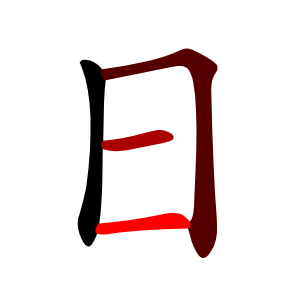
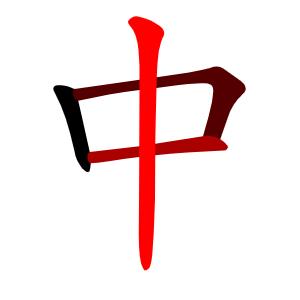
The purpose of this project is to display kanji and kana (Japanese characters), hanja (Korean characters) or hanzi (simplified and traditional Chinese characters) stroke by stroke.
For a demo, see https://parsimonhi.github.io/animCJK/
For each character of a given language, there is a svg file in AnimCJK repository that contains paths defining its shape and some css code to animate it. The name of the svg is the decimal unicode of the character followed by the "svg" extension.
SVG files
SVG files are stored in several folders.
svgsJa
The svgsJa folder contains svg files corresponding to the union of the Japanese "jōyō kanji" (2136 characters), the Japanese "jinmeyō Kanji" (863 characters), some Japanese "hyōgai Kanji", some components, and the 38 basic strokes. In all, the svgsJa folder contains 7007 characters.
svgsJaKana
The svgsJaKana folder contains svg files corresponding to the Japanese "hiragana" (86 characters) and Japanese "katakana" (91 characters). In all, the svgsJaKana folder contains 177 characters.
svgsKo
The svgsKo folder contains svg files corresponding to Korean "hanja level 8, 7, 6, 5", some of the level 4, and some other characters. In all, the svgsKo folder contains 535 characters.
svgsZhHans
The svgsZhHans folder contains svg files corresponding to Chinese "commonly used simplified hanzi" (7000 characters), some "uncommon hanzi", some "traditional hanzi" (that can appear in a simplified hanzi text), some components and the 38 basic strokes. This set includes the "HSK version 3 hanzi" (2970 characters) and the "frequently used simplified hanzi" (3500 characters). In all, the svgsZhHans folder contains 8014 characters.
svgsZhHant
The svgsZhHant folder contains svg files corresponding to Chinese "HSK v3 level 1 to 3 traditional hanzi" (907 characters) and some other characters. Note that some simplified characters have more than one corresponding traditional character. In all, the svgsZhHant folder contains 1013 characters.
Special folders
These folders contain a "special" version of svg files for characters that have at least one stroke that belongs only partially to the radical. These "special" versions are useful only when one want to display the radical in a different color. Note that all these characters have also a "normal" version in svgsJa, svgsKo, svgsZhHans or svgsZhHant.
Zoo folders
They contain various characters such as primitives that may not have a corresponding character in Unicode code charts and Bopomofo characters.
Notes
Be careful because the characters are not always the same in all languages even when they share the same unicode. For instance 勉 (21193.svg) in Japanese has not the same glyph as 勉 (21193.svg) in simplified Chinese.
Pay attention to compatibility characters such as 勉 (64051.svg) which has the same glyph in Japanese as 勉 (21193.svg) in simplified Chinese, but does not have the same unicode.
Usage
First, you have to download AnimCJK somewhere on your computer (then evenly upload it on a webserver).
The AnimCJK svg files representing a character can be used anywhere an image file can be used.
Basic usage
A svg file can be used as the source of a html img tag. Write the code below in a file called simple1.html and store it in the samples folder of AnimCJK. Then display simple1.html in a browser.
<!doctype html>
<html>
<head>
<meta charset="UTF-8">
<meta name="viewport" content="initial-scale=1.0,user-scalable=yes">
<style>
img
{
	width:256px;
	height:256px;
}
</style>
<title>Simple usage of AnimCJK</title>
</head>
<body>
<h1>Simple usage of AnimCJK</h1>
<img alt="Kanji for middle" src="../svgsJa/20013.svg">
</body>
</html>
A svg file can also be inserted as is in the html code of a web page.
You can just copy the content of the svg in the html. Write the code below in a file called simple2.html and store it in the samples folder of AnimCJK. Then display simple2.html in a browser.
<!doctype html>
<html>
<head>
<meta charset="UTF-8">
<meta name="viewport" content="initial-scale=1.0,user-scalable=yes">
<style>
svg.acjk
{
	width:256px;
	height:256px;
}
</style>
<title>Simple usage of AnimCJK</title>
</head>
<body>
<h1>Simple usage of AnimCJK</h1>
<!-- beginning of the content of svgsJa/20013.svg -->
<svg id="z20013" class="acjk" viewBox="0 0 1024 1024" xmlns="http://www.w3.org/2000/svg">
<style>
<![CDATA[
@keyframes zk {
	to {
		stroke-dashoffset:0;
	}
}
svg.acjk path[clip-path] {
	--t:0.8s;
	animation:zk var(--t) linear forwards var(--d);
	stroke-dasharray:3337;
	stroke-dashoffset:3339;
	stroke-width:128;
	stroke-linecap:round;
	fill:none;
	stroke:#000;
}
svg.acjk path[id] {fill:#ccc;}
]]>
</style>
<path id="z20013d1" d="M 254,304 C 240,297 228,292 209,291 199,290 188,291 185,295 180,300 181,307 189,320 214,368 237,432 254,516 258,539 267,559 282,576 305,600 309,583 310,557 310,544 308,531 306,519 298,477 273,372 267,344 Z"/>
<path id="z20013d2" d="M 752,475 C 760,450 769,426 777,402 787,370 805,343 828,322 845,305 841,291 821,276 801,261 781,246 762,234 748,225 734,225 717,232 690,241 613,253 535,264 L 476,272 C 386,284 289,299 254,304 L 267,344 C 335,330 409,314 476,307 L 534,300 C 580,294 624,287 687,284 699,283 719,285 724,293 734,307 723,366 693,465 Z"/>
<path id="z20013d3" d="M 530,530 C 596,522 674,518 764,514 772,513 776,509 778,503 778,497 770,487 752,475 L 693,465 C 635,475 580,483 530,491 L 475,499 C 415,507 358,513 306,519 L 310,557 C 325,559 419,542 475,536 Z"/>
<path id="z20013d4" d="M 475,536 C 475,768 467,879 488,916 494,928 505,924 512,910 523,881 530,755 530,530 V 491 C 530,458 532,354 534,300 L 535,264 C 536,192 545,146 559,122 564,111 559,99 545,89 528,75 504,64 475,57 460,53 450,58 441,67 435,72 434,78 444,88 478,121 476,216 476,272 V 307 C 476,365 475,464 475,499 Z"/>
<defs>
	<clipPath id="z20013c1"><use href="#z20013d1"/></clipPath>
	<clipPath id="z20013c2"><use href="#z20013d2"/></clipPath>
	<clipPath id="z20013c3"><use href="#z20013d3"/></clipPath>
	<clipPath id="z20013c4"><use href="#z20013d4"/></clipPath>
</defs>
<path style="--d:1s;" pathLength="3333" clip-path="url(#z20013c1)" d="M190 298L232 337L295 584"/>
<path style="--d:2s;" pathLength="3333" clip-path="url(#z20013c2)" d="M262 311L738 260L784 305L716 468"/>
<path style="--d:3s;" pathLength="3333" clip-path="url(#z20013c3)" d="M314 526L699 491L773 502"/>
<path style="--d:4s;" pathLength="3333" clip-path="url(#z20013c4)" d="M445 72L515 120L497 914"/>
</svg>
<!-- end of the content of svgsJa/20013.svg -->
</body>
</html>
Alternately, you can use Javascript to insert a svg in a HTML page. Write the code below in a file called simple3.html and store it in the samples folder of AnimCJK. Then display simple3.html in a browser (assuming that you moved the AnimCJK repository on a web server otherwise it will not work).
<!doctype html>
<html>
<head>
<meta charset="UTF-8">
<meta name="viewport" content="initial-scale=1.0,user-scalable=yes">
<style>
svg.acjk
{
	width:256px;
	height:256px;
}
</style>
<title>Simple usage of AnimCJK</title>
</head>
<body>
<h1>Simple usage of AnimCJK</h1>
<figure id="svgBox"></figure>
<script>
window.addEventListener("load",function(){
	fetch("../svgsJa/20013.svg") // get Japanese 中
	.then(r=>r.text())
	.then(r=>document.getElementById("svgBox").innerHTML=r);});
</script>
</body>
</html>
Anki cards
You can insert svg files as HTML code in Anki card's note fields.
For instance, using Anki card editor, select "Recto" field of a card's note, then click on the "hamburger" icon, select the menu that allows to modify the HTML and paste the content of any AnimCJK svg file representing a character anywhere in the HTML code.
Heisig
In theory, all kanji of the Heisig RTK are in svgsJa.
Most primitives are also in svgsJa, but some are in other folders.
Primitives that are also kana are in svgsJaKana.
Primitives that may not have a corresponding character in Unicode code charts or are a variant of an existing character in Unicode are in svgsJaZoo.
A correspondance table between primitive names and AnimCJK svg files can be found in samples/_csv/heisig-animCJK-primitives.csv.
See also https://parsimonhi.github.io/animCJK/samples/heisig.html sample page.
Other usages
Several samples are provided to show how to use AnimCJK. These samples are stored in the samples folder. See also https://parsimonhi.github.io/animCJK/samples
Using php, javascript or any other languages, you can easily modify svg files in order to change size of characters, colors, animation duration, etc.
- to insert several characters in the same page, see animeSeveral.html.
- to change colors of a character, see color.html, rainbow.html or red.html.
- to change the size of a character, see size.html.
- to change the speed of drawing a character, see speed.html.
See other samples for more usages.
Technical details
To animate a character, AnimCJK uses the following method: the character shape is split in several paths (one per stroke). These paths (called "stroke" paths) are used as clip-path, and dashed lines (called "median" paths) are drawn over these paths. The space between two dashes is large enough to cover the whole path. Initially, the path is covered by a space of the dashed line. Using a css animation, one moves the position of the dashed line. As a result, one has the impression that the strokes are drawn gradually. See https://css-tricks.com/svg-line-animation-works/ for more details.
If several characters are inserted in the same page (for instance if one want to display "一二三"), and if one need to animate them one after the other, one has to modify the animation-delay of each stroke in the css of the svg. If a character is displayed several times in the same page (for instance if one want to display "谢谢"), one also need to modify the id of its elements. This can be done using javascript. Alternately, one can encapsulate each svg in an iframe.
Note: some kana (those which have a stroke overlapping on itself as あ, ぬ etc.) are special. The stroke which overlaps is split in several parts. So automatic procedures on these characters require some specific codes.
Note: some characters have special versions stored in folders that have the "Special" suffix. These versions have some strokes split in several parts in order to be able to show the radical of characters like 由, 甲, etc. See "Radical" sample to see how it works. If you don't intend to show the radical of characters in a different color when drawing a character, you don't need to use these special versions.
Decomposition system
To display components of a character in different colors, a specific decomposition system to AnimCJK called "acjk" can be used. "acjk" decompositions are stored in dictionaryJa.txt, dictionaryZhHans.txt, etc.
An "acjk" decomposition starts with a character, followed by its number of stroke (which indicates that the character is not decomposed), or followed by an ideographic description character (which indicates that the character is decomposed).
An ideographic description character is followed by several component decompositions (3 for "⿲" and "⿳", 2 for ⿰","⿱","⿴","⿵","⿶","⿷","⿸","⿹","⿺" and "⿻).
If a component has no corresponding character to represent it, its decomposition just starts with an ideographic description character.
A component can be represented by a character that has a different number of strokes or a glyph from this component, but which is semantically or graphically similar to this component.
Special case 1: when a component is also the radical of the main character, a so-called "radical" mark is inserted just after the component character (actually a "."). Example: 村⿰木.4寸3 (one draws the four strokes of 木 which is also the radical, then the tree strokes of 寸)
Special case 2: sometimes, a component is split in several parts (when some strokes of other components are drawn "between" its parts). In such a case, each part is represented by a specific decomposition starting with the component character which is split, followed by a so-called "split" mark (actually a ":"), followed by a number or the decomposition of this part. Example: 可⿹丁:1口.3丁:1 (one draws the first stroke of 丁, then the three strokes of 口 which is also the radical, then the second stroke of 丁)
Special case 3: sometimes, two components have one or more strokes (or part of them) in common. In this case, one splits both components, adding the "split" mark after them. For the stroke they have in common, one puts the first component followed by the "split" mark, then the second component followed by the "split" mark, then the number of strokes they have in common. Example: 臼.⿱𠀉:3彐:2𠀉:彐:1 (the whole character is also the radical, the last stroke belongs to both 𠀉 and 彐)
Special case 4: sometimes, in rare cases, one might want to represent a component in the decomposition by two characters, each of them representing the whole component (for example, when one of them represents the component semantically and the other graphically). In this case, we can add these two characters with a so-called "similar" mark (actually a "~") between them. The "similar" mark is always alone between the two characters since the other special marks (if any) can be inserted after the second one. Example: 舎⿱𠆢2舌~𠮷.6 (Graphically, the bottom component of 舎 is 𠮷. But it could also be 舌, which is its radical. However, 舌 is graphically different from the component. So both characters are added in the decomposition with a "similar" mark between them)
When there are more than one special mark, the "radical" mark is inserted first, then the "split" mark. Example: 四⿴囗.:2儿2囗.:1
It is mandatory to decompose a component containing the radical of the main character. Example: 命⿱亼3叩⿰口.3卩2 (The "short" decomposition of 命 is ⿱亼3叩5 and does not contain its radical. So we decompose 叩, which contains the radical of 命, which is 口)
It is desirable to decompose a component represented by a character that has a glyph different from this component. Example: 夢⿳𦭝⿱艹3罒5冖2夕.3, Japanese version (when drawn alone in Japanese, the decomposition of 𦭝 is ⿱⻀4罒5, but in 夢, 𦭝 is 𦭝⿱艹3罒5. So one adds after 𦭝 (in the decomposition of 夢) its decomposition (as it appears in 夢). The decomposition of 夢 could also be ⿱⿳艹3⺫5冖2夕.3)
It is optional to decompose other components.
A decomposition can contain errors, and that is what gives it its charm.
Plugin for Wordpress
A plugin for Wordpress to insert animated kanji in a webpage using BBCode can be downloaded at:
https://gooo.pages-perso.free.fr/animCJK/animkanji_wp_plugin_page.php
Related works
Makemeahanzi
This project is derived from the remarquable Makemeahanzi project which is designed to display Chinese characters. See https://github.com/skishore/makemeahanzi for more details. However many characters (nearly all) have been modified or added in AnimCJK for various reasons:
- many Japanese and Korean characters have a different stroke order, or have a different glyph, or have a different stroke direction or are not commonly used in Chinese, and therefore are not in Makemeahanzi.
- many Chinese traditional characters have a different stroke order, or have a different glyph, or have a different stroke direction or are not in Makemeahanzi.
- many character shapes were just slightly modified to look prettier.
- some commonly used (but not frequently used) Chinese characters are not in Makemeahanzi.
- some uncommon characters are not in Makemeahanzi.
Even if character shapes have the same look in both Makemeahanzi and AnimCJK, the svg files are different: the css is different, the svg structure is different, the coordinate system is different, the stroke paths are different, the median paths are different. However, for people who would like to re-import characters from AnimCJK to Makemeahanzi, text files are provided (graphicsJa.txt, graphicsZhHans.txt, etc.) that have the same format as the graphics.txt file of Makemeahanzi. So it is easy to generate SVG files in the format used by Makemeahanzi using AnimCJK data.
Arphic PL KaitiM GB and Arphic PL KaitiM Big5 fonts
Makemeahanzi itself makes an extensive use of the Arphic PL KaitiM GB and Arphic PL KaitiM Big5 fonts generously provided by Arphic Technology.
Many characters in AnimCJK are not present in these fonts (especially but not exclusively Japanese characters since these Arphic fonts are designed for Chinese). One used parts of other characters to design these missing characters and/or used various editors (mainly Inkscape and BBEdit) to modify their shape. One didn't use any other fonts to make these characters.
Animated_GIF
Some samples use Animated_GIF.js script.
Animated_GIF.js script comes from Animated_GIF project.
Part of magicAcjk.js script is derived from Animated_GIF sample called "basic".
See https://github.com/sole/Animated_GIF for more details about Animated_GIF project.
References
We used various sources to cross-check our data. In particular:
- Wiktionary, https://en.wiktionary.org/ (all characters)
- Kakijun, https://kakijun.jp/ (Japanese characters, stroke order, kaishotai kanji)
- Jitenon (Kanji Jiten Online), https://kanji.jitenon.jp/ (Japanese characters, stroke order, kaishotai kanji)
- Moji kakudai, https://moji.tekkai.com/ (Japanese characters, kaishotai kanji)
- KanjiVG, http://kanjivg.tagaini.net/viewer.html (Japanese characters, stroke order)
- ArchChinese, https://www.archchinese.com/chinese_english_dictionary.html (Chinese characters)
- Qianpian https://zidian.qianp.com/ (Chinese characters)
- Taiwanese Minister Of Education, https://stroke-order.learningweb.moe.edu.tw (Chinese characters used in Taiwan)
- Hong-Kong Education Bureau, https://www.edbchinese.hk/lexlist_en/ (Chinese characters used in Hong-Kong)
- Naver Hanja Dictionary, https://hanja.dict.naver.com/ (Korean characters)
- Korean Wiki Project, https://www.koreanwikiproject.com/wiki/Category:Hanja_characters (Korean characters displayed using a Korean font in kaisho style)
- OpenCC, https://github.com/BYVoid/OpenCC (correspondence between simplified and traditional Chinese characters)
- Commons Chinese Characters Decomposition, https://commons.wikimedia.org/wiki/Commons:Chinese_characters_decomposition (Chinese characters decomposition)
- CJK Decomposition Data, https://archive.codeplex.com/?p=cjkdecomp (Chinese characters decomposition)
- Hanzi Yuan, http://hanziyuan.net/ (Chinese characters etymology)
- Shufa Ai, http://www.shufaai.com/a/zidian/zi/ (various images of Chinese characters)
Miscellaneous
- How SVG Line Animation Works, https://css-tricks.com/svg-line-animation-works/
What is new?
2026/05/12
-
modify stroke order in svgsJa 盖斛瘠
-
modify stroke order in svgsZhHans 盖
-
modify glyph in svgsJa 艝鼕蜈蝙
-
modify glyph in svgsZhHans 𣳾溦
-
improve in svgsJa 漢県荷側𠂋刀家卆珤様 㐆奐獬衄姙豚
-
improve in svgsKo 家
-
improve in svgsZhHans 荷𠂋刀家莠薜㐆酱獬衄豚
-
improve in svgsZhHant 刀家
-
add in svgsJa 纎纐頝纒纓纔纜缸罌𣪠 𨊥旉仒昍匛刅羕矞𡬠𣥂 𡱒豙𠂢洰罍罕罘罟罧罸 羂羃羆羇䩭圂屚𤍾𡘽羈 䩻羣羮羶耋耙耡耿聒聟 叐訧巤𠤕砳殸𠂔囷𨊠𣬉 𤿺耤𣦼歺聢聨𢇂聳聹肄 肬脣腆腟膃膓膕膠膣膤 膩膰膸膾臈臘臙臠臻舁 舖艱艷苙苳苻茆茖茘刕 茣吳茲荐荳荵莅悤虖莇 莖莚莟莠莢莵菎菴菷菻 萇萋萓萢萪萵葆葢盇葮 葯葷葹蒄蒭蒻蓁蓆蓙蓚 𢇁𠤏𠃧𡩧蓴蔆淩蔔蔕蔡 蔘蕀蕁蕋歮蕕蕚蕣蕷薀 薈薊薐薑薔薜𩾏薺藪藹 藺蘂橤蘆蘊蘓蘗蘚蘢蘯 蘰虧雐閵穌汒駦巟𥘈迶 䩗𢧜臱𠳋𡱝遀𠙽䚯殹䡛 㞋斦𠁳𭷔虒𩵋𠣜縕蓺𤋱 𩐁甤皅魝𦔻忩𡵉𡩜𢆍軗 𠩵𤇾𣴎烕絜嘼㽞𠦂㳄𧆨 歲蚫蛬蛯蛻蜆蜑蝨蝪蝸 螢螻蟇蟐蟲蟶蟷蠅蠍蠎
莾蠏蠑蠡蠣蠧蠱蠶蠻𥑟 衂衒衵袙袮袰袵袿裃裄 裲裴裼褂褄褝褞褸褻襃 襌襍襠襤襪襭襴覈𣁋覊 覓覘覡覦覩覬覯覲覿觝 觧觴觸訌訐訖訥訶詁詆 詒詛詬詭詼誂誄誅誑誚 誡誣誥誦誨諂諍諚諞諠 諡諢㿽諤諫諳諷謇謐𥁑 謌謖謗謚謦謨謫謾譁譌 譎譏譖譚譛譟譯譱譴讌 讎讒讙讚谿豎豢豼貊貎 貭𣂑貮貲貶貽賍賚賻贄 贅贇贊贐贓贔赱趁趙跂 跖跫跼跿踈踐踟踰踴蹌 蹐蹕蹠蹣蹤躄躋躑躔躙 躡躪躰躱軅軆軈軋軛軣 軫軻軼軾輅輊輌輒輓輕 輜輟輦輳輹輾轂轅轌轎 轗轜耴轢轣辭辮辷迚迢 迥迯迴逋逎逕逖逧逵逹 遉遐遒遖遘遞遨遯邇邉 邏邨邵郛郢郤鄂鄒鄲酖 酘酲酳醂醯釁釋釐𠩺釖 釛釟釡釵釶釼釿鈑鈔鈕 鈞鈩鈿鉅鉈鉉鉋鉐鉗鉚 鉞銓銕銖銛銜銹鋩鋺錏 錙錚錣錵錺
-
add in svgsZhHans 𣪠𨊥旉仒昍匛刅羕矞𡬠 𣥂𡱒豙𠂢洰圂屚𤍾𡘽叐 𠤕砳殸𠂔囷𨊠𣬉𤿺耤𣦼 歺悤虖𢇁𠤏𠃧𠩺敇𪧷汒 巟夵𠇍迶䩗𢧜臱𠳋遀鍂 𠖇䚯殹𠫤𬜯𣂑𠁳𭷔虒𩵋 𠣜𥁑蓺𰀢𩐁甤皅䖭皛𬶀 𢼸𡵂𠮦𫠣穵奐𫥎𡥉𢀛𦙲 圤酓㼌盙茾犾
-
dictionary entries sorted in unicode order
-
heisig primitives are now only in svgsja, svgsJaKana and svgsJaZoo
-
add a "similar" mark to the decomposition system
-
various decomposition changes
-
various minor changes
2026/04/24
- improve makeGraphicsFromSvgs.php which can generate a graphicsXxx.txt from a svg folder
- add makeSvgsFromGraphics.php which can generate a svg folder from a graphicsXxx.txt file
- add "The 214 radicals" sample
- modify glyph in svgsJa 鼈牘犢竇黷
- improve in svgsJaKana きぎつづさざなはばぱふぶぷぽょ
- improve in svgsJa 戶𦆕竹森木知海科点語台姉帰身歯物庫帳濃貘舶毎角晴書東遠
- improve in svgsKo 木知科語身物書東
- improve in svgsZhHans 戶竹森木知科点語台身物庫貘晴書東遠
- improve in svgsZhHant 木知科語台身物晴書東
- add in svgsJa 毚孖𤕻昚𡗜厈雔縉縊㲋 𠮥縋臍縟縡縲縵縷縹𡉀 縺繃繆𣪊𢛳𢾰繖繙繚繝 繦繧繩繪繹繻繼繽强𢖻 繿纃纈纉續頡䧹𠠵𡿪圼 蝟
- add in svgsZhHans 毚孖𤕻昚𡗜厈雔㲋𠮥𡉀 𣪊𢛳𢾰𢖻䧹𠠵𡿪圼
- various minor changes
2026/04/12
- modify makeGraphicsFromSvgs.php (now can deal any folder containing AnimCJK svg files)
- remove makeGraphicsFromSvgs4Kana.php (now makeGraphicsFromSvgs.php can do the job)
- remove any other php files
- modify index.html
- modify selectorAcjk.js
- modify mediansAcjk.js
- replace "z0" by "z99" in the svg files of svgsJaZoo
- minor other modifications
2026/04/11
- modify stroke order in svgsZhHans 磙
- change glyph in ja 條刹弑亲杂杀
- improve in svgsJa 丩術磔択㬎
- improve in svgsZhHans 礤礞礓丩𠫓礅缁甾磺碥 磙磔磋磉碹碲硪硷碛碜 碡缗㬎
- improve in svgsZhHant 髒
- add in svgsJa 䖒䖵紿絅絋絎絏絖絛絣 絨絲絳絽綉綏綛綟綢綣 綫綯莧萈綰綵綽⺶隺㝉 隕蟄輻贖躓鋏驢鮨鑿脛 躊靄躾邁饅𫩠𭤨⻖⻏⻗ 𣪲亐敃毌豐珤緇甾廌叀 𤰔歨鈬緕緘緜緝緞緡昬 緤緲縅
- add in svgsZhHans 䖒䖵劵尃𬀷畺賈憂異岡 倉貰𠅃尗耑欶喿疐臤㕡 厭壯冓𠀎䜭猒夗貫厓楙 畧婁喬阞狊豊僕麃糞堯 嗇𭚧夲仝収監縣纟羴氾 泙⺶隺𭤨⻖⻏⻗呑㥑脩 畕與冡𫔴缊頻兌𠀐毌豐 媷叀庫𤰔歨𥝢眔猋遷䙴 䙲𦍒軍辡耴兟豩䜌呉萠 咼昬冎𠠴囙圡
- add in svgsJaZoo various primitives that may not have a corresponding character in Unicode code charts
- add in svgsZhHansZoo ㄅㄆㄇㄈㄉㄊㄋㄌㄍㄎㄏㄐㄑㄒㄓㄔㄕㄖㄗㄘㄙㄚㄛㄜㄝㄞㄟㄠㄡㄢㄣㄤㄥㄦㄧㄨㄩ
- add the Heisig sample
- various modifications in the dictionaries
2026/04/02
- various decomposition changes
- numerous median improvements
- modify stroke order in svgsJa 晞虛黔
- modify stroke order in svgsZhHans 裒
- modify glyph in svgsJa ㇈栲墟裔膈慧囓禊甑筌叛祘
- modify glyph in svgsZhHans ㇈澥圖契彗楔葜碶恝揳箓
- improve in svgsJa 〇公漑朞掬陵鄙も斂畑 鬲桜楔瓶旡遵匡骨豸剳 𤰇備鞴
- improve in svgsKo 〇公
- improve in svgsZhHans 〇两滃姊公掬滇瀹纴陵 滍滏滗澌槊檠滟滹歃沚 泗羲潢滦渭昀昉钎帕侥 询妯擎拷诱辉酿澜鬲慧 旡直遵碘鳍黔皈皖厝亶 馏嗖睹碳碴婊嶓廙磷碚 囟磕搐擐碱碟碉禳癃鲨 骨豸鲳鲉鞒阇镭锗钿躇 跖貊蟊翥稂礴
- improve in svgsZhHant 〇公瓶
- add in svgsJa 杰枩枌枦枡枅枴柤柮枹 柎柆柧桍栫桙档桿梟梔 梹梠梺椏梍桾椁棊椈椢 椦棡椌棔棧椶㚇椄棗椥 棯椨椪椚椣椡棆楹楜楾 椹戝楙楡楪楴榁榑榱榲 榾榿槃槊槓槝槞槧槨槫 槹樅樌樒樔樛樢樮䙳樶 樸橢橦橲橸厲雚𨾴欮屰 檍檠檣檪檳檸檻櫁櫃櫑 櫚閭𦚏櫞櫟櫪櫺霝𠱠欅 襷獨權欒欖欟欷欸欹歃 歔歙歟歡歸歿𠬛殍殀殕 殘殞殤殫殯殱殼毓毟氈 汕汢汨汳沂沍沚沺泅泓 泗壳厽𠫯內敫皂查带显 离奋亩洼竞虽訇类丽汆 萑隽產戢戕羲鄉詹戾囱 誊泝泯泱洙臽洟洫洳洶 洽浤浹淅淇淒淕淞淪淺 耑欶喿疐𤴡啚渕浂渙渟 渤渭渮湎湟湶溂溏滄滌 滬滲滷滸漲漿潁睘垔㣺 ⺗𥁓貇潛潯澀歰澂澑畱 丣澣澤濆㇣乄濔濘 寜寍𬐘濛𠀐濬濱濳㬱濶 䦚濺賤㐮㕡䜭㕓濾瀁瀉 瀋瀝瀟蕭𤕰瀰瀲瀾灑灣 烋烱煕巸𦣞𦣝煖煢卂煥 煬熈熕熹熾戠𡕥𦭝⻀燉 燗燬燵爍爛爼牀牋牘牴 犁犂犇𥝢犖犢屮犧犲狃 狆狢猝猯獎獏獪獰獵獻 鬳珎珮珱珸琅琲琺⺻㓞 琿瑣𧴪瑩瑯璋璢瓏瓔瓧 瓩瓰瓱瓲瓸甅甃甎甓甕 甞甦甼畆畉畊畍畛畤畧 畩畭畴疂疇疉宐痃痊痙 痲𣏟痳痺痾痿瘉瘡瘧謔 瘻癆癈𡗞馮孨夆尌韱㦰 甹癘癡冘𥁕卌𦥯癢癧癨 癪癬癰皈皋皖皙皚皰皸 皹皺盖盞盪奞盻眛眤眥 睚睹瞋瞎瞞㒼瞶瞹矇矗 㐆㐌坒碚矼砠硴碆碪㐬 碯𡿺囟龱𠫝䏍厤秝丏㧜 斿㬎乑氿竘疌碵磆磑磚 磧礑礙礪礫㐫礬棥諛臿 㒸祺禝畟禧禳秡秬稈稘 稙稱爯稾穃穉穡穢穩𢚩 穽窩窰㚘窶竄竅竇竊竍 竏竓竕竚竝竡竢竰笂笘 笵笶筍筥筧筬筰筱筴筺 匤㞢㡭箚㓣箝箟篋匧篏 𣢟篩㢆㨨㫃㲎篳𠀗篶簀 簍簑簓簔簗簣簫籌籏籐 籔籖籘縢絭𣳾籥籬籵粃 粡㳟粢粨粫粭糀糂糒糘 糢糲糴糶籴粜糺紂紆紕 紜紮紲紵㸚叒桼昷昫厷
- add in svgsZhHans 𨾴欮屰𦚏霝𠱠𠬛厽𠫯臽 啚睘垔㣺⺗𥁓㇣乄 𤕰巸𦣞𦣝卂戠𦭝⻀䶹盡 𡗞孨夆尌韱㦰甹冘𥁕卌 𦥯㒼㐆㐌坒㐬𡿺囟龱𠫝 䏍厤秝丏㧜斿㬎乑氿竘 疌㐫棥臿㒸畟爯㚘㞢㡭 𣢟㢆㨨㫃㲎𠀗𣳾㳟㸚叒 桼昷昫厷
2026/03/09
- several changes of decompositions in ja
- several changes of decompositions in ko
- several changes of decompositions in zhHans
- several changes of decompositions in zhHant
- modify stroke order in svgsJa 稀唏
- modify glyph in svgsJa ⺳蠊
- improve in svgsJa 芽冴邪雅葦偉緯衛違韓㐄韋夅降舞舜隣憐燐瞬桀傑磔桝粦鱗麟厩既慨概既漑思脇麥仭刄
- improve in svgsZhHans 田齐廛盍滘嶷磴滁怛漾荀暝舀潼濂濮潴秉蒹翦廖徼思艚愀麥戳扎揩晞昶晁晢
- add in svgsJa 巿舄处彖巩薛敕㠯𠂤𥬥 齐𠄐𡭴𣌢雋黨肅𣶒陏樊 旡幵闌盍袞覃畄戔溥廛 臺滕朮𣎳术皃貍㓁嶢撓 橈澆磽磴繞蟯鐃饒嶝翹 蕘遶嶬礒艤嶮嶽斂歛瞼 嶐嶷巓癲巒巵帋怛漾荀 幃幀幎暝榠訝谺鴉諱韜 舀潼濂濮潴秉蒹幗幟幤 幇淌廂炏挧搨翆翊翦廖 廈廐廏旣𣪘廝廚廢廡廩 廬廱廰雝邕廸弉彜弖弸 彁彎徃徂彿徑徇徼忤忱 悳恠怐怺恷恟恊恂悁肙 悗悧悋惓忰悽惆悵慍愆 舩舮艀艙艝艚艢艪惷愀 惴愃愡惻惱愍慇愾愿愨 愬愴愽慂慘慚慫憚慳慙 慴慯慱慟慝慓慵憙憖憇 猌憊𤰇憑憮懌懃懆懋懍 懣懴韯懽懼懾戀戞戡戳 扎扞扠扨抂抖拑抻拏挌 拯拵挾掎掀捶掟掵捫掾 揩揀搴𡨄搆搶搗摶摎攪 撕撈擇撻擱擡擣擯攬擶 䙴䙲朁擲擽攜巂攅攤攣 攷畋敘旄杲昃旻昶晉晁 晞厸旛旙晧晢暃暈暄暎 暘曁暾曄曚曦朧暸昿曵 朏朖朞朶杁朸朷杙杣杤
- add in svgsZhHans 巿㠯𠂤𥬥𠄐冊𠂭𡭴𣌢陏 旡戔臺朮𣎳皃貍㓁炏肙 𤰇𡨄朁
- various minor changes on scripts
2026/03/01
- change decomposition in ja 函塲尨屬摩氺犀磨磨竈縻翏翟翫翰脊魔麼麼黃黄𦥔
- change decomposition in ko 黃
- change decomposition in zhHans 噢屬忝懊摩氺澳燠爨磨磨縻羸脊臧興舉蠃靡魔麼麼麽麾黃黄嬴
- change decomposition in zhHant 麼黃屬
- modify stroke order in svgsJa 鵠
- modify stroke order in svgsZhHans 夔聯關
- modify glyph in svgsJa 傑函喰嘛囑屬犀琴聯脊裟誹靠餐
- modify glyph in svgsZhHans 屬
- modify glyph in svgsZhHant 取聯職
- improve in svgsJa 吶妄帖楢溢祁祇祕祿禪禮禰禱絆網胖蔦魅神祥福社祉祐祖禍禎視侈柑
- improve in svgsKo 禮
- improve in svgsZhHans 侈俏倜倻劓嘈塌夔媳孽嵋帖徉徜恁恬悃悛悸惘慷懿戛截戮扈抉拚挈捩掣揉揣搔搦摹撩擂擘擤攘攫斟旃旌晤晰暹曩朦 杆杠杪杳杼枋枳柑栲桕桫桷梃棘椽楂楣楮榕榧橇檄檫檬殪毳氤汞沮涮溻溽滓漓漳潦潭潸潺澎澹瀑瀛炒炳炷烝焙焜熄 燔燠燧燹牖牦牾猊猖瑙瑟璆畚疥痧痼瘤癜皎皴盂盥眷睇睥睨睾瞑瞠瞻瞽瞿矍矜硼碣碾磅磊磔磬磲祓秣稃稷窗窿竭笄 笊笏筮筵箜篆篦篷簇簟簧簪籀粤粮糅糗糵罅罔罨罩羯翩耄耘耦耻聆聯肆肓胝胭胯腱腴膀膂臀臧舂舐艨艾苞苟苡苣茫 茴茵荽莎莩莪菁菘菘菠菲菽萁萍萸葩蒡蓊蓍蓐蓖蓼蓿蕤蕺薹藉藐藕藜蘖蚋蚜蚰蛔蛞蛟蜃蜉蜊蜒蜓蜴蜿蝌蝤蝥螈螟螭 蟋蟒蠖蠹衍衾袍袤袱裔裨褊褓褥褪褫褶襁襞襦觚觜譬豁豌豺貂貅貉貔赭跣踵蹂蹇蹈蹊蹋蹲蹶躁逅逶邃酥酩醢醪醴醵 醺鏖隋隘隧霄霆霍霓霹霾靛靼餮馘馥髯髻鬟鬣麇麈麝麾黏黔黥
- add to svgsJa 䏌乕乢你佾侌俏倏倘倜倻划剕劓匜吧呦咖啐啤嗉嘈嘻噢囊圳坷塌墩夔奶妛媳孽寔寳寽尅尠屓屶岶岻岼岾峅峩峪峺崋 崑崕崗崘崙崟崢嵋嵎嵜嵳嵶嶂嶄嶌弈彀徉徜忉忖忝忸忻忿怏怙怡怦怩怫恁恃恍恙恚恤恪恫恬悃悄悍悒悖悚悛悴悸惘 惶愎愕愧慊慥慷憔憺懈懦懿戛截戮扈扛扣扼抃抉抒抔抛拇拈拌拗拮拱拼挂挈捍捏捐捩掏掖掣揄揆揉插揣揶搏搔搦摧 摹撩撼擂擅擒擔擘據擤擧攀攘攫攸效數斛斟斫斷旃旆旌旒旱昵晤晰暹曩朦杆杞杠杪杳杼枉枋枘枳枷枸柃柒柝柞柢柩 柬柯柰栩栲框桎桕桫桴桷梃梏梭梳梵棍棕棘棠棣棹椒椽楂楔楝楞楣楫楮楸榀榕榜榧榨榴榻槁槐槭槲槿樓橄橇橛檄檐 檗檫檬歇殃殄殪殷毗毯毳氓氛氤汞汪汾沁沐沒沛沪沮沱沽沾泄泙泛泪泫洄洌洒洱洹浙浚浣涅涎涓涔涕涮涵涸淆淙淤 淦淬淮淹渊渝渣渫游渺湃湍湫湮湲溘溽滂滓滔滿漓漳潘潦潭潸潺澎澹濟瀑瀚瀛灌炒炙炬炮炯炳炷炻烘烙烝烟烽焙焜 煦熄熨熬燔燠燧燹爨牖牾犒犮犰狄狎狒狠狡狳狷猊猖猗猥猩猾獐獗獬玢玳珞珥瑕瑙瑜瑟瑰瑾璆璞瓠瓣瓤瓮瓷甄甍畚 當畸疆疔疚疝疣疥疱疳疵疸疽痂痍痒痞痣痤痧痰痼瘁瘙瘟瘠瘢瘤瘭瘰瘴癜皎皴盂盥眄眇眈眦眩眶眷睇睥睨睫睾瞑瞟 瞠瞰瞻瞽瞿矍矚矜砌砑砒砭砰硅确硼碌碣碰碾磅磊磔磬磲礇祀祆祓祗祚祟祠禊秕秣秧秭稃稠稷窈窕窖窗窘窠窿竦竭 竽笄笆笊笋笏笞笳筅筌筐筝筮筵箍箜箴篁篆篌篝篥篦篷簇簏簟簧簪簷籀粤粮粱粲粳粽糅糕糗糜糯糵紊絮經綮縻總纛 罅罐罔罨罩罹羌羔羝羯羸羹翅翕翡翩翳耄耘耜耦耨耻聆聲肆肓肛肭胄胙胚胛胝胭胯胱胳胼脉脯腋腑腓腥腦腭腮腱腴 膀膂膈膺膻膽臀臂臑臧臾舂舅舉舊舐舢舫舳舸艟艨艾芍芎芒芟芫芬芷苜苞苟苡苣苴茗茛茫茯茱茴茵茹荼荽莎莓莨莩 莪莽菀菁菇菘菝菠菲菽萁萃萍萸萼葜葩葫葭蒂蒟蒡蒴蒿蓊蓍蓐蓖蓼蓿蔗蔟蕈蕙蕤蕺薇薏薤薨薹藉藐藕藜藿蘋蘖蘘蘩 虔虬虱蚋蚌蚓蚜蚣蚩蚪蚯蚰蚶蛄蛆蛉蛑蛔蛞蛟蛩蛹蜀蜃蜈蜉蜊蜍蜒蜓蜚蜥蜩蜱蜴蜷蜻蜾蜿蝌蝎蝓蝗蝙蝠蝣蝤蝥蝮蝴 螂螈螟螠螫螭螯螳螽蟀蟆蟋蟒蟠蟾蠃蠊蠕蠖蠢蠹衄衍衙衢衲衽衾袂袍袒袗袢袤袱裔裘裨褊褓褥褪褫褶襁襞襦覺觀觚 觜詈證譫譬譽讀豁豇豉豌豬豺貂貅貉貔貘贍赧赭趺趾跆跋跌跏跑跚跛跣跪踉踝踞踵蹂蹇蹈蹊蹋蹙蹲蹶蹼躁躅躬辜辦 迤迸逅逍逑逡逶逾遏遑遲遽邂邃邈邊邯邱鄙酊酣酥酩醢醪醫醴醵醺錢鏖鐵關阡阮陋陌陟隋隍隗隘隧隨雉雍雎雒雕雞 雹霄霆霍霏霓霖霰霸霹霾靛靡靺靼鞅鞣鞨鞫鞴韆韶顏餮饕馗馘馥骰骶骼髀髑體髯髻鬚鬟鬣鬻魃魄魍魎魏魑鮃麇麈麋 麝麪麵麸麽麾黏黐黔黜黝點黠黥鼯鼹羽𠬝𤔔𦐇𦥑𧶠嬴𣎆吂䏎
- add to svgsZhHans ⺽丱侌寽犮𠬝𢇇𤔔𦐇𣎆吂䏎
- change in dictionaryJa.txt "gs" set to "stroke" set
- various minor changes on scripts
2026/02/10
- change decomposition in svgsJa 瑶
- modify number of stroke in svgsJa 澳
- improve in svgsJa 噂鱒罙猷酋甥諏聚慶憂 夏愛瑤
- improve in svgsKo 夏愛
- improve in svgsZhHans 罡壹奕妲姚娑娜甥婢婀 婉娥娶媚慶夏愛嫦嵌巉 幄彷徊徙寐寤寰孵岫帷 徨弭巍寥徭奚奢岑
- add to svgsJa 㸒䍃佞侫勒堽塒塰墫墸 墹墺壗壜壟壤壥壹壺壻 壼夐夛夥夲夸奐奕奘奚 奠奢奸妁妍妝妣妲姆姙 姚姜娉娑娚娜娟娥娵娶 婀婉婢婪婬媚媼媾嫋嫐 嫖嫣嫦嫩嫺嫻嬋嬌嬖嬪 嬲嬾孀孅孑孕孚孥孱孳 孵學孺宦宸寐寞寤寥寨 寰寶對屆屎屐屬屹岌岑 岔岫岷峇峙峭崛嵌嵬巉 巍帑帙帷幄幔幢庠廨弑 弩弭彝彭彷徊徘徙徨徭 懊懺掫斈殲焉燼獺瓊癇 癩竒籟籤罎罡藾讖躇輙 閒陬寃寉
- add to svgsZhHans 䍃
2026/02/06
- change decomposition in ja: 嶼象包節卿櫛𠓜
- change decomposition in zhHans: 象豫豖叟𠓜
- modify stroke order in svgsJa: 豦轤嶼琢卿既節響饗櫛
- improve in svgsJa: 𠂎𠂑者堵猪緖賭渚諸著箸龍冢勁臼艇於控悼既嵯雜殺新親薪噺襯黹瞥乖峠椛曜濯燿耀躍
- improve in svgsKo: 號勞
- improve in svgsZhHans: 𠂎𠂑號龍佗亂俯偃偕偈 僖兢僭僮僵冀儡冕瑁冤 冽寫剪剿剽匣卅卞厦厥 厮臼溲嫂艘雙燮吼呷咒 呶咄咫咨麽唏哽於控悼 啖唳喟啾溦溧溯溱嗄嗜 嗷嗾嘛嘶喙嚆濞嚏溴溷 屁鼾黻黼囹囿圄圉圜乖 拊埃埒墟壅
- improve in svgsZhHant: 似號龍亂雙於
- add to svgsJa: 號欝讐廼盧櫨臚艫瀘爐 屠梼桝佗佇仄仆仂仗仞 价伉佚佝乖豫亂榔侭亊 亰仭兮咼冎俟俎俑俚俛 俘俔俤俥倚倨倔倪倥册 倅伜俶倩倬俾俯偃偕偐 偈偬偖偸傀傚傴嘔奩嫗 嶇樞歐毆甌謳驅僊僂僖 僥兌兢僭僮僣儔儂儕僵 囘儁冀儖竸儡儺儷儼儻 冑冕瑁冐冃冤豖冢冓决 冱冲冰况冽凩處冦寇冩 寫冪凅凭凾刎刳刪刄刋 刔刧剏剄剋剌剞剔剪剴 剳剿剽劔劒劈劑劬辧劭 劼勍勞勦飭勗勣勠匈甸 匍匐匏勵勸匣卅卞卮丗 匳匯匱卻厦厥厮參叟溲 嫂艘𦥔雙燮叮叨叭吁听 吭叺吽吼吮吶吩吝呎咏 呵咎呱呷咒呻咀呶咄咐 咆咥咾哇咬哄哂咤咫咨 呰夘凖厖尨厠厰簒么卍 哘哦唏唔哽哮哢唹啀厓 啣啌啜啅啖啗唸唳鯰啝 喙喀咯喟啻啾喘溯啼喃 喇喞喨嗚嗟搓槎磋縒蹉 嗄嗜嚮嚶囂嗤嗔嗷嘖嗾 嘛嗹噎噐營嘶嘸噫噤嘯 噬噪嚆嚀嚊嬶嚠瀏嚔嚏 嚥嚼囃囀囈囎黯瑤齠齡 殺搽囑齦齧齬齪齷齲齶 圍圖龕黴鼕鼬溷屁黶黷 鼾黻黼鼇鼈竈斃斃暼齣 齟齔皷鼡𠂡囓囹囮囿圄 圀圉嗇圜圦圷圸坎圻坏 坩埀垈坿拊垉垓垠垳垤 垪垰𠧗埃埔埒堊埆埓堋 壙曠擴堙塲堡塢塋塹墅 墟墻墮壅壓壑埖訛埣堝
- add to svgsZhHans: 冐冃𦥔
2026/01/26
- change decomposition in ja: 愈貳𠔉
- change decomposition in zhHans: 揄渝瑜蝓夬贏
- change decomposition in zhHant: 贏
- modify stroke order in svgsJa: 扁蔵威戉咸顚
- modify stroke order in svgsZhHans: 啬墙嫱樯穑蔷
- improve in svgsJa: 僉蛸戉咸范𢆉神祥社祉祈祐祖祝禎
- improve in svgsKo: 缺
- improve in svgsZhHans: 迩溟僉尔佶亳复弃怕脾聘苹歉敲缺仍賽舒戉咸鞋邀姨犹范蔬溠溥𢆉
- improve in svgsZhHant: 怕牆缺裙仍舒鞋姨嘴
- add to svgsJa: 𢼄畾㗊匽兪⺼⺝𠓛鈎亟 叹會弌弍弎迩溟栢尔玨 褱𥄳个佶穐丕亳夬丰复 刍兴俞兹矣曷匃亾乡弃 們拿瑪媽碼麼鬧爬怕胖 脾騙聘苹坡歉簽牆敲缺 裙仍賽衫稍售舒蔬嗽雖 抬疼溪銷鞋呀鑰邀姨犹 侈侏佻佩佯侘仟贏嶼怎 咋炸站找址賺嘴砿碕頴
- add to svgsZhHans: 𢼄畾㗊匽⺼⺝弌弍弎玨褱𥄳匃亾
2025/10/06
- improve in svgsJa: 麩倝
- improve in svgsZhHans: 倝溘
- add to svgsJa: 𢦏𠙻
- add to svgsKo: 境經警慶係故官求句究
- add to svgsZhHans: 𢦏
- various minor updates
2025/10/03
- remove usage of php in the demo
- move the demo to https://parsimonhi.github.io/animCJK/
2025/09/30
- remove the version attribute from svg
- replace the xlink:href attribute by href in svg
- fix a bug for 鍵 in svgsJa (issue #48)
- improve in all folders: 古格死綠國百見月校水石立兄
- improve in svgsJaKana: ぬタダほぼぽ
- improve in svgsJa: 傳價優劇升危反某察專 導底廠慶批爪掛極標此 汁冶次准凜凄凋凍填增 墨深湯煙錄雜迷龍藝幣 𦆕弊瞥尙貝盲慎臟誤𢆉 菫藍卩田甘磁秤扌戌跡 恋変蛮亦乍暑粦
- improve in svgsKo: 令飮偉傳價少效領淸
- improve in svgsZhHans: 判升危吵某察批爪效極 概此汁渎苜矸乖乘侨仿 俊倘倡倾偿冶次净准减 凑凤凄凋凭凳唉喘嚷嚼 囊咱洎淌灌渐盼渑填墓 墙墨壤坡渔够奋迷龍曦 渗渝渤渫熏玻猜娇宾寨 渲渺湃湄湉帜庙弊瞥貝 盲诣瞍悬慎捆插摇掏揪 摔摧撇撕散攀敌湍孩凈 髌聰醋估癸湎湔暂榜梳 桥羡层裹哈毫湜榴毯氧 餃𢆉聚溪滑滔滚满滤滥 滩烘烟烤烧烫湝湨眊卩 爱爹牺犁田甘痒盯真睬 瞎确碌碰磁秃秆秤輛匀 湮湲溃溅溆秧积稍稠稳 笔简粪粱扌爰宓戍戌澡 弯亦迹乍溇溏粦
- improve in svgsZhHant: 條然據極蘋綠茶麼孩夠 凈態稱臟處哈餃輛
- add in svgsJa: 〇罙⺳𨥫劵𠔉敄熏辯辡 變䜌撥發𭚧玻猜敝㡀廁 拆倡襯做掉肚范抓闖聰 醋貳瘋傅丐跟估刮癸裹 滾哈孩喊毫盒很猴擠迹 假餃驕睛荅丵𦰌竟聚靠 哭籃𠅃𦰩𠂎𠂑卪懶倆臉 輛聊兩𠓜𠀉皀㫗賁匀屏 涂孰胥冏聶聑爰襄宓禹 戍兔澡弯𠪚尗鄰蘿麩
- add in svgsKo: 〇厂广々
- add in svgsZhHans: 〇罙⺳𠓜敄㡀凈敎號麵 佔億劃夠廣態涼溫牆確 稱級組臟舉處裝複觀計 討許論週適隊際隨雲順 餃養髒並亂佈偉傳傷僅 價儘優內創劇勝勢區圍 團堅壓將專導屬幣廠強 慶掛採斷標橋況湯濟煙 煩營爭狀產眾礎積範紀 約絕緊線繼續義聯職華 藝術衛補製規親訂訓訪 設証評誌誤談證豬負責 費資贏趕輸轉農連達鄉 醣錄險雜預頓領類顯驗 麗荅丵𠂎𠂑卪𠀉㫗兽冏
- add in svgsZhHant: 〇丶丿亅亠儿厂广龠並 丰亂互仍付代似佈何保 修值偉傳傷僅價儘優充 光內具刀切初判制創劇 功勝勢區升危及反古另 台各否吵命品哈善器困 圍團土基堅增壓失姑娘 媒存宣富察將專導屋展 屬巧布幣幸底廠建式強 形彩待志念性恐慶批技 抓拍持指按掛採握播支 效救敢散整斷族景暖曾 朝木材村架某格概標橋 止此武死母民汁沙況洞 派浪消深湯演濟烈煙煩 營爭父牌狀產痛眾石破 礎社祝神福程積立章管 範精紀約絕緊線繼續缺 美群義聯職至苦華落藝 血術衛補製規親訂訓訪 設証評誌誤談證警象豬 負責費資贏趕輸轉農迷 追退速造連達鄉配醣金 錄防險集雜預頓領類顯 首驗麗麻齊龍菸敌旨
2025/01/18
- add to svgsZhHansSpecial: 矗
- improve in svgsJa: 七
- improve in svgsKo: 七
- improve in svgsZhHans: 七
- improve scripts
2025/01/17
- improve in svgsZhHant: 𡻕嵗
2025/01/16
- numerous scripts changes
- change svgsKana to svgsJaKana
- change HSK v2 (2012) char list to HSK v3 (2021) char list
- modify stroke order in svgsZhHant: 快情
- improve in all folders: 出願情為通食
- improve in svgsJa: 圥黽俳排匪悲扉斐緋誹輩覆際
- improve in svgsZhHans: 们黽睛覆餐
- improve in svgsZhHant: 原業樂晴情請睛青漂
- add in svgsJa: 坴埶
- add in svgsKo: 忄丨丶丿亅亠儿冂冖冫几
- add in svgsZhHans: 圥坴埶靠
- add in svgsZhHant: 忄乾干榦舘敎凈毛頁扉 斐祇交份低佔使例倒停 億克入全划利劃印原取 受合吹味咱喊嚮堂夜夠 套封度座庭廣弄忽愿態 拉挺掉排推收改晨普永 油活流海涼湖溫熟牆由 省碰確示科稱篇組背臟 舉英藉處裝複覆觀言計 討許論通週遍適部量閤 闆隊際隨隻雲青靠順食 餃養餐髒鬚
2025/01/07
- add ヲ in svgsKana (was missing for an unknown reason in some versions)
- various minor changes in js and php scripts
2025/01/03
- improve in all folders 加牙
- improve in svgsJa and svgsZhHans 傲尸艮釆溺田猫瓢髭
- improve in svgsJa 雑餌擢摺腔麺錆灼豹曾駿樽噌哨鞘倦捲騒顚頓祥雌儲鄭盡叡韋
- improve in svgsZhHans 渊赝戋颠渍炮镫歡呱瓞瓠瓣瓤魃魍魏魔藠鹟罽琎葖
- add to svgsJa and improve in svgsZhHans and svgsZhHant 它
- add to svgsJa and improve in svgsZhHans 敖崔堇餐佰蛾碍卉桓廓仇翰夭夹辨渠躯圣狐菰 佼糠肱濠漉甑痔杓酋戎薯敞樵蒋笥蝉煽箭箪蛸 柁蜘樗雩凋掴碇塘椴苫瀞葱匪粕簸稗弼逼穆㣎 耆埠苓棉帛莱熔薮猷歪苒睿
- add to svgsZhHans 弔奧㝉円凧䏌𢀖隻𠬤𠃓
- add to svgsJa 帚扮吃卆杂于亲娄翟哥亍产脆蛋狗姑姐咳什礦聯𢇇丱摸𬀷牌甶溌趨芻擾㥑匙唖甜橡厭猒腿爺 涌冉吋袷荏姶鯵虻飴𩙿洩嘘蔚鰻曼嬰賏盈穎掩鴛夗焔鴬鴎㝵蛙蛎厉劃畫赫姦撹橿畺畕澗侠僑 鰹臤鰍竃𥤧苅杀潅𮥶諌兇呑舘舍妓癌翫蟻贋兑亶禀豈賈录笨矮澳擺禦彊怯粁倶轡𦆕粂卦珪畦 鹸鹸鱚𠂭罫荊頚鈷垢狛坤鮭麹鵠鯖捌别另鮫屍屡疹宍蕊鴫蔀綬夙妾娼鋤廠尙藷鉦鍾蝕塵靭椙 栴宁咸戌狸鱈賎糎岨匝掻𧈡糟鎗詑岱騨鐸㦮瀦苧諜銚鎚栂鍔吊嬬剃轍禿砺淘涜顛澱孛區亏圥 鏑菟鍍鐙鴇蕩噸畷誹韮匆撚膿嚢蚤㕚楳狽矧駁蝿硲筏蛤醗噺叛釦鉾吠謬錨鋲蒜蛭鮪鮒烹庖鋪 鰭斌僻辟糞箆笍𠔿燐粍鵡牝緬悶慾揖杢愈鑓葎牢婁聾蝋鰐儘儚憫閔檮濤漑既龝蛛褌迺鉤韃鴦 鸚𦍒冝叧睿
- add to svgsJa and svgsZhHans 𠈌𠫓㕣尞夰糹𠮛𬺻𰀪𠔾𠮷𠃜𦣻𠤎𢎨𢎥𪜊𰀁𧈧耂 丅𡗗𥃭冋𥃲𠁣𠃛䖝龸𰃮𤴓𢆶旲𧰨𦍌飠夃倝㐅嵒 倠㐭菐僉吅氺畀丌𦈢㝴匊昗劦𧾷豦朿𠂋垚㐱惢 畐彔叚𦍎龵睪⺫巠枼咢𦉫匋夌啇叕怱肰𱼀𠀎镸
- add to svgsJa and svgsZhHans 翏𡰪蒦囬夅㐄龹咠𠮠𡰯𤴔厃
- modify stroke order in ja 橙燈
- modify stroke order in svgsZhHans 毐
- modify stroke order and improve in svgsZhHans 瀚
- modify number of strokes in zhHant 育
- modify number of strokes in zhHans 嚄塊魆蓇棻蒟蓂蓂蘘
- numerous decomposition improvements
- fix a bug in setNumbersAcjk.js that appeared when a median had an "H" or "V" in its "d"
- various minor updates
2024/01/10
- modify す and ず (issue #40)
2023/12/19
- fix stroke number of ヲヺ in svgsKana (issue #38)
- fix stroke order of も in svgsKana (issue #37)
2023/11/03
- add 膵 in svgsJa
2023/11/02
- fix 昇 medians (issue #35)
- fix 昇 stroke order (issue #34)
2023/07/27
- add 轤轆 in svgsJa
2023/04/25
- add 犭忄牜𤣩灬𠀃礻阝豖𫝀丂戉乇仌彥𫠠壴𥫗 (in svgsJa and svgsZhHans)
- add 电关叩开扁旁禺桀 (in svgsJa)
- add 饣钅讠 (in svgsZhHans)
- fix a bug in decompositions containing 阝
- various minor updates
2023/04/22
- add 燻 (in svgsJa), 扌 and 衤 (in svgsJa and svgsZhHans)
- various minor updates
2023/02/28
- 務: modify zhHans glyph, and decomposition everywhere
- 健楗毽犍腱: modify zhHans decomposition
- add hanja level 5 to svgsKo
- various minor updates
2023/02/25
- fixes the decomposition of 览 (issue #27)
2023/02/20
- add 々 (issue #26)
- various minor updates
2023/02/02
- 餅餌: change of glyph and stroke order in svgsJa
- add hanja level 6 to svgsKo
- various minor updates
2023/01/25
- add some traditional hanzi (hsk1, hsk2 and hsk3) in svgsZhHans (Continental China)
- add some traditional hanzi (hsk2 and hsk3) in svgsZhHant (Taiwan)
- add some hanja (level 8 and level 7) in svgsKo (Korea)
- add some uncommon or component characters
- modify some character decompositions
- modify numerous characters (minor enhancements)
- 坐: modify stroke order (permute 5th and 6th strokes)
- various minor updates
Note: there are many tiny differences (stroke order, glyph, ...) between the traditional hanzi of svgsZhHans and those of svgsZhHant.
2023/01/03
- update the licence
- remove use of asvg.js (ie browser is no longer supported)
- rewrite samples
- modify some decompositions
- add a sample: "curves"
- add two new kinds of characters: component and stroke
- add (Jinmeiyō): 渾
- add (stroke): ㇀㇁㇂㇃㇄㇅㇆㇇㇈㇉㇊㇋㇌㇍㇎㇏㇐㇑㇒㇓㇔㇕㇖㇗㇘㇙㇚㇛㇜㇝㇞㇟㇠㇡㇢
- add (various): 亻乚𠃍丄𠂇乂𠂉丆䒑丷亇龰龶𠂒乁𠃌𠂊𡿨乛𠂌𬺰⺆亼𠆢⺊𭕄亻氵习𠃊氶业亚吕𠄎乀辶⻌⻍⻎妟𧘇卄𠃋从飞乜⺤⺥爫爫⺄⺀𠘨刂⺈㔾𠂆⺌尣兀巜𠦝龴亢肀⺕
- 亠丶丨之円一七三後白泼泽国竞鋸卒型堂塩失差图席府洁洄洇者倣傍洌洑洒洙建径徒得必成洧洨洫丢迁乔乒乓灞茀氽灏洮冱像洱冲冰决冻冼盱丿洴忏洹洺洼洽兴姪浃阪纤浇五二上六下入党浈浊测陇浍济浏运呻圻浐戦浑挙抓扳浒浓淇滂涎淫滨湟浔浕苌芹芪浙凱歼邺县听岙邱返孚饪浚剖饫饭忻识卷厂尢浞诉浠浡渌浣浥浯備鹵涂涅涌湫澧涑涓涔涕彐: minor enhancements
- various minor updates
2022/12/17
- add 𠮟 (svgsJa/134047.svg), warning: this character is not in the BMP (Basic Multilingual Plane)
- replace 叱 (svgsJa/21489.svg) by 𠮟 (svgsJa/134047.svg) in the Jōyō kanji list
- move 叱 (svgsJa/21489.svg) to the Hyōgai kanji list
- modify various scripts to handle characters that are not in the BMP (Basic Multilingual Plane)
- 由甲申电: replace 曰 by 日 in their decomposition
- 争足癫闪泄泅泐泓泔坩甙甜疳绀苷蚶邯酣钳泖泚泛泜泞泠泫倉匚泮泯泱泷泸泺泻億鷺児包皿速鉄沧謹銀沨沩沪丁飲題集酒沭配都軽転路沮沱沽黛視何沾泃仰辺財下右大手木本見青音不僧覗賴飢欄層增凉綠沥打投整淚釀憎類曆歷錄檜渚猪醉團醤梱味鍋旅昭植瑚沦橋中日板皮祭都練廣淨黃穀沟濕實壽澁者署署緖諸狀剩孃愼穗峯齊裝瘦帶滯瀧鎭燈稻賣髮賓墨與搖曾冨沤頌颯錫醇醐醍醬汾饗馨魯圓緣沁沆悔悔薗鴨奧橫價壞沉懷陷僞薰揭擊縣劍顯嚴沏沔沘沚曉圈囱櫓渚湘囟摑凹凸蘇蠟袈裟裳襖詫諺谚猪珀皓絢讃豹貰賑蕾蹟眸瞥蒔詢迪遥硯窺焰狼遁鍬隈箕囫汹粟晒晋晦智暉曙糊紬椿綾纂纏肴楯槻芹苑茅莉萄葵難萩董重蒼蔭蔣蓬梅梅蕎蕉蕃蕪九溫海囤飯亮囵燎沣沅沄沐侃牽汭瑶瓜汴畠禎商定客稀俗稔稜稟汶谣箔禪寒岸庭式想意感所窪赌储诸卤洲琢洛浬卣园淵淳淀淋湊沂况沛佞湛堪溢滉围漕菖使薦倍品員乾龠栖鼻萌漣渴灘漢紐崚佃嶺彦悉摺沫撰播佛償買乘了仁斧亩偲斯寓昂昏旷昌旸晨噌间曝沓渥柏柚洸顔風高屠绪: minor enhancements
- various minor updates
2022/11/25
- simplify the license
- remove use of codePoint.js polyfill
- replace 剥頬 by 剝頰 in the Jōyō kanji list
- move 剥頬 to the Hyōgai kanji list
- 禸禽檎璃離: modify Japanese number of strokes (禸 has 5 strokes in Japanese, even if it has only 4 strokes when handwriting), modify the glyph the same as what was done for 以
- 咽姻昧酎酌猶酬酪箇酵酷錮醜醸困循行督賂釉賊賄賜賠賦頼購霜贈瞬睦睡苗畜畔袖描幅雷瑠届憧黙鮮藩町個因啄団侑贈恩面囚飜伊楷詣套遭暦稲箸暑緒賭旭潜暫幡壕箱槽踏諧錯曖瞭闇譜韻籍響艶室省規盲眉盾眠眺眺帽諸旨旬伯縛鐘逸著響拍迫両臟皆汪旱旰父理米組藝距香泪嘗脂曹婚惜措曽晶替聞麟普僧暇鱗泡習堵日汕亥福奂留懒枨嵐悩敷楽者軸汛県借曰汜着乎殖奮竪筈汤汩汨増暮簡抽縮阳酉署著喬配酒笛宿指從富汊道首菌圏相明書昔博暑暗曜埴値権汔禸禽檎璃離污価的唱易寡織毘港晴空金國鬲由置渚混夢常铰几楢労冬分切隠劣駈細叢釆髟柑甘紺前詮北園旺畑並乗麥黍齒福春冫音目敢貼律只沌墓徴傾艶西溜蛐曲回豕豸澪濡瀕四白百自塡塗隔煩憎網徠德徽図学文正気田汐国番間章羊趣進泊欲復皇聖難署宀囗待囲匸教幸息研階竣徒固芽確価績層磁債圈昌陥尋: minor enhancements
- various minor updates
2022/11/16
- 韭: modify Japanese stroke order
- 音目貼律只沌墓徴田傾艶西溜蛐曲回看豕豸澪濡瀕四白百自塡塗隔煩憎網油徠德徽図学文正気空金: minor enhancements
- various minor updates
2022/11/15
- 韋: modify simplified Chinese stroke order
- 章羊趣進泊欲復皇聖難署宀囗陥尋冫: minor enhancements
- various minor updates
2022/11/14
- add "Compute medians" sample which can automatically recalculate medians
- 待囲匸教幸息研階竣靴徒固芽確価績層磁債圈昌: minor enhancements
- various minor updates
2022/11/11
- 田白汐国番間: minor enhancements
- 拷: modify Japanese 8th stroke direction
2022/11/09
- 曜濯燿耀躍拐考条督微称弥祢顧与写判酸新薪親述術垂唾睡錘鬱: modify Japanese glyph
- 堕謹僅謹勤: modify Japanese stroke order
- various minor updates
2022/11/07
- 毋耒虍: in svgsJa/27595.svg (毋), svgsJa/32786.svg (耒), svgsZhHans/34381.svg (虍), put the <def> tag at the right place
2022/11/04:
- 積: modify Japanese stroke order
2022/10/31:
- 周: replace 吉 by 𠮷 in decomposition (first stroke is shorter now)
- 捨: replace 舍 by 舎 in ja decomposition (⿰扌舍 in zh, ⿰扌舎 in ja)
2022/10/27:
- 覗: fixed a bug in a median that caused graphicsJa.txt to be a wrong json file
- 延抽: fixed a bug in a median that caused graphicsZhHans.txt to be a wrong json file
- 似剣労: minor enhancements
2022/10/23:
- fix some minor errors in dictionaryJa.txt and dictionaryZhHans.txt
2022/06/30:
- fix a bug in function setNumber() in index.html and samples/number.php (see issue #22)
- 黹: modify glyph of the 6th and 7th strokes in svgsJa
- 雌: modify 5th stroke (glyph in svgsJa, stroke direction in svgsZhHans)
- 笑: modify 7th stroke (glyph and stroke direction in svgsJa and svgsZhHans)
- 円靑: improve glyph of 円 in svgsJa and 靑 in svgsJa and svgsZhHans
- 谢耋徘薯: minor enhancements in svgsZhHans
- 勧観: update decomposition (𮥶 component was missing)
2022/01/19:
- fix a bug in graphicsKana.txt
- add makeGraphicsFromSvgs4Kana.php script to build graphicsKana.txt
2021/12/01:
- ゐ: minor enhancements in svgsKana
- 龜: fix svg tag bug in 40860.svg in svgsZhHans
- 骨: modify stroke order in svgsJa
- 韋: modify number of strokes in svgsJa and improve in svgsZhHans
- 鳥: minor enhancements in svgsJa and in svgsZhHans
2021/11/29:
- add Kangxi radicals not already in svgsJa or svgsZhHans (because they are not jōyō or jinmeyō kanji or not commonly used simplified hanzi)
- in svgsJa: 丨丶丿亅亠儿冂冖冫几 凵勹匕匚匸卩厂厶囗夂 夊宀尢尸屮巛幺广廴廾 弋彐彡彳戈戶攴无曰歹 殳毋气爻爿疒癶禸网耒 聿舛艮艸虍襾豕豸辵釆 隶隹靑韋韭髟鬥鬯鬲鹵 麥黍黹黽鼠齒龜龠
- in svgsZhHans: 丨丶丿亅亠冂冖冫凵勹 匚匸卩厶囗夂夊宀尢屮 巛廴廾彐彡戶攴疋疒癶 禸糸艸虍襾見貝車辵釆 長門隹靑韋頁風飛馬髟 鬥魚鳥鹵麥黃黽齊齒龍 龜
2021/11/27:
- add 篭罠囁呟醤噛梱塡繍繋壷覗 in svgsJa
- replace 填 by 塡 in the jōyō kanji list
- move 填 in the hyōgai kanji list
2021/11/23:
- add graphicsKana.txt
2021/06/20:
- 抽: fix a error in the median of the 5th stroke
2020/07/23:
- improve "の"
2019/04/29:
- replace 卜 by ⺊ in decomposition of 上, 占, etc.
2019/03/28:
- つ: fix bug in zhKana/12388.svg
2019/01/27:
- various minor updates
- various shape and stroke order updates
2018/12/16:
- remove css calc() from svg files (poorly supported)
- various shape and stroke order updates
2018/12/14:
- add Infinite sample
- various minor updates
2018/12/07:
- add traditional hanzi for HSK 1 (197 characters)
- rewrite all the samples
- support of browsers that cannot animate SVG properly in samples
- various minor shape or stroke order updates
- various other minor updates
Licences
In summary, you can freely redistribute and/or modify the files of this project under the terms of:
- Arphic Public License (files prefixed by "graphics" and SVG files representing kanji, hanja and hanzi),
- GNU Lesser General Public License (all other files).
Note: SVG files representing Kana, Bopomofo and strokes may be redistributed and/or modified under the GNU Lesser General Public License, since these SVG are not derived from Arphic fonts.
See https://github.com/parsimonhi/animCJK/blob/master/licenses/COPYING.txt for more details about licences concerning this project.
Contributors

268 commits
Similar repos


Languages
HTML
70.8%
PHP
29.2%
Draw animated Japanese characters (Kanji and Kana), Korean characters (Hanja) and Chinese characters (Hanzi) in correct stroke order using svg, free open-source code.
HTML
465
268 commits
updated May 13, 2026
README
AnimCJK
Description
The purpose of this project is to display kanji and kana (Japanese characters), hanja (Korean characters) or hanzi (simplified and traditional Chinese characters) stroke by stroke.
For a demo, see https://parsimonhi.github.io/animCJK/
For each character of a given language, there is a svg file in AnimCJK repository that contains paths defining its shape and some css code to animate it. The name of the svg is the decimal unicode of the character followed by the "svg" extension.
SVG files
SVG files are stored in several folders.
svgsJa
The svgsJa folder contains svg files corresponding to the union of the Japanese "jōyō kanji" (2136 characters), the Japanese "jinmeyō Kanji" (863 characters), some Japanese "hyōgai Kanji", some components, and the 38 basic strokes. In all, the svgsJa folder contains 7007 characters.
svgsJaKana
The svgsJaKana folder contains svg files corresponding to the Japanese "hiragana" (86 characters) and Japanese "katakana" (91 characters). In all, the svgsJaKana folder contains 177 characters.
svgsKo
The svgsKo folder contains svg files corresponding to Korean "hanja level 8, 7, 6, 5", some of the level 4, and some other characters. In all, the svgsKo folder contains 535 characters.
svgsZhHans
The svgsZhHans folder contains svg files corresponding to Chinese "commonly used simplified hanzi" (7000 characters), some "uncommon hanzi", some "traditional hanzi" (that can appear in a simplified hanzi text), some components and the 38 basic strokes. This set includes the "HSK version 3 hanzi" (2970 characters) and the "frequently used simplified hanzi" (3500 characters). In all, the svgsZhHans folder contains 8014 characters.
svgsZhHant
The svgsZhHant folder contains svg files corresponding to Chinese "HSK v3 level 1 to 3 traditional hanzi" (907 characters) and some other characters. Note that some simplified characters have more than one corresponding traditional character. In all, the svgsZhHant folder contains 1013 characters.
Special folders
These folders contain a "special" version of svg files for characters that have at least one stroke that belongs only partially to the radical. These "special" versions are useful only when one want to display the radical in a different color. Note that all these characters have also a "normal" version in svgsJa, svgsKo, svgsZhHans or svgsZhHant.
Zoo folders
They contain various characters such as primitives that may not have a corresponding character in Unicode code charts and Bopomofo characters.
Notes
Be careful because the characters are not always the same in all languages even when they share the same unicode. For instance 勉 (21193.svg) in Japanese has not the same glyph as 勉 (21193.svg) in simplified Chinese.
Pay attention to compatibility characters such as 勉 (64051.svg) which has the same glyph in Japanese as 勉 (21193.svg) in simplified Chinese, but does not have the same unicode.
Usage
First, you have to download AnimCJK somewhere on your computer (then evenly upload it on a webserver).
The AnimCJK svg files representing a character can be used anywhere an image file can be used.
Basic usage
A svg file can be used as the source of a html img tag. Write the code below in a file called simple1.html and store it in the samples folder of AnimCJK. Then display simple1.html in a browser.
<!doctype html>
<html>
<head>
<meta charset="UTF-8">
<meta name="viewport" content="initial-scale=1.0,user-scalable=yes">
<style>
img
{
	width:256px;
	height:256px;
}
</style>
<title>Simple usage of AnimCJK</title>
</head>
<body>
<h1>Simple usage of AnimCJK</h1>
<img alt="Kanji for middle" src="../svgsJa/20013.svg">
</body>
</html>
A svg file can also be inserted as is in the html code of a web page.
You can just copy the content of the svg in the html. Write the code below in a file called simple2.html and store it in the samples folder of AnimCJK. Then display simple2.html in a browser.
<!doctype html>
<html>
<head>
<meta charset="UTF-8">
<meta name="viewport" content="initial-scale=1.0,user-scalable=yes">
<style>
svg.acjk
{
	width:256px;
	height:256px;
}
</style>
<title>Simple usage of AnimCJK</title>
</head>
<body>
<h1>Simple usage of AnimCJK</h1>
<!-- beginning of the content of svgsJa/20013.svg -->
<svg id="z20013" class="acjk" viewBox="0 0 1024 1024" xmlns="http://www.w3.org/2000/svg">
<style>
<![CDATA[
@keyframes zk {
	to {
		stroke-dashoffset:0;
	}
}
svg.acjk path[clip-path] {
	--t:0.8s;
	animation:zk var(--t) linear forwards var(--d);
	stroke-dasharray:3337;
	stroke-dashoffset:3339;
	stroke-width:128;
	stroke-linecap:round;
	fill:none;
	stroke:#000;
}
svg.acjk path[id] {fill:#ccc;}
]]>
</style>
<path id="z20013d1" d="M 254,304 C 240,297 228,292 209,291 199,290 188,291 185,295 180,300 181,307 189,320 214,368 237,432 254,516 258,539 267,559 282,576 305,600 309,583 310,557 310,544 308,531 306,519 298,477 273,372 267,344 Z"/>
<path id="z20013d2" d="M 752,475 C 760,450 769,426 777,402 787,370 805,343 828,322 845,305 841,291 821,276 801,261 781,246 762,234 748,225 734,225 717,232 690,241 613,253 535,264 L 476,272 C 386,284 289,299 254,304 L 267,344 C 335,330 409,314 476,307 L 534,300 C 580,294 624,287 687,284 699,283 719,285 724,293 734,307 723,366 693,465 Z"/>
<path id="z20013d3" d="M 530,530 C 596,522 674,518 764,514 772,513 776,509 778,503 778,497 770,487 752,475 L 693,465 C 635,475 580,483 530,491 L 475,499 C 415,507 358,513 306,519 L 310,557 C 325,559 419,542 475,536 Z"/>
<path id="z20013d4" d="M 475,536 C 475,768 467,879 488,916 494,928 505,924 512,910 523,881 530,755 530,530 V 491 C 530,458 532,354 534,300 L 535,264 C 536,192 545,146 559,122 564,111 559,99 545,89 528,75 504,64 475,57 460,53 450,58 441,67 435,72 434,78 444,88 478,121 476,216 476,272 V 307 C 476,365 475,464 475,499 Z"/>
<defs>
	<clipPath id="z20013c1"><use href="#z20013d1"/></clipPath>
	<clipPath id="z20013c2"><use href="#z20013d2"/></clipPath>
	<clipPath id="z20013c3"><use href="#z20013d3"/></clipPath>
	<clipPath id="z20013c4"><use href="#z20013d4"/></clipPath>
</defs>
<path style="--d:1s;" pathLength="3333" clip-path="url(#z20013c1)" d="M190 298L232 337L295 584"/>
<path style="--d:2s;" pathLength="3333" clip-path="url(#z20013c2)" d="M262 311L738 260L784 305L716 468"/>
<path style="--d:3s;" pathLength="3333" clip-path="url(#z20013c3)" d="M314 526L699 491L773 502"/>
<path style="--d:4s;" pathLength="3333" clip-path="url(#z20013c4)" d="M445 72L515 120L497 914"/>
</svg>
<!-- end of the content of svgsJa/20013.svg -->
</body>
</html>
Alternately, you can use Javascript to insert a svg in a HTML page. Write the code below in a file called simple3.html and store it in the samples folder of AnimCJK. Then display simple3.html in a browser (assuming that you moved the AnimCJK repository on a web server otherwise it will not work).
<!doctype html>
<html>
<head>
<meta charset="UTF-8">
<meta name="viewport" content="initial-scale=1.0,user-scalable=yes">
<style>
svg.acjk
{
	width:256px;
	height:256px;
}
</style>
<title>Simple usage of AnimCJK</title>
</head>
<body>
<h1>Simple usage of AnimCJK</h1>
<figure id="svgBox"></figure>
<script>
window.addEventListener("load",function(){
	fetch("../svgsJa/20013.svg") // get Japanese 中
	.then(r=>r.text())
	.then(r=>document.getElementById("svgBox").innerHTML=r);});
</script>
</body>
</html>
Anki cards
You can insert svg files as HTML code in Anki card's note fields.
For instance, using Anki card editor, select "Recto" field of a card's note, then click on the "hamburger" icon, select the menu that allows to modify the HTML and paste the content of any AnimCJK svg file representing a character anywhere in the HTML code.
Heisig
In theory, all kanji of the Heisig RTK are in svgsJa.
Most primitives are also in svgsJa, but some are in other folders.
Primitives that are also kana are in svgsJaKana.
Primitives that may not have a corresponding character in Unicode code charts or are a variant of an existing character in Unicode are in svgsJaZoo.
A correspondance table between primitive names and AnimCJK svg files can be found in samples/_csv/heisig-animCJK-primitives.csv.
See also https://parsimonhi.github.io/animCJK/samples/heisig.html sample page.
Other usages
Several samples are provided to show how to use AnimCJK. These samples are stored in the samples folder. See also https://parsimonhi.github.io/animCJK/samples
Using php, javascript or any other languages, you can easily modify svg files in order to change size of characters, colors, animation duration, etc.
- to insert several characters in the same page, see animeSeveral.html.
- to change colors of a character, see color.html, rainbow.html or red.html.
- to change the size of a character, see size.html.
- to change the speed of drawing a character, see speed.html.
See other samples for more usages.
Technical details
To animate a character, AnimCJK uses the following method: the character shape is split in several paths (one per stroke). These paths (called "stroke" paths) are used as clip-path, and dashed lines (called "median" paths) are drawn over these paths. The space between two dashes is large enough to cover the whole path. Initially, the path is covered by a space of the dashed line. Using a css animation, one moves the position of the dashed line. As a result, one has the impression that the strokes are drawn gradually. See https://css-tricks.com/svg-line-animation-works/ for more details.
If several characters are inserted in the same page (for instance if one want to display "一二三"), and if one need to animate them one after the other, one has to modify the animation-delay of each stroke in the css of the svg. If a character is displayed several times in the same page (for instance if one want to display "谢谢"), one also need to modify the id of its elements. This can be done using javascript. Alternately, one can encapsulate each svg in an iframe.
Note: some kana (those which have a stroke overlapping on itself as あ, ぬ etc.) are special. The stroke which overlaps is split in several parts. So automatic procedures on these characters require some specific codes.
Note: some characters have special versions stored in folders that have the "Special" suffix. These versions have some strokes split in several parts in order to be able to show the radical of characters like 由, 甲, etc. See "Radical" sample to see how it works. If you don't intend to show the radical of characters in a different color when drawing a character, you don't need to use these special versions.
Decomposition system
To display components of a character in different colors, a specific decomposition system to AnimCJK called "acjk" can be used. "acjk" decompositions are stored in dictionaryJa.txt, dictionaryZhHans.txt, etc.
An "acjk" decomposition starts with a character, followed by its number of stroke (which indicates that the character is not decomposed), or followed by an ideographic description character (which indicates that the character is decomposed).
An ideographic description character is followed by several component decompositions (3 for "⿲" and "⿳", 2 for ⿰","⿱","⿴","⿵","⿶","⿷","⿸","⿹","⿺" and "⿻).
If a component has no corresponding character to represent it, its decomposition just starts with an ideographic description character.
A component can be represented by a character that has a different number of strokes or a glyph from this component, but which is semantically or graphically similar to this component.
Special case 1: when a component is also the radical of the main character, a so-called "radical" mark is inserted just after the component character (actually a "."). Example: 村⿰木.4寸3 (one draws the four strokes of 木 which is also the radical, then the tree strokes of 寸)
Special case 2: sometimes, a component is split in several parts (when some strokes of other components are drawn "between" its parts). In such a case, each part is represented by a specific decomposition starting with the component character which is split, followed by a so-called "split" mark (actually a ":"), followed by a number or the decomposition of this part. Example: 可⿹丁:1口.3丁:1 (one draws the first stroke of 丁, then the three strokes of 口 which is also the radical, then the second stroke of 丁)
Special case 3: sometimes, two components have one or more strokes (or part of them) in common. In this case, one splits both components, adding the "split" mark after them. For the stroke they have in common, one puts the first component followed by the "split" mark, then the second component followed by the "split" mark, then the number of strokes they have in common. Example: 臼.⿱𠀉:3彐:2𠀉:彐:1 (the whole character is also the radical, the last stroke belongs to both 𠀉 and 彐)
Special case 4: sometimes, in rare cases, one might want to represent a component in the decomposition by two characters, each of them representing the whole component (for example, when one of them represents the component semantically and the other graphically). In this case, we can add these two characters with a so-called "similar" mark (actually a "~") between them. The "similar" mark is always alone between the two characters since the other special marks (if any) can be inserted after the second one. Example: 舎⿱𠆢2舌~𠮷.6 (Graphically, the bottom component of 舎 is 𠮷. But it could also be 舌, which is its radical. However, 舌 is graphically different from the component. So both characters are added in the decomposition with a "similar" mark between them)
When there are more than one special mark, the "radical" mark is inserted first, then the "split" mark. Example: 四⿴囗.:2儿2囗.:1
It is mandatory to decompose a component containing the radical of the main character. Example: 命⿱亼3叩⿰口.3卩2 (The "short" decomposition of 命 is ⿱亼3叩5 and does not contain its radical. So we decompose 叩, which contains the radical of 命, which is 口)
It is desirable to decompose a component represented by a character that has a glyph different from this component. Example: 夢⿳𦭝⿱艹3罒5冖2夕.3, Japanese version (when drawn alone in Japanese, the decomposition of 𦭝 is ⿱⻀4罒5, but in 夢, 𦭝 is 𦭝⿱艹3罒5. So one adds after 𦭝 (in the decomposition of 夢) its decomposition (as it appears in 夢). The decomposition of 夢 could also be ⿱⿳艹3⺫5冖2夕.3)
It is optional to decompose other components.
A decomposition can contain errors, and that is what gives it its charm.
Plugin for Wordpress
A plugin for Wordpress to insert animated kanji in a webpage using BBCode can be downloaded at:
https://gooo.pages-perso.free.fr/animCJK/animkanji_wp_plugin_page.php
Related works
Makemeahanzi
This project is derived from the remarquable Makemeahanzi project which is designed to display Chinese characters. See https://github.com/skishore/makemeahanzi for more details. However many characters (nearly all) have been modified or added in AnimCJK for various reasons:
- many Japanese and Korean characters have a different stroke order, or have a different glyph, or have a different stroke direction or are not commonly used in Chinese, and therefore are not in Makemeahanzi.
- many Chinese traditional characters have a different stroke order, or have a different glyph, or have a different stroke direction or are not in Makemeahanzi.
- many character shapes were just slightly modified to look prettier.
- some commonly used (but not frequently used) Chinese characters are not in Makemeahanzi.
- some uncommon characters are not in Makemeahanzi.
Even if character shapes have the same look in both Makemeahanzi and AnimCJK, the svg files are different: the css is different, the svg structure is different, the coordinate system is different, the stroke paths are different, the median paths are different. However, for people who would like to re-import characters from AnimCJK to Makemeahanzi, text files are provided (graphicsJa.txt, graphicsZhHans.txt, etc.) that have the same format as the graphics.txt file of Makemeahanzi. So it is easy to generate SVG files in the format used by Makemeahanzi using AnimCJK data.
Arphic PL KaitiM GB and Arphic PL KaitiM Big5 fonts
Makemeahanzi itself makes an extensive use of the Arphic PL KaitiM GB and Arphic PL KaitiM Big5 fonts generously provided by Arphic Technology.
Many characters in AnimCJK are not present in these fonts (especially but not exclusively Japanese characters since these Arphic fonts are designed for Chinese). One used parts of other characters to design these missing characters and/or used various editors (mainly Inkscape and BBEdit) to modify their shape. One didn't use any other fonts to make these characters.
Animated_GIF
Some samples use Animated_GIF.js script.
Animated_GIF.js script comes from Animated_GIF project.
Part of magicAcjk.js script is derived from Animated_GIF sample called "basic".
See https://github.com/sole/Animated_GIF for more details about Animated_GIF project.
References
We used various sources to cross-check our data. In particular:
- Wiktionary, https://en.wiktionary.org/ (all characters)
- Kakijun, https://kakijun.jp/ (Japanese characters, stroke order, kaishotai kanji)
- Jitenon (Kanji Jiten Online), https://kanji.jitenon.jp/ (Japanese characters, stroke order, kaishotai kanji)
- Moji kakudai, https://moji.tekkai.com/ (Japanese characters, kaishotai kanji)
- KanjiVG, http://kanjivg.tagaini.net/viewer.html (Japanese characters, stroke order)
- ArchChinese, https://www.archchinese.com/chinese_english_dictionary.html (Chinese characters)
- Qianpian https://zidian.qianp.com/ (Chinese characters)
- Taiwanese Minister Of Education, https://stroke-order.learningweb.moe.edu.tw (Chinese characters used in Taiwan)
- Hong-Kong Education Bureau, https://www.edbchinese.hk/lexlist_en/ (Chinese characters used in Hong-Kong)
- Naver Hanja Dictionary, https://hanja.dict.naver.com/ (Korean characters)
- Korean Wiki Project, https://www.koreanwikiproject.com/wiki/Category:Hanja_characters (Korean characters displayed using a Korean font in kaisho style)
- OpenCC, https://github.com/BYVoid/OpenCC (correspondence between simplified and traditional Chinese characters)
- Commons Chinese Characters Decomposition, https://commons.wikimedia.org/wiki/Commons:Chinese_characters_decomposition (Chinese characters decomposition)
- CJK Decomposition Data, https://archive.codeplex.com/?p=cjkdecomp (Chinese characters decomposition)
- Hanzi Yuan, http://hanziyuan.net/ (Chinese characters etymology)
- Shufa Ai, http://www.shufaai.com/a/zidian/zi/ (various images of Chinese characters)
Miscellaneous
- How SVG Line Animation Works, https://css-tricks.com/svg-line-animation-works/
What is new?
2026/05/12
-
modify stroke order in svgsJa 盖斛瘠
-
modify stroke order in svgsZhHans 盖
-
modify glyph in svgsJa 艝鼕蜈蝙
-
modify glyph in svgsZhHans 𣳾溦
-
improve in svgsJa 漢県荷側𠂋刀家卆珤様 㐆奐獬衄姙豚
-
improve in svgsKo 家
-
improve in svgsZhHans 荷𠂋刀家莠薜㐆酱獬衄豚
-
improve in svgsZhHant 刀家
-
add in svgsJa 纎纐頝纒纓纔纜缸罌𣪠 𨊥旉仒昍匛刅羕矞𡬠𣥂 𡱒豙𠂢洰罍罕罘罟罧罸 羂羃羆羇䩭圂屚𤍾𡘽羈 䩻羣羮羶耋耙耡耿聒聟 叐訧巤𠤕砳殸𠂔囷𨊠𣬉 𤿺耤𣦼歺聢聨𢇂聳聹肄 肬脣腆腟膃膓膕膠膣膤 膩膰膸膾臈臘臙臠臻舁 舖艱艷苙苳苻茆茖茘刕 茣吳茲荐荳荵莅悤虖莇 莖莚莟莠莢莵菎菴菷菻 萇萋萓萢萪萵葆葢盇葮 葯葷葹蒄蒭蒻蓁蓆蓙蓚 𢇁𠤏𠃧𡩧蓴蔆淩蔔蔕蔡 蔘蕀蕁蕋歮蕕蕚蕣蕷薀 薈薊薐薑薔薜𩾏薺藪藹 藺蘂橤蘆蘊蘓蘗蘚蘢蘯 蘰虧雐閵穌汒駦巟𥘈迶 䩗𢧜臱𠳋𡱝遀𠙽䚯殹䡛 㞋斦𠁳𭷔虒𩵋𠣜縕蓺𤋱 𩐁甤皅魝𦔻忩𡵉𡩜𢆍軗 𠩵𤇾𣴎烕絜嘼㽞𠦂㳄𧆨 歲蚫蛬蛯蛻蜆蜑蝨蝪蝸 螢螻蟇蟐蟲蟶蟷蠅蠍蠎
莾蠏蠑蠡蠣蠧蠱蠶蠻𥑟 衂衒衵袙袮袰袵袿裃裄 裲裴裼褂褄褝褞褸褻襃 襌襍襠襤襪襭襴覈𣁋覊 覓覘覡覦覩覬覯覲覿觝 觧觴觸訌訐訖訥訶詁詆 詒詛詬詭詼誂誄誅誑誚 誡誣誥誦誨諂諍諚諞諠 諡諢㿽諤諫諳諷謇謐𥁑 謌謖謗謚謦謨謫謾譁譌 譎譏譖譚譛譟譯譱譴讌 讎讒讙讚谿豎豢豼貊貎 貭𣂑貮貲貶貽賍賚賻贄 贅贇贊贐贓贔赱趁趙跂 跖跫跼跿踈踐踟踰踴蹌 蹐蹕蹠蹣蹤躄躋躑躔躙 躡躪躰躱軅軆軈軋軛軣 軫軻軼軾輅輊輌輒輓輕 輜輟輦輳輹輾轂轅轌轎 轗轜耴轢轣辭辮辷迚迢 迥迯迴逋逎逕逖逧逵逹 遉遐遒遖遘遞遨遯邇邉 邏邨邵郛郢郤鄂鄒鄲酖 酘酲酳醂醯釁釋釐𠩺釖 釛釟釡釵釶釼釿鈑鈔鈕 鈞鈩鈿鉅鉈鉉鉋鉐鉗鉚 鉞銓銕銖銛銜銹鋩鋺錏 錙錚錣錵錺
-
add in svgsZhHans 𣪠𨊥旉仒昍匛刅羕矞𡬠 𣥂𡱒豙𠂢洰圂屚𤍾𡘽叐 𠤕砳殸𠂔囷𨊠𣬉𤿺耤𣦼 歺悤虖𢇁𠤏𠃧𠩺敇𪧷汒 巟夵𠇍迶䩗𢧜臱𠳋遀鍂 𠖇䚯殹𠫤𬜯𣂑𠁳𭷔虒𩵋 𠣜𥁑蓺𰀢𩐁甤皅䖭皛𬶀 𢼸𡵂𠮦𫠣穵奐𫥎𡥉𢀛𦙲 圤酓㼌盙茾犾
-
dictionary entries sorted in unicode order
-
heisig primitives are now only in svgsja, svgsJaKana and svgsJaZoo
-
add a "similar" mark to the decomposition system
-
various decomposition changes
-
various minor changes
2026/04/24
- improve makeGraphicsFromSvgs.php which can generate a graphicsXxx.txt from a svg folder
- add makeSvgsFromGraphics.php which can generate a svg folder from a graphicsXxx.txt file
- add "The 214 radicals" sample
- modify glyph in svgsJa 鼈牘犢竇黷
- improve in svgsJaKana きぎつづさざなはばぱふぶぷぽょ
- improve in svgsJa 戶𦆕竹森木知海科点語台姉帰身歯物庫帳濃貘舶毎角晴書東遠
- improve in svgsKo 木知科語身物書東
- improve in svgsZhHans 戶竹森木知科点語台身物庫貘晴書東遠
- improve in svgsZhHant 木知科語台身物晴書東
- add in svgsJa 毚孖𤕻昚𡗜厈雔縉縊㲋 𠮥縋臍縟縡縲縵縷縹𡉀 縺繃繆𣪊𢛳𢾰繖繙繚繝 繦繧繩繪繹繻繼繽强𢖻 繿纃纈纉續頡䧹𠠵𡿪圼 蝟
- add in svgsZhHans 毚孖𤕻昚𡗜厈雔㲋𠮥𡉀 𣪊𢛳𢾰𢖻䧹𠠵𡿪圼
- various minor changes
2026/04/12
- modify makeGraphicsFromSvgs.php (now can deal any folder containing AnimCJK svg files)
- remove makeGraphicsFromSvgs4Kana.php (now makeGraphicsFromSvgs.php can do the job)
- remove any other php files
- modify index.html
- modify selectorAcjk.js
- modify mediansAcjk.js
- replace "z0" by "z99" in the svg files of svgsJaZoo
- minor other modifications
2026/04/11
- modify stroke order in svgsZhHans 磙
- change glyph in ja 條刹弑亲杂杀
- improve in svgsJa 丩術磔択㬎
- improve in svgsZhHans 礤礞礓丩𠫓礅缁甾磺碥 磙磔磋磉碹碲硪硷碛碜 碡缗㬎
- improve in svgsZhHant 髒
- add in svgsJa 䖒䖵紿絅絋絎絏絖絛絣 絨絲絳絽綉綏綛綟綢綣 綫綯莧萈綰綵綽⺶隺㝉 隕蟄輻贖躓鋏驢鮨鑿脛 躊靄躾邁饅𫩠𭤨⻖⻏⻗ 𣪲亐敃毌豐珤緇甾廌叀 𤰔歨鈬緕緘緜緝緞緡昬 緤緲縅
- add in svgsZhHans 䖒䖵劵尃𬀷畺賈憂異岡 倉貰𠅃尗耑欶喿疐臤㕡 厭壯冓𠀎䜭猒夗貫厓楙 畧婁喬阞狊豊僕麃糞堯 嗇𭚧夲仝収監縣纟羴氾 泙⺶隺𭤨⻖⻏⻗呑㥑脩 畕與冡𫔴缊頻兌𠀐毌豐 媷叀庫𤰔歨𥝢眔猋遷䙴 䙲𦍒軍辡耴兟豩䜌呉萠 咼昬冎𠠴囙圡
- add in svgsJaZoo various primitives that may not have a corresponding character in Unicode code charts
- add in svgsZhHansZoo ㄅㄆㄇㄈㄉㄊㄋㄌㄍㄎㄏㄐㄑㄒㄓㄔㄕㄖㄗㄘㄙㄚㄛㄜㄝㄞㄟㄠㄡㄢㄣㄤㄥㄦㄧㄨㄩ
- add the Heisig sample
- various modifications in the dictionaries
2026/04/02
- various decomposition changes
- numerous median improvements
- modify stroke order in svgsJa 晞虛黔
- modify stroke order in svgsZhHans 裒
- modify glyph in svgsJa ㇈栲墟裔膈慧囓禊甑筌叛祘
- modify glyph in svgsZhHans ㇈澥圖契彗楔葜碶恝揳箓
- improve in svgsJa 〇公漑朞掬陵鄙も斂畑 鬲桜楔瓶旡遵匡骨豸剳 𤰇備鞴
- improve in svgsKo 〇公
- improve in svgsZhHans 〇两滃姊公掬滇瀹纴陵 滍滏滗澌槊檠滟滹歃沚 泗羲潢滦渭昀昉钎帕侥 询妯擎拷诱辉酿澜鬲慧 旡直遵碘鳍黔皈皖厝亶 馏嗖睹碳碴婊嶓廙磷碚 囟磕搐擐碱碟碉禳癃鲨 骨豸鲳鲉鞒阇镭锗钿躇 跖貊蟊翥稂礴
- improve in svgsZhHant 〇公瓶
- add in svgsJa 杰枩枌枦枡枅枴柤柮枹 柎柆柧桍栫桙档桿梟梔 梹梠梺椏梍桾椁棊椈椢 椦棡椌棔棧椶㚇椄棗椥 棯椨椪椚椣椡棆楹楜楾 椹戝楙楡楪楴榁榑榱榲 榾榿槃槊槓槝槞槧槨槫 槹樅樌樒樔樛樢樮䙳樶 樸橢橦橲橸厲雚𨾴欮屰 檍檠檣檪檳檸檻櫁櫃櫑 櫚閭𦚏櫞櫟櫪櫺霝𠱠欅 襷獨權欒欖欟欷欸欹歃 歔歙歟歡歸歿𠬛殍殀殕 殘殞殤殫殯殱殼毓毟氈 汕汢汨汳沂沍沚沺泅泓 泗壳厽𠫯內敫皂查带显 离奋亩洼竞虽訇类丽汆 萑隽產戢戕羲鄉詹戾囱 誊泝泯泱洙臽洟洫洳洶 洽浤浹淅淇淒淕淞淪淺 耑欶喿疐𤴡啚渕浂渙渟 渤渭渮湎湟湶溂溏滄滌 滬滲滷滸漲漿潁睘垔㣺 ⺗𥁓貇潛潯澀歰澂澑畱 丣澣澤濆㇣乄濔濘 寜寍𬐘濛𠀐濬濱濳㬱濶 䦚濺賤㐮㕡䜭㕓濾瀁瀉 瀋瀝瀟蕭𤕰瀰瀲瀾灑灣 烋烱煕巸𦣞𦣝煖煢卂煥 煬熈熕熹熾戠𡕥𦭝⻀燉 燗燬燵爍爛爼牀牋牘牴 犁犂犇𥝢犖犢屮犧犲狃 狆狢猝猯獎獏獪獰獵獻 鬳珎珮珱珸琅琲琺⺻㓞 琿瑣𧴪瑩瑯璋璢瓏瓔瓧 瓩瓰瓱瓲瓸甅甃甎甓甕 甞甦甼畆畉畊畍畛畤畧 畩畭畴疂疇疉宐痃痊痙 痲𣏟痳痺痾痿瘉瘡瘧謔 瘻癆癈𡗞馮孨夆尌韱㦰 甹癘癡冘𥁕卌𦥯癢癧癨 癪癬癰皈皋皖皙皚皰皸 皹皺盖盞盪奞盻眛眤眥 睚睹瞋瞎瞞㒼瞶瞹矇矗 㐆㐌坒碚矼砠硴碆碪㐬 碯𡿺囟龱𠫝䏍厤秝丏㧜 斿㬎乑氿竘疌碵磆磑磚 磧礑礙礪礫㐫礬棥諛臿 㒸祺禝畟禧禳秡秬稈稘 稙稱爯稾穃穉穡穢穩𢚩 穽窩窰㚘窶竄竅竇竊竍 竏竓竕竚竝竡竢竰笂笘 笵笶筍筥筧筬筰筱筴筺 匤㞢㡭箚㓣箝箟篋匧篏 𣢟篩㢆㨨㫃㲎篳𠀗篶簀 簍簑簓簔簗簣簫籌籏籐 籔籖籘縢絭𣳾籥籬籵粃 粡㳟粢粨粫粭糀糂糒糘 糢糲糴糶籴粜糺紂紆紕 紜紮紲紵㸚叒桼昷昫厷
- add in svgsZhHans 𨾴欮屰𦚏霝𠱠𠬛厽𠫯臽 啚睘垔㣺⺗𥁓㇣乄 𤕰巸𦣞𦣝卂戠𦭝⻀䶹盡 𡗞孨夆尌韱㦰甹冘𥁕卌 𦥯㒼㐆㐌坒㐬𡿺囟龱𠫝 䏍厤秝丏㧜斿㬎乑氿竘 疌㐫棥臿㒸畟爯㚘㞢㡭 𣢟㢆㨨㫃㲎𠀗𣳾㳟㸚叒 桼昷昫厷
2026/03/09
- several changes of decompositions in ja
- several changes of decompositions in ko
- several changes of decompositions in zhHans
- several changes of decompositions in zhHant
- modify stroke order in svgsJa 稀唏
- modify glyph in svgsJa ⺳蠊
- improve in svgsJa 芽冴邪雅葦偉緯衛違韓㐄韋夅降舞舜隣憐燐瞬桀傑磔桝粦鱗麟厩既慨概既漑思脇麥仭刄
- improve in svgsZhHans 田齐廛盍滘嶷磴滁怛漾荀暝舀潼濂濮潴秉蒹翦廖徼思艚愀麥戳扎揩晞昶晁晢
- add in svgsJa 巿舄处彖巩薛敕㠯𠂤𥬥 齐𠄐𡭴𣌢雋黨肅𣶒陏樊 旡幵闌盍袞覃畄戔溥廛 臺滕朮𣎳术皃貍㓁嶢撓 橈澆磽磴繞蟯鐃饒嶝翹 蕘遶嶬礒艤嶮嶽斂歛瞼 嶐嶷巓癲巒巵帋怛漾荀 幃幀幎暝榠訝谺鴉諱韜 舀潼濂濮潴秉蒹幗幟幤 幇淌廂炏挧搨翆翊翦廖 廈廐廏旣𣪘廝廚廢廡廩 廬廱廰雝邕廸弉彜弖弸 彁彎徃徂彿徑徇徼忤忱 悳恠怐怺恷恟恊恂悁肙 悗悧悋惓忰悽惆悵慍愆 舩舮艀艙艝艚艢艪惷愀 惴愃愡惻惱愍慇愾愿愨 愬愴愽慂慘慚慫憚慳慙 慴慯慱慟慝慓慵憙憖憇 猌憊𤰇憑憮懌懃懆懋懍 懣懴韯懽懼懾戀戞戡戳 扎扞扠扨抂抖拑抻拏挌 拯拵挾掎掀捶掟掵捫掾 揩揀搴𡨄搆搶搗摶摎攪 撕撈擇撻擱擡擣擯攬擶 䙴䙲朁擲擽攜巂攅攤攣 攷畋敘旄杲昃旻昶晉晁 晞厸旛旙晧晢暃暈暄暎 暘曁暾曄曚曦朧暸昿曵 朏朖朞朶杁朸朷杙杣杤
- add in svgsZhHans 巿㠯𠂤𥬥𠄐冊𠂭𡭴𣌢陏 旡戔臺朮𣎳皃貍㓁炏肙 𤰇𡨄朁
- various minor changes on scripts
2026/03/01
- change decomposition in ja 函塲尨屬摩氺犀磨磨竈縻翏翟翫翰脊魔麼麼黃黄𦥔
- change decomposition in ko 黃
- change decomposition in zhHans 噢屬忝懊摩氺澳燠爨磨磨縻羸脊臧興舉蠃靡魔麼麼麽麾黃黄嬴
- change decomposition in zhHant 麼黃屬
- modify stroke order in svgsJa 鵠
- modify stroke order in svgsZhHans 夔聯關
- modify glyph in svgsJa 傑函喰嘛囑屬犀琴聯脊裟誹靠餐
- modify glyph in svgsZhHans 屬
- modify glyph in svgsZhHant 取聯職
- improve in svgsJa 吶妄帖楢溢祁祇祕祿禪禮禰禱絆網胖蔦魅神祥福社祉祐祖禍禎視侈柑
- improve in svgsKo 禮
- improve in svgsZhHans 侈俏倜倻劓嘈塌夔媳孽嵋帖徉徜恁恬悃悛悸惘慷懿戛截戮扈抉拚挈捩掣揉揣搔搦摹撩擂擘擤攘攫斟旃旌晤晰暹曩朦 杆杠杪杳杼枋枳柑栲桕桫桷梃棘椽楂楣楮榕榧橇檄檫檬殪毳氤汞沮涮溻溽滓漓漳潦潭潸潺澎澹瀑瀛炒炳炷烝焙焜熄 燔燠燧燹牖牦牾猊猖瑙瑟璆畚疥痧痼瘤癜皎皴盂盥眷睇睥睨睾瞑瞠瞻瞽瞿矍矜硼碣碾磅磊磔磬磲祓秣稃稷窗窿竭笄 笊笏筮筵箜篆篦篷簇簟簧簪籀粤粮糅糗糵罅罔罨罩羯翩耄耘耦耻聆聯肆肓胝胭胯腱腴膀膂臀臧舂舐艨艾苞苟苡苣茫 茴茵荽莎莩莪菁菘菘菠菲菽萁萍萸葩蒡蓊蓍蓐蓖蓼蓿蕤蕺薹藉藐藕藜蘖蚋蚜蚰蛔蛞蛟蜃蜉蜊蜒蜓蜴蜿蝌蝤蝥螈螟螭 蟋蟒蠖蠹衍衾袍袤袱裔裨褊褓褥褪褫褶襁襞襦觚觜譬豁豌豺貂貅貉貔赭跣踵蹂蹇蹈蹊蹋蹲蹶躁逅逶邃酥酩醢醪醴醵 醺鏖隋隘隧霄霆霍霓霹霾靛靼餮馘馥髯髻鬟鬣麇麈麝麾黏黔黥
- add to svgsJa 䏌乕乢你佾侌俏倏倘倜倻划剕劓匜吧呦咖啐啤嗉嘈嘻噢囊圳坷塌墩夔奶妛媳孽寔寳寽尅尠屓屶岶岻岼岾峅峩峪峺崋 崑崕崗崘崙崟崢嵋嵎嵜嵳嵶嶂嶄嶌弈彀徉徜忉忖忝忸忻忿怏怙怡怦怩怫恁恃恍恙恚恤恪恫恬悃悄悍悒悖悚悛悴悸惘 惶愎愕愧慊慥慷憔憺懈懦懿戛截戮扈扛扣扼抃抉抒抔抛拇拈拌拗拮拱拼挂挈捍捏捐捩掏掖掣揄揆揉插揣揶搏搔搦摧 摹撩撼擂擅擒擔擘據擤擧攀攘攫攸效數斛斟斫斷旃旆旌旒旱昵晤晰暹曩朦杆杞杠杪杳杼枉枋枘枳枷枸柃柒柝柞柢柩 柬柯柰栩栲框桎桕桫桴桷梃梏梭梳梵棍棕棘棠棣棹椒椽楂楔楝楞楣楫楮楸榀榕榜榧榨榴榻槁槐槭槲槿樓橄橇橛檄檐 檗檫檬歇殃殄殪殷毗毯毳氓氛氤汞汪汾沁沐沒沛沪沮沱沽沾泄泙泛泪泫洄洌洒洱洹浙浚浣涅涎涓涔涕涮涵涸淆淙淤 淦淬淮淹渊渝渣渫游渺湃湍湫湮湲溘溽滂滓滔滿漓漳潘潦潭潸潺澎澹濟瀑瀚瀛灌炒炙炬炮炯炳炷炻烘烙烝烟烽焙焜 煦熄熨熬燔燠燧燹爨牖牾犒犮犰狄狎狒狠狡狳狷猊猖猗猥猩猾獐獗獬玢玳珞珥瑕瑙瑜瑟瑰瑾璆璞瓠瓣瓤瓮瓷甄甍畚 當畸疆疔疚疝疣疥疱疳疵疸疽痂痍痒痞痣痤痧痰痼瘁瘙瘟瘠瘢瘤瘭瘰瘴癜皎皴盂盥眄眇眈眦眩眶眷睇睥睨睫睾瞑瞟 瞠瞰瞻瞽瞿矍矚矜砌砑砒砭砰硅确硼碌碣碰碾磅磊磔磬磲礇祀祆祓祗祚祟祠禊秕秣秧秭稃稠稷窈窕窖窗窘窠窿竦竭 竽笄笆笊笋笏笞笳筅筌筐筝筮筵箍箜箴篁篆篌篝篥篦篷簇簏簟簧簪簷籀粤粮粱粲粳粽糅糕糗糜糯糵紊絮經綮縻總纛 罅罐罔罨罩罹羌羔羝羯羸羹翅翕翡翩翳耄耘耜耦耨耻聆聲肆肓肛肭胄胙胚胛胝胭胯胱胳胼脉脯腋腑腓腥腦腭腮腱腴 膀膂膈膺膻膽臀臂臑臧臾舂舅舉舊舐舢舫舳舸艟艨艾芍芎芒芟芫芬芷苜苞苟苡苣苴茗茛茫茯茱茴茵茹荼荽莎莓莨莩 莪莽菀菁菇菘菝菠菲菽萁萃萍萸萼葜葩葫葭蒂蒟蒡蒴蒿蓊蓍蓐蓖蓼蓿蔗蔟蕈蕙蕤蕺薇薏薤薨薹藉藐藕藜藿蘋蘖蘘蘩 虔虬虱蚋蚌蚓蚜蚣蚩蚪蚯蚰蚶蛄蛆蛉蛑蛔蛞蛟蛩蛹蜀蜃蜈蜉蜊蜍蜒蜓蜚蜥蜩蜱蜴蜷蜻蜾蜿蝌蝎蝓蝗蝙蝠蝣蝤蝥蝮蝴 螂螈螟螠螫螭螯螳螽蟀蟆蟋蟒蟠蟾蠃蠊蠕蠖蠢蠹衄衍衙衢衲衽衾袂袍袒袗袢袤袱裔裘裨褊褓褥褪褫褶襁襞襦覺觀觚 觜詈證譫譬譽讀豁豇豉豌豬豺貂貅貉貔貘贍赧赭趺趾跆跋跌跏跑跚跛跣跪踉踝踞踵蹂蹇蹈蹊蹋蹙蹲蹶蹼躁躅躬辜辦 迤迸逅逍逑逡逶逾遏遑遲遽邂邃邈邊邯邱鄙酊酣酥酩醢醪醫醴醵醺錢鏖鐵關阡阮陋陌陟隋隍隗隘隧隨雉雍雎雒雕雞 雹霄霆霍霏霓霖霰霸霹霾靛靡靺靼鞅鞣鞨鞫鞴韆韶顏餮饕馗馘馥骰骶骼髀髑體髯髻鬚鬟鬣鬻魃魄魍魎魏魑鮃麇麈麋 麝麪麵麸麽麾黏黐黔黜黝點黠黥鼯鼹羽𠬝𤔔𦐇𦥑𧶠嬴𣎆吂䏎
- add to svgsZhHans ⺽丱侌寽犮𠬝𢇇𤔔𦐇𣎆吂䏎
- change in dictionaryJa.txt "gs" set to "stroke" set
- various minor changes on scripts
2026/02/10
- change decomposition in svgsJa 瑶
- modify number of stroke in svgsJa 澳
- improve in svgsJa 噂鱒罙猷酋甥諏聚慶憂 夏愛瑤
- improve in svgsKo 夏愛
- improve in svgsZhHans 罡壹奕妲姚娑娜甥婢婀 婉娥娶媚慶夏愛嫦嵌巉 幄彷徊徙寐寤寰孵岫帷 徨弭巍寥徭奚奢岑
- add to svgsJa 㸒䍃佞侫勒堽塒塰墫墸 墹墺壗壜壟壤壥壹壺壻 壼夐夛夥夲夸奐奕奘奚 奠奢奸妁妍妝妣妲姆姙 姚姜娉娑娚娜娟娥娵娶 婀婉婢婪婬媚媼媾嫋嫐 嫖嫣嫦嫩嫺嫻嬋嬌嬖嬪 嬲嬾孀孅孑孕孚孥孱孳 孵學孺宦宸寐寞寤寥寨 寰寶對屆屎屐屬屹岌岑 岔岫岷峇峙峭崛嵌嵬巉 巍帑帙帷幄幔幢庠廨弑 弩弭彝彭彷徊徘徙徨徭 懊懺掫斈殲焉燼獺瓊癇 癩竒籟籤罎罡藾讖躇輙 閒陬寃寉
- add to svgsZhHans 䍃
2026/02/06
- change decomposition in ja: 嶼象包節卿櫛𠓜
- change decomposition in zhHans: 象豫豖叟𠓜
- modify stroke order in svgsJa: 豦轤嶼琢卿既節響饗櫛
- improve in svgsJa: 𠂎𠂑者堵猪緖賭渚諸著箸龍冢勁臼艇於控悼既嵯雜殺新親薪噺襯黹瞥乖峠椛曜濯燿耀躍
- improve in svgsKo: 號勞
- improve in svgsZhHans: 𠂎𠂑號龍佗亂俯偃偕偈 僖兢僭僮僵冀儡冕瑁冤 冽寫剪剿剽匣卅卞厦厥 厮臼溲嫂艘雙燮吼呷咒 呶咄咫咨麽唏哽於控悼 啖唳喟啾溦溧溯溱嗄嗜 嗷嗾嘛嘶喙嚆濞嚏溴溷 屁鼾黻黼囹囿圄圉圜乖 拊埃埒墟壅
- improve in svgsZhHant: 似號龍亂雙於
- add to svgsJa: 號欝讐廼盧櫨臚艫瀘爐 屠梼桝佗佇仄仆仂仗仞 价伉佚佝乖豫亂榔侭亊 亰仭兮咼冎俟俎俑俚俛 俘俔俤俥倚倨倔倪倥册 倅伜俶倩倬俾俯偃偕偐 偈偬偖偸傀傚傴嘔奩嫗 嶇樞歐毆甌謳驅僊僂僖 僥兌兢僭僮僣儔儂儕僵 囘儁冀儖竸儡儺儷儼儻 冑冕瑁冐冃冤豖冢冓决 冱冲冰况冽凩處冦寇冩 寫冪凅凭凾刎刳刪刄刋 刔刧剏剄剋剌剞剔剪剴 剳剿剽劔劒劈劑劬辧劭 劼勍勞勦飭勗勣勠匈甸 匍匐匏勵勸匣卅卞卮丗 匳匯匱卻厦厥厮參叟溲 嫂艘𦥔雙燮叮叨叭吁听 吭叺吽吼吮吶吩吝呎咏 呵咎呱呷咒呻咀呶咄咐 咆咥咾哇咬哄哂咤咫咨 呰夘凖厖尨厠厰簒么卍 哘哦唏唔哽哮哢唹啀厓 啣啌啜啅啖啗唸唳鯰啝 喙喀咯喟啻啾喘溯啼喃 喇喞喨嗚嗟搓槎磋縒蹉 嗄嗜嚮嚶囂嗤嗔嗷嘖嗾 嘛嗹噎噐營嘶嘸噫噤嘯 噬噪嚆嚀嚊嬶嚠瀏嚔嚏 嚥嚼囃囀囈囎黯瑤齠齡 殺搽囑齦齧齬齪齷齲齶 圍圖龕黴鼕鼬溷屁黶黷 鼾黻黼鼇鼈竈斃斃暼齣 齟齔皷鼡𠂡囓囹囮囿圄 圀圉嗇圜圦圷圸坎圻坏 坩埀垈坿拊垉垓垠垳垤 垪垰𠧗埃埔埒堊埆埓堋 壙曠擴堙塲堡塢塋塹墅 墟墻墮壅壓壑埖訛埣堝
- add to svgsZhHans: 冐冃𦥔
2026/01/26
- change decomposition in ja: 愈貳𠔉
- change decomposition in zhHans: 揄渝瑜蝓夬贏
- change decomposition in zhHant: 贏
- modify stroke order in svgsJa: 扁蔵威戉咸顚
- modify stroke order in svgsZhHans: 啬墙嫱樯穑蔷
- improve in svgsJa: 僉蛸戉咸范𢆉神祥社祉祈祐祖祝禎
- improve in svgsKo: 缺
- improve in svgsZhHans: 迩溟僉尔佶亳复弃怕脾聘苹歉敲缺仍賽舒戉咸鞋邀姨犹范蔬溠溥𢆉
- improve in svgsZhHant: 怕牆缺裙仍舒鞋姨嘴
- add to svgsJa: 𢼄畾㗊匽兪⺼⺝𠓛鈎亟 叹會弌弍弎迩溟栢尔玨 褱𥄳个佶穐丕亳夬丰复 刍兴俞兹矣曷匃亾乡弃 們拿瑪媽碼麼鬧爬怕胖 脾騙聘苹坡歉簽牆敲缺 裙仍賽衫稍售舒蔬嗽雖 抬疼溪銷鞋呀鑰邀姨犹 侈侏佻佩佯侘仟贏嶼怎 咋炸站找址賺嘴砿碕頴
- add to svgsZhHans: 𢼄畾㗊匽⺼⺝弌弍弎玨褱𥄳匃亾
2025/10/06
- improve in svgsJa: 麩倝
- improve in svgsZhHans: 倝溘
- add to svgsJa: 𢦏𠙻
- add to svgsKo: 境經警慶係故官求句究
- add to svgsZhHans: 𢦏
- various minor updates
2025/10/03
- remove usage of php in the demo
- move the demo to https://parsimonhi.github.io/animCJK/
2025/09/30
- remove the version attribute from svg
- replace the xlink:href attribute by href in svg
- fix a bug for 鍵 in svgsJa (issue #48)
- improve in all folders: 古格死綠國百見月校水石立兄
- improve in svgsJaKana: ぬタダほぼぽ
- improve in svgsJa: 傳價優劇升危反某察專 導底廠慶批爪掛極標此 汁冶次准凜凄凋凍填增 墨深湯煙錄雜迷龍藝幣 𦆕弊瞥尙貝盲慎臟誤𢆉 菫藍卩田甘磁秤扌戌跡 恋変蛮亦乍暑粦
- improve in svgsKo: 令飮偉傳價少效領淸
- improve in svgsZhHans: 判升危吵某察批爪效極 概此汁渎苜矸乖乘侨仿 俊倘倡倾偿冶次净准减 凑凤凄凋凭凳唉喘嚷嚼 囊咱洎淌灌渐盼渑填墓 墙墨壤坡渔够奋迷龍曦 渗渝渤渫熏玻猜娇宾寨 渲渺湃湄湉帜庙弊瞥貝 盲诣瞍悬慎捆插摇掏揪 摔摧撇撕散攀敌湍孩凈 髌聰醋估癸湎湔暂榜梳 桥羡层裹哈毫湜榴毯氧 餃𢆉聚溪滑滔滚满滤滥 滩烘烟烤烧烫湝湨眊卩 爱爹牺犁田甘痒盯真睬 瞎确碌碰磁秃秆秤輛匀 湮湲溃溅溆秧积稍稠稳 笔简粪粱扌爰宓戍戌澡 弯亦迹乍溇溏粦
- improve in svgsZhHant: 條然據極蘋綠茶麼孩夠 凈態稱臟處哈餃輛
- add in svgsJa: 〇罙⺳𨥫劵𠔉敄熏辯辡 變䜌撥發𭚧玻猜敝㡀廁 拆倡襯做掉肚范抓闖聰 醋貳瘋傅丐跟估刮癸裹 滾哈孩喊毫盒很猴擠迹 假餃驕睛荅丵𦰌竟聚靠 哭籃𠅃𦰩𠂎𠂑卪懶倆臉 輛聊兩𠓜𠀉皀㫗賁匀屏 涂孰胥冏聶聑爰襄宓禹 戍兔澡弯𠪚尗鄰蘿麩
- add in svgsKo: 〇厂广々
- add in svgsZhHans: 〇罙⺳𠓜敄㡀凈敎號麵 佔億劃夠廣態涼溫牆確 稱級組臟舉處裝複觀計 討許論週適隊際隨雲順 餃養髒並亂佈偉傳傷僅 價儘優內創劇勝勢區圍 團堅壓將專導屬幣廠強 慶掛採斷標橋況湯濟煙 煩營爭狀產眾礎積範紀 約絕緊線繼續義聯職華 藝術衛補製規親訂訓訪 設証評誌誤談證豬負責 費資贏趕輸轉農連達鄉 醣錄險雜預頓領類顯驗 麗荅丵𠂎𠂑卪𠀉㫗兽冏
- add in svgsZhHant: 〇丶丿亅亠儿厂广龠並 丰亂互仍付代似佈何保 修值偉傳傷僅價儘優充 光內具刀切初判制創劇 功勝勢區升危及反古另 台各否吵命品哈善器困 圍團土基堅增壓失姑娘 媒存宣富察將專導屋展 屬巧布幣幸底廠建式強 形彩待志念性恐慶批技 抓拍持指按掛採握播支 效救敢散整斷族景暖曾 朝木材村架某格概標橋 止此武死母民汁沙況洞 派浪消深湯演濟烈煙煩 營爭父牌狀產痛眾石破 礎社祝神福程積立章管 範精紀約絕緊線繼續缺 美群義聯職至苦華落藝 血術衛補製規親訂訓訪 設証評誌誤談證警象豬 負責費資贏趕輸轉農迷 追退速造連達鄉配醣金 錄防險集雜預頓領類顯 首驗麗麻齊龍菸敌旨
2025/01/18
- add to svgsZhHansSpecial: 矗
- improve in svgsJa: 七
- improve in svgsKo: 七
- improve in svgsZhHans: 七
- improve scripts
2025/01/17
- improve in svgsZhHant: 𡻕嵗
2025/01/16
- numerous scripts changes
- change svgsKana to svgsJaKana
- change HSK v2 (2012) char list to HSK v3 (2021) char list
- modify stroke order in svgsZhHant: 快情
- improve in all folders: 出願情為通食
- improve in svgsJa: 圥黽俳排匪悲扉斐緋誹輩覆際
- improve in svgsZhHans: 们黽睛覆餐
- improve in svgsZhHant: 原業樂晴情請睛青漂
- add in svgsJa: 坴埶
- add in svgsKo: 忄丨丶丿亅亠儿冂冖冫几
- add in svgsZhHans: 圥坴埶靠
- add in svgsZhHant: 忄乾干榦舘敎凈毛頁扉 斐祇交份低佔使例倒停 億克入全划利劃印原取 受合吹味咱喊嚮堂夜夠 套封度座庭廣弄忽愿態 拉挺掉排推收改晨普永 油活流海涼湖溫熟牆由 省碰確示科稱篇組背臟 舉英藉處裝複覆觀言計 討許論通週遍適部量閤 闆隊際隨隻雲青靠順食 餃養餐髒鬚
2025/01/07
- add ヲ in svgsKana (was missing for an unknown reason in some versions)
- various minor changes in js and php scripts
2025/01/03
- improve in all folders 加牙
- improve in svgsJa and svgsZhHans 傲尸艮釆溺田猫瓢髭
- improve in svgsJa 雑餌擢摺腔麺錆灼豹曾駿樽噌哨鞘倦捲騒顚頓祥雌儲鄭盡叡韋
- improve in svgsZhHans 渊赝戋颠渍炮镫歡呱瓞瓠瓣瓤魃魍魏魔藠鹟罽琎葖
- add to svgsJa and improve in svgsZhHans and svgsZhHant 它
- add to svgsJa and improve in svgsZhHans 敖崔堇餐佰蛾碍卉桓廓仇翰夭夹辨渠躯圣狐菰 佼糠肱濠漉甑痔杓酋戎薯敞樵蒋笥蝉煽箭箪蛸 柁蜘樗雩凋掴碇塘椴苫瀞葱匪粕簸稗弼逼穆㣎 耆埠苓棉帛莱熔薮猷歪苒睿
- add to svgsZhHans 弔奧㝉円凧䏌𢀖隻𠬤𠃓
- add to svgsJa 帚扮吃卆杂于亲娄翟哥亍产脆蛋狗姑姐咳什礦聯𢇇丱摸𬀷牌甶溌趨芻擾㥑匙唖甜橡厭猒腿爺 涌冉吋袷荏姶鯵虻飴𩙿洩嘘蔚鰻曼嬰賏盈穎掩鴛夗焔鴬鴎㝵蛙蛎厉劃畫赫姦撹橿畺畕澗侠僑 鰹臤鰍竃𥤧苅杀潅𮥶諌兇呑舘舍妓癌翫蟻贋兑亶禀豈賈录笨矮澳擺禦彊怯粁倶轡𦆕粂卦珪畦 鹸鹸鱚𠂭罫荊頚鈷垢狛坤鮭麹鵠鯖捌别另鮫屍屡疹宍蕊鴫蔀綬夙妾娼鋤廠尙藷鉦鍾蝕塵靭椙 栴宁咸戌狸鱈賎糎岨匝掻𧈡糟鎗詑岱騨鐸㦮瀦苧諜銚鎚栂鍔吊嬬剃轍禿砺淘涜顛澱孛區亏圥 鏑菟鍍鐙鴇蕩噸畷誹韮匆撚膿嚢蚤㕚楳狽矧駁蝿硲筏蛤醗噺叛釦鉾吠謬錨鋲蒜蛭鮪鮒烹庖鋪 鰭斌僻辟糞箆笍𠔿燐粍鵡牝緬悶慾揖杢愈鑓葎牢婁聾蝋鰐儘儚憫閔檮濤漑既龝蛛褌迺鉤韃鴦 鸚𦍒冝叧睿
- add to svgsJa and svgsZhHans 𠈌𠫓㕣尞夰糹𠮛𬺻𰀪𠔾𠮷𠃜𦣻𠤎𢎨𢎥𪜊𰀁𧈧耂 丅𡗗𥃭冋𥃲𠁣𠃛䖝龸𰃮𤴓𢆶旲𧰨𦍌飠夃倝㐅嵒 倠㐭菐僉吅氺畀丌𦈢㝴匊昗劦𧾷豦朿𠂋垚㐱惢 畐彔叚𦍎龵睪⺫巠枼咢𦉫匋夌啇叕怱肰𱼀𠀎镸
- add to svgsJa and svgsZhHans 翏𡰪蒦囬夅㐄龹咠𠮠𡰯𤴔厃
- modify stroke order in ja 橙燈
- modify stroke order in svgsZhHans 毐
- modify stroke order and improve in svgsZhHans 瀚
- modify number of strokes in zhHant 育
- modify number of strokes in zhHans 嚄塊魆蓇棻蒟蓂蓂蘘
- numerous decomposition improvements
- fix a bug in setNumbersAcjk.js that appeared when a median had an "H" or "V" in its "d"
- various minor updates
2024/01/10
- modify す and ず (issue #40)
2023/12/19
- fix stroke number of ヲヺ in svgsKana (issue #38)
- fix stroke order of も in svgsKana (issue #37)
2023/11/03
- add 膵 in svgsJa
2023/11/02
- fix 昇 medians (issue #35)
- fix 昇 stroke order (issue #34)
2023/07/27
- add 轤轆 in svgsJa
2023/04/25
- add 犭忄牜𤣩灬𠀃礻阝豖𫝀丂戉乇仌彥𫠠壴𥫗 (in svgsJa and svgsZhHans)
- add 电关叩开扁旁禺桀 (in svgsJa)
- add 饣钅讠 (in svgsZhHans)
- fix a bug in decompositions containing 阝
- various minor updates
2023/04/22
- add 燻 (in svgsJa), 扌 and 衤 (in svgsJa and svgsZhHans)
- various minor updates
2023/02/28
- 務: modify zhHans glyph, and decomposition everywhere
- 健楗毽犍腱: modify zhHans decomposition
- add hanja level 5 to svgsKo
- various minor updates
2023/02/25
- fixes the decomposition of 览 (issue #27)
2023/02/20
- add 々 (issue #26)
- various minor updates
2023/02/02
- 餅餌: change of glyph and stroke order in svgsJa
- add hanja level 6 to svgsKo
- various minor updates
2023/01/25
- add some traditional hanzi (hsk1, hsk2 and hsk3) in svgsZhHans (Continental China)
- add some traditional hanzi (hsk2 and hsk3) in svgsZhHant (Taiwan)
- add some hanja (level 8 and level 7) in svgsKo (Korea)
- add some uncommon or component characters
- modify some character decompositions
- modify numerous characters (minor enhancements)
- 坐: modify stroke order (permute 5th and 6th strokes)
- various minor updates
Note: there are many tiny differences (stroke order, glyph, ...) between the traditional hanzi of svgsZhHans and those of svgsZhHant.
2023/01/03
- update the licence
- remove use of asvg.js (ie browser is no longer supported)
- rewrite samples
- modify some decompositions
- add a sample: "curves"
- add two new kinds of characters: component and stroke
- add (Jinmeiyō): 渾
- add (stroke): ㇀㇁㇂㇃㇄㇅㇆㇇㇈㇉㇊㇋㇌㇍㇎㇏㇐㇑㇒㇓㇔㇕㇖㇗㇘㇙㇚㇛㇜㇝㇞㇟㇠㇡㇢
- add (various): 亻乚𠃍丄𠂇乂𠂉丆䒑丷亇龰龶𠂒乁𠃌𠂊𡿨乛𠂌𬺰⺆亼𠆢⺊𭕄亻氵习𠃊氶业亚吕𠄎乀辶⻌⻍⻎妟𧘇卄𠃋从飞乜⺤⺥爫爫⺄⺀𠘨刂⺈㔾𠂆⺌尣兀巜𠦝龴亢肀⺕
- 亠丶丨之円一七三後白泼泽国竞鋸卒型堂塩失差图席府洁洄洇者倣傍洌洑洒洙建径徒得必成洧洨洫丢迁乔乒乓灞茀氽灏洮冱像洱冲冰决冻冼盱丿洴忏洹洺洼洽兴姪浃阪纤浇五二上六下入党浈浊测陇浍济浏运呻圻浐戦浑挙抓扳浒浓淇滂涎淫滨湟浔浕苌芹芪浙凱歼邺县听岙邱返孚饪浚剖饫饭忻识卷厂尢浞诉浠浡渌浣浥浯備鹵涂涅涌湫澧涑涓涔涕彐: minor enhancements
- various minor updates
2022/12/17
- add 𠮟 (svgsJa/134047.svg), warning: this character is not in the BMP (Basic Multilingual Plane)
- replace 叱 (svgsJa/21489.svg) by 𠮟 (svgsJa/134047.svg) in the Jōyō kanji list
- move 叱 (svgsJa/21489.svg) to the Hyōgai kanji list
- modify various scripts to handle characters that are not in the BMP (Basic Multilingual Plane)
- 由甲申电: replace 曰 by 日 in their decomposition
- 争足癫闪泄泅泐泓泔坩甙甜疳绀苷蚶邯酣钳泖泚泛泜泞泠泫倉匚泮泯泱泷泸泺泻億鷺児包皿速鉄沧謹銀沨沩沪丁飲題集酒沭配都軽転路沮沱沽黛視何沾泃仰辺財下右大手木本見青音不僧覗賴飢欄層增凉綠沥打投整淚釀憎類曆歷錄檜渚猪醉團醤梱味鍋旅昭植瑚沦橋中日板皮祭都練廣淨黃穀沟濕實壽澁者署署緖諸狀剩孃愼穗峯齊裝瘦帶滯瀧鎭燈稻賣髮賓墨與搖曾冨沤頌颯錫醇醐醍醬汾饗馨魯圓緣沁沆悔悔薗鴨奧橫價壞沉懷陷僞薰揭擊縣劍顯嚴沏沔沘沚曉圈囱櫓渚湘囟摑凹凸蘇蠟袈裟裳襖詫諺谚猪珀皓絢讃豹貰賑蕾蹟眸瞥蒔詢迪遥硯窺焰狼遁鍬隈箕囫汹粟晒晋晦智暉曙糊紬椿綾纂纏肴楯槻芹苑茅莉萄葵難萩董重蒼蔭蔣蓬梅梅蕎蕉蕃蕪九溫海囤飯亮囵燎沣沅沄沐侃牽汭瑶瓜汴畠禎商定客稀俗稔稜稟汶谣箔禪寒岸庭式想意感所窪赌储诸卤洲琢洛浬卣园淵淳淀淋湊沂况沛佞湛堪溢滉围漕菖使薦倍品員乾龠栖鼻萌漣渴灘漢紐崚佃嶺彦悉摺沫撰播佛償買乘了仁斧亩偲斯寓昂昏旷昌旸晨噌间曝沓渥柏柚洸顔風高屠绪: minor enhancements
- various minor updates
2022/11/25
- simplify the license
- remove use of codePoint.js polyfill
- replace 剥頬 by 剝頰 in the Jōyō kanji list
- move 剥頬 to the Hyōgai kanji list
- 禸禽檎璃離: modify Japanese number of strokes (禸 has 5 strokes in Japanese, even if it has only 4 strokes when handwriting), modify the glyph the same as what was done for 以
- 咽姻昧酎酌猶酬酪箇酵酷錮醜醸困循行督賂釉賊賄賜賠賦頼購霜贈瞬睦睡苗畜畔袖描幅雷瑠届憧黙鮮藩町個因啄団侑贈恩面囚飜伊楷詣套遭暦稲箸暑緒賭旭潜暫幡壕箱槽踏諧錯曖瞭闇譜韻籍響艶室省規盲眉盾眠眺眺帽諸旨旬伯縛鐘逸著響拍迫両臟皆汪旱旰父理米組藝距香泪嘗脂曹婚惜措曽晶替聞麟普僧暇鱗泡習堵日汕亥福奂留懒枨嵐悩敷楽者軸汛県借曰汜着乎殖奮竪筈汤汩汨増暮簡抽縮阳酉署著喬配酒笛宿指從富汊道首菌圏相明書昔博暑暗曜埴値権汔禸禽檎璃離污価的唱易寡織毘港晴空金國鬲由置渚混夢常铰几楢労冬分切隠劣駈細叢釆髟柑甘紺前詮北園旺畑並乗麥黍齒福春冫音目敢貼律只沌墓徴傾艶西溜蛐曲回豕豸澪濡瀕四白百自塡塗隔煩憎網徠德徽図学文正気田汐国番間章羊趣進泊欲復皇聖難署宀囗待囲匸教幸息研階竣徒固芽確価績層磁債圈昌陥尋: minor enhancements
- various minor updates
2022/11/16
- 韭: modify Japanese stroke order
- 音目貼律只沌墓徴田傾艶西溜蛐曲回看豕豸澪濡瀕四白百自塡塗隔煩憎網油徠德徽図学文正気空金: minor enhancements
- various minor updates
2022/11/15
- 韋: modify simplified Chinese stroke order
- 章羊趣進泊欲復皇聖難署宀囗陥尋冫: minor enhancements
- various minor updates
2022/11/14
- add "Compute medians" sample which can automatically recalculate medians
- 待囲匸教幸息研階竣靴徒固芽確価績層磁債圈昌: minor enhancements
- various minor updates
2022/11/11
- 田白汐国番間: minor enhancements
- 拷: modify Japanese 8th stroke direction
2022/11/09
- 曜濯燿耀躍拐考条督微称弥祢顧与写判酸新薪親述術垂唾睡錘鬱: modify Japanese glyph
- 堕謹僅謹勤: modify Japanese stroke order
- various minor updates
2022/11/07
- 毋耒虍: in svgsJa/27595.svg (毋), svgsJa/32786.svg (耒), svgsZhHans/34381.svg (虍), put the <def> tag at the right place
2022/11/04:
- 積: modify Japanese stroke order
2022/10/31:
- 周: replace 吉 by 𠮷 in decomposition (first stroke is shorter now)
- 捨: replace 舍 by 舎 in ja decomposition (⿰扌舍 in zh, ⿰扌舎 in ja)
2022/10/27:
- 覗: fixed a bug in a median that caused graphicsJa.txt to be a wrong json file
- 延抽: fixed a bug in a median that caused graphicsZhHans.txt to be a wrong json file
- 似剣労: minor enhancements
2022/10/23:
- fix some minor errors in dictionaryJa.txt and dictionaryZhHans.txt
2022/06/30:
- fix a bug in function setNumber() in index.html and samples/number.php (see issue #22)
- 黹: modify glyph of the 6th and 7th strokes in svgsJa
- 雌: modify 5th stroke (glyph in svgsJa, stroke direction in svgsZhHans)
- 笑: modify 7th stroke (glyph and stroke direction in svgsJa and svgsZhHans)
- 円靑: improve glyph of 円 in svgsJa and 靑 in svgsJa and svgsZhHans
- 谢耋徘薯: minor enhancements in svgsZhHans
- 勧観: update decomposition (𮥶 component was missing)
2022/01/19:
- fix a bug in graphicsKana.txt
- add makeGraphicsFromSvgs4Kana.php script to build graphicsKana.txt
2021/12/01:
- ゐ: minor enhancements in svgsKana
- 龜: fix svg tag bug in 40860.svg in svgsZhHans
- 骨: modify stroke order in svgsJa
- 韋: modify number of strokes in svgsJa and improve in svgsZhHans
- 鳥: minor enhancements in svgsJa and in svgsZhHans
2021/11/29:
- add Kangxi radicals not already in svgsJa or svgsZhHans (because they are not jōyō or jinmeyō kanji or not commonly used simplified hanzi)
- in svgsJa: 丨丶丿亅亠儿冂冖冫几 凵勹匕匚匸卩厂厶囗夂 夊宀尢尸屮巛幺广廴廾 弋彐彡彳戈戶攴无曰歹 殳毋气爻爿疒癶禸网耒 聿舛艮艸虍襾豕豸辵釆 隶隹靑韋韭髟鬥鬯鬲鹵 麥黍黹黽鼠齒龜龠
- in svgsZhHans: 丨丶丿亅亠冂冖冫凵勹 匚匸卩厶囗夂夊宀尢屮 巛廴廾彐彡戶攴疋疒癶 禸糸艸虍襾見貝車辵釆 長門隹靑韋頁風飛馬髟 鬥魚鳥鹵麥黃黽齊齒龍 龜
2021/11/27:
- add 篭罠囁呟醤噛梱塡繍繋壷覗 in svgsJa
- replace 填 by 塡 in the jōyō kanji list
- move 填 in the hyōgai kanji list
2021/11/23:
- add graphicsKana.txt
2021/06/20:
- 抽: fix a error in the median of the 5th stroke
2020/07/23:
- improve "の"
2019/04/29:
- replace 卜 by ⺊ in decomposition of 上, 占, etc.
2019/03/28:
- つ: fix bug in zhKana/12388.svg
2019/01/27:
- various minor updates
- various shape and stroke order updates
2018/12/16:
- remove css calc() from svg files (poorly supported)
- various shape and stroke order updates
2018/12/14:
- add Infinite sample
- various minor updates
2018/12/07:
- add traditional hanzi for HSK 1 (197 characters)
- rewrite all the samples
- support of browsers that cannot animate SVG properly in samples
- various minor shape or stroke order updates
- various other minor updates
Licences
In summary, you can freely redistribute and/or modify the files of this project under the terms of:
- Arphic Public License (files prefixed by "graphics" and SVG files representing kanji, hanja and hanzi),
- GNU Lesser General Public License (all other files).
Note: SVG files representing Kana, Bopomofo and strokes may be redistributed and/or modified under the GNU Lesser General Public License, since these SVG are not derived from Arphic fonts.
See https://github.com/parsimonhi/animCJK/blob/master/licenses/COPYING.txt for more details about licences concerning this project.
Similar repos
Contributors
268 commits
Languages
HTML
70.8%
PHP
29.2%