A High-Performance Rendering Engine for Rust
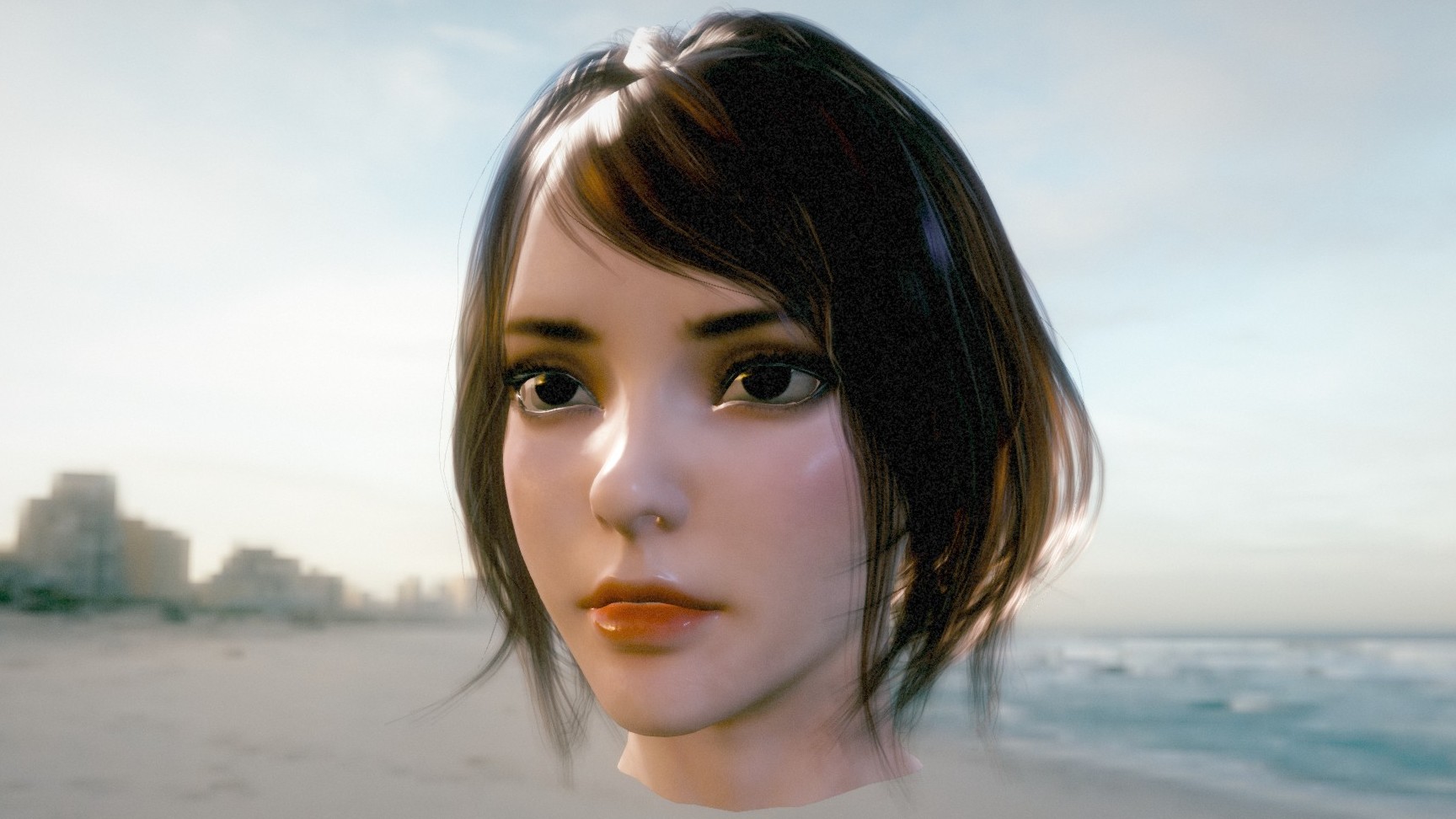
See the codeMyth is a high-performance, cross-platform 3D rendering engine built with Rust and wgpu. It aims to provide ultimate rendering performance and a minimalist API design, delivering a seamless programming experience for developers.
For complete quick-start tutorials, API guides, advanced rendering features, and underlying architecture design, please visit the Myth Engine Homepage.
No environment configuration required—experience Myth Engine's rendering capabilities directly in your browser.
wgpu, Myth can be coded once and run natively on Windows, macOS, and Linux, and seamlessly compiled to WASM to run in modern browsers (WebGPU).To see the full list of features, please visit the Features page in the documentation.
In your Rust project, add Myth via Cargo:
cargo add myth-engine
Implement a rotating cube with a checkerboard texture in under 50 lines of code:
use myth::prelude::*;

struct MyApp;

impl AppHandler for MyApp {
    fn init(engine: &mut Engine, _: &dyn Window) -> Self {
        // 0. Create a scene
        let scene = engine.scene_manager.create_active();

        // 1. Create a cube mesh with a checkerboard texture
        let tex_handle = engine.assets.checkerboard(512, 64);
        let mesh_handle = scene.spawn_box(
            1.0, 1.0, 1.0,
            PhongMaterial::new(Vec4::new(1.0, 0.76, 0.33, 1.0)).with_map(tex_handle),
            &engine.assets,
        );
        // 2. Set up the camera
        let cam_node_id = scene.add_camera(Camera::new_perspective(45.0, 1280.0 / 720.0, 0.1));
        scene.edit_node(cam_node_id).set_position(0.0, 0.0, 5.0).look_at(Vec3::ZERO);
        scene.active_camera = Some(cam_node_id);

        // 3. Add a light source
        scene.add_light(Light::new_directional(Vec3::ONE, 5.0));

        // 4. Set an update callback to rotate the cube
        scene.on_update(move |scene, _input, _dt| {
            if let Some(node) = scene.node_mut(mesh_handle) {
                let rot_y = Quat::from_rotation_y(0.02);
                let rot_x = Quat::from_rotation_x(0.01);
                node.transform.rotation = node.transform.rotation * rot_y * rot_x;
            }
        });
        Self {}
    }
}

fn main() -> myth::Result<()> {
    App::new().with_title("Myth-Engine Demo").run::<MyApp>()
}
Myth provides a rich set of Examples for developers. Whether you want to run it in a local Native environment, compile it for the Web, or use Python bindings, we have prepared comprehensive guides.
Read the complete Quick Start guide for detailed build instructions.
The Myth engine also provides Python bindings for rapid prototyping and scientific visualization. For installation methods and examples, please refer to the Python Bindings.
This project is dual-licensed under the MIT License or the Apache-2.0 License.
913 followers · starred Apr 2026
458 followers · starred Apr 2026
69 followers · starred May 2026
324 followers · starred Apr 2026
A High-Performance Rendering Engine for Rust
See the codeMyth is a high-performance, cross-platform 3D rendering engine built with Rust and wgpu. It aims to provide ultimate rendering performance and a minimalist API design, delivering a seamless programming experience for developers.
For complete quick-start tutorials, API guides, advanced rendering features, and underlying architecture design, please visit the Myth Engine Homepage.
No environment configuration required—experience Myth Engine's rendering capabilities directly in your browser.
wgpu, Myth can be coded once and run natively on Windows, macOS, and Linux, and seamlessly compiled to WASM to run in modern browsers (WebGPU).To see the full list of features, please visit the Features page in the documentation.
In your Rust project, add Myth via Cargo:
cargo add myth-engine
Implement a rotating cube with a checkerboard texture in under 50 lines of code:
use myth::prelude::*;

struct MyApp;

impl AppHandler for MyApp {
    fn init(engine: &mut Engine, _: &dyn Window) -> Self {
        // 0. Create a scene
        let scene = engine.scene_manager.create_active();

        // 1. Create a cube mesh with a checkerboard texture
        let tex_handle = engine.assets.checkerboard(512, 64);
        let mesh_handle = scene.spawn_box(
            1.0, 1.0, 1.0,
            PhongMaterial::new(Vec4::new(1.0, 0.76, 0.33, 1.0)).with_map(tex_handle),
            &engine.assets,
        );
        // 2. Set up the camera
        let cam_node_id = scene.add_camera(Camera::new_perspective(45.0, 1280.0 / 720.0, 0.1));
        scene.edit_node(cam_node_id).set_position(0.0, 0.0, 5.0).look_at(Vec3::ZERO);
        scene.active_camera = Some(cam_node_id);

        // 3. Add a light source
        scene.add_light(Light::new_directional(Vec3::ONE, 5.0));

        // 4. Set an update callback to rotate the cube
        scene.on_update(move |scene, _input, _dt| {
            if let Some(node) = scene.node_mut(mesh_handle) {
                let rot_y = Quat::from_rotation_y(0.02);
                let rot_x = Quat::from_rotation_x(0.01);
                node.transform.rotation = node.transform.rotation * rot_y * rot_x;
            }
        });
        Self {}
    }
}

fn main() -> myth::Result<()> {
    App::new().with_title("Myth-Engine Demo").run::<MyApp>()
}
Myth provides a rich set of Examples for developers. Whether you want to run it in a local Native environment, compile it for the Web, or use Python bindings, we have prepared comprehensive guides.
Read the complete Quick Start guide for detailed build instructions.
The Myth engine also provides Python bindings for rapid prototyping and scientific visualization. For installation methods and examples, please refer to the Python Bindings.
This project is dual-licensed under the MIT License or the Apache-2.0 License.
913 followers · starred Apr 2026
458 followers · starred Apr 2026
69 followers · starred May 2026
324 followers · starred Apr 2026