
E2E TTS using Conditional Flow Matching (Experimental*)
Jupyter Notebook
71
26 commits
updated Nov 10, 2023
README
TODO (edit readme and add more info about the project; currently it is a copy of the original Matcha-TTS readme)
WIP: Matcha-TTS-2
🍵 Matcha-TTS-2: A fast E2E TTS architecture with conditional flow matching (not fast enough for training yet xD)
[x] added experimental E2E TTS support; doing some small training to verify results. Expect me to update this model completely by end of November,23.
[x] if anybody willing to help me understand cfm quicker, would be great. I have few questions. ty
[x] I am trying 2 things -> (1) cfm decoder intermideiate output gives mel, give the mel to hifigan and compare hifigan's output's mel with real mel and also use prior loss to force textenc to be near the decoder's output (Which again is the mel). (2) a more "learnable" flexible model with freedom at decoder out, no prior restrictions and just final output mel (to make hifigan robust to noise, we add small sigma to decoder output while training), ATM the code is (2) and i think it is better.
output from (2 ..still training)
Shivam Mehta, Ruibo Tu, Jonas Beskow, Éva Székely, and Gustav Eje Henter






This is the official code implementation of 🍵 Matcha-TTS.
We propose 🍵 Matcha-TTS, a new approach to non-autoregressive neural TTS, that uses conditional flow matching (similar to rectified flows) to speed up ODE-based speech synthesis. Our method:
- Is probabilistic
- Has compact memory footprint
- Sounds highly natural
- Is very fast to synthesise from
Check out our demo page and read our arXiv preprint for more details.
Pre-trained models will be automatically downloaded with the CLI or gradio interface.
Try 🍵 Matcha-TTS on HuggingFace 🤗 spaces!
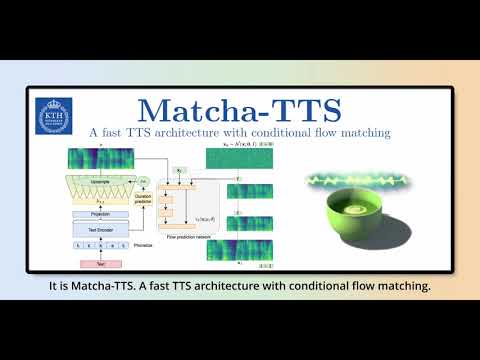
Watch the teaser
Installation
- Create an environment (suggested but optional)
conda create -n matcha-tts python=3.10 -y
conda activate matcha-tts
- Install Matcha TTS using pip or from source
pip install matcha-tts
from source
pip install git+https://github.com/shivammehta25/Matcha-TTS.git
cd Matcha-TTS
pip install -e .
- Run CLI / gradio app / jupyter notebook
# This will download the required models
matcha-tts --text "<INPUT TEXT>"
or
matcha-tts-app
or open synthesis.ipynb on jupyter notebook
CLI Arguments
- To synthesise from given text, run:
matcha-tts --text "<INPUT TEXT>"
- To synthesise from a file, run:
matcha-tts --file <PATH TO FILE>
- To batch synthesise from a file, run:
matcha-tts --file <PATH TO FILE> --batched
Additional arguments
- Speaking rate
matcha-tts --text "<INPUT TEXT>" --speaking_rate 1.0
- Sampling temperature
matcha-tts --text "<INPUT TEXT>" --temperature 0.667
- Euler ODE solver steps
matcha-tts --text "<INPUT TEXT>" --steps 10
Train with your own dataset
Let's assume we are training with LJ Speech
-
Download the dataset from here, extract it to
data/LJSpeech-1.1, and prepare the file lists to point to the extracted data like for item 5 in the setup of the NVIDIA Tacotron 2 repo. -
Clone and enter the Matcha-TTS repository
git clone https://github.com/shivammehta25/Matcha-TTS.git
cd Matcha-TTS
- Install the package from source
pip install -e .
- Go to
configs/data/ljspeech.yamland change
train_filelist_path: data/filelists/ljs_audio_text_train_filelist.txt
valid_filelist_path: data/filelists/ljs_audio_text_val_filelist.txt
- Generate normalisation statistics with the yaml file of dataset configuration
matcha-data-stats -i ljspeech.yaml
# Output:
#{'mel_mean': -5.53662231756592, 'mel_std': 2.1161014277038574}
Update these values in configs/data/ljspeech.yaml under data_statistics key.
data_statistics:  # Computed for ljspeech dataset
  mel_mean: -5.536622
  mel_std: 2.116101
to the paths of your train and validation filelists.
- Run the training script
make train-ljspeech
or
python matcha/train.py experiment=ljspeech
- for a minimum memory run
python matcha/train.py experiment=ljspeech_min_memory
- for multi-gpu training, run
python matcha/train.py experiment=ljspeech trainer.devices=[0,1]
- Synthesise from the custom trained model
matcha-tts --text "<INPUT TEXT>" --checkpoint_path <PATH TO CHECKPOINT>
ONNX support
Special thanks to @mush42 for implementing ONNX export and inference support.
It is possible to export Matcha checkpoints to ONNX, and run inference on the exported ONNX graph.
ONNX export
To export a checkpoint to ONNX, first install ONNX with
pip install onnx
then run the following:
python3 -m matcha.onnx.export matcha.ckpt model.onnx --n-timesteps 5
Optionally, the ONNX exporter accepts vocoder-name and vocoder-checkpoint arguments. This enables you to embed the vocoder in the exported graph and generate waveforms in a single run (similar to end-to-end TTS systems).
Note that n_timesteps is treated as a hyper-parameter rather than a model input. This means you should specify it during export (not during inference). If not specified, n_timesteps is set to 5.
Important: for now, torch>=2.1.0 is needed for export since the scaled_product_attention operator is not exportable in older versions. Until the final version is released, those who want to export their models must install torch>=2.1.0 manually as a pre-release.
ONNX Inference
To run inference on the exported model, first install onnxruntime using
pip install onnxruntime
pip install onnxruntime-gpu  # for GPU inference
then use the following:
python3 -m matcha.onnx.infer model.onnx --text "hey" --output-dir ./outputs
You can also control synthesis parameters:
python3 -m matcha.onnx.infer model.onnx --text "hey" --output-dir ./outputs --temperature 0.4 --speaking_rate 0.9 --spk 0
To run inference on GPU, make sure to install onnxruntime-gpu package, and then pass --gpu to the inference command:
python3 -m matcha.onnx.infer model.onnx --text "hey" --output-dir ./outputs --gpu
If you exported only Matcha to ONNX, this will write mel-spectrogram as graphs and numpy arrays to the output directory.
If you embedded the vocoder in the exported graph, this will write .wav audio files to the output directory.
If you exported only Matcha to ONNX, and you want to run a full TTS pipeline, you can pass a path to a vocoder model in ONNX format:
python3 -m matcha.onnx.infer model.onnx --text "hey" --output-dir ./outputs --vocoder hifigan.small.onnx
This will write .wav audio files to the output directory.
Citation information
If you use our code or otherwise find this work useful, please cite our paper:
@article{mehta2023matcha,
  title={Matcha-TTS: A fast TTS architecture with conditional flow matching},
  author={Mehta, Shivam and Tu, Ruibo and Beskow, Jonas and Sz{\'e}kely, {\'E}va and Henter, Gustav Eje},
  journal={arXiv preprint arXiv:2309.03199},
  year={2023}
}
Acknowledgements
Since this code uses Lightning-Hydra-Template, you have all the powers that come with it.
Other source code I would like to acknowledge:
- Coqui-TTS: For helping me figure out how to make cython binaries pip installable and encouragement
- Hugging Face Diffusers: For their awesome diffusers library and its components
- Grad-TTS: For the monotonic alignment search source code
- torchdyn: Useful for trying other ODE solvers during research and development
- labml.ai: For the RoPE implementation
Contributors

26 commits
Similar repos


Languages
Jupyter Notebook
74.7%
Python
24.8%
E2E TTS using Conditional Flow Matching (Experimental*)
Jupyter Notebook
71
26 commits
updated Nov 10, 2023
README
TODO (edit readme and add more info about the project; currently it is a copy of the original Matcha-TTS readme)
WIP: Matcha-TTS-2
🍵 Matcha-TTS-2: A fast E2E TTS architecture with conditional flow matching (not fast enough for training yet xD)
[x] added experimental E2E TTS support; doing some small training to verify results. Expect me to update this model completely by end of November,23.
[x] if anybody willing to help me understand cfm quicker, would be great. I have few questions. ty
[x] I am trying 2 things -> (1) cfm decoder intermideiate output gives mel, give the mel to hifigan and compare hifigan's output's mel with real mel and also use prior loss to force textenc to be near the decoder's output (Which again is the mel). (2) a more "learnable" flexible model with freedom at decoder out, no prior restrictions and just final output mel (to make hifigan robust to noise, we add small sigma to decoder output while training), ATM the code is (2) and i think it is better.
output from (2 ..still training)
Shivam Mehta, Ruibo Tu, Jonas Beskow, Éva Székely, and Gustav Eje Henter
This is the official code implementation of 🍵 Matcha-TTS.
We propose 🍵 Matcha-TTS, a new approach to non-autoregressive neural TTS, that uses conditional flow matching (similar to rectified flows) to speed up ODE-based speech synthesis. Our method:
- Is probabilistic
- Has compact memory footprint
- Sounds highly natural
- Is very fast to synthesise from
Check out our demo page and read our arXiv preprint for more details.
Pre-trained models will be automatically downloaded with the CLI or gradio interface.
Try 🍵 Matcha-TTS on HuggingFace 🤗 spaces!
Watch the teaser
Installation
- Create an environment (suggested but optional)
conda create -n matcha-tts python=3.10 -y
conda activate matcha-tts
- Install Matcha TTS using pip or from source
pip install matcha-tts
from source
pip install git+https://github.com/shivammehta25/Matcha-TTS.git
cd Matcha-TTS
pip install -e .
- Run CLI / gradio app / jupyter notebook
# This will download the required models
matcha-tts --text "<INPUT TEXT>"
or
matcha-tts-app
or open synthesis.ipynb on jupyter notebook
CLI Arguments
- To synthesise from given text, run:
matcha-tts --text "<INPUT TEXT>"
- To synthesise from a file, run:
matcha-tts --file <PATH TO FILE>
- To batch synthesise from a file, run:
matcha-tts --file <PATH TO FILE> --batched
Additional arguments
- Speaking rate
matcha-tts --text "<INPUT TEXT>" --speaking_rate 1.0
- Sampling temperature
matcha-tts --text "<INPUT TEXT>" --temperature 0.667
- Euler ODE solver steps
matcha-tts --text "<INPUT TEXT>" --steps 10
Train with your own dataset
Let's assume we are training with LJ Speech
-
Download the dataset from here, extract it to
data/LJSpeech-1.1, and prepare the file lists to point to the extracted data like for item 5 in the setup of the NVIDIA Tacotron 2 repo. -
Clone and enter the Matcha-TTS repository
git clone https://github.com/shivammehta25/Matcha-TTS.git
cd Matcha-TTS
- Install the package from source
pip install -e .
- Go to
configs/data/ljspeech.yamland change
train_filelist_path: data/filelists/ljs_audio_text_train_filelist.txt
valid_filelist_path: data/filelists/ljs_audio_text_val_filelist.txt
- Generate normalisation statistics with the yaml file of dataset configuration
matcha-data-stats -i ljspeech.yaml
# Output:
#{'mel_mean': -5.53662231756592, 'mel_std': 2.1161014277038574}
Update these values in configs/data/ljspeech.yaml under data_statistics key.
data_statistics:  # Computed for ljspeech dataset
  mel_mean: -5.536622
  mel_std: 2.116101
to the paths of your train and validation filelists.
- Run the training script
make train-ljspeech
or
python matcha/train.py experiment=ljspeech
- for a minimum memory run
python matcha/train.py experiment=ljspeech_min_memory
- for multi-gpu training, run
python matcha/train.py experiment=ljspeech trainer.devices=[0,1]
- Synthesise from the custom trained model
matcha-tts --text "<INPUT TEXT>" --checkpoint_path <PATH TO CHECKPOINT>
ONNX support
Special thanks to @mush42 for implementing ONNX export and inference support.
It is possible to export Matcha checkpoints to ONNX, and run inference on the exported ONNX graph.
ONNX export
To export a checkpoint to ONNX, first install ONNX with
pip install onnx
then run the following:
python3 -m matcha.onnx.export matcha.ckpt model.onnx --n-timesteps 5
Optionally, the ONNX exporter accepts vocoder-name and vocoder-checkpoint arguments. This enables you to embed the vocoder in the exported graph and generate waveforms in a single run (similar to end-to-end TTS systems).
Note that n_timesteps is treated as a hyper-parameter rather than a model input. This means you should specify it during export (not during inference). If not specified, n_timesteps is set to 5.
Important: for now, torch>=2.1.0 is needed for export since the scaled_product_attention operator is not exportable in older versions. Until the final version is released, those who want to export their models must install torch>=2.1.0 manually as a pre-release.
ONNX Inference
To run inference on the exported model, first install onnxruntime using
pip install onnxruntime
pip install onnxruntime-gpu  # for GPU inference
then use the following:
python3 -m matcha.onnx.infer model.onnx --text "hey" --output-dir ./outputs
You can also control synthesis parameters:
python3 -m matcha.onnx.infer model.onnx --text "hey" --output-dir ./outputs --temperature 0.4 --speaking_rate 0.9 --spk 0
To run inference on GPU, make sure to install onnxruntime-gpu package, and then pass --gpu to the inference command:
python3 -m matcha.onnx.infer model.onnx --text "hey" --output-dir ./outputs --gpu
If you exported only Matcha to ONNX, this will write mel-spectrogram as graphs and numpy arrays to the output directory.
If you embedded the vocoder in the exported graph, this will write .wav audio files to the output directory.
If you exported only Matcha to ONNX, and you want to run a full TTS pipeline, you can pass a path to a vocoder model in ONNX format:
python3 -m matcha.onnx.infer model.onnx --text "hey" --output-dir ./outputs --vocoder hifigan.small.onnx
This will write .wav audio files to the output directory.
Citation information
If you use our code or otherwise find this work useful, please cite our paper:
@article{mehta2023matcha,
  title={Matcha-TTS: A fast TTS architecture with conditional flow matching},
  author={Mehta, Shivam and Tu, Ruibo and Beskow, Jonas and Sz{\'e}kely, {\'E}va and Henter, Gustav Eje},
  journal={arXiv preprint arXiv:2309.03199},
  year={2023}
}
Acknowledgements
Since this code uses Lightning-Hydra-Template, you have all the powers that come with it.
Other source code I would like to acknowledge:
- Coqui-TTS: For helping me figure out how to make cython binaries pip installable and encouragement
- Hugging Face Diffusers: For their awesome diffusers library and its components
- Grad-TTS: For the monotonic alignment search source code
- torchdyn: Useful for trying other ODE solvers during research and development
- labml.ai: For the RoPE implementation
Similar repos
Contributors
26 commits
Languages
Jupyter Notebook
74.7%
Python
24.8%