Ran Dan1, Si-Tong Wei1, Pengfei Xiong2, Wei Zhang2, Yadong Mu1, Peng-Shuai Wang1,†
1Peking University 2Independent Researcher
†Corresponding author




News · Installation · Models · Inference · Data · Training · Evaluation
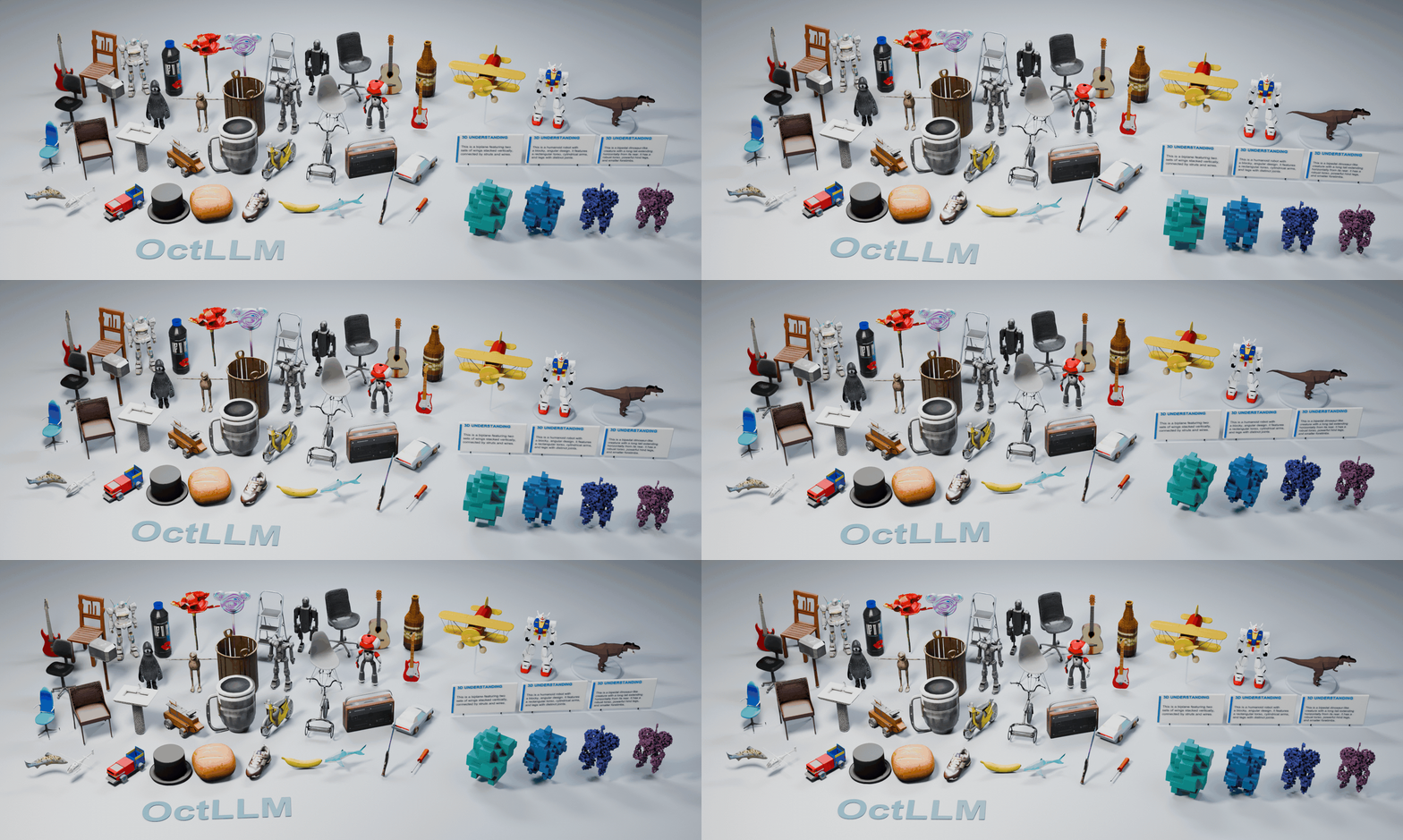
Official implementation of Octrees as an Explicit 3D Language. OctLLM represents 3D shapes as Sparse Octree (S-Octree) token sequences, supporting text-to-3D, image-to-3D, and 3D understanding in a single model. Dedicated 3D branches interact with a frozen Qwen2.5-VL backbone; occupancy completion and TRELLIS decoding convert generated octrees into textured meshes.
Requires Linux x86_64, conda, and an NVIDIA GPU. Run commands from the repository root:
bash setup.sh
conda activate OctLLM
The installer creates a Python 3.10 environment with PyTorch 2.4.0 / CUDA 12.1,
Transformers 4.52.4, and xFormers 0.0.27.post2. Dependencies are listed in
requirements.txt and requirements_inference.txt.
Use bash setup.sh --resume to continue installation in an existing environment.
Data rendering requires Blender 4.0. Caption annotation and evaluation setup are described in their respective guides below.
| Model | Default source |
|---|---|
| OctLLM | Plurato123/OctLLM |
| Occupancy completion | completion/model.safetensors in the same repository |
| TRELLIS image decoder | microsoft/TRELLIS-image-large |
| TRELLIS text decoder | microsoft/TRELLIS-text-xlarge |
| CLIP ViT-L/14 for text conditioning | openai/clip-vit-large-patch14 |
| Qwen2.5-VL backbone for training | Qwen/Qwen2.5-VL-7B-Instruct |
OctLLM and occupancy completion download automatically from Hugging Face on
first use and reuse the local cache, like TRELLIS. To load a local copy,
download the repository and set OCTLLM_WEIGHTS_DIR to its absolute path:
hf download Plurato123/OctLLM --local-dir checkpoints/OctLLM
export OCTLLM_WEIGHTS_DIR="$(pwd)/checkpoints/OctLLM"
Model sources are configured in configs/inference/octllm.yaml
and configs/inference/pipeline.yaml.
Keep the complete OctLLM checkpoint, including its tokenizer, config.json,
and all model safetensors shards. The shards include the 3D router, position
embeddings, and mesh token embeddings/head; the router architecture is read
from config.json. Text-to-3D uses TRELLIS-text and CLIP; image-to-3D uses
TRELLIS-image. 3D understanding and text/image chat only require the OctLLM
checkpoint.
Use an ordinary text prompt for basic conversation:
python inference.py \
  --prompt "Explain what an octree is in simple terms." \
  --cuda-device 0 \
  --no-mesh
Add --image to ask a question about an image:
python inference.py \
  --prompt "What is shown in this image?" \
  --image ./assets/examples/guitar.png \
  --cuda-device 0 \
  --no-mesh
Each command runs one independent turn, prints the assistant's reply, and
saves a .json result under outputs/octllm/. It uses the existing model's
text and image capabilities with no conversation history. Keep
mllm.image.preprocess: false (the default) for general image questions to
preserve the whole image. Omit --prompt and --mesh to enter a prompt and
an optional image path interactively for one turn.
For best results, describe the object's geometry, parts, and proportions in detail, as in the example below.
python inference.py \
  --prompt "Generate a 3D mesh based on the following text description: A biplane featuring two sets of wings stacked vertically, connected by struts and wires. The fuselage is elongated with a rounded nose housing a propeller. Tail assembly includes a vertical stabilizer and horizontal stabilizers. Landing gear consists of two wheels positioned under the front section. Overall design emphasizes symmetry and balanced proportions typical of early aviation aircraft." \
  --output-dir outputs/demo --output-name biplane --cuda-device 0
Try the provided example images. For your own inputs,
match their rendering style and format: a single centered object in a square
RGBA PNG with a transparent background. Set mllm.image.preprocess: true in
the pipeline YAML to normalize custom
inputs to a centered 1024 × 1024 image with a consistent object scale.
python inference.py \
  --prompt "Generate a 3D mesh based on this image:" \
  --image ./assets/examples/deer.png \
  --cuda-device 0 \
  --output-dir outputs/demo --output-name image_asset
Each run saves a textured .glb, the S-Octree sequence in .tokens.txt, and
response metadata in .json. Sampling and decoder settings are configured in
the pipeline YAML. Use --no-mesh to skip
mesh reconstruction, or python inference.py --help for all options.
Start with the example meshes to test 3D understanding. Pass a GLB or OBJ file directly with a question:
python inference.py \
  --mesh ./assets/examples/understanding/airplane.glb \
  --prompt "Describe this 3D asset in detail:" \
  --no-mesh \
  --cuda-device 0 \
  --output-dir outputs/demo --output-name understanding
Replace the path with /path/to/asset.obj for OBJ input. If --prompt is
omitted, the model defaults to describing the asset. --no-mesh skips output
mesh reconstruction; it does not disable preprocessing of the input mesh.
The CLI automatically normalizes the mesh, samples 100,000 surface points,
builds an octree, and prunes it using the same
dataset processing code. Defaults
are depth 6, full depth 3, pruning depth 5, and drop probability 0.5. The
resulting S-Octree sequence is appended to the question. Sampling and pruning
settings are under mesh_input in
the pipeline YAML; octree depths follow
mllm.generation.max_layer and full_depth.
The example saves the input sequence to
outputs/demo/understanding.input.tokens.txt and the reply and input metadata
to outputs/demo/understanding.json. Sampling and pruning are stochastic;
reuse the saved tokens when you need the exact same input. Geometry is
encoded; mesh textures are not used for 3D understanding.
To convert a mesh separately without loading the OctLLM checkpoint:
python dataset_toolkits/tokenize_mesh.py \
  --mesh /path/to/asset.obj --output outputs/demo/asset.tokens.txt
Existing S-Octree prompts remain supported: put your question followed by
the complete <mesh_bos>...<mesh_eos> sequence in a UTF-8 file, then run:
python inference.py --prompt-file /path/to/prompt.txt --no-mesh --cuda-device 0
For batch 3D understanding from GLB assets, see the evaluation guide.
Follow the data preparation guide to tokenize meshes, generate captions, and build the instruction datasets. Configure the dataset and output paths in configs/train/octllm.yaml:
python train.py configs/train/octllm.yaml
The training guide covers dataset registration, distributed training, occupancy completion, and ShapeNet ablations. Evaluation commands are in evaluation/README.md.
This work builds on LLaMA-Factory, TRELLIS, OctGPT, and O-CNN.
Original OctLLM contributions use the MIT license. Third-party notices and terms are included in LICENSE.
@misc{dan2026octreesexplicit3dlanguage,
  title={Octrees as an Explicit 3D Language},
  author={Ran Dan and Si-Tong Wei and Pengfei Xiong
          and Wei Zhang and Yadong Mu and Peng-Shuai Wang},
  year={2026},
  eprint={2610.02388},
  archivePrefix={arXiv},
  primaryClass={cs.CV},
  url={https://arxiv.org/abs/2610.02388},
}
Ran Dan1, Si-Tong Wei1, Pengfei Xiong2, Wei Zhang2, Yadong Mu1, Peng-Shuai Wang1,†
1Peking University 2Independent Researcher
†Corresponding author
News · Installation · Models · Inference · Data · Training · Evaluation
Official implementation of Octrees as an Explicit 3D Language. OctLLM represents 3D shapes as Sparse Octree (S-Octree) token sequences, supporting text-to-3D, image-to-3D, and 3D understanding in a single model. Dedicated 3D branches interact with a frozen Qwen2.5-VL backbone; occupancy completion and TRELLIS decoding convert generated octrees into textured meshes.
Requires Linux x86_64, conda, and an NVIDIA GPU. Run commands from the repository root:
bash setup.sh
conda activate OctLLM
The installer creates a Python 3.10 environment with PyTorch 2.4.0 / CUDA 12.1,
Transformers 4.52.4, and xFormers 0.0.27.post2. Dependencies are listed in
requirements.txt and requirements_inference.txt.
Use bash setup.sh --resume to continue installation in an existing environment.
Data rendering requires Blender 4.0. Caption annotation and evaluation setup are described in their respective guides below.
| Model | Default source |
|---|---|
| OctLLM | Plurato123/OctLLM |
| Occupancy completion | completion/model.safetensors in the same repository |
| TRELLIS image decoder | microsoft/TRELLIS-image-large |
| TRELLIS text decoder | microsoft/TRELLIS-text-xlarge |
| CLIP ViT-L/14 for text conditioning | openai/clip-vit-large-patch14 |
| Qwen2.5-VL backbone for training | Qwen/Qwen2.5-VL-7B-Instruct |
OctLLM and occupancy completion download automatically from Hugging Face on
first use and reuse the local cache, like TRELLIS. To load a local copy,
download the repository and set OCTLLM_WEIGHTS_DIR to its absolute path:
hf download Plurato123/OctLLM --local-dir checkpoints/OctLLM
export OCTLLM_WEIGHTS_DIR="$(pwd)/checkpoints/OctLLM"
Model sources are configured in configs/inference/octllm.yaml
and configs/inference/pipeline.yaml.
Keep the complete OctLLM checkpoint, including its tokenizer, config.json,
and all model safetensors shards. The shards include the 3D router, position
embeddings, and mesh token embeddings/head; the router architecture is read
from config.json. Text-to-3D uses TRELLIS-text and CLIP; image-to-3D uses
TRELLIS-image. 3D understanding and text/image chat only require the OctLLM
checkpoint.
Use an ordinary text prompt for basic conversation:
python inference.py \
  --prompt "Explain what an octree is in simple terms." \
  --cuda-device 0 \
  --no-mesh
Add --image to ask a question about an image:
python inference.py \
  --prompt "What is shown in this image?" \
  --image ./assets/examples/guitar.png \
  --cuda-device 0 \
  --no-mesh
Each command runs one independent turn, prints the assistant's reply, and
saves a .json result under outputs/octllm/. It uses the existing model's
text and image capabilities with no conversation history. Keep
mllm.image.preprocess: false (the default) for general image questions to
preserve the whole image. Omit --prompt and --mesh to enter a prompt and
an optional image path interactively for one turn.
For best results, describe the object's geometry, parts, and proportions in detail, as in the example below.
python inference.py \
  --prompt "Generate a 3D mesh based on the following text description: A biplane featuring two sets of wings stacked vertically, connected by struts and wires. The fuselage is elongated with a rounded nose housing a propeller. Tail assembly includes a vertical stabilizer and horizontal stabilizers. Landing gear consists of two wheels positioned under the front section. Overall design emphasizes symmetry and balanced proportions typical of early aviation aircraft." \
  --output-dir outputs/demo --output-name biplane --cuda-device 0
Try the provided example images. For your own inputs,
match their rendering style and format: a single centered object in a square
RGBA PNG with a transparent background. Set mllm.image.preprocess: true in
the pipeline YAML to normalize custom
inputs to a centered 1024 × 1024 image with a consistent object scale.
python inference.py \
  --prompt "Generate a 3D mesh based on this image:" \
  --image ./assets/examples/deer.png \
  --cuda-device 0 \
  --output-dir outputs/demo --output-name image_asset
Each run saves a textured .glb, the S-Octree sequence in .tokens.txt, and
response metadata in .json. Sampling and decoder settings are configured in
the pipeline YAML. Use --no-mesh to skip
mesh reconstruction, or python inference.py --help for all options.
Start with the example meshes to test 3D understanding. Pass a GLB or OBJ file directly with a question:
python inference.py \
  --mesh ./assets/examples/understanding/airplane.glb \
  --prompt "Describe this 3D asset in detail:" \
  --no-mesh \
  --cuda-device 0 \
  --output-dir outputs/demo --output-name understanding
Replace the path with /path/to/asset.obj for OBJ input. If --prompt is
omitted, the model defaults to describing the asset. --no-mesh skips output
mesh reconstruction; it does not disable preprocessing of the input mesh.
The CLI automatically normalizes the mesh, samples 100,000 surface points,
builds an octree, and prunes it using the same
dataset processing code. Defaults
are depth 6, full depth 3, pruning depth 5, and drop probability 0.5. The
resulting S-Octree sequence is appended to the question. Sampling and pruning
settings are under mesh_input in
the pipeline YAML; octree depths follow
mllm.generation.max_layer and full_depth.
The example saves the input sequence to
outputs/demo/understanding.input.tokens.txt and the reply and input metadata
to outputs/demo/understanding.json. Sampling and pruning are stochastic;
reuse the saved tokens when you need the exact same input. Geometry is
encoded; mesh textures are not used for 3D understanding.
To convert a mesh separately without loading the OctLLM checkpoint:
python dataset_toolkits/tokenize_mesh.py \
  --mesh /path/to/asset.obj --output outputs/demo/asset.tokens.txt
Existing S-Octree prompts remain supported: put your question followed by
the complete <mesh_bos>...<mesh_eos> sequence in a UTF-8 file, then run:
python inference.py --prompt-file /path/to/prompt.txt --no-mesh --cuda-device 0
For batch 3D understanding from GLB assets, see the evaluation guide.
Follow the data preparation guide to tokenize meshes, generate captions, and build the instruction datasets. Configure the dataset and output paths in configs/train/octllm.yaml:
python train.py configs/train/octllm.yaml
The training guide covers dataset registration, distributed training, occupancy completion, and ShapeNet ablations. Evaluation commands are in evaluation/README.md.
This work builds on LLaMA-Factory, TRELLIS, OctGPT, and O-CNN.
Original OctLLM contributions use the MIT license. Third-party notices and terms are included in LICENSE.
@misc{dan2026octreesexplicit3dlanguage,
  title={Octrees as an Explicit 3D Language},
  author={Ran Dan and Si-Tong Wei and Pengfei Xiong
          and Wei Zhang and Yadong Mu and Peng-Shuai Wang},
  year={2026},
  eprint={2610.02388},
  archivePrefix={arXiv},
  primaryClass={cs.CV},
  url={https://arxiv.org/abs/2610.02388},
}



