
README



Jellyfish Theme | 
This theme is heavily inspired by Flow, Zesty and Ultrachromic I've made a few tweaks and modifications of my own.
Login page backgrounds from @ksushlapush
[!IMPORTANT]
theme.cssis now the only stylesheet - it targets Jellyfin 10.11+ natively, and includes the React/MUI top bar & nav drawer rules needed for Jellyfin 12's "modern" layout (formerly a separate12_fixes.cssimport). Just importtheme.css, no extra file needed for normal pages.The admin dashboard is a special case: Jellyfin removed the ability to theme it via Custom CSS Code, so
theme.css's dashboard-only section only takes effect through the JS-injection workaround (see Dashboard Theming) - most users don't need to set that up at all, it's only for admins who want the dashboard itself themed.If you're still on Jellyfin 10.10.x or older, the theme should mostly still work (there's a legacy fallback for the old detail-page markup), but it's no longer the primary target and minor misalignments are possible.
📑 Table of Contents
Installation
Globally for all users
To apply a theme globally to all users via the Dashboard:
- Navigate to Dashboard Settings
- Log in as an administrator
- Go to Dashboard → General → Custom CSS Code
- Add Import Statement
- In the Custom CSS field, add all the desired
@importstatements:
- In the Custom CSS field, add all the desired
   @import url("https://cdn.jsdelivr.net/gh/n00bcodr/jellyfish@main/theme.css");
   @import url("https://cdn.jsdelivr.net/gh/n00bcodr/jellyfish@main/indicators.css");
   @import url("https://cdn.jsdelivr.net/gh/n00bcodr/jellyfish@main/progress_bar.css");
   /* Any other imports or custom CSS will go here */
- Save Changes
- Click Save at the bottom of the page
- Refresh your browser to see the changes
User/Device-Specific Theme (Display Settings)
Individual users can apply the theme to their own account without affecting others:
- Navigate to User Settings
- Click on your profile icon
- Go to Settings → Display → Custom CSS Code
- Add Import Statement
- In the Custom CSS field, add your
@importstatement:
- In the Custom CSS field, add your
@import url("https://cdn.jsdelivr.net/gh/n00bcodr/Jellyfish/colors/peach.css");
- Save and Refresh
- Click Save
- Refresh the page to apply the theme
[!Note] If you only want to change the color you can simply add import statement for the color you want.
If you want to replace the entire CSS for that device, you can choose 'Disable server-provided custom CSS code' and add the CSS statements in user display settings page as you prefer.
Theme
Main Theme with JellyBlue as default
@import url("https://cdn.jsdelivr.net/gh/n00bcodr/Jellyfish/theme.css");
| Home** | Item Details |
|---|---|
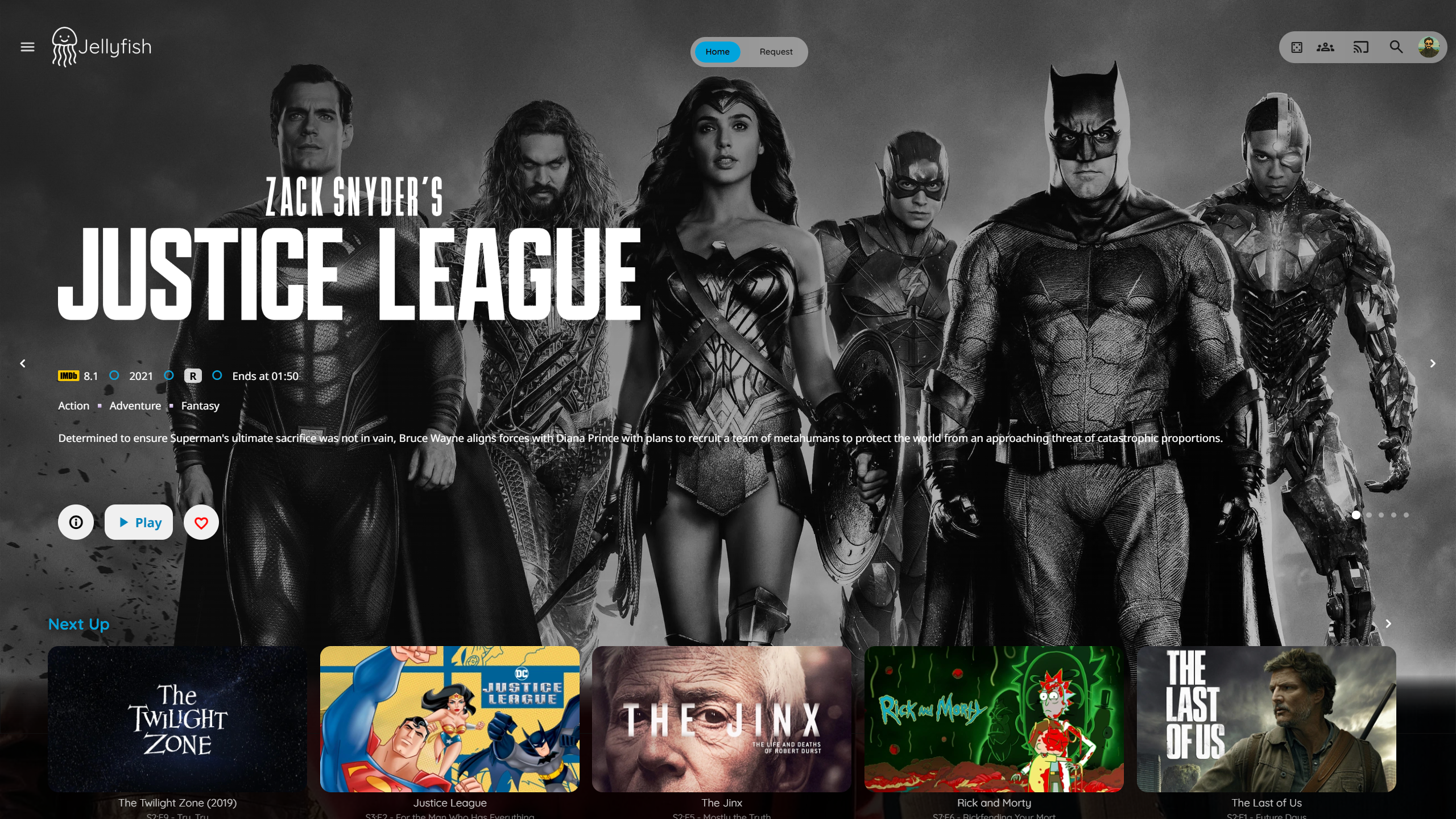 | 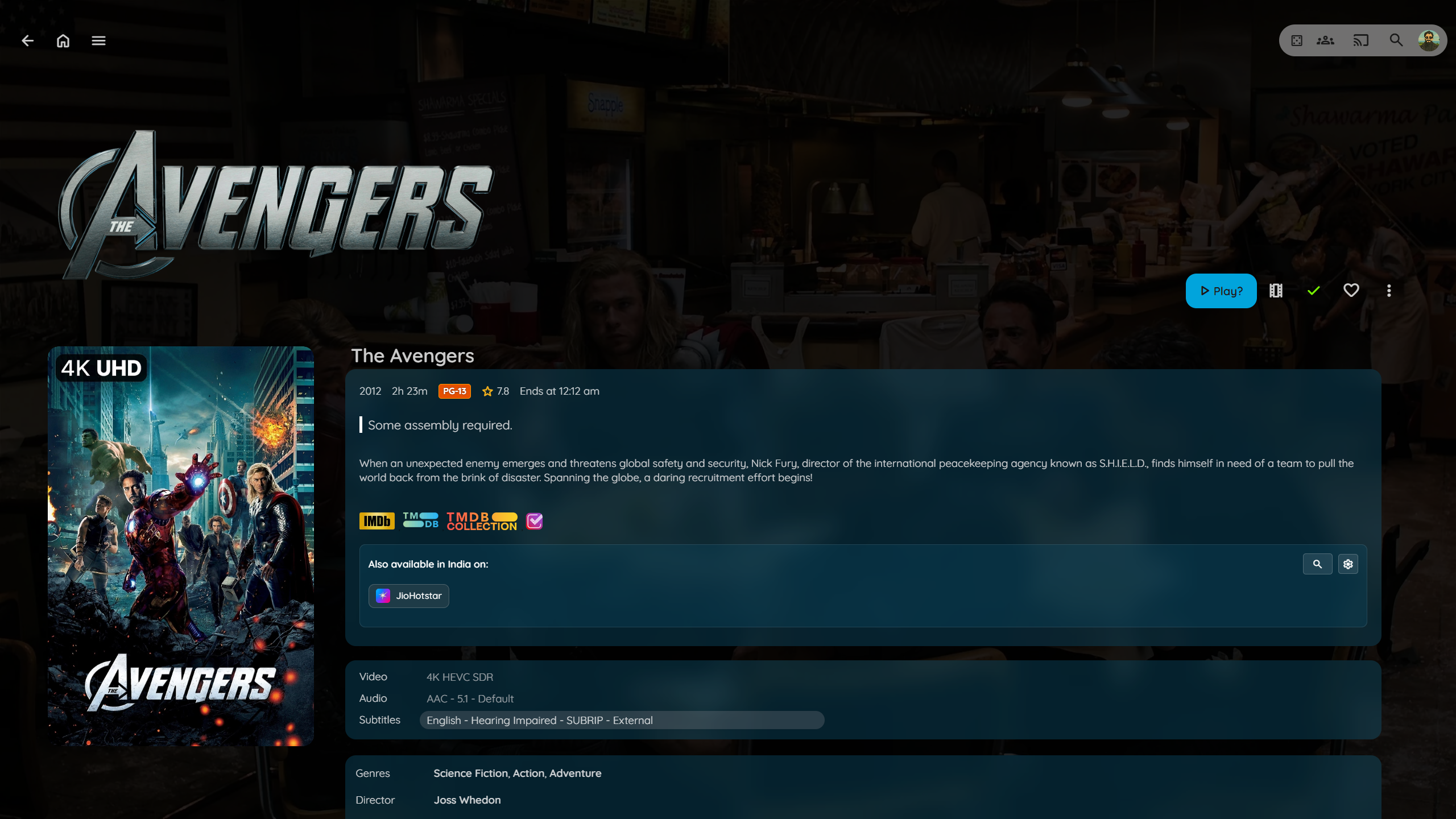 |
| Login I | Login II |
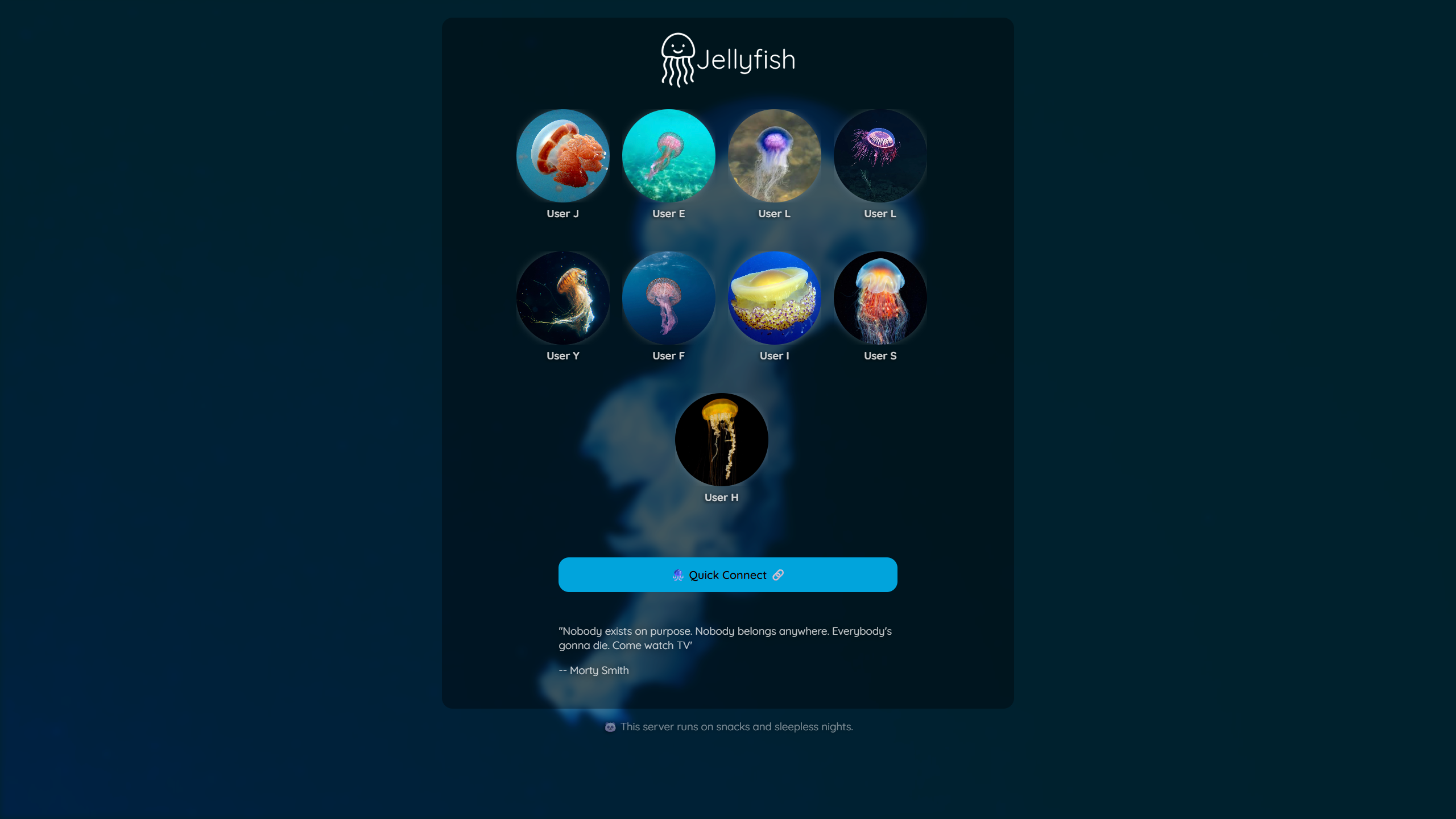 | 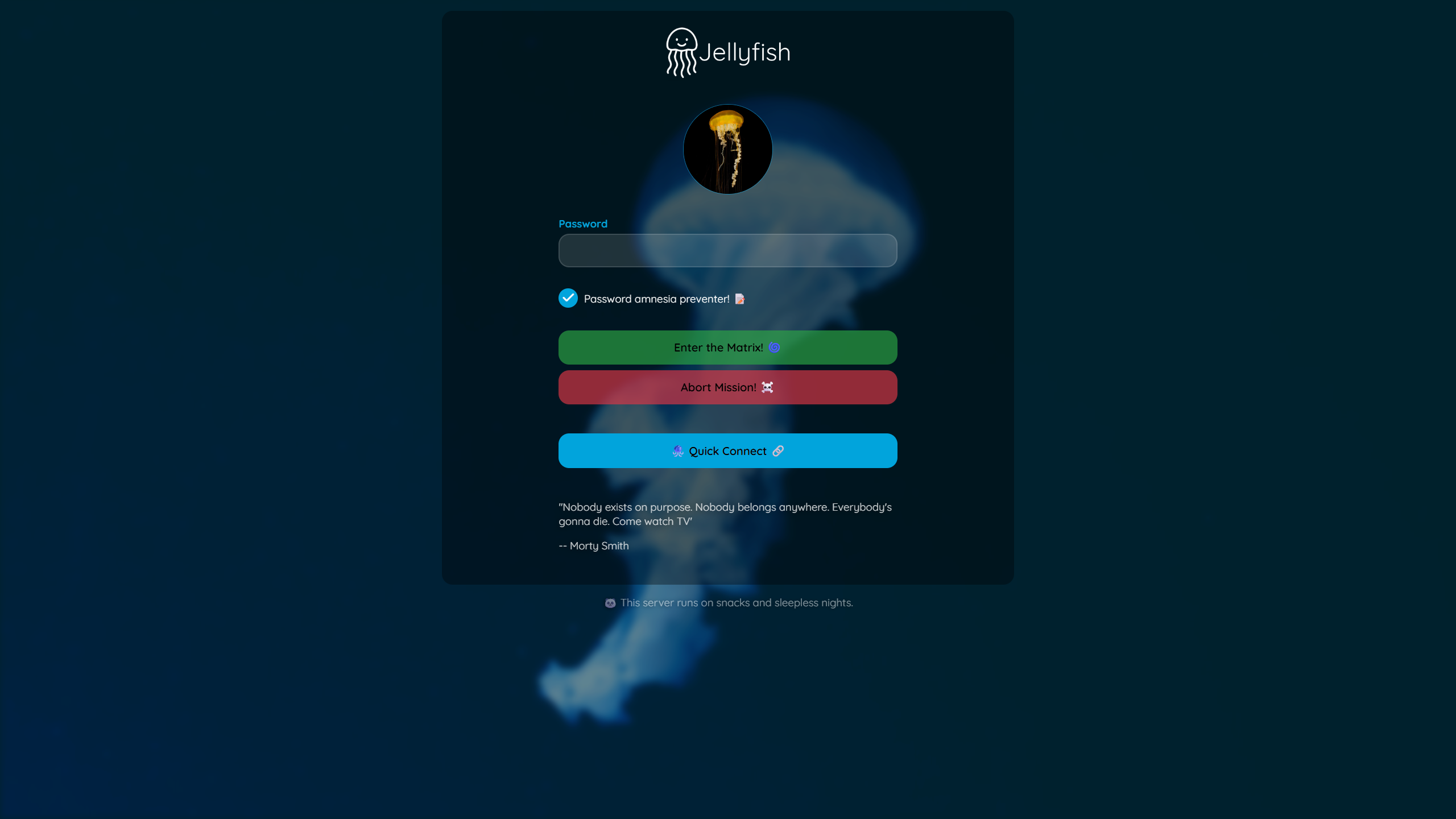 |
----
Floating Progress Bar
@import url("https://cdn.jsdelivr.net/gh/n00bcodr/Jellyfish/progress_bar.css");
| Without | With |
|---|---|
 |  |
----
Indicators attached in the corner
@import url("https://cdn.jsdelivr.net/gh/n00bcodr/Jellyfish/indicators.css");
| Without | With |
|---|---|
 |  |
----
Text Instead of Icons
In item details page, show text for Play, Trailer, Mark as watched etc.
@import url("https://cdn.jsdelivr.net/gh/n00bcodr/Jellyfish/icontext.css");
| Without | With |
|---|---|
 |  |
----
Coloured Parental Ratings
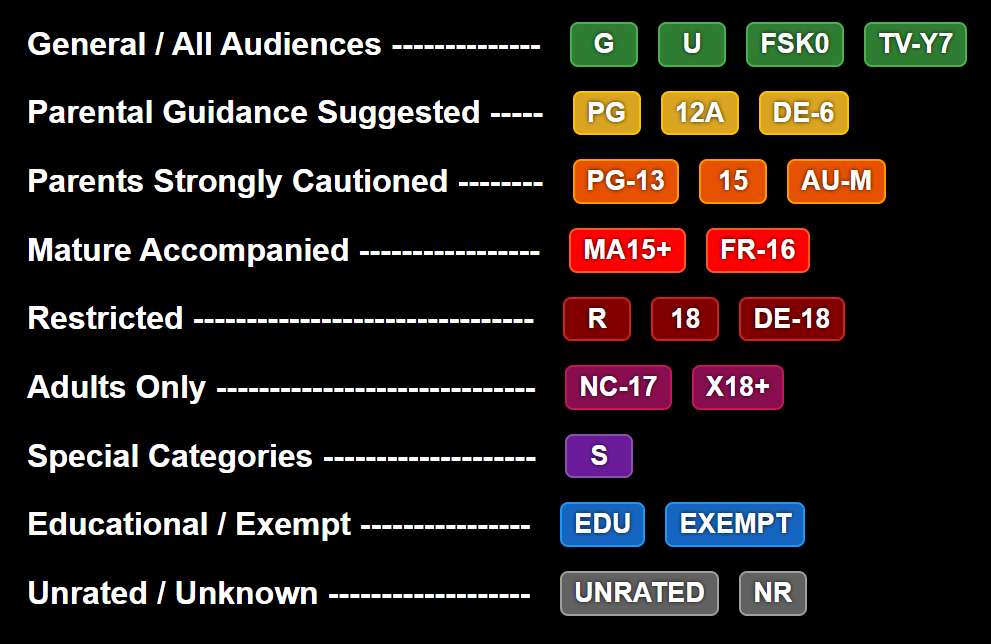
[!NOTE] Only works with a custom javascript
@import url("https://cdn.jsdelivr.net/gh/n00bcodr/Jellyfish/ratings.css");
----
 Logo
Logo
Streamberry Logo (inspired by Black Mirror) instead of Jellyfish Logo. Included by default with jellyflix.css
@import url("https://cdn.jsdelivr.net/gh/n00bcodr/Jellyfish/streamberry_logo.css");
----
📝 Companion Scripts
🎨 Colors
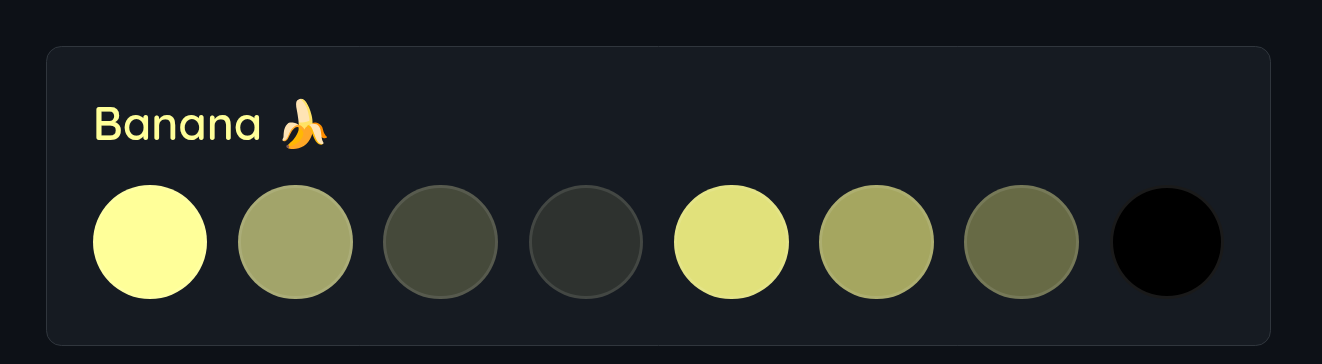
@import url("https://cdn.jsdelivr.net/gh/n00bcodr/Jellyfish/colors/banana.css");
----
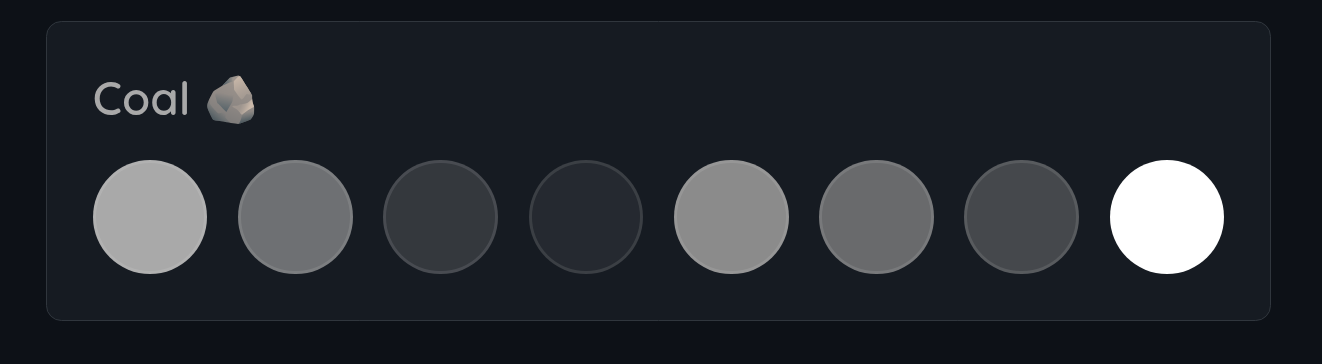
@import url("https://cdn.jsdelivr.net/gh/n00bcodr/Jellyfish/colors/coal.css");
----
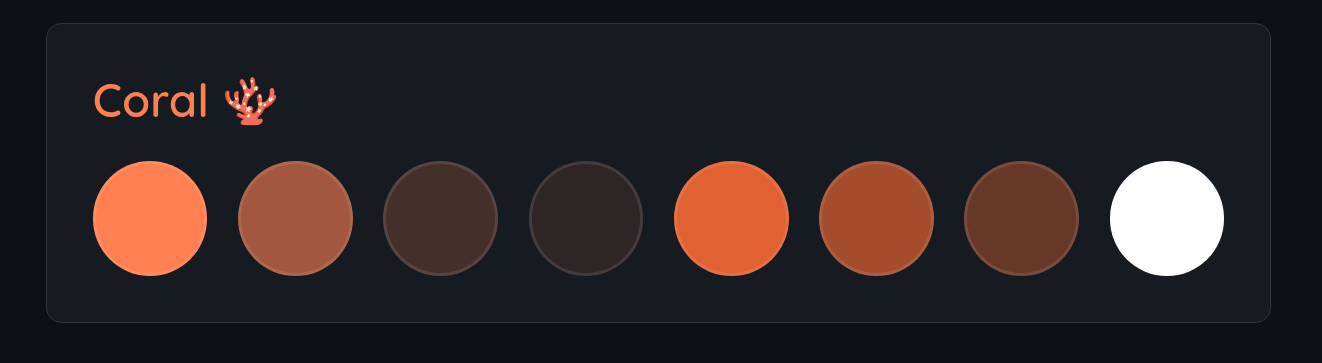
@import url("https://cdn.jsdelivr.net/gh/n00bcodr/Jellyfish/colors/coral.css");
----
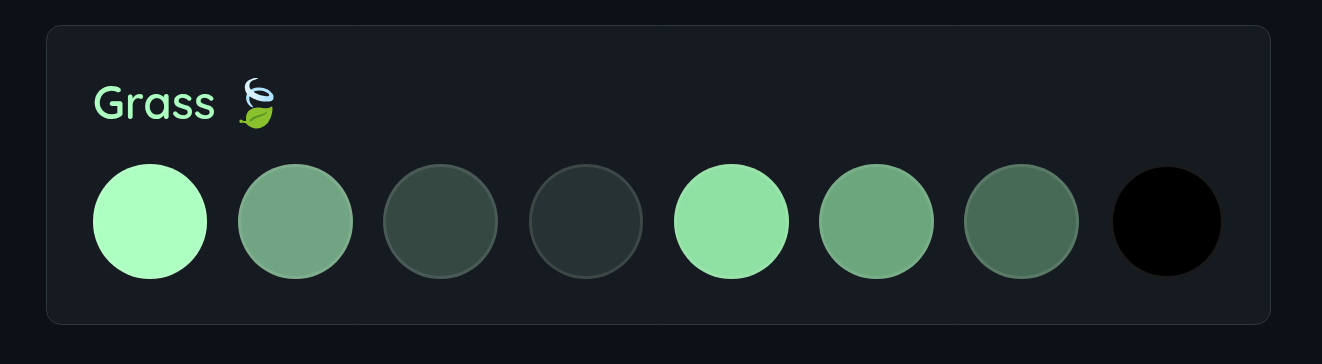
@import url("https://cdn.jsdelivr.net/gh/n00bcodr/Jellyfish/colors/grass.css");
----
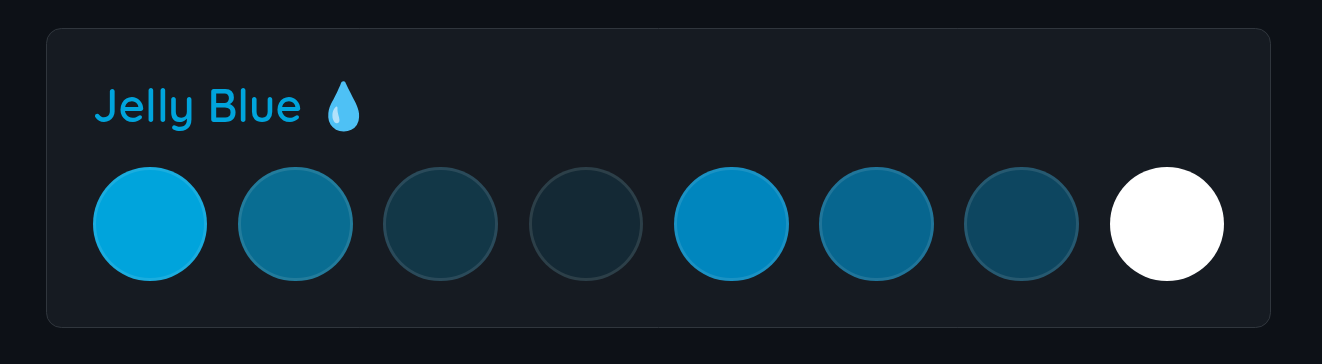
@import url("https://cdn.jsdelivr.net/gh/n00bcodr/Jellyfish/colors/jellyblue.css");
----
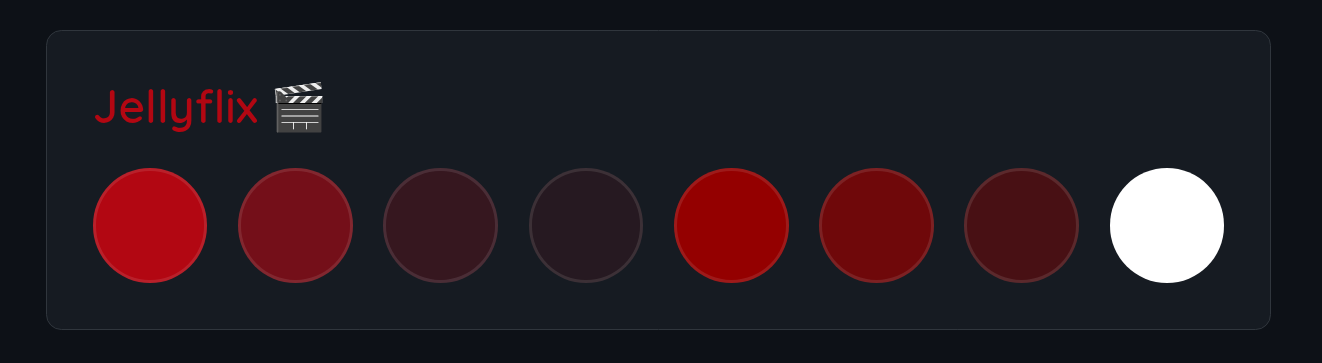
@import url("https://cdn.jsdelivr.net/gh/n00bcodr/Jellyfish/colors/jellyflix.css");
----
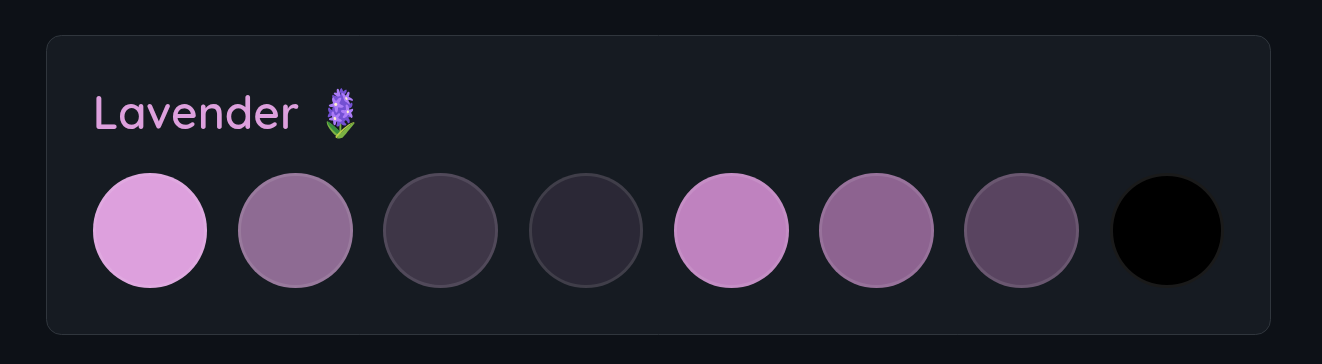
@import url("https://cdn.jsdelivr.net/gh/n00bcodr/Jellyfish/colors/lavender.css");
----
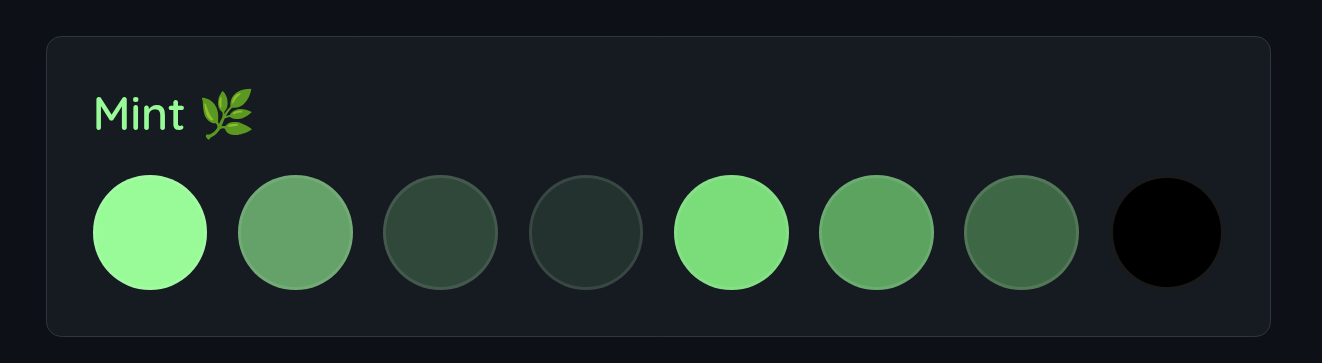
@import url("https://cdn.jsdelivr.net/gh/n00bcodr/Jellyfish/colors/mint.css");
----
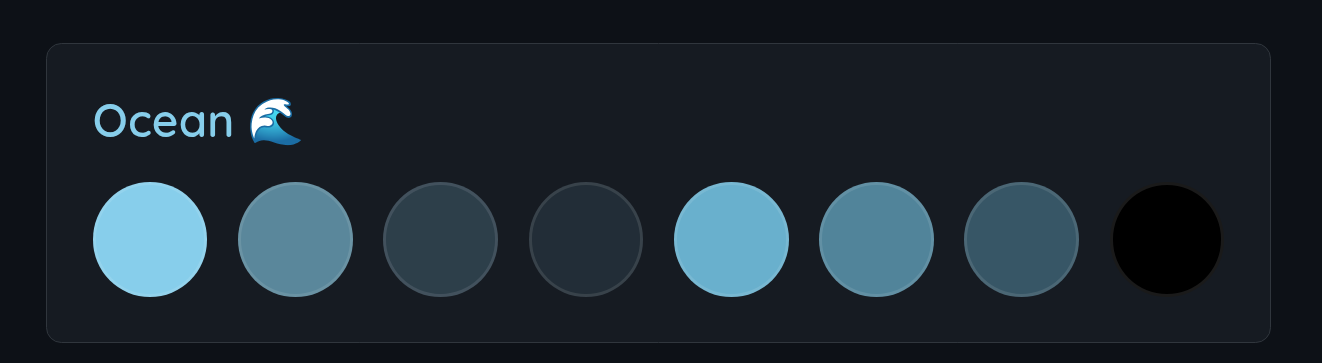
@import url("https://cdn.jsdelivr.net/gh/n00bcodr/Jellyfish/colors/ocean.css");
----
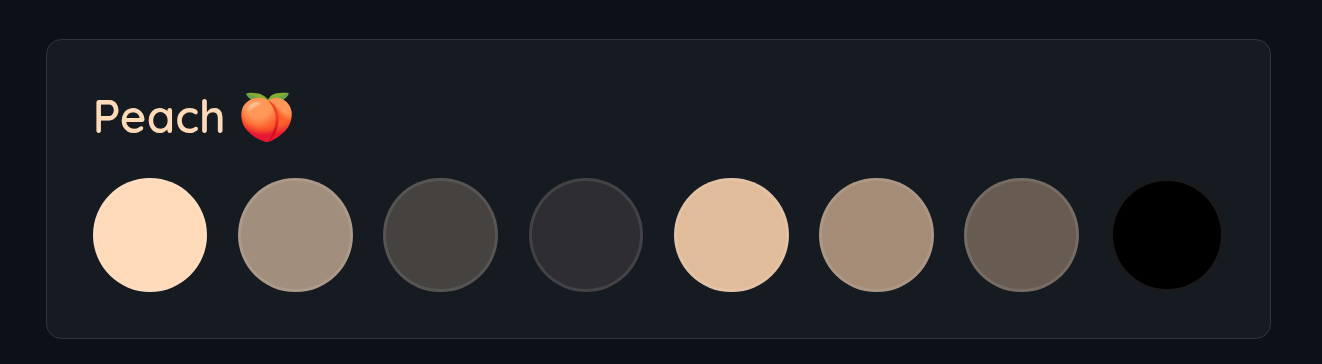
@import url("https://cdn.jsdelivr.net/gh/n00bcodr/Jellyfish/colors/peach.css");
----
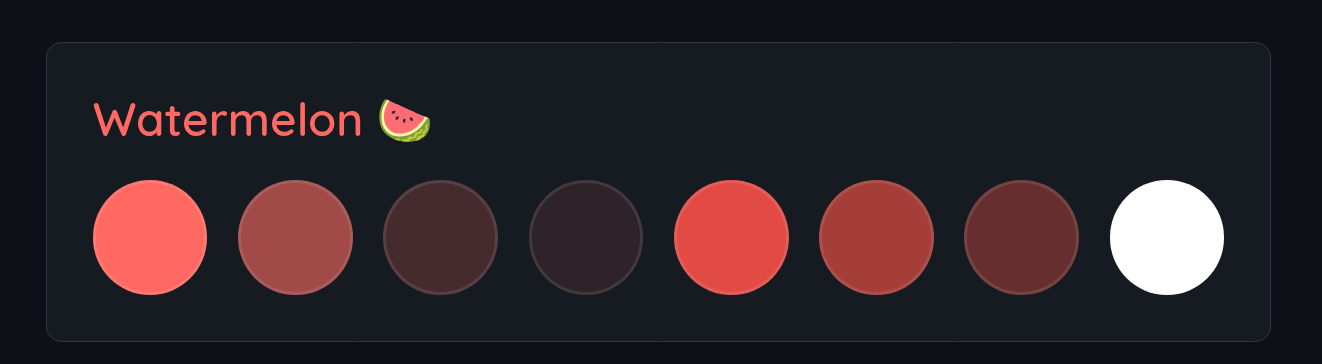
@import url("https://cdn.jsdelivr.net/gh/n00bcodr/Jellyfish/colors/watermelon.css");
Recommended Plugins
To completely replicate the look in the screenshots you'd need the below plugins installed and configured
🧪 Compatibility
- Works for Movies and TV Shows, should work fine mostly for Music and Books, although I don't use Jellyfin for either of them
- Works on both mobile app and web browser, known to have issues / not work on Jellyfin Media Player
[!NOTE] Jellyfin for good reason removed the ability to add custom CSS in the dashboard in version 10.11.
So direct theming for the admin dashboard does not work, and that is expected.
Look at 10.11 Dashboard Theming for a work around. Try at your own risk!
[!NOTE] This theme like many others themes works best only when you have Backdrops and Details Banner enabled in display settings
Get the Plugin JellyfinTweaks for a way to force enable the above two and more on all your devices.
Made with 💜 for Jellyfin and the community
Enjoying Jellyfish?
Checkout my other repos!
Jellyfin-Enhanced (javascript) • Jellyfin-Elsewhere (javascript) • Jellyfin-Tweaks (plugin) • Jellyfin-JavaScript-Injector (plugin) • Jellyfish (theme)


Similar repos


Languages
CSS
90.3%
JavaScript
8.8%
README
Jellyfish Theme |
This theme is heavily inspired by Flow, Zesty and Ultrachromic I've made a few tweaks and modifications of my own.
Login page backgrounds from @ksushlapush
[!IMPORTANT]
theme.cssis now the only stylesheet - it targets Jellyfin 10.11+ natively, and includes the React/MUI top bar & nav drawer rules needed for Jellyfin 12's "modern" layout (formerly a separate12_fixes.cssimport). Just importtheme.css, no extra file needed for normal pages.The admin dashboard is a special case: Jellyfin removed the ability to theme it via Custom CSS Code, so
theme.css's dashboard-only section only takes effect through the JS-injection workaround (see Dashboard Theming) - most users don't need to set that up at all, it's only for admins who want the dashboard itself themed.If you're still on Jellyfin 10.10.x or older, the theme should mostly still work (there's a legacy fallback for the old detail-page markup), but it's no longer the primary target and minor misalignments are possible.
📑 Table of Contents
Installation
Globally for all users
To apply a theme globally to all users via the Dashboard:
- Navigate to Dashboard Settings
- Log in as an administrator
- Go to Dashboard → General → Custom CSS Code
- Add Import Statement
- In the Custom CSS field, add all the desired
@importstatements:
- In the Custom CSS field, add all the desired
   @import url("https://cdn.jsdelivr.net/gh/n00bcodr/jellyfish@main/theme.css");
   @import url("https://cdn.jsdelivr.net/gh/n00bcodr/jellyfish@main/indicators.css");
   @import url("https://cdn.jsdelivr.net/gh/n00bcodr/jellyfish@main/progress_bar.css");
   /* Any other imports or custom CSS will go here */
- Save Changes
- Click Save at the bottom of the page
- Refresh your browser to see the changes
User/Device-Specific Theme (Display Settings)
Individual users can apply the theme to their own account without affecting others:
- Navigate to User Settings
- Click on your profile icon
- Go to Settings → Display → Custom CSS Code
- Add Import Statement
- In the Custom CSS field, add your
@importstatement:
- In the Custom CSS field, add your
@import url("https://cdn.jsdelivr.net/gh/n00bcodr/Jellyfish/colors/peach.css");
- Save and Refresh
- Click Save
- Refresh the page to apply the theme
[!Note] If you only want to change the color you can simply add import statement for the color you want.
If you want to replace the entire CSS for that device, you can choose 'Disable server-provided custom CSS code' and add the CSS statements in user display settings page as you prefer.
Theme
Main Theme with JellyBlue as default
@import url("https://cdn.jsdelivr.net/gh/n00bcodr/Jellyfish/theme.css");
| Home** | Item Details |
|---|---|
| |
| Login I | Login II |
| |
----
Floating Progress Bar
@import url("https://cdn.jsdelivr.net/gh/n00bcodr/Jellyfish/progress_bar.css");
| Without | With |
|---|---|
| |
----
Indicators attached in the corner
@import url("https://cdn.jsdelivr.net/gh/n00bcodr/Jellyfish/indicators.css");
| Without | With |
|---|---|
| |
----
Text Instead of Icons
In item details page, show text for Play, Trailer, Mark as watched etc.
@import url("https://cdn.jsdelivr.net/gh/n00bcodr/Jellyfish/icontext.css");
| Without | With |
|---|---|
| |
----
Coloured Parental Ratings
[!NOTE] Only works with a custom javascript
@import url("https://cdn.jsdelivr.net/gh/n00bcodr/Jellyfish/ratings.css");
----
Logo
Streamberry Logo (inspired by Black Mirror) instead of Jellyfish Logo. Included by default with jellyflix.css
@import url("https://cdn.jsdelivr.net/gh/n00bcodr/Jellyfish/streamberry_logo.css");
----
📝 Companion Scripts
🎨 Colors
@import url("https://cdn.jsdelivr.net/gh/n00bcodr/Jellyfish/colors/banana.css");
----
@import url("https://cdn.jsdelivr.net/gh/n00bcodr/Jellyfish/colors/coal.css");
----
@import url("https://cdn.jsdelivr.net/gh/n00bcodr/Jellyfish/colors/coral.css");
----
@import url("https://cdn.jsdelivr.net/gh/n00bcodr/Jellyfish/colors/grass.css");
----
@import url("https://cdn.jsdelivr.net/gh/n00bcodr/Jellyfish/colors/jellyblue.css");
----
@import url("https://cdn.jsdelivr.net/gh/n00bcodr/Jellyfish/colors/jellyflix.css");
----
@import url("https://cdn.jsdelivr.net/gh/n00bcodr/Jellyfish/colors/lavender.css");
----
@import url("https://cdn.jsdelivr.net/gh/n00bcodr/Jellyfish/colors/mint.css");
----
@import url("https://cdn.jsdelivr.net/gh/n00bcodr/Jellyfish/colors/ocean.css");
----
@import url("https://cdn.jsdelivr.net/gh/n00bcodr/Jellyfish/colors/peach.css");
----
@import url("https://cdn.jsdelivr.net/gh/n00bcodr/Jellyfish/colors/watermelon.css");
Recommended Plugins
To completely replicate the look in the screenshots you'd need the below plugins installed and configured
🧪 Compatibility
- Works for Movies and TV Shows, should work fine mostly for Music and Books, although I don't use Jellyfin for either of them
- Works on both mobile app and web browser, known to have issues / not work on Jellyfin Media Player
[!NOTE] Jellyfin for good reason removed the ability to add custom CSS in the dashboard in version 10.11.
So direct theming for the admin dashboard does not work, and that is expected.
Look at 10.11 Dashboard Theming for a work around. Try at your own risk!
[!NOTE] This theme like many others themes works best only when you have Backdrops and Details Banner enabled in display settings
Get the Plugin JellyfinTweaks for a way to force enable the above two and more on all your devices.
Made with 💜 for Jellyfin and the community
Enjoying Jellyfish?
Checkout my other repos!
Jellyfin-Enhanced (javascript) • Jellyfin-Elsewhere (javascript) • Jellyfin-Tweaks (plugin) • Jellyfin-JavaScript-Injector (plugin) • Jellyfish (theme)
Similar repos
Languages
CSS
90.3%
JavaScript
8.8%