
README
bevy_synth 🕊️🔥🎛️🎹


asset synthesis implemented in bevy and burn, view the live demo
example
| Input | Output |
|---|---|
 | 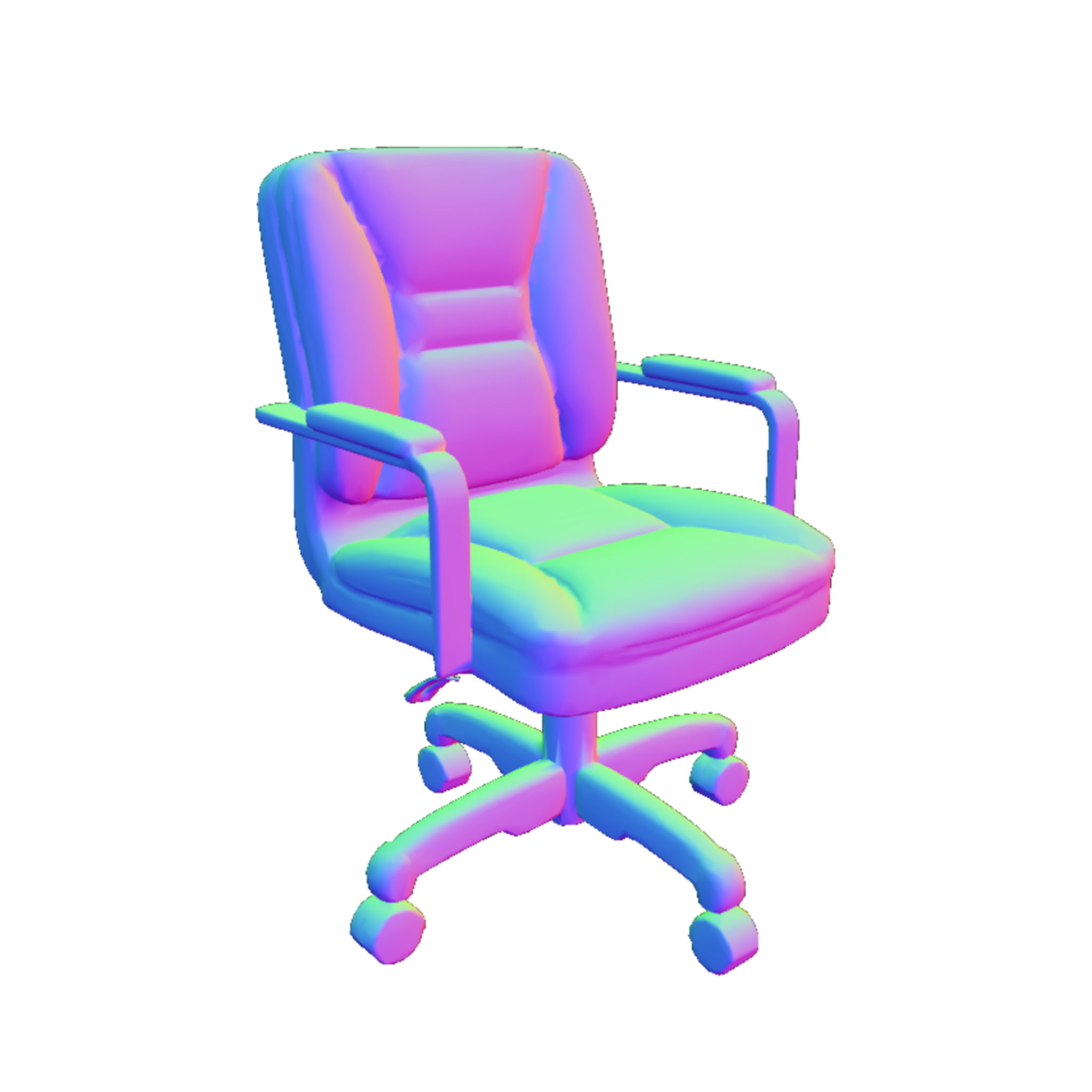 |
features
- editor
- native mcp server
- wasm demo
- quantize-aware kernels
media
| input | output | |
|---|---|---|
| ✅ | image | 3d |
| ✅ | image | foreground |
| ✅ | image | pbr |
| ✅ | text | 3d |
| ⬜ | text | image |
| ⬜ | image | composite-3d |
| ⬜ | many-3d | composite-3d |
| ⬜ | image | 4d |
| ⬜ | video | 4d |
| ⬜ | text | audio |
| ⬜ | video | audio |
setup
install
# burn_synth CLI
cargo install burn_synth

# bevy_synth app
cargo install bevy_synth

# burn_synth MCP stdio server
cargo install burn_synth_mcp
usage:
# burn_synth: run image -> GLB synthesis
burn_synth mesh \
  --quality balanced \
  --input docs/output_chair_bg_removed.png \
  --output /tmp/chair.glb

# bevy_synth: launch interactive app
bevy_synth --quality balanced

# burn_synth_mcp: start MCP stdio server
burn_synth_mcp

# burn_synth_mcp: run source scene -> object images -> TRELLIS assets -> BSN once
burn_synth_mcp \
  --backend wgpu \
  --trellis-quality low \
  scene-build \
  --source-scene-path /path/to/source_scene.jpg \
  --output-dir tmp/runs/scene_e2e \
  --candidate-count 2 \
  --candidate-retry-attempts 2 \
  --batch-size 0 \
  --trellis-pbr true

# To apply into a running bevy_synth viewer, launch the viewer with the same
# control path and add --apply to the scene-build command.
bevy_synth --mcp-scene-control-path tmp/runs/scene_e2e/scene_commands.json
burn_synth_mcp \
  --scene-control-path tmp/runs/scene_e2e/scene_commands.json \
  --scene-status-path tmp/runs/scene_e2e/scene_commands.status.json \
  scene-build \
  --source-scene-path /path/to/source_scene.jpg \
  --output-dir tmp/runs/scene_e2e \
  --apply
upstream
- see
docs/SETUP.mdfor full setup and model import/runtime details - supported models:
- foreground: RMBG-1.4, RMBG-2.0
- synthesis: TripoSG, Trellis2
note: pre-trained model weights have separate license
hardware recommendation
- 16GB VRAM
references
Contributors

mosure
125 commits
Similar repos


Languages
Rust
96.5%
Python
2.3%
README
bevy_synth 🕊️🔥🎛️🎹
asset synthesis implemented in bevy and burn, view the live demo
example
| Input | Output |
|---|---|
| |
features
- editor
- native mcp server
- wasm demo
- quantize-aware kernels
media
| input | output | |
|---|---|---|
| ✅ | image | 3d |
| ✅ | image | foreground |
| ✅ | image | pbr |
| ✅ | text | 3d |
| ⬜ | text | image |
| ⬜ | image | composite-3d |
| ⬜ | many-3d | composite-3d |
| ⬜ | image | 4d |
| ⬜ | video | 4d |
| ⬜ | text | audio |
| ⬜ | video | audio |
setup
install
# burn_synth CLI
cargo install burn_synth

# bevy_synth app
cargo install bevy_synth

# burn_synth MCP stdio server
cargo install burn_synth_mcp
usage:
# burn_synth: run image -> GLB synthesis
burn_synth mesh \
  --quality balanced \
  --input docs/output_chair_bg_removed.png \
  --output /tmp/chair.glb

# bevy_synth: launch interactive app
bevy_synth --quality balanced

# burn_synth_mcp: start MCP stdio server
burn_synth_mcp

# burn_synth_mcp: run source scene -> object images -> TRELLIS assets -> BSN once
burn_synth_mcp \
  --backend wgpu \
  --trellis-quality low \
  scene-build \
  --source-scene-path /path/to/source_scene.jpg \
  --output-dir tmp/runs/scene_e2e \
  --candidate-count 2 \
  --candidate-retry-attempts 2 \
  --batch-size 0 \
  --trellis-pbr true

# To apply into a running bevy_synth viewer, launch the viewer with the same
# control path and add --apply to the scene-build command.
bevy_synth --mcp-scene-control-path tmp/runs/scene_e2e/scene_commands.json
burn_synth_mcp \
  --scene-control-path tmp/runs/scene_e2e/scene_commands.json \
  --scene-status-path tmp/runs/scene_e2e/scene_commands.status.json \
  scene-build \
  --source-scene-path /path/to/source_scene.jpg \
  --output-dir tmp/runs/scene_e2e \
  --apply
upstream
- see
docs/SETUP.mdfor full setup and model import/runtime details - supported models:
- foreground: RMBG-1.4, RMBG-2.0
- synthesis: TripoSG, Trellis2
note: pre-trained model weights have separate license
hardware recommendation
- 16GB VRAM
references
Similar repos
Contributors
mosure
125 commits
Languages
Rust
96.5%
Python
2.3%