
Fast, native macOS file transfers for Android phones and cameras. Drag and drop, manage files, and transfer between devices
Swift
8
9 commits
updated Sep 7, 2026
See what people are saying
README
Piko
Fast, fully native macOS file transfers for Android phones, cameras, and other USB MTP devices. Drag and drop files, free up space, and manage several devices from one window.
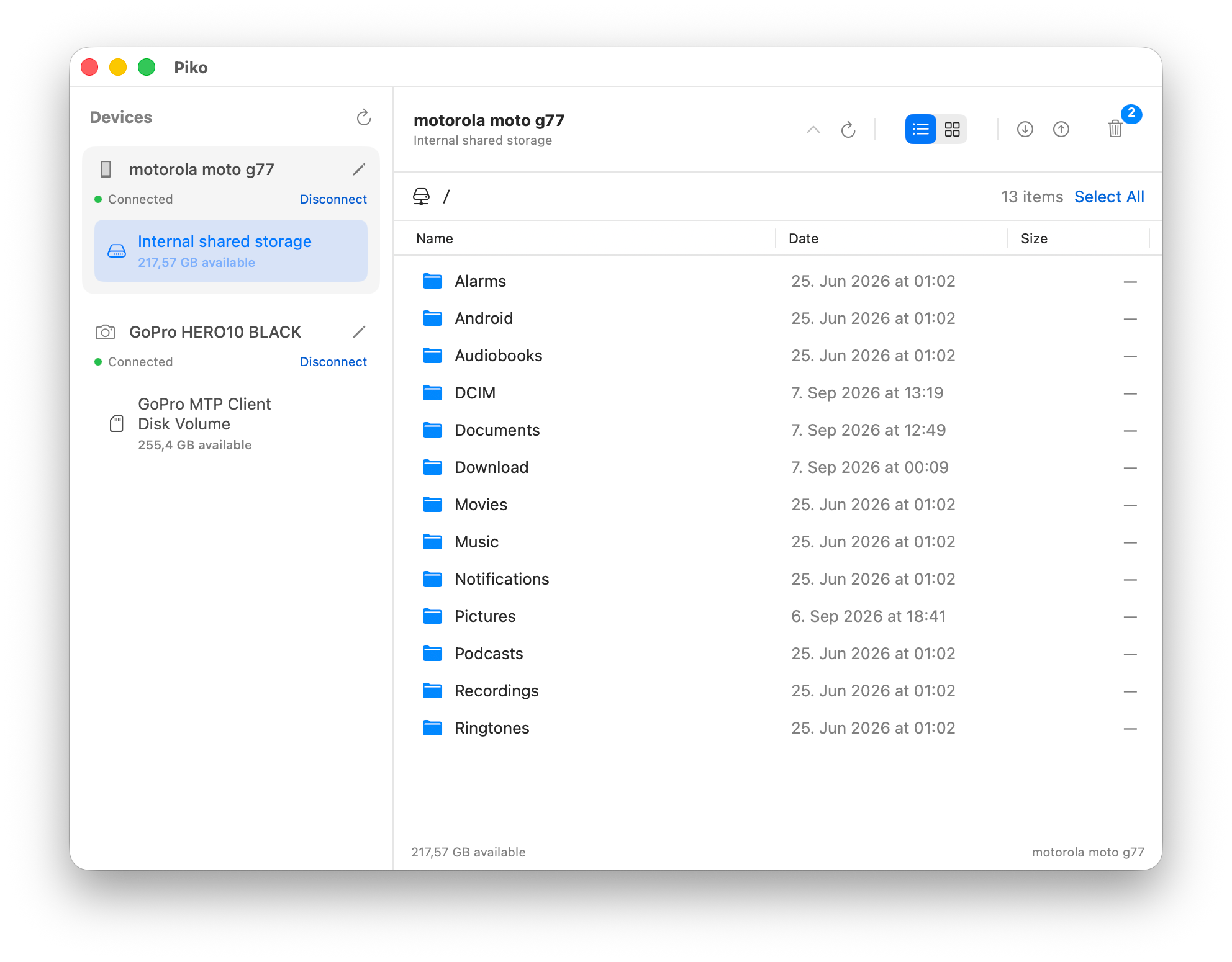
Apple Silicon · macOS 14 or newer
What you can do
- Drag and drop files and folders between your Mac and connected devices.
- Organize files by moving them between folders on the same storage.
- Transfer between devices by dragging to another device or storage. Files are copied, keeping the originals safe.
- Free up space with file deletion, a recoverable bin, and permanent deletion when you're ready.
- Browse photos and videos with thumbnail previews in a list or image grid.
- Work with several devices at once, each with its own transfers.
Available actions depend on your device. Existing files are never overwritten.
Download
Download Piko for macOS — Apple Silicon
This preview is not yet Developer ID signed or notarized. See the short user guide for installation, first-launch approval, safe deletion, and diagnostics.
Getting started
Connect your device with a USB data cable, unlock it, and choose File Transfer on the device if prompted. Click Connect in Piko, then start browsing or dragging files. Close other apps that are using the same device.
Private by default
Piko makes no internet connections and records no diagnostic logs unless you explicitly enable them in Settings. Logs stay on your Mac; including filenames requires separate consent. You choose whether to export, share, or delete them.
More
Build from source · MIT license · Third-party acknowledgments
Similar repos


Languages
Swift
99.5%
Fast, native macOS file transfers for Android phones and cameras. Drag and drop, manage files, and transfer between devices
Swift
8
9 commits
updated Sep 7, 2026
See what people are saying
README
Piko
Fast, fully native macOS file transfers for Android phones, cameras, and other USB MTP devices. Drag and drop files, free up space, and manage several devices from one window.
Apple Silicon · macOS 14 or newer
What you can do
- Drag and drop files and folders between your Mac and connected devices.
- Organize files by moving them between folders on the same storage.
- Transfer between devices by dragging to another device or storage. Files are copied, keeping the originals safe.
- Free up space with file deletion, a recoverable bin, and permanent deletion when you're ready.
- Browse photos and videos with thumbnail previews in a list or image grid.
- Work with several devices at once, each with its own transfers.
Available actions depend on your device. Existing files are never overwritten.
Download
Download Piko for macOS — Apple Silicon
This preview is not yet Developer ID signed or notarized. See the short user guide for installation, first-launch approval, safe deletion, and diagnostics.
Getting started
Connect your device with a USB data cable, unlock it, and choose File Transfer on the device if prompted. Click Connect in Piko, then start browsing or dragging files. Close other apps that are using the same device.
Private by default
Piko makes no internet connections and records no diagnostic logs unless you explicitly enable them in Settings. Logs stay on your Mac; including filenames requires separate consent. You choose whether to export, share, or delete them.
More
Build from source · MIT license · Third-party acknowledgments
Similar repos
Languages
Swift
99.5%