The *faster than your launcher* launcher
See the codeTuna is a complete launcher – much more capable, and with Leader Key built in!
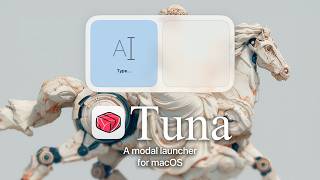
Leader Key will stay free and open source but my focus will be on Tuna going forward.

The *faster than your launcher* launcher
A riff on Raycast, @mxstbr's multi-key Karabiner setup, and Vim's <leader> key.
Watch the intro video on YouTube:


Yes, I only have that one thumbnail face.
Download
Homebrew
$ brew install leader-key
Open the settings menu with the menu bar icon
Choose your leader (Shortcut that will open the app)
Add your shortcuts to the Config settings
open messages)media mute)window maximize)Leader Key supports URL scheme automation for integration with tools like Alfred, Raycast, shell scripts, and more.
# Reload configuration from disk
open "leaderkey://config-reload"

# Show config.json in Finder
open "leaderkey://config-reveal"
# Show Leader Key window
open "leaderkey://activate"

# Hide Leader Key window
open "leaderkey://hide"

# Clear navigation state (return to root)
open "leaderkey://reset"
# Open settings window
open "leaderkey://settings"

# Show about dialog
open "leaderkey://about"
# Navigate through keys and execute actions
open "leaderkey://navigate?keys=a,b,c"

# Navigate without executing (preview mode)
open "leaderkey://navigate?keys=a,b,c&execute=false"
Any key can be your leader key, but only modifiers will not work.
Examples:
Advanced examples:
Using Karabiner you can do more fancy things like:
See @mikker's config in the wiki for akimbo cmds example.
Activate Leader Key, then cmd + ,.
You need to make sure your shell environment is correctly set up for non-interactive mode, and exports the PATH variable.
For zsh make sure you have your PATH variable exported in ~/.zshenv
For bash make sure you have your PATH variable exported in ~/.bash_profile
MIT
(top 24 of 33)
1,716 followers · starred Feb 2025
1,034 followers · starred Aug 2025
6,580 followers · starred Mar 2026
670 followers · starred Aug 2025
The *faster than your launcher* launcher
See the codeTuna is a complete launcher – much more capable, and with Leader Key built in!
Leader Key will stay free and open source but my focus will be on Tuna going forward.
The *faster than your launcher* launcher
A riff on Raycast, @mxstbr's multi-key Karabiner setup, and Vim's <leader> key.
Watch the intro video on YouTube:
Yes, I only have that one thumbnail face.
Download
Homebrew
$ brew install leader-key
Open the settings menu with the menu bar icon
Choose your leader (Shortcut that will open the app)
Add your shortcuts to the Config settings
open messages)media mute)window maximize)Leader Key supports URL scheme automation for integration with tools like Alfred, Raycast, shell scripts, and more.
# Reload configuration from disk
open "leaderkey://config-reload"

# Show config.json in Finder
open "leaderkey://config-reveal"
# Show Leader Key window
open "leaderkey://activate"

# Hide Leader Key window
open "leaderkey://hide"

# Clear navigation state (return to root)
open "leaderkey://reset"
# Open settings window
open "leaderkey://settings"

# Show about dialog
open "leaderkey://about"
# Navigate through keys and execute actions
open "leaderkey://navigate?keys=a,b,c"

# Navigate without executing (preview mode)
open "leaderkey://navigate?keys=a,b,c&execute=false"
Any key can be your leader key, but only modifiers will not work.
Examples:
Advanced examples:
Using Karabiner you can do more fancy things like:
See @mikker's config in the wiki for akimbo cmds example.
Activate Leader Key, then cmd + ,.
You need to make sure your shell environment is correctly set up for non-interactive mode, and exports the PATH variable.
For zsh make sure you have your PATH variable exported in ~/.zshenv
For bash make sure you have your PATH variable exported in ~/.bash_profile
MIT
(top 24 of 33)
1,716 followers · starred Feb 2025
1,034 followers · starred Aug 2025
6,580 followers · starred Mar 2026
670 followers · starred Aug 2025



