mike-lischke/vscode-antlr4

ANTLR4 language support for Visual Studio Code

TypeScript

472

383 commits

updated Mar 27, 2026

See the code

README

Build & Test

logo VS Code Extension for ANTLR4 Grammars

The extension for ANTLR4 support in Visual Studio Code.

What's New

Externalized the formatter into an own Node.js package for broader use.

How To Contribute

If you want to create your own version of this extension or plan to contribute to its development then follow the steps outlined in the contribute.md document.
Features

Feature Overview

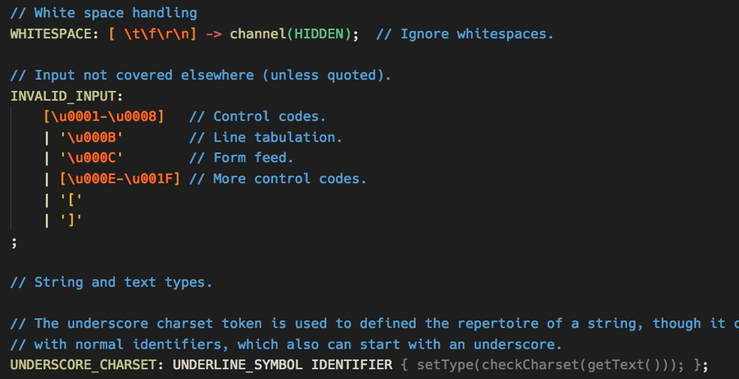
Syntax Coloring

  • Syntax coloring for ANTLR grammars (.g and .g4 files)

Syntax Coloring

  • Comes with an own beautiful color theme, which not only includes all the recommended groups, but also some special rules for grammar elements that you won't find in other themes (e.g. alt labels and options). They are, immodestly, named Complete Dark and Complete Light.

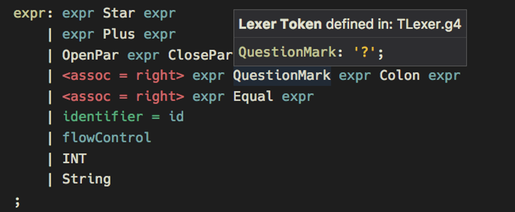
Code Completion + Symbol Information

  • Code suggestions for all rule + token names, channels, modes etc. (including built-in ones).
  • Symbol type + location are shown on mouse hover. Navigate to any symbol with Ctrl/Cmd + Click. This works even for nested grammars (token vocabulary + imports).

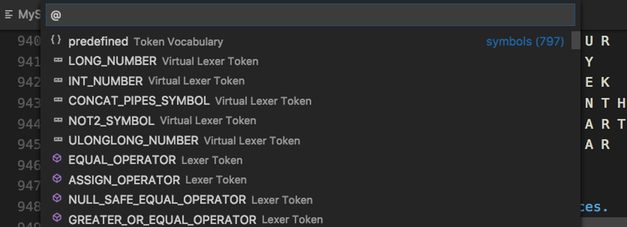
  • Symbol list for quick navigation (via Shift + Ctrl/Cmd + O).

Grammar Validations

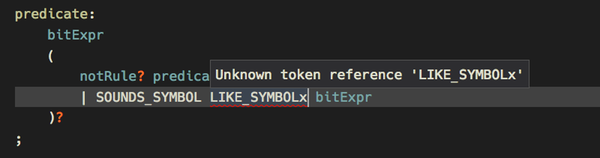
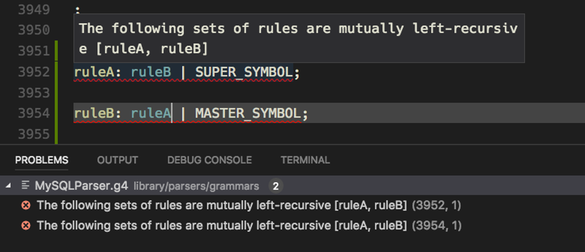
  • In the background syntax checking takes place, while typing. Also some semantic checks are done, e.g. for duplicate or unknown symbols.

  • When parser generation is enabled (at least for internal use) ANTLR4 itself is used to check for errors and warnings. These are then reported instead of the internally found problems and give you so the full validation power of ANTLR4.

More Information

There are a number of documentation files for specific topics:

Miscellaneous

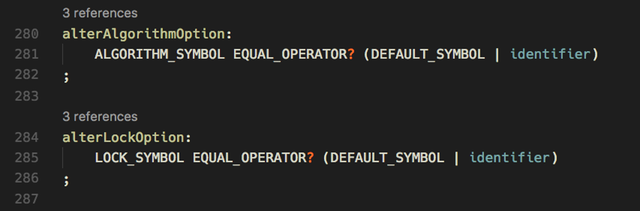
  • There is an option to switch on rule reference counts via Code Lens. This feature is switchable independent of the vscode Code Lens setting.

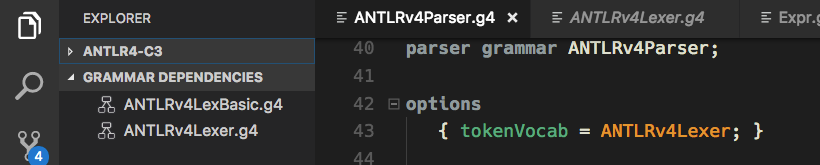
  • For each grammar its dependencies are shown in a sidebar view (i.e. token vocabulary and imports).

Known Issues

See the Git issue tracker.

What's planned next?

Bug fixing and what feels appealing to hack on.

Release Notes

See release-notes.

Other Notes

The dependencies view icons have been taken from the vscode tree view example.

antlr
antlr4
atn-graph
callgraph
grammar
grammar-debugging
parse-trees
parsing
railroad-diagrams

mike-lischke/vscode-antlr4

ANTLR4 language support for Visual Studio Code

TypeScript

472

383 commits

updated Mar 27, 2026

See the code

README

Build & Test

logo VS Code Extension for ANTLR4 Grammars

The extension for ANTLR4 support in Visual Studio Code.

What's New

Externalized the formatter into an own Node.js package for broader use.

How To Contribute

If you want to create your own version of this extension or plan to contribute to its development then follow the steps outlined in the contribute.md document.

Features

Feature Overview

Syntax Coloring

  • Syntax coloring for ANTLR grammars (.g and .g4 files)

Syntax Coloring

  • Comes with an own beautiful color theme, which not only includes all the recommended groups, but also some special rules for grammar elements that you won't find in other themes (e.g. alt labels and options). They are, immodestly, named Complete Dark and Complete Light.

Code Completion + Symbol Information

  • Code suggestions for all rule + token names, channels, modes etc. (including built-in ones).
  • Symbol type + location are shown on mouse hover. Navigate to any symbol with Ctrl/Cmd + Click. This works even for nested grammars (token vocabulary + imports).

  • Symbol list for quick navigation (via Shift + Ctrl/Cmd + O).

Grammar Validations

  • In the background syntax checking takes place, while typing. Also some semantic checks are done, e.g. for duplicate or unknown symbols.

  • When parser generation is enabled (at least for internal use) ANTLR4 itself is used to check for errors and warnings. These are then reported instead of the internally found problems and give you so the full validation power of ANTLR4.

More Information

There are a number of documentation files for specific topics:

Miscellaneous

  • There is an option to switch on rule reference counts via Code Lens. This feature is switchable independent of the vscode Code Lens setting.

  • For each grammar its dependencies are shown in a sidebar view (i.e. token vocabulary and imports).

Known Issues

See the Git issue tracker.

What's planned next?

Bug fixing and what feels appealing to hack on.

Release Notes

See release-notes.

Other Notes

The dependencies view icons have been taken from the vscode tree view example.

antlr
antlr4
atn-graph
callgraph
grammar
grammar-debugging
parse-trees
parsing
railroad-diagrams

Significant stargazers

Don Jayamanne

2,151 followers · starred Jul 2019

Squirrel

214 followers · starred Nov 2025

Jonathan Schnéider

351 followers · starred Jun 2021

Mikhail Glushenkov

192 followers · starred Oct 2020