Accurate syntax coloring for VSCode using tree-sitter
TypeScript
181
193 commits
updated Dec 9, 2022
With the improving support for custom syntax coloring through language server, this extension is no longer needed
This extension gives VSCode support for tree-sitter syntax coloring. Examples with tree-sitter coloring on the right:
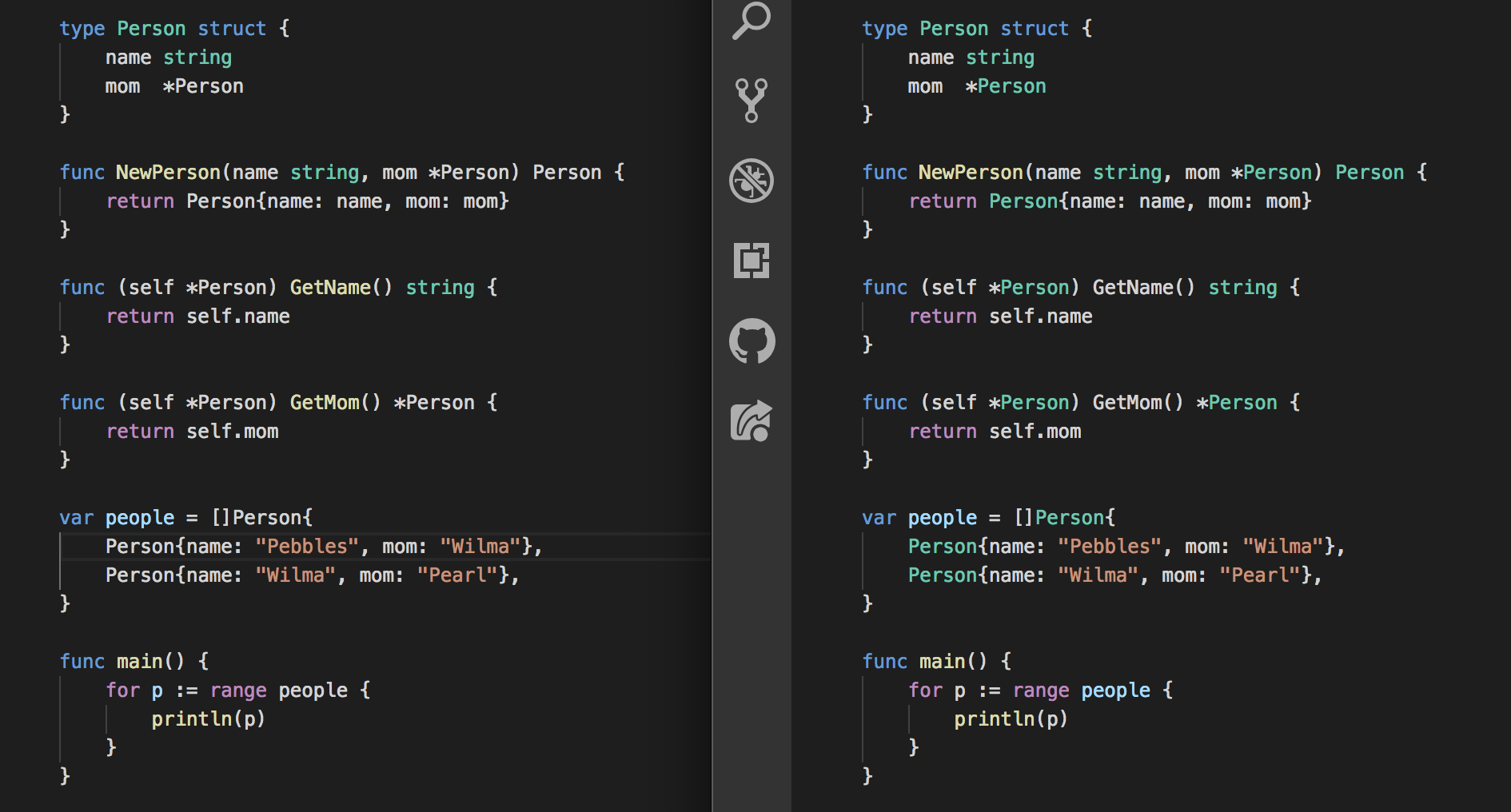
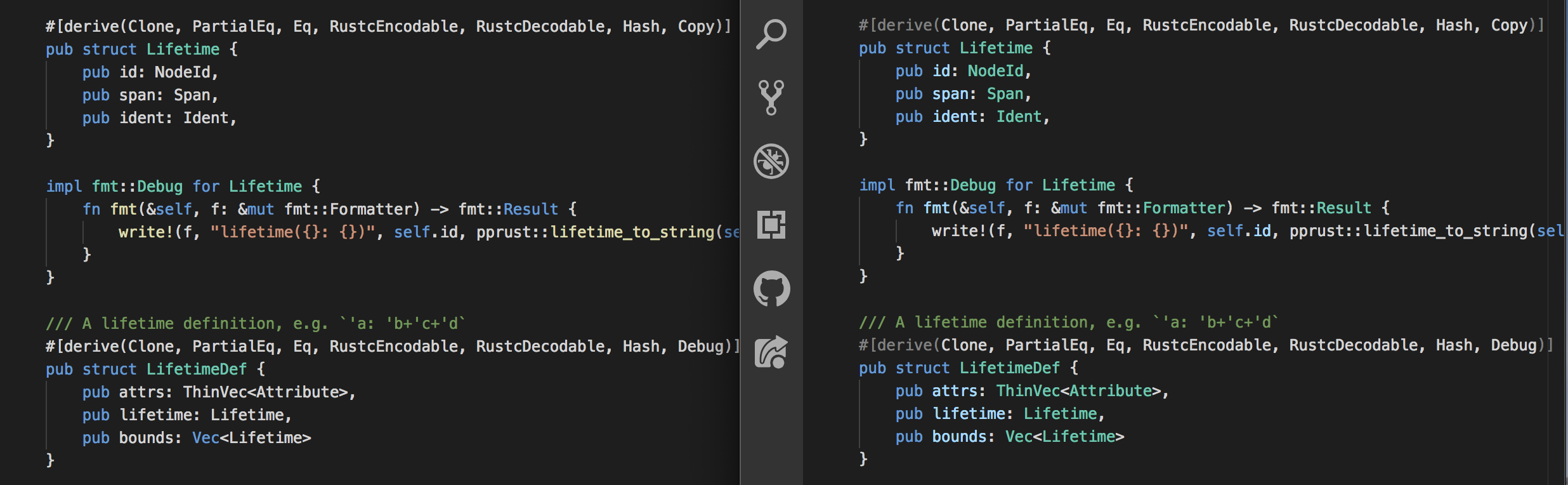
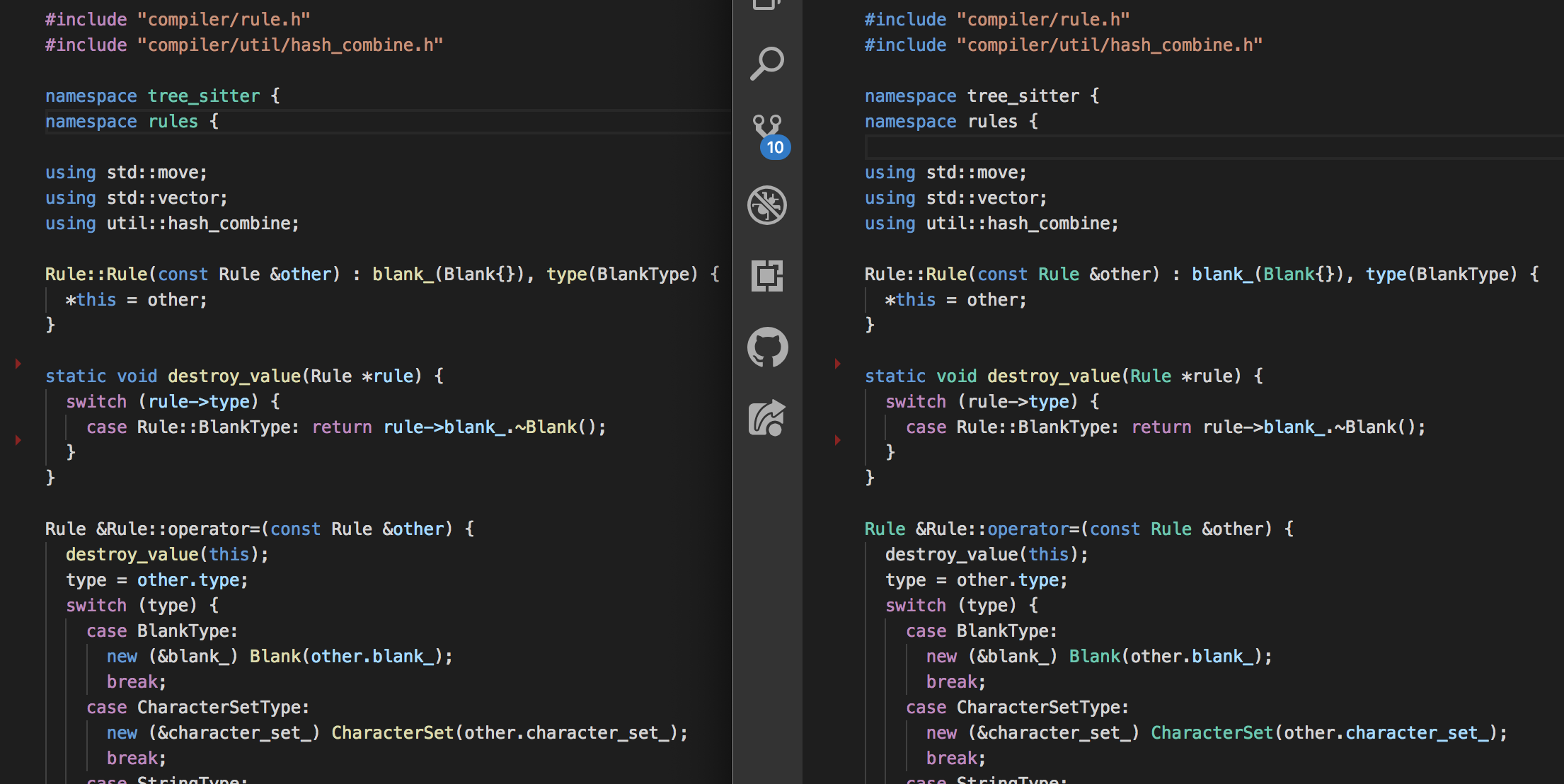
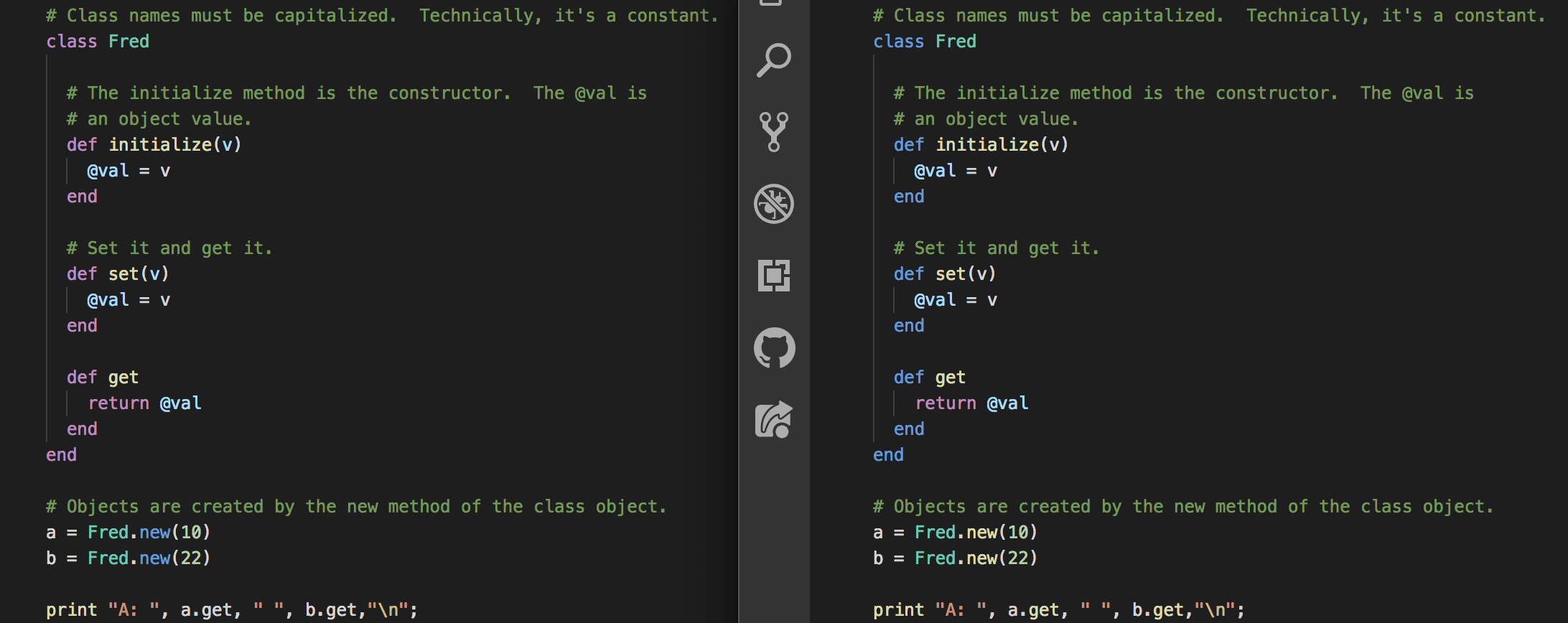
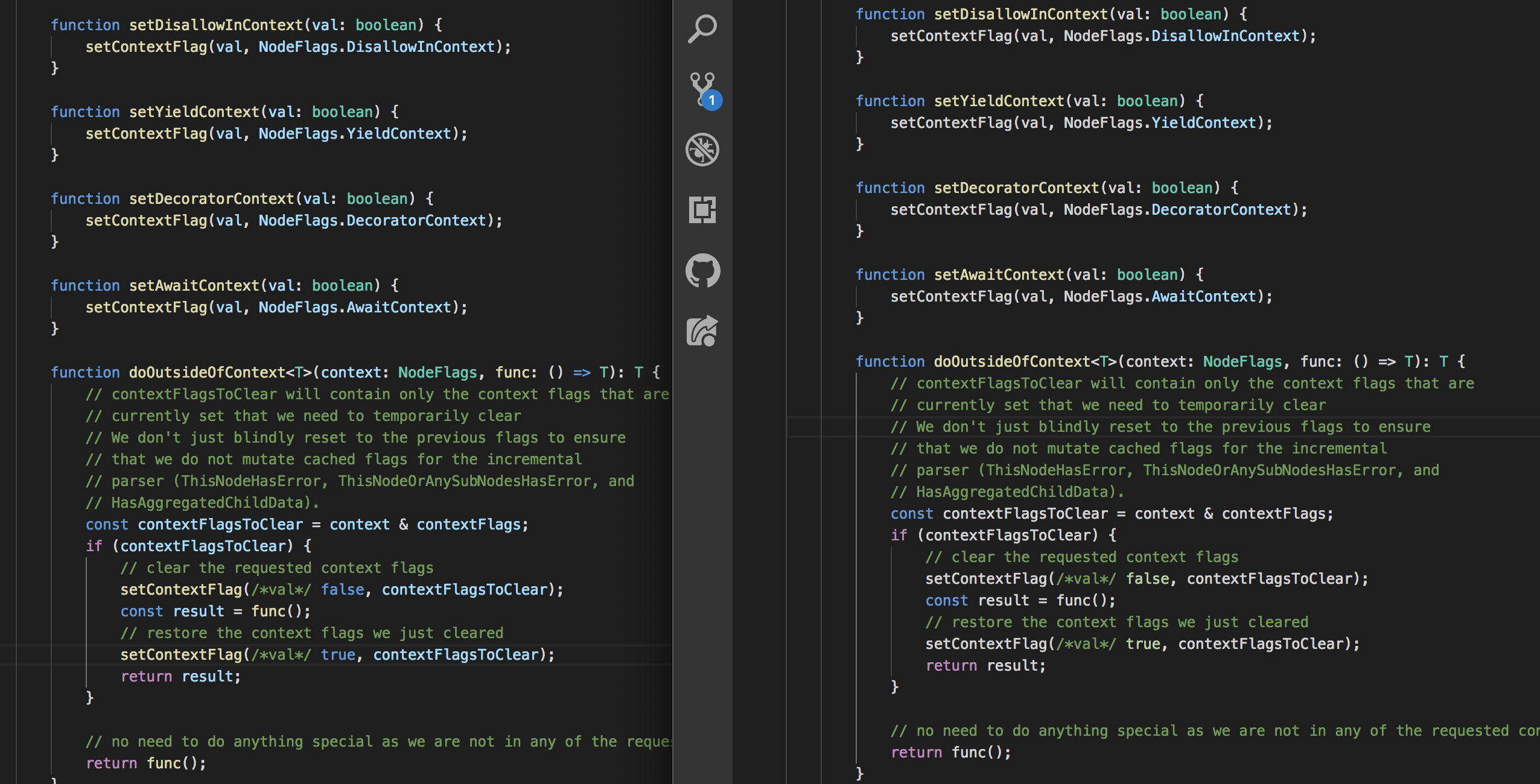
If you see something getting colored wrong, or something that should be colored but isn't, you can help! The simplest way to help is to create an issue with a simple example, a screenshot, and an explanation of what is wrong.
You are also welcome to fix the problem yourself and submit a PR. Colorization is performed by the various colorLanguage(x, editor) functions in src/colors.ts. When working on the colorization rules, please keep in mind two core principles:
It's straightforward to add any language with a tree-sitter grammar.
npm install tree-sitter-yourlang../src/colors.ts./src/extension.ts./textmate/yourlang.tmLanguage.json. The job of this textmate grammar is just to color keywords and simple literals; anything tricky should be left white and colored by your color function.yourlang must be a VSCode language identifier.onLanguage:yourlang to the activationEvents section of package.json. yourlang must be a VSCode language identifier.examples/yourlang.F5 in VSCode, with this project open, to test your changes.Overall
Maintained
Code review
Latest release
Releases this year
2,001 followers · starred May 2019
2,151 followers · starred May 2019
1,393 followers · starred May 2019
876 followers · starred Aug 2022
Accurate syntax coloring for VSCode using tree-sitter
TypeScript
181
193 commits
updated Dec 9, 2022
With the improving support for custom syntax coloring through language server, this extension is no longer needed
This extension gives VSCode support for tree-sitter syntax coloring. Examples with tree-sitter coloring on the right:
If you see something getting colored wrong, or something that should be colored but isn't, you can help! The simplest way to help is to create an issue with a simple example, a screenshot, and an explanation of what is wrong.
You are also welcome to fix the problem yourself and submit a PR. Colorization is performed by the various colorLanguage(x, editor) functions in src/colors.ts. When working on the colorization rules, please keep in mind two core principles:
It's straightforward to add any language with a tree-sitter grammar.
npm install tree-sitter-yourlang../src/colors.ts./src/extension.ts./textmate/yourlang.tmLanguage.json. The job of this textmate grammar is just to color keywords and simple literals; anything tricky should be left white and colored by your color function.yourlang must be a VSCode language identifier.onLanguage:yourlang to the activationEvents section of package.json. yourlang must be a VSCode language identifier.examples/yourlang.F5 in VSCode, with this project open, to test your changes.Overall
Maintained
Code review
Latest release
Releases this year
2,001 followers · starred May 2019
2,151 followers · starred May 2019
1,393 followers · starred May 2019
876 followers · starred Aug 2022



