RustBoyAdvance-NG is a Nintendo™ Game Boy Advance emulator and debugger, written in the rust programming language.
Rust
671
574 commits
updated Aug 27, 2026


Nintendo GameBoy Advance ™ emulator and debugger, written in rust.

WebAssembly Demo: https://michelhe.github.io/rustboyadvance-ng/ 
core/ - Main emulator crate that ties everything togetherarm7tdmi/ - Emulation of the Arm7tdmi processor.platform/ - Constains executables & application built with rustboyadvance-core
platform/rustbodyadvance-wasm - Web emulator powered by WebAssemblyplatform/rustbodyadvance-sdl2 - Desktop application built with sdl2platform/rustbodyadvance-minifb - Desktop application built with minifb, not maintained.platform/rustbodyadvance-jni - Java JNI binidngs for the emulator.platform/rustbodyadvance-term - A full in-terminal frontend implemented via crossterm and viuer by @FRoith.platform/android - A PoC Android application.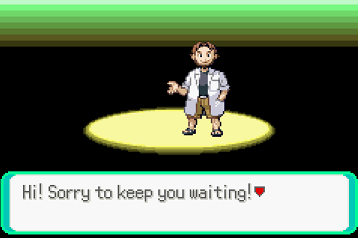
To get started, you need to get a stable rust toolchain of version Rust 1.51 or later,
Install SDL2 dependencies
sudo apt-get -y install libsdl2-dev libsdl2-image-dev
SDL2 runtime binaries are included in this repository, no extra setup needed.
Install SDL2 dependencies
brew install SDL2 SDL2_image
export LIBRARY_PATH="$LIBRARY_PATH:/opt/homebrew/lib"
You need to obtain a gba bios binary. An open source GBA bios is also available and supported.
Place the bios file in the repository root and name it gba_bios.bin (or alternatively use the -b command line option)
Build and run in release mode (performance is terrible in the dev profile)
$ cargo run --release -- path/to/rom
You can also drag&drop rom files or any zip files containing .gba files inside into the emulator window and a new rom will be loaded.
Currently the key bindings are not configureable.
GBA key bindings:
| Keyboard | GBA |
|---|---|
| Up | Up |
| Down | Down |
| Left | Right |
| Right | Right |
| Z | B Button |
| X | A Button |
| Return | Start |
| Backspace | Select |
| A | L |
| S | R |
Special key bindings
| Key | Function |
|---|---|
| Space (hold) | Disable 60fps cap |
| F1 | Custom debugger (requires --features debugger) |
| F2 | Spawn gdbserver (experimetnal, requires --features gdb) |
| F5 | Save snapshot file |
| F9 | Load snapshot file |
The android project is placed inside platform/android.
To build it, open it with Android Studio.
You also need to set up rust to build android targets with NDK.
TODO - instructions
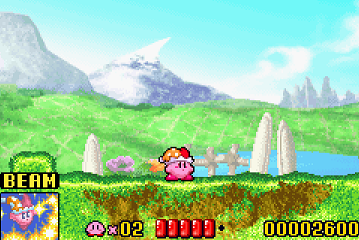
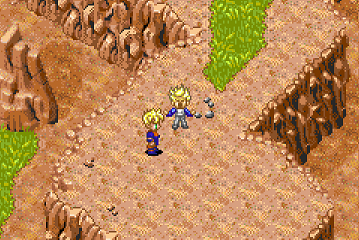
1,463 followers · starred Feb 2021
760 followers · starred May 2020
487 followers · starred May 2020
118 followers · starred May 2020
RustBoyAdvance-NG is a Nintendo™ Game Boy Advance emulator and debugger, written in the rust programming language.
Rust
671
574 commits
updated Aug 27, 2026
Nintendo GameBoy Advance ™ emulator and debugger, written in rust.
WebAssembly Demo: https://michelhe.github.io/rustboyadvance-ng/
core/ - Main emulator crate that ties everything togetherarm7tdmi/ - Emulation of the Arm7tdmi processor.platform/ - Constains executables & application built with rustboyadvance-core
platform/rustbodyadvance-wasm - Web emulator powered by WebAssemblyplatform/rustbodyadvance-sdl2 - Desktop application built with sdl2platform/rustbodyadvance-minifb - Desktop application built with minifb, not maintained.platform/rustbodyadvance-jni - Java JNI binidngs for the emulator.platform/rustbodyadvance-term - A full in-terminal frontend implemented via crossterm and viuer by @FRoith.platform/android - A PoC Android application.
To get started, you need to get a stable rust toolchain of version Rust 1.51 or later,
Install SDL2 dependencies
sudo apt-get -y install libsdl2-dev libsdl2-image-dev
SDL2 runtime binaries are included in this repository, no extra setup needed.
Install SDL2 dependencies
brew install SDL2 SDL2_image
export LIBRARY_PATH="$LIBRARY_PATH:/opt/homebrew/lib"
You need to obtain a gba bios binary. An open source GBA bios is also available and supported.
Place the bios file in the repository root and name it gba_bios.bin (or alternatively use the -b command line option)
Build and run in release mode (performance is terrible in the dev profile)
$ cargo run --release -- path/to/rom
You can also drag&drop rom files or any zip files containing .gba files inside into the emulator window and a new rom will be loaded.
Currently the key bindings are not configureable.
GBA key bindings:
| Keyboard | GBA |
|---|---|
| Up | Up |
| Down | Down |
| Left | Right |
| Right | Right |
| Z | B Button |
| X | A Button |
| Return | Start |
| Backspace | Select |
| A | L |
| S | R |
Special key bindings
| Key | Function |
|---|---|
| Space (hold) | Disable 60fps cap |
| F1 | Custom debugger (requires --features debugger) |
| F2 | Spawn gdbserver (experimetnal, requires --features gdb) |
| F5 | Save snapshot file |
| F9 | Load snapshot file |
The android project is placed inside platform/android.
To build it, open it with Android Studio.
You also need to set up rust to build android targets with NDK.
TODO - instructions
1,463 followers · starred Feb 2021
760 followers · starred May 2020
487 followers · starred May 2020
118 followers · starred May 2020