A native macOS app for batch image conversion. Drop in files or folders, pick an output format (JPEG, PNG, HEIC, WEBP, TIFF, or PDF), adjust quality, and convert — all at once. Supports PDF splitting and multi-format input. Built with SwiftUI and macOS Liquid Glass.
Swift
2
41 commits
updated Oct 11, 2026
The batch image converter for macOS — built with SwiftUI.
Convert hundreds of images at once to JPEG, PNG, HEIC, WEBP, TIFF, or PDF. Just drop your files in and hit Convert.


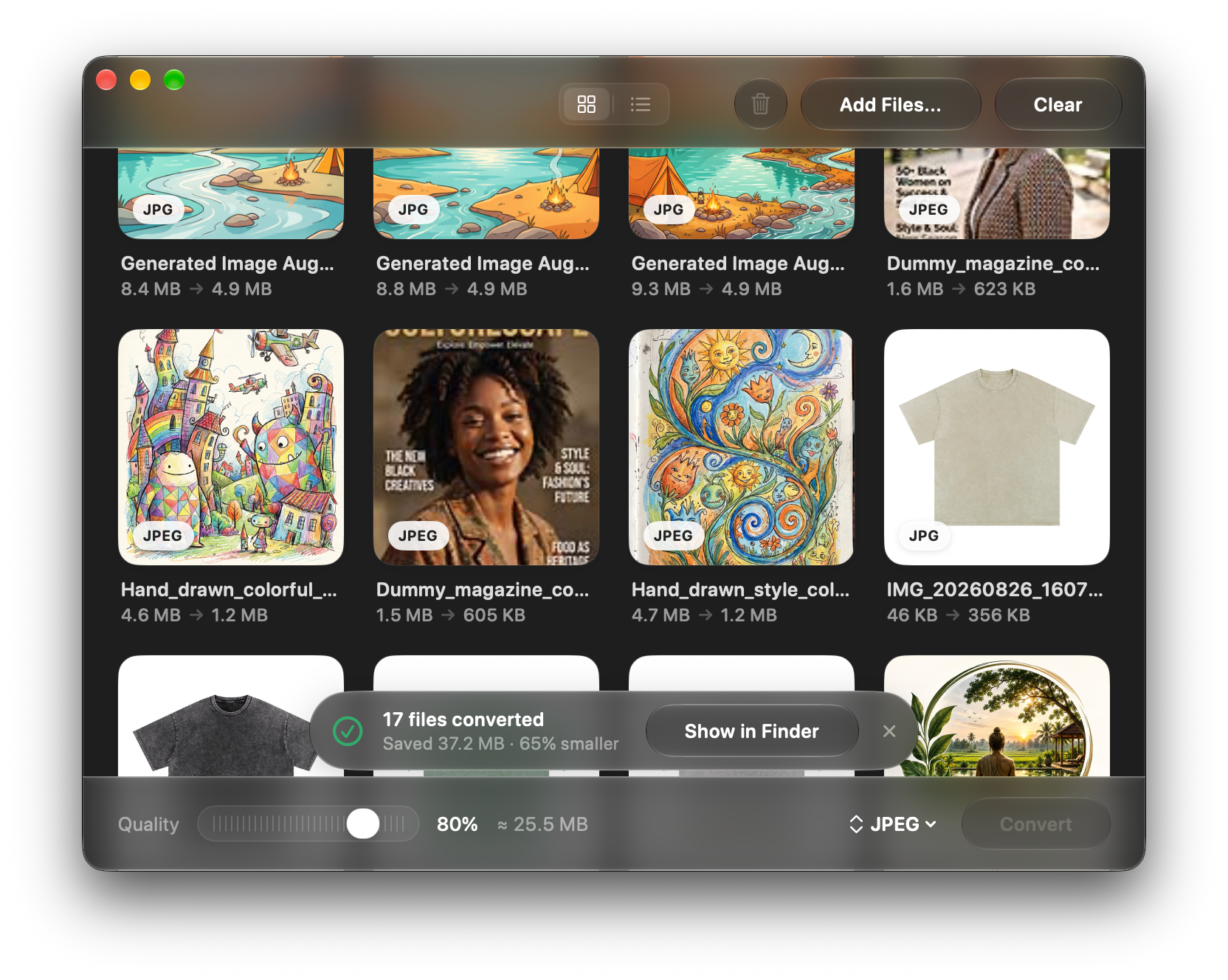
glassEffect materials and capsule buttons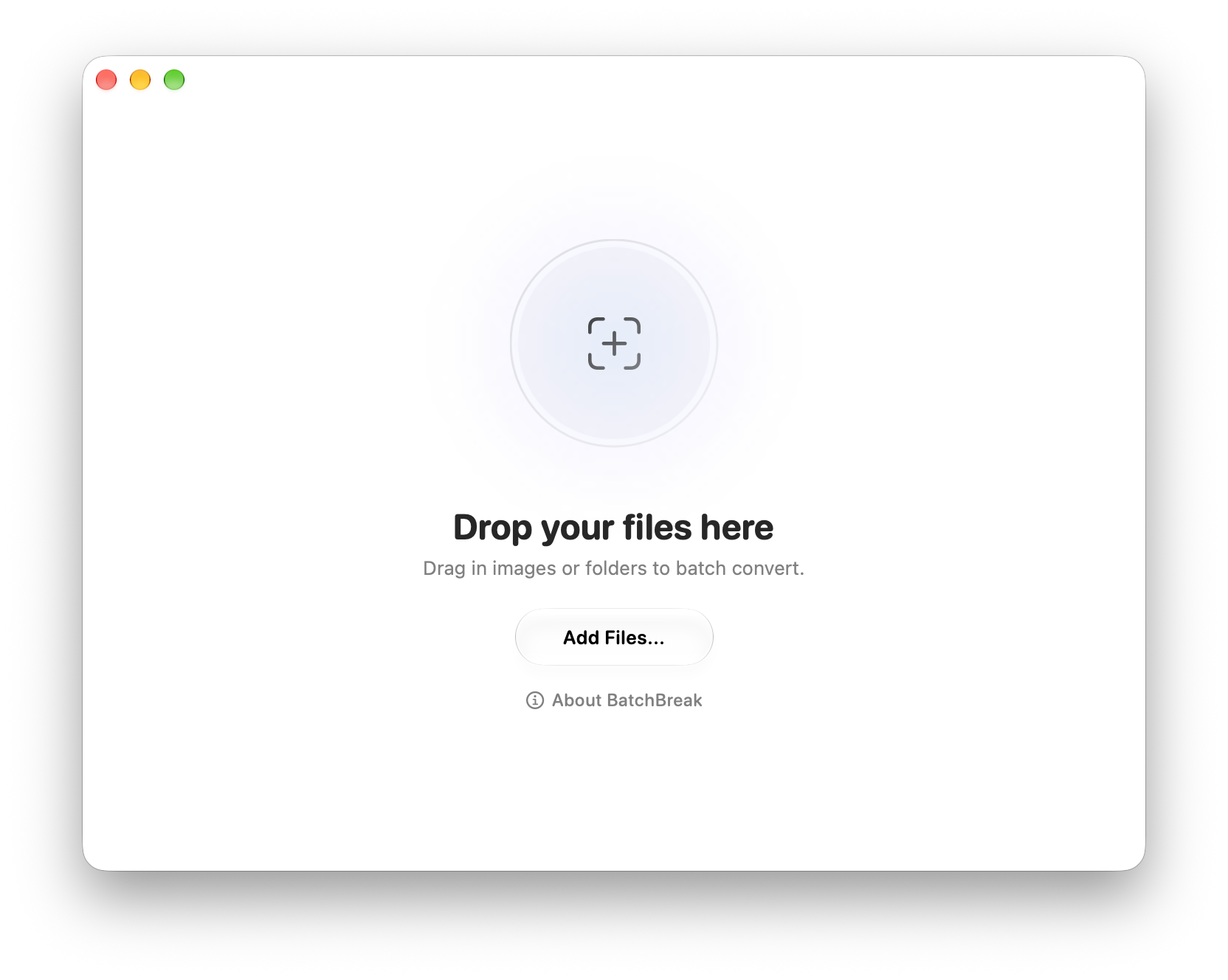 | 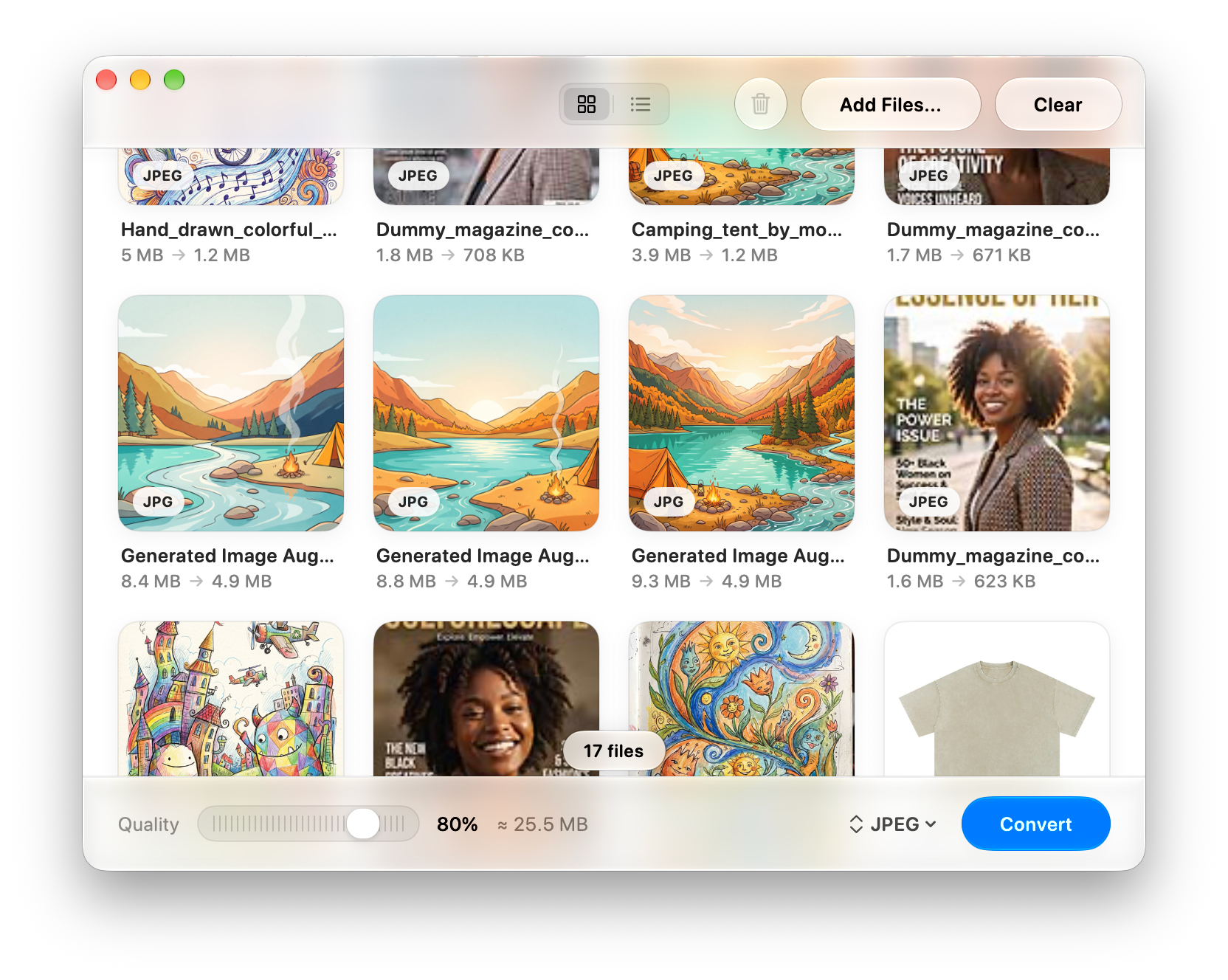 | 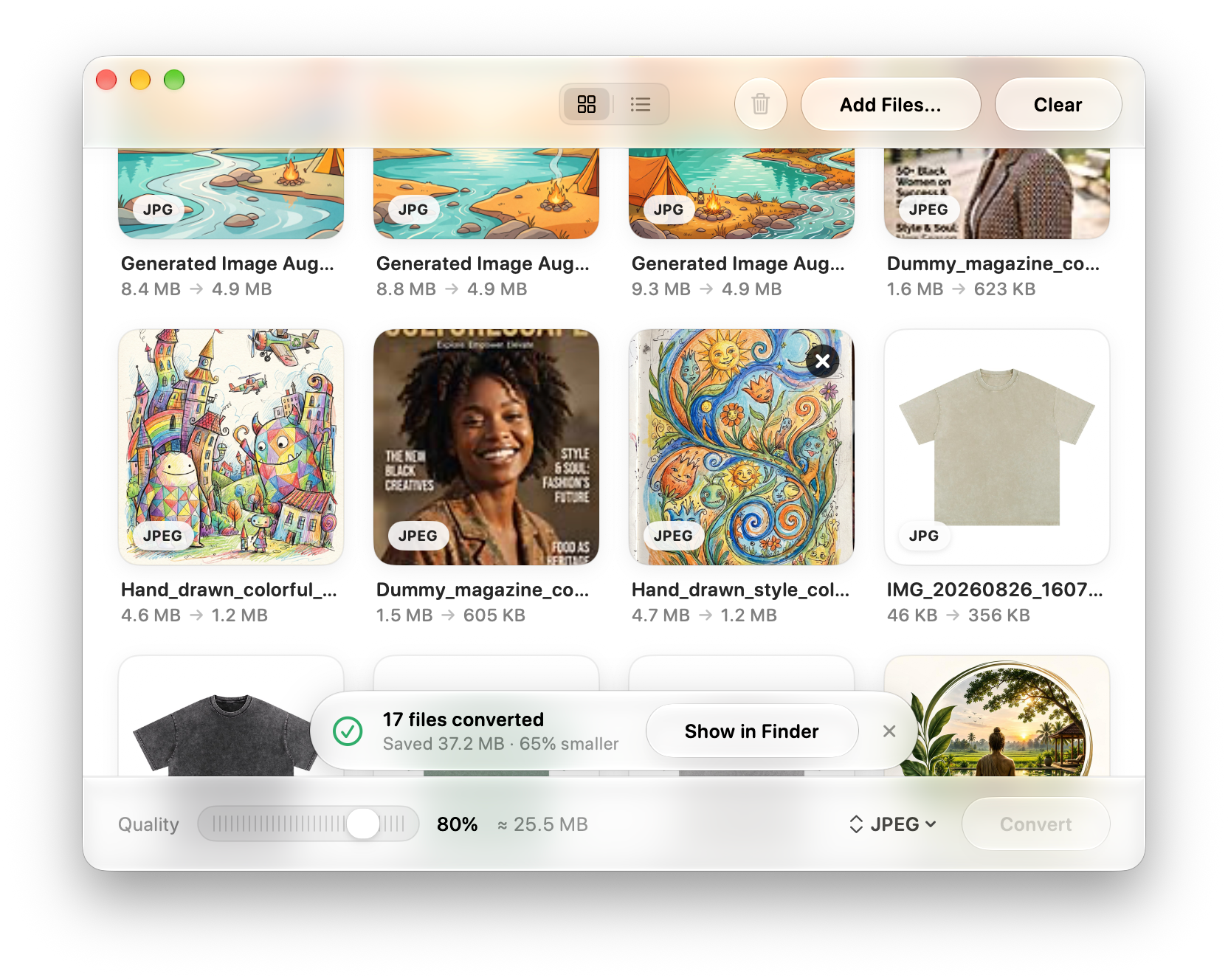 |
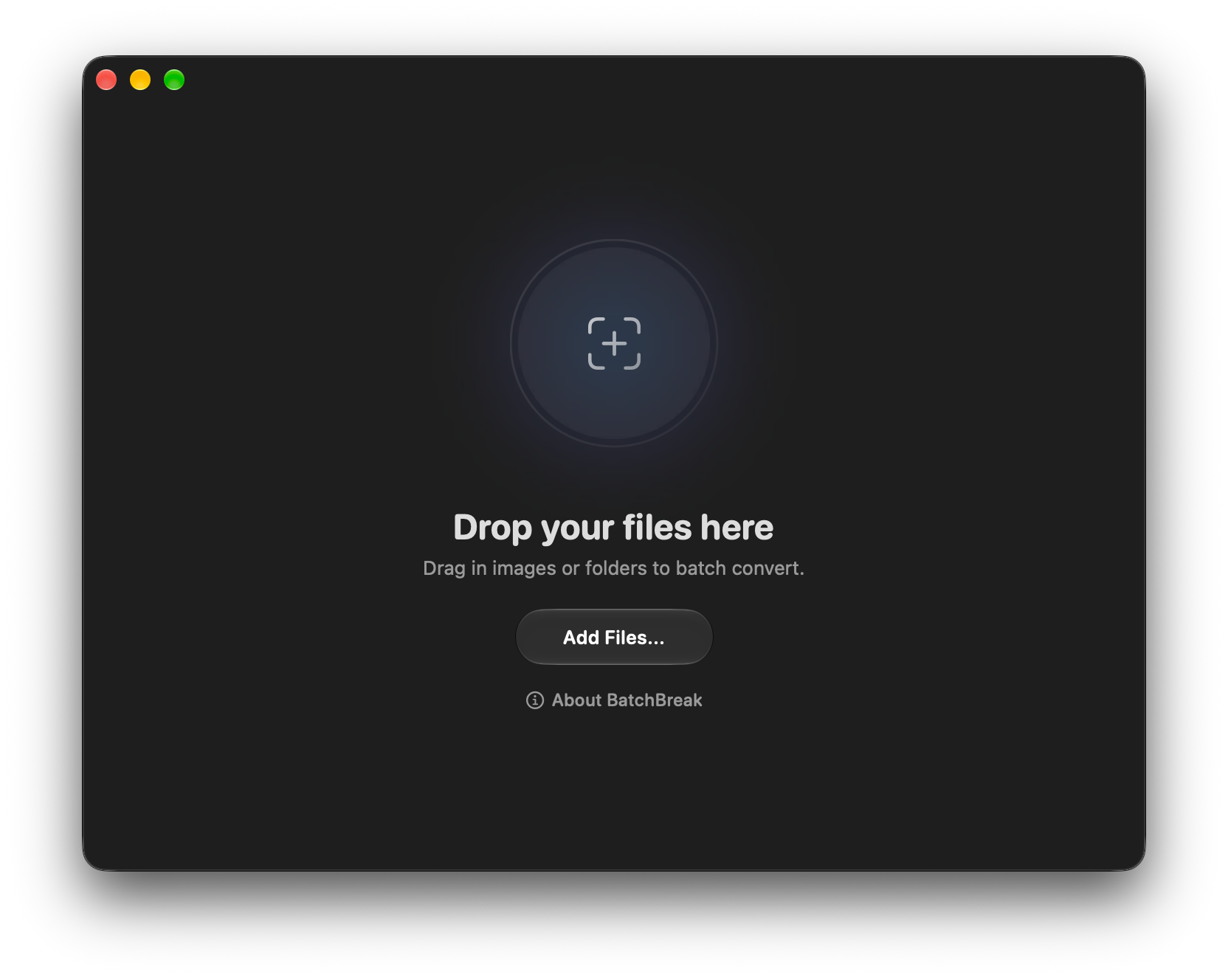 | 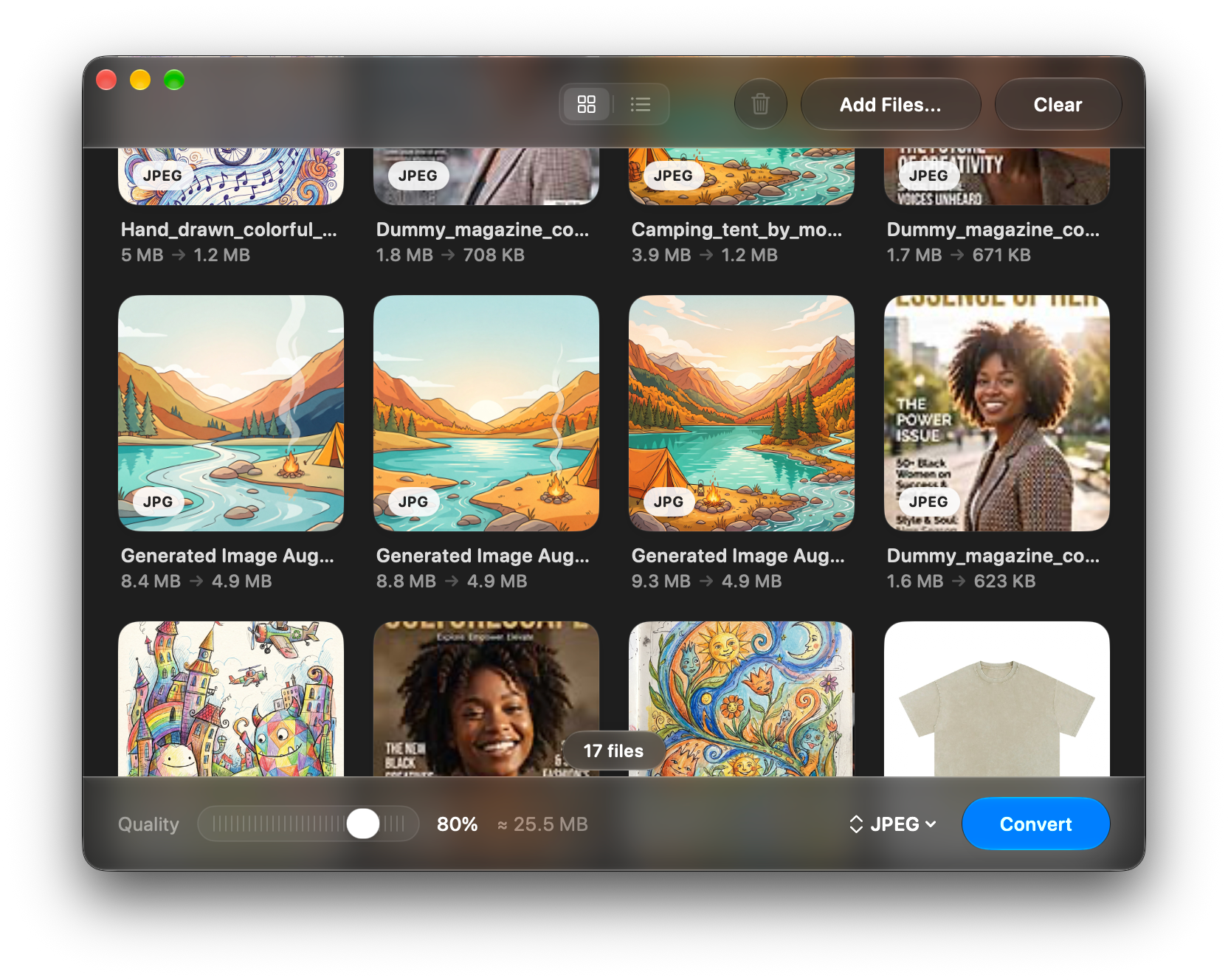 |  |
Drop files onto the window, or click Add Files… to open a file picker.
Supported inputs: JPG, PNG, HEIC, HEIF, WEBP, TIFF, BMP, GIF, PDF, AI, EPS, SVG, PSD, JP2, JPE, JPS, ICO, PICT, PPM, PNM, PAM, SGI, RAS, WBMP, MNG, RAW camera files (DNG, CR2, CR3, RAF, ARW, SRF, NEF, NRW, ORF, RW2), and entire folders.
Choose a format from the menu in the bottom bar (JPEG, PNG, HEIC, WEBP, TIFF, PDF).
Adjust quality with the slider (affects JPEG and HEIC compression; lossless formats ignore it).
The estimated total output size updates in real time.
Click Convert and pick an output folder. BatchBreak converts all files concurrently and shows a progress toast.
Once done, a summary toast shows the number of files converted and space saved. Hit Show in Finder to open the output folder.
BatchBreak/
├── BatchBreakApp.swift     # App entry point, window configuration
├── ContentView.swift       # Main UI: empty state, grid/list, control bar, conversion logic
├── PhotoItem.swift         # File model, output format enum, thumbnail loading, size estimation
├── PhotoCardView.swift     # Grid card component
└── QualitySlider.swift     # Custom quality slider component
| Format | Input | Output | Notes |
|---|---|---|---|
| JPEG / JPE / JPS | ✅ | ✅ | Quality slider applies |
| PNG | ✅ | ✅ | Lossless |
| HEIC / HEIF | ✅ | ✅ | Quality slider applies |
| WEBP | ✅ | ✅ | |
| TIFF | ✅ | ✅ | Lossless |
| ✅ | ✅ | Multi-page split on export to images | |
| AI | ✅ | — | Adobe Illustrator (Multi-page artboard split on export) |
| EPS | ✅ | — | Vector & raster PostScript (.eps, .epsf, .ps) |
| SVG | ✅ | — | Scalable Vector Graphics |
| JPEG 2000 (JP2) | ✅ | — | |
| ICO | ✅ | — | Windows icon format |
| BMP / WBMP | ✅ | — | |
| GIF | ✅ | — | |
| MNG | ✅ | — | Animated PNG predecessor |
| PICT | ✅ | — | Classic Mac image format |
| PPM / PNM / PAM | ✅ | — | Portable bitmap formats |
| SGI | ✅ | — | Silicon Graphics image format |
| RAS | ✅ | — | Sun Raster format |
| PSD | ✅ | — | Adobe Photoshop |
| RAW Camera Formats | |||
| DNG | ✅ | — | Adobe Digital Negative |
| CR2 / CR3 | ✅ | — | Canon RAW |
| RAF | ✅ | — | Fujifilm RAW |
| ARW / SRF | ✅ | — | Sony RAW |
| NEF / NRW | ✅ | — | Nikon RAW |
| ORF | ✅ | — | Olympus RAW |
| RW2 | ✅ | — | Panasonic RAW |
| Minimum | |
|---|---|
| macOS | 26.0+ (Tahoe) |
| Xcode | 16+ |
| Swift | 6 |
Note:
glassEffectand.glassProminentbutton styles require macOS 26 (Tahoe) or later.
The App: You are completely free to download and use this macOS app for any personal or commercial purpose.
The Code: This is a source-available project, not open-source. The source code is provided for portfolio viewing only. You may not modify, distribute, or use this code in your own projects without my explicit permission. You also may not re-upload or distribute the app under your own name.
If you would like to use snippets of this code or contribute, please contact me at k.madusanka1@gmail.com. See LICENSE for details.
A native macOS app for batch image conversion. Drop in files or folders, pick an output format (JPEG, PNG, HEIC, WEBP, TIFF, or PDF), adjust quality, and convert — all at once. Supports PDF splitting and multi-format input. Built with SwiftUI and macOS Liquid Glass.
Swift
2
41 commits
updated Oct 11, 2026
The batch image converter for macOS — built with SwiftUI.
Convert hundreds of images at once to JPEG, PNG, HEIC, WEBP, TIFF, or PDF. Just drop your files in and hit Convert.
glassEffect materials and capsule buttons | | |
| | |
Drop files onto the window, or click Add Files… to open a file picker.
Supported inputs: JPG, PNG, HEIC, HEIF, WEBP, TIFF, BMP, GIF, PDF, AI, EPS, SVG, PSD, JP2, JPE, JPS, ICO, PICT, PPM, PNM, PAM, SGI, RAS, WBMP, MNG, RAW camera files (DNG, CR2, CR3, RAF, ARW, SRF, NEF, NRW, ORF, RW2), and entire folders.
Choose a format from the menu in the bottom bar (JPEG, PNG, HEIC, WEBP, TIFF, PDF).
Adjust quality with the slider (affects JPEG and HEIC compression; lossless formats ignore it).
The estimated total output size updates in real time.
Click Convert and pick an output folder. BatchBreak converts all files concurrently and shows a progress toast.
Once done, a summary toast shows the number of files converted and space saved. Hit Show in Finder to open the output folder.
BatchBreak/
├── BatchBreakApp.swift     # App entry point, window configuration
├── ContentView.swift       # Main UI: empty state, grid/list, control bar, conversion logic
├── PhotoItem.swift         # File model, output format enum, thumbnail loading, size estimation
├── PhotoCardView.swift     # Grid card component
└── QualitySlider.swift     # Custom quality slider component
| Format | Input | Output | Notes |
|---|---|---|---|
| JPEG / JPE / JPS | ✅ | ✅ | Quality slider applies |
| PNG | ✅ | ✅ | Lossless |
| HEIC / HEIF | ✅ | ✅ | Quality slider applies |
| WEBP | ✅ | ✅ | |
| TIFF | ✅ | ✅ | Lossless |
| ✅ | ✅ | Multi-page split on export to images | |
| AI | ✅ | — | Adobe Illustrator (Multi-page artboard split on export) |
| EPS | ✅ | — | Vector & raster PostScript (.eps, .epsf, .ps) |
| SVG | ✅ | — | Scalable Vector Graphics |
| JPEG 2000 (JP2) | ✅ | — | |
| ICO | ✅ | — | Windows icon format |
| BMP / WBMP | ✅ | — | |
| GIF | ✅ | — | |
| MNG | ✅ | — | Animated PNG predecessor |
| PICT | ✅ | — | Classic Mac image format |
| PPM / PNM / PAM | ✅ | — | Portable bitmap formats |
| SGI | ✅ | — | Silicon Graphics image format |
| RAS | ✅ | — | Sun Raster format |
| PSD | ✅ | — | Adobe Photoshop |
| RAW Camera Formats | |||
| DNG | ✅ | — | Adobe Digital Negative |
| CR2 / CR3 | ✅ | — | Canon RAW |
| RAF | ✅ | — | Fujifilm RAW |
| ARW / SRF | ✅ | — | Sony RAW |
| NEF / NRW | ✅ | — | Nikon RAW |
| ORF | ✅ | — | Olympus RAW |
| RW2 | ✅ | — | Panasonic RAW |
| Minimum | |
|---|---|
| macOS | 26.0+ (Tahoe) |
| Xcode | 16+ |
| Swift | 6 |
Note:
glassEffectand.glassProminentbutton styles require macOS 26 (Tahoe) or later.
The App: You are completely free to download and use this macOS app for any personal or commercial purpose.
The Code: This is a source-available project, not open-source. The source code is provided for portfolio viewing only. You may not modify, distribute, or use this code in your own projects without my explicit permission. You also may not re-upload or distribute the app under your own name.
If you would like to use snippets of this code or contribute, please contact me at k.madusanka1@gmail.com. See LICENSE for details.



