A standalone Network UPS Tools (NUT) Server bridge for ESP32-S3. It connects to USB-only UPS devices (like Eaton) via native USB Host and exposes their data over Wi-Fi. Features a Web UI, Captive │ Portal, and OTA updates for easy integration with Home Assistant or NAS. Say goodbye to the Pi!
C
103
23 commits
updated Oct 16, 2026
 ESP32 NUT Server Bridge
[!WARNING] Upgrading from v1.5.x or earlier? Install v1.6.x or later with the web installer, not with an OTA update.
v1.6 adds a new flash partition (
coredump) that keeps crash details for diagnostics. An OTA update cannot change the partition table: the board would work, but without that partition.When the installer asks "Do you want to erase the device before installing?", leave "Erase device" unchecked and press Next: your Wi-Fi and NUT settings are preserved. Check it only if you want a clean install (the board then restarts in configuration mode as the
NUT_ESP32_Configaccess point).After this one-time install, later updates can be installed via OTA again.
An open-source firmware for ESP32-S3 that acts as a standalone Network UPS Tools (NUT) Server bridge over Wi-Fi. It connects to an Eaton UPS (like the Eaton 3S 700) via USB Host and exposes its data to your local network using the standard NUT protocol (port 3493) and a built-in Web Interface.
This allows you to easily integrate your USB-only UPS into Home Assistant, TrueNAS, Synology, or any other NUT-compatible client without needing a dedicated Raspberry Pi or PC running 24/7.
The firmware uses the official Network UPS Tools (NUT) HID mappings and supports multiple vendors automatically:
Back-UPS BX series: the APC firmware of these models stops answering USB requests at irregular intervals, often several times an hour (NUT on Linux is affected too). Since v1.7.1 the board restarts on its own a few seconds after each lockup, and the UPS status keeps updating until then. NUT clients may still see the data as stale for a few seconds. (#60)
Untested / community-contributed. These models are recognized by the driver but have not been validated on real hardware yet.
usb_diagnostics.json). Please attach this file when opening an issue on GitHub to request dedicated support or report bugs on existing drivers.[!NOTE] USB HID Protocol Requirement: This firmware currently supports only UPS models using the standard USB HID Power Device Class (
usbhid-ups). UPS units communicating via USB-to-Serial protocols (such as Megatec/Q1, USB CDC/serial bridges, or proprietary serial protocols) are not currently supported.
| UPS Telemetry | Wi-Fi Config |
|---|---|
 |  |
| NUT Server | System Logs |
|---|---|
 |  |
| Firmware OTA | |
|---|---|
 |
Many generic ESP32-S3 boards with two USB-C ports have hidden solder pads on the back to enable Host mode. To achieve a clean setup without manually soldering wires to GPIOs:
USB-OTG on the back of the board and bridge them with solder. This routes 5V power to the USB port, enabling it to act as a Host to power the UPS USB interface.RGB pads if you want to enable the built-in status LED.COM (or UART).USB, and plug the UPS into it.Turn your bare ESP32-S3 board into a finished product! We have designed a sleek 3D-printable case for this project.
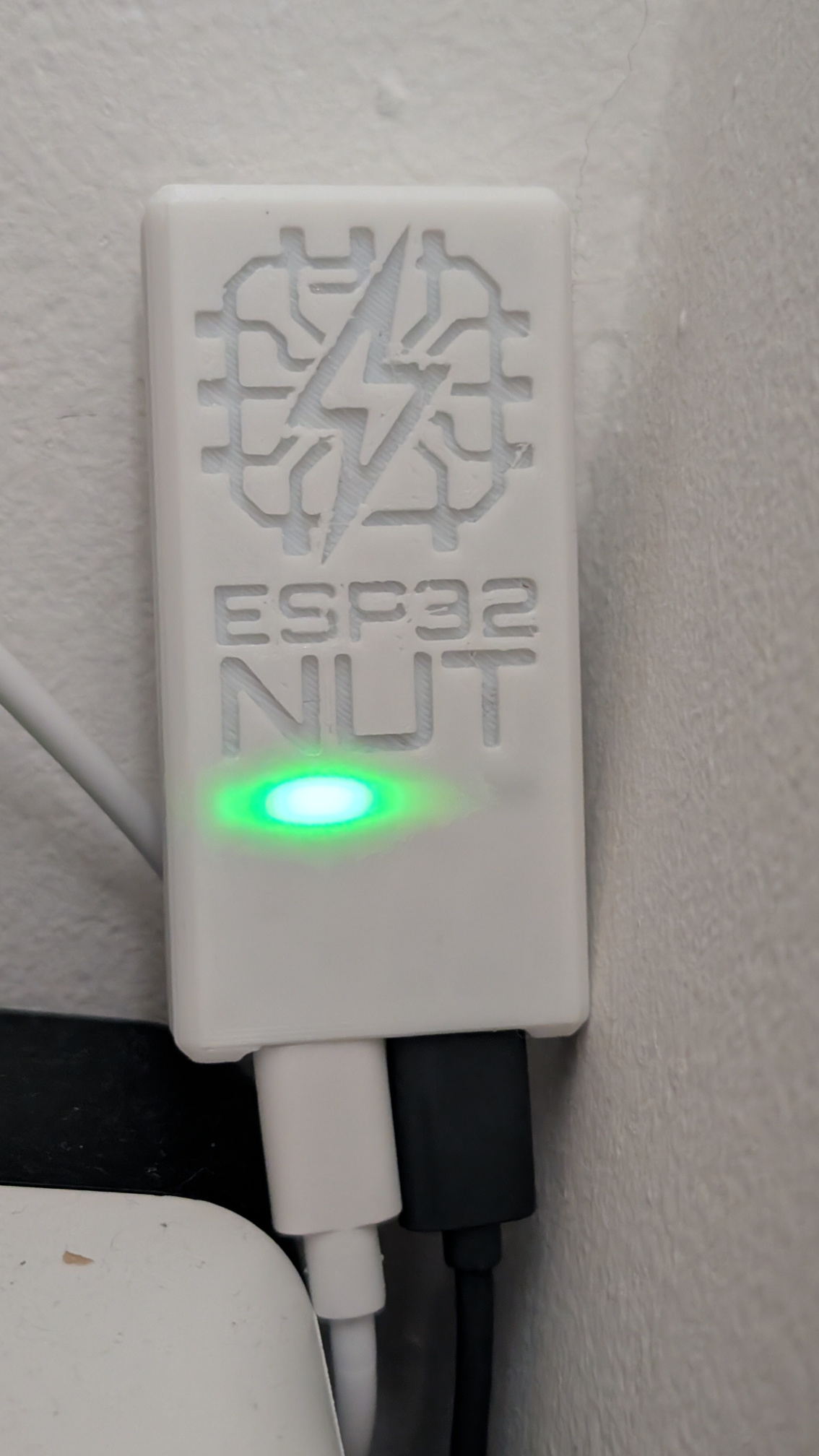
Download the ready-to-print files from your favorite platform:
Source .3mf models, original .f3d CAD files, and additional photos are available in the hardware/case directory.
Option A: Zero-Click Install via Browser (Recommended) You can install the firmware directly from your browser without downloading any tools! 👉 Install via Browser
Option B: Manual Build via PlatformIO
NUT_ESP32_Config (Password: 12345678).
Note: To manually force Access Point mode (e.g., to change Wi-Fi settings), plug in the ESP32 and unplug it within 3 seconds. On the next boot, the ESP32 will start in Access Point mode. (The AP no longer activates automatically upon signal loss).
http://192.168.4.1.3493 using the credentials you defined.This project is entirely open-source and free to use. If it helped you integrate your UPS into your smart home or server rack, please consider supporting its ongoing development!
Donations will be explicitly used to purchase new UPS models for testing, ESP32 development boards, and other hardware tools necessary to improve the code and expand compatibility with a wider range of devices.
You can support the project via:

Thank you to everyone who supports this project! 🚀
This project is licensed under the MIT License - see the LICENSE file for details.
58 followers · starred Aug 2026
A standalone Network UPS Tools (NUT) Server bridge for ESP32-S3. It connects to USB-only UPS devices (like Eaton) via native USB Host and exposes their data over Wi-Fi. Features a Web UI, Captive │ Portal, and OTA updates for easy integration with Home Assistant or NAS. Say goodbye to the Pi!
C
103
23 commits
updated Oct 16, 2026
ESP32 NUT Server Bridge
[!WARNING] Upgrading from v1.5.x or earlier? Install v1.6.x or later with the web installer, not with an OTA update.
v1.6 adds a new flash partition (
coredump) that keeps crash details for diagnostics. An OTA update cannot change the partition table: the board would work, but without that partition.When the installer asks "Do you want to erase the device before installing?", leave "Erase device" unchecked and press Next: your Wi-Fi and NUT settings are preserved. Check it only if you want a clean install (the board then restarts in configuration mode as the
NUT_ESP32_Configaccess point).After this one-time install, later updates can be installed via OTA again.
An open-source firmware for ESP32-S3 that acts as a standalone Network UPS Tools (NUT) Server bridge over Wi-Fi. It connects to an Eaton UPS (like the Eaton 3S 700) via USB Host and exposes its data to your local network using the standard NUT protocol (port 3493) and a built-in Web Interface.
This allows you to easily integrate your USB-only UPS into Home Assistant, TrueNAS, Synology, or any other NUT-compatible client without needing a dedicated Raspberry Pi or PC running 24/7.
The firmware uses the official Network UPS Tools (NUT) HID mappings and supports multiple vendors automatically:
Back-UPS BX series: the APC firmware of these models stops answering USB requests at irregular intervals, often several times an hour (NUT on Linux is affected too). Since v1.7.1 the board restarts on its own a few seconds after each lockup, and the UPS status keeps updating until then. NUT clients may still see the data as stale for a few seconds. (#60)
Untested / community-contributed. These models are recognized by the driver but have not been validated on real hardware yet.
usb_diagnostics.json). Please attach this file when opening an issue on GitHub to request dedicated support or report bugs on existing drivers.[!NOTE] USB HID Protocol Requirement: This firmware currently supports only UPS models using the standard USB HID Power Device Class (
usbhid-ups). UPS units communicating via USB-to-Serial protocols (such as Megatec/Q1, USB CDC/serial bridges, or proprietary serial protocols) are not currently supported.
| UPS Telemetry | Wi-Fi Config |
|---|---|
| |
| NUT Server | System Logs |
|---|---|
| |
| Firmware OTA | |
|---|---|
|
Many generic ESP32-S3 boards with two USB-C ports have hidden solder pads on the back to enable Host mode. To achieve a clean setup without manually soldering wires to GPIOs:
USB-OTG on the back of the board and bridge them with solder. This routes 5V power to the USB port, enabling it to act as a Host to power the UPS USB interface.RGB pads if you want to enable the built-in status LED.COM (or UART).USB, and plug the UPS into it.Turn your bare ESP32-S3 board into a finished product! We have designed a sleek 3D-printable case for this project.
Download the ready-to-print files from your favorite platform:
Source .3mf models, original .f3d CAD files, and additional photos are available in the hardware/case directory.
Option A: Zero-Click Install via Browser (Recommended) You can install the firmware directly from your browser without downloading any tools! 👉 Install via Browser
Option B: Manual Build via PlatformIO
NUT_ESP32_Config (Password: 12345678).
Note: To manually force Access Point mode (e.g., to change Wi-Fi settings), plug in the ESP32 and unplug it within 3 seconds. On the next boot, the ESP32 will start in Access Point mode. (The AP no longer activates automatically upon signal loss).
http://192.168.4.1.3493 using the credentials you defined.This project is entirely open-source and free to use. If it helped you integrate your UPS into your smart home or server rack, please consider supporting its ongoing development!
Donations will be explicitly used to purchase new UPS models for testing, ESP32 development boards, and other hardware tools necessary to improve the code and expand compatibility with a wider range of devices.
You can support the project via:
Thank you to everyone who supports this project! 🚀
This project is licensed under the MIT License - see the LICENSE file for details.
58 followers · starred Aug 2026



