
Real-time cinematic color grade for the whole Cinnamon desktop. Toggle with the panel icon or Super+G. The GLSL grade and sharpen pass run inside Muffin and do not change the monitor ICC profile.
See the codeSee what people are saying
README
Cinematic Grade
https://github.com/user-attachments/assets/3d149e01-b47c-471e-8a52-fb1039219117
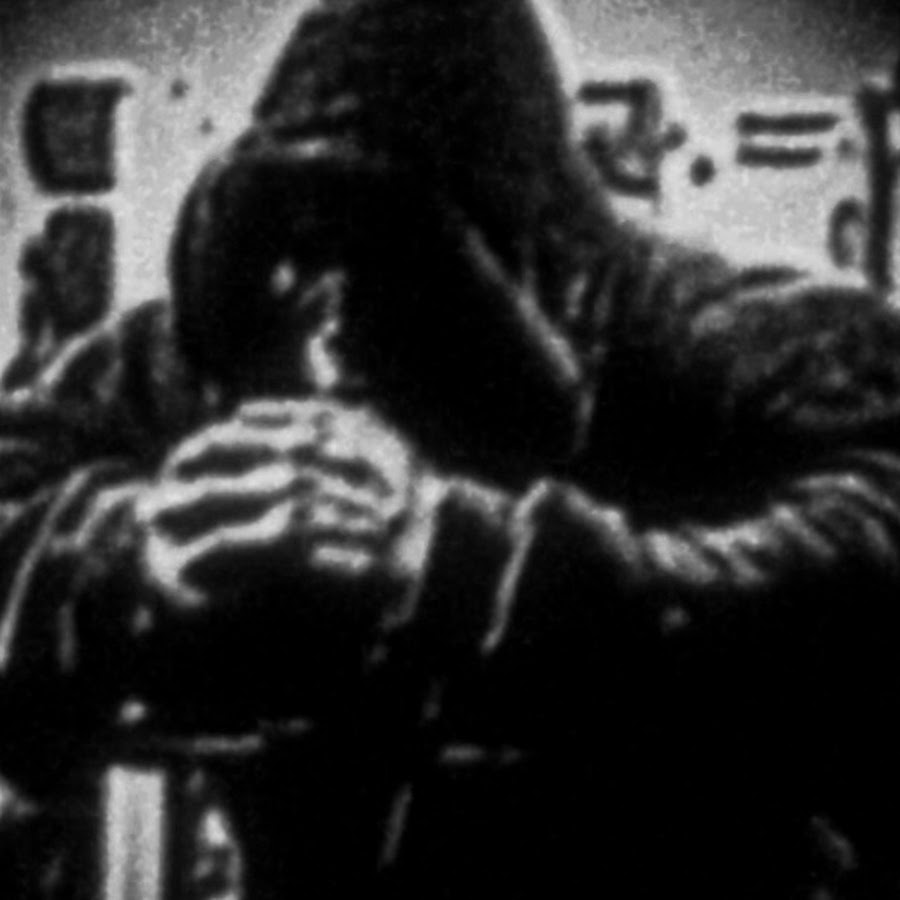
Cinematic Grade is a real-time color filter for the whole Cinnamon desktop. Normal use is a panel icon, a hooded figure. One click turns the grade on. Another click turns the grade off. The gesture is the same as Desaturate All. While the grade is on, the same figure takes a teal grade.
Super+G does the same action. The grade starts off.
The filter does not change the monitor ICC profile, gamma ramps, or colord.
Why this solution
This machine runs Cinnamon 6.6 on X11. The compositor is Muffin (a Mutter fork). Muffin uses its own Clutter build, OpenGL 4.6, and an Intel UHD GPU (Jasper Lake).
Wayland and X11 have no generic protocol for a full-framebuffer post-process with an arbitrary shader. Each desktop does this work inside its compositor:
| Desktop | Real mechanism |
|---|---|
| Cinnamon (X11 or experimental Wayland) | Cinnamon extension, Clutter.ShaderEffect on Muffin |
| GNOME | GNOME Shell extension. The shader API changed in GNOME 45. It changed again in GNOME 51. |
| KDE Plasma | KWin effect |
| wlroots (Sway, Hyprland) | Shader API of that compositor |
These options do not cover the whole desktop:
- picom: Muffin already composites the screen. A second compositor cannot apply a shader to that same screen.
- vkBasalt or Gamescope: These tools affect only one Vulkan application, or one game.
- xrandr, redshift, gamma: Each tool is one ramp per channel. There is no S-curve, no luminance tint, no sharpen, and no vignette. These tools also replace the monitor color path.
- 3D LUT on the CPU: The LUT reads the framebuffer and paints it again. This adds latency. The LUT stays outside the compositor.
Muffin exposes Clutter.ShaderEffect with GLSL 1.20 (cogl_color_out, texture2D). The same code runs on the current X11 session. If Cinnamon later starts on Wayland, the same code still runs. The filter lives in Muffin, not in X11.
Desaturate All is the applet desaturate-all@hkoosha. A click on its panel icon adds or removes Clutter.DesaturateEffect on Main.uiGroup and global.top_window_group. Cinematic Grade is the applet iron-within-panel@mateo. It uses the same gesture, with two shaders. The color grade runs first. The sharpen shader runs after the grade.
The shell extension iron-within@mateo is the other entry point. Both call gradeEngine.js. If the applet is on the panel, the applet owns the grade and the extension does not mount a second copy. install.sh leaves the extension disabled. Super+G stays on the owner.
What the filter covers
- Windows, panels, menus, and desklets (
Main.uiGroup). - The desktop background (
global.bottom_window_group). - The top window group (
global.top_window_group). Desaturate All uses this same group.
The hardware cursor is not one of those actors. As a result, the cursor stays sharp.
On one monitor, the vignette covers the whole screen. On several monitors, there is one vignette on the virtual desktop. There is not one vignette per screen.
Structure
iron-within/
  gradeLogic.js           preset rules, unredirect plan, project root
  gradeEngine.js          the one grade session
  panel/applet.js         panel icon, click, shortcut
  panel/icon.png          hooded mark, grade off
  panel/icon-active.png   same mark with the teal grade
  panel/gradeLogic.js     symlink to ../gradeLogic.js
  panel/gradeEngine.js    symlink to ../gradeEngine.js
  panel/metadata.json
  panel/settings-schema.json
  metadata.json           identity of the shell extension (alternative)
  extension.js
  settings-schema.json
  presets.json            values of the four presets
  shaders/grade.glsl      curve, exposure, tint, vignette
  shaders/sharpen.glsl    luminance unsharp mask
  scripts/cinnamon_settings.py
  bin/cinematic-grade     on, off, toggle, status
  tests/                  logic, shader pixels, installer lists
  fixtures/videoplayback.json
  install.sh
  uninstall.sh
  packaging/mint/         Cinnamon Spices listing (README, info.json, screenshot)
  scripts/pack_spice.py   builds dist/iron-within-panel@mateo/
  LICENSE                 MIT
Dependencies
No extra package is required. You need:
- Cinnamon 6.0 or later, with Muffin.
- A GPU with GLSL. This machine uses Mesa Intel UHD and OpenGL 4.6.
gsettingsandgdbus. Both come with the desktop.
You do not need picom, vkBasalt, an external LUT, or a Python environment.
Linux Mint
The publishable applet is a Cinnamon Spice. Build it from this checkout:
.venv/bin/python scripts/pack_spice.py
That writes dist/iron-within-panel@mateo/. A pull request to linuxmint/cinnamon-spices-applets adds that directory. After the pull request is merged, Mint installs it from System Settings, Applets, Download. The listing covers Cinnamon 6.0 and newer: Mint 21.3, and Mint 22 through 22.3.
install.sh below is how this checkout is installed while developing. It is not the Spices install.
Installation
cd /home/mateo/dev/iron-within
./install.sh
The script creates the link ~/.local/share/cinnamon/applets/iron-within-panel@mateo. The script adds the applet to the bottom panel, on the right, next to Desaturate All. The script also links the shell extension. If that extension is in enabled-extensions, the script removes it. The grade stays off.
If the icon does not appear, press Alt+F2. Type r. Press Enter. The r command restarts Cinnamon.
Use
Click the panel icon (the hooded mark). When the grade is on, the icon switches to the teal version of that mark. Another click turns the grade off.
The default shortcut is Super+G. If the shortcut value in the settings is empty, the shortcut is off. The click still works.
When the applet is already loaded, use these commands:
/home/mateo/dev/iron-within/bin/cinematic-grade on
/home/mateo/dev/iron-within/bin/cinematic-grade off
/home/mateo/dev/iron-within/bin/cinematic-grade toggle
/home/mateo/dev/iron-within/bin/cinematic-grade status
Open the settings with a right-click on the icon, then choose Configure.
- Preset:
subtle,cinematic,iron_within,extreme. - Intensity: 0.0 keeps the original image. 1.0 applies the full preset. The value scales the grade and the sharpen amount.
- Shortcut: This value sets the shortcut. An empty value turns the shortcut off.
- Keep fullscreen windows composited: While the grade is on, the applet reads the Muffin unredirect setting. If that setting is on, the applet sets it to off. When the grade turns off, the applet restores the previous value. The Cinnamon default for that setting is already off. The applet does not change the ICC profile.
The applet does not store the on state. Each session starts with the grade off. The extension stores active and applies it only when the applet is not on the panel.
Presets
The values are in presets.json. If you save a valid file while the grade is on, the session loads that preset again after the write settles. A file that is not valid JSON, or that drops a preset or a key, is ignored. The previous preset stays on screen.
A change in shaders/*.glsl is compiled first. The running shader is replaced only when that compile succeeds. A JavaScript change still needs a reload: press Alt+F2, type r, and press Enter.
| Field | Meaning |
|---|---|
| exposure | EV steps. rgb *= 2^exposure. A negative value darkens the image. |
| contrast | Slope of the S-curve at mid-gray. 1.0 makes no change. 1.25 is a 25 percent increase in slope, with soft shoulders. |
| highlights | Signed fraction. -0.15 darkens the highlights by 15 percent inside their mask. |
| shadows | Same rule, in the mid-shadows. The mask is 0 at pure black. As a result, black detail stays visible. |
| blacks | Signed fraction. -0.15 moves the black point by 3.75 percent (the value times 0.25). |
| saturation | 1.0 is the original saturation. 0.85 lowers the saturation. |
| temperature | A negative value cools the image a little. -0.05 is not a blue-light filter. |
| shadow_teal | Cyan tint in the deep shadows only. A dark UI background stays outside that zone. As a result, the background does not turn blue. The tint is also weaker on skin tones. |
| highlight_warmth | Amber tint in the highlights. |
| gamma | Exponent. 1.0 is neutral. 1.06 darkens the midtones a little. |
| sharpen | Strength of the luminance unsharp mask. 0 does not create the second pass. |
| vignette | Corner darkening. 0.08 is about 8 percent darker at the corner. |
| skin_protect | Range from 0 to 1. This value limits the cyan tint on orange skin tones. |
| grain | Amplitude of the static. 0 does not animate the image. If grain is more than 0, a Clutter timeline redraws the graded actors on every frame and writes grain_time once per frame. This runs only while the grade is on. |
iron_within matches the reference channel. The image is neutral black and white. Saturation is 0. There is no teal and no warmth.
Contrast is 1.50. Blacks are -0.36. Highlights are a little high (0.10). Gamma is 1.04. Sharpen is 0. Vignette is 0.30 and grain is 0.14.
The static is coarse grain, a little wider than tall. The grain is also visible in the blacks. The grain changes from frame to frame. subtle, cinematic, and extreme stay color grades, with grain 0.
The grade and the sharpen are two effects. The applet adds the sharpen effect first, so the sharpen effect stays on the outside. Muffin paints the first effect as the outer pass. As a result, the visual order is color, then sharpen.
Contract
tests/ locks the rules below. grade_reference.py is the encoded-framebuffer spec. The shader has to match it.
- One session.
gradeEngine.jsis one object onglobal. The applet and the extension are clients. The applet wins when both are loaded. - Same actors. The grade mounts on
Main.uiGroup,global.bottom_window_group, andglobal.top_window_group. Mount is all or nothing. If a shader fails, every effect comes off and the icon stays dark. The tooltip carries the error. - Working space. The math runs on the encoded framebuffer. It does not convert to linear light. With the identity preset (exposure 0, contrast 1, saturation 1, gamma 1, every other knob 0), an opaque pixel is unchanged. Exposure is
rgb *= 2^exposurein that encoding, before the rest of the grade. Mid-gray0.5at exposure-1becomes0.25. - Premultiplied alpha. The grade divides by alpha, works on straight RGB, and multiplies by alpha again. Alpha below
0.001is discarded. The sharpen pass copies any pixel whose alpha, or a neighbor's alpha, is below0.98. - Presets.
presets.jsonmust containsubtle,cinematic,iron_within, andextreme. Every key listed ingradeLogic.jsmust be a finite number. A bad save keeps the previous presets. The file watch waits until the write settles. - Shaders. A change to
shaders/*.glslis compiled on a throwaway effect. The running shader is replaced only when that compile succeeds. - Unredirect. While the grade is on and "Keep fullscreen windows composited" is on, the original
org.cinnamon.muffin unredirect-fullscreen-windowsvalue is written to~/.config/iron-within/unredirect.jsonbefore the key is set to false. Turning the grade off writes that value back and deletes the file. If the shell dies first, the next start restores the key before the grade can turn on.uninstall.shdoes the same when the file is still there. - Grain and passes.
grainabove 0 starts a Clutter timeline: onegrain_timewrite and one redraw per frame.grain0 does not start it. The pass count is one grade pass per actor, plus a sharpen pass when sharpen is above 0. Three actors with sharpen is six fullscreen fragment passes. - Texel size. Sharpen and grain use each actor's width and height, times the stage scale. If the actor has no size yet, the stage size is used.
- Applet starts off. The applet does not store the on state. The extension stores
activeand applies it only when the applet is not loaded.
Tests
./tests/run.sh
cjs checks gradeLogic.js: preset rejection, the unredirect plan, and the project-root walk. .venv/bin/python compiles both shaders on a surfaceless GLES context and compares pixels to tests/grade_reference.py. The same run checks the installer list parser.
The reference video is not in this tree. fixtures/videoplayback.json holds its size and sha256. The file lives at ../iron-within-fixtures/videoplayback.mp4.
Automatic start
If the applet is on the panel, Cinnamon loads it at each session. The icon and Super+G are ready. The grade starts off. There is no autostart .desktop file. The applet is the autostart.
Shortcut
The initial value is <Super>g. Change it in one of these ways:
- Right-click the icon. Choose Configure.
- Edit the
keybindingvalue in:
~/.config/cinnamon/spices/iron-within-panel@mateo/iron-within-panel@mateo.json
Separate several shortcuts with ::, for example <Super>g::<Control><Super>g. An empty string leaves only the click.
The shortcut is also listed in System Settings, under Keyboard, in the applet shortcuts.
Uninstall
/home/mateo/dev/iron-within/uninstall.sh
If the grade is on, the script removes the effect. If ~/.config/iron-within/unredirect.json is still present, the script writes that boolean back to the muffin key and deletes the file. The script removes the applet from the panel. The script disables the shell extension. The script deletes both links. The script does not delete the project or presets.json. The script does not change ICC profiles.
To turn the grade off and keep the applet, use one of these actions:
- Click the icon again.
- Press Super+G.
- Run:
/home/mateo/dev/iron-within/bin/cinematic-grade off
If the screen looks wrong
- Do one of these actions:
- Click the icon.
- Press Super+G.
- Run the
offcommand.
- If the desktop does not respond, press Alt+F2. Type
r. Press Enter. The applet loads again with the grade off. - Read
~/.xsession-errors. Look for lines with[iron-within-panel@mateo].
Common problems
- The shortcut does nothing. Another action already uses Super+G. The log says
could not bind. Pick another key combination. If both entry points are loaded, only the owner binds Super+G. That owner is the applet when the applet is on the panel. The click andbin/cinematic-grade toggledo not depend on the shortcut. - The icon does not appear.
cinnamon-versionis absent, or the link is absent. Run./install.shagain. If the icon is still absent, press Alt+F2. Typer. - A fullscreen game does not change color. Muffin sends that window outside the compositor. Turn on the fullscreen compositing option. Or turn off "Unredirect fullscreen windows" in the Muffin settings. When you turn the grade on, the applet already forces that compositing. When you turn the grade off, the applet restores the previous value.
- Text looks harsh. Lower Intensity. Or use the
subtlepreset. The sharpen pass uses luminance only. The sharpen pass does not run on translucent edges. A contrast of 1.25 is still visible in the interface. - An edit to presets.json did nothing. The file must be valid JSON. When you save the file, the applet reads it again. The grade must be on before the change is visible.
- Generic Wayland (GNOME, KDE, Sway). This applet does not load there. Write the same shader pair as an effect for that compositor. There is no single switch for every desktop.
- Color profile. This applet does not call colord,
xcalib,dispwin, orxrandr --gamma.
License
MIT. See LICENSE. The copyright holder is Mateo.
Similar repos


Languages
Python
49.8%
JavaScript
37.8%
Shell
7.6%
GLSL
4.9%
Real-time cinematic color grade for the whole Cinnamon desktop. Toggle with the panel icon or Super+G. The GLSL grade and sharpen pass run inside Muffin and do not change the monitor ICC profile.
See the codeSee what people are saying
README
Cinematic Grade
https://github.com/user-attachments/assets/3d149e01-b47c-471e-8a52-fb1039219117
Cinematic Grade is a real-time color filter for the whole Cinnamon desktop. Normal use is a panel icon, a hooded figure. One click turns the grade on. Another click turns the grade off. The gesture is the same as Desaturate All. While the grade is on, the same figure takes a teal grade.
Super+G does the same action. The grade starts off.
The filter does not change the monitor ICC profile, gamma ramps, or colord.
Why this solution
This machine runs Cinnamon 6.6 on X11. The compositor is Muffin (a Mutter fork). Muffin uses its own Clutter build, OpenGL 4.6, and an Intel UHD GPU (Jasper Lake).
Wayland and X11 have no generic protocol for a full-framebuffer post-process with an arbitrary shader. Each desktop does this work inside its compositor:
| Desktop | Real mechanism |
|---|---|
| Cinnamon (X11 or experimental Wayland) | Cinnamon extension, Clutter.ShaderEffect on Muffin |
| GNOME | GNOME Shell extension. The shader API changed in GNOME 45. It changed again in GNOME 51. |
| KDE Plasma | KWin effect |
| wlroots (Sway, Hyprland) | Shader API of that compositor |
These options do not cover the whole desktop:
- picom: Muffin already composites the screen. A second compositor cannot apply a shader to that same screen.
- vkBasalt or Gamescope: These tools affect only one Vulkan application, or one game.
- xrandr, redshift, gamma: Each tool is one ramp per channel. There is no S-curve, no luminance tint, no sharpen, and no vignette. These tools also replace the monitor color path.
- 3D LUT on the CPU: The LUT reads the framebuffer and paints it again. This adds latency. The LUT stays outside the compositor.
Muffin exposes Clutter.ShaderEffect with GLSL 1.20 (cogl_color_out, texture2D). The same code runs on the current X11 session. If Cinnamon later starts on Wayland, the same code still runs. The filter lives in Muffin, not in X11.
Desaturate All is the applet desaturate-all@hkoosha. A click on its panel icon adds or removes Clutter.DesaturateEffect on Main.uiGroup and global.top_window_group. Cinematic Grade is the applet iron-within-panel@mateo. It uses the same gesture, with two shaders. The color grade runs first. The sharpen shader runs after the grade.
The shell extension iron-within@mateo is the other entry point. Both call gradeEngine.js. If the applet is on the panel, the applet owns the grade and the extension does not mount a second copy. install.sh leaves the extension disabled. Super+G stays on the owner.
What the filter covers
- Windows, panels, menus, and desklets (
Main.uiGroup). - The desktop background (
global.bottom_window_group). - The top window group (
global.top_window_group). Desaturate All uses this same group.
The hardware cursor is not one of those actors. As a result, the cursor stays sharp.
On one monitor, the vignette covers the whole screen. On several monitors, there is one vignette on the virtual desktop. There is not one vignette per screen.
Structure
iron-within/
  gradeLogic.js           preset rules, unredirect plan, project root
  gradeEngine.js          the one grade session
  panel/applet.js         panel icon, click, shortcut
  panel/icon.png          hooded mark, grade off
  panel/icon-active.png   same mark with the teal grade
  panel/gradeLogic.js     symlink to ../gradeLogic.js
  panel/gradeEngine.js    symlink to ../gradeEngine.js
  panel/metadata.json
  panel/settings-schema.json
  metadata.json           identity of the shell extension (alternative)
  extension.js
  settings-schema.json
  presets.json            values of the four presets
  shaders/grade.glsl      curve, exposure, tint, vignette
  shaders/sharpen.glsl    luminance unsharp mask
  scripts/cinnamon_settings.py
  bin/cinematic-grade     on, off, toggle, status
  tests/                  logic, shader pixels, installer lists
  fixtures/videoplayback.json
  install.sh
  uninstall.sh
  packaging/mint/         Cinnamon Spices listing (README, info.json, screenshot)
  scripts/pack_spice.py   builds dist/iron-within-panel@mateo/
  LICENSE                 MIT
Dependencies
No extra package is required. You need:
- Cinnamon 6.0 or later, with Muffin.
- A GPU with GLSL. This machine uses Mesa Intel UHD and OpenGL 4.6.
gsettingsandgdbus. Both come with the desktop.
You do not need picom, vkBasalt, an external LUT, or a Python environment.
Linux Mint
The publishable applet is a Cinnamon Spice. Build it from this checkout:
.venv/bin/python scripts/pack_spice.py
That writes dist/iron-within-panel@mateo/. A pull request to linuxmint/cinnamon-spices-applets adds that directory. After the pull request is merged, Mint installs it from System Settings, Applets, Download. The listing covers Cinnamon 6.0 and newer: Mint 21.3, and Mint 22 through 22.3.
install.sh below is how this checkout is installed while developing. It is not the Spices install.
Installation
cd /home/mateo/dev/iron-within
./install.sh
The script creates the link ~/.local/share/cinnamon/applets/iron-within-panel@mateo. The script adds the applet to the bottom panel, on the right, next to Desaturate All. The script also links the shell extension. If that extension is in enabled-extensions, the script removes it. The grade stays off.
If the icon does not appear, press Alt+F2. Type r. Press Enter. The r command restarts Cinnamon.
Use
Click the panel icon (the hooded mark). When the grade is on, the icon switches to the teal version of that mark. Another click turns the grade off.
The default shortcut is Super+G. If the shortcut value in the settings is empty, the shortcut is off. The click still works.
When the applet is already loaded, use these commands:
/home/mateo/dev/iron-within/bin/cinematic-grade on
/home/mateo/dev/iron-within/bin/cinematic-grade off
/home/mateo/dev/iron-within/bin/cinematic-grade toggle
/home/mateo/dev/iron-within/bin/cinematic-grade status
Open the settings with a right-click on the icon, then choose Configure.
- Preset:
subtle,cinematic,iron_within,extreme. - Intensity: 0.0 keeps the original image. 1.0 applies the full preset. The value scales the grade and the sharpen amount.
- Shortcut: This value sets the shortcut. An empty value turns the shortcut off.
- Keep fullscreen windows composited: While the grade is on, the applet reads the Muffin unredirect setting. If that setting is on, the applet sets it to off. When the grade turns off, the applet restores the previous value. The Cinnamon default for that setting is already off. The applet does not change the ICC profile.
The applet does not store the on state. Each session starts with the grade off. The extension stores active and applies it only when the applet is not on the panel.
Presets
The values are in presets.json. If you save a valid file while the grade is on, the session loads that preset again after the write settles. A file that is not valid JSON, or that drops a preset or a key, is ignored. The previous preset stays on screen.
A change in shaders/*.glsl is compiled first. The running shader is replaced only when that compile succeeds. A JavaScript change still needs a reload: press Alt+F2, type r, and press Enter.
| Field | Meaning |
|---|---|
| exposure | EV steps. rgb *= 2^exposure. A negative value darkens the image. |
| contrast | Slope of the S-curve at mid-gray. 1.0 makes no change. 1.25 is a 25 percent increase in slope, with soft shoulders. |
| highlights | Signed fraction. -0.15 darkens the highlights by 15 percent inside their mask. |
| shadows | Same rule, in the mid-shadows. The mask is 0 at pure black. As a result, black detail stays visible. |
| blacks | Signed fraction. -0.15 moves the black point by 3.75 percent (the value times 0.25). |
| saturation | 1.0 is the original saturation. 0.85 lowers the saturation. |
| temperature | A negative value cools the image a little. -0.05 is not a blue-light filter. |
| shadow_teal | Cyan tint in the deep shadows only. A dark UI background stays outside that zone. As a result, the background does not turn blue. The tint is also weaker on skin tones. |
| highlight_warmth | Amber tint in the highlights. |
| gamma | Exponent. 1.0 is neutral. 1.06 darkens the midtones a little. |
| sharpen | Strength of the luminance unsharp mask. 0 does not create the second pass. |
| vignette | Corner darkening. 0.08 is about 8 percent darker at the corner. |
| skin_protect | Range from 0 to 1. This value limits the cyan tint on orange skin tones. |
| grain | Amplitude of the static. 0 does not animate the image. If grain is more than 0, a Clutter timeline redraws the graded actors on every frame and writes grain_time once per frame. This runs only while the grade is on. |
iron_within matches the reference channel. The image is neutral black and white. Saturation is 0. There is no teal and no warmth.
Contrast is 1.50. Blacks are -0.36. Highlights are a little high (0.10). Gamma is 1.04. Sharpen is 0. Vignette is 0.30 and grain is 0.14.
The static is coarse grain, a little wider than tall. The grain is also visible in the blacks. The grain changes from frame to frame. subtle, cinematic, and extreme stay color grades, with grain 0.
The grade and the sharpen are two effects. The applet adds the sharpen effect first, so the sharpen effect stays on the outside. Muffin paints the first effect as the outer pass. As a result, the visual order is color, then sharpen.
Contract
tests/ locks the rules below. grade_reference.py is the encoded-framebuffer spec. The shader has to match it.
- One session.
gradeEngine.jsis one object onglobal. The applet and the extension are clients. The applet wins when both are loaded. - Same actors. The grade mounts on
Main.uiGroup,global.bottom_window_group, andglobal.top_window_group. Mount is all or nothing. If a shader fails, every effect comes off and the icon stays dark. The tooltip carries the error. - Working space. The math runs on the encoded framebuffer. It does not convert to linear light. With the identity preset (exposure 0, contrast 1, saturation 1, gamma 1, every other knob 0), an opaque pixel is unchanged. Exposure is
rgb *= 2^exposurein that encoding, before the rest of the grade. Mid-gray0.5at exposure-1becomes0.25. - Premultiplied alpha. The grade divides by alpha, works on straight RGB, and multiplies by alpha again. Alpha below
0.001is discarded. The sharpen pass copies any pixel whose alpha, or a neighbor's alpha, is below0.98. - Presets.
presets.jsonmust containsubtle,cinematic,iron_within, andextreme. Every key listed ingradeLogic.jsmust be a finite number. A bad save keeps the previous presets. The file watch waits until the write settles. - Shaders. A change to
shaders/*.glslis compiled on a throwaway effect. The running shader is replaced only when that compile succeeds. - Unredirect. While the grade is on and "Keep fullscreen windows composited" is on, the original
org.cinnamon.muffin unredirect-fullscreen-windowsvalue is written to~/.config/iron-within/unredirect.jsonbefore the key is set to false. Turning the grade off writes that value back and deletes the file. If the shell dies first, the next start restores the key before the grade can turn on.uninstall.shdoes the same when the file is still there. - Grain and passes.
grainabove 0 starts a Clutter timeline: onegrain_timewrite and one redraw per frame.grain0 does not start it. The pass count is one grade pass per actor, plus a sharpen pass when sharpen is above 0. Three actors with sharpen is six fullscreen fragment passes. - Texel size. Sharpen and grain use each actor's width and height, times the stage scale. If the actor has no size yet, the stage size is used.
- Applet starts off. The applet does not store the on state. The extension stores
activeand applies it only when the applet is not loaded.
Tests
./tests/run.sh
cjs checks gradeLogic.js: preset rejection, the unredirect plan, and the project-root walk. .venv/bin/python compiles both shaders on a surfaceless GLES context and compares pixels to tests/grade_reference.py. The same run checks the installer list parser.
The reference video is not in this tree. fixtures/videoplayback.json holds its size and sha256. The file lives at ../iron-within-fixtures/videoplayback.mp4.
Automatic start
If the applet is on the panel, Cinnamon loads it at each session. The icon and Super+G are ready. The grade starts off. There is no autostart .desktop file. The applet is the autostart.
Shortcut
The initial value is <Super>g. Change it in one of these ways:
- Right-click the icon. Choose Configure.
- Edit the
keybindingvalue in:
~/.config/cinnamon/spices/iron-within-panel@mateo/iron-within-panel@mateo.json
Separate several shortcuts with ::, for example <Super>g::<Control><Super>g. An empty string leaves only the click.
The shortcut is also listed in System Settings, under Keyboard, in the applet shortcuts.
Uninstall
/home/mateo/dev/iron-within/uninstall.sh
If the grade is on, the script removes the effect. If ~/.config/iron-within/unredirect.json is still present, the script writes that boolean back to the muffin key and deletes the file. The script removes the applet from the panel. The script disables the shell extension. The script deletes both links. The script does not delete the project or presets.json. The script does not change ICC profiles.
To turn the grade off and keep the applet, use one of these actions:
- Click the icon again.
- Press Super+G.
- Run:
/home/mateo/dev/iron-within/bin/cinematic-grade off
If the screen looks wrong
- Do one of these actions:
- Click the icon.
- Press Super+G.
- Run the
offcommand.
- If the desktop does not respond, press Alt+F2. Type
r. Press Enter. The applet loads again with the grade off. - Read
~/.xsession-errors. Look for lines with[iron-within-panel@mateo].
Common problems
- The shortcut does nothing. Another action already uses Super+G. The log says
could not bind. Pick another key combination. If both entry points are loaded, only the owner binds Super+G. That owner is the applet when the applet is on the panel. The click andbin/cinematic-grade toggledo not depend on the shortcut. - The icon does not appear.
cinnamon-versionis absent, or the link is absent. Run./install.shagain. If the icon is still absent, press Alt+F2. Typer. - A fullscreen game does not change color. Muffin sends that window outside the compositor. Turn on the fullscreen compositing option. Or turn off "Unredirect fullscreen windows" in the Muffin settings. When you turn the grade on, the applet already forces that compositing. When you turn the grade off, the applet restores the previous value.
- Text looks harsh. Lower Intensity. Or use the
subtlepreset. The sharpen pass uses luminance only. The sharpen pass does not run on translucent edges. A contrast of 1.25 is still visible in the interface. - An edit to presets.json did nothing. The file must be valid JSON. When you save the file, the applet reads it again. The grade must be on before the change is visible.
- Generic Wayland (GNOME, KDE, Sway). This applet does not load there. Write the same shader pair as an effect for that compositor. There is no single switch for every desktop.
- Color profile. This applet does not call colord,
xcalib,dispwin, orxrandr --gamma.
License
MIT. See LICENSE. The copyright holder is Mateo.
Similar repos
Languages
Python
49.8%
JavaScript
37.8%
Shell
7.6%
GLSL
4.9%