
A live rendering of the document you are editing, in a split beside it: leaf, glow, pandoc or any renderer you add
Lua
14
36 commits
updated Sep 27, 2026
See what people are saying
README
beside.nvim
A live rendering of the document you are editing, in a split beside it. The preview follows your cursor, scrolling the preview scrolls the source, and it re-renders as you type. Rendering is done by a terminal renderer you already have: leaf, glow, pandoc or carve, see Supported renderers.
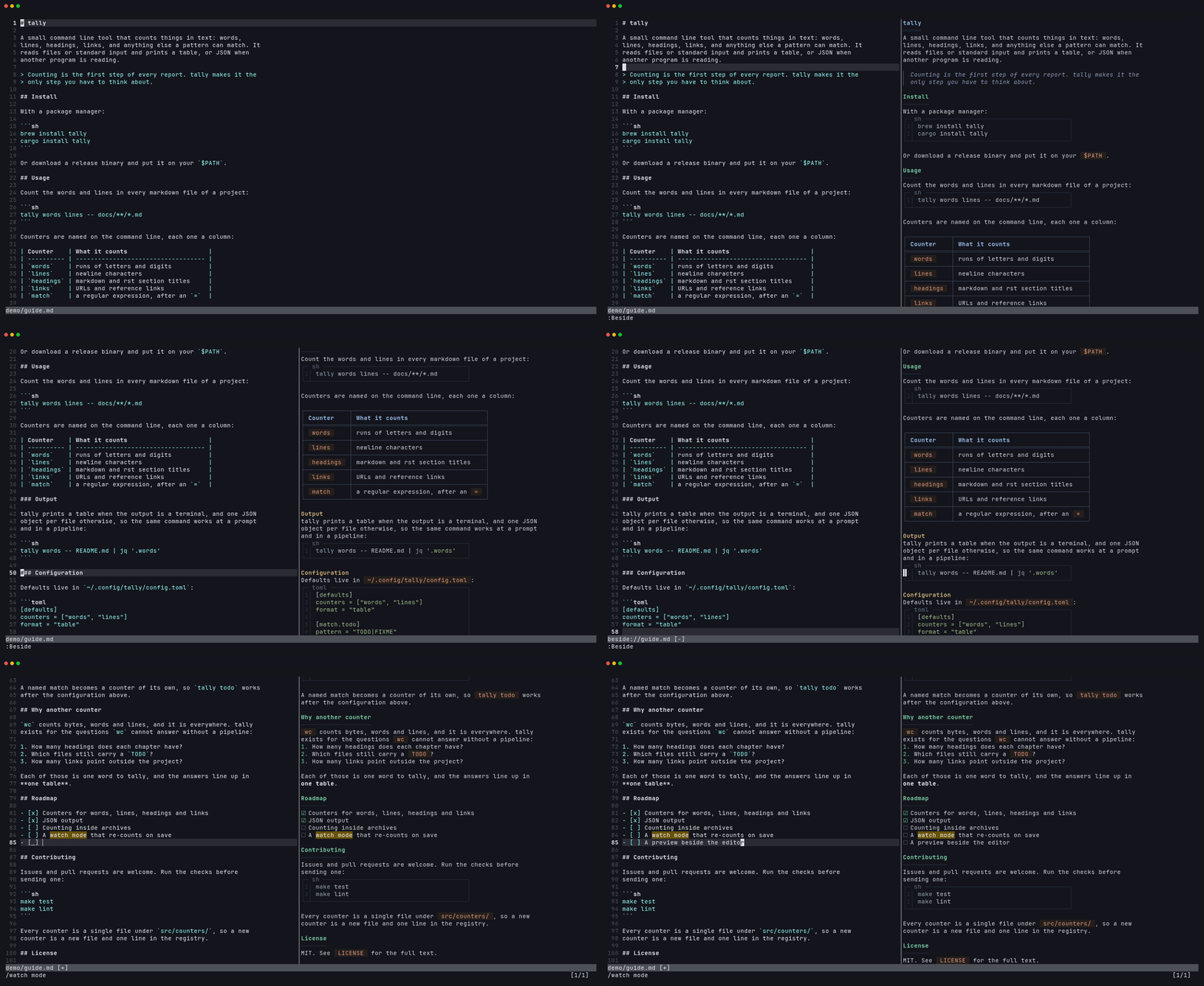 Markdown rendered by leaf. Moving in either side scrolls the other.
Why another preview
The existing previews are each tied to one renderer, and some need node or a
browser. I like glow's output for some documents and leaf's for others, so
beside runs whichever renderer is installed and lets you switch with
:Beside glow. In-buffer renderers like render-markdown.nvim are a
different thing and work fine alongside it.
Supported renderers
| Renderer | Renders | Install |
|---|---|---|
| leaf | Markdown | github.com/RivoLink/leaf |
| glow | Markdown | github.com/charmbracelet/glow |
| pandoc 3.1.10+ | Markdown, reStructuredText, AsciiDoc, Org, Textile, Typst, Djot | pandoc.org/installing |
| carve | Carve | markup-carve.github.io/carve/get-started |
Markdown tries leaf, then glow, then pandoc; the first one installed renders. Any other renderer is one table entry away, see Adding a renderer. When someone creates the next great markup language, beside will be ready for it!
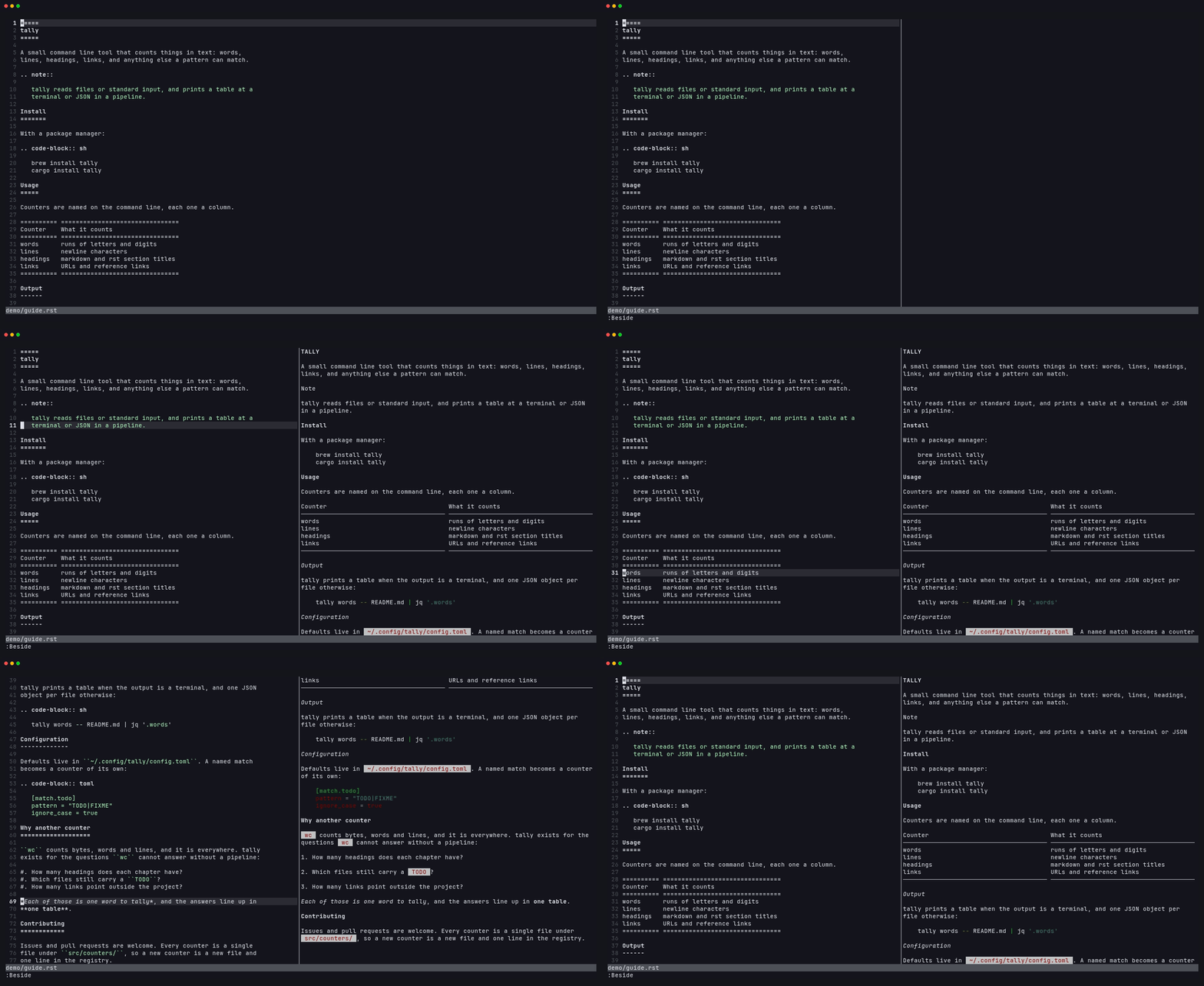 reStructuredText rendered by pandoc.
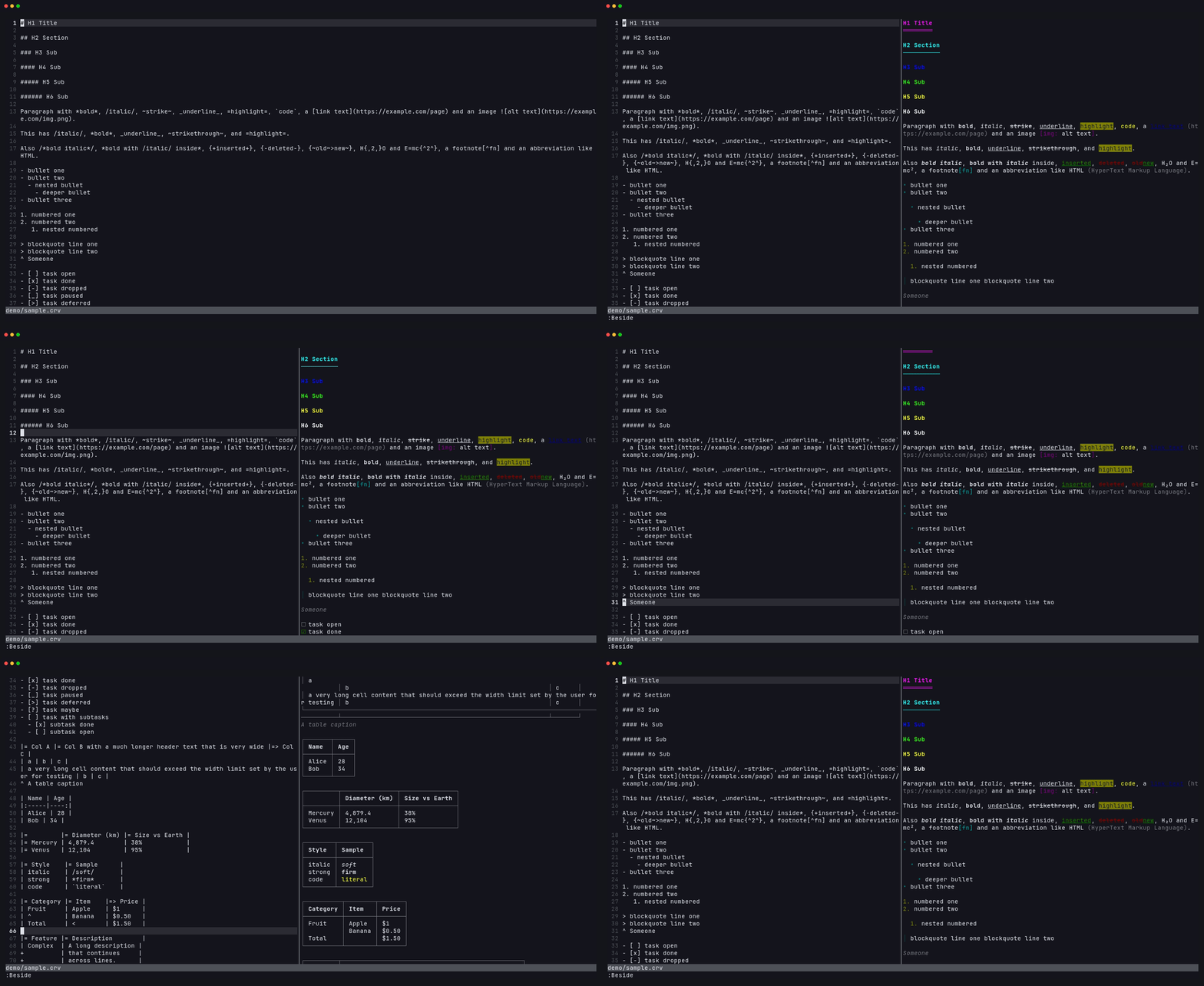 Carve rendered by carve.
Requirements
- Neovim 0.10 or newer
- At least one of the supported renderers on
$PATH.:checkhealth besideshows which are found and what each filetype would be rendered with.
Install
With lazy.nvim:
{ 'mariocesar/beside.nvim', cmd = 'Beside', opts = {} }
setup() is optional; the defaults below apply without it. :h beside has
the full documentation.
Use
:Beside toggles the preview for the current buffer. :Beside glow opens it
with that renderer, or switches to it; renderer names complete. While the
preview is open:
- moving or scrolling in the source keeps the preview at the same place, and scrolling the preview scrolls the source
- edits re-render 100 ms after you stop typing, unsaved
- opening another document in the same tab moves the preview to it; when no window shows the document any more, the preview closes
qin the preview closes it
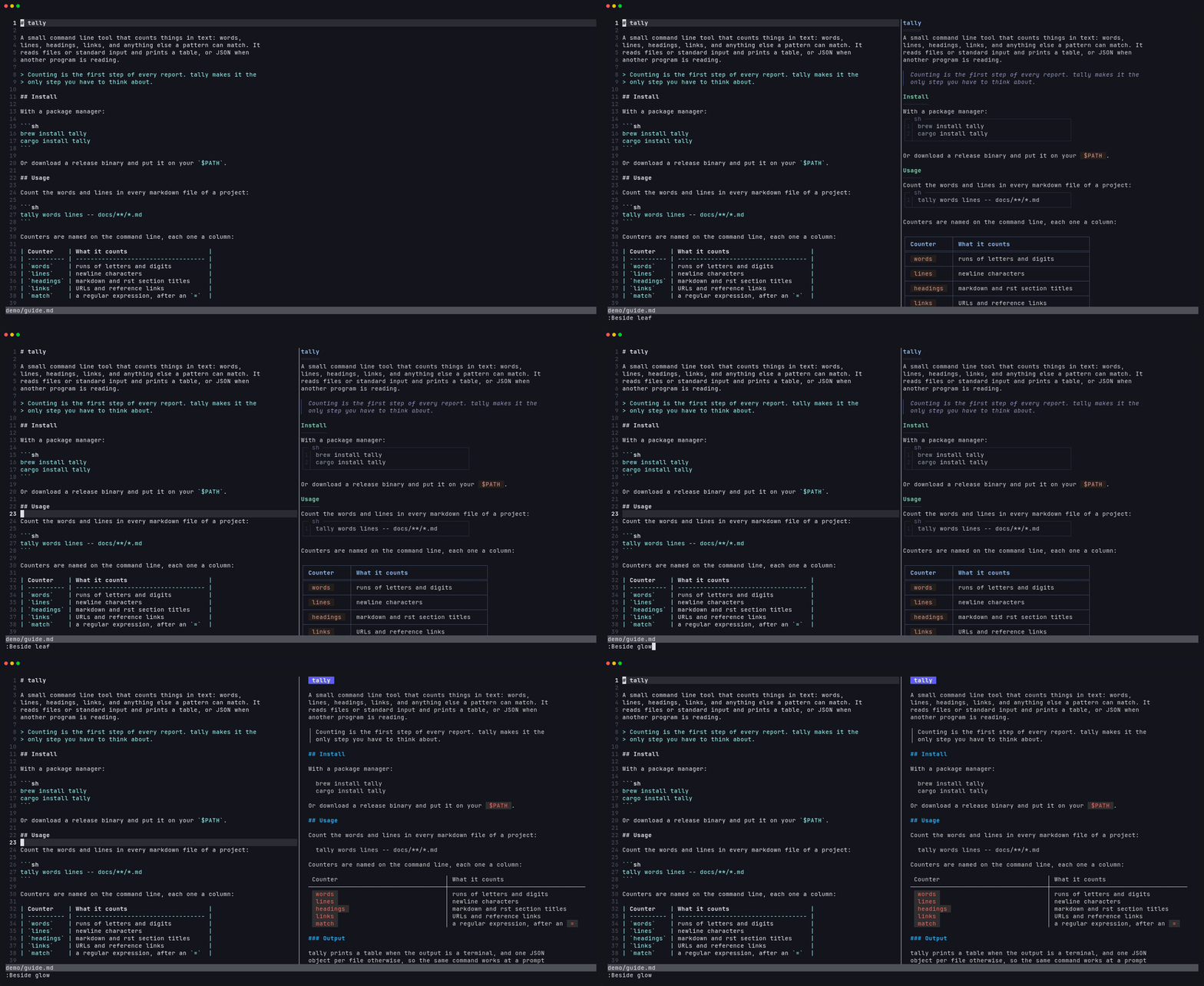
:Beside glow switches the preview from leaf to glow.
Configuration
The defaults:
require('beside').setup({
  -- Preview width: fraction of the screen, or a column count when 2 or more
  width = 0.4,

  -- Milliseconds after the last change before re-rendering
  delay = 100,

  -- Renderers to try first, per filetype. Any other renderer declaring the
  -- filetype follows, by name; the first one installed renders.
  prefer = {
    markdown = { 'leaf', 'glow', 'pandoc' },
  },

  -- Renderers by name; the builtins are leaf, glow, pandoc and carve
  renderers = require('beside.renderers'),
})
User entries deep-merge into the defaults, so an option is set with
renderers = { glow = { style = 'dracula' } } and a filetype's order is
replaced with prefer = { markdown = { 'glow' } }.
Adding a renderer
A renderer is a table with the filetypes it renders and a function building the command that renders stdin to ANSI-colored text on stdout:
require('beside').setup({
  renderers = {
    mdcat = {
      filetypes = { markdown = true },
      command = function(context)
        return { 'mdcat', '--columns', tostring(context.width), '-' }
      end,
    },
  },
})
filetypesmaps each filetype to the format name the command needs, or totruewhen that is the filetype itself. pandoc's entry mapsmarkdowntogfm, for example.command(context)returns the argv.contexthasfiletype,format(whatfiletypesmaps it to),width(columns to render at),background(lightordark) andrenderer(the entry itself, with any user options merged in).env, optional, is extra environment for the command.executable, optional, is what must be on$PATH; the renderer's name by default.
The same shape is what lua/beside/renderers.lua uses for the builtins, so a
renderer worth sharing is a pull request adding an entry there; see
CONTRIBUTING.md.
Per filetype
A buffer can override the settings in vim.b.beside_config, a table of the
same shape. Set one in after/ftplugin/<filetype>.lua to configure a filetype:
-- after/ftplugin/rst.lua
vim.b.beside_config = { prefer = { rst = { 'pandoc' } }, width = 0.5 }
Buffer variables cannot hold functions, so renderers themselves are added in
setup().
How the sync works
Renderers change the line count: a table becomes a box, a paragraph wraps, a code block grows a frame. There is no line-for-line map, so beside matches the text of each source line to the rendered output and interpolates between matches. Headings, list items, code lines and table cells anchor exactly; inside a wrapped paragraph the preview lands within a line or two.
Contributing
Bug reports, fixes and new renderers are welcome. CONTRIBUTING.md covers the dev setup, adding a renderer with its demo tape, and the renderer quirks worth knowing about.
License
MIT
Similar repos


Languages
Lua
99.0%
A live rendering of the document you are editing, in a split beside it: leaf, glow, pandoc or any renderer you add
Lua
14
36 commits
updated Sep 27, 2026
See what people are saying
README
beside.nvim
A live rendering of the document you are editing, in a split beside it. The preview follows your cursor, scrolling the preview scrolls the source, and it re-renders as you type. Rendering is done by a terminal renderer you already have: leaf, glow, pandoc or carve, see Supported renderers.
Markdown rendered by leaf. Moving in either side scrolls the other.
Why another preview
The existing previews are each tied to one renderer, and some need node or a
browser. I like glow's output for some documents and leaf's for others, so
beside runs whichever renderer is installed and lets you switch with
:Beside glow. In-buffer renderers like render-markdown.nvim are a
different thing and work fine alongside it.
Supported renderers
| Renderer | Renders | Install |
|---|---|---|
| leaf | Markdown | github.com/RivoLink/leaf |
| glow | Markdown | github.com/charmbracelet/glow |
| pandoc 3.1.10+ | Markdown, reStructuredText, AsciiDoc, Org, Textile, Typst, Djot | pandoc.org/installing |
| carve | Carve | markup-carve.github.io/carve/get-started |
Markdown tries leaf, then glow, then pandoc; the first one installed renders. Any other renderer is one table entry away, see Adding a renderer. When someone creates the next great markup language, beside will be ready for it!
reStructuredText rendered by pandoc.
Carve rendered by carve.
Requirements
- Neovim 0.10 or newer
- At least one of the supported renderers on
$PATH.:checkhealth besideshows which are found and what each filetype would be rendered with.
Install
With lazy.nvim:
{ 'mariocesar/beside.nvim', cmd = 'Beside', opts = {} }
setup() is optional; the defaults below apply without it. :h beside has
the full documentation.
Use
:Beside toggles the preview for the current buffer. :Beside glow opens it
with that renderer, or switches to it; renderer names complete. While the
preview is open:
- moving or scrolling in the source keeps the preview at the same place, and scrolling the preview scrolls the source
- edits re-render 100 ms after you stop typing, unsaved
- opening another document in the same tab moves the preview to it; when no window shows the document any more, the preview closes
qin the preview closes it
:Beside glow switches the preview from leaf to glow.
Configuration
The defaults:
require('beside').setup({
  -- Preview width: fraction of the screen, or a column count when 2 or more
  width = 0.4,

  -- Milliseconds after the last change before re-rendering
  delay = 100,

  -- Renderers to try first, per filetype. Any other renderer declaring the
  -- filetype follows, by name; the first one installed renders.
  prefer = {
    markdown = { 'leaf', 'glow', 'pandoc' },
  },

  -- Renderers by name; the builtins are leaf, glow, pandoc and carve
  renderers = require('beside.renderers'),
})
User entries deep-merge into the defaults, so an option is set with
renderers = { glow = { style = 'dracula' } } and a filetype's order is
replaced with prefer = { markdown = { 'glow' } }.
Adding a renderer
A renderer is a table with the filetypes it renders and a function building the command that renders stdin to ANSI-colored text on stdout:
require('beside').setup({
  renderers = {
    mdcat = {
      filetypes = { markdown = true },
      command = function(context)
        return { 'mdcat', '--columns', tostring(context.width), '-' }
      end,
    },
  },
})
filetypesmaps each filetype to the format name the command needs, or totruewhen that is the filetype itself. pandoc's entry mapsmarkdowntogfm, for example.command(context)returns the argv.contexthasfiletype,format(whatfiletypesmaps it to),width(columns to render at),background(lightordark) andrenderer(the entry itself, with any user options merged in).env, optional, is extra environment for the command.executable, optional, is what must be on$PATH; the renderer's name by default.
The same shape is what lua/beside/renderers.lua uses for the builtins, so a
renderer worth sharing is a pull request adding an entry there; see
CONTRIBUTING.md.
Per filetype
A buffer can override the settings in vim.b.beside_config, a table of the
same shape. Set one in after/ftplugin/<filetype>.lua to configure a filetype:
-- after/ftplugin/rst.lua
vim.b.beside_config = { prefer = { rst = { 'pandoc' } }, width = 0.5 }
Buffer variables cannot hold functions, so renderers themselves are added in
setup().
How the sync works
Renderers change the line count: a table becomes a box, a paragraph wraps, a code block grows a frame. There is no line-for-line map, so beside matches the text of each source line to the rendered output and interpolates between matches. Headings, list items, code lines and table cells anchor exactly; inside a wrapped paragraph the preview lands within a line or two.
Contributing
Bug reports, fixes and new renderers are welcome. CONTRIBUTING.md covers the dev setup, adding a renderer with its demo tape, and the renderer quirks worth knowing about.
License
MIT
Similar repos
Languages
Lua
99.0%