UINavigationBar Category which allows you to change its appearance dynamically
Objective-C
4,414
50 commits
updated Sep 26, 2018

This lib uses a hacky way to achieve the result, in the new iOS version, the structure of UINavigation is changed and this lib no longer works anymore, so please check these alternatives:
https://github.com/ltebean/LTNavigationBar/tree/swift3.0
It is hard to change the appearance of UINavigationBar dynamically, so I made this lib to make the job easy.
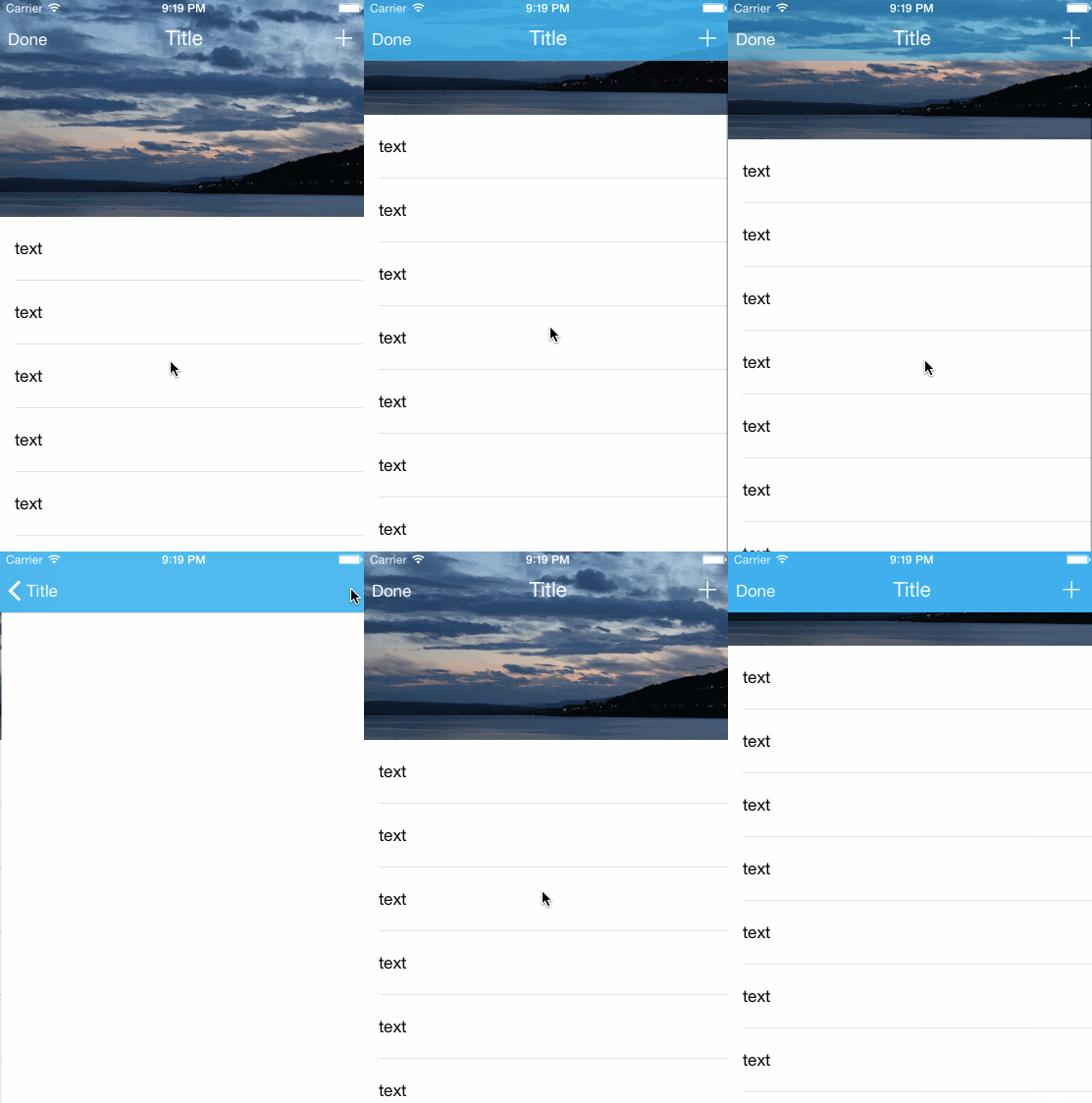
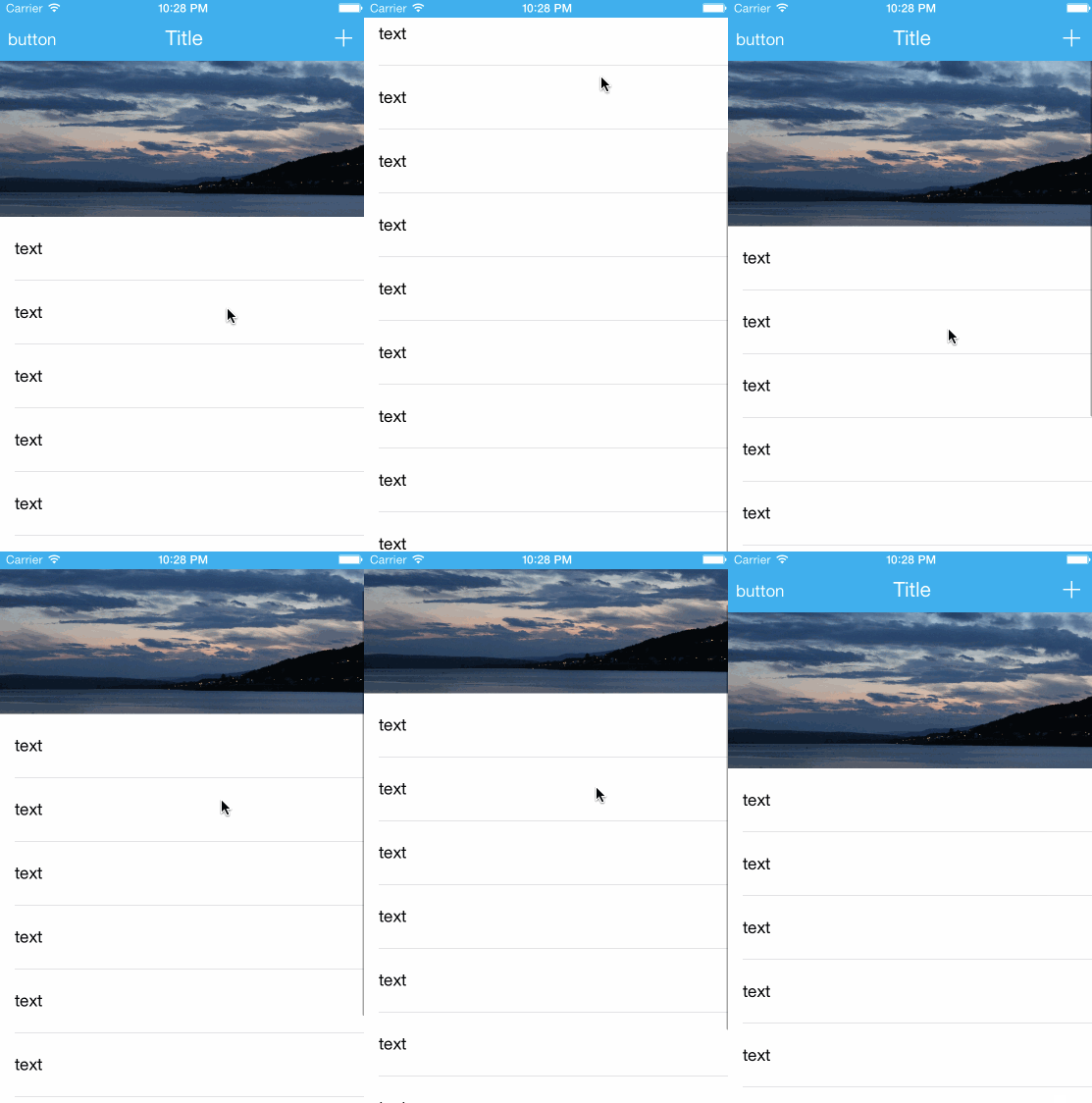
First, import this lib:
#import "UINavigationBar+Awesome.h"
The category includes lots of method that helps to change UINavigationBar's appearance dynamically:
@interface UINavigationBar (Awesome)
- (void)lt_setBackgroundColor:(UIColor *)backgroundColor;
- (void)lt_setElementsAlpha:(CGFloat)alpha;
- (void)lt_setTranslationY:(CGFloat)translationY;
- (void)lt_reset;
@end
You can call the various setter wherever you want, like:
[self.navigationController.navigationBar lt_setBackgroundColor:[UIColor blueColor]];
And usually in viewWillDisappear, you should call this method to avoid any side effects:
- (void)viewWillDisappear:(BOOL)animated
{
    [super viewWillDisappear:animated];
    [self.navigationController.navigationBar lt_reset];
}
See the example for details~
385 followers · starred Aug 2016
331 followers · starred Apr 2015
107 followers · starred Feb 2015
211 followers · starred Mar 2015
UINavigationBar Category which allows you to change its appearance dynamically
Objective-C
4,414
50 commits
updated Sep 26, 2018
This lib uses a hacky way to achieve the result, in the new iOS version, the structure of UINavigation is changed and this lib no longer works anymore, so please check these alternatives:
https://github.com/ltebean/LTNavigationBar/tree/swift3.0
It is hard to change the appearance of UINavigationBar dynamically, so I made this lib to make the job easy.
First, import this lib:
#import "UINavigationBar+Awesome.h"
The category includes lots of method that helps to change UINavigationBar's appearance dynamically:
@interface UINavigationBar (Awesome)
- (void)lt_setBackgroundColor:(UIColor *)backgroundColor;
- (void)lt_setElementsAlpha:(CGFloat)alpha;
- (void)lt_setTranslationY:(CGFloat)translationY;
- (void)lt_reset;
@end
You can call the various setter wherever you want, like:
[self.navigationController.navigationBar lt_setBackgroundColor:[UIColor blueColor]];
And usually in viewWillDisappear, you should call this method to avoid any side effects:
- (void)viewWillDisappear:(BOOL)animated
{
    [super viewWillDisappear:animated];
    [self.navigationController.navigationBar lt_reset];
}
See the example for details~
385 followers · starred Aug 2016
331 followers · starred Apr 2015
107 followers · starred Feb 2015
211 followers · starred Mar 2015