Local Desktop helps you run a desktop Linux environment on your Android device.
See the codeLocal Desktop helps you run a desktop Linux environment on your Android device.
Note: It is expected that you already have a usable desktop experience, i.e., a large enough display (tablet or DEX), a physical keyboard, and optionally a mouse/trackpad. Local Desktop aims to bridge the gap between the two platforms, not trying to "simulate" the desktop experience by introducing inconvenient interactions.
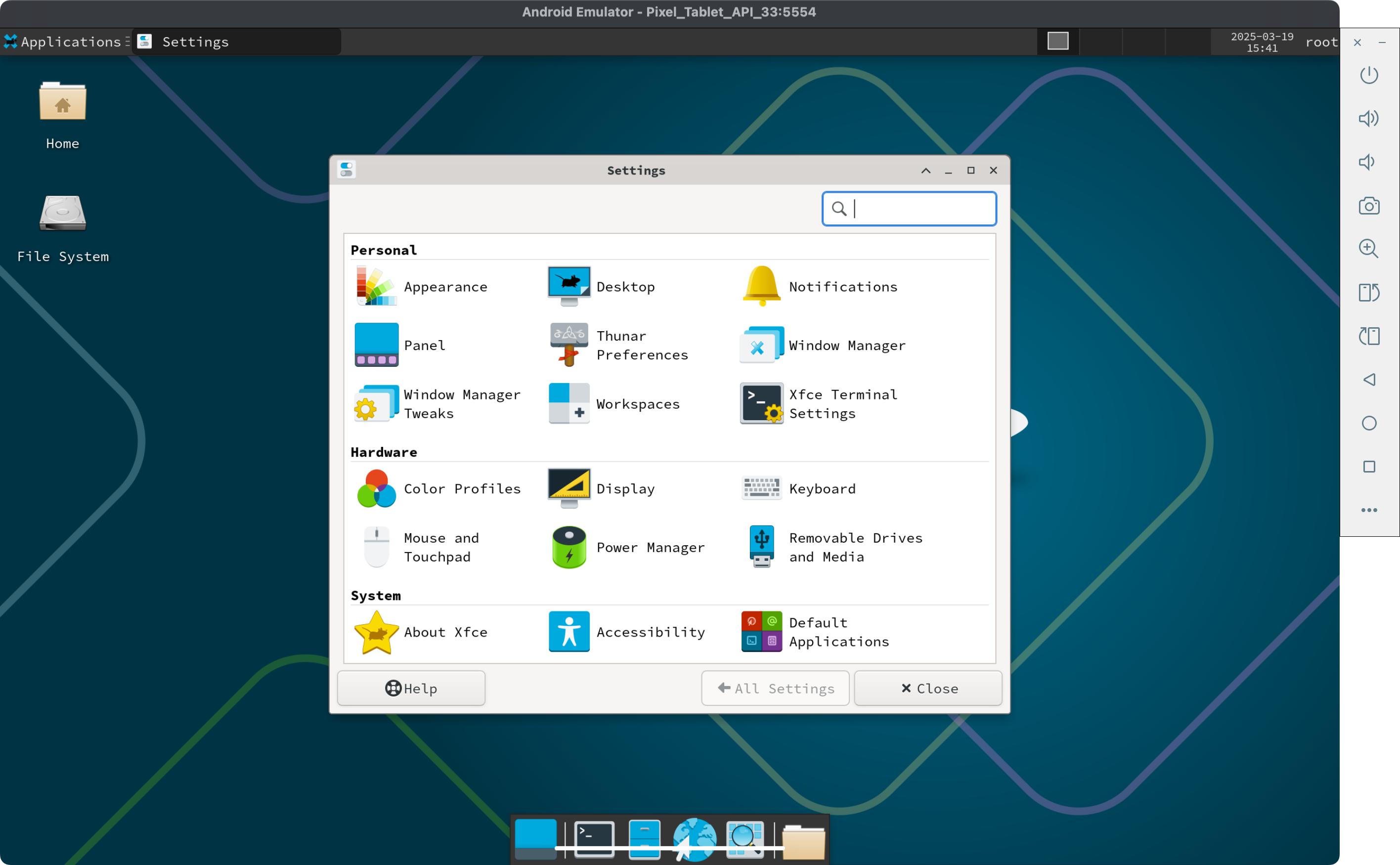 Proof of Concept: A Pixel Tablet running the XFCE desktop environment inside a Proot-based ARM64 Linux. No configuration is required; just install and go.
You can build the Local Desktop APK directly on your Android device. This is simple because no cross-compilation is needed. However, we only ship prebuilt libs for arm64, so this option only works on ARM64.
For Termux, there are two supported approaches:
Simple build (no xbuild)
Install Rust:
pkg i rust
Then run:
cargo run
This uses the built-in Rust APK builder and writes localdesktop.apk in the project root.
xbuild-based build
This matches the desktop cross-build pipeline more closely and is better for repeated APK builds:
bash scripts/build-termux.sh
This script installs the required Termux packages, bootstraps the patched xbuild toolchain, downloads the Android SDK build-tools, and writes the APK to target/x/release/android/localdesktop.apk.
For the simple cargo run flow, you can install the APK with termux-open localdesktop.apk, but in some cases you may need to mv localdesktop.apk ~/storage/downloads and install it from there. Make sure you have run termux-setup-storage before moving it outside Termux.
The above option is suitable for quick development on Android. However, if you need to build an AAB (for distribution to Google Play), debug with Visual Studio Code, or compile for unsupported targets (like x64 Android), then you need to cross-build it from your PC. Along with Rust, please make sure you have these components installed:
brew install llvm lld gradle@8
Then install our local version of xbuild:
cargo install --path patches/xbuild/xbuild --force
x build --release --platform android --arch arm64 --format apk
Alternatively, trigger the default build task by pressing Ctrl+Shift+B.
You can find the output APK in:
open target/x/release/android/gradle/app/build/outputs/apk/debug/app-debug.apk
If you have issues setting up your local development environment as detailed above, you can make use of the included Dockerfile to build an APK on a single command. This will take a long time so it's not recommended if you can make use of any of the other methods
make build-docker
You can find the output APK in:
open target/x/release/android/localdesktop.apk
We recommend the following setup, but feel free to use your own favorite tools for development:
pkg install helix helix-grammars rust-analyzer
A wonderful thing about developing directly on Android is that an agent like Codex on Termux can test the code for you by running unit tests, reading the output, understanding what went wrong, and trying again. In my experience, this is not possible when cross-developing on other operating systems, so you have to run the tests yourself.
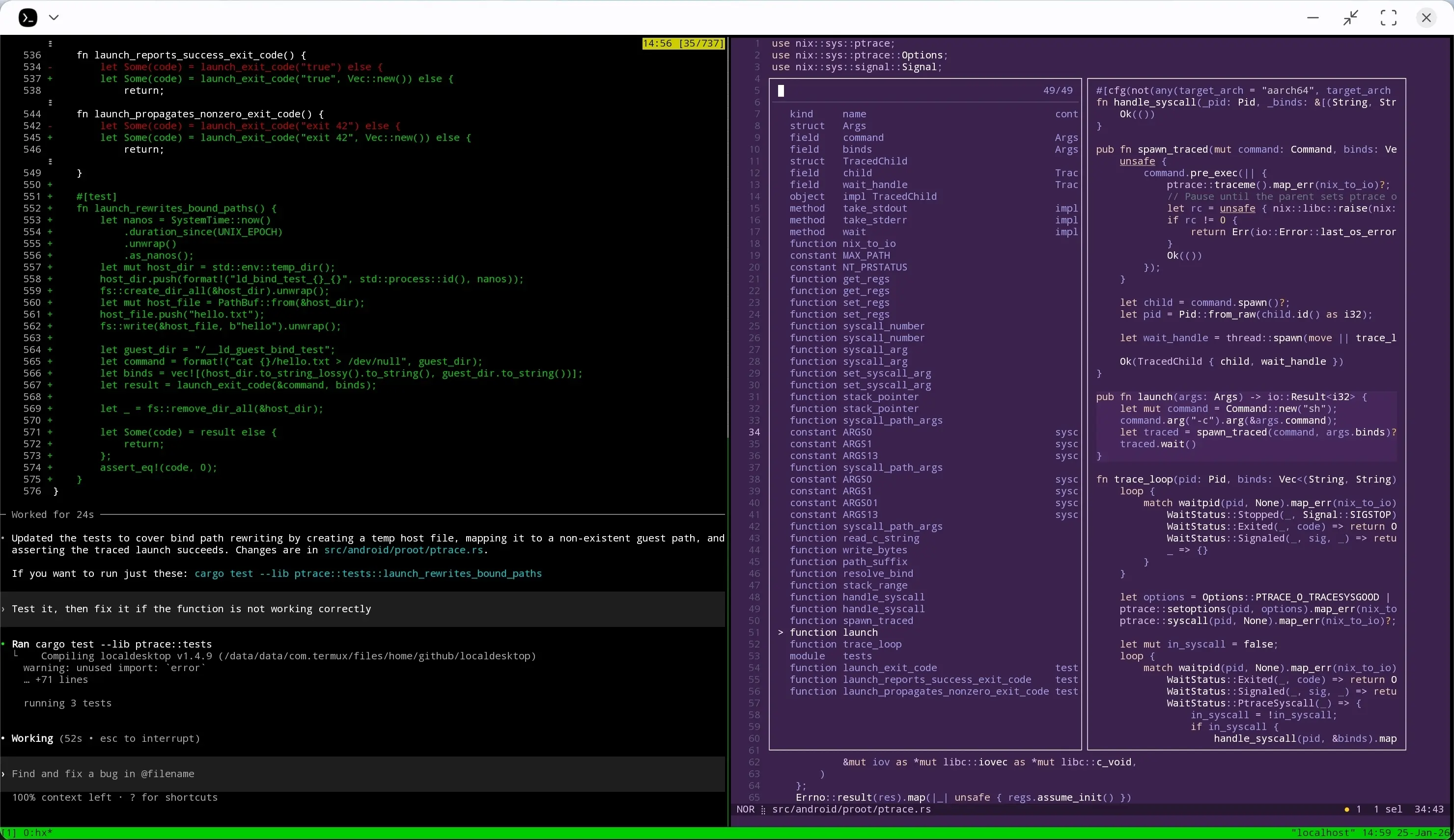
Recommended setup:
IDE: Visual Studio Code
Extensions:
Instructions:
[Android] Debug configuration from the debug panel. This will:
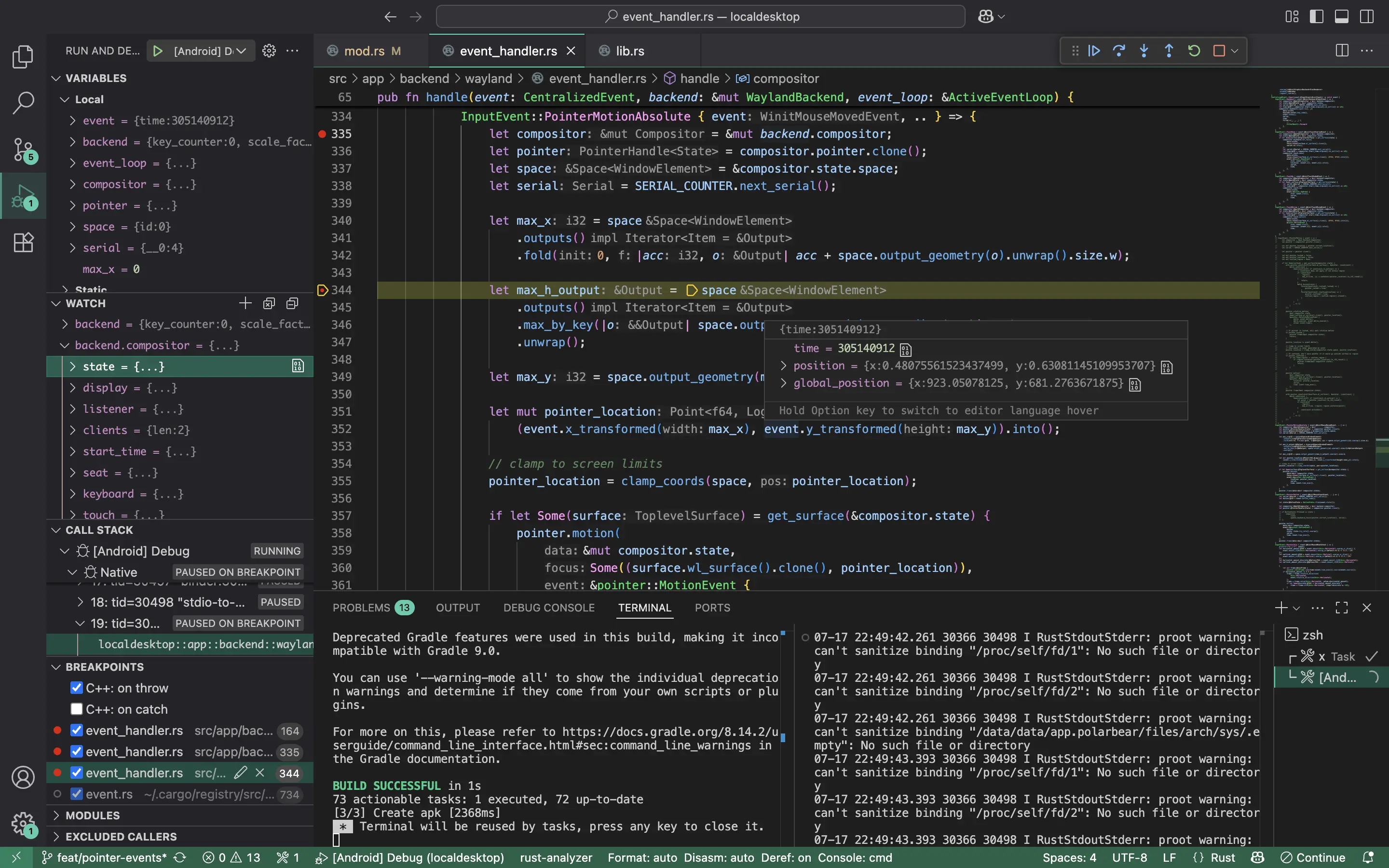
Tip: You can debug the app on either a physical device or a virtual device.
For more instructions on how to work on this project, please visit the Developer Manual.
82 followers · starred Feb 2026
469 followers · starred Jun 2025
2,091 followers · starred Jan 2026
1,117 followers · starred Jan 2026
Local Desktop helps you run a desktop Linux environment on your Android device.
See the codeLocal Desktop helps you run a desktop Linux environment on your Android device.
Note: It is expected that you already have a usable desktop experience, i.e., a large enough display (tablet or DEX), a physical keyboard, and optionally a mouse/trackpad. Local Desktop aims to bridge the gap between the two platforms, not trying to "simulate" the desktop experience by introducing inconvenient interactions.
Proof of Concept: A Pixel Tablet running the XFCE desktop environment inside a Proot-based ARM64 Linux. No configuration is required; just install and go.
You can build the Local Desktop APK directly on your Android device. This is simple because no cross-compilation is needed. However, we only ship prebuilt libs for arm64, so this option only works on ARM64.
For Termux, there are two supported approaches:
Simple build (no xbuild)
Install Rust:
pkg i rust
Then run:
cargo run
This uses the built-in Rust APK builder and writes localdesktop.apk in the project root.
xbuild-based build
This matches the desktop cross-build pipeline more closely and is better for repeated APK builds:
bash scripts/build-termux.sh
This script installs the required Termux packages, bootstraps the patched xbuild toolchain, downloads the Android SDK build-tools, and writes the APK to target/x/release/android/localdesktop.apk.
For the simple cargo run flow, you can install the APK with termux-open localdesktop.apk, but in some cases you may need to mv localdesktop.apk ~/storage/downloads and install it from there. Make sure you have run termux-setup-storage before moving it outside Termux.
The above option is suitable for quick development on Android. However, if you need to build an AAB (for distribution to Google Play), debug with Visual Studio Code, or compile for unsupported targets (like x64 Android), then you need to cross-build it from your PC. Along with Rust, please make sure you have these components installed:
brew install llvm lld gradle@8
Then install our local version of xbuild:
cargo install --path patches/xbuild/xbuild --force
x build --release --platform android --arch arm64 --format apk
Alternatively, trigger the default build task by pressing Ctrl+Shift+B.
You can find the output APK in:
open target/x/release/android/gradle/app/build/outputs/apk/debug/app-debug.apk
If you have issues setting up your local development environment as detailed above, you can make use of the included Dockerfile to build an APK on a single command. This will take a long time so it's not recommended if you can make use of any of the other methods
make build-docker
You can find the output APK in:
open target/x/release/android/localdesktop.apk
We recommend the following setup, but feel free to use your own favorite tools for development:
pkg install helix helix-grammars rust-analyzer
A wonderful thing about developing directly on Android is that an agent like Codex on Termux can test the code for you by running unit tests, reading the output, understanding what went wrong, and trying again. In my experience, this is not possible when cross-developing on other operating systems, so you have to run the tests yourself.
Recommended setup:
IDE: Visual Studio Code
Extensions:
Instructions:
[Android] Debug configuration from the debug panel. This will:
Tip: You can debug the app on either a physical device or a virtual device.
For more instructions on how to work on this project, please visit the Developer Manual.
82 followers · starred Feb 2026
469 followers · starred Jun 2025
2,091 followers · starred Jan 2026
1,117 followers · starred Jan 2026