liaisonio/liaison

Self-hosted access to private apps, LLMs, and AI agents — browser workspaces, scoped API sharing, and context-aware AI assistance.

Go

106

410 commits

updated Oct 19, 2026

See the code

See what people are saying

SourceMessageScoreDate

I built an open-source tool to share local models over the internet (r/LocalLLM)

Running a model locally is easy enough. Letting someone outside your home network actually use it takes a few more pieces. I’m building Liaison, a self-hosted, open-source tool for that. Your model stays on your machine, while other people can access it through a browser playground or an API. The…

1

Oct 13, 2026

README

Liaison

Self-hosted access to private apps, LLMs, and AI agents.

Browser workspaces, scoped API sharing, and context-aware AI assistance — with outbound-only connectors to your private services.

CI Release Downloads License Go React TypeScript Vite Tailwind CSS

English | 简体中文 | 日本語 | 한국어 | Español | Français | Deutsch

Website · Docs · Features · Install · Access protocols · Agent models · Product tour

Liaison: secure access to local compute and applications. Illustrative demo with sample data.

Features

  • 🤖 Local LLM access — Share local models through authenticated APIs and a browser Playground.
  • 🔑 Controlled API sharing — Scope keys to models, set Token quotas, revoke access, and track usage.
  • 🤖 AI agent access — Use Codex and Claude Code on your devices from the browser, with resumable sessions, execution progress, and permission prompts.
  • 💻 Browser IDE — Edit projects and use terminals and extensions through code-server.
  • ✨ AI in your workflow — Inspect terminal output, draft commands, and query databases within user permissions, with approval where required.
  • 💬 Ask about your resources — Find connectors, devices, and applications within your access scope.
  • 🔌 Outbound-only connectors — Connect private devices without opening inbound ports on them.
  • 🔐 Application access — Access TCP, HTTP, HTTPS, WebSocket, and SSH services with per-access controls.
  • 🖥️ Browser workspaces — Work with terminals, remote desktops, databases, and caches in your browser.
  • 📁 Files and objects — Manage files over SFTP and browse S3-compatible storage (read-only).
  • 🔎 Application discovery — Detect existing services on connector devices and register them from the console.
  • 👥 Identity and access management — Manage users and resources with Casbin-backed authorization.
  • 🛡️ Firewall policies — Restrict TCP and HTTP access by source IP or CIDR.
  • 📋 Logs and audit — Review management actions and supported application sessions.
  • 📦 Self-hosted deployment — Run the complete control plane on your own Linux server.

Install

Download the self-contained Docker bundle, extract it, and run the installer (Docker 20.10+ with Compose is required):

wget https://github.com/liaisonio/liaison/releases/download/v1.15.4/liaison-1.15.4-linux-amd64.tar.gz
tar -xzf liaison-1.15.4-linux-amd64.tar.gz
cd liaison-1.15.4-linux-amd64
./install.sh

Open https://<server-address> after installation. The installer prints the initial sign-in credentials.

Supported access protocols

Access your existing private services through Liaison.

SSH / SFTPSSH / WebSSH   WebSFTP
DesktopWebRDP   WebVNC
SQL databasesWebMySQL   WebMariaDB   WebPostgreSQL   WebSQLServer   WebOracle   WebClickHouse
Data & searchWebMongoDB   WebElasticsearch   WebOpenSearch
CacheWebRedis   WebMemcached
StorageWebS3 (S3-compatible)
LLM upstream protocolsOpenAI-compatible   Anthropic Messages   Ollama
Web / TCPHTTP / HTTPS / WebSocket   TCP

LLM upstreams support OpenAI-compatible, Anthropic Messages, and Ollama. Clients use OpenAI-compatible endpoints; Anthropic upstreams also expose native Messages endpoints. Logos identify existing services you can access, not products bundled or deployed by Liaison. Database and desktop logos refer to browser workspaces, not native database/RDP/VNC server listeners.

Agent model providers

Configure the model behind Liaison’s built-in Agent, independently of service access.

ModelsOpenAI   Anthropic / Claude   Google Gemini   DeepSeek   Z.ai / GLM   Moonshot / Kimi   MiniMax   Xiaomi MiMo

Eight provider presets, plus custom OpenAI-compatible services.

Product tour

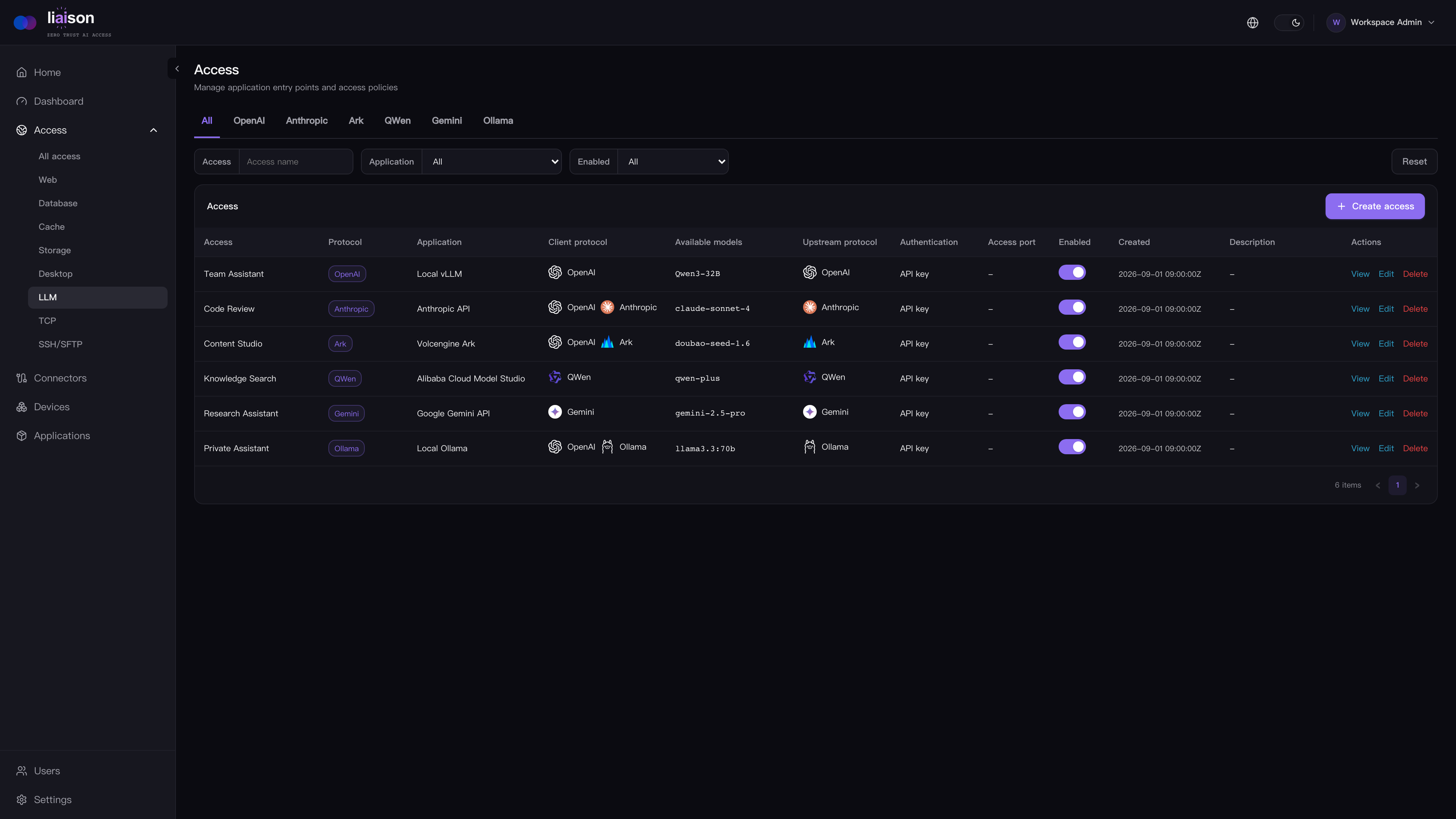
Local LLM access

Liaison console showing model access, client and upstream protocols, model aliases and API key authentication. Illustrative configuration.

Web SSH

Work in an audited browser terminal with an Agent that can inspect session output and help draft commands.

Using Web SSH through Liaison

Private web applications

Access media servers and other internal web applications through Liaison.

Accessing Jellyfin through Liaison

Private AI assistants

Keep internal AI tools reachable without exposing the private network.

Accessing OpenClaw through Liaison

Web MySQL

Browse schemas, run SQL, and ask the session Agent to query and explain results, with approval where required.

Using MySQL through Liaison

Web MongoDB

Explore collections and ask the session Agent to run approved queries and explain documents, without a local client.

Using MongoDB through Liaison

Web VNC

Open a private VNC desktop in a managed browser session.

A VNC desktop opened in Liaison

Web RDP

Connect to an RDP desktop from the same access workflow.

An RDP desktop opened in Liaison

Documentation

Contributing

Bug reports, feature proposals, documentation improvements, and pull requests are welcome. Start with Issues or open a Pull Request.

License

Liaison is licensed under the GNU Affero General Public License v3.0.

ai-agent
ai-native
claude-code
codex
database
jumpserver
llm-gateway
nat-traversal
ollama
proxy
rdp
remote-desktop
s3
sdp
self-hosted
sftp
vnc-client
webssh
zta
ztna

liaisonio/liaison

Self-hosted access to private apps, LLMs, and AI agents — browser workspaces, scoped API sharing, and context-aware AI assistance.

Go

106

410 commits

updated Oct 19, 2026

See the code

See what people are saying

SourceMessageScoreDate

I built an open-source tool to share local models over the internet (r/LocalLLM)

Running a model locally is easy enough. Letting someone outside your home network actually use it takes a few more pieces. I’m building Liaison, a self-hosted, open-source tool for that. Your model stays on your machine, while other people can access it through a browser playground or an API. The…

1

Oct 13, 2026

README

Liaison

Self-hosted access to private apps, LLMs, and AI agents.

Browser workspaces, scoped API sharing, and context-aware AI assistance — with outbound-only connectors to your private services.

CI Release Downloads License Go React TypeScript Vite Tailwind CSS

English | 简体中文 | 日本語 | 한국어 | Español | Français | Deutsch

Website · Docs · Features · Install · Access protocols · Agent models · Product tour
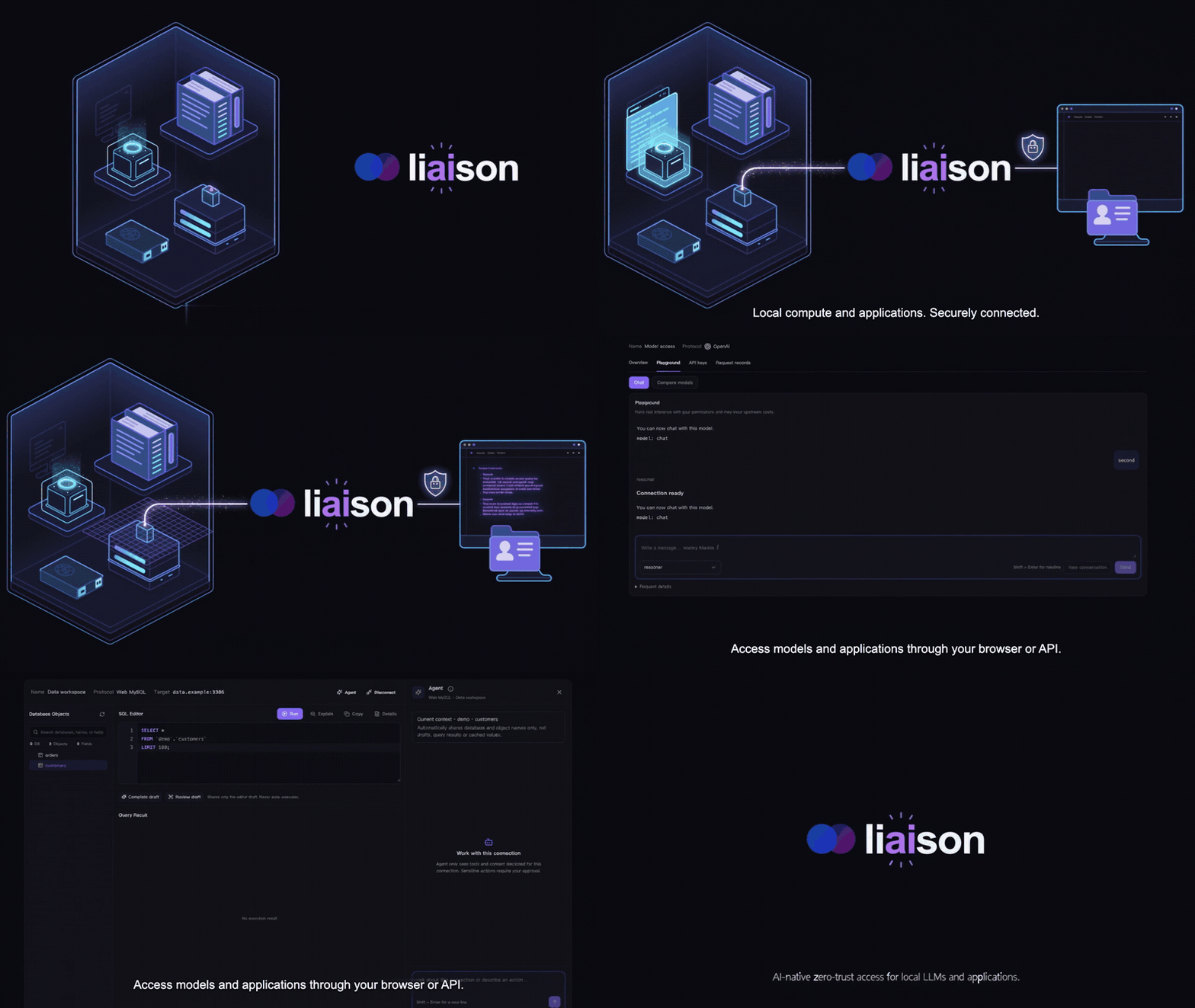
Liaison: secure access to local compute and applications. Illustrative demo with sample data.

Features

  • 🤖 Local LLM access — Share local models through authenticated APIs and a browser Playground.
  • 🔑 Controlled API sharing — Scope keys to models, set Token quotas, revoke access, and track usage.
  • 🤖 AI agent access — Use Codex and Claude Code on your devices from the browser, with resumable sessions, execution progress, and permission prompts.
  • 💻 Browser IDE — Edit projects and use terminals and extensions through code-server.
  • ✨ AI in your workflow — Inspect terminal output, draft commands, and query databases within user permissions, with approval where required.
  • 💬 Ask about your resources — Find connectors, devices, and applications within your access scope.
  • 🔌 Outbound-only connectors — Connect private devices without opening inbound ports on them.
  • 🔐 Application access — Access TCP, HTTP, HTTPS, WebSocket, and SSH services with per-access controls.
  • 🖥️ Browser workspaces — Work with terminals, remote desktops, databases, and caches in your browser.
  • 📁 Files and objects — Manage files over SFTP and browse S3-compatible storage (read-only).
  • 🔎 Application discovery — Detect existing services on connector devices and register them from the console.
  • 👥 Identity and access management — Manage users and resources with Casbin-backed authorization.
  • 🛡️ Firewall policies — Restrict TCP and HTTP access by source IP or CIDR.
  • 📋 Logs and audit — Review management actions and supported application sessions.
  • 📦 Self-hosted deployment — Run the complete control plane on your own Linux server.

Install

Download the self-contained Docker bundle, extract it, and run the installer (Docker 20.10+ with Compose is required):

wget https://github.com/liaisonio/liaison/releases/download/v1.15.4/liaison-1.15.4-linux-amd64.tar.gz
tar -xzf liaison-1.15.4-linux-amd64.tar.gz
cd liaison-1.15.4-linux-amd64
./install.sh

Open https://<server-address> after installation. The installer prints the initial sign-in credentials.

Supported access protocols

Access your existing private services through Liaison.

SSH / SFTPSSH / WebSSH   WebSFTP
DesktopWebRDP   WebVNC
SQL databasesWebMySQL   WebMariaDB   WebPostgreSQL   WebSQLServer   WebOracle   WebClickHouse
Data & searchWebMongoDB   WebElasticsearch   WebOpenSearch
CacheWebRedis   WebMemcached
StorageWebS3 (S3-compatible)
LLM upstream protocolsOpenAI-compatible   Anthropic Messages   Ollama
Web / TCPHTTP / HTTPS / WebSocket   TCP

LLM upstreams support OpenAI-compatible, Anthropic Messages, and Ollama. Clients use OpenAI-compatible endpoints; Anthropic upstreams also expose native Messages endpoints. Logos identify existing services you can access, not products bundled or deployed by Liaison. Database and desktop logos refer to browser workspaces, not native database/RDP/VNC server listeners.

Agent model providers

Configure the model behind Liaison’s built-in Agent, independently of service access.

ModelsOpenAI   Anthropic / Claude   Google Gemini   DeepSeek   Z.ai / GLM   Moonshot / Kimi   MiniMax   Xiaomi MiMo

Eight provider presets, plus custom OpenAI-compatible services.
Product tour

Local LLM access

Liaison console showing model access, client and upstream protocols, model aliases and API key authentication. Illustrative configuration.

Web SSH

Work in an audited browser terminal with an Agent that can inspect session output and help draft commands.
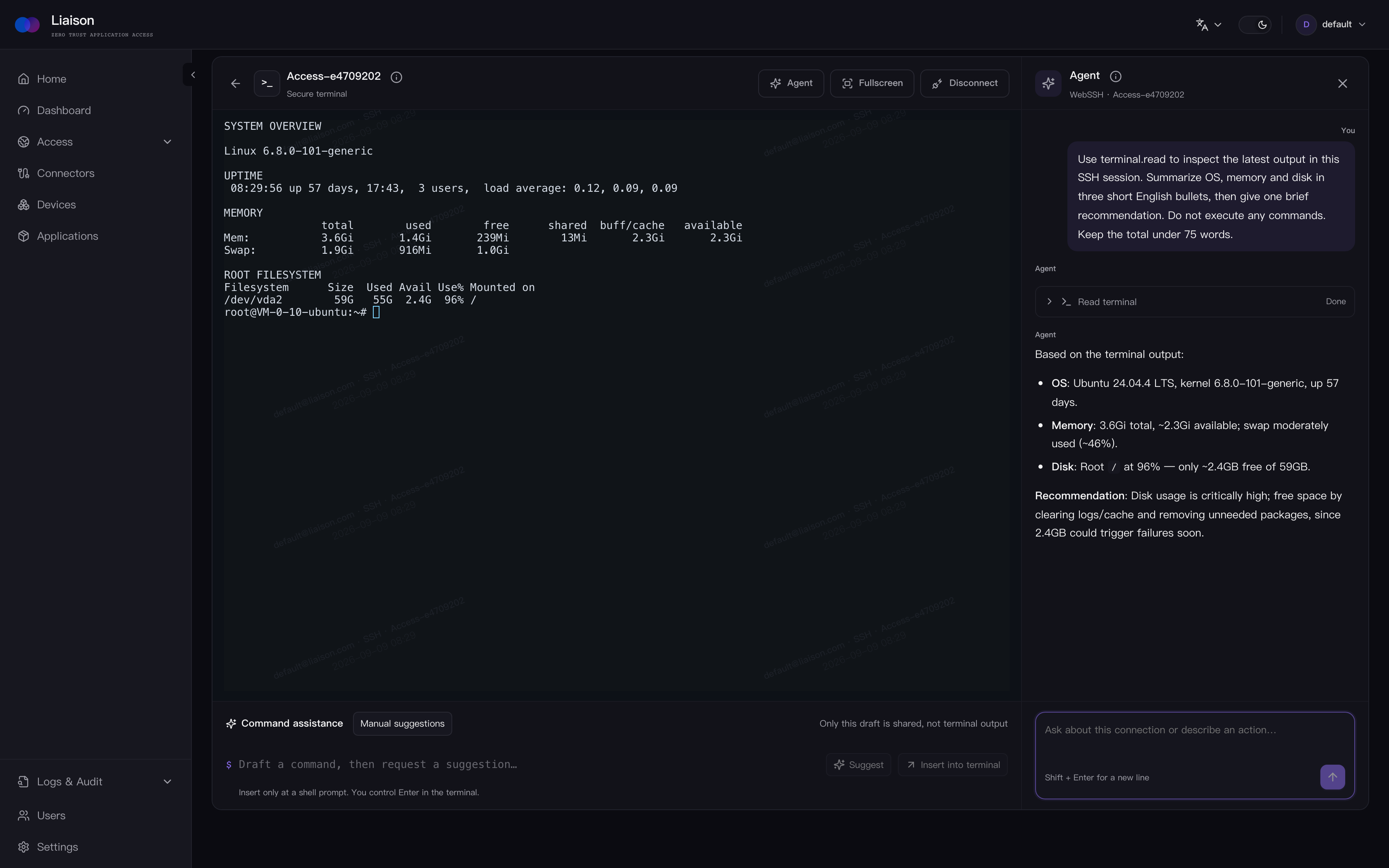
Using Web SSH through Liaison

Private web applications

Access media servers and other internal web applications through Liaison.

Accessing Jellyfin through Liaison

Private AI assistants

Keep internal AI tools reachable without exposing the private network.
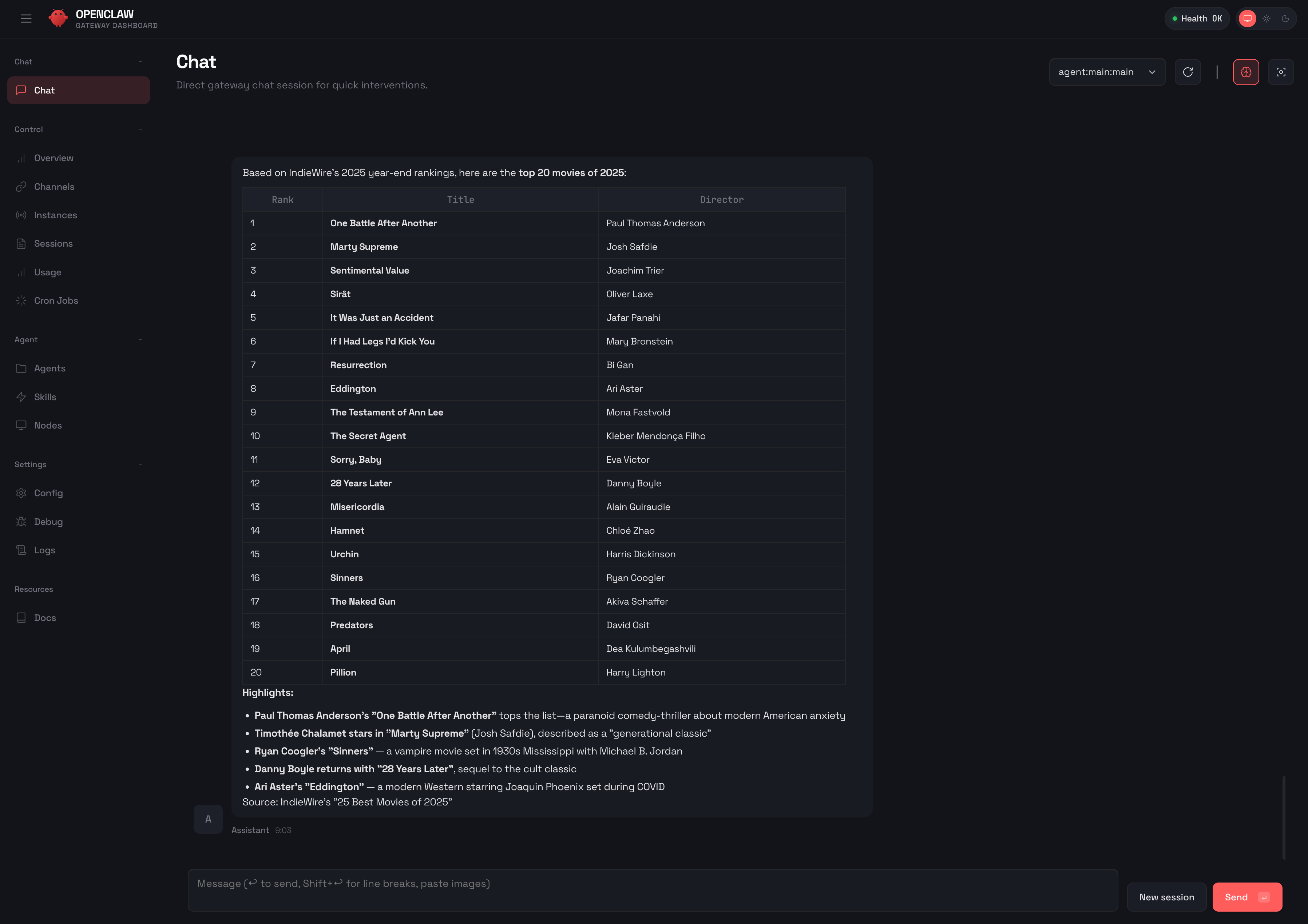
Accessing OpenClaw through Liaison

Web MySQL

Browse schemas, run SQL, and ask the session Agent to query and explain results, with approval where required.
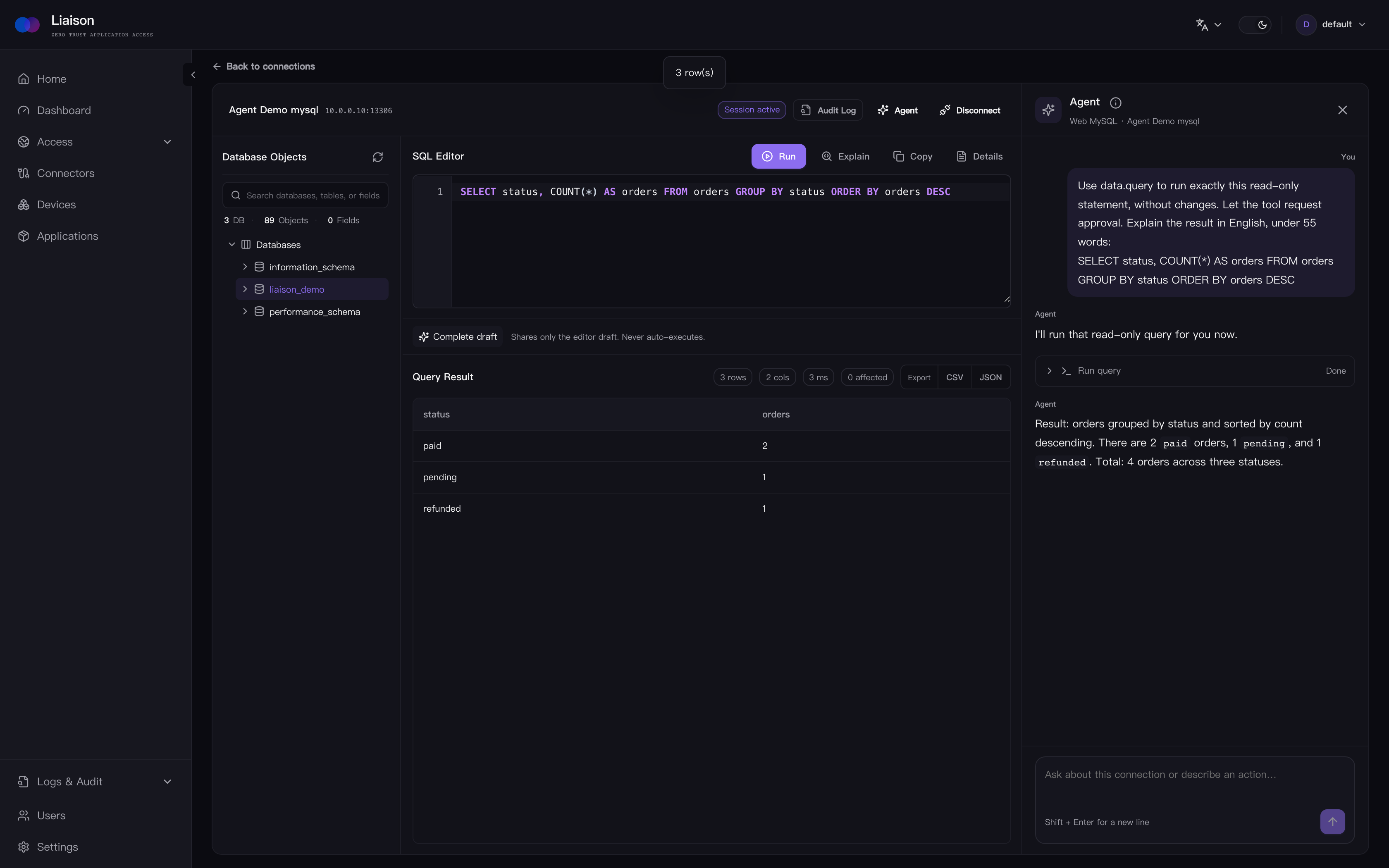
Using MySQL through Liaison

Web MongoDB

Explore collections and ask the session Agent to run approved queries and explain documents, without a local client.
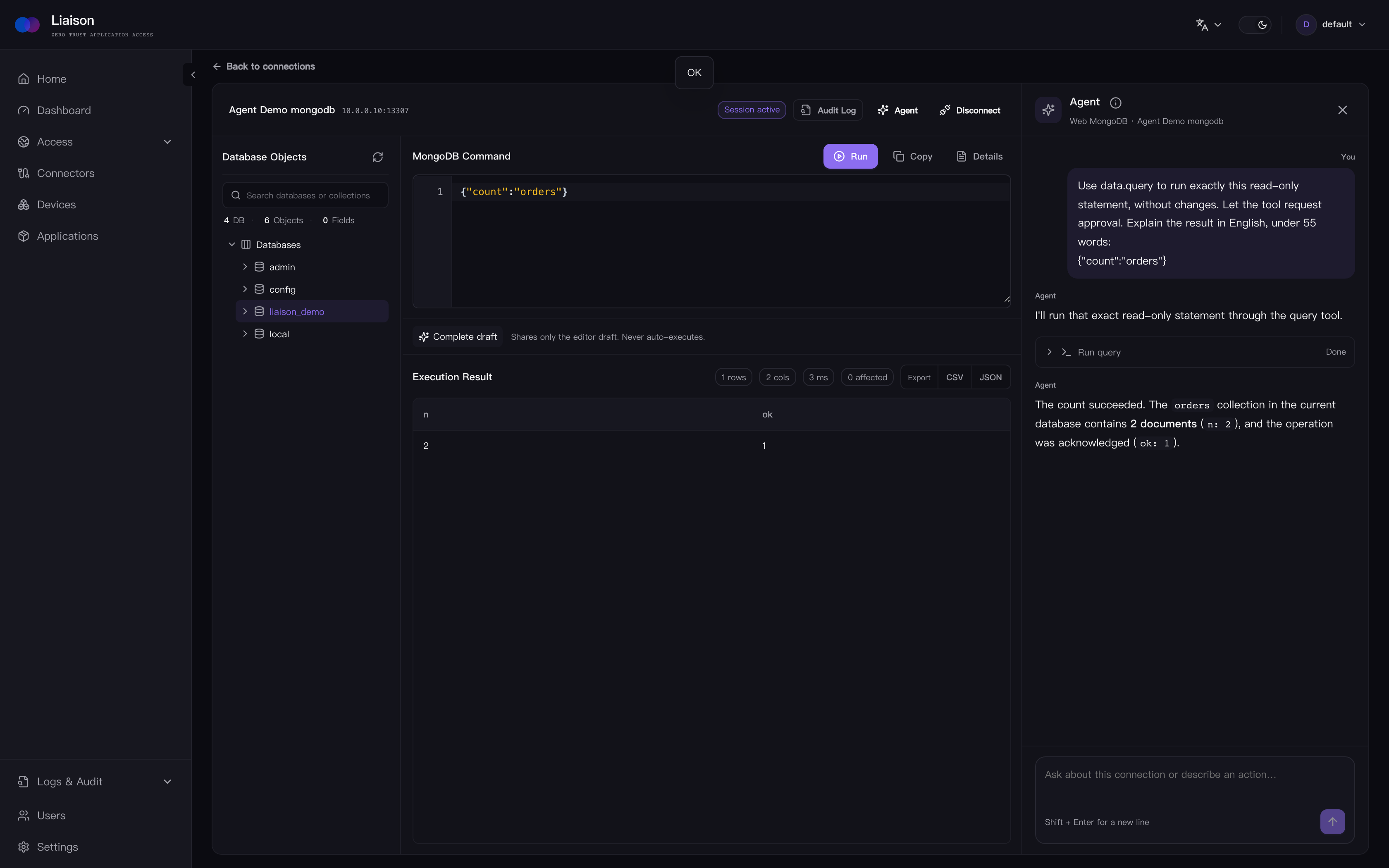
Using MongoDB through Liaison

Web VNC

Open a private VNC desktop in a managed browser session.
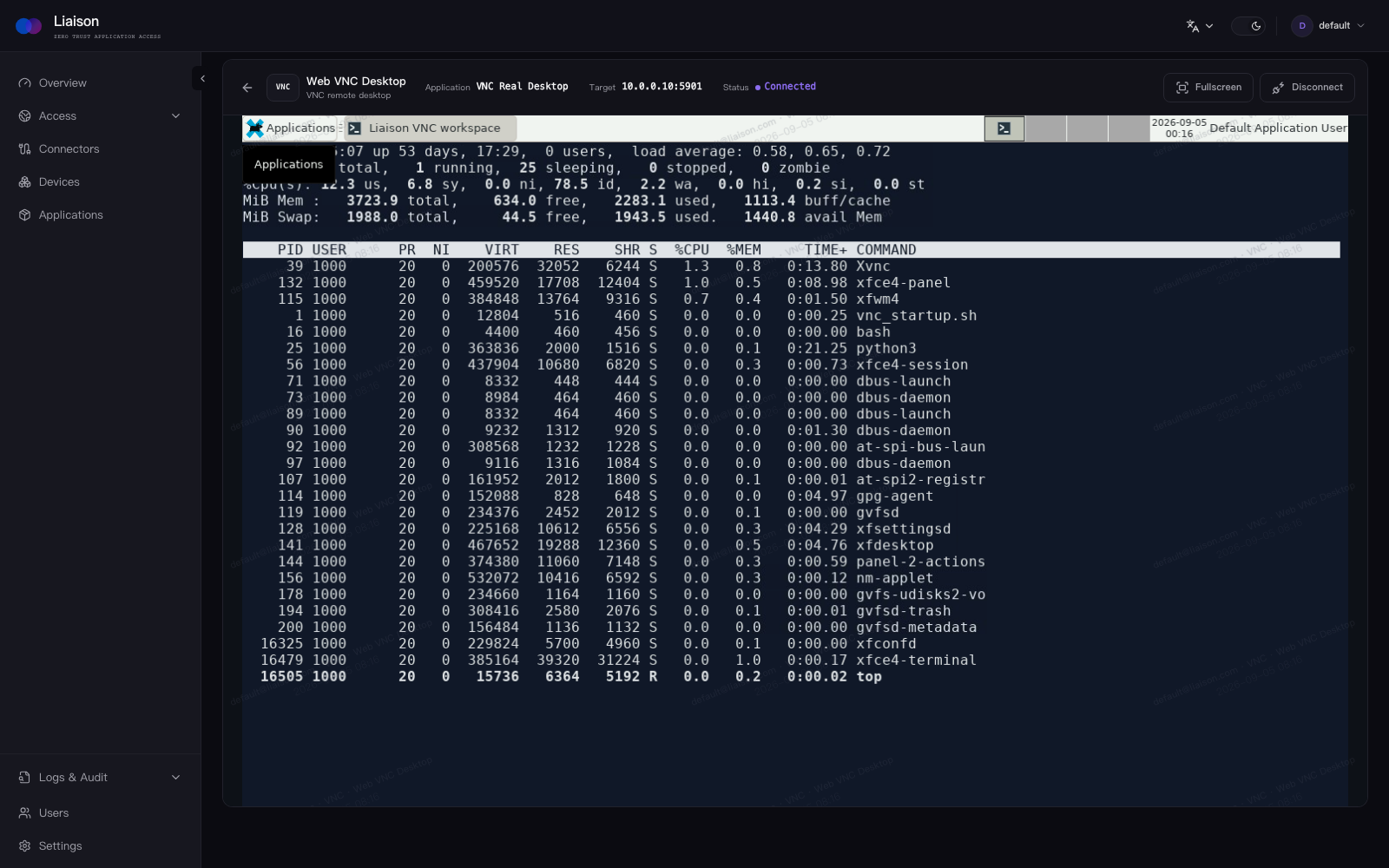
A VNC desktop opened in Liaison

Web RDP

Connect to an RDP desktop from the same access workflow.
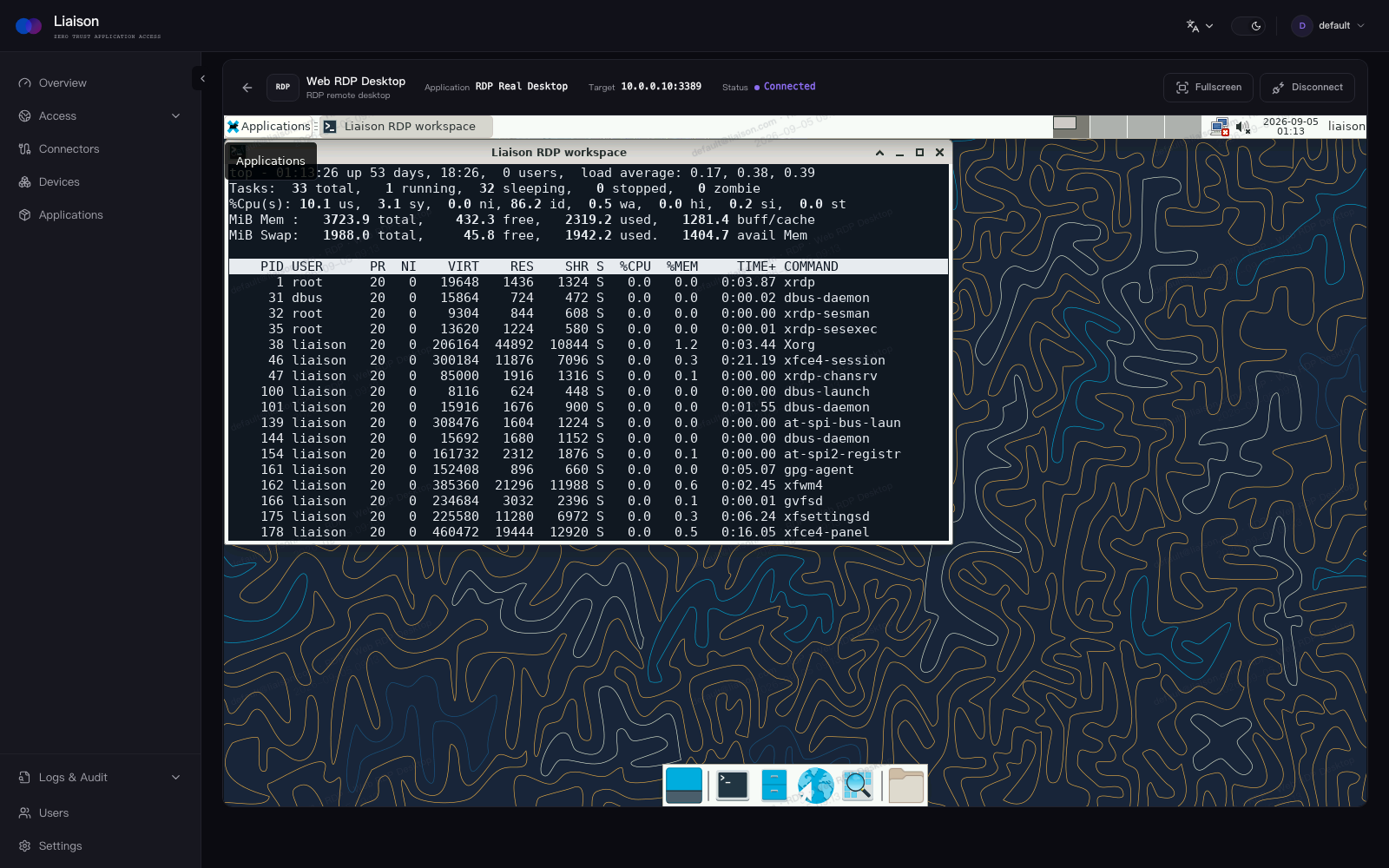
An RDP desktop opened in Liaison

Documentation

Contributing

Bug reports, feature proposals, documentation improvements, and pull requests are welcome. Start with Issues or open a Pull Request.

License

Liaison is licensed under the GNU Affero General Public License v3.0.

ai-agent
ai-native
claude-code
codex
database
jumpserver
llm-gateway
nat-traversal
ollama
proxy
rdp
remote-desktop
s3
sdp
self-hosted
sftp
vnc-client
webssh
zta
ztna

Project health

Latest release

v1.15.4 · Oct 12, 2026

Releases this year

15